How we make this list: we compare pricing pages, product documentation and public user reviews. Ratings come from G2, Capterra or Trustpilot, with the date we checked them.
Direct answer
Embrilliance StitchArtist is the top pick for most buyers who want manual digitizing on Mac or Windows without a dongle. It suits home businesses that digitize logos and lettering. Chroma by Ricoma is the alternative for commercial shops that want auto-digitizing, training, and a 14 day trial.
Key takeaways
- Mac and Windows users: Embrilliance StitchArtist sells digitizing in 3 upgradable levels.
- Commercial shops: Chroma Inspire costs $559.30 for the first 12 months on Ricoma pricing, with a 14 day free trial.
- Brother machine owners: PE-Design 11 includes 130 fonts and over 1,000 designs.
- Budget buyers: SewArt costs $75.00 and offers a free 30 day demo.
- Hobbyists testing digitizing: Ink/Stitch is free and open source, with version 3.3.0 released on July 31, 2026.
Quick comparison
| Tool | Best for | Starting price | Free plan |
|---|
 Embrilliance StitchArtist | Mac and Windows manual digitizing | See website | Free Express mode for .BX fonts |
 Chroma by Ricoma | Commercial shops that want training | $559.30 for Chroma Inspire, first 12 months (subscription plan) | Free trial (14 days) |
 Brother PE-Design 11 | Brother and Baby Lock owners | See website | Free trial linked from vendor page, duration not stated on product page |
 BERNINA Embroidery Software 9 | BERNINA owners who want WiFi transfer | See website | Free 30 day trial version without CorelDRAW |
 Janome Artistic Digitizer | Janome owners on Mac or Windows | See website | None found on vendor page |
 Floriani Total Control U | Windows users who want dealer support | See website | None found on vendor page |
 DRAWings PRO XII | Vector artwork and multi-format output | See website | None found on vendor page |
 Embird | Budget modular digitizing on Windows | See website | Demo fully functional for 30 days or 100 runs |
 SewArt | Simple auto-digitizing from images | $75.00 one-time (email download) | Free 30 day demo |
 Ink/Stitch | Free digitizing inside Inkscape | Free | Free and open source, full version |
Is your product missing or out of date?
We review this list regularly. Vendors can request a listing, send updated pricing or ask about featured placement.
Wilcom is known for professional embroidery digitizing, but its price and Windows focus do not fit every shop. The tools below cover manual digitizing, auto-digitizing, photo stitch tools, and lettering. This list ranks tools by verified vendor facts: operating system support, digitizing tools, format output, trial terms, and clear vendor pricing. Brand software ranks higher for owners of that brand, while cross-brand tools rank higher for mixed machine shops that sew for several customers with different machine brands and hoop sizes.
Starting priceSee website
Free planFree Express mode for .BX fonts
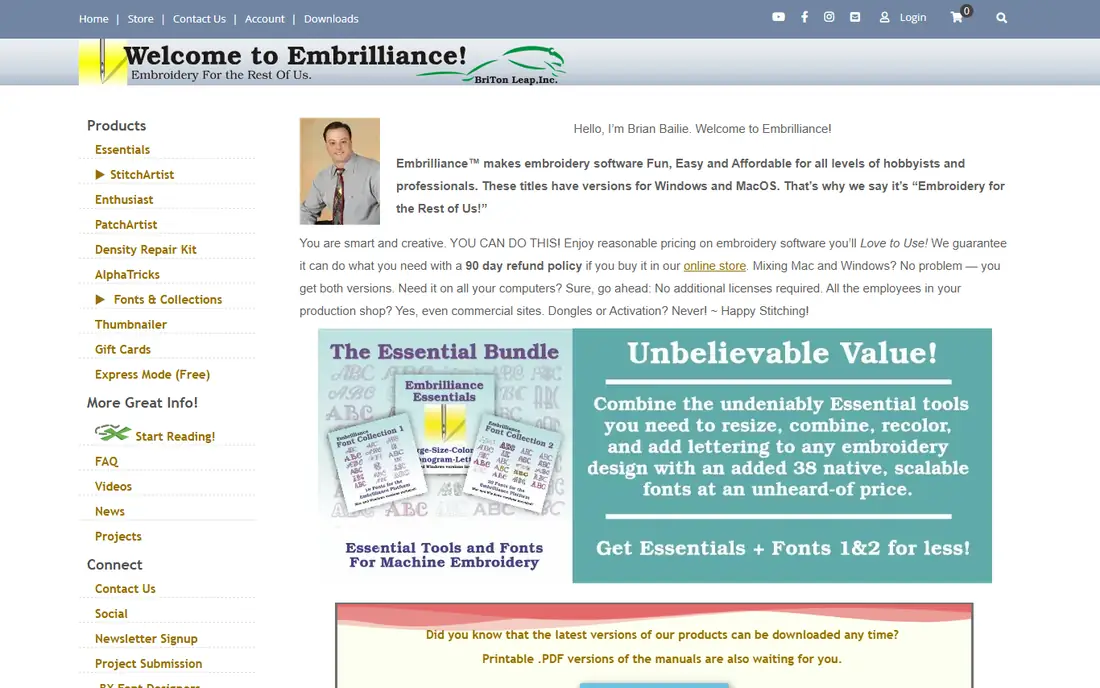
StitchArtist is the digitizing part of the Embrilliance Platform. The vendor describes it as software to create stitch designs from scratch, using existing artwork or drawing with stitches. Level 1 covers simple stitch creation, borders, and applique elements. Level 2 adds the tools for complex designs and custom logos. Level 3 adds font publishing, property stylesheets, and higher level shaping tools for production digitizers and design sellers. Because all Embrilliance titles run in one platform window, buyers can add serial numbers as needs grow. The platform also handles sending designs to wireless machines and converting design colors to thread brands, tasks the vendor assigns to Essentials.
The catch is that Embrilliance splits jobs across titles. The vendor states that its products do not overlap, so Essentials handles merging, resizing, and lettering while StitchArtist handles digitizing. A buyer who wants both must buy both titles. Pick StitchArtist for manual control on Mac or Windows. Look elsewhere for automatic photo or logo conversion. That staged buying suits buyers who learn digitizing gradually over time.
What we like- Runs on Mac and Windows in one platform
- StitchArtist levels 1 to 3 upgrade for the price difference
- Level 3 can publish embroidery fonts
Watch out for- Essentials editing and StitchArtist digitizing are separate purchases
- StitchArtist is built for manual creation, not one-click auto-digitizing
#2
Chroma by Ricoma
Best for: Commercial shops that want training
Visit ricoma.com
Starting price$559.30 for Chroma Inspire, first 12 months (subscription plan)
Free planFree trial (14 days)
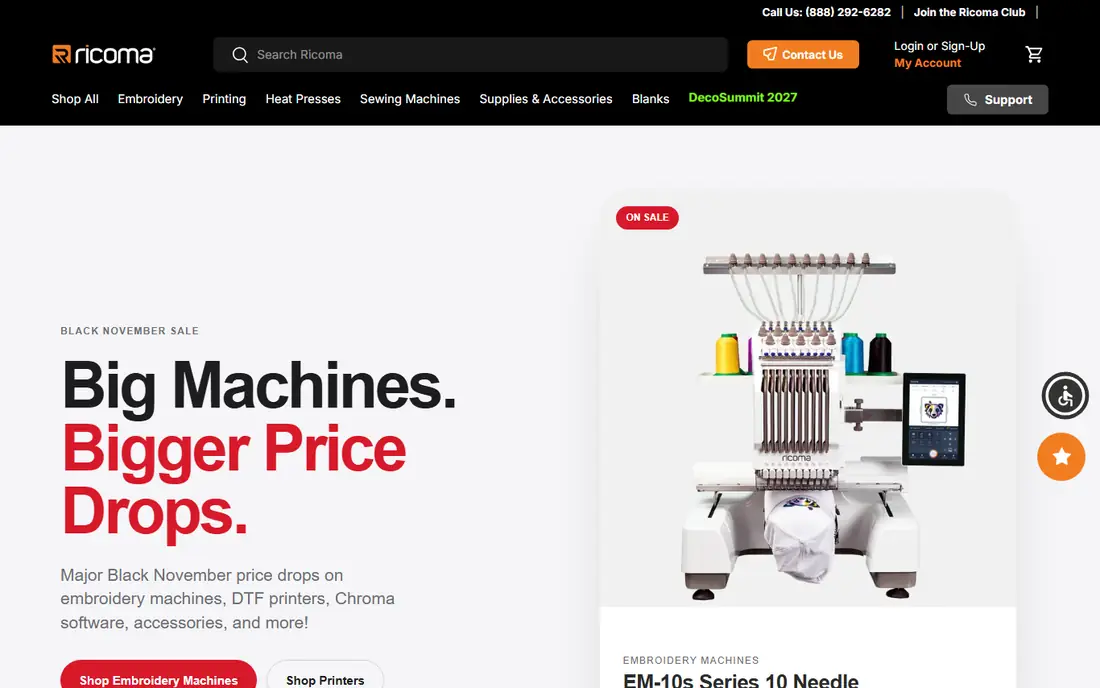
Chroma is Ricoma digitizing software sold in Inspire, Plus, and Luxe tiers. The vendor page lists auto-digitizing, an artwork tool with a pen tool and shapes, applique creation, photo conversion through stitched snapshots, and previews on 3D models and textured backgrounds. It runs on Windows 10 20H1 or later and macOS Mojave or later. Output formats include DST, PES, JEF, EXP, VP3, and XXX among a long format list. Support includes video tutorials, instructor training, and help 7 days a week. The realistic view switches between a lifelike design view and a flat stitch view, and textured backgrounds match the artboard to the material being embroidered.
The catch is the pricing model. Ricoma states that buyers purchase the first 12 months upfront, then select a monthly or yearly subscription that begins after that first year, with card details charged one year after the initial purchase. Chroma installs on up to 5 devices but runs on 1 computer at a time. Pick Chroma for a commercial shop that values training. Look elsewhere for a one-time license.
What we like- Auto-digitizing for vector, PNG, and JPG files
- Up to 250 pre-digitized fonts including 3D puff styles
- Live instructor training and video tutorials included
Watch out for- Subscription billing starts after the first 12 months
- Internet connection is required and the vendor lists 200 GB minimum free disk space
Starting priceSee website
Free planFree trial linked from vendor page, duration not stated on product page
PE-Design 11 is Brother digitizing software for hobbyists and home based businesses. The vendor page lists an enhanced applique wizard, chain stitch and net fill stitch, Intelligent Colour Sort to group same color areas, and a Stitch Design Factory for decorative stitches up to 100 mm wide. A Font Mapping Tool turns created fonts into built-in lettering. PhotoStitch converts photos to embroidery. ScanNCut users can import and create FCM files. Intelligent Colour Sort groups areas that share one color to reduce thread changes, and design preview shows each built-in design before stitching begins.
The catch is platform and licensing. Brother lists IBM PC or compatible computer with Windows 7, 8.1, or 10 in the specifications on the page checked, and the box contents include a USB sized security dongle. Pick PE-Design 11 if your machines are Brother or Baby Lock and you want first party wizards. Look elsewhere if you need Mac software or a dongle free license.
What we like- 130 built-in fonts and over 1,000 built-in designs
- PhotoStitch, Auto Punch, and Cross Stitch wizards
- Fabric Selector adjusts sewing attributes by fabric
Watch out for- The box includes a USB security dongle that the software requires
- Vendor specifications list Windows operating systems only
#4
BERNINA Embroidery Software 9
Best for: BERNINA owners who want WiFi transfer
Visit bernina.com
Starting priceSee website
Free planFree 30 day trial version without CorelDRAW
BERNINA Embroidery Software 9 comes in Creator and DesignerPlus levels, with an upgrade path from Creator to DesignerPlus. The vendor lists manual and auto-digitizing, Color PhotoStitch, automatic digitizing, Puffy Lettering for 3D letter effects, CutWork, Couching, and a Keyboard Design Collection that maps alphabet designs to the keyboard. DesignerPlus includes CorelDRAW SE 2021. WiFi sends designs to BERNINA machines with integrated WiFi, or to most USB machines through the WiFi Device. Design tools include weld and branching tools, remove overlaps, pull compensation, and multiple underlay options for controlling stitch quality on different fabrics.
The catch is that the full feature set sits in DesignerPlus. Creator is the entry level, and items such as the Keyboard Design Collection, Quilt Design Application, and Multi-Hooping are DesignerPlus features in vendor materials. The free trial runs 30 days and excludes CorelDRAW. Pick this software if you own BERNINA machines and want WiFi transfer with integrated artwork tools. Look elsewhere if you need native Mac software without Windows.
What we like- Manual and auto-digitizing in Creator and DesignerPlus levels
- 930 built-in designs and 104 embroidery fonts in DesignerPlus
- CorelDRAW SE 2021 included with DesignerPlus
Watch out for- Mac use requires Boot Camp or Parallels with Windows 10 or 11
- The WiFi Device is included with DesignerPlus and optional with Creator
#5
Janome Artistic Digitizer
Best for: Janome owners on Mac or Windows
Visit janome.com
Starting priceSee website
Free planNone found on vendor page
Artistic Digitizer is Janome software for embroidery creation and editing on Windows and Mac OS. The vendor lists 5 techniques: Stencil, Embroidery, Cut, Crystals, and Paint. Embroidery fills include Satin, Step, Row fill, Applique, and Net fill. Editing tools cover positioning, cloning, grouping, break apart, remove overlaps, and stitch editing. Lettering tools use installed fonts, with text shaping, overlap removal, and 3D preview. A Junior version offers reduced features. The welcome window gives access to hoop selection by machine model and brand, fabric choices, video tutorials, and help inside the same window.
The catch is buying and setup. Janome states that the software program is purchased from a Janome stockist for activation codes, and the vendor page checked lists no price and no trial. Pick Artistic Digitizer if you own Janome machines and want one program for embroidery and craft techniques. Look elsewhere if you want to buy and trial software online in one step.
What we like- Same interface on Windows and Mac OS
- Full version covers embroidery, cutting, painting, sketching, and quilting
- 66 video tutorials listed by the vendor
Watch out for- Activation codes are purchased from a Janome stockist, with no price on the vendor page
- Not all cutters support direct connection on Mac OS
Starting priceSee website
Free planNone found on vendor page
Floriani Total Control U, called FTC-U, is a full digitizing suite from RNK Distributing. Vendor materials list manual run, satin, and fill stitches, wave gradient fill patterns, wave color blend patterns, auto cutwork, auto lace, and a Photo Stitch Wizard. The Magic Wand tool provides segmented auto digitizing, and Save2Sew optimizes a design after the user picks a fabric type. Supported formats include WAF, PES, DST, EXP, XXX, and CSD. Related Floriani tools include Sketch A Stitch for converting drawings into stitches and My Design Album for organizing design files into categories.
The catch is access to pricing and platform limits. The vendor hub page checked describes FTC-U features and downloads but lists no price and no free trial, so buyers must confirm cost through a dealer. Pick FTC-U if you want a broad Windows suite with dealer classes and fabric based optimization. Look elsewhere if you use a Mac or need a published online price.
What we like- Auto Digitizing Wizard and Magic Wand segmented auto digitizing
- Photo Stitch Wizard for photo based designs
- Save2Sew design optimization by fabric choice
Watch out for- Vendor materials state the software is designed to run on Windows only
- The vendor hub page lists no price and no trial terms
Starting priceSee website
Free planNone found on vendor page
DRAWings PRO XII is a multi-function design program for embroidery, graphics, textile printing, quilting, and craft cutting. The vendor FAQ lists vector input formats including PDF, AI, CMX, SVG, EPS, EMF, DXF, WMF, and PLT, plus bitmap formats such as JPG and PNG. It includes auto-digitizing, array fill, parametric shapes, Sketch Stitch Technology, and Gradient Fill. Users can import files, resize them, change stitch types, and export to many machine formats. The package includes installation guides, complete user guides in PDF format, online help, and 147 cut vector designs for craft work.
The catch is artwork preparation and price visibility. The vendor states that bitmap files must be converted to vector before stitch generation, or they import as a backdrop or cross stitch fill. The FAQ lists a US$399 upgrade price, but no full starting price for new buyers. Pick DRAWings PRO XII if your workflow starts with vector artwork. Look elsewhere if most work starts as photos.
What we like- Runs on Windows 8, 10, and 11 and Mac OS
- Exports DST, PES, JEF, EXP, VP3, and many other formats
- Package includes over 3,000 embroidery designs and 204 clipart files
Watch out for- Bitmap files must be converted to vector before stitch generation
- DRAW-Stitch functionality is no longer available in version 12
Starting priceSee website
Free planDemo fully functional for 30 days or 100 runs
Embird is modular embroidery software built around a basic program plus plug-ins. The vendor tutorial states that all plug-ins install together with basic Embird, and demo versions of the plug-ins work with the demo basic program. That lets buyers test digitizing and lettering plug-ins before registering any part. Registration passwords arrive by email within one working day, and a password converts the demo into the full version. The tutorial warns buyers to test Embird and its plug-ins before registration, and to confirm that every needed plug-in meets their needs in daily work.
The catch is the registration policy. Embird tells buyers to test the program and plug-ins before registration because there is no refund on registered Embird or plug-ins. The tutorial also describes a Windows installation process, so Mac buyers need another option. Pick Embird if you want a modular Windows setup and will use the full 30 day demo to test every plug-in. Look elsewhere if you want a refund window after purchase or native Mac support.
What we like- Demo is fully functional for 30 days or 100 runs
- All plug-ins install with the basic program for testing
- Registration passwords unlock the demo without a separate install
Watch out for- The vendor states there is no refund on registered Embird or plug-ins
- Digitizing and other functions are sold as separate plug-ins
Starting price$75.00 one-time (email download)
Free planFree 30 day demo
SewArt is an embroidery digitizer from S and S Computing that converts raster and vector images into embroidery files. The vendor lists image processing tools to reduce colors and smooth images before digitizing, automated pattern fills, and a manual satin fill stitch tool. A step by step wizard and tutorial guide the conversion. Output formats include PES, DST, JEF, EXP, HUS, VIP, VP3, and XXX. The CD version costs $93.00 and ships only in the US. The help file includes a Getting Started tutorial that walks through loading an image and converting it into an embroidery file step by step.
The catch is image quality and platform. The vendor states that clipart images are usually smooth enough to sew at once, while complicated images need the image conversion tools first. Windows versions install from the Microsoft Store, while the Mac version requires an emulator. Pick SewArt if you digitize simple logos and clipart on Windows and want a low one-time price. Look elsewhere if you need advanced manual digitizing controls or native Mac software.
What we like- Converts JPG, PNG, TIF, BMP, SVG, EMF, and WMF images
- Auto-digitizing and manual digitizing in one program
- Outputs PES, DST, JEF, EXP, HUS, VIP, VP3, and XXX
Watch out for- The Mac version requires an emulator
- Updating during the demo period causes immediate expiration of the trial
Starting priceFree
Free planFree and open source, full version
Ink/Stitch is an open source machine embroidery platform based on Inkscape. The project states that it aims to serve hobbyists while providing power for professional digitizers. Features include numerous stitch types and variants, manual stitch placement, tartan patterns, a lettering system with pre-digitized fonts, and tools to optimize stitch path routing. Output covers many machine formats. The site provides a manual, stitch and font libraries, tutorials, and sample files. Tutorials cover basic digitizing knowledge such as push and pull compensation, satin edges, and stitch path optimization for cleaner sew outs on real machines.
The catch is setup and support. Ink/Stitch is an Inkscape extension, so Inkscape must be installed before the extension works. Support runs through community channels such as tutorials, documentation, and user groups rather than a paid vendor desk. Pick Ink/Stitch if you already draw vector artwork and want free digitizing on Windows, Mac, or Linux. Look elsewhere if you want vendor training, a support contract, or auto-digitizing wizards built for beginners.
What we like- Free and open source with no license cost
- Runs as a cross-platform Inkscape extension
- Lettering system with pre-digitized fonts ready to use
Watch out for- Inkscape version 1.0.2 or later must be installed first
- Help comes from a community project rather than a vendor support desk
Start with the format your machine reads. Brother and Baby Lock machines use PES, Janome uses JEF, and commercial machines often use DST. SewArt outputs 8 listed formats including PES, DST, and JEF, which covers many home machines at a $75.00 price. Chroma lists more than 30 output formats, including DST, PES, JEF, EXP, VP3, and XXX, which suits shops that sew for several brands. DRAWings PRO XII also exports to Tajima, Brother, Janome, Husqvarna, and Bernina formats from one program. Brand software fits one ecosystem best: PE-Design 11 is built for Brother workflows, and BERNINA Software 9 sends designs by WiFi to BERNINA machines. If you own one brand, brand software reduces transfer steps. For mixed machines, a cross-brand tool with a long export list is safer. Hoop size also matters for wide designs, because a design wider than your hoop needs splitting tools or a larger hoop before it can sew out cleanly.
Can I digitize embroidery on a Mac without Wilcom?
Yes. Embrilliance StitchArtist, Janome Artistic Digitizer, DRAWings PRO XII, Chroma, and Ink/Stitch all list Mac support on vendor pages. Janome states that its interface screens are the same on both systems. Chroma lists macOS Mojave as the minimum. BERNINA Software 9 requires Boot Camp or Parallels with Windows on a Mac, and SewArt requires an emulator. Check vendor requirements before purchase.
Manual tools suit logos and lettering that must sew cleanly at small sizes, while auto-digitizing suits simple artwork. StitchArtist and Ink/Stitch center on manual stitch creation. SewArt, Chroma, Floriani, and BERNINA list auto-digitizing tools. Auto results still need cleanup, and shops selling logo embroidery usually need manual control over satin width, underlay, and stitch order.
First year cost ranges from free to subscription pricing. Ink/Stitch costs nothing beyond the computer you own. SewArt costs $75.00 one-time. Chroma Inspire costs $559.30 for the first 12 months, then a subscription begins. Several vendor pages list no price, so confirm those prices before comparing totals. Modular tools add cost in stages.
Frequently asked questions
What is the closest Wilcom alternative for commercial embroidery?
Chroma by Ricoma is the closest fit for many commercial shops. It lists auto-digitizing, manual tools, up to 250 fonts, and output in more than 30 formats. Training and support 7 days a week are included. Subscription billing starts after month 12.
Is there a free alternative to Wilcom for digitizing?
Yes. Ink/Stitch is free and open source, and it digitizes inside Inkscape. It includes stitch types, lettering fonts, and stitch path tools. Install Inkscape version 1.0.2 or later first. Support comes from the project community, its manual, and its tutorials.
Which Wilcom alternative works best on a Mac?
Embrilliance StitchArtist is the clearest Mac pick for manual digitizing, with levels 1 to 3 on Mac and Windows. Janome Artistic Digitizer also runs on Mac OS. Chroma supports macOS Mojave or later, with Big Sur or later recommended by Ricoma.
Can these tools open Wilcom EMB files for editing?
Plan on limits. Vendor pages checked list export formats such as DST, PES, and JEF, but not full EMB object editing. Stitch files can move between programs, yet Wilcom object edits may not carry over. Keep original artwork for re-digitizing.
How long are the free trials for these Wilcom alternatives?
BERNINA offers a free 30 day trial without CorelDRAW. Embird demo mode runs 30 days or 100 runs. SewArt offers a free 30 day demo. Chroma offers 14 days. Janome, Floriani, and DRAWings list no trial on the vendor pages checked for this guide.
What to look for before you buy
First, confirm your operating system against vendor requirements, because Mac support ranges from native apps to Windows through Parallels. Second, check that the tool exports your machine format, such as PES, JEF, or DST. Third, decide whether you need manual digitizing, auto-digitizing, or both. Fourth, add up first year cost, including modules, dongles, and subscriptions. Fifth, test the trial with your own logo and sew a sample before paying.
How we chose
This guide compares vendor product pages, pricing pages, and official documentation checked for this article. Prices and trial terms come from vendor pages only. No hands-on testing is claimed, and no ratings or review counts are used.
Sources we checked (10)
- https://embrilliance.com/start/selectionguide
- https://ricoma.com/products/chroma
- https://www.brother.co.za/en/sewing-machines/all-sewing-machines/pe-design-11
- https://www.bernina.com/en-US/Software-US/Embroidery-Software/BERNINA-Embroidery-Software-9/BERNINA-Embroidery-Software-9-DesignerPlus-Full-Version
- https://janome.com.au/product/janome-artistic-digitizer/
- https://rnk-floriani.com/the-hub/
- https://www.drawstitch.com/Products/DRAWingsXII/FAQ/
- https://embird.com/sw/embird/tutorial/embdwnl/embdwnl.htm
- https://sandscomputing.com/products-shop/sewart-embroidery-digitizer/
- https://inkstitch.org/
Is your product missing or out of date?
We review this list regularly. Vendors can request a listing, send updated pricing or ask about featured placement.

Shihab Mia · Founder, Rankite
Shihab has 5+ years in B2B and SaaS SEO. He writes Rankite's software buying guides from pricing pages, documentation and public user reviews. More about Shihab.