How we make this list: we compare pricing pages, product documentation and public user reviews. Ratings come from G2, Capterra or Trustpilot, with the date we checked them.
Key takeaways
- Maptive is an enterprise mapping platform, and comparison sources cite pricing from around 250 dollars per month per team, so lighter tools can save a lot.
- BatchGeo is the best quick map pick, with spreadsheet to map in three steps, a free plan, and Pro at 99 dollars per month.
- eSpatial is the best territory pick, with easy territory creation, heat maps, and strong customer support.
- Mapline is the best sales mapping pick, with enterprise-level geo intelligence, territories, routes, and demographic content, no GIS expertise required.
- EasyMapMaker is the best budget pick, with drag and drop spreadsheet uploads, heat maps, and clustering at a low price.
- Maptitude is the best desktop pick, with a one-time purchase from 795 dollars, unlimited geocoding, and built-in demographic data.
- ZeeMaps is the best crowd-sourced pick, with moderated additions, private mapping, and a REST API.
- Mapbox is the best developer pick, with custom-styled vector maps, navigation, and search SDKs for web and mobile apps.
- CARTO is the best cloud GIS pick, with scalable spatial analysis inside BigQuery, Snowflake, Databricks, and Redshift.
Quick comparison
| Tool | Best for | Starting price | Free plan |
|---|
 BatchGeo BatchGeo | Quick maps | See website | Free plan |
 eSpatial eSpatial | Territories | See website | Free trial |
 Mapline Mapline | Sales mapping | See website | Free trial |
 EasyMapMaker EasyMapMaker | Budget | See website | Free plan |
 Maptitude Maptitude | Desktop | See website | Free trial |
 ZeeMaps ZeeMaps | Crowd-sourced | See website | Free plan |
 Mapbox Mapbox | Developers | See website | Free plan |
 CARTO CARTO | Cloud GIS | See website | Free trial |
Is your product missing or out of date?
We review this list regularly. Vendors can request a listing, send updated pricing or ask about featured placement.
The best Maptive alternatives
Starting priceSee website
Free planFree plan
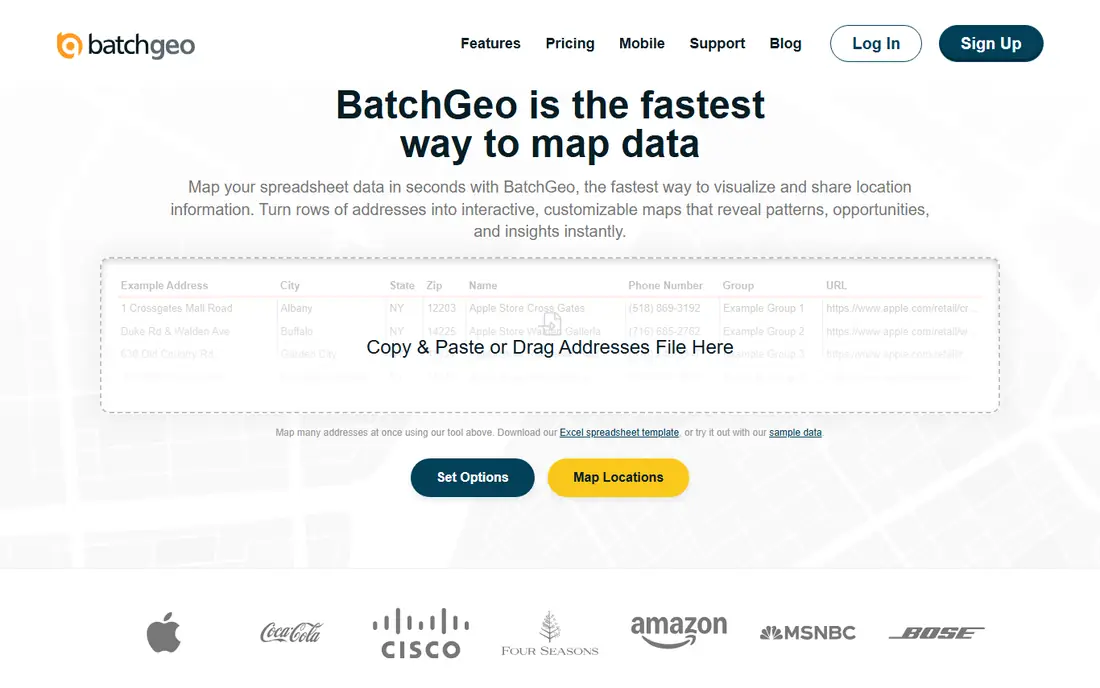
BatchGeo is the best quick map pick. Its homepage describes making a map from your data, with spreadsheet to map in three simple steps: copy your data, set options, and map addresses. Features include turning any spreadsheet into a live interactive map in seconds, latitude and longitude mapping, interactive pan, zoom, and click exploration, geographic data visualization by region, distance, or density, and plotting hundreds of locations at once with copy and paste. BatchGeo reports 93,466 active users, 18,968,287 Google Maps created, and 1,282,595 live maps, with a free plan at 0 dollars per month including saving maps for up to 30 days, up to 1,000 geocoding per month, and up to 100 map views, and a Pro plan at 99 dollars per month with 25,000 markers per map, PDF, PNG, and KML export, Street View integration, heat map layer, 10 users, 25,000 views plus 250,000 geocodes per month, and password protection.
The trade-off is routing depth. Route optimization caps at 25 stops, which limits delivery teams. For sales teams that need a shareable map fast, BatchGeo is the best pick.
What we like- Spreadsheet to map in three simple steps
- Free plan with up to 1,000 geocodes per month
- Pro at 99 dollars per month with 25,000 markers per map
- Heat map layer and multi-point routing up to 25 locations
Watch out for- Route optimization caps at 25 stops, limiting delivery teams
- Free maps are public unless Pro password protection is used
Starting priceSee website
Free planFree trial
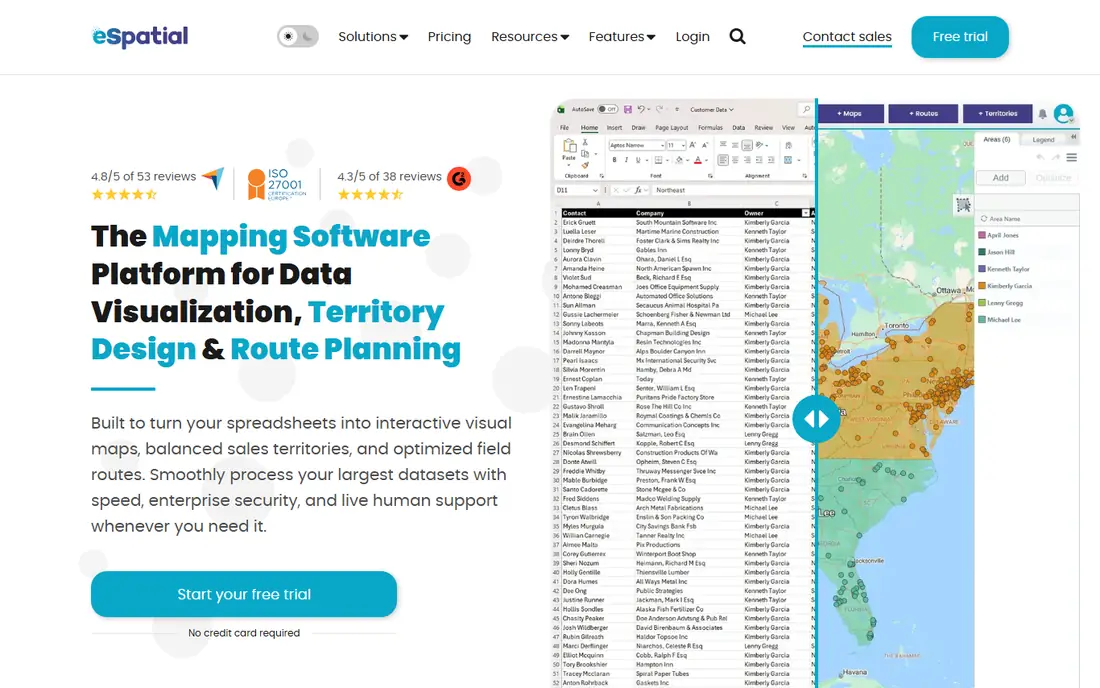
eSpatial is the best territory pick. Its homepage describes mapping software for sales, operations, and strategic plans, with reviews praising easy territory creation, heat maps, and support. Users describe it as user-friendly with quick learning and no implementation needed, easy data upload, territory balancing, and helpful support that replies right away, with cases including sales teams visualizing territories, nonprofits layering multiple variables, and logistics companies creating and modifying service areas. Features include custom heat maps with CSV import, every point showing different markers, territory visualization with direct links to end users, and route design that cut timing in half for one reviewer.
The catch is customization. Reviews note easy to use but limited in customization, and comparison sources note no dark mode. For sales and operations teams that want territories fast, eSpatial is the best pick.
What we like- Easy to learn with quick setup
- Territory balancing and visualization
- Heat maps with multiple variables
- CSV import with custom markers
- Strong customer support praised across reviews
Watch out for- Pricing by quote on the homepage
- Customization limited compared with Maptitude
- No dark mode noted in comparison sources
Starting priceSee website
Free planFree trial
Mapline is the best sales mapping pick. Its homepage describes mapping made powerful, with enterprise-level mapping software giving your business the full power of geo intelligence to make informed decisions, with no GIS expertise required. Features include copy and paste data from a spreadsheet, visualizing customers on a map in seconds, styling pins and identifying groups by color-coding, heat maps to reveal hot spots or gaps, radius circles for service footprint, drive-time polygons with hyper-accurate systems, sharing, embedding, or exporting maps as images, demographic content with population density, age, and income even within custom territories, multiple data layers, filters to toggle pins on and off, comprehensive data security protocols, custom territories with full editing, a repository of pre-existing territories like zip codes and counties, territory overlap analysis, dynamic data summaries, territory balancing, driving routes with optimized stop assignments, bulk driving distances across thousands of locations, and charts, dashboards, calendars, workflows, e-signatures, email, texting, forms, geo-enriched data, connectors, and API.
The trade-off is price. Comparison sources cite plans from 99 dollars per month, with advanced analytics and premium support at 349 dollars per month. For retail and sales organizations that need territories set up quickly, Mapline is the best pick.
What we like- Enterprise-level geo intelligence with no GIS expertise required
- Copy and paste from Excel
- Heat maps, radius circles, and drive-time polygons
- Custom territories with editing, splitting, and merging
- Demographic content and multiple data layers
Watch out for- Pricing by quote on the homepage
- Comparison sources cite plans from 99 dollars per month, with advanced analytics at 349 dollars per month
- Data volume limits at entry price
Starting priceSee website
Free planFree plan
EasyMapMaker is the best budget pick. Its homepage describes creating a map by easily mapping multiple locations from Excel data, with copy and paste data, setting address options and features, and processing addresses to generate a map. Features include cloud-based maps with nothing to download, numbered pins, pin colors and grouping with up to 20 marker colors for subscribers, hiding map details, automatic address processing with the Google geocoder or OSM geocoder for free maps, mobile compatible maps, KML files for Google Earth or Google Maps, clustering for large datasets, heat maps, nearby radius filters, customized map styles, multiple filters up to 12 columns, data export to Excel, and data hiding for privacy. Subscription maps support datasets of 15,000 locations on Premium and 30,000 on Enterprise, with server-side geocoding up to 90 times faster.
The catch is scope. Route planning, territory management, and CRM integration are not part of the feature set. For straightforward address visualization on a minimal budget, EasyMapMaker is the best pick.
What we like- Drag and drop spreadsheet uploads
- Heat maps and clustering
- Password and login protected maps on paid plans
- PDF and PNG export
- Poster-sized maps up to 10800 by 7200 pixels
- Comparison sources cite plans from 29 dollars per month
Watch out for- Pricing by quote on the homepage for some plans
- Route planning, territory management, and CRM integration are not part of the feature set
Starting priceSee website
Free planFree trial
Maptitude is the best desktop pick. Its homepage describes territory, route, and sales mapping software, with powerful mapping software that optimizes sales territories, vehicle routes, and site locations, visualizes data, uncovers geographic patterns, and creates shareable maps. Features include wizard-driven tools and Office-style document management, extensive built-in data libraries with demographic, business, and street map data, advanced geospatial analysis with unlimited geocoding, automatic territory balancing, market area analysis, facility site location optimization, and vehicle fleet route planning, data integration with two-way sync across major databases and over 70 geospatial formats including Esri Shapefiles, Google KML and KMZ, GeoJSON, and MapPoint PTM, flexible deployment with one-time purchase for a completely offline desktop solution or Maptitude Online SaaS, and custom maps with symbols, themes, layers, annotations, and 3D graphics. Maptitude starts at 795 dollars including a free GIS data package, with testimonials from Qdoba Mexican Eats and Amazon.
The trade-off is platform. The desktop product is Windows-first, and the interface feels traditional. For teams that want a one-time purchase with deep analysis, Maptitude is the best pick.
What we like- One-time purchase from 795 dollars with a free GIS data package
- Unlimited geocoding and address matching
- Automatic territory balancing with hierarchical territories
- Two-way sync with Excel, Access, SQL Server, Oracle, PostgreSQL, and ODBC
- Over 70 geospatial formats
Watch out for- Desktop-first interface feels traditional
- Windows only for the desktop product, with Mac via remote or online options
- No native web publishing without Maptitude Online
Starting priceSee website
Free planFree plan
ZeeMaps is the best crowd-sourced pick. Its homepage describes a map creator online to make a map with multiple locations and regions, with mobile friendly maps, custom fields, map images in PDF or PNG up to 90 megapixels, multimedia with video, photo, or audio on markers, lasso tools to change color or fields or export locations, real-time Google traffic overlays, public transit overlays, a REST API to create and update maps from your own software or AI agent, customizable icons, color regions for countries, states, counties, cities, zip codes, radius, or hand-drawn regions, up to 75 marker groups and sub-groups, entry lists, heat maps, spatial data aggregates, layers, drive-time areas, moderated additions with crowd-sourced pins and restricted pin groups, private mapping with HIPAA compliant infrastructure and HTTPS, searchable maps, edit grids, a trip planner with multi-point route optimization, US demographics from Census data, and choropleth maps shading pins and regions by data value. ZeeMaps supports prices from 0 to 1,499.95 dollars.
The catch is polish. Comparison sources note occasionally slow performance during map creation. For teams that need crowd-sourced or private maps, ZeeMaps is the best pick.
What we like- Unlimited markers per map
- Crowd-sourced additions with multiple moderators
- Private mapping with HIPAA compliant infrastructure
- REST API
- Heat maps, layers, and drive-time areas
- Map images up to 90 megapixels
Watch out for- Pricing by quote on the homepage
- Comparison sources note occasionally slow performance during map creation
- Interface is functional rather than polished
Starting priceSee website
Free planFree plan
Mapbox is the best developer pick. Its homepage describes maps, navigation, search, and data, with automotive built-in navigation, logistics and delivery with optimized routing and on-time arrivals at millions of deliveries per week, telecom and utilities with network planning and outage support, mobile apps with flexible, high performance SDKs online or off, web apps with configurable map and location integrations, and analysis and AI with map-based data visualizations and structured geospatial datasets. Mapbox suits teams building maps into web and mobile apps, with design control and mobile navigation.
The trade-off is audience. Mapbox is a developer platform, not a spreadsheet-to-map tool for non-technical users. For developers who need custom maps, Mapbox is the best pick.
What we like- Custom-styled vector maps
- Navigation and search SDKs
- Logistics routing with optimized routes and ETAs
- Mobile and web apps with online and offline support
- Analysis and AI with structured geospatial datasets
Watch out for- Pricing by quote on the homepage
- Map-view-based pricing can lead to unexpectedly high costs for popular sites
- Developer tool, not a spreadsheet-to-map tool
#8CARTO
Best for: Cloud GIS4.5/5 on
G2 (78 reviews, checked Oct 2026)
Visit carto.com
Starting priceSee website
Free planFree trial
CARTO is the best cloud GIS pick. Its homepage describes the agentic GIS platform, beyond traditional GIS with scalable spatial analysis for all teams, with data never leaving BigQuery. Features include bringing geospatial into your cloud ecosystem as the only 100 percent cloud-native GIS platform, one location intelligence platform for all users from data analysts to developers, powerful spatial analysis the low-code way with drag and drop interface, 100 plus ready-to-go analysis components with native ML and AI integrations, and design and deploy with agents and APIs, unmatched data visualization with billions of data points, maps through natural language, and instant insights with AI agents, AI agents for more accessible insights with natural language prompts, and accelerated app development with no complex back-end ETLs, apps running in your data lakehouse, and visualization using deck.gl, web-GL, and GPU technology. Customers include TMH, JLL, EQT, Mercado Libre, and Group Renault.
The catch is learning curve. Comparison sources note an intimidating learning curve for users without data analytics expertise. For enterprises that need cloud-native spatial analysis, CARTO is the best pick.
What we like- Only 100 percent cloud-native GIS platform with no silos, no ETL, and no governance compromises
- Runs natively inside BigQuery, Snowflake, Databricks, and Redshift
- 100 plus analysis components with native ML and AI integrations
- Billions of data points visualized with ease
Watch out for- Pricing by quote on the homepage
- Learning curve for users without data analytics expertise
- Enterprise focus means higher cost for small teams
How we chose
We compared tools that replace Maptive across its core jobs: spreadsheet to map, territories, routes, heat maps, and demographic overlays. Each vendor homepage was opened to confirm the vendor exists today and matches its category, with all eight homepages opened fresh for this article. We kept a mix of quick map, territory, sales mapping, budget, desktop, crowd-sourced, developer, and cloud GIS picks, since Maptive users range from sales teams to GIS professionals. Pricing is taken from vendor homepages where published, and written as See website where vendors price by quote or on pricing pages not shown on the homepage. Maptive pricing cited in this article comes from comparison sources, since Maptive itself is the product being replaced.
Switching from Maptive without losing territories
Your territories do not migrate automatically, so export territory definitions, pin data, and demographic overlays, map them to the new platform structure, and re-import in batches to protect accuracy. Budget time for rebuilding drive-time polygons and route rules, since logic rarely transfers between vendors. Ask each vendor to show the territory editor during the demo, since good mapping tools have it ready.
Test with a small region first. Run the new platform alongside Maptive for one planning cycle, compare territory balance, route efficiency, and map accuracy, and fix gaps before moving the whole estate. Finally, check data volume limits carefully: per-map marker caps and geocoding quotas can change total cost dramatically as your datasets grow.
Frequently asked questions
What is the best alternative to Maptive?
BatchGeo is the best quick map alternative, eSpatial is the best territory alternative, and Mapline is the best sales mapping alternative. The right pick depends on whether you need speed, territories, or enterprise depth.
Which Maptive alternative is cheapest?
EasyMapMaker is the best budget pick at about 29 dollars per month, BatchGeo offers a free plan, and Maptitude offers a one-time purchase from 795 dollars with no ongoing subscription.
Which alternative handles the largest datasets?
Maptitude offers unlimited geocoding, BatchGeo Pro supports 25,000 markers per map, EasyMapMaker Enterprise supports 30,000 locations, and CARTO visualizes billions of data points.
Which alternative is best for territories?
eSpatial is the best territory pick for ease of use, Mapline is the best for sales territories with demographic content, and Maptitude is the best for advanced territory balancing.
Do these tools include route optimization?
BatchGeo Pro optimizes up to 25 locations, Mapline optimizes routes and stop assignments, Maptitude plans fleet routes, and ZeeMaps includes a multi-point trip planner. EasyMapMaker does not include route planning.
How long does migration take?
Data migration takes a few days to a few weeks, territory rebuilds take one to two weeks, and full accuracy validation takes one to two months. eSpatial and Mapline offer onboarding support to speed the process.
Sources we checked (8)
- https://batchgeo.com
- https://www.espatial.com
- https://www.mapline.com
- https://www.easymapmaker.com
- https://www.maptitude.com
- https://www.zeemaps.com
- https://www.mapbox.com
- https://carto.com
Is your product missing or out of date?
We review this list regularly. Vendors can request a listing, send updated pricing or ask about featured placement.

Shihab Mia · Founder, Rankite
Shihab has 5+ years in B2B and SaaS SEO. He writes Rankite's software buying guides from pricing pages, documentation and public user reviews. More about Shihab.