How we make this list: we compare pricing pages, product documentation and public user reviews. Ratings come from G2, Capterra or Trustpilot, with the date we checked them.
Direct answer
Wireshark is the top pick for packet-level network testing, since it is free under GPL version 2 and analyzes captured traffic in detail. Teams that need continuous fault alerts should look at PRTG Network Monitor instead, since PRTG 500 lists $200 per month paid annually with sensor-based licensing.
Key takeaways
- Engineers who need packet proof should start with Wireshark, which is free under GPL version 2.
- Teams that measure link speed should use iperf3, which reports throughput and loss per test at no license cost.
- Admins who map hosts and ports should use Nmap, which carries a $0 license fee for end users including commercial use.
- Operations teams that need ongoing alerts should check PRTG 500 at $200 per month paid annually.
- Field technicians who test cabling on site should look at EtherScope nXG, with copper testing from 10M to 10G stated.
Quick comparison
| Tool | Best for | Starting price | Free plan |
|---|
 Wireshark | Packet-level protocol analysis and troubleshooting | Free under GPL version 2 | Full download free under GPL version 2 |
 iperf3 | Measuring maximum achievable IP bandwidth | Free under a three-clause BSD license | Source downloads free under BSD license |
 Nmap | Host discovery, port and service testing | Free for end users | Free end-user download |
 PingPlotter | Tracing latency, jitter and packet loss paths | See website | Free trial offered, duration not stated |
 PRTG Network Monitor | Continuous network monitoring and fault alerts | PRTG 500 $200/month paid annually | 30-day trial, then freeware up to 100 sensors on-premises |
 Keysight IxNetwork | Enterprise Layer 2-3 protocol validation | See website | None found on vendor page |
 VIAVI TestCenter | High-speed Ethernet and AI fabric validation | See website | None found on vendor page |
 TRex | Programmable stateful and stateless traffic generation | Free, open source | Open source, Docker version available |
 Ostinato | Custom traffic generation on commodity hardware | See website | None found on vendor page |
 NetAlly EtherScope nXG | Handheld wired and Wi-Fi field testing | See website | None found on vendor page |
Is your product missing or out of date?
We review this list regularly. Vendors can request a listing, send updated pricing or ask about featured placement.
Network testing tools answer different questions. Some capture packets, some measure bandwidth, some map hosts, and some generate traffic to prove a network holds up under load. Picking by job matters more than picking by brand, since a packet analyzer cannot measure maximum bandwidth and a bandwidth test cannot show packet contents. This list mixes free open-source tools, monitoring software, enterprise validation platforms, and one handheld field tester. The ranking puts the test job first, then price clarity, then limits stated on official pages. Prices and license terms come from official pages checked on 2026-11-28.
Starting priceFree under GPL version 2
Free planFull download free under GPL version 2
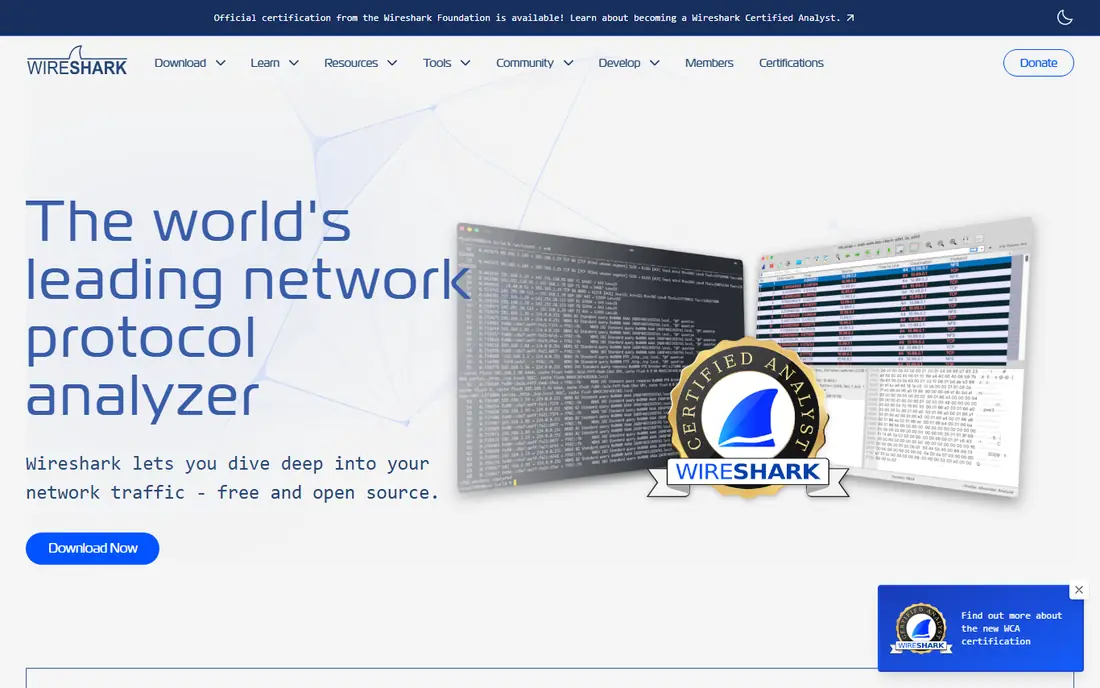
Wireshark is a free packet analyzer released under GPL version 2. Official docs state live capture from many network media, many protocol dissectors, and import and export support for files from many other capture programs. Engineers use it to read packet contents, follow a conversation, and prove whether a fault sits in DNS, TLS, TCP retransmissions, or an application protocol. It suits troubleshooting work where packet proof ends arguments between teams. Wireshark runs on the machine doing the capture, so capture point choice decides what traffic you see. Pair it with a bandwidth tool when the question is link capacity rather than packet behavior.
The catch is setup and scope. Live capture needs platform capture setup and prerequisites, including Npcap on Windows, and Wireshark analyzes captured packets rather than generating test traffic or measuring maximum bandwidth. Pick Wireshark if packet-level proof is the job. Look elsewhere if you need traffic generation, continuous alerts, or a bandwidth figure for a link. Capture point choice matters.
What we like- Live capture from many network media stated in official docs
- Many protocol dissectors listed
- Imports and exports files from many other capture programs
Watch out for- Live capture needs platform capture setup, including Npcap on Windows
- Analyzes captured packets rather than generating test traffic
Starting priceFree under a three-clause BSD license
Free planSource downloads free under BSD license
iperf3 is a free bandwidth measurement tool from ESnet, released under a three-clause BSD license. The official page states it measures maximum achievable bandwidth on IP networks and reports throughput, loss, and other parameters per test. Timing, protocols, and buffers can be tuned, and JSON output supports scripted checks. Teams run iperf3 between two endpoints to prove what a link, VPN path, or cloud connection actually carries. It suits acceptance tests after circuit installs and before application rollouts. Results depend on endpoint hardware and path conditions, so test with endpoints that can fill the link. Keep test windows short on production paths, since a bandwidth test loads the link it measures.
The catch is platform scope and endpoint limits. Only Ubuntu Linux, FreeBSD, and macOS are officially supported platforms, and iperf3 is not backwards compatible with the original iperf. Weak endpoints cap results below link capacity. Pick iperf3 if a bandwidth figure is the deliverable. Look elsewhere if you need packet contents, host discovery, or continuous monitoring. Endpoint speed sets the ceiling.
What we like- Measures maximum achievable bandwidth on IP networks stated
- Reports throughput, loss and other parameters per test
- Supports tuning of timing, protocols and buffers, plus JSON output
Watch out for- Only Ubuntu Linux, FreeBSD and macOS are officially supported platforms
- Not backwards compatible with the original iperf
#3
Nmap
Best for: Host discovery, port and service testing
Visit nmap.org
Starting priceFree for end users
Free planFree end-user download
Nmap is a free network discovery and security auditing tool for end users, including commercial use, with separate OEM licensing for redistribution in commercial products. The official manual states it determines available hosts, services and versions, operating systems, and packet filters or firewalls in use. It is designed to rapidly scan large networks and also works against single hosts. Admins use Nmap for inventory checks, firewall rule validation, and service exposure reviews after changes. It suits teams that need a fast map of what answers on a network segment. Scan only networks you own or have permission to test, since discovery scans touch every host in range.
The catch is license scope and result limits. The license generally prohibits using and redistributing Nmap in commercial products without an OEM license, and a filtered port result means Nmap cannot tell whether the port is open or closed. Pick Nmap if host and service mapping is the job. Look elsewhere if you need packet capture, bandwidth figures, or a tool you can embed in a sold product without a license check.
What we like- Determines available hosts, services, versions and operating systems stated
- Designed to rapidly scan large networks and works against single hosts
- Useful for network inventory and host or service uptime checks
Watch out for- Redistribution in commercial products generally needs an OEM license
- A filtered port result cannot tell whether the port is open or closed
Starting priceSee website
Free planFree trial offered, duration not stated
PingPlotter is a path tracing tool that monitors latency, packet loss, and jitter over time to show where a connection problem starts. Vendor pages state live results can be shared with anyone, and hundreds of data-collection agents can be deployed for remote monitoring. Support teams use it when users report slowness on a path to a cloud service, a branch office, or an internet provider. A free trial is offered on the vendor download page, with duration and free edition limits not stated on the opened pages. PingPlotter suits teams that need path evidence over hours or days, not a single ping result. Confirm current license pricing on the vendor buy pages before you budget.
The catch is price clarity and scaling. Pricing follows devices or monitored endpoints under subscription or perpetual licensing, so cost grows with coverage, and opened vendor buy pages showed license types without readable price numerals. This guide lists See website. Pick PingPlotter if path latency evidence is the job. Look elsewhere if you need a published entry price here or packet-level analysis.
What we like- Monitors latency, packet loss and jitter to show the source of connection problems
- Live results can be shared with anyone
- Hundreds of data-collection agents can be deployed for remote monitoring
Watch out for- Cost scales with devices or monitored endpoints under subscription or perpetual licensing
- Opened vendor buy pages show license types but no readable price numerals
#5
PRTG Network Monitor
Best for: Continuous network monitoring and fault alerts
Visit paessler.com
Starting pricePRTG 500 $200/month paid annually
Free plan30-day trial, then freeware up to 100 sensors on-premises
PRTG Network Monitor is sensor-based monitoring software from Paessler for continuous performance and fault checks. The vendor pricing table lists PRTG 500 at $200 per month paid annually. Vendor pages state more than 250 preconfigured sensor types, every feature included in every license, and unlimited remote probes in every license. A 30-day trial with unlimited sensors is offered, then a freeware edition with up to 100 sensors on the on-premises product. Operations teams use PRTG to watch links, devices, and services and to alert on faults before users call. It suits teams that need ongoing measurement rather than one-off tests. Count sensors for your estate before you buy, since sensor count sets the license size.
The catch is sensor math and edition split. Deeper monitoring needs more sensors, and sensor count sets the price, while the freeware edition is on-premises only and the hosted product follows different trial terms. Pick PRTG if continuous alerts across many devices is the job. Look elsewhere if you only need occasional packet captures or bandwidth tests. Sensor counts need planning.
What we like- Sensor-based licensing with every feature included in every license stated
- More than 250 preconfigured sensor types stated
- Unlimited remote probes included in every license
Watch out for- Sensor count sets the price, so deeper monitoring needs more sensors
- Freeware edition is on-premises only, while the hosted product has a 10-day trial and no freeware edition
#6
Keysight IxNetwork
Best for: Enterprise Layer 2-3 protocol validation
Visit keysight.com
Starting priceSee website
Free planNone found on vendor page
Keysight IxNetwork is an enterprise Layer 2 and Layer 3 validation platform for protocol and load testing. The vendor product page states validation across physical, virtual, and cloud environments, with protocol emulation including SDN, VPN, RoCEv2, and broadband services. Python and REST APIs support CI/CD automation across hardware and virtual editions. Network equipment makers and large operators use this class of tool to prove forwarding, routing, and service behavior before deployment. Pricing is quote-based, and the product page directs buyers to request a quote for the license needed. IxNetwork suits labs and validation teams with protocol coverage requirements. It is not a first tool for office network troubleshooting.
The catch is quote pricing and license pairing. Pricing depends on protocol support and subscription type, and the software is license managed with a matching IxOS license required. Budget needs a vendor quote. Pick IxNetwork if enterprise protocol validation is the job. Look elsewhere if you need a published price or a tool for day-to-day office faults. Quotes take extra time.
What we like- Layer 2 and Layer 3 validation across physical, virtual and cloud environments stated
- Protocol emulation including SDN, VPN, RoCEv2 and broadband services stated
- Python and REST APIs for CI/CD automation stated
Watch out for- Pricing is quote-based by protocol support and subscription type
- Software is license managed and requires a matching IxOS license
Starting priceSee website
Free planNone found on vendor page
VIAVI TestCenter is a high-speed Ethernet validation platform for Layer 2 and Layer 3 performance and protocol testing. The vendor solution page states hardware platforms from 1G to 1.6T, plus virtual and cloud versions, with emulation of RoCEv2 and CCL traffic, GPUs, NICs, and servers from 400G to 1.6T. VIAVI states it acquired Spirent high-speed Ethernet business in October 2025, so TestCenter is listed under VIAVI, not Spirent. Data center and AI fabric teams use this class of platform to validate switch and fabric behavior at line rate. No readable price was found on the opened vendor pages, so this guide lists See website. Confirm current platform and support terms with VIAVI before you plan a lab.
The catch is hardware scope and vendor change. High-speed testing ties to dedicated hardware platforms and appliances, and the product line moved from Spirent to VIAVI in October 2025. Existing Spirent buyers should confirm roadmap and support terms. Pick TestCenter if line-rate fabric validation is the job. Look elsewhere if you test office networks or need software-only tools. Hardware budgets decide fit.
What we like- Layer 2-3 performance and protocol validation with hardware platforms from 1G to 1.6T stated
- Emulates RoCEv2 and CCL traffic, GPUs, NICs and servers from 400G to 1.6T stated
- Modular chassis, appliance, virtual and cloud platforms listed
Watch out for- High-speed testing is tied to dedicated hardware platforms and appliances
- Product line moved from Spirent to VIAVI in October 2025, so support terms need confirmation
Starting priceFree, open source
Free planOpen source, Docker version available
TRex is a free open-source traffic generator from Cisco for stateful and stateless traffic generation. The official FAQ states it runs on standard Intel processors using DPDK, with statistics available through the GUI, console, or Python API. A Docker version is available for experimenting without installing. Engineers use TRex to load firewalls, load balancers, and network functions with repeatable traffic profiles in a lab. It suits teams that need programmable traffic at high packet rates on commodity servers. Hardware choice matters, since NIC features and lab regression coverage decide which cards work well. Plan lab hardware around the supported NIC list.
The catch is hardware and virtual limits. In virtual setups a vSwitch limits throughput to around 1 MPPS and latency results are not accurate, and not all DPDK-supported NICs are supported. Pick TRex if programmable lab traffic generation is the job. Look elsewhere if you need a handheld field tester or continuous monitoring alerts. Lab hardware planning matters a lot.
What we like- Supports stateful and stateless traffic generation modes stated
- Runs on standard Intel processors using DPDK stated
- Statistics available through GUI, console or Python API stated
Watch out for- Virtual setups limit throughput to around 1 MPPS with inaccurate latency results
- Not all DPDK-supported NICs are supported
Starting priceSee website
Free planNone found on vendor page
Ostinato is a traffic generation tool for building custom packet streams on commodity hardware. The official Turbo page states the Turbo add-on enables 10 Gbps, 100 Gbps, and 400 Gbps operation on suitable hardware, with tiers published per port and billed annually. Turbo 10G works with Pro or Business plans. Engineers use Ostinato to craft specific packet patterns for device and protocol tests without dedicated test hardware. It suits lab teams that need custom streams at moderate cost. Base plan price numerals were not read on an opened vendor page in this check, so this guide lists See website. Confirm current plan and Turbo pricing on the vendor site before you budget a lab build.
The catch is add-on pricing and hardware tuning. High-speed Turbo performance is a paid per-port add-on on top of an active plan, and actual performance depends on host CPU, NIC architecture, and tuning. Pick Ostinato if custom packet streams on commodity hardware is the job. Look elsewhere if you need a published entry price here or turnkey line-rate hardware. Tuning time is real.
What we like- Turbo add-on enables 10 Gbps, 100 Gbps and 400 Gbps operation on suitable commodity hardware per the official Turbo page
- Turbo tiers are published per port, billed annually
- Turbo 10G works with Pro or Business plans
Watch out for- High-speed Turbo performance is a paid per-port add-on on top of an active plan
- Actual performance depends on host CPU, NIC architecture and tuning
#10
NetAlly EtherScope nXG
Best for: Handheld wired and Wi-Fi field testing
Visit netally.com
Starting priceSee website
Free planNone found on vendor page
NetAlly EtherScope nXG is a handheld tester for wired and Wi-Fi field work. The vendor product page states copper testing from 10M to 10G plus 1G/10G fiber SFP adapters. Cable tests report pair lengths, opens, shorts, splits, and crossed pairs, which helps installers prove cabling before handover. The EXG-300 model includes one year of AllyCare Pro support. Field technicians use handheld testers to validate drops, switch ports, and wireless coverage on site. NetAlly directs buyers to resellers for pricing, and no price is published on the opened product page, so this guide lists See website. Confirm the model certified for your country before you buy.
The catch is model and support terms. 6 GHz models come in Full Tri-Band, Partial Tri-Band, and Dual Band Only versions, and certain features require an active AllyCare Pro contract. Pick EtherScope nXG if on-site cabling and Wi-Fi proof is the job. Look elsewhere if your testing sits in a lab or in software only. Country model choice matters here.
What we like- Copper testing from 10M to 10G plus 1G/10G fiber SFP adapters stated
- Cable test reports pair lengths, opens, shorts, splits and crossed pairs
- EXG-300 includes one year of AllyCare Pro support
Watch out for- 6 GHz models come in Full Tri-Band, Partial Tri-Band and Dual Band Only versions, so country model selection matters
- Certain features require an active AllyCare Pro contract
Start with a path check, then a bandwidth test, then packet capture. PingPlotter traces latency, jitter, and packet loss over time to show where the path degrades. iperf3 then measures maximum achievable bandwidth between two endpoints at no license cost. Wireshark gives packet proof when the first two checks point to protocol faults. PRTG fits after the incident, since its 100-sensor freeware edition can watch key links on-premises, while PRTG 500 at $200 per month paid annually covers larger estates. This order separates path problems, capacity problems, and protocol problems without buying enterprise validation gear for an office fault.
Is Wireshark enough for network testing?
Wireshark is enough for packet-level troubleshooting, since it is free and reads captured traffic in detail. It is not enough for bandwidth proof, host discovery, or continuous alerts. Add iperf3 for bandwidth figures, Nmap for host and service maps, and PRTG when ongoing monitoring is required.
iperf3 is the best starting point for bandwidth checks, since it measures maximum achievable bandwidth and reports throughput and loss per test at no license cost. TRex fits lab load generation at high packet rates. EtherScope nXG fits on-site link validation with copper testing from 10M to 10G stated.
Wireshark, iperf3, Nmap, and TRex are free tools in this list. Wireshark is free under GPL version 2, iperf3 under a three-clause BSD license, and Nmap is free for end users. PRTG offers a freeware edition up to 100 sensors on-premises after a 30-day trial.
Frequently asked questions
How do I test network speed between two offices?
Run iperf3 between endpoints in each office to measure maximum achievable bandwidth and loss on the path. Test in both directions and at busy and quiet times. Use PingPlotter to trace latency and packet loss over time if results vary. Endpoint hardware must be fast enough to fill the link.
What is the difference between network testing and network monitoring?
Network testing checks a link, path, or device at a point in time, for example an iperf3 bandwidth run or a Wireshark capture. Network monitoring watches performance continuously and alerts on faults, for example PRTG sensors. Testing proves a fix, while monitoring catches the next fault early.
Can I use Nmap on a production network?
Nmap is free for end users and designed to scan large networks, but scan only networks you own or have permission to test. Start with a small host range and a light scan type. A filtered port result cannot tell whether the port is open or closed, so confirm firewall findings with device configs.
Which tool tests Wi-Fi and cabling on site?
NetAlly EtherScope nXG is the field pick in this list, with copper testing from 10M to 10G and cable reports for opens, shorts, splits, and crossed pairs. Confirm the 6 GHz model certified for your country. Software tools such as Wireshark cannot prove physical cabling.
When do I need enterprise network validation tools?
Enterprise validation tools fit labs that prove protocol and line-rate behavior before deployment. Keysight IxNetwork covers Layer 2 and Layer 3 validation with quote-based pricing. VIAVI TestCenter covers high-speed Ethernet and AI fabric validation with hardware platforms from 1G to 1.6T stated. Office troubleshooting rarely needs this class.
What to look for before you buy
First, name the test job in one sentence, such as packet proof, bandwidth figure, host map, path trace, or line-rate validation. Second, check platform support and hardware needs, since capture drivers, NIC support, and endpoint speed decide result quality. Third, read the license meter, whether it is sensors, endpoints, ports, or quote-based protocol licenses. Fourth, confirm price clarity on the vendor page, and treat See website entries as quote tasks in your budget plan. Fifth, match the tool to the team that will run it, since lab platforms and handheld testers need different skills than free software tools.
How we chose
We built a candidate list of 18 network testing tools, then kept 10 with working official sites checked on 2026-11-28. Prices, license terms, and product facts come from official vendor and project pages. Where price numerals could not be read on an official page, the entry says See website. No hands-on testing is claimed. Renamed product lines are noted, including VIAVI TestCenter, formerly Spirent, and Keysight IxNetwork.
Sources we checked (10)
- https://www.wireshark.org/download.html
- https://software.es.net/iperf/
- https://nmap.org/book/man.html
- https://www.pingplotter.com/products/professional/buy/
- https://www.paessler.com/monitoring/database/database-monitoring-tool
- https://www.keysight.com/us/en/products/ethernet-traffic-emulation/protocol-and-load-test-l2-3-emulation-software/ixnetwork.html
- https://www.viavisolutions.com/en-uk/solutions/ai-data-center-networking-test
- https://trex-tgn.cisco.com/trex/doc/trex_faq.html
- https://ostinato.org/pricing/turbo
- https://www.netally.com/products/etherscopenxg/
Is your product missing or out of date?
We review this list regularly. Vendors can request a listing, send updated pricing or ask about featured placement.

Shihab Mia · Founder, Rankite
Shihab has 5+ years in B2B and SaaS SEO. He writes Rankite's software buying guides from pricing pages, documentation and public user reviews. More about Shihab.