How we make this list: we compare pricing pages, product documentation and public user reviews. Ratings come from G2, Capterra or Trustpilot, with the date we checked them.
Key takeaways
- axe DevTools is the best starting point for most development teams, with a free extension and Pro at 60 dollars per user per month.
- WAVE is the best free option for single page checks, with a free extension and API credits from 0.04 dollars each.
- Pa11y, Lighthouse and Accessibility Insights are free, and they cover command line checks, audits and guided manual testing.
- SortSite is the only desktop tool here, with a one time Standard licence at 149 dollars per user.
- BrowserStack Accessibility Testing and Tenon publish no standalone price, so both require a quote.
- Automated checks catch roughly a third to half of real WCAG failures, so manual testing is still needed.
- Rankite also covers managed accessibility platforms separately, at https://rankite.com/blog/best-digital-accessibility-platforms.
What is accessibility testing software?
Accessibility testing software checks a website or app against accessibility standards, most often the Web Content Accessibility Guidelines, known as WCAG, and Section 508 in the United States. It scans pages for problems such as images without alt text, form fields without labels, colour contrast below the required ratio, missing page structure and controls that cannot be reached by keyboard. It reports each issue with its location and the WCAG rule it breaks. Most tools here work in the browser as an extension, on the command line or inside continuous integration. None replaces manual testing with a screen reader or a keyboard, because automated checks catch roughly a third to half of real failures, and the rest need human judgement.
How much does accessibility testing software cost?
Prices in this guide were checked against vendor pricing pages and current third party reads on 20 November 2026. Five of the eight tools are free at the entry level: WAVE, Pa11y, Lighthouse, Accessibility Insights and the axe DevTools extension. Paid plans start with WAVE API credits at 0.04 dollars each with a 10 dollar minimum, then axe DevTools Pro at 60 dollars per user per month, then SortSite Standard at 149 dollars per user as a one time licence. BrowserStack Accessibility Testing is sold as an add on to BrowserStack plans from 29 dollars per user per month billed annually, and Tenon publishes no price at all. The cheapest start combines two free tools, axe DevTools for developers and WAVE for content reviewers.
How do you choose accessibility testing software for your team?
Start with where your team works. A development team that lives in the browser and in continuous integration should shortlist axe DevTools and Pa11y first, because both run where code is written and can fail a build when a new issue appears. A content or QA team that reviews finished pages should look at WAVE and Accessibility Insights, because both show issues on the page with plain language guidance. Next, check which WCAG version each tool tests against, since WCAG 2.2 is the current standard and older tools may still test only WCAG 2.0 or 2.1. Then compare how results are reported, because a tool that lists hundreds of raw errors will slow a team down. Finally, decide whether you need a one off check or ongoing monitoring, because the free tools here cover one off checks well, while scheduled scans sit on paid plans or a managed platform.
axe DevTools is the best fit for developers, because it runs inside the browser, inside the code editor and inside continuous integration, and it uses axe-core, the rules engine that also powers the checks in several other tools on this list. Pa11y is the best free alternative for developers who want command line checks in CI, because pa11y-ci can test a whole sitemap and fail a build on new errors. BrowserStack Accessibility Testing suits teams that already pay for BrowserStack, because it adds automated scans, workflow testing and real assistive technology checks to the same account. If your developers already use axe-core through another tool, a free WAVE or Pa11y setup may cover the same ground.
Quick comparison
| Tool | Best for | Starting price | Free plan |
|---|
 axe DevTools | Development teams that want accessibility checks inside the browser, the editor and continuous integration | Free extension; Pro $60 per user per month, checked 20 November 2026 | Yes, the browser extension is free, with automated checks on one page at a time |
 WAVE | Content teams and reviewers who want free visual checks on a single page | Free online tool and browser extensions; API credits $0.04 each with a $10 minimum purchase, checked 20 November 2026 | Yes, the online tool and the Chrome, Firefox and Edge extensions are free |
 SortSite | Teams that want a desktop tool to scan a whole site for accessibility, broken links and SEO issues in one pass | $149 per user, one time, for the Standard licence, checked 20 November 2026 | No free plan; a free trial is offered |
 Pa11y | Developers who want free command line accessibility checks inside continuous integration | Free, open source, checked 20 November 2026 | Yes, free and open source under the LGPL licence |
 Lighthouse | Developers who want a free accessibility audit alongside performance and SEO checks in Chrome | Free, built into Chrome DevTools, checked 20 November 2026 | Yes, free with no paid tier |
 BrowserStack Accessibility Testing | Teams that already use BrowserStack and want accessibility scans, workflow tests and real assistive technology checks in one account | Quote, sold as an add on to BrowserStack plans; BrowserStack Live starts at $29 per user per month billed annually, checked 20 November 2026 | Free trial available; no free plan |
 Accessibility Insights | Testers who want a free guided workflow that combines automated checks with structured manual testing | Free, open source under the MIT licence, checked 20 November 2026 | Yes, free with no paid tier |
 Tenon | Developers who want an API first accessibility testing engine inside their own tools and CI pipeline | Quote only, checked 20 November 2026 | Free trial available; no free plan |
Is your product missing or out of date?
We review this list regularly. Vendors can request a listing, send updated pricing or ask about featured placement.
| Tool |
Best for |
Starting price |
Free plan |
| axe DevTools |
Developer testing in the browser and CI |
Free; Pro 60 dollars per user per month |
Yes |
| WAVE |
Free single page checks with visual overlays |
Free; API credits from 0.04 dollars each |
Yes |
| SortSite |
Desktop scanning of whole sites |
149 dollars per user, one time |
No |
| Pa11y |
Command line and CI accessibility checks |
Free |
Yes |
| Lighthouse |
Free audits inside Chrome |
Free |
Yes |
| BrowserStack Accessibility Testing |
Automated and assistive technology testing on real devices |
Quote; BrowserStack Live from 29 dollars per user per month |
Trial |
| Accessibility Insights |
Guided manual testing from Microsoft |
Free |
Yes |
| Tenon |
API first testing for developers |
Quote |
Trial |
#1
axe DevTools
Best for: Development teams that want accessibility checks inside the browser, the editor and continuous integration
Visit deque.com
Starting priceFree extension; Pro $60 per user per month, checked 20 November 2026
Free planYes, the browser extension is free, with automated checks on one page at a time
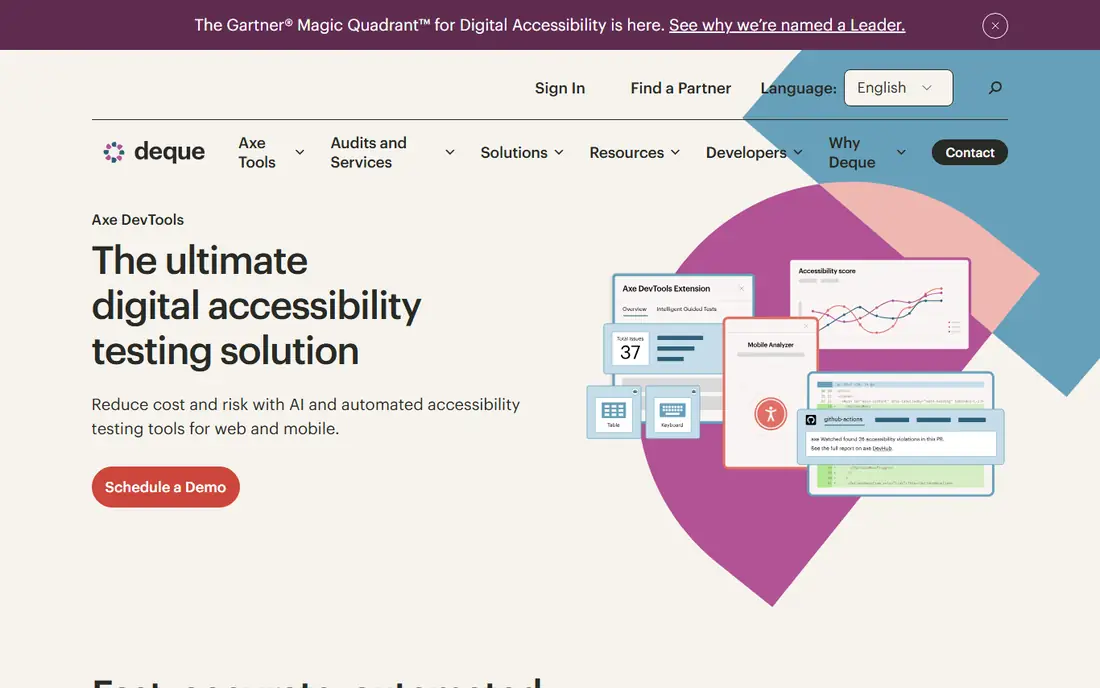
axe DevTools is made by Deque, the company behind axe-core, the open source engine that powers accessibility checks in many other products. The free browser extension runs automated checks on the page you are viewing and lists each issue with its WCAG rule and the element to fix. Pro adds intelligent guided tests for the checks automation cannot do, plus user flow analysis and component testing. Note the price conflict: older pages list Pro at 40 or 45 dollars per user per month, while the most recent vendor page reads put it at 60 dollars.
What we like- Built on axe-core, the industry standard rules engine
- Guided tests walk a tester through manual checks
- Integrates with CI and major frameworks
Watch out for- Pro costs 60 dollars per user per month, which adds up for a large team, and the full sitewide monitoring product is a separate quote
#2WAVE
Best for: Content teams and reviewers who want free visual checks on a single page4.3/5 on
G2 (328 reviews, checked Oct 2026)
Visit wave.webaim.org
Starting priceFree online tool and browser extensions; API credits $0.04 each with a $10 minimum purchase, checked 20 November 2026
Free planYes, the online tool and the Chrome, Firefox and Edge extensions are free
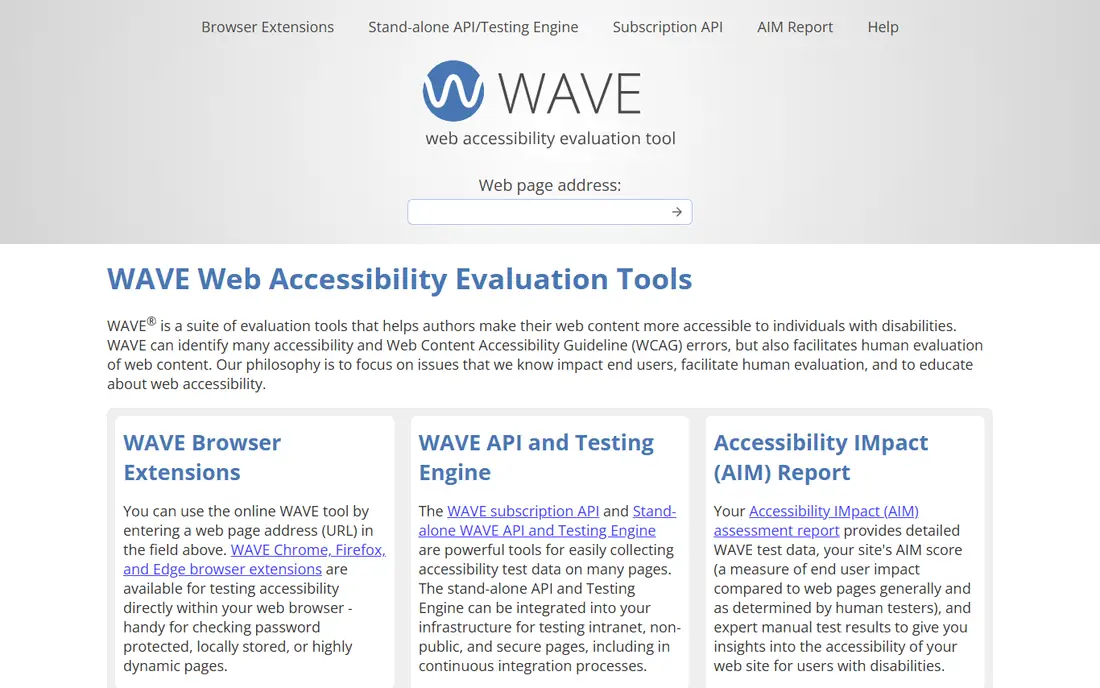
WAVE is made by WebAIM at Utah State University, and it has been a standard first check for web teams for years. You paste a page address into the online tool or open the browser extension, and WAVE draws icons over the rendered page where it finds errors, alerts, features and structural elements. The free version covers single pages only. For bulk work, the WAVE API sells credits at 0.04 dollars each for 250 to 999 credits, falling to 0.025 dollars each at 10,000 or more, with 100 free credits for every new account.
What we like- Free for single page checks
- Icons are drawn over the rendered page so issues are easy to find
- API supports bulk scans and CI
Watch out for- No built in monitoring or alerts, so ongoing checks need the paid API, and advanced API requests cost two or three credits each
#3
SortSite
Best for: Teams that want a desktop tool to scan a whole site for accessibility, broken links and SEO issues in one pass
Visit powermapper.com
Starting price$149 per user, one time, for the Standard licence, checked 20 November 2026
Free planNo free plan; a free trial is offered
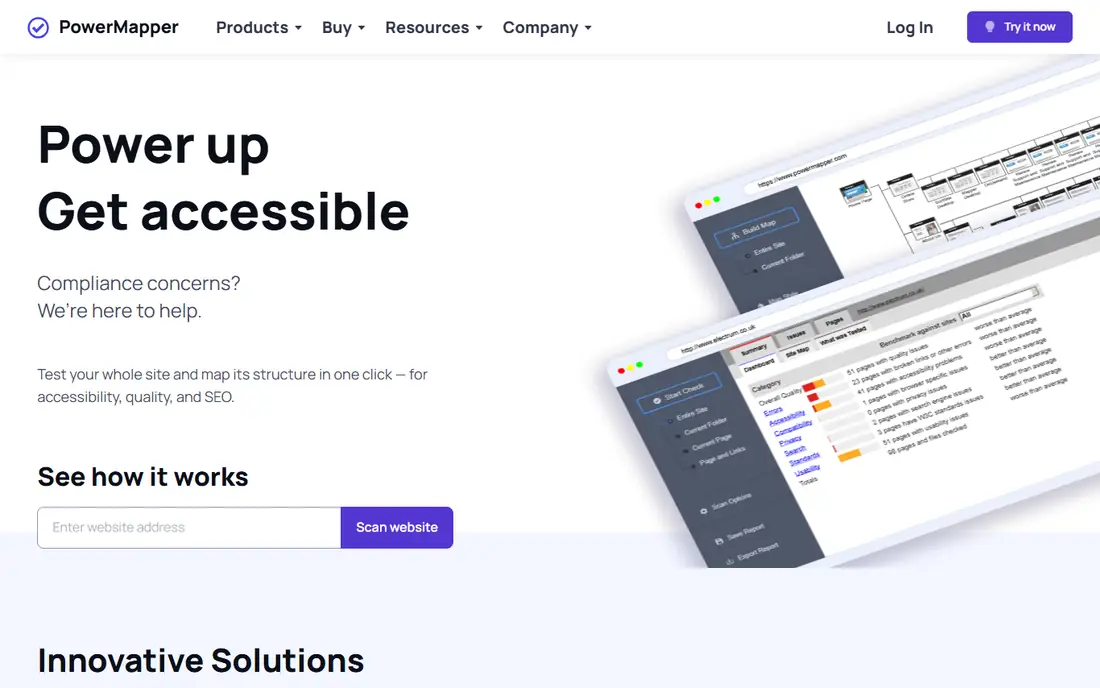
SortSite is a desktop application from PowerMapper, a UK website testing company. You point it at a site and it crawls every page, testing each one for WCAG accessibility issues, broken links, spelling errors, browser compatibility and search engine problems, then reports everything in one dashboard. The Standard licence costs 149 dollars per user as a one time purchase and covers 25 sites,. Professional costs 349 dollars and Developer costs 849 dollars, both as one time licences.
What we like- One time licence with no subscription
- Scans a whole site, not one page at a time
- Also checks broken links, spelling and SEO
Watch out for- Desktop only, so it does not fit a cloud first workflow, and the Standard licence covers 25 sites, which limits large portfolios
#4
Pa11y
Best for: Developers who want free command line accessibility checks inside continuous integration
Visit pa11y.org
Starting priceFree, open source, checked 20 November 2026
Free planYes, free and open source under the LGPL licence
Pa11y started at Nature Publishing Group and is now maintained by an independent community. It is a command line tool that loads a page in a headless browser, runs accessibility checks against the rendered page, and prints a list of violations with their WCAG rules. The companion tool pa11y-ci takes a list of URLs, or a whole sitemap, and runs the same checks across all of them, exiting with a failure code when errors appear.
What we like- Free and open source
- Pa11y-ci tests a whole sitemap and fails builds on new errors
- Supports both HTML_CodeSniffer and axe-core runners
Watch out for- Command line only, so non developers will find it harder to use, and it has no hosted dashboard without extra setup
#5Lighthouse
Best for: Developers who want a free accessibility audit alongside performance and SEO checks in Chrome4.7/5 on
Capterra (12 reviews, checked Oct 2026)
Visit developer.chrome.com
Starting priceFree, built into Chrome DevTools, checked 20 November 2026
Free planYes, free with no paid tier
Lighthouse is Google free, open source auditing tool, built into Chrome DevTools and also available as a command line tool and a Node module. Its accessibility category runs automated checks based on axe-core and scores the page out of 100, listing each failed check with the affected element and a link to guidance. Because the same run also reports performance, best practices and SEO, it is a useful first pass for a developer already auditing a page.
What we like- Free and built into Chrome
- Audits accessibility, performance, best practices and SEO in one report
- Also available as a command line tool and in CI
Watch out for- Accessibility checks are a small part of a wider audit, so the guidance is thinner than a dedicated tool, and it tests one page at a time
#6
BrowserStack Accessibility Testing
Best for: Teams that already use BrowserStack and want accessibility scans, workflow tests and real assistive technology checks in one account
Visit browserstack.com
Starting priceQuote, sold as an add on to BrowserStack plans; BrowserStack Live starts at $29 per user per month billed annually, checked 20 November 2026
Free planFree trial available; no free plan
BrowserStack Accessibility Testing is the accessibility product inside the BrowserStack testing platform, which runs tests on real browsers and devices in the cloud. It combines automated scans with guided workflow testing, where a tester follows a real user journey such as signing up or checking out, and with assistive technology testing on screen readers. BrowserStack does not publish a standalone price: it is an add on to a BrowserStack plan, with Live starting at 29 dollars per user per month billed annually.
What we like- Tests on real browsers and devices
- Covers automated scans, workflow testing and screen reader checks
- Fits teams already on BrowserStack
Watch out for- No standalone public price, since it is an add on, and third party estimates put the add on at 200 to 500 dollars a month or more
#7
Accessibility Insights
Best for: Testers who want a free guided workflow that combines automated checks with structured manual testing
Visit accessibilityinsights.io
Starting priceFree, open source under the MIT licence, checked 20 November 2026
Free planYes, free with no paid tier
Accessibility Insights is Microsoft free, open source accessibility testing product, available as a browser extension for web and as a Windows app. It has two main modes. FastPass runs automated checks, tab order and a short manual check in about five minutes, which makes it a good daily habit for a developer. Assessment is the full workflow: it walks a tester through every WCAG 2.1 success criterion with step by step instructions, and it produces a report of what passed and failed. It is free with no paid tier, no account and no usage limit.
What we like- Free and open source
- FastPass gives a quick automated and manual check in minutes
- Assessment walks through every WCAG success criterion step by step
Watch out for- No hosted monitoring or team dashboard, and it covers web and Windows only, with no mobile app testing
#8
Tenon
Best for: Developers who want an API first accessibility testing engine inside their own tools and CI pipeline
Visit tenon.io
Starting priceQuote only, checked 20 November 2026
Free planFree trial available; no free plan
Tenon is an API first accessibility testing platform, built for developers and QA teams who want to run WCAG checks from their own code, scripts or CI pipeline rather than from a browser extension. You send a page or a snippet of HTML to the Tenon API and get back a structured list of issues with severity, WCAG references and fix guidance. Tenon was acquired by Level Access in 2021, so it now sits alongside that company enterprise platform and services. Pricing is quote only, and third party listings disagree sharply, with SourceForge listing 82 dollars a month while older pages list 29 or 99 dollars a month.
What we like- API first design fits CI and custom workflows
- Built for developers and QA engineers
- Now part of Level Access, which adds audit and remediation services
Watch out for- No published price, so budgeting needs a sales conversation, and it has no built in visual inspection workflow
We started from the tools that appear most often in buyer shortlists and developer workflows, then filtered for products whose main job is testing, rather than managed compliance platforms. We checked each vendor pricing page or a current third party read on 20 November 2026, and we recorded where prices conflict. Last verified 20 November 2026.
Frequently asked questions
What is the best free accessibility testing software?
WAVE and axe DevTools are the best free starting pair. WAVE browser extension and online tool are free and show issues visually on the page, which suits content reviewers. axe DevTools free extension runs automated checks in the browser using axe-core, the rules engine most of the industry trusts. Pa11y and Lighthouse are also free and cover command line checks and Chrome audits.
What is the difference between accessibility testing software and an accessibility platform?
Testing software finds issues in code and pages, usually while developers work or during a QA pass, and it reports each issue with its WCAG rule. An accessibility platform is a wider managed service that adds ongoing monitoring, remediation help, legal support and compliance reporting, often with a widget or a managed audit. Testing tools are cheaper and developer focused, while platforms suit organisations that want a managed outcome.
Can automated accessibility testing replace manual testing?
No, automated checks catch roughly a third to half of real WCAG failures, and the rest need human judgement. Automation finds missing labels, poor contrast and structural errors reliably, but it cannot judge whether alt text actually describes an image, whether a keyboard user can complete a task, or whether a screen reader announces content in a sensible order. Use automated tools to catch the easy issues fast, then test with a keyboard and a screen reader.
Which accessibility testing tool works best in CI/CD?
axe DevTools and Pa11y are the strongest choices for continuous integration. axe DevTools plugs into CI with its command line and API tools, and it can fail a build when new issues appear. Pa11y is free and built for the same job: pa11y-ci takes a sitemap and tests every page, exiting with a failure code on new errors. WAVE API can also run inside CI, but it is credit based, so large crawls need a budget.
How much should a small team budget for accessibility testing?
A small team can start at zero cost with axe DevTools, WAVE, Pa11y, Lighthouse and Accessibility Insights, which together cover browser checks, command line checks, audits and guided manual testing. The first paid step is usually axe DevTools Pro at 60 dollars per user per month, so a team of five developers would pay 300 dollars a month.
Sources we checked (10)
- https://reviewgalore.com/reviews/axe-devtools
- https://www.deque.com/axe/devtools/
- https://wave.webaim.org/api
- https://www.powermapper.com
- https://pa11y.org
- https://developer.chrome.com/docs/lighthouse/overview
- https://www.vendr.com/marketplace/browserstack
- https://accessibilityinsights.io
- https://testgrid.io/blog/accessibility-testing-tools/
- https://rankite.com/blog/best-digital-accessibility-platforms
Is your product missing or out of date?
We review this list regularly. Vendors can request a listing, send updated pricing or ask about featured placement.

Shihab Mia · Founder, Rankite
Shihab has 5+ years in B2B and SaaS SEO. He writes Rankite's software buying guides from pricing pages, documentation and public user reviews. More about Shihab.