How we make this list: we compare pricing pages, product documentation and public user reviews. Ratings come from G2, Capterra or Trustpilot, with the date we checked them.
Direct answer
Fathom is the strongest pick for individuals and small teams because its free plan includes unlimited recordings and transcriptions with instant AI summaries. High-volume teams that need CRM meeting records should compare Fireflies.ai. People who want live transcription and searchable notes should look at Otter.ai first.
Key takeaways
- Unlimited free recordings: Fathom Free includes unlimited recordings and transcriptions, with Premium at $16 per month per user billed annually.
- High-volume teams: Fireflies.ai Pro costs $10 per seat per month billed annually, with transcription in 100+ languages.
- Bot-free notes: Granola Business costs $14 per user per month, and audio is deleted after transcription on every plan.
- Solo users: Notta Pro costs $8.17 per month billed annually for 1,800 transcription minutes per month.
- Governed notes: Fellow Team costs $7 per user per month billed annually, with transcript redaction and retention controls.
Quick comparison
| Tool | Best for | Starting price | Free plan |
|---|
 Otter.ai | Live transcription and searchable meeting notes | See website | Basic: 300 minutes per user/month, 30 minutes per conversation |
 Fireflies.ai | High-volume teams needing CRM meeting records | Pro $10 per seat/month, billed annually | Free forever: unlimited transcription, 400 mins storage/team |
 Fathom | Individuals wanting unlimited free recordings | Premium $16/month per user, billed annually | Free: unlimited recordings + transcriptions |
 Granola | Bot-free notes from your own device | Business $14/user/month | Basic: AI meeting notes, 30 days meeting history |
 Read AI | Meeting reports plus cross-tool search | Pro $15 per user/month, billed annually | Free: 5 meeting transcripts per month, 1 hour max |
 tl;dv | Unlimited free recordings with AI notes | Pro $18 per seat/month, billed annually | Free: unlimited video recordings, 10 meetings with AI notes |
 MeetGeek | Automated follow-up after every meeting | Pro $15.99 | Basic Free: 3 hours transcription/month |
 Notta | Solo users needing many transcription minutes | Pro $8.17/month, billed annually | Free: 120 transcription minutes/month |
 Fellow | Regulated teams needing governed meeting notes | Team $7 per user/month, billed annually | Free: 5 AI notes (lifetime)/user, 5 AI recordings (lifetime)/user |
 Tactiq | Live browser transcription without a bot | Pro $8 per user/mo, annual billing | Free: 10 transcripts/mo, 5 AI credits/mo |
Is your product missing or out of date?
We review this list regularly. Vendors can request a listing, send updated pricing or ask about featured placement.
Meeting transcription tools turn calls into searchable text, summaries and action items, so decisions survive after the call ends. The category splits into bot tools that join Zoom, Teams or Google Meet as a participant, and bot-free tools that capture audio from your device or browser. Buyers compare minute caps, storage limits, languages, CRM sync and whether audio playback stays available. This list ranks 10 tools by free plan value, published pricing, meeting coverage and stated limits, using vendor pages checked on 29 November 2026.
#1
Otter.ai
Best for: Live transcription and searchable meeting notes
Visit otter.ai
Starting priceSee website
Free planBasic: 300 minutes per user/month, 30 minutes per conversation
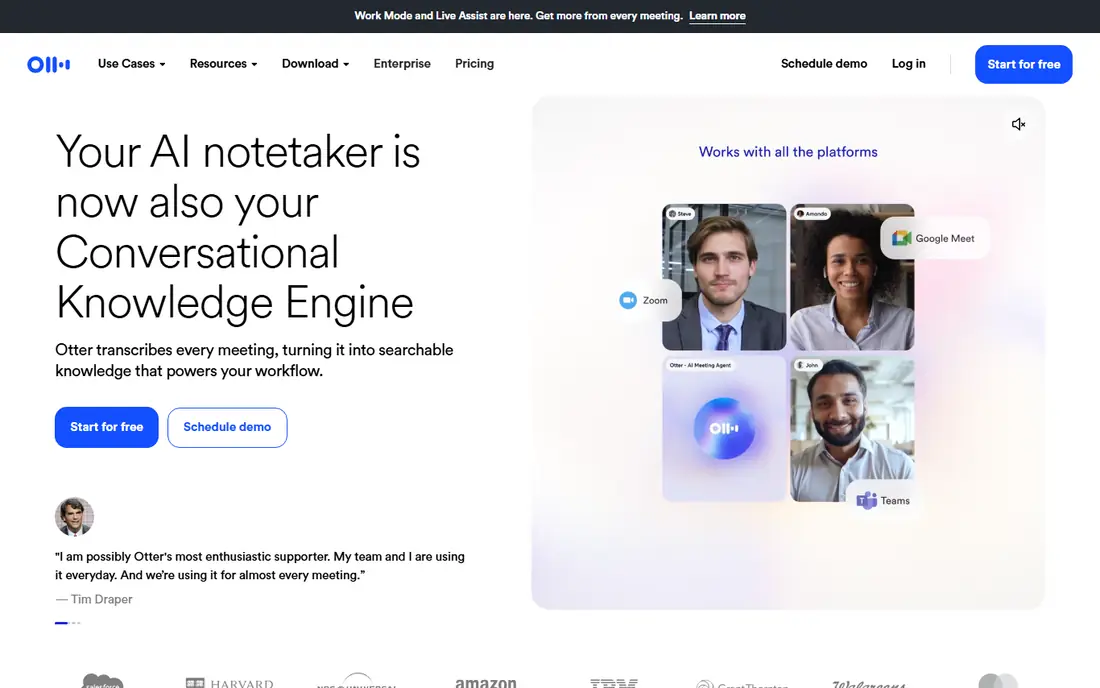
Otter.ai provides live transcription with speaker identification by name, joining Zoom, Microsoft Teams and Google Meet to write and share notes. Automated summaries include action items and outlines, and AI Chat answers questions across conversations. Desktop bot-free recording and mobile recording cover in-person meetings. Salesforce and HubSpot sync plus Zapier are available with plan limits, and an MCP server supports wider workflows. The free Basic plan includes 300 minutes per user per month, 30 minutes per conversation, 3 lifetime file imports and the 25 most recent conversations. Plan price cards did not surface in the pricing page text opened, so the starting price is See website.
The catch is that Basic and Pro are minute-capped at 300 and 1,200 minutes per user from a shared pool, with 30 and 90 minute per-conversation caps. The pricing page lists transcription in only 6 languages, and SSO/SCIM need a minimum 100-user license. Pick Otter.ai if live notes and searchable history matter most. Look elsewhere if your team meets in many languages, or if minute caps will bite every month.
What we like- Live transcription with speaker identification by name
- Joins Zoom, MS Teams and Google Meet to write and share notes
- Automated summaries with action items and outlines
Watch out for- Basic and Pro are minute-capped with per-conversation limits
- Vendor pricing page lists transcription in only 6 languages
Starting pricePro $10 per seat/month, billed annually
Free planFree forever: unlimited transcription, 400 mins storage/team
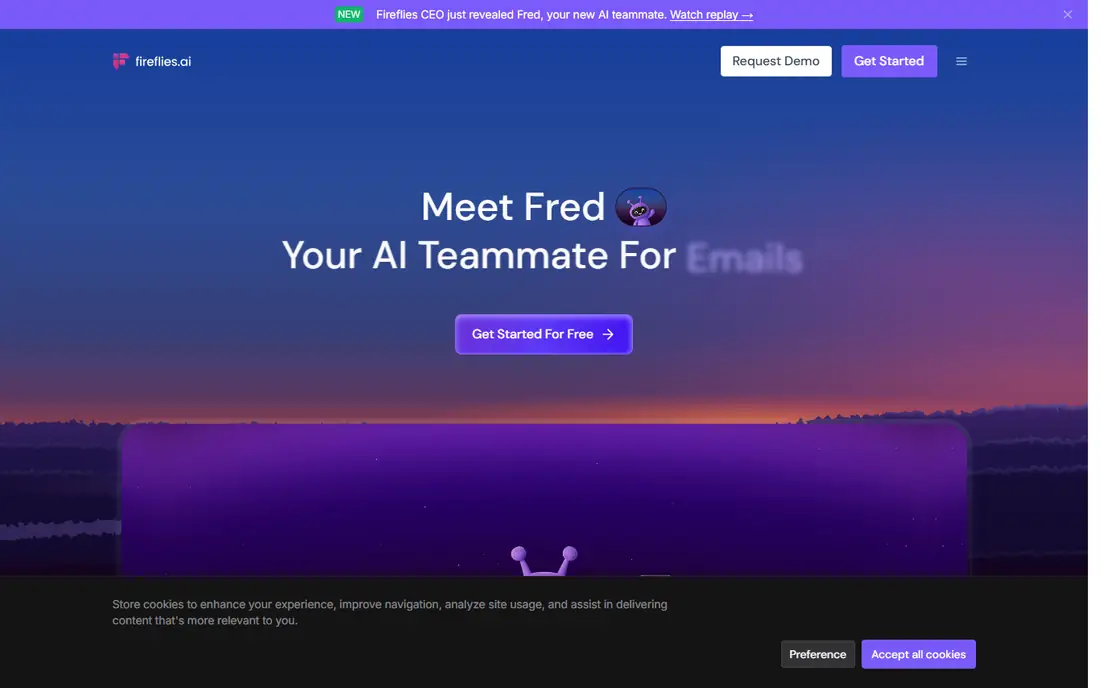
Fireflies.ai records and transcribes meetings across Zoom, Google Meet, Teams and 10+ platforms, with transcription in 100+ languages. Real-time notes, meeting search and API access are included on the free plan, and AskFred answers questions across meetings. Pro adds action items, a task manager and unlimited integrations, which suits sales and customer teams that push meeting records into CRM tools. Pro costs $10 per seat per month billed annually, with $18 monthly shown on the pricing page. The free plan includes unlimited transcription with limited AI summaries, 400 minutes of storage per team and 20 AI credits.
The catch is that free storage stops at 400 minutes per team, so busy teams outgrow it quickly. Conversation intelligence and team analytics start on Business, and HIPAA-ready BAA coverage is Enterprise only. Pick Fireflies.ai if meeting volume is high and CRM records matter. Look elsewhere if you need conversation analytics on a low plan, or long free storage for a large archive.
What we like- Transcription in 100+ languages
- Unlimited transcription on Free and paid plans
- Real-time notes, meeting search and API access on Free
Watch out for- Free storage is 400 mins per team with limited AI summaries
- Conversation intelligence and team analytics start on Business
#3
Fathom
Best for: Individuals wanting unlimited free recordings
Visit fathom.ai
Starting pricePremium $16/month per user, billed annually
Free planFree: unlimited recordings + transcriptions
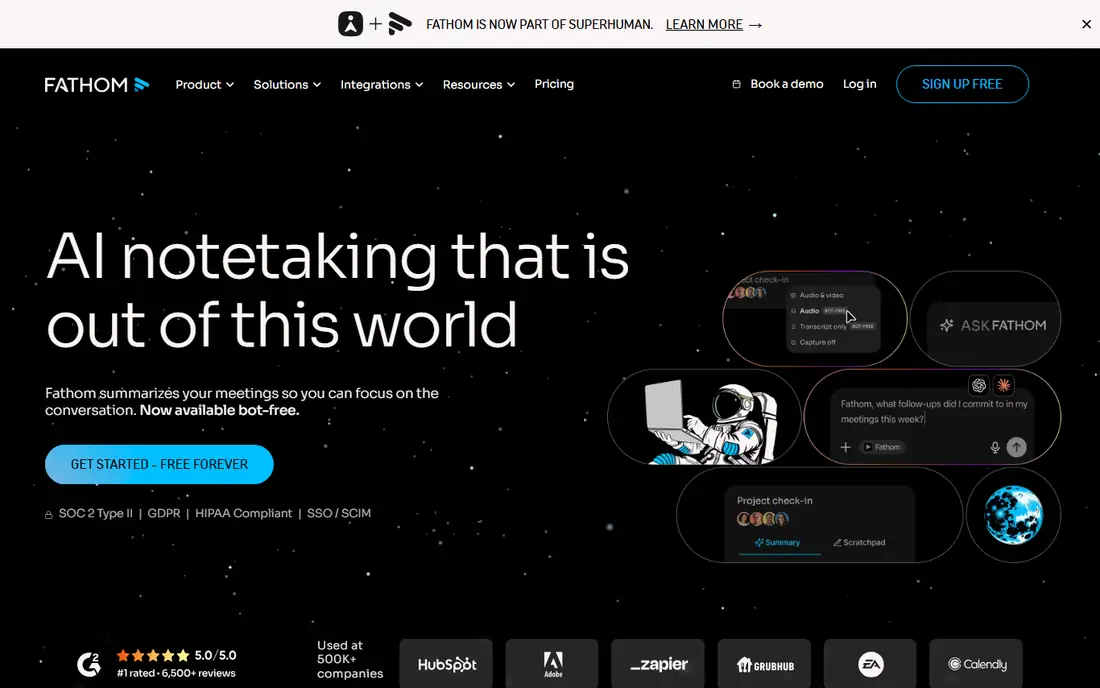
Fathom records Google Meet, Zoom and Microsoft Teams calls with instant AI summaries, clips, playlists and search. The free plan includes unlimited recordings and transcriptions, which removes the minute math that limits rivals. Users choose bot capture or bot-free capture, and Ask Fathom answers questions across calls. Slack, Salesforce, HubSpot, Notion and Asana sync support follow-up work, with MCP on paid plans. Premium costs $16 per month per user billed annually, or $20 monthly, and Team costs $15 per month per user annually with a 2-user minimum. For individuals, the free plan alone covers most meeting weeks.
The catch is that advanced summaries and AI action items are paid features, with several free features marked as limited use without exact caps stated. Bot-free capture is a Mac beta, and CRM field sync starts on Business. Pick Fathom if unlimited free recordings matter most. Look elsewhere if CRM field sync must sit on a low plan, or if bot-free capture on Windows is required today.
What we like- Free plan has unlimited recordings and transcriptions
- Instant AI summaries with clips, playlists and search
- Choice of bot or bot-free capture
Watch out for- Advanced summaries and AI action items are paid features
- Bot-free capture is a Mac beta
Starting priceBusiness $14/user/month
Free planBasic: AI meeting notes, 30 days meeting history
Granola captures meeting audio from your own device, so no bot joins the call and other participants see no extra attendee. AI notes build around notes you type during the meeting, which suits people who already jot key points. It works with Zoom, Meet, Teams, Huddles and in-person meetings through desktop and mobile apps, with multi-language support and speaker tagging. Audio is deleted after transcription on every plan. Slack is included on all plans. Business costs $14 per user per month on the vendor plans page, and the free Basic plan includes AI meeting notes with 30 days of meeting history.
The catch is that no meeting audio is kept, so there is no playback to check a disputed quote against. Basic history stops at 30 days, and Notion, HubSpot, Zapier, API and wider MCP access start on Business, with SSO for Enterprise workspaces of 50+ seats. Pick Granola if bot-free capture matters most. Look elsewhere if audio playback, long free history or CRM sync on a low plan is required.
What we like- Bot-free device-audio capture with no participant joining the call
- AI notes built around your own typed notes
- Audio deleted after transcription on every plan
Watch out for- No meeting audio is kept, so there is no audio playback
- Basic history limited to 30 days
#5
Read AI
Best for: Meeting reports plus cross-tool search
Visit read.ai
Starting pricePro $15 per user/month, billed annually
Free planFree: 5 meeting transcripts per month, 1 hour max
Read AI produces meeting reports with summaries, topics, action items and key questions for Zoom, Teams and Meet calls. Ask Read searches across meetings, email and messages, which helps teams find decisions that were split across tools. Live notes and meeting metrics run during calls. Pro adds premium integrations including Notion, Salesforce, HubSpot, Jira, Confluence, Zapier and webhooks, plus 100 file upload credits per month. Pro costs $15 per user per month billed annually, or $19.75 monthly. The free plan includes 5 meeting transcripts per month with a 1-hour maximum and no uploads.
The catch is that the free plan stops at 5 meeting reports per month and 1 hour per meeting, with no uploads. Audio and video playback starts on Enterprise, not Pro, so mid-plan users cannot replay calls. Pick Read AI if cross-tool search and structured reports matter most. Look elsewhere if playback must sit on a mid plan, or if free volume needs to cover a full meeting week.
What we like- Meeting reports with summary, topics, action items and key questions
- Ask Read search across meetings, email and messages
- Live notes and meeting metrics during calls
Watch out for- Free stops at 5 meeting reports per month and 1 hour per meeting
- Audio and video playback starts on Enterprise
#6
tl;dv
Best for: Unlimited free recordings with AI notes
Visit tldv.io
Starting pricePro $18 per seat/month, billed annually
Free planFree: unlimited video recordings, 10 meetings with AI notes
tl;dv records Zoom, Google Meet and Microsoft Teams meetings, plus Slack huddles and WhatsApp calls, with transcripts and notes in 100+ languages. Capture options cover a bot, bot-free desktop recording and mobile in-person recording. The free plan includes unlimited video recordings and unlimited transcription, with 10 meetings with AI notes and 10 Ask AI queries. Vendor pages state EU-hosted data with no AI training. Pro adds HubSpot, Salesforce and Pipedrive sync plus MCP, API and webhooks, at $18 per seat per month billed annually. For teams that record everything, unlimited free recordings remove storage anxiety.
The catch is that free AI use stops at 10 meetings with AI notes and 10 Ask AI queries, so heavy AI users need a paid plan. Multi-meeting AI insights, custom vocabulary and playbook monitoring start on Business. Pick tl;dv if unlimited recordings and EU hosting matter most. Look elsewhere if AI notes must cover every meeting on a free plan, or if playbook monitoring is required at entry price.
What we like- Free includes unlimited video recordings and transcription
- Bot, bot-free desktop and mobile in-person capture
- EU-hosted data with no AI training stated
Watch out for- Free AI use capped at 10 meetings with AI notes and 10 Ask AI queries
- Multi-meeting AI insights start on Business
Starting pricePro $15.99
Free planBasic Free: 3 hours transcription/month
MeetGeek creates an AI summary for every meeting, with AI Next Steps that turn decisions into follow-up tasks. Capture covers bot, bot-free, desktop and mobile recording across Zoom, Google Meet, Teams and more, with transcription in 100+ languages and automatic language detection. Meeting templates and automatic meeting type detection run on Pro, with CRM sync to HubSpot, Salesforce and Pipedrive plus API and MCP access. Pro is shown at $15.99 on the pricing page opened. The free Basic plan includes 3 hours of transcription per month, 3 months of transcript storage and recordings up to 2 hours.
The catch is that Pro caps transcription at 20 hours per month with 1 year of transcript storage. HD video recording and team spaces start on Business. Pick MeetGeek if automated follow-up after every meeting is the goal. Look elsewhere if monthly meeting time passes 20 hours per user, or if HD video must sit on the mid plan for client calls.
What we like- AI summary for every meeting with AI Next Steps
- Bot, bot-free, desktop and mobile capture
- Transcription in 100+ languages with automatic detection
Watch out for- Pro capped at 20 hours of transcription per month
- HD video recording and team spaces start on Business
#8
Notta
Best for: Solo users needing many transcription minutes
Visit notta.ai
Starting pricePro $8.17/month, billed annually
Free planFree: 120 transcription minutes/month
Notta records Zoom, Microsoft Teams, Google Meet and Webex meetings, with speaker identification and live transcription during recording. Pro includes 1,800 transcription minutes per month with up to 5 hours per recording, plus transcript translation and custom vocabulary for English and Japanese. Pro costs $8.17 per month, $97.99 billed annually, for 1 seat. The free plan includes 120 transcription minutes per month, 50 file uploads per month and 10 AI summaries per month. For solo users who transcribe interviews, lectures and calls, the minute allowance per dollar is the appeal.
The catch is that the free plan caps each conversation at 3 minutes, so it works as a trial rather than a meeting plan. Pro covers 1 seat only, and web meeting video recording, CRM and Zapier integration start on Business, with translation add-ons sold separately. Pick Notta if solo minute volume matters most. Look elsewhere if a team needs shared seats, CRM sync or long free conversations.
What we like- Records Zoom, MS Teams, Google Meet and Webex meetings
- Speaker identification and live recording transcription
- Pro adds translation and custom vocabulary
Watch out for- Free caps each conversation at 3 minutes
- Pro is 1 seat only, CRM and Zapier start on Business
#9
Fellow
Best for: Regulated teams needing governed meeting notes
Visit fellow.ai
Starting priceTeam $7 per user/month, billed annually
Free planFree: 5 AI notes (lifetime)/user, 5 AI recordings (lifetime)/user
Fellow records meetings with a bot or botless capture across Zoom, Meet, Teams, Slack huddles and in-person sessions. AI summaries, transcription and action items run on all plans, and Ask Fellow answers questions across meeting history with citations. Governance tools include transcript redaction, configurable retention including zero-day retention, and compliance controls, which suit regulated teams. Team costs $7 per user per month billed annually, or $11 billed monthly, with project management, Confluence and Notion integrations. Salesforce and HubSpot advanced CRM integration sits on Business. For teams with retention rules, control over stored transcripts is the point.
The catch is that the free plan allows only 5 AI notes and 5 AI recordings per user for the life of the account, and Team caps AI notes at 10 per user per month. Unlimited AI notes start on Business, and Enterprise starts at 10 users. Pick Fellow if redaction and retention controls decide the purchase. Look elsewhere if generous free volume or unlimited AI notes on a low plan matter more.
What we like- Bot or botless recording across Zoom, Meet, Teams and in-person
- Transcript redaction and configurable retention
- Ask Fellow answers with citations
Watch out for- Free is only 5 AI notes and 5 recordings per user for the life of the account
- Team caps AI notes at 10 per user per month
#10
Tactiq
Best for: Live browser transcription without a bot
Visit tactiq.io
Starting pricePro $8 per user/mo, annual billing
Free planFree: 10 transcripts/mo, 5 AI credits/mo
Tactiq transcribes Google Meet, Zoom and Microsoft Teams meetings live through a Chrome extension, with no bot joining the call. The vendor states it does not record or store meeting audio. Summaries, action items and Ask Tactiq AI run on the transcript, with Google Drive and Notion integrations plus transcript search and export. Pro costs $8 per user per month on annual billing and removes the transcript cap. The free plan includes 10 transcripts per month and 5 AI credits per month. For people who want live text during the call without a visible bot, the extension model fits.
The catch is that Pro includes only 10 AI credits per month, so unlimited AI summaries and actions start on Team at $16.67 per user per month annually. Because no audio is stored, there is no playback to check against the transcript. Pick Tactiq if live browser transcription without a bot matters most. Look elsewhere if audio playback, heavy AI summaries or bot-based recording for absent teammates is required.
What we like- Live in-meeting transcription through a Chrome extension with no bot
- Vendor states it does not record or store meeting audio
- Pro removes the transcript cap
Watch out for- Pro includes only 10 AI credits per month
- No audio stored, so no audio playback
How many meeting minutes do you really need each month?
Count your busiest month before you compare prices. Twenty 60-minute meetings use 1,200 minutes. Otter.ai Pro caps at 1,200 minutes per user, so that month exactly fills the plan. Notta Pro includes 1,800 minutes for $8.17 per month, and MeetGeek Pro includes 20 hours, which is 1,200 minutes. Fathom and tl;dv remove the math on free plans with unlimited recordings and transcriptions, though AI features carry limits. Fireflies.ai free storage stops at 400 minutes per team. A team of 5 people in 20 shared meetings needs storage and AI credits counted per team, not per person.
Fireflies.ai suits sales teams that need CRM meeting records, with Pro at $10 per seat per month billed annually and unlimited integrations. Fathom suits individual sellers who want unlimited free recordings and instant summaries. Read AI suits teams that search decisions across meetings, email and messages. MeetGeek suits teams that want AI Next Steps after every call. Sales leaders should check CRM field sync on the exact plan, since Fathom gates field sync to Business and Fellow gates advanced CRM integration to Business.
Do you need a bot in the meeting to get a transcript?
No. Granola captures device audio with no participant joining, Tactiq transcribes through a Chrome extension, and Fathom and tl;dv offer bot-free capture beside bot options. Bot tools such as Fireflies.ai and Otter.ai record even when the organizer is absent, which bot-free tools cannot do. Bot-free capture keeps the participant list clean and suits sensitive calls. Bot capture suits recurring team meetings where the record must exist no matter who attends. Choose by attendance patterns, not by novelty.
How long are meeting transcripts stored on free plans?
Storage varies sharply. Granola Basic keeps 30 days of meeting history. MeetGeek Basic keeps transcripts for 3 months and audio for 1 month. Fireflies.ai free storage is 400 minutes per team. Otter.ai Basic shows the 25 most recent conversations. Fellow free allows 5 AI notes and 5 recordings per user for the life of the account. Teams with audit or client-record duties should price storage and retention first, then compare summary features.
Frequently asked questions
What is the best AI meeting transcription tool?
Fathom is the best starting point for most individuals because the free plan includes unlimited recordings and transcriptions. Fireflies.ai suits high-volume teams at $10 per seat per month billed annually. Granola suits bot-free notes at $14 per user per month. Otter.ai suits live transcription with speaker names, with pricing by See website.
Which meeting transcription tools are free?
Fathom and tl;dv offer unlimited free recordings, with AI limits on tl;dv at 10 meetings with AI notes. Fireflies.ai free includes unlimited transcription with 400 minutes of team storage. Otter.ai Basic includes 300 minutes per user per month. Notta free includes 120 minutes per month, and Tactiq free includes 10 transcripts per month.
Can AI meeting tools join Zoom, Teams and Google Meet?
Yes. Otter.ai, Fireflies.ai, Fathom, Read AI, tl;dv, MeetGeek, Notta, Fellow and Tactiq all list Zoom, Teams or Google Meet support on vendor pages. Notta also lists Webex, and tl;dv adds Slack huddles and WhatsApp calls. Granola works through device audio across platforms. Check bot and bot-free options per platform before buying.
How accurate are AI meeting transcripts?
Vendors in this list do not publish one shared accuracy figure, so compare transcripts against your own calls during trials. Speaker identification, custom vocabulary and language support affect results. Notta Pro adds custom vocabulary, and Fireflies.ai, tl;dv and MeetGeek list 100+ languages. Keep audio playback where disputed quotes matter, since Granola and Tactiq store no audio.
What should I check before buying a meeting transcription tool?
Check minute caps, storage limits, language coverage, CRM sync tier and whether audio playback is kept. Otter.ai Pro caps at 1,200 minutes, MeetGeek Pro at 20 hours, and Fireflies.ai free storage at 400 minutes per team. Granola deletes audio after transcription. Run one real meeting week on a free plan before paying.
What to look for before you buy
First, count meeting minutes in your busiest month and compare them with caps such as 300, 1,200 and 1,800 minutes. Second, decide bot or bot-free capture based on whether recordings must happen when you are absent. Third, check storage and retention, from 30 days of history to lifetime note limits. Fourth, verify CRM sync and AI features on the exact plan, since several vendors gate them to Business tiers. Fifth, confirm language coverage and audio playback needs before a team rollout.
How we chose
We compared 18 candidate tools for AI meeting transcription, then kept 10 with live vendor pages, meeting coverage and published free or paid terms. Prices and facts were checked on vendor pricing pages and product pages on 29 November 2026. Where price cards did not surface in page text, this guide says See website instead of estimating. No hands-on testing is claimed, no accuracy figures are invented, and no ratings or review counts are used.
Sources we checked (10)
- https://otter.ai/pricing
- https://fireflies.ai/pricing
- https://www.fathom.ai/pricing
- https://www.granola.ai/pricing
- https://www.read.ai/plans-pricing
- https://tldv.io/pricing
- https://meetgeek.ai/pricing
- https://www.notta.ai/en/pricing/
- https://fellow.ai/pricing
- https://tactiq.io/buy
Is your product missing or out of date?
We review this list regularly. Vendors can request a listing, send updated pricing or ask about featured placement.

Shihab Mia · Founder, Rankite
Shihab has 5+ years in B2B and SaaS SEO. He writes Rankite's software buying guides from pricing pages, documentation and public user reviews. More about Shihab.