How we make this list: we compare pricing pages, product documentation and public user reviews. Ratings come from G2, Capterra or Trustpilot, with the date we checked them.
Direct answer
Cursor is the closest Windsurf replacement for most developers because it combines an AI editor, agent work and cloud agents, with paid plans from $8 per month. GitHub Copilot suits GitHub teams at $10 per month for Pro. Claude Code suits terminal-first developers who want an agent inside paid Claude plans.
Key takeaways
- Solo developers who want an editor replacement should start with Cursor, with Plus at $8 per month and Premium at $30 per month.
- GitHub teams that need completions in many editors should start with GitHub Copilot Pro at $10 USD per month with 1,500 monthly AI credits.
- Terminal-first developers who already pay for Claude should use Claude Code, included in Pro at $20 per month billed monthly.
- JetBrains IDE users who want AI inside their current IDE should use JetBrains AI Pro at $10 USD with 10 AI credits per 30 days.
- Regulated teams that need private deployment should shortlist Tabnine, priced See website, for SaaS, VPC, on-premises and air-gapped options.
Quick comparison
| Tool | Best for | Starting price | Free plan |
|---|
 Cursor | Developers replacing Windsurf with an AI editor | Plus $8 /month | Free $0 with limited agent requests and limited Chat requests |
 GitHub Copilot | GitHub teams using several editors | Copilot Pro $10 USD per month | Copilot Free with limited access and 2,000 completions per month |
 Claude Code | Terminal-first developers on paid Claude plans | Pro $20 per month billed monthly | None found on vendor page |
 Kiro | Spec-driven coding in an AWS-built IDE | Pro $20 per user / month | Free $0 with 50 credits per month |
 JetBrains AI Assistant | Developers already using JetBrains IDEs | AI Pro $10 USD, 10 AI credits per 30 days | AI Free with 3 AI credits per 30 days |
 Zed | Fast editor users with own model keys | See website | Personal plan with own keys or external agents; 14-day Pro trial with $5 of GPT-6 Luna usage |
 Tabnine | Regulated teams needing private deployment | See website | None found on vendor page |
 Sourcegraph Cody | Large codebases across many repositories | See website | None found on vendor page |
 Aider | Terminal pair programming with model choice | See website | None found on vendor page |
 Replit | Browser-based app building and prototypes | Core $18 / month, billed annually | None found on vendor page |
Is your product missing or out of date?
We review this list regularly. Vendors can request a listing, send updated pricing or ask about featured placement.
The best windsurf alternatives
Windsurf buyers usually want three things in one place: fast completions, chat that understands the current project, and an agent that can edit several files without constant copy and paste. The tools below split into full editors, editor assistants, terminal agents and browser builders. That split matters because switching editors is a bigger change than adding an assistant to an editor you already use. This list ranks tools by fit for a Windsurf switch, clear vendor pricing, a real free or trial route where one exists, and limits that are stated plainly on vendor pages.
#1
Cursor
Best for: Developers replacing Windsurf with an AI editor
Visit cursor.com
Starting pricePlus $8 /month
Free planFree $0 with limited agent requests and limited Chat requests
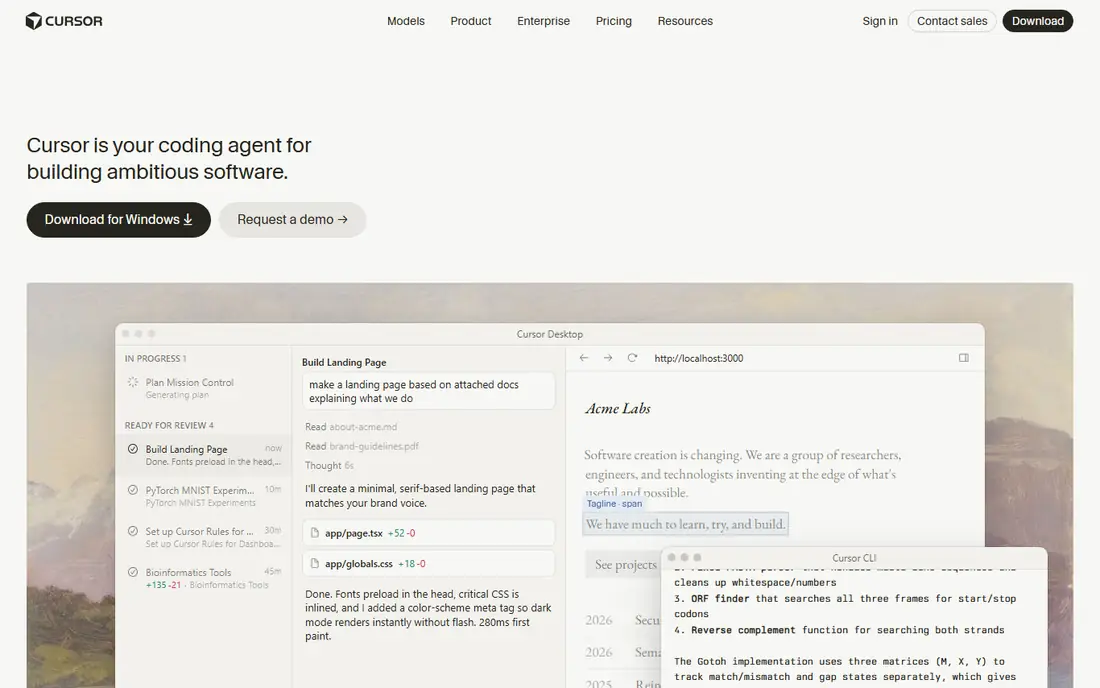
Cursor is an AI code editor with agent requests, Chat and paid tiers that add cloud agents, automations and code reviews. It suits developers who want the closest move from Windsurf because the editor, chat and agent sit in one product. The vendor pricing page lists Free at $0 per month, Plus at $8 per month, Premium at $30 per month, Super at $100 per month and Ultra at $200 per month. Premium is marked most popular and adds 4x more usage than Plus. Teams and Enterprise routes exist for buyers who need shared controls, but the individual ladder is the main buying decision for most switchers.
The catch is that the cheapest paid tier is narrow. Cursor states that only Grok models are available on Plus, and third-party model use is not included in the monthly prices shown. Pick Cursor if you want an editor-first replacement and can budget for Premium at $30 per month. Look elsewhere if you need broad third-party model access inside the base price or you do not want to change editors.
What we like- Full AI editor with agent and Chat features
- Premium adds cloud agents and AI code reviews
- Free plan lets buyers test the editor first
Watch out for- Plus includes Grok models only
- Third-party model use is billed separately by usage
Starting priceCopilot Pro $10 USD per month
Free planCopilot Free with limited access and 2,000 completions per month
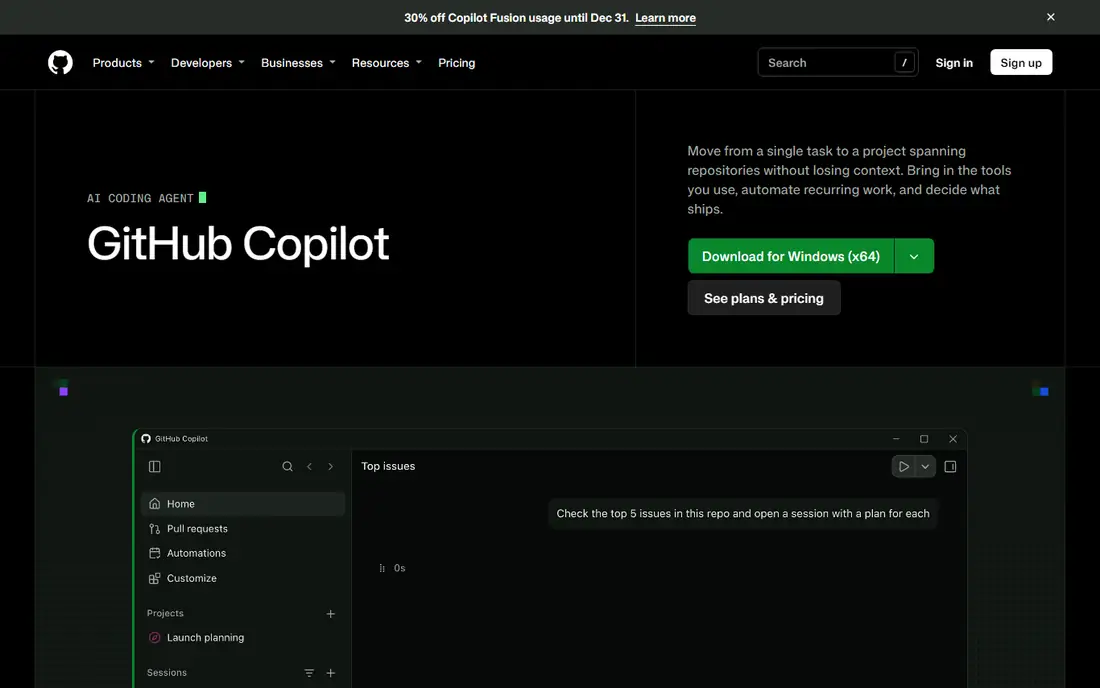
GitHub Copilot is an AI coding assistant for IDEs, GitHub, mobile and the CLI. It suits teams whose code already lives on GitHub and who do not want to force one editor on every developer. GitHub lists Copilot Pro at $10 USD per month with 1,500 total monthly AI credits, Pro+ at $39 USD with 7,000 credits and Max at $100 USD with 20,000 credits. Business is $19 USD per granted seat per month and Enterprise is $39 USD per granted seat per month. Inline suggestions are unlimited on paid plans and do not consume credits, which helps daily completion work stay predictable.
The catch is that agent and chat value depends on credits, models and administrator policies. GitHub states that feature and model availability is subject to administrator policies and spending controls. Pick Copilot if your team is on GitHub and wants one assistant across editors. Look elsewhere if your code host is not GitHub, if you need a full replacement editor, or if credit-based agent billing will be hard to forecast.
What we like- Works across IDEs, GitHub and the CLI
- Pro includes 1,500 monthly AI credits
- Business and Enterprise add central policy control
Watch out for- Chat and agent work draws on AI credits
- Copilot is not available for GitHub Enterprise Server
#3
Claude Code
Best for: Terminal-first developers on paid Claude plans
Visit claude.com
Starting pricePro $20 per month billed monthly
Free planNone found on vendor page

Claude Code is Anthropic coding help inside paid Claude plans, aimed at developers who work in the terminal and want an agent to handle longer coding tasks. It suits Windsurf users who care more about agent edits than about keeping a Windsurf-style editor window. Anthropic lists Pro at $17 per month with an annual subscription discount, or $20 if billed monthly, and states that Pro includes Claude Code. Max is $100 per month with 5x Pro usage every 5 hours and every week. Ultra is $200 per month with 10x Pro weekly usage and no 5-hour limit for verified accounts.
The catch is that Claude Code shares the same usage limits as the rest of the Claude plan. Terminal work and chats draw from one pool, so a heavy chat day can reduce coding headroom. Pick Claude Code if you already value Claude models and work well in a terminal. Look elsewhere if you need a free coding tier, a visual editor replacement, or model choice beyond Claude plans and API routes.
What we like- Included in all paid Claude plans
- Shares one usage pool across Claude surfaces
- Max and Ultra raise usage for heavy coding
Watch out for- Free plan does not include Claude Code
- Heavy sessions can hit 5-hour and weekly limits
#4
Kiro
Best for: Spec-driven coding in an AWS-built IDE
Visit kiro.dev
Starting pricePro $20 per user / month
Free planFree $0 with 50 credits per month
Kiro is an AWS-built agentic coding product with an IDE, CLI and web use tied to one credit system. It suits developers who want structured spec work before code generation and who can manage a monthly credit budget. The vendor pricing page lists Free at $0 with 50 credits, Pro at $20 per user per month with 1,000 credits, Pro+ at $40 with 2,000 credits, Pro Max at $100 with 5,000 credits and Power at $200 with 10,000 credits. Add-on credits cost $0.04 each on paid plans. Team pooling costs $20 per seat per month with 500 included credits per seat.
The catch is that a credit is not a fixed task price. Kiro states that simple prompts can use less than 1 credit, complex spec tasks usually cost more, and different models consume credits at different rates. Pick Kiro if spec-first work and credit pooling fit your team. Look elsewhere if you need predictable per-seat costs with no usage math or you dislike monthly credit resets.
What we like- Free tier includes 50 monthly credits
- Pro includes 1,000 credits and premium models
- Team pooling shares credits across seats
Watch out for- Credits vary by model and task complexity
- Unused individual credits do not roll over
Starting priceAI Pro $10 USD, 10 AI credits per 30 days
Free planAI Free with 3 AI credits per 30 days
JetBrains AI Assistant brings AI features into JetBrains IDEs through the JetBrains AI service. It suits developers who already work in IntelliJ IDEA, PyCharm, WebStorm or another JetBrains IDE and do not want to move to a new editor. JetBrains lists individual AI Pro at $10 USD with 10 AI credits per 30 days and AI Ultimate at $30 USD with 35 AI credits per 30 days. Each AI credit equals $1 USD charged in local currency. Organization tiers list AI Pro at $20 USD and AI Ultimate at $60 USD, so buyers should check which table applies before budgeting.
The catch is that the free tier has edition and version limits. JetBrains states that AI Free is only available in IDEs from version 2025.1 or later, is not available in Android Studio, and is not available in some free editions. Pick JetBrains AI if your team already pays for JetBrains IDEs. Look elsewhere if your main editor is outside JetBrains or you need an agent-first editor rather than IDE assistance.
What we like- Runs inside JetBrains IDEs
- AI Free gives a no-cost start
- AI credits can be topped up when quota runs out
Watch out for- AI Free is not available in every IDE edition
- Quota depends on AI credits tied to subscription price
#6
Zed
Best for: Fast editor users with own model keys
Visit zed.dev
Starting priceSee website
Free planPersonal plan with own keys or external agents; 14-day Pro trial with $5 of GPT-6 Luna usage
Zed is a code editor built for speed and collaboration with humans and AI. It suits developers who want a fast editor and are comfortable bringing their own API keys, subscriptions or external agents. The vendor pricing page describes Personal for users who prefer their own keys or external agents, Pro for Zed-hosted models out of the box, and Business for centralized control. Pro includes unlimited edit predictions, and hosted usage beyond included credits bills at API list price plus 10 percent. Zed also offers a 14-day Pro trial with $5 of GPT-6 Luna usage and no credit card required.
The catch is that the fetched vendor pricing text did not show clear plan dollar amounts, so this guide lists the starting price as See website. Business also states that seats do not bundle a fixed LLM credit allotment. Pick Zed if editor speed and key choice matter most. Look elsewhere if you need SSO today, bundled hosted credits, or a cloud agent workspace instead of a desktop editor.
What we like- Editor works with own API keys and external agents
- Pro adds Zed-hosted models and unlimited edit predictions
- Business adds org-wide AI and data controls
Watch out for- Business has no bundled fixed LLM credit allotment
- SSO, SAML and SCIM are planned but not currently available
Starting priceSee website
Free planNone found on vendor page
Tabnine is an AI code assistant platform for teams that put privacy, deployment control and governance ahead of low seat price. It suits regulated companies that need code to stay in a chosen environment. The vendor page describes Code Assistant and Agentic Platform options, but current public pricing was not confirmed on the fetched vendor page, so this guide uses See website for price. The page lists SaaS, VPC, on-premises and fully air-gapped options, zero code retention, SSO for private deployments, and compliance claims for GDPR, SOC 2 and ISO 27001. The Agentic Platform adds agents, a CLI and a Context Engine.
The catch is cost structure. Tabnine states that usage is unlimited when using your own LLM on premises or your own cloud endpoint, but Tabnine-provided LLM access adds reserved token consumption at provider prices plus a 5 percent handling fee. Pick Tabnine if private deployment is a hard requirement. Look elsewhere if you are a solo developer, need a free tier, or need a public seat price before approval.
What we like- SaaS, VPC, on-premises and air-gapped deployment options
- Zero code retention and no training on your code
- Works in major IDEs with chat and completions
Watch out for- Current public pricing was not confirmed on the fetched vendor page
- Tabnine-provided LLM use adds provider prices plus 5 percent handling fee
Starting priceSee website
Free planNone found on vendor page
Sourcegraph Cody is the AI assistant tied to Sourcegraph code intelligence for large and complex codebases. It suits engineering organizations that need answers and edits grounded in code across many repositories, not just the open project in one editor window. The vendor pricing page lists Deep Search, Code Search, symbol search, code navigation, Batch Changes, an MCP server, APIs and a CLI. It also lists credits included per user, org-wide credit pooling, no monthly credit expiry and purchased credit buckets that roll over on renewal. Deployment options include single-tenant cloud and self-hosted.
The catch is buying fit. The fetched pricing page did not show a clear Cody per-user price, so this guide lists the starting price as See website and buyers should confirm Cody inclusion in writing. Pick Sourcegraph if multi-repo context is your main problem and a platform contract is acceptable. Look elsewhere if you are an individual, a small team, or you need a self-serve monthly assistant price.
What we like- Built around code search and code navigation
- Enterprise plan includes credits pooled across the organization
- Supports single-tenant cloud and self-hosted deployment
Watch out for- No clear per-user entry price on the fetched pricing page
- Best fit needs a Sourcegraph platform purchase
Starting priceSee website
Free planNone found on vendor page
Aider is a terminal pair programming tool that lets developers work with LLMs on a new project or an existing codebase. It suits developers who live in git and the terminal and want model choice instead of a bundled editor subscription. The vendor site states that Aider can connect to almost any LLM, including local models, and works with popular languages such as Python, JavaScript, Rust, Ruby, Go, C++, PHP, HTML and CSS. It also states that Aider maps the codebase, commits changes automatically, can use images and web pages as context, and can lint and test code after changes.
The catch is that Aider is not a hosted editor replacement with one simple seat price. The vendor homepage shows install commands and model API key examples, so buyers must budget for the model route they choose. Pick Aider if terminal control and git commits matter more than a polished editor UI. Look elsewhere if you want inline completions in a visual editor, team admin controls, or one vendor bill for models and software.
What we like- Works in the terminal with many LLM providers
- Maps the codebase for larger projects
- Automatically commits changes with git tools for review
Watch out for- Requires model API setup and separate model costs
- Terminal workflow is less visual than Windsurf
Starting priceCore $18 / month, billed annually
Free planNone found on vendor page
Replit is a browser-based development platform for building apps with AI help, workspaces and deployment in one place. It suits founders, students and small teams who want to build and share apps without local setup. The vendor pricing page lists Core at $20, shown as $18 per month billed annually, with up to 30 hours of chat on Free Mode, up to 60 projects on Free Mode, $20 toward more powerful models and unlimited workspaces. Pro is $100, shown as $90 per month billed annually, with $100 toward most powerful models, premium support and up to 15 collaborators. Enterprise is custom.
The catch is fit and credit use. Replit states that prices are subject to tax by location and that Agent behavior is probabilistic, so output still needs review. Pick Replit if browser building and sharing matter more than local IDE depth. Look elsewhere if your work centers on large private repositories, offline development, or strict enterprise controls beyond the custom Enterprise route.
What we like- Browser workspace with AI integrations
- Core includes $20 toward more powerful models
- Pro adds up to 15 collaborators
Watch out for- Paid value depends on model credit use
- Less suited to large local enterprise codebases
Should you replace Windsurf with an editor or an assistant?
Choose an editor replacement when your main loss is the Windsurf workspace itself, including agent edits, chat context and file navigation in one window. Cursor, Kiro and Zed fit that need in different ways. Choose an assistant when your editor is already settled and the missing piece is completions, chat or agent help inside it. GitHub Copilot at $10 USD per month, JetBrains AI Pro at $10 USD and Tabnine with See website pricing fit that path. Choose a terminal agent when git history and command-line control matter more than editor polish. Claude Code starts through Pro at $20 per month billed monthly, while Aider leaves model billing to your chosen provider. The cheapest switch is often an assistant, but the closest Windsurf feel usually comes from an editor. Budget for usage after the seat price, because credits, tokens and add-ons decide the real monthly cost for most teams.
What is the best Windsurf alternative for solo developers?
Cursor is the best first test for most solo developers because Free costs $0 and Premium is $30 per month. GitHub-heavy solo developers may prefer Copilot Pro at $10 USD per month. Developers who want no editor change should test Zed Personal or Aider first.
What is the best Windsurf alternative for teams?
GitHub Copilot Business is a strong team default at $19 USD per seat when code is on GitHub. Kiro pooling costs $20 per seat with 500 credits per seat. Tabnine fits regulated teams, while Sourcegraph fits large multi-repo organizations.
Which Windsurf alternative has the clearest free plan?
Kiro Free gives 50 credits per month at $0. Cursor Free gives limited agent and Chat requests. Copilot Free gives 2,000 completions per month. JetBrains AI Free gives 3 credits per 30 days, with edition limits. Free plans test fit, not heavy agent cost.
How much should a small team budget each month?
Five Copilot Business seats cost $95 per month before extra credits. Five Kiro pooling seats cost $100 with 2,500 pooled credits. Five Cursor Premium seats cost $150 before third-party models. Tabnine needs a quote before a five-seat budget can be set.
Frequently asked questions
Is Cursor the closest replacement for Windsurf?
Cursor is the closest replacement for many Windsurf users because it keeps the editor, Chat and agent work in one product. The Free plan is $0 with limited requests. Premium is $30 per month and adds cloud agents and AI code reviews. The main limit is that Plus is Grok-only and third-party models bill separately.
Can GitHub Copilot replace Windsurf without changing editors?
GitHub Copilot can replace much of the assistant layer without forcing a new editor. Pro is $10 USD per month with 1,500 monthly AI credits. Free includes 2,000 completions per month. It will not feel like a full Windsurf editor replacement, so buyers who want an editor-first agent workspace should also test Cursor or Kiro.
Is Claude Code a good Windsurf alternative?
Claude Code is a good alternative if you work in the terminal and already use Claude. It is included in paid Claude plans, starting with Pro at $20 per month billed monthly. The Free plan does not include Claude Code. Heavy users may need Max at $100 per month or Ultra at $200 per month for higher usage.
Which option is best for private or regulated code?
Tabnine is the clearest private deployment pick in this list. It lists SaaS, VPC, on-premises and air-gapped options with See website pricing for Code Assistant. Sourcegraph also lists single-tenant cloud and self-hosted options. Buyers should confirm data retention, model routing and contract terms before rollout.
Are free AI coding plans enough for daily work?
Free plans are enough for light testing, not for most daily agent work. Kiro Free gives 50 credits per month. Copilot Free gives 2,000 completions per month. Cursor Free gives limited agent and Chat requests. JetBrains AI Free gives 3 AI credits per 30 days. Daily users should budget for a paid tier and usage overages.
What to look for before you buy
First, decide whether you need a new editor or only an assistant. Second, check monthly cost after credits, tokens and add-ons, not only the seat price. Third, confirm code processing, private deployment, SSO and admin needs. Fourth, test on one real repository before rollout. Fifth, check cancellation, credit expiry and seat rules.
How we chose
We compared real AI coding editors, assistants and agentic tools that can replace Windsurf. Prices and facts were checked on vendor pages on 2026-11-28. We kept tools with a live official site and clear fit. We did not claim hands-on testing. Unclear prices use See website.
Sources we checked (12)
- https://prod.cursor.com/en-US/pricing
- https://docs.github.com/copilot/get-started/plans
- https://claude.com/pricing
- https://kiro.dev/pricing
- https://www.jetbrains.com/help/ai-assistant/licensing-and-subscriptions.html
- https://www.jetbrains.com/store/ai/
- https://zed.dev/pricing
- https://zed.dev/
- https://www.tabnine.com/enterprise
- https://sourcegraph.com/pricing
- https://aider.chat/
- https://replit.com/pricing
Is your product missing or out of date?
We review this list regularly. Vendors can request a listing, send updated pricing or ask about featured placement.

Shihab Mia · Founder, Rankite
Shihab has 5+ years in B2B and SaaS SEO. He writes Rankite's software buying guides from pricing pages, documentation and public user reviews. More about Shihab.