How we make this list: we compare pricing pages, product documentation and public user reviews. Ratings come from G2, Capterra or Trustpilot, with the date we checked them.
Direct answer
Speechify Studio is the top pick for creators who need commercial voiceover credits, with Studio Starter at $100/Year and 86,400 Studio credits. Narakeet suits occasional narration because free accounts can convert up to 20 files before paid capacity, while Audacity fits recorded voice cleanup at $0.
Key takeaways
- Creators publishing every week should start with Speechify Studio Starter at $100/Year, which includes 86,400 Studio credits and commercial usage rights.
- Occasional narrators should test Narakeet first, because free accounts can convert up to 20 files in MP3 or WAV before paid capacity.
- Teams that need licensed voices should check WellSaid, whose pricing page cites 300 licensed voices across 55 languages and accents.
- Video teams should compare Synthesia Starter at $14/month billed yearly, but its Basic free plan includes a watermark.
- Editors cleaning recorded voice should keep Audacity at $0 for basic edits, then use a generator only when a new voice is needed.
Quick comparison
| Tool | Best for | Starting price | Free plan |
|---|
 Speechify Studio | Creators needing commercial voiceover credits | Studio Starter $100/Year | Free Plan $0, 600 Studio credits, no commercial usage rights |
 Typecast | Creators testing many AI voices | See website | Free $0, 3,000 credits, about 5 mins, attribution required |
 Murf | Teams needing voice changer controls | See website | Free version $0, 200+ voices and 35+ languages, 10 mins voice generation, no commercial rights, no downloads |
 Narakeet | Occasional narration paid by capacity | See website | Up to 20 files free, no registration required |
 Descript | Editors needing media hours and credits | See website | $0 Free plan, no credit card required |
 WellSaid | Brands needing licensed commercial voices | See website | None found on vendor page |
 Fliki | Creators testing watermarked video narration | See website | 5 credits/month, 300 voices, HD 720p, watermark |
 Synthesia | Teams needing avatar-led narrated video | Starter $14/month billed yearly | Basic $0/month, 500 credits/month, 10 minutes of Studio video creation or dubbing, watermark |
 Adobe Audition | Editors cleaning recorded voice audio | See website | None found on vendor page |
 Audacity | Beginners editing recorded voice for free | $0 | Full app free for everyone, open source |
Is your product missing or out of date?
We review this list regularly. Vendors can request a listing, send updated pricing or ask about featured placement.
The best software for voiceovers
Voiceover software now splits into three jobs: generate a voice from text, dub or change an existing voice, and clean a recorded human voice. The right pick depends on commercial rights, credit math, export limits, and whether the final output is audio or video. This list ranks tools by verified pricing clarity, free plan limits, commercial use terms, language and voice facts, and fit for common production work. Prices marked See website were not used as listed prices where the vendor pricing page did not give a clear amount in the fetched text.
Starting priceStudio Starter $100/Year
Free planFree Plan $0, 600 Studio credits, no commercial usage rights
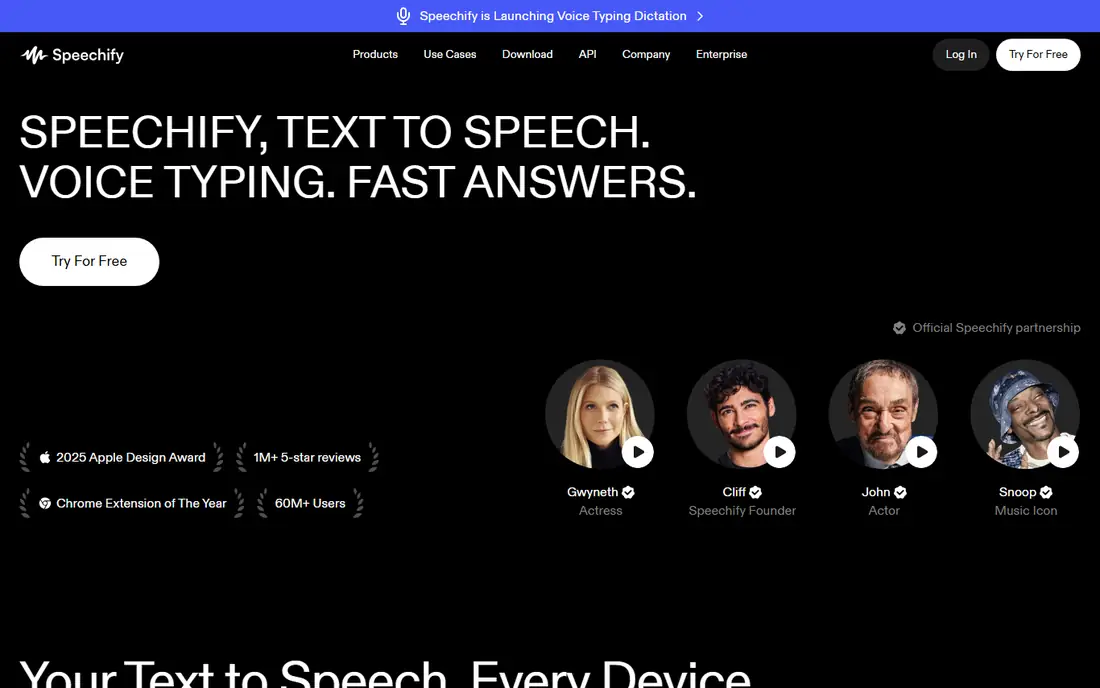
Speechify Studio is a voiceover and dubbing workspace for creators who publish narration often. The pricing page lists a Free Plan with 600 Studio credits and 1,000+ realistic voices, plus Voiceover Studio, Dubbing Studio, and Voice Changer. Studio Starter costs $100/Year, includes 86,400 Studio credits, and adds commercial usage rights. Voiceover uses 1 credit per second, dubbing uses 3 credits per second, and avatar work uses 30 credits per second. Creators should map script length to credits before buying, because a 10 minute voiceover uses 600 credits at the stated voiceover rate.
The catch is that the Free Plan has no commercial usage rights, so test audio cannot be treated as publishable work. Pick Speechify Studio if weekly narration, dubbing, and voice changes sit in one workflow. Look elsewhere if you need a one-time minute pack, a desktop editor for recorded voice, or avatar video as the main output. The yearly credit pool also rewards steady output more than rare projects.
What we like- Studio Starter includes commercial usage rights
- Voiceover Studio, Dubbing Studio, and Voice Changer sit in one workspace
- Credit rates are stated by output type
Watch out for- Free Plan has no commercial usage rights
- Avatar work uses 30 credits per second
Starting priceSee website
Free planFree $0, 3,000 credits, about 5 mins, attribution required
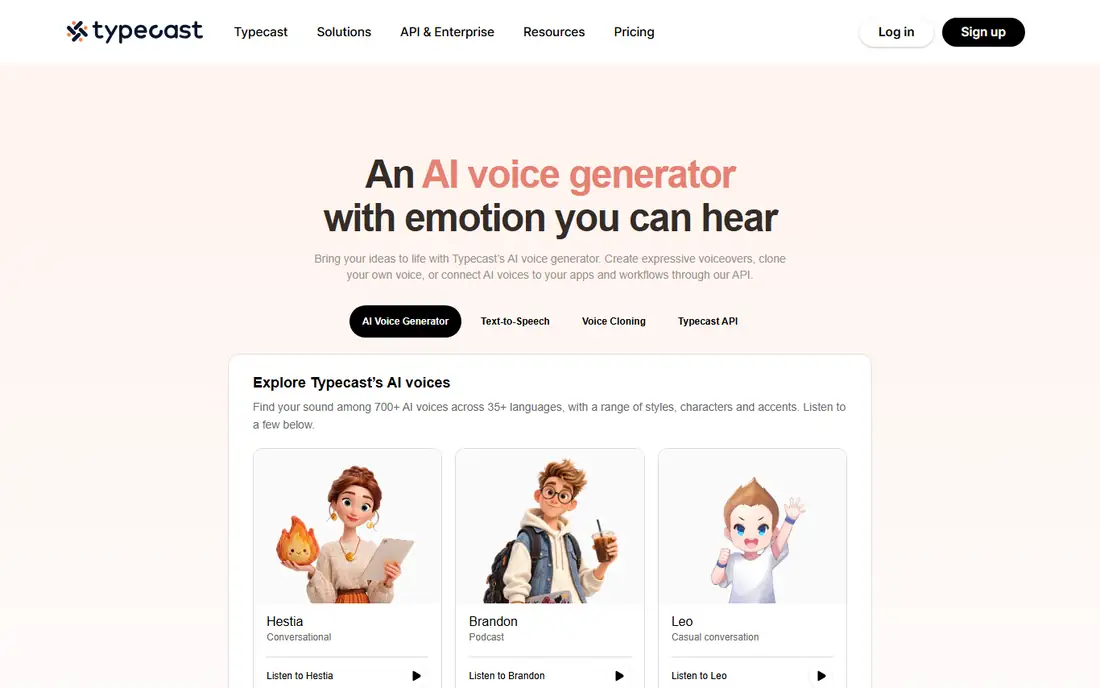
Typecast is a text to speech tool for creators who want many voices before committing to a paid plan. The product page states 700+ AI voices, 35+ languages, unlimited generation, and credits used only on download. The free plan lists 3,000 credits, about 5 mins, with attribution required. That makes Typecast useful for testing voice tone, pacing, and language fit before export. It suits short ads, explainers, and social clips where several voice options need quick comparison. The download-based credit rule helps during drafts, but final exports still need a credit budget for each finished minute.
The catch is that free output requires attribution, and the listed paid price should be confirmed on the pricing page before a team standardizes on it. Pick Typecast if voice choice and draft generation matter most. Look elsewhere if you need avatar video, recorded audio repair, or a published yearly credit pool with commercial terms stated on the pricing page.
What we like- 700+ AI voices support fast voice testing
- 35+ languages support localized drafts
- Credits are used only on download
Watch out for- Free output requires attribution
- Final exports still need a credit budget
#3
Murf
Best for: Teams needing voice changer controls
Visit murf.ai
Starting priceSee website
Free planFree version $0, 200+ voices and 35+ languages, 10 mins voice generation, no commercial rights, no downloads
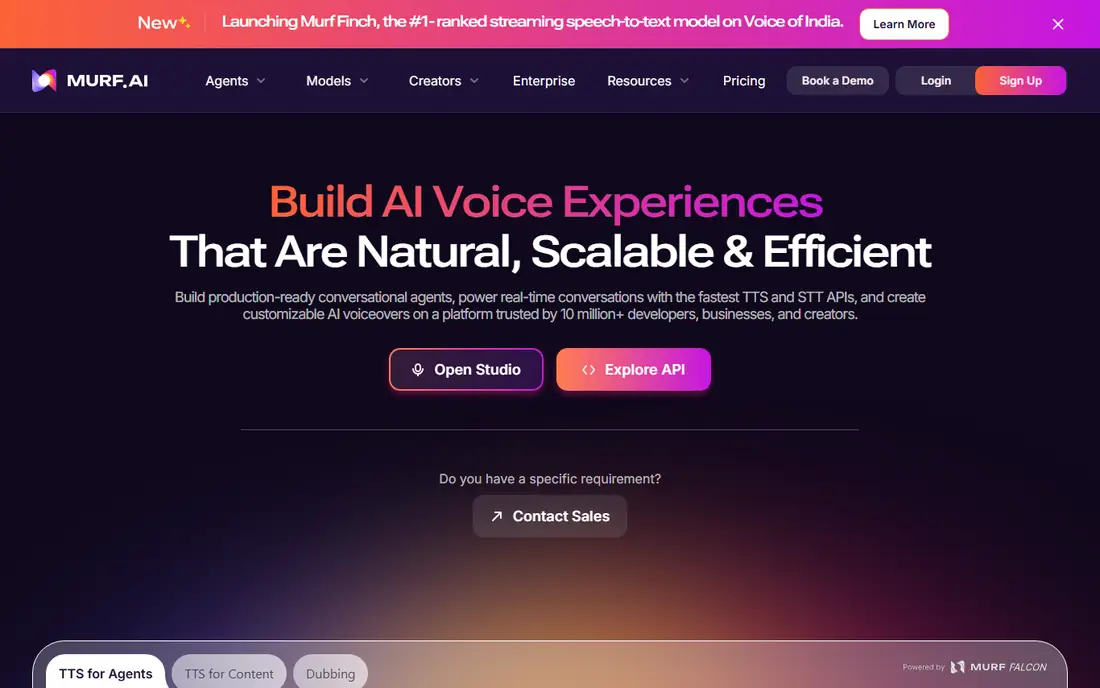
Murf is a voiceover platform for teams that need voice generation plus controls for emphasis, pauses, and voice changing. Murf's blog states the free version includes 200+ voices and 35+ languages, 10 mins of voice generation, sharing and collaboration, no commercial rights, and no downloads. The same page lists voice changer, API access, voice cloning, commercial usage rights on paid plans, and pronunciation controls. That suits marketing and training teams that revise scripts often. The free version is a test space, not a publishing path, because downloads and commercial rights sit outside it.
The catch is that Murf's fetched pricing page was API-focused, so Studio buyers should confirm the current Studio price before purchase. Pick Murf if voice changer controls and paid commercial rights matter. Look elsewhere if you need a free downloadable voiceover today or a simple pay-by-minute pack for rare narration. Budget approval should use the live Studio checkout price, not an older blog table.
What we like- Voice changer supports alternate takes
- Emphasis and pause controls support script tuning
- Paid plans include commercial usage rights
Watch out for- Free version has no downloads
- Free version has no commercial rights
Starting priceSee website
Free planUp to 20 files free, no registration required
Narakeet is a browser text to speech tool for occasional narration and narrated media. Its TTS page states more than 900 natural voices in 100 languages, MP3 or WAV downloads, and no registration required for free use. Free accounts can convert up to 20 files. The pricing page describes one-time payments for additional capacity based on duration, not recurring subscriptions. That suits teachers, trainers, and creators who produce narration in bursts rather than every week. The per-second charge model is easier to forecast when scripts are short and output length is known.
The catch is that the fetched pricing page hides the amount fields, so buyers must confirm the currency price before checkout. Pick Narakeet if one-time capacity and browser access fit your work. Look elsewhere if you need a large yearly credit pool, avatar presenters, or desktop audio repair for recorded voice. Free files are for testing fit, not for building a full commercial catalog.
What we like- 900 voices in 100 languages support broad narration
- Browser access needs no install
- Paid capacity is based on duration
Watch out for- Fetched pricing page hides amount fields
- Free capacity stops at 20 files
Starting priceSee website
Free plan$0 Free plan, no credit card required
Descript fits voiceover projects where recorded speech needs editing, cleanup, and media assembly. Its pricing page lists a Free plan at $0 with no credit card required. Hobbyist includes 10 media hours per month, 400 AI credits per month, and 1080p watermark-free output. Creator raises the limits to 30 media hours, 800 credits, and 4K. Business lists 40 media hours and 1500 credits. That suits podcasters and video editors who work with recorded voice more than generated narration. The media hour and credit limits should be checked against episode length before a team moves a full season into it.
The catch is that paid dollar amounts were not present in the fetched pricing text, so the starting price is marked See website. Pick Descript if editing recorded voice is the main job. Look elsewhere if you need a pure text to speech generator with a published yearly price and commercial voiceover credits. A generator-first tool is simpler when no recording exists yet.
What we like- Free plan needs no credit card
- Hobbyist includes 10 media hours and 400 AI credits per month
- Creator includes 30 media hours, 800 credits, and 4K
Watch out for- Paid dollar amounts were not in fetched pricing text
- Media hours and AI credits both cap output
Starting priceSee website
Free planNone found on vendor page
WellSaid is for brands and production teams that need licensed voices with commercial clearance. Its pricing page states 300 licensed voices across 55 languages and accents, plans measured on finished voiceover, larger plans with unlimited seats, and every voice cleared for commercial use with a license record. That suits ads, product videos, and training content where legal review matters. The demo uses a buyer script, which helps teams judge voice fit before a contract. The finished-voiceover measure is easier for producers who budget by completed minutes rather than characters. That record matters during client review.
The catch is that WellSaid does not offer a free plan and every plan is custom-scoped. Pick WellSaid if licensed voices and commercial records matter more than self-serve speed. Look elsewhere if you need a free test download, a low monthly plan, or a desktop editor for recorded audio. Small teams should ask for the minimum term and finished-minute rate in writing.
What we like- 300 licensed voices across 55 languages and accents
- Plans are measured on finished voiceover
- Every voice is cleared for commercial use with a license record
Watch out for- No free plan is offered
- Every plan is custom-scoped
#7
Fliki
Best for: Creators testing watermarked video narration
Visit fliki.ai
Starting priceSee website
Free plan5 credits/month, 300 voices, HD 720p, watermark
Fliki fits creators who want narration inside a video workflow rather than a separate audio file. Its vendor llms file lists a Free Plan with 5 credits per month, 300 voices, HD 720p, and a watermark. Standard includes commercial usage rights, and Premium raises the credit allowance to 600 credits per month. That suits short explainers, product clips, and social videos where voice and visuals move together. It is less direct for audiobook producers who only need clean MP3 or WAV files. The free credit limit is small, so it works best as a fit test before paid production.
The catch is that the free plan has a watermark and only 5 credits per month, so it cannot carry a publishing schedule. Pick Fliki if narrated video is the output. Look elsewhere if you need pure audio voiceovers, licensed brand voices, or recorded voice repair in a desktop editor. Confirm the current Standard price on the pricing page before committing a content calendar.
What we like- Free Plan includes 300 voices
- Free Plan includes HD 720p output
- Standard includes commercial usage rights
Watch out for- Free Plan has a watermark
- Free Plan stops at 5 credits/month
Starting priceStarter $14/month billed yearly
Free planBasic $0/month, 500 credits/month, 10 minutes of Studio video creation or dubbing, watermark
Synthesia is for teams that want avatar-led narrated video, not only an audio track. Its pricing page lists Basic at $0/month with 500 credits per month, 10 minutes of Studio video creation or dubbing, and a watermark. Starter is $14/month billed yearly with $168 billed yearly and 15,000 credits per year. That suits training, product updates, and internal videos where a presenter carries the message. Audio-only producers should compare the credit cost against simpler voiceover tools. The yearly credit pool should be matched to finished video minutes, not script count alone.
The catch is that Basic includes a watermark and the product is video-first. Pick Synthesia if an avatar presenter is part of the deliverable. Look elsewhere if you need MP3 narration, recorded voice cleanup, or a low-cost text to speech tool for ads and explainers. The first-month Starter discount should not be used as the renewal budget. Budget by finished minutes.
What we like- Avatar-led narrated video fits presenter-led training
- Starter includes 15,000 credits per year
- Basic includes 10 minutes of Studio video creation or dubbing
Watch out for- Basic includes a watermark
- Product is video-first, not audio-first
#9
Adobe Audition
Best for: Editors cleaning recorded voice audio
Visit adobe.com
Starting priceSee website
Free planNone found on vendor page
Adobe Audition is an audio editor for recorded voice, not a text to speech generator. Adobe's product page states that Audition includes multitrack, waveform, and spectral display for creating, mixing, editing, and restoring audio. That suits editors who already have a voice recording and need cleanup, level control, noise work, and mix decisions. It fits podcast, video, and ad workflows where the voice performance is human and the job is polish. The spectral display is useful when clicks, hum, or room noise need visual inspection before repair. It suits editors who need repair before mixing.
The catch is that the fetched product page did not state a price or trial terms, so the entry uses See website. Pick Adobe Audition if recorded voice quality is the bottleneck. Look elsewhere if you need generated voices, dubbing credits, or avatar presenters without recording a human voice first. A generator is faster when the script exists but no usable recording does.
What we like- Multitrack, waveform, and spectral display support audio work
- Creating, mixing, editing, and restoring audio are core jobs
- Spectral view helps inspect noise before repair
Watch out for- Fetched product page did not state price or trial terms
- It does not generate AI voices by itself
Starting price$0
Free planFull app free for everyone, open source
Audacity is a free open source audio editor and recorder for recorded voice work. Its homepage states that it runs on Windows, MacOS and Linux, supports major audio formats, includes plugin support for VST3 and Nyquist, and offers spectrogram view. That suits beginners, podcasters, and small teams that need basic edits without a subscription. It is also a safe cleanup tool before a voice file moves into a video editor. The plugin support helps when basic cuts are not enough and the recording needs extra processing. It is a practical first step before paid editing tools.
The catch is that Audacity does not provide a built-in AI voice library, so it cannot create a voiceover from text by itself. Pick Audacity if the voice is already recorded and budget is tight. Look elsewhere if you need generated narration, commercial AI voices, dubbing, or avatar video from a script. Recording quality still depends on the microphone, room, and gain settings.
What we like- Free open source editor and recorder
- Runs on Windows, MacOS and Linux
- Plugin support includes VST3 and Nyquist
Watch out for- No built-in AI voice library
- Recording quality depends on microphone and room
Should you pay by credits, minutes, or finished voiceover?
Pay by credits when output is steady and the credit rate is clear. Speechify Studio states voiceover at 1 credit per second, so a 10 minute voiceover uses 600 credits. Studio Starter includes 86,400 credits for $100/Year, which equals 1,440 voiceover minutes at that rate before dubbing or avatar work. Pay by capacity when narration is occasional. Narakeet charges by final duration in 1 second increments and lets free accounts convert up to 20 files. Pay by finished voiceover when legal clearance matters. WellSaid measures plans on finished voiceover and states that every voice is cleared for commercial use with a license record. The wrong model wastes money when drafts, downloads, or avatar seconds burn the budget faster than finished minutes. A 30 minute training script shows the split clearly: Speechify voiceover uses 1,800 credits, Typecast free output stops at about 5 mins, and Narakeet free use stops at 20 files before paid capacity.
What free voiceover plan can you publish with?
Most free plans in this list are tests, not publishing plans. Speechify Studio's Free Plan has no commercial usage rights. Murf's free version has no commercial rights and no downloads. Fliki's Free Plan has a watermark. Synthesia Basic has a watermark. Audacity is different because it edits your own recording at $0. For generated voices, check commercial rights, download rights, attribution, and watermark rules before a free export enters a client project.
When is an audio editor better than a voice generator?
An audio editor is better when a human recording already exists and the problem is noise, pacing, levels, or cuts. Audacity covers basic edits at $0. Adobe Audition adds multitrack, waveform, and spectral display for creating, mixing, editing, and restoring audio. Descript fits media workflows with media hours and AI credits. A generator is better when the script exists but no usable recording does.
What should teams check before using AI voices in ads?
Check commercial rights, voice license records, attribution rules, and whether the plan covers paid media. WellSaid states that every voice is cleared for commercial use with a license record. Speechify Studio Starter includes commercial usage rights. Murf states commercial usage rights on paid plans. Keep the plan name, purchase date, script, and final file together so legal review can trace the voice source later.
Frequently asked questions
Which voiceover software is best for commercial work?
Speechify Studio is the clearest self-serve pick because Studio Starter costs $100/Year, includes 86,400 Studio credits, and adds commercial usage rights. WellSaid fits brands that need licensed voices and a license record, but every plan is custom-scoped. Murf also states commercial usage rights on paid plans, while its free version has no commercial rights.
Can I use free AI voiceovers in videos?
Usually not without checking the terms. Speechify Studio's Free Plan has no commercial usage rights. Murf's free version has no commercial rights and no downloads. Fliki's Free Plan has a watermark, and Synthesia Basic has a watermark. Audacity is safe for editing your own recording, but it does not generate an AI voice.
What is the cheapest way to make occasional voiceovers?
Start with Narakeet if the voice is generated, because free accounts can convert up to 20 files before paid capacity. Its pricing page describes one-time payments for additional capacity based on duration. If you can record your own voice, Audacity costs $0 and covers basic edits on Windows, MacOS and Linux.
Do I need Descript or Audacity if I already recorded my voice?
Audacity is enough for basic cuts, level fixes, and exports at $0. Descript fits larger media workflows, with Hobbyist at 10 media hours and 400 AI credits per month and Creator at 30 media hours and 800 credits. Adobe Audition fits deeper repair work with multitrack, waveform, and spectral display.
Is Synthesia a voiceover tool or a video tool?
Synthesia is a video tool with narration and dubbing inside the video workflow. Basic lists 500 credits per month and 10 minutes of Studio video creation or dubbing with a watermark. Starter is $14/month billed yearly. Pick it when an avatar presenter is required, not when the deliverable is only an MP3 file.
What to look for before you buy
First, confirm commercial rights, download rights, attribution rules, and watermark limits before any free export is used in public. Second, convert credits into finished minutes using the vendor rate, such as Speechify Studio voiceover at 1 credit per second. Third, check whether the tool generates voices, dubs voices, creates avatar video, or only edits recorded audio. Fourth, compare language and voice facts against your script, not only the total voice count. Fifth, keep the plan name, invoice, script, and final audio file together for client and legal review.
How we chose
We compared vendor pricing pages, product pages, help pages, and official product material for voice generation, dubbing, avatar narration, and recorded voice editing. Prices and facts were checked on vendor pages and documentation for this 2026-11-29 update. We did not claim hands-on testing. Where the fetched pricing page hid amounts or did not state a clear starting price, the entry uses See website.
Sources we checked (12)
- https://Speechify.com/pricing-studio/
- https://typecast.ai/text-to-speech/
- https://murf.ai/pricing
- https://murf.ai/blog/ivona-text-to-speech-alternatives
- https://www.narakeet.com/create/tts-maker.html
- https://www.narakeet.com/docs/pricing/
- https://www.descript.com/pricing
- https://www.wellsaidlabs.com/ai-voice-pricing
- https://fliki.ai/llms.txt
- https://www.synthesia.io/pricing
- https://www.adobe.com/products/audition.html?ref=live365.com
- https://www.audacityteam.org/
Is your product missing or out of date?
We review this list regularly. Vendors can request a listing, send updated pricing or ask about featured placement.

Shihab Mia · Founder, Rankite
Shihab has 5+ years in B2B and SaaS SEO. He writes Rankite's software buying guides from pricing pages, documentation and public user reviews. More about Shihab.