How we make this list: we compare pricing pages, product documentation and public user reviews. Ratings come from G2, Capterra or Trustpilot, with the date we checked them.
Direct answer
Zoom is the top pick for most teams that need dial-in access, host controls, and recording in one service. Its Pro plan costs $14.16 per user per month billed annually. Microsoft Teams Essentials costs $4.00 per user per month paid yearly and suits small teams that want a lower starting price.
Key takeaways
- Small teams on a budget should look at Microsoft Teams Essentials at $4.00 per user per month paid yearly, with meetings for up to 300 participants.
- Hosts who need long calls should look at Zoom Pro at $14.16 per user per month billed annually, with 30-hour meetings for 100 participants.
- Event teams that need a dial-in line should look at GoTo Meeting Professional at $12 per month billed annually at $144, with capacity for 150 participants.
- Groups that need a free starting point should look at FreeConferenceCall.com, which lists meetings for up to 1,000 participants at no cost.
- Phone-first teams should look at RingCentral RingEX Core at $20 per user per month, with calls, texts, and meetings in one app.
Quick comparison
| Tool | Best for | Starting price | Free plan |
|---|
 Zoom | Teams that need dial-in and recording | $14.16 /user per month billed annually, Pro | Basic: 40 minutes per meeting, 100 participants |
 Microsoft Teams | Small teams that want a low price | $4.00 user/month paid yearly, Teams Essentials | One-month free trial |
 Google Meet | Google Workspace teams | $7 per user / month, Starter annual | Free for the first 14 days |
 Webex | Teams that need toll dial-in countries | See website | Webex Free: $0 /user/year, up to 40 min, 100 attendees |
 GoTo Meeting | Hosts who need a dial-in line | $12 monthly billed annually at $144, Professional | Free trial, no payment information required |
 RingCentral RingEX | Phone-first teams | $20/user/month, Core | Free trial limited to five users and two desktop phones |
 Dialpad Connect | Teams that want calls and meetings together | $15 per user per month annual, Connect Standard | None found on vendor page |
 FreeConferenceCall.com | Large free calls | See website | Free account, up to 1,000 participants |
 FreeConference.com | Simple audio calls with recording options | See website | Free: up to 100 call participants, up to 5 web participants |
 8x8 Work | Teams that need many dial-in countries | See website | None found on vendor page |
Is your product missing or out of date?
We review this list regularly. Vendors can request a listing, send updated pricing or ask about featured placement.
The best conference call service
A conference call service matters when some people join by phone and others join from a computer. The host needs a dial-in number, mute controls, and a recording that can be shared later. This list ranked services on phone access, host controls, recording, participant limits, and published price. Prices come from vendor pages checked on 2026-11-29. Where opened text showed no price, the entry says See website. Each entry names who should buy the tool and who should look elsewhere, so hosts can compare phone access before they commit to a plan.
#1
Zoom
Best for: Teams that need dial-in and recording
Visit zoom.us
Starting price$14.16 /user per month billed annually, Pro
Free planBasic: 40 minutes per meeting, 100 participants
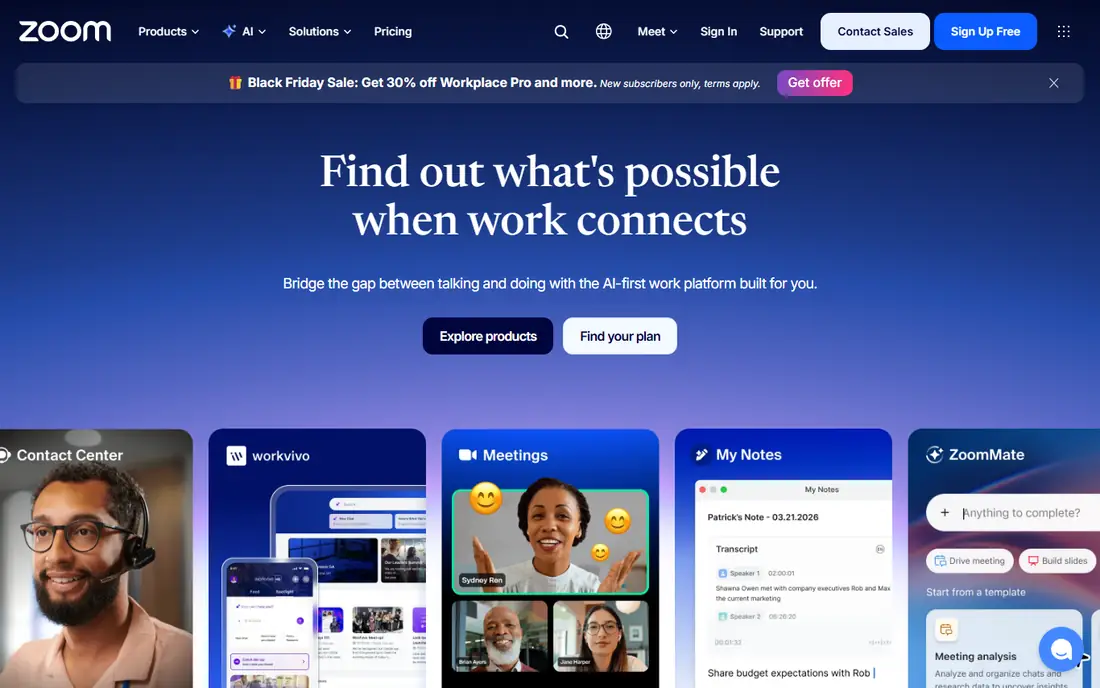
Zoom suits teams that run scheduled calls with people inside and outside the company. The Pro plan lists 30-hour meetings, 100 participants, host controls, a waiting room, breakout rooms, and recording transcripts. Telephone dial-in is listed as toll-based on Pro, Business, and Enterprise. That matters for guests who join from a landline or a mobile phone without the app. The pricing page also lists a personal meeting ID, co-host and alternate host on paid plans, and polling on Pro and above. For a host who needs to manage speakers and keep a record, those controls cover the basic job.
The catch is free Basic limits group meetings to 40 minutes, and Pro cloud recording caps at 10 GB per license. Toll-based dial-in means callers may pay their carrier. Pick Zoom if you host regular calls with external guests and need recording. Look elsewhere if you need toll-free dial-in in the base price for every guest and check the total cost before you commit to a plan.
What we like- Toll-based telephone dial-in on Pro
- Host controls and waiting room
- 10 GB cloud recording per license on Pro
Watch out for- Free Basic stops at 40 minutes
- Dial-in is toll-based, not toll-free
Starting price$4.00 user/month paid yearly, Teams Essentials
Free planOne-month free trial
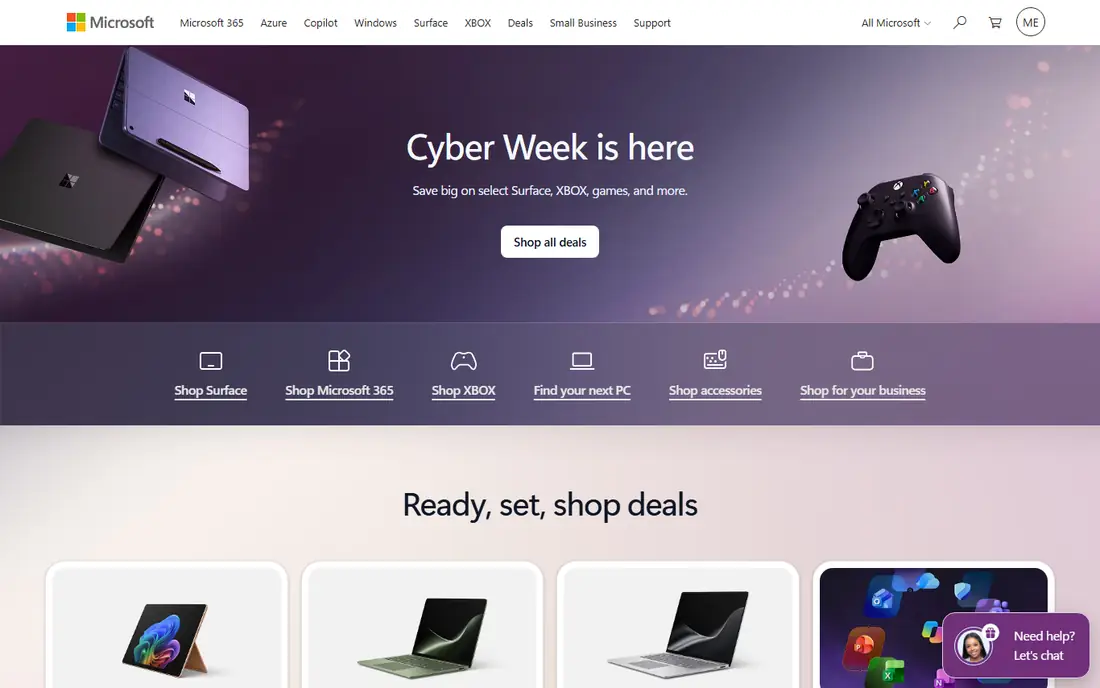
Microsoft Teams Essentials is built for small and medium-sized businesses that need chat, calls, and video conferencing in one place. The vendor page lists a 30-hour maximum meeting duration, 300 participants, 10 GB of cloud storage per user, and team meeting recordings with transcripts and live captions in English. It also lists a Microsoft Teams Audio Conferencing add-on with a global dial-in number to join a call from many devices. That add-on is the phone path for guests who cannot join from the app. For teams already using Outlook or other Microsoft tools, the calendar and guest access can reduce setup work.
The catch is phone access depends on the audio conferencing add-on and country availability. Essentials limits live captions to English in the comparison table. Pick Teams Essentials if price is the first filter and guests can join by app or add-on dial-in. Look elsewhere if you need a public dial-in number with no add-on checks for guests and check the total cost before you commit to a plan.
What we like- $4.00 starting price paid yearly
- 30-hour meetings with 300 participants
- Recordings with transcripts
Watch out for- Essentials live captions are English only
- Audio conferencing is a separate add-on
Starting price$7 per user / month, Starter annual
Free planFree for the first 14 days
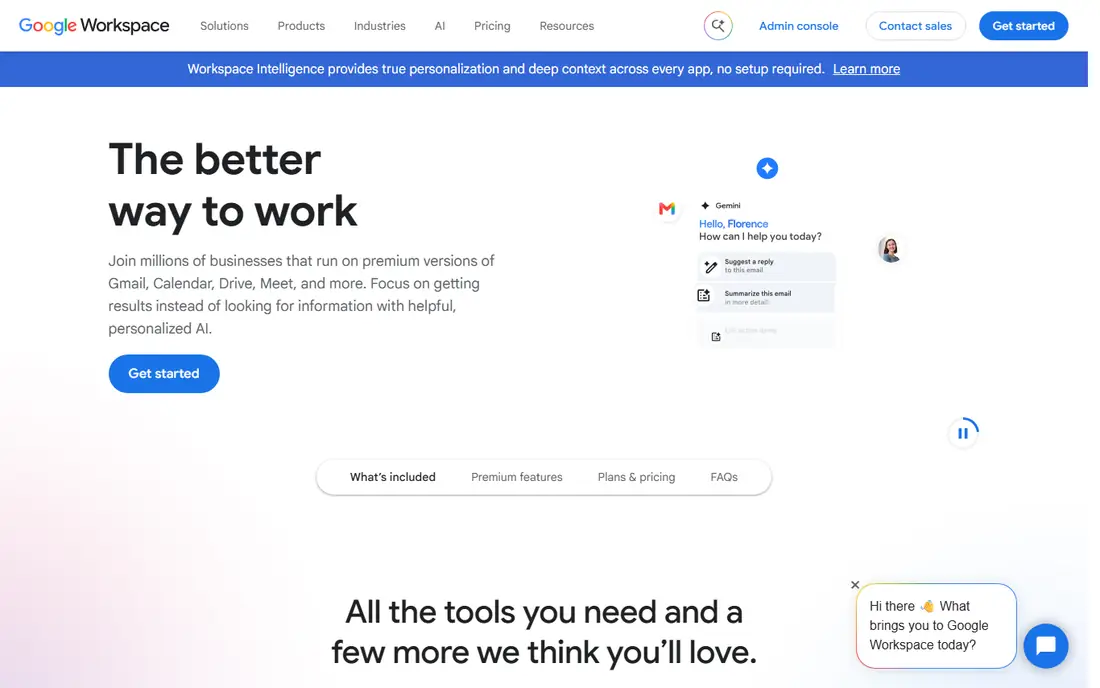
Google Meet is sold through Google Workspace, so the price covers email, storage, and meeting tools together. Starter lists video meetings for 100 participants and 30 GB of pooled storage per user. Standard lists video meetings with recording, noise cancellation, and 150 participants, plus 2 TB of storage. Plus raises meetings to 500 participants with attendance tracking. Hosts can share a meeting link from Calendar or Gmail, which helps when guests need a fast join path. For conference calls, the key check is whether your plan and region give guests a phone dial-in path that fits your audience.
The catch is Starter does not list recording, so teams that record every call must budget for Standard at $14 per user per month annual. Starter, Standard, and Plus cap at 300 users. Pick Google Meet if you already pay for Workspace. Look elsewhere if you need a standalone conference line without Workspace apps and check the total cost before you commit to a plan.
What we like- Starter meetings for 100 participants
- Standard adds recording for 150 participants
- Calendar and Gmail links included
Watch out for- Recording starts on Standard, not Starter
- Starter, Standard, and Plus cap at 300 users
Starting priceSee website
Free planWebex Free: $0 /user/year, up to 40 min, 100 attendees
Webex fits teams that need phone join options across countries. The pricing page lists Webex Free at $0 per user per year, with unlimited meetings up to 40 minutes, up to 100 attendees, screen sharing, local recording, and basic support. The same page lists toll dial-in countries that include the United States, the United Kingdom, Canada, Australia, Germany, France, India, and Japan. It also notes that with a paid plan, users can call into a meeting with a phone. Hosts who run calls with guests in several countries can use that country list to check coverage before they buy.
The catch is the free plan stops at 40 minutes, and opened pricing text did not show a paid price that could be copied here. Confirm the paid price and dial-in terms on the vendor site before budgeting. Pick Webex if toll dial-in country coverage is your main need. Look elsewhere if you need a published price today for budget approval and check the total cost before you commit to a plan.
What we like- Free local recording for 100 attendees
- Toll dial-in countries listed
- Paid plans allow phone join
Watch out for- Free meetings stop at 40 minutes
- Paid price could not be read in opened text
Starting price$12 monthly billed annually at $144, Professional
Free planFree trial, no payment information required
GoTo Meeting is a direct fit for hosts who want a dial-in conference line in the base plan comparison. Professional allows meetings with up to 150 participants and costs $12 monthly billed annually at $144. Business costs $16 per month billed annually at $192 and raises capacity to 250 participants, with meeting lock, transcripts, and unlimited cloud recording listed in the comparison. The vendor page says participants can call in through built-in audio options included in the subscription. Host controls such as meeting lock and co-organizers appear on Business and Enterprise, which helps when a second host must run the call.
The catch is there is no permanent free plan, and toll-free numbers sit under an Enhanced Audio add-on. Price that add-on before you compare totals. Pick GoTo Meeting if you want a named dial-in line and a clear per organizer price. Look elsewhere if you need a free plan for occasional calls with guests and check the total cost before you commit to a plan.
What we like- Dial in conference line on all plans
- Professional allows 150 participants
- Business lists unlimited cloud recording
Watch out for- No permanent free plan
- Toll-free numbers need an add-on
Starting price$20/user/month, Core
Free planFree trial limited to five users and two desktop phones
RingCentral RingEX suits teams that treat the phone system and the conference line as one purchase. The vendor page lists Core starting at $20 per user per month and Advanced at $25 per user per month, with calls, texts, and meetings included. It also lists a built-in AI Assistant, app integrations, and admin controls. For conference calls, the value is that hosts can move from a phone call to a meeting in the same app and keep recordings and notes in one place. Teams with customer calls during the day may prefer this over a meeting-only tool.
The catch is the listed price is not the full bill. Taxes and fees may apply, including E911 and state and local taxes. The trial limits to five users and two desktop phones, with no trial SMS. Pick RingEX if you need a phone system plus meetings. Look elsewhere if you only need a conference line for scheduled group calls and check the total cost before you commit to a plan.
What we like- Calls, texts, and meetings in one app
- Core starts at $20 per user per month
- On-demand recording on Core
Watch out for- Taxes and fees may apply
- Trial SMS is not available
#7
Dialpad Connect
Best for: Teams that want calls and meetings together
Visit dialpad.com
Starting price$15 per user per month annual, Connect Standard
Free planNone found on vendor page
Dialpad Connect brings calling, messaging, and meetings together in one app, which suits teams that switch between phone calls and group calls during the day. The vendor page states that with annual billing, Connect Standard is $15 per user per month and Pro is $25 per user per month. It also states that users can record calls manually on any plan, while automatic call recording is available on Pro and Enterprise plans. For a conference host, manual recording can work for planned calls. For a team that must record every call by default, the plan tier matters more than the starting price.
The catch is automatic recording is not on Standard, so buyers who need it must budget for Pro. Enterprise pricing needs sales contact. Pick Dialpad Connect if you want phone and meeting tools in one app and can start with manual recording. Look elsewhere if automatic recording on the entry plan is required by policy and check the total cost before you commit to a plan.
What we like- Standard is $15 per user per month annual
- Manual recording on any plan
- Calls and meetings in one app
Watch out for- Automatic recording needs Pro or Enterprise
- Enterprise pricing needs sales
Starting priceSee website
Free planFree account, up to 1,000 participants
FreeConferenceCall.com is built around free conference calling with a dial-in number and access code. The homepage says users can connect with up to 1,000 participants through its reservationless service. The teleconferencing page says a free account gives a dial-in number and access code, the line is available 24/7 with no reservations, and hosts can record, share, and play back meetings with 1GB of free storage included. It also lists local in-country dial-in numbers in over 65 countries on that page. For community groups, classes, and occasional large calls, that free capacity is the main draw.
The catch is storage and upgrade terms need a close check before client use. The homepage uses Pay What You Can and did not show a paid price that could be copied here. Pick FreeConferenceCall.com if cost is the first filter and you need a large free line. Look elsewhere if you need larger recording storage for client call archives and check the total cost before you commit to a plan.
What we like- Free account for 1,000 participants
- Dial-in number and access code
- Recording with 1GB free storage
Watch out for- Paid price could not be read on homepage
- Free storage is 1GB
Starting priceSee website
Free planFree: up to 100 call participants, up to 5 web participants
FreeConference.com fits hosts who want a plain conference line with a clear free tier. The plan page lists Free with up to 100 call participants and up to 5 web participants. Starter lists 100 premium minutes per month, audio recording, meeting summary, caller ID, breakout rooms, polling, and phone support. Pro lists up to 250 call participants, up to 250 web participants, 750 premium minutes per month, and audio and video recording. The page also says premium minutes are based on a per-minute per-caller basis, which helps a host estimate cost for toll-free or premium number use.
The catch is the free plan has 0GB of storage and 0 premium minutes, so recording and toll-free use need a paid plan. The plan page did not show Starter or Pro prices in opened text. Pick FreeConference.com if you want a simple audio line and can confirm price on the vendor site. Look elsewhere if you need free recording storage and check the total cost before you commit to a plan.
What we like- Free plan for 100 call participants
- Starter lists 100 premium minutes
- Pro lists 750 premium minutes
Watch out for- Free plan has 0GB storage
- Premium minutes charge per minute per caller
#10
8x8 Work
Best for: Teams that need many dial-in countries
Visit 8x8.com
Starting priceSee website
Free planNone found on vendor page
8x8 Work is a cloud communications platform that brings business phone, video meetings, messaging, and collaboration into one application. For conference calls, the features page lists conference call-in with 80+ dial-in number options, including toll-free, across 59 countries. It also lists conference call-out, cloud recordings, a meeting lobby, and moderation controls such as universal mute, exclude, participant lobby, and role delegation. HD video and audio conferencing support up to 500 participants in a meeting. A host who runs calls across countries can use the dial-in list and lobby controls to manage entry and noise.
The catch is price. Opened vendor pages did not show a plan price that could be copied here, so get a quote before comparing totals. The platform also covers phone and messaging, which adds setup work. Pick 8x8 Work if country coverage and moderation are top needs. Look elsewhere if you need a published price today for budget approval and check the total cost before you commit to a plan.
What we like- 80+ dial-in options across 59 countries
- Cloud recordings
- Universal mute and lobby controls
Watch out for- Price could not be read on opened pages
- Platform may exceed meeting-only needs
Do you need dial-in numbers or is a meeting link enough?
A meeting link is enough when every guest has a computer or phone app and a stable internet connection. Dial-in numbers matter when guests join from a landline, a basic mobile phone, or a car with poor data service. Price the choice with real numbers. Zoom Pro costs $14.16 per user per month billed annually and lists toll-based telephone dial-in. GoTo Meeting Professional costs $12 per month billed annually at $144 and lists a dial in conference line. Microsoft Teams Essentials costs $4.00 per user per month paid yearly, but phone access runs through an audio conferencing add-on. If 20 guests join by phone each week, toll-based charges and add-on rules can change the total more than the seat price. Ask each vendor for the dial-in country list, whether numbers are toll-based or toll-free, and what a guest pays to join. Then test one call with a phone-only guest before you roll the service out to a full team or event list.
What should event teams check before they pick a conference call service?
Event teams should check capacity, host controls, and recording before price. GoTo Meeting Business lists 250 participants, Zoom Business lists 300, and FreeConferenceCall.com lists up to 1,000 on a free account. Look for mute controls, a waiting room or lobby, meeting lock, and a co-host option. Check storage limits, such as 10 GB per license on Zoom Pro, and whether recording is manual or automatic. Then compare price for the same host count.
How much does a conference call service cost for a small team?
A small team should price hosts, not guests. Microsoft Teams Essentials is $4.00 per user per month paid yearly. Google Workspace Starter is $7 per user per month annual. GoTo Meeting Professional is $12 per month billed annually at $144. Zoom Pro is $14.16 per user per month billed annually. Dialpad Connect Standard is $15 annual. RingCentral RingEX Core is $20 before taxes and fees. For five hosts, starting prices range from $20 to $100 per month before add-ons and toll charges.
Can guests join a conference call by phone without an app?
Yes, guests can join by phone on services that publish a dial-in number and access code. FreeConferenceCall.com gives a free account a dial-in number and access code. GoTo Meeting lists a dial in conference line. 8x8 Work lists 80+ dial-in options across 59 countries. Webex lists toll dial-in countries. Toll-based numbers can cost the guest money. Toll-free numbers shift that cost to the host. Send the number, code, and a backup link in the invite.
What recording limits should you check before you buy?
Check whether recording is included, whether it starts by hand or by default, how much storage you get, and how long files stay available. Zoom Pro lists 10 GB cloud recording per license. FreeConference.com Free lists 0GB, Starter lists 5GB, and Pro lists 10GB. Dialpad Connect allows manual recording on any plan and automatic recording on Pro and Enterprise. Daily client calls need a larger cap and a clear retention rule.
Frequently asked questions
What is the best conference call service for a small business?
Microsoft Teams Essentials is a strong small business pick at $4.00 per user per month paid yearly, with 30-hour meetings and 300 participants. Zoom Pro costs more at $14.16 per user per month billed annually, but it lists toll-based telephone dial-in and 10 GB of cloud recording per license. Pick Teams for price, Zoom for dial-in and recording controls.
Is there a free conference call service with a dial-in number?
Yes. FreeConferenceCall.com lists a free account with a dial-in number and access code, up to 1,000 participants, and recording with 1GB of free storage on its teleconferencing page. FreeConference.com lists a free plan with up to 100 call participants and up to 5 web participants. Check storage and toll-free rules before client use.
How many people can join a conference call?
Capacity depends on the plan. Zoom Pro lists 100 participants and Zoom Business lists 300. GoTo Meeting Professional lists 150 and Business lists 250. Microsoft Teams Essentials lists 300 participants. FreeConferenceCall.com lists up to 1,000 participants. Match the plan cap to your largest expected call, then add room for late guests and co-hosts.
Do conference call services record calls?
Many do, but the terms differ. Zoom Pro lists local and 10 GB cloud recording per license. GoTo Meeting Business lists unlimited cloud recording. Dialpad Connect allows manual recording on any plan and automatic recording on Pro and Enterprise. FreeConference.com Free lists 0GB of storage, so recording storage needs a paid plan there.
What is the difference between toll-based and toll-free dial-in?
Toll-based dial-in means the caller may pay their carrier for the call. Toll-free dial-in means the host account pays for the number or minutes instead. Zoom lists telephone dial-in as toll-based on Pro, Business, and Enterprise. FreeConference.com counts premium minutes per minute per caller. Ask who pays before you send invites to guests.
What to look for before you buy
First, confirm the dial-in path, country coverage, and access code process. Second, match capacity to your largest call, using caps such as 100, 150, 250, or 300 participants. Third, check mute, lobby, meeting lock, and co-host controls. Fourth, price recording by storage, retention, and manual or automatic start. Fifth, add taxes, fees, toll charges, and add-ons to the seat price.
How we chose
We kept 10 services with a live vendor site and a clear phone or meeting path. Prices and facts were checked on vendor pages and documentation on 2026-11-29. We ranked dial-in access, host controls, recording terms, participant limits, and published price. Where opened text showed no price, we wrote See website. We did not claim hands-on testing.
Sources we checked (10)
- https://zoom.us/pricing/
- https://www.microsoft.com/en-us/microsoft-teams/compare-microsoft-teams-business-options?activetab=pivot:primaryr1
- https://workspace.google.com/landing/partners/referral/meet/
- https://pricing.webex.com/us/en/
- https://www.goto.com/pricing/meeting
- https://www.ringcentral.com/ringex-a.html
- https://www.dialpad.com/blog/voip-cost/
- https://www.freeconferencecall.com/en/us
- https://www.freeconference.com/paid-plans/
- https://www.8x8.com/products/features
Is your product missing or out of date?
We review this list regularly. Vendors can request a listing, send updated pricing or ask about featured placement.

Shihab Mia · Founder, Rankite
Shihab has 5+ years in B2B and SaaS SEO. He writes Rankite's software buying guides from pricing pages, documentation and public user reviews. More about Shihab.