How we make this list: we compare pricing pages, product documentation and public user reviews. Ratings come from G2, Capterra or Trustpilot, with the date we checked them.
Direct answer
BrowserStack is the top pick for teams that need wide real browser and device coverage in one cloud, with Automate at $99 per month billed annually for 1 parallel test. Small teams with a tight budget should look at TestingBot first, since its Live plan starts at $20 per month billed annually.
Key takeaways
- Large QA teams that need the widest coverage should start with BrowserStack, which lists 3,500+ browser combinations on its pricing page.
- Teams that bill by concurrency should compare TestMu AI Virtual Live at $15 per month per parallel session, billed annually.
- Small teams that want simple flat plans should check TestingBot Live at $20 per month billed annually, with a free plan of 100 testing minutes.
- Developers who write their own tests can start with Playwright or Selenium, since both frameworks carry a $0 license fee.
- Teams that only need quick manual checks should look at Browserling Starter at $9 per month billed annually at list price.
Quick comparison
| Tool | Best for | Starting price | Free plan |
|---|
 BrowserStack | Large real device and browser cloud | Automate $99/month billed annually for 1 parallel test | None found on vendor page |
 Sauce Labs | Teams needing unlimited users and minutes | Live Testing $39/month billed annually | None found on vendor page |
 TestMu AI | Low entry price per parallel session | Virtual Live $15/month per parallel session, billed annually | Limited 2-minute live sessions on 200+ desktop browsers, renewed monthly, no credit card required |
 TestingBot | Simple flat plans with real devices | Live $20/month billed annually | 100 testing minutes, no credit card required |
 Browserling | Quick manual cross-browser checks | Starter $9/month billed annually at list price | Limited live sessions on Windows 10, no credit card required |
 Playwright | Code-first end-to-end browser tests | Free, open source | Full framework free, including test runner, parallelization, tracing and HTML report |
 Cypress | JavaScript web end-to-end testing | See website | Open-source Cypress App free for local runs |
 Selenium | Standards-based WebDriver automation | Free, open source | Full project free, source code available for anyone to use |
 Kobiton | Real-device mobile and browser testing | Startup $83/month | Free trial offered, terms not stated on pricing page |
 Applitools | Visual regression across browsers | See website | Free trial account offered, limits not stated |
Is your product missing or out of date?
We review this list regularly. Vendors can request a listing, send updated pricing or ask about featured placement.
Browser testing tools check that a website works in the browsers and devices your visitors use, not only in the browser on your desk. This list mixes hosted browser clouds, free test frameworks, and one visual testing specialist. The ranking puts coverage and clear vendor pricing first, then the cost model, then how much setup the tool asks for. Prices and plan limits below come from vendor pages checked on 2026-11-28.
Starting priceAutomate $99/month billed annually for 1 parallel test
Free planNone found on vendor page
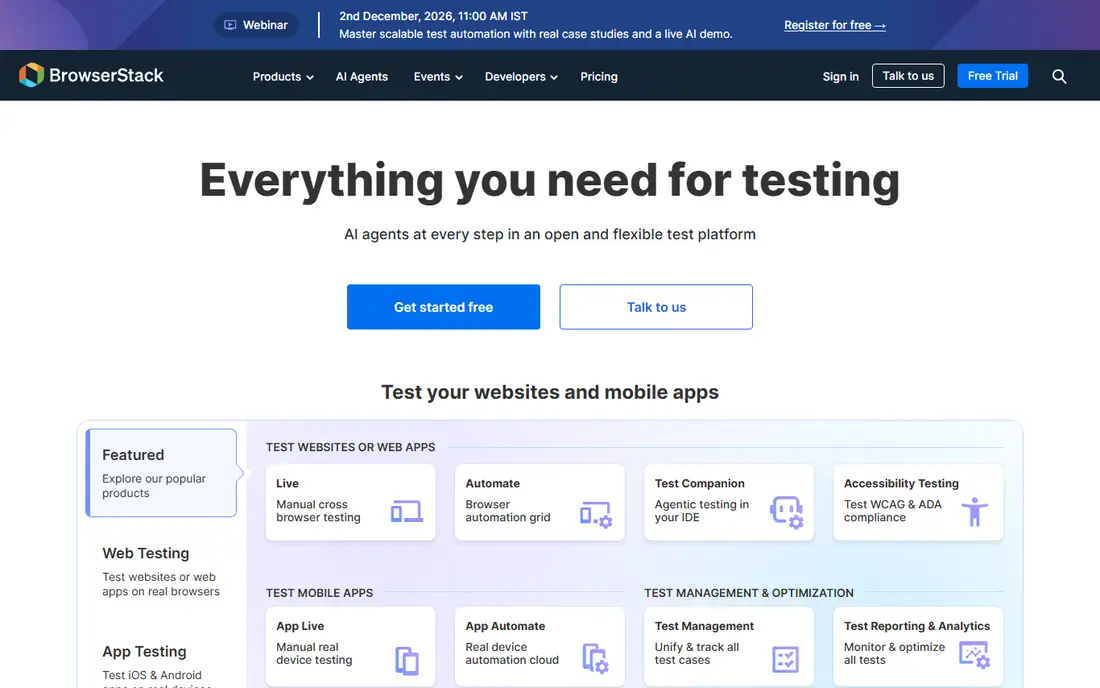
BrowserStack is a hosted testing cloud for teams that need to run checks across many browsers and real devices without keeping their own device lab. The pricing page states 3,500+ browser combinations and a real device cloud of 35,000+ real iOS and Android devices. Automate is the automation product in this list, and its plan states unlimited users and testing minutes, which suits teams where many people run tests but concurrency stays modest. It fits QA teams with wide browser and device coverage needs. Manual and automated products sit in one account.
The catch is the price structure. Automate starts at $99 per month billed annually for 1 parallel test, and products are priced separately, so a team that needs live testing, automation, and real devices pays for each product line. Pick BrowserStack if coverage breadth matters most. Look elsewhere if you need only a few browsers or want one flat plan for every product.
What we like- Pricing page states 3,500+ browser combinations
- Pricing page states a real device cloud of 35,000+ real iOS and Android devices
- Automate plan states unlimited users and testing minutes
Watch out for- Products are priced separately by product and meter
- Advanced device features and volume pricing sit in higher plans or sales contact
Starting priceLive Testing $39/month billed annually
Free planNone found on vendor page
Sauce Labs is a hosted testing cloud for live and automated browser and device testing. Its pricing page states that every plan includes unlimited users and unlimited testing minutes, which changes the cost math for teams where many testers share one account. Live Testing starts at $39 per month billed annually, or $49 month to month. Test videos and screenshots are included, and the page lists secure local tunneling and REST API access, so teams can test staging sites that are not public. It suits teams that run many manual sessions and want one plan without per-user fees.
The catch is that the published entry price covers live testing, while enterprise and high volume needs move to pricing with no published figure. Sauce Visual and Sauce Mobile App Distribution are standalone products with contact sales pricing, so visual checks and app distribution cost extra. Pick Sauce Labs if unlimited users and minutes matter most. Look elsewhere if you need one published automation price at scale.
What we like- Pricing page states every plan includes unlimited users
- Pricing page states unlimited testing minutes on plans
- Test videos and screenshots are included
Watch out for- Enterprise and high volume pricing has no published price on the pricing page
- Sauce Visual and Sauce Mobile App Distribution are standalone products with contact sales pricing
Starting priceVirtual Live $15/month per parallel session, billed annually
Free planLimited 2-minute live sessions on 200+ desktop browsers, renewed monthly, no credit card required
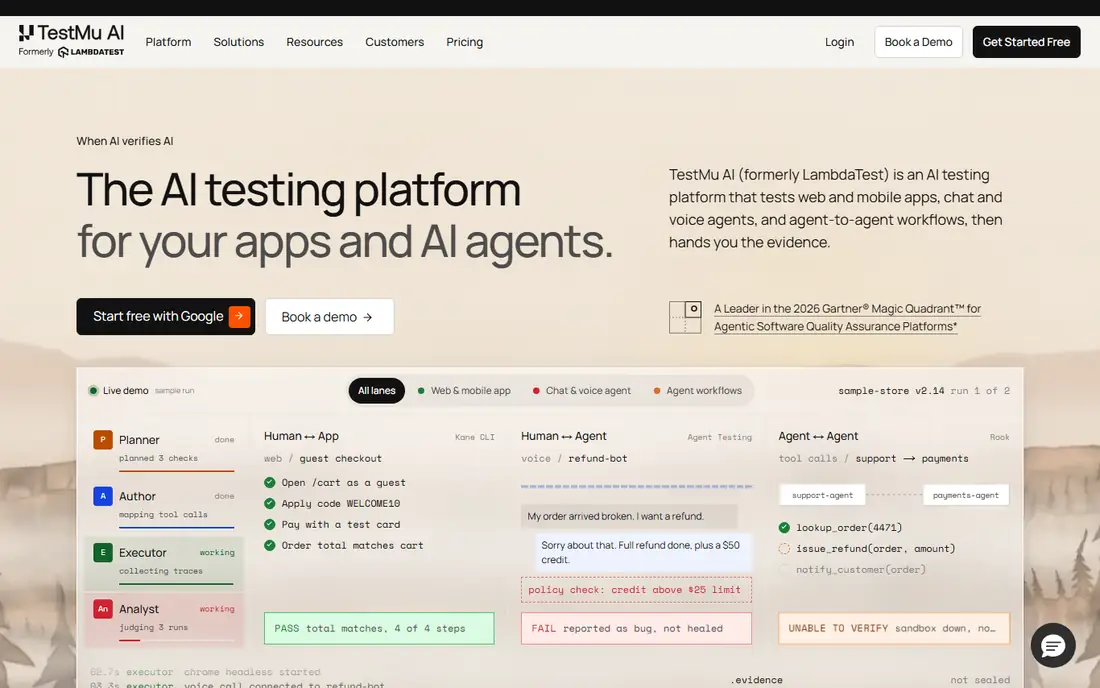
TestMu AI, formerly LambdaTest, is a hosted testing platform with live testing, automation, and real device products. The pricing page states Virtual Live covers 3,000+ virtual browsers with emulators and simulators at $15 per month per parallel session, billed annually. Real Device Plus Live adds live testing on 50,000+ real Android and iOS devices at $39 per month per parallel session, billed annually. Automation starts at $29 per month billed annually for desktop web automation on Linux. It suits teams that can size their peak concurrency and want a low entry price.
The catch is the number of modules and meters. Live Testing, Automation, and HyperExecute bill per parallel session, while other products bill per agent, per user, or by screenshots and scans, so the full bill needs care. Enterprise tiers are custom priced. Pick TestMu AI if per-parallel pricing fits your CI load. Look elsewhere if you want one flat plan with no module math.
What we like- Virtual Live covers 3,000+ virtual browsers per the pricing page
- Real Device Plus Live adds 50,000+ real Android and iOS devices per the pricing page
- Live Testing and Automation are priced per parallel session, not per user
Watch out for- Pricing is split across many modules with different meters
- Enterprise tiers are custom priced
Starting priceLive $20/month billed annually
Free plan100 testing minutes, no credit card required
TestingBot is a hosted browser and device testing cloud with simple published plans. The pricing page states 6,100+ real browsers and devices, and the Live plan states unlimited Live Testing at $20 per month billed annually, or $30 month to month. A free plan includes 100 testing minutes with no credit card required, so a small team can test the service before paying. The page also states prices exclude VAT, and EU customers pay 21% VAT unless a valid VAT number is entered, which matters for European buyers comparing totals. It suits small and mid-size teams that want live testing and real devices without a long sales process.
The catch is the automation cap. The Automated plan is capped at 1,000 minutes per month, so heavy CI use can outgrow the entry automation tier, and Enterprise requires 10+ parallel tests with custom pricing. Pick TestingBot if you want a low flat live testing price. Look elsewhere if your suite runs for many hours each day. Minute use needs tracking.
What we like- Pricing page states 6,100+ real browsers and devices
- Live plan states unlimited Live Testing
- Free plan includes 100 testing minutes with no credit card required
Watch out for- Automated plan is capped at 1,000 minutes per month
- Enterprise requires 10+ parallel tests and custom pricing
Starting priceStarter $9/month billed annually at list price
Free planLimited live sessions on Windows 10, no credit card required
Browserling is a live browser service for quick manual checks in real browsers. Support teams and developers use it to see layout bugs in a specific browser version. The pricing page lists Starter at $9 per month billed annually at list price, and paid plans state no time limit on sessions. A free plan allows a limited number of live sessions on Windows 10 with no credit card required. Developer Pro adds macOS, iOS, and native Safari, and local testing via SSH tunnels is listed on Developer plans and above, so staging sites can be checked before release.
The catch is the platform split. Starter is limited to Windows 10 with Chrome and Edge, so Safari checks on macOS and iOS need Developer Pro, Team Pro, or Enterprise. Browserling is also a manual tool, not an automation cloud for large test suites. Pick Browserling if fast manual checks are the main need. Look elsewhere if you need automated runs or real device labs.
What we like- Paid plans state no time limit on sessions
- Developer Pro adds macOS, iOS and native Safari per the pricing page
- Local testing via SSH tunnels is listed on Developer plans and above
Watch out for- Starter is limited to Windows 10 with Chrome and Edge
- MacOS and iOS require Developer Pro, Team Pro or Enterprise
Starting priceFree, open source
Free planFull framework free, including test runner, parallelization, tracing and HTML report
Playwright is a free open-source framework for end-to-end browser tests, maintained with official documentation at playwright.dev. The docs state support for Chromium, Firefox, and WebKit on Windows, Linux, and macOS, with bindings for TypeScript, Python, Java, and .NET. The built-in test runner includes auto-waiting, assertions, tracing, and parallelism, plus an HTML report, so a team gets the core test tooling without a license fee. It suits developers who write tests in code and run them in CI on machines they control. Teams that need real devices pair it with a hosted cloud from this list.
The catch is that Playwright is a framework, not a hosted service. No browser cloud is included, so your team supplies CI machines or pays for a separate grid when you need many browsers, operating systems, or real devices. Optional hosted browser services bill separately. Pick Playwright if your team writes code-first tests. Look elsewhere if you need manual live testing or a ready-made device lab.
What we like- Official docs state support for Chromium, Firefox and WebKit
- Test runner includes auto-waiting, assertions, tracing and parallelism
- Bindings are listed for TypeScript, Python, Java and .NET
Watch out for- No hosted browser cloud is included in the framework
- Teams supply CI machines or buy a separate grid
Starting priceSee website
Free planOpen-source Cypress App free for local runs
Cypress is a JavaScript test runner for web applications, with an open-source Cypress App for local runs and Cypress Cloud for recorded CI runs. The vendor site describes end-to-end and component testing that runs directly in the browser, with tools to write, run, and debug tests in one place. Cypress Cloud lists parallelization and load balancing, so a suite can split across CI machines, and Test Replay lets a team review a recorded run after a failure. It suits JavaScript teams that want a runner built for web apps and a cloud record of CI results. The open-source app keeps local runs free, while Cloud is the paid team layer.
The catch is scope and price clarity. Cypress tests what runs in a browser, so native mobile apps need another tool, and Cloud recording is a paid layer on top of the free runner. In this check the vendor pricing numerals were not readable, so this guide lists See website rather than copying a third-party figure. Pick Cypress if your team builds web apps in JavaScript. Look elsewhere if you need native mobile testing.
What we like- Vendor site describes an open-source end-to-end and component test runner
- Cypress Cloud lists parallelization and load balancing for CI runs
- Test Replay is listed for recorded CI runs
Watch out for- Cypress tests web applications, not native mobile apps
- Cloud pricing numerals were not readable on the vendor pricing page in this check, so the entry price is See website
Starting priceFree, open source
Free planFull project free, source code available for anyone to use
Selenium is a free open-source browser automation project built on the W3C WebDriver specification. The official site states that Selenium implements the WebDriver specification and that code is interchangeable across major web browsers, which is why so many clouds and frameworks build on it. Selenium Manager provides automated driver and browser management, which removes a common setup task. Teams use Selenium with a test runner and language bindings of their choice, then run tests locally, on a self-hosted Grid, or on a hosted cloud such as the clouds in this list. It suits teams that want a standard protocol, wide language choice, and no license fee.
The catch is that Selenium is a protocol and libraries, not a complete testing service. No hosted grid, test runner, reporting, or visual testing is included in the core project, so your team assembles and maintains those parts. Pick Selenium if standards-based automation matters most. Look elsewhere if you want a ready-made runner with reports. Assembly time is real work.
What we like- Official site states a W3C WebDriver specification implementation
- Code is interchangeable across major web browsers per the official site
- Selenium Manager provides automated driver and browser management
Watch out for- No hosted browser grid is included in the core project
- No built-in test runner, reporting or visual testing in the core project
Starting priceStartup $83/month
Free planFree trial offered, terms not stated on pricing page
Kobiton is a real-device testing cloud that covers manual testing and scripted automation on physical phones and tablets, with browser testing through frameworks such as Selenium. The pricing page states manual testing on real devices on self-serve plans and lists scripted automation with Appium, Selenium, Espresso, and XCUITest. Startup starts at $83 per month, and self-serve plans are capped by monthly minutes at 500, 3,000, and 7,500. Public cloud access is included, while dedicated devices sit in Enterprise. It suits teams whose browser testing overlaps with mobile app testing on real hardware, for example checking a mobile web flow on physical devices.
The catch is the minute caps and the mobile-first fit. Self-serve plans cap monthly minutes, overage pricing beyond plan minutes is not published on the pricing page, and no-code testing, dedicated devices, and SSO sit in Enterprise. Pick Kobiton if real mobile devices are central to your testing. Look elsewhere if desktop browser coverage is the main job. Minute use needs tracking.
What we like- Pricing page states manual testing on real devices on self-serve plans
- Scripted automation with Appium, Selenium, Espresso and XCUITest is listed
- Public cloud access is included per the pricing page
Watch out for- Self-serve plans are capped by monthly minutes at 500, 3,000 and 7,500
- No-code testing, dedicated devices and SSO sit in Enterprise
Starting priceSee website
Free planFree trial account offered, limits not stated
Applitools is a visual testing platform that checks how pages look across browsers and devices, rather than only checking page elements. The vendor site lists Visual AI validation, cross-browser and device testing, and accessibility testing in one platform, with SDK integrations for Selenium, Cypress, and Playwright. That makes it a layer teams add to an existing framework when layout shifts, overlapping text, and rendering differences are the failures they miss. The vendor site offers a free trial account, and pricing is presented as plans matched to team needs, with a testing specialist route for packages. It suits teams with design-heavy pages where visual regressions reach users.
The catch is price transparency and added scope. No readable published starting price was found on the vendor site in this check, so this guide lists See website, and visual validation adds a second platform beside your framework and browser cloud. Pick Applitools if visual regressions are a named problem. Look elsewhere if functional checks cover your risk. Quotes take extra time.
What we like- Vendor site lists Visual AI validation for web and mobile applications
- Vendor site lists cross-browser and device testing in the platform
- SDK integrations with Selenium, Cypress and Playwright are listed
Watch out for- No readable published starting price was found on the vendor site in this check, so the entry price is See website
- Visual checks add a platform layer beside your existing test framework
Should you pay for a browser cloud or run tests on your own machines?
Pay for a browser cloud when your test matrix includes browsers, operating systems, or real devices you do not own, and run tests on your own machines when one or two browsers cover your risk. The cost models differ. TestMu AI Virtual Live costs $15 per month per parallel session billed annually, so 4 parallel sessions cost $60 per month. BrowserStack Automate costs $99 per month billed annually for 1 parallel test, with unlimited users and minutes stated, so concurrency is the meter to watch. TestingBot Live costs $20 per month billed annually for manual work.
Browserling is the best fit for quick manual checks, with Starter at $9 per month billed annually at list price and no time limit stated on paid plans. TestingBot is the next step when manual checks need real devices, since its Live plan states unlimited Live Testing at $20 per month billed annually.
Is Playwright better than Selenium for browser testing?
Playwright is the better starting point for most new web test suites, because its test runner, tracing, and parallelism are built in and free. Selenium is the better fit when a team needs the W3C WebDriver standard, wide language bindings, or a grid protocol that many clouds support. Both are free, so the choice rests on runner tooling and team skills, not license price.
TestingBot is the best starting point for a small team that needs hosted browsers, with a free plan of 100 testing minutes and Live at $20 per month billed annually. TestMu AI suits small teams that bill by concurrency, since Virtual Live starts at $15 per month per parallel session billed annually.
Frequently asked questions
How much does browser testing cost for a small team?
A small team can start at $15 per month per parallel session with TestMu AI Virtual Live billed annually, or $20 per month with TestingBot Live billed annually. Playwright and Selenium are free to license, with CI machines as the main cost.
Do I need real devices for browser testing, or are virtual browsers enough?
Virtual browsers cover most desktop layout and function checks, and TestMu AI Virtual Live states 3,000+ virtual browsers. Real devices matter when mobile Safari, touch behavior, or device-specific rendering causes bugs. BrowserStack states 35,000+ real devices, and Kobiton self-serve plans state manual testing on real devices.
What is the difference between live testing and automated browser testing?
Live testing means a person opens a hosted browser and clicks through a site, as in Browserling and the Live plans in this list. Automated testing runs coded checks in CI, for example Playwright or Selenium suites on a cloud grid. Many teams use live testing for bug checks and automation for release gates.
Can I test a staging site that is not public?
Yes, if the tool supports local or tunnel testing. Sauce Labs lists secure local tunneling on its pricing page. Browserling lists local testing via SSH tunnels on Developer plans and above. Frameworks such as Playwright run against staging directly when the test machine can reach the staging address.
Which free browser testing options are worth starting with?
Playwright and Selenium are free frameworks with no license fee. TestingBot offers a free plan with 100 testing minutes and no credit card required. TestMu AI offers limited 2-minute live sessions on 200+ desktop browsers, renewed monthly. Start with a framework for coded tests and a free cloud plan for coverage checks.
What to look for before you buy
First, list the browsers, operating systems, and devices your visitors use, and buy coverage for that list only. Second, decide whether the job is manual live testing, automated CI runs, or visual checks, since each job points to a different tool in this list. Third, read the meter on the pricing page, whether it is parallel sessions, minutes, test results, or checkpoints, and size it to your peak load. Fourth, check staging access, tunnels, and CI integrations before you pay, because a cloud that cannot reach your test site cannot run your suite. Fifth, confirm the renewal price and VAT treatment on the vendor page, since intro prices and tax notes change the real total.
How we chose
We built a candidate list of 18 browser testing tools, then kept 10 that are real live products with working official sites. Prices, plan limits, and product facts were checked on vendor homepages, pricing pages, and official documentation on 2026-11-28. Where vendor pricing numerals could not be read, the entry says See website. Renamed products are noted, including TestMu AI, formerly LambdaTest.
Sources we checked (18)
- https://www.browserstack.com/pricing
- https://saucelabs.com/pricing
- https://www.testmuai.com/pricing/
- https://testingbot.com/pricing
- https://www.browserling.com/web-testing/pricing
- https://playwright.dev/docs/intro
- https://www.cypress.io/
- https://www.selenium.dev/documentation/
- https://kobiton.com/pricing/
- https://applitools.com/
- https://www.browserstack.com/
- https://saucelabs.com/
- https://www.testmuai.com/
- https://testingbot.com/
- https://www.browserling.com/
- https://playwright.dev/
- https://www.selenium.dev/
- https://kobiton.com/
Is your product missing or out of date?
We review this list regularly. Vendors can request a listing, send updated pricing or ask about featured placement.

Shihab Mia · Founder, Rankite
Shihab has 5+ years in B2B and SaaS SEO. He writes Rankite's software buying guides from pricing pages, documentation and public user reviews. More about Shihab.