How we make this list: we compare pricing pages, product documentation and public user reviews. Ratings come from G2, Capterra or Trustpilot, with the date we checked them.
Direct answer
Squarespace is the top pick for most small businesses that want a polished site without code, with hosting and templates in one plan. WordPress.com suits buyers who want plugins and room to grow. Shopify fits stores first, while Webflow fits design led marketing sites.
Key takeaways
- Small service firms that value design should start with Squarespace, with a 14 day free trial and 2 contributors on Basic.
- Bloggers and publishers should check WordPress.com, where the free plan includes 1 GB storage and unlimited pages and posts.
- Stores that sell daily should check Shopify, which starts with a 3 day free trial and then $1 per month for 3 months on most plans.
- Designers who need a CMS should check Webflow Premium at $25 per month billed yearly, with 50 GB bandwidth listed on the pricing page.
- Budget buyers should check Hostinger Premium at $1.99 per month for 48 months, with renewal at $10.99 per month for the same term.
Quick comparison
| Tool | Best for | Starting price | Free plan |
|---|
 Squarespace | Design led small business sites | SGD 22 /mo billed annually, Basic plan | 14 day free trial |
 WordPress.com | Blogs and content sites | See website | Free plan with a WordPress.com subdomain, 1 GB storage, unlimited pages and posts |
 Shopify | Online stores | See website | 3 day free trial, then $1 per month for 3 months on most plans |
 Webflow | Design led marketing sites | $15 /mo billed yearly, Basic Site plan | Starter free plan with a webflow.io domain, 2 static pages, 1 GB bandwidth, 50 form submissions |
 Framer | Portfolios and startup pages | See website | Free plan with 10 CMS collections, 1,000 pages, 5 MB file uploads, one free locale to try |
 Hostinger Website Builder | Low cost first sites | $1.99 /mo for 48 months, Premium plan | None found on vendor page |
 GoDaddy Website Builder | Fast local business sites | $9.99 /mo billed annually, Starter plan | Free plan with 50 AI credits per month, renews monthly, no credit card required |
 Duda | Agencies with client sites | $19 /mo billed annually, Basic plan | 14 day free trial with White Label plan features, no credit card required |
 SITE123 | Simple sites with low setup work | $10.8 per month, annual plan paid up front | Free plan with 250 MB storage, 250 MB bandwidth, subdomain |
 Durable | Local service businesses | $25 /m, Launch plan | Free plan with a website preview, 300 AI credits, CRM for up to 10 customers |
Is your product missing or out of date?
We review this list regularly. Vendors can request a listing, send updated pricing or ask about featured placement.
The best wix alternatives
A Wix alternative should solve the reason for leaving Wix, not just copy its editor. Buyers usually need one of four things: cleaner design control, lower cost, stronger store tools, or a better fit for client work. This list ranks hosted builders and site platforms by clear pricing, live vendor pages, and limits that matter after launch. Prices below come from vendor pricing pages checked on 2026-11-29. Where a vendor page did not show a standard paid price in the page text, the entry says See website instead of using a third party figure.
Starting priceSGD 22 /mo billed annually, Basic plan
Free plan14 day free trial
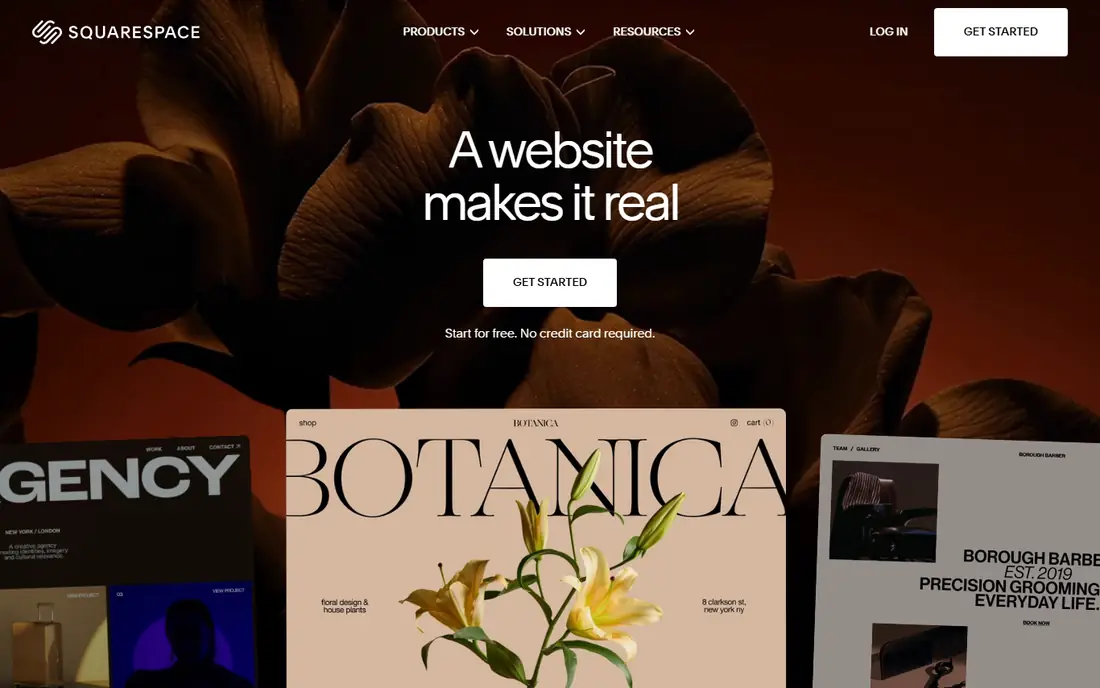
Squarespace suits owners who want a finished look without hiring a designer for every page. The pricing page lists secure hosting, unlimited bandwidth, selling tools, and built in AI tools on all plans. Basic includes 2 contributors, SEO tools, mobile optimization, and 10 one time AI credits. Core removes the online store transaction fee and adds unlimited contributors. That makes Squarespace a strong fit for portfolios, restaurants, studios, and service firms that sell a small catalog. The template first approach also helps buyers who care more about presentation than custom code.
The catch is plan gating. Basic keeps a 2% online store transaction fee and a 7% fee on digital content and memberships, while higher plans reduce those fees. Code injection and advanced code blocks start on Core, not Basic. Pick Squarespace if design and simple selling matter most. Look elsewhere if you need deep custom code, a large app catalog, or store tools built for high order volume.
What we like- Hosting and templates in one plan
- Unlimited bandwidth on all plans
- Built in SEO and mobile optimization
Watch out for- Basic adds a 2% online store transaction fee
- Basic limits video hosting to 30 minutes
Starting priceSee website
Free planFree plan with a WordPress.com subdomain, 1 GB storage, unlimited pages and posts

WordPress.com suits writers, publishers, and businesses that expect content to grow over time. The pricing page says every plan includes hosting, a global CDN, SSL, DDoS protection, brute force protection, and managed WordPress updates. Paid plans add plugin installation, and the FAQ says plugin access covers Personal, Premium, Business, and Commerce. Storage rises from 1 GB on Free to 6 GB, 13 GB, and 50 GB on higher plans. That range fits a blog, a newsletter site, or a business site that may add WooCommerce later. That helps small teams publish without separate hosting work.
The catch is that the cheapest route has clear limits. The free plan does not include a custom domain, plugin installation, or ad free browsing for visitors. Payment fees also fall by plan, from 10% on Free to 0% on Commerce for paid subscriptions and payments, before Stripe fees. Pick WordPress.com if content and plugins matter. Look elsewhere if you want a drag and drop store builder with fewer settings.
What we like- Plugin access on every paid plan
- Hosting, SSL and updates managed by WordPress.com
- Free domain for one year on annual plans
Watch out for- Free plan shows WordPress.com ads
- Payment fees apply on lower paid plans
Starting priceSee website
Free plan3 day free trial, then $1 per month for 3 months on most plans

Shopify suits sellers who plan to run a real store, not a brochure site with a buy button. Shopify describes itself as an all in one commerce platform for online stores, in person sales, social channels, and AI chats. The pricing page says hosting is included, bandwidth is unlimited, and stores get a free TLS or SSL certificate for added domains. Every store also gets a free myshopify.com address. Those facts make Shopify a direct fit for product brands, repeat buyers, and shops that need checkout, orders, and payments in one place.
The catch is cost control after the trial. Shopify says the trial lasts 3 days, then most plans start at $1 per month for the first 3 months before standard monthly pricing. The page text checked did not list the standard plan prices, so this guide does not copy a third party price. Pick Shopify if selling is the main job. Look elsewhere if your site is mostly pages, bookings, or articles.
What we like- Store, payments and hosting in one dashboard
- Free myshopify.com address included
- Level 1 PCI DSS compliance stated by Shopify
Watch out for- Standard plan prices were not shown in the pricing page text checked
- Third party transaction fees may apply with outside payment providers
Starting price$15 /mo billed yearly, Basic Site plan
Free planStarter free plan with a webflow.io domain, 2 static pages, 1 GB bandwidth, 50 form submissions
Webflow suits marketing teams and designers who want control over layout, CMS content, and page structure. The pricing page lists Basic at $15 per month billed yearly for simple sites that do not need a CMS. Basic includes a custom domain, 300 static pages, 10 GB bandwidth, unlimited form submissions, and password protection. Premium costs $25 per month billed yearly and adds the Webflow CMS, site search, form file upload, and code components. That split helps buyers match cost to content needs instead of paying for store tools they may not use.
The catch is that the site price is only one layer. Webflow also sells Workspace plans for staging and collaboration, plus add ons for analytics, localization, and optimization. Basic is a poor fit for a blog because it has no CMS. Pick Webflow if design control and structured content matter. Look elsewhere if you want the fastest setup with the fewest plan decisions.
What we like- Basic includes a custom domain and 300 static pages
- Premium adds the Webflow CMS
- Site search and form file upload on Premium
Watch out for- Basic has no CMS
- Site plans and Workspace plans are billed as separate layers
Starting priceSee website
Free planFree plan with 10 CMS collections, 1,000 pages, 5 MB file uploads, one free locale to try
Framer suits designers, founders, and small teams that build visual pages and update them often. The pricing FAQ says free projects include 10 CMS collections, 1,000 pages, 5 MB file uploads, and one free locale to try. Workspaces without a subscription support collaboration with up to three editors. Framer also says Pro add ons can reach 40,000 CMS items, 40 CMS collections, 2 TB of bandwidth, and 700 pages. That makes Framer a fit for portfolios, product pages, and startup marketing sites that need motion and layout control. That suits landing pages that change often.
The catch is that a public business site needs a paid plan for a custom domain. The pricing page text checked did not show the paid plan prices, so this guide lists See website for the starting price. Editor seats are billed per seat, which can change the total for a team. Pick Framer if visual editing speed matters. Look elsewhere if you need a store first platform or a large plugin library.
What we like- Free plan supports up to three editors in workspaces without a subscription
- Pro add ons can reach 700 pages
- Custom domain available on paid plans
Watch out for- Free plan cannot connect a custom domain
- Paid plan prices were not shown in the pricing page text checked
Starting price$1.99 /mo for 48 months, Premium plan
Free planNone found on vendor page
Hostinger Website Builder suits buyers who want a low first term price and a simple editor. The vendor page lists Premium at $1.99 per month, with $95.52 paid today for 48 months. Premium includes up to 3 websites, 2 mailboxes per website free for 1 year, a custom domain free for 1 year, 900 plus templates, and 20 GB storage. Unlimited raises storage to 50 GB and adds ecommerce free for 1 year. Those terms fit a first business site, a portfolio, or a small store that can commit to a long first term.
The catch is renewal and term length. Hostinger says Premium renews at $10.99 per month for the same term, and all plans are paid up front. The monthly rate is the total plan price divided by the number of months. Pick Hostinger if a 48 month term fits your budget plan. Look elsewhere if you want month to month billing or a free plan before you pay.
What we like- Premium includes up to 3 websites
- 900 plus website templates listed
- Custom domain free for 1 year on Premium
Watch out for- Premium renewal is $10.99 per month for the same term
- The low price requires payment for 48 months up front
Starting price$9.99 /mo billed annually, Starter plan
Free planFree plan with 50 AI credits per month, renews monthly, no credit card required
GoDaddy Website Builder suits local firms that want a site generated from prompts and then edited in plain language. The plan page lists a Free plan with 50 AI credits per month and no credit card required. Starter costs $9.99 per month billed annually and includes 150 AI credits per month. Professional costs $24.99 per month billed annually, includes 300 AI credits per month, and supports up to 10 sites or apps. Paid plans include a mobile friendly site, 24/7 expert support, code download, collaboration, SSL, and DDoS protection. That speed helps owners with limited time.
The catch is that selling tools sit higher in the range. Professional is the plan tied to online payments, deposits, appointment bookings, a product catalog, sales tax calculation, and shipping rates. Starter fits a simple site, but a shop or booking business should budget for Professional. Pick GoDaddy if speed and domain setup matter. Look elsewhere if you need fine design control on every page element.
What we like- Starter includes 150 AI credits per month
- Professional supports up to 10 sites or apps
- Paid plans include SSL and DDoS protection
Watch out for- Professional costs $24.99 per month billed annually for bookings and catalog tools
- AI credits shape how much you can generate
Starting price$19 /mo billed annually, Basic plan
Free plan14 day free trial with White Label plan features, no credit card required
Duda suits freelancers and agencies that build sites for clients and need repeatable site management. The pricing page lists Basic at $19 per month billed annually and $25 per month billed monthly. Basic includes 1 Core project, 150 monthly AI credits, unlimited storage and bandwidth, and email support. Team adds 3 team seats and unlimited clients. Agency includes 4 Core projects and 6 team seats. Those details fit client work better than a single site builder because accounts, seats, and added sites are part of the plan design. That structure suits repeat client launches.
The catch is that Duda is priced per account, and extra sites add cost. The pricing page says annual plans are charged up front and ecommerce or bookings subscriptions may require added purchases. Basic also limits support to email, while Agency adds email, chat, and screen share. Pick Duda if you manage client sites. Look elsewhere if you only need one personal site and want the lowest monthly bill.
What we like- Basic includes 1 Core project
- Agency includes 4 Core projects
- Storage and bandwidth listed as unlimited
Watch out for- Basic support is email only
- Ecommerce and bookings may require added purchases
Starting price$10.8 per month, annual plan paid up front
Free planFree plan with 250 MB storage, 250 MB bandwidth, subdomain
SITE123 suits owners who want a simple site without many settings. The pricing page lists a Free plan at $0 per month with 250 MB storage, 250 MB bandwidth, and a subdomain. Premium includes a free domain for 1 year, 3 GB storage, 3 GB bandwidth, removal of the SITE123 floating tag, domain connection, and a store. SITE123 says every website is free to use indefinitely, and a custom domain costs as low as $10.8 per month on an annual plan paid up front. All plans include cloud hosting. That simplicity suits very small sites.
The catch is portability and limits. SITE123 says you may not download your website because the service is proprietary. The free plan is also small, with 250 MB storage and 250 MB bandwidth. Premium raises both to 3 GB, which still suits a light site better than a media heavy store. Pick SITE123 if simple setup matters most. Look elsewhere if you need export control or large storage.
What we like- Free plan can be used indefinitely
- Premium includes a free domain for 1 year
- Plans include cloud hosting
Watch out for- Free plan storage and bandwidth are both 250 MB
- SITE123 says websites cannot be downloaded
Starting price$25 /m, Launch plan
Free planFree plan with a website preview, 300 AI credits, CRM for up to 10 customers
Durable suits local service firms that need a site, bookings, and lead handling in one account. The pricing page lists a Free plan at $0 with a website preview, 300 credits to try Durable AI, and a CRM for up to 10 customers. Launch costs $25 per month and includes secure hosting, unlimited traffic, custom forms, analytics, custom code, advanced SEO and GEO, a built in CRM, and 1,000 AI credits per month. Grow costs $49 per month and adds unlimited team members and 4,000 AI credits per month. That focus suits trades and local services.
The catch is fit for stores and custom code. Durable says it is not designed specifically to support ecommerce businesses, even though some clients sell with it. Durable also says it does not offer extensive options for HTML customization. Pick Durable if bookings and local leads drive revenue. Look elsewhere if your main need is a product catalog, checkout control, or deep code access.
What we like- Launch includes 1,000 AI credits per month
- Launch includes unlimited booking synced to a calendar
- Free domain up to $20 value on Launch
Watch out for- Durable says it is not designed specifically for ecommerce
- HTML customization options are limited
How much should a Wix alternative cost per year?
A fair budget starts with the plan you need after launch, not the first discount. Hostinger Premium is $95.52 for 48 months at the first term price, then renews at $10.99 per month for the same term. Webflow Basic is $15 per month billed yearly, or $180 for a year before tax and domain costs. Duda Basic is $19 per month billed annually, or $228 for a year before added sites or store fees. GoDaddy Professional is $24.99 per month billed annually, or $299.88 for a year. Add domain renewal, email, payment fees, and paid apps before you compare totals. A low first price can still be the right pick, but only when the renewal price and the plan limits fit the site you plan to run in year two. Also price editor seats, store add ons, and the support tier you will need in month six, not only week one.
Which Wix alternative is best for a small business website?
Squarespace is the safest first check for a small business site that needs design, pages, and light selling in one plan. It includes hosting, unlimited bandwidth, SEO tools, and mobile optimization on the pricing page. Choose WordPress.com when articles or plugins matter more. Choose GoDaddy or Durable when bookings matter more.
Can a free plan replace Wix for a business site?
A free plan can test layout and copy, but most business sites need a custom domain. WordPress.com free includes 1 GB storage and unlimited pages and posts, yet it uses a WordPress.com subdomain and shows ads. SITE123 free includes 250 MB storage and 250 MB bandwidth. Framer free includes 1,000 pages, but a custom domain needs a paid plan. Use free plans to test fit.
What should stores check before leaving Wix?
Stores should check checkout, payment fees, and product limits before design. Shopify includes hosting and a free myshopify.com address, but standard plan prices were not shown in the page text checked here. Squarespace Basic adds a 2% online store transaction fee, while Core removes online store transaction fees. Webflow sells ecommerce plans from $29 per month billed yearly with 500 ecommerce items and a 2% transaction fee on Standard. Those numbers matter once orders grow.
Which Wix alternative works best for client sites?
Duda is the clearest fit for client sites because its plans are built around accounts, seats, and added projects. Basic includes 1 Core project, Team adds 3 team seats, and Agency includes 4 Core projects with 6 team seats. Webflow can also fit client work, but Site plans and Workspace plans are separate layers. A solo owner should not pay for agency tools without client work.
Frequently asked questions
What is the best Wix alternative for most people?
Squarespace is the best first check for most people who want a polished business site without code. It includes hosting, unlimited bandwidth, templates, SEO tools, and selling tools in one plan. WordPress.com is better when plugins and content growth matter more. Shopify is better when the site exists mainly to sell products.
Is WordPress.com cheaper than Wix alternatives with stores?
WordPress.com can be cheaper for content sites because the free plan includes hosting, 1 GB storage, and unlimited pages and posts. Paid plan prices were not shown in the page text checked here, so confirm the current price before you buy. Stores should also check payment fees, since WordPress.com lists fees from 10% on Free to 0% on Commerce.
Which Wix alternative has the lowest starting price?
Hostinger Premium has the lowest listed starting price in this guide at $1.99 per month for 48 months. The first term total is $95.52, and renewal is $10.99 per month for the same term. SITE123 lists custom domain pricing as low as $10.8 per month on an annual plan paid up front.
Do Wix alternatives include hosting and a domain?
Most hosted builders include hosting, but domain terms vary by plan. Squarespace and WordPress.com annual plans include a free domain year. Hostinger Premium includes a custom domain free for 1 year. Check renewal prices and email costs before checkout each year.
Can I move my Wix site to another builder?
You can rebuild the site on a new builder, but a direct move depends on the new platform and your content. WordPress.com says you can paste an existing site address at wordpress.com/move and keep the old site live until you are ready to switch. For other builders, plan to copy pages, images, products, and redirects by hand.
What to look for before you buy
First, name the main job of the site, such as selling products, booking jobs, publishing articles, or collecting leads. Second, price the plan that includes that job, not the cheapest card on the page. Third, check renewal prices, domain renewal, email costs, and payment fees for year two. Fourth, confirm the limits that can force an upgrade, such as storage, pages, CMS items, seats, and bandwidth. Fifth, test the editor with your real copy and images before you move a live domain.
How we chose
We compared hosted website builders and site platforms that can replace Wix for business sites, stores, portfolios, blogs, and client work. Prices and facts were checked on vendor pricing pages and vendor documentation on 2026-11-29. Tools with prices not shown in the vendor page text are listed as See website. We did not claim hands on testing, and we did not use star ratings or review counts.
Sources we checked (10)
- https://www.squarespace.com/pricing
- https://wordpress.com/pricing/
- https://www.shopify.com/pricing
- https://webflow.com/pricing
- https://framer.com/pricing/
- https://www.hostinger.com/website-builder
- https://www.godaddy.com/websites/website-builder/selectplan
- https://duda.co/pricing
- https://www.site123.com/pricing
- https://durable.com/pricing
Is your product missing or out of date?
We review this list regularly. Vendors can request a listing, send updated pricing or ask about featured placement.

Shihab Mia · Founder, Rankite
Shihab has 5+ years in B2B and SaaS SEO. He writes Rankite's software buying guides from pricing pages, documentation and public user reviews. More about Shihab.