How we make this list: we compare pricing pages, product documentation and public user reviews. Rankite is independent; if a vendor ever pays for a featured spot, that listing is clearly labeled Partner.
Key takeaways
- Recraft is the only tool here that generates true vectors from a text prompt and lets you edit them as vectors.
- Vectorizer.AI and Vector Magic convert existing images to vectors; they do not generate from text.
- Free tiers are usable for testing: Recraft and Ideogram have free plans, Kittl and Figma have free versions.
- Generated vectors still need review: check anchor points, colors and licensing before production use.
The best AI text-to-vector software
Text-to-image AI made headlines, but designers need vectors: scalable, editable, print-ready graphics. A small group of tools now generates or converts vectors with AI, from pure text-to-vector generators to image tracers. They are not interchangeable: some create from a prompt, others only convert what you upload. Here is who does what, and what each costs.
Starting priceFree; Basic $10/month
Free planYes
Recraft is the benchmark for this category: type a prompt, get a true vector with structured layers, clean geometry and SVG export. You can recolor, edit individual elements and reduce color counts on one canvas, with integrations for Figma, Framer and Chrome.
The free plan covers testing with no credit card, but free generations are public and owned by Recraft. Paid plans start at $10 a month for private, commercially usable output. If the deliverable is a vector, start here. The API also opens programmatic generation for teams building vector pipelines, with per-image pricing published on the site.
What we like- Real text-to-vector generation with SVG export
- Built-in vector editor
- Free plan with no card required
Watch out for- Free images are public and not licensed for commercial use
- Paid plans needed for commercial rights
- Credit costs add up on Pro tiers

#2
Vectorizer.AI
Best for: high-fidelity tracing of complex full-color images
Visit vectorizer.ai
Starting price~$10/month
Free planNo (free preview, downloads require a subscription)
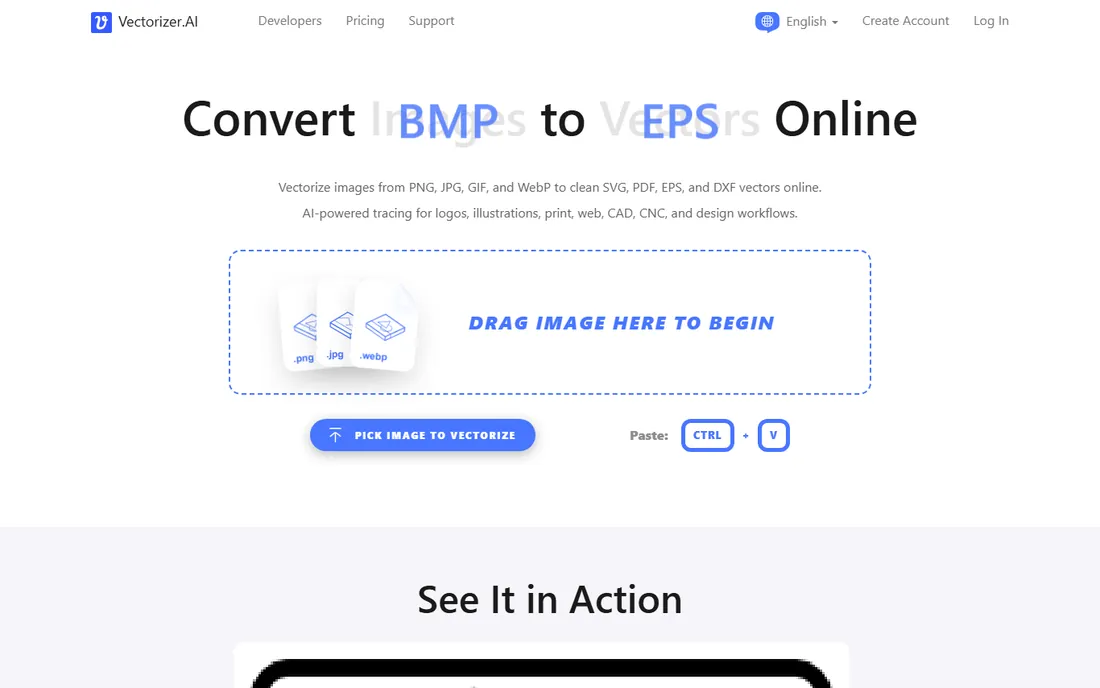
Vectorizer.AI is the tracer everyone is measured against: upload a PNG or JPG and get a high-fidelity vector with clean corners, symmetry handling and full color. It handles complex images better than most tracers attempt.
Previewing costs nothing, but downloading any result needs a subscription from about $10 a month. There is no generation from prompts and no editor: it is a pure conversion service. Use it when you have an image that must become a vector.
What we like- Excellent full-color tracing with clean curves
- SVG, PDF, EPS and DXF output
- No design skills needed
Watch out for- Does not generate from text
- Previewing is free but downloads are paid
- Tracing only, no editor

#3
Kittl
Best for: vectorizing inside a merch and template platform
Visit kittl.com
Starting price~$10/month
Free planYes (vector export locked on the free version)
Kittl is a design platform with an AI vectorizer built in, popular with merch and print-on-demand designers. Its text effects and templates speed up T-shirt and poster work, and the vectorizer converts designs for scalable output.
The free version lets you design but locks vector export; Pro at around $10 a month opens it. For merch workflows it is a strong pick. For pure text-to-vector generation from a prompt, Recraft does more.
What we like- Templates for merch and print
- Built-in vectorizer
- Strong text effects
Watch out for- Free version locks vector export
- Paid Pro plan needed for full use
- Merch-focused, less of a general generator
Starting price~$10/month or $295 one-time (desktop)
Free planNo (free preview, downloads require payment)
Vector Magic has been tracing images to vectors for years, with automatic settings plus hands-on cleanup tools. It converts JPG, PNG, BMP and GIF to SVG, EPS, PDF, AI or DXF, with a desktop edition for $295 one-time.
Like Vectorizer.AI, it converts rather than generates: free preview, paid download. The one-time desktop license appeals to studios that dislike subscriptions. Choose it for reliable tracing of logos and artwork.
What we like- Mature, high-quality tracing
- Desktop edition with one-time purchase
- Cleanup tools included
Watch out for- No text-to-vector generation
- Free use is preview only
- Desktop edition is a big one-time cost

#5
Ideogram
Best for: AI images with accurate text, for vector finishing
Visit ideogram.ai
Starting priceFree; Plus $20/month
Free planYes

Ideogram generates raster images with unusually accurate text, which makes it the best concept tool for typography-heavy designs. Draft a logo or poster concept here, then trace it in Vectorizer.AI or finish it in Illustrator.
The free tier allows a handful of daily generations, with Plus at $20 a month for more. It is not a vector tool on its own, but in a text-to-vector workflow, Ideogram plus a tracer beats generating blind. Treat it as the concept stage. Poster and logo concepts with exact lettering are where it shines; generate the type here, trace the result, then rebuild clean paths around it.
What we like- Best-in-class text rendering in AI images
- Free tier for testing
- Clean typography for design concepts
Watch out for- Outputs raster, not vectors
- Needs tracing for vector deliverables
- Free tier limits daily generations
Starting priceFree; paid plans available
Free planYes
Linearity, formerly Vectornator, is a vector design suite with AI generation built in: generate vectors with clean geometry, then refine them in Curve or animate them in Move. The Figma plugin imports assets easily, and the Apple optimization suits iPad designers.
The free tier is generous, with paid plans for heavier use. As a full design environment with AI generation inside, it suits designers who want one workspace. For pure prompt-to-vector speed, Recraft still leads. iPad-first designers get particular value here, since few vector tools are this polished on tablets.
What we like- Vector generation with clean SVG output
- Mac and iPad optimized
- Figma plugin for easy imports
Watch out for- Less known than big competitors
- Platform focused on Apple devices
- Newer AI features still maturing

#7
Figma Vectorize
Best for: quick vectorizing inside the Figma workflow
Visit figma.com
Starting priceIncluded in Professional ($15/month and up)
Free planYes (Starter free with limited AI credits)
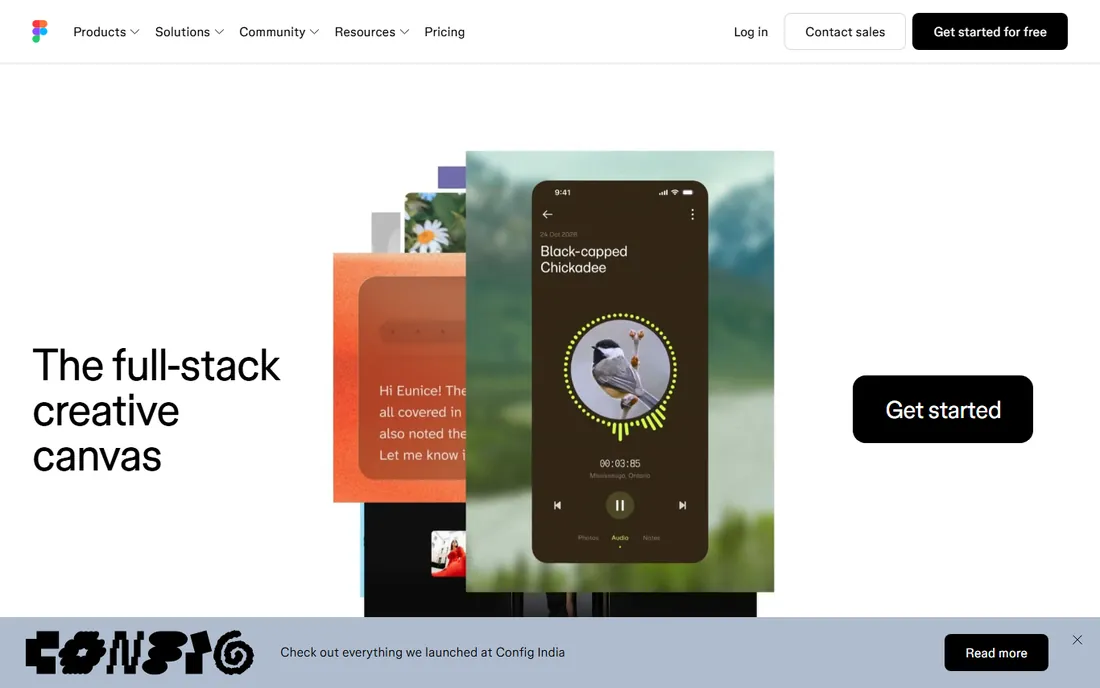
Figma's Vectorize feature turns sketches, textures and raster selections into editable vectors right on the canvas: perfect for UI assets and quick conversions. It keeps everything in the design file with no exporting.
Vectorize is included in Professional plans from $15 a month, with AI credit costs on top; the free Starter plan has limited credits. It does not generate from text prompts. Use it for quick in-canvas conversions inside an existing Figma workflow, not as a standalone vector generator.
What we like- Vectorize without leaving Figma
- Instant for UI assets
- Collaborative by default
Watch out for- Needs a paid plan plus AI credits for real use
- Not a text-to-vector generator
- Limited to sketches and textures
How to choose AI text-to-vector software
First, decide whether you need generation or conversion. If the vector does not exist yet and must come from words, you need Recraft or Linearity; Ideogram plus a tracer is the budget alternative. If you have an image that must become a vector, Vectorizer.AI and Vector Magic are the specialists, and Kittl or Figma cover it inside design platforms.
Second, check the license before commercial use. Recraft's free generations are public and not commercially licensed; paid plans fix that. Template tools typically restrict commercial use on free tiers too. For client work, factor a paid plan into the budget from the start.
Third, inspect the output. AI vectors can have messy anchor points, odd colors or too many nodes for print. Open the SVG in a real editor, simplify paths, check colors against the brand, and test at the sizes you will actually use. The AI gets you 80 percent; the last 20 is still design work.
Fourth, match the tool to your export needs. Print work wants CMYK-safe colors and clean paths, so prefer true generators like Recraft or tracers with cleanup like Vector Magic. Web icons want small file sizes, so simplify after generating. Merch wants the platform's templates, which is Kittl's whole pitch. The best vector tool is the one whose output drops straight into your production pipeline.
Frequently asked questions
What is the best AI text-to-vector generator?
Recraft is the most capable pure text-to-vector generator: real vectors from prompts, SVG export and a built-in editor. Linearity is a strong alternative inside a full design suite. For typography-heavy concepts, Ideogram generates the best raster drafts to trace.
Can AI generate true vectors or just images?
True vectors: Recraft and Linearity output real SVG with editable layers and paths. Ideogram and most image generators output raster pixels, which must be traced with a tool like Vectorizer.AI to become vectors. Always check whether the output is actually editable vector geometry.
What is the difference between text-to-vector and image vectorizing?
Text-to-vector creates a vector from a written prompt, no source image needed. Image vectorizing, or tracing, converts an existing raster image to vector paths. Recraft does both; Vectorizer.AI and Vector Magic only trace; Ideogram only generates raster.
Can I use AI-generated vectors commercially?
It depends on the plan. Recraft's free generations are public and not licensed for commercial use; paid plans include ownership and commercial rights. Kittl's free version locks vector export. Always read the current terms for the plan you are on before using output in client or monetized work.
Can AI vectors replace a designer for logos?
For drafts and concepts, yes; for final logos, usually not. AI vectors give you directions fast, but logos need clean geometry, distinctive forms and trademark checks that no generator performs. Use the AI for exploration, then have a designer refine the winner before it represents a brand.
How much does AI text-to-vector software cost?
Entry points cluster around $10 a month: Recraft Basic, Vectorizer.AI, Kittl Pro and Vector Magic web all sit near that mark. Ideogram Plus is $20 a month, Vector Magic desktop is a $295 one-time purchase, and Adobe-style suites run higher. Free tiers exist for testing but restrict commercial use or exports.
Quick comparison
| Tool | Best for | Starting price | Free plan |
|---|
 Recraft Recraft | generating true vectors from text prompts | Free; Basic $10/month | Yes |
| Vectorizer.AI | high-fidelity tracing of complex full-color images | ~$10/month | No (free preview, downloads require a subscription) |
| Kittl | vectorizing inside a merch and template platform | ~$10/month | Yes (vector export locked on the free version) |
 Vector Magic Vector Magic | faithful tracing with hands-on cleanup tools | ~$10/month or $295 one-time (desktop) | No (free preview, downloads require payment) |
| Ideogram | AI images with accurate text, for vector finishing | Free; Plus $20/month | Yes |
 Linearity Linearity | AI vector generation inside a design suite | Free; paid plans available | Yes |
| Figma Vectorize | quick vectorizing inside the Figma workflow | Included in Professional ($15/month and up) | Yes (Starter free with limited AI credits) |
Is your product missing or out of date?
We review this list regularly. Vendors can request a listing, send updated pricing or ask about featured placement.
Sources we checked (8)
- https://www.recraft.ai/
- https://www.recraft.ai/blog/best-image-vectorizers
- http://dev.to/mckennachapman/best-ai-image-generators-in-2026-12-tools-real-prices-and-the-cost-of-one-image-cec
- https://medium.com/@aiunpacker/adobe-firefly-text-to-vector-review-useful-or-overhyped-1fd4a714ed1a
- https://slashdot.org/software/comparison/Kittl-vs-Vectr/
- https://vectormagic.com/?locale=en-US
- https://www.linearity.io/
- https://slashdot.org/software/comparison/Figma-vs-Linearity-Curve/
Is your product missing or out of date?
We review this list regularly. Vendors can request a listing, send updated pricing or ask about featured placement.

Shihab Mia · Founder, Rankite
Shihab has spent more than a decade helping SaaS and e-commerce brands grow through search. He writes Rankite's software buying guides from pricing pages, documentation and public user reviews. More about Shihab.