How we make this list: we compare pricing pages, product documentation and public user reviews. Ratings come from G2, Capterra or Trustpilot, with the date we checked them.
OneDrive vs Box is a common comparison for businesses that need cloud storage with strong admin controls, and the right answer depends on how your team already works. OneDrive suits organizations that live inside Microsoft 365, since it is bundled with Office apps, Teams and SharePoint. Box suits companies that want a standalone content platform with granular permissions, governance and integrations across many apps. This guide compares the two head to head, then adds six more cloud storage tools.
How do OneDrive and Box differ on price and storage
Price is often the first difference buyers notice when comparing OneDrive vs Box. OneDrive personal plans start at $1.99 per month for 100 GB, and Microsoft 365 Personal costs $9.99 per month for 1 TB plus the Office desktop apps. Business Basic is $7 per user per month and includes 1 TB of OneDrive storage per user along with web versions of Office apps and Teams. Box Business Starter is $5 per user per month with a 3-user minimum, while Business is $15, Business Plus is $25 and Enterprise is $35 per user per month. Box gives 10 GB free for a single user, while OneDrive gives 5 GB free. For teams already paying for Microsoft 365, OneDrive storage is effectively included. Box costs more per user at comparable tiers, but it includes workflow automation, e-signature and content governance features that OneDrive reserves for higher Microsoft 365 plans.
Which is better for collaboration and file sharing
Collaboration is where the two platforms take different approaches. OneDrive integrates tightly with Word, Excel and PowerPoint, so several people can edit the same document at once and see changes in real time. Comments, mentions and version history are built in, and files shared from OneDrive open directly in Teams. Box also supports real-time co-authoring through Box Notes and integrations with Microsoft 365 and Google Workspace, and its sharing controls are more detailed, with expiring links, download restrictions and watermarking on higher plans. If your team collaborates mainly inside Office documents, OneDrive feels more natural. If your team shares files with outside partners and needs fine control over who can view, download or edit each file, Box has the edge.
What security and admin controls should a business expect
Security and admin controls matter most for regulated industries and larger teams. Both OneDrive and Box offer encryption in transit and at rest, two-factor authentication, device management and audit logs. Box is often chosen by healthcare, finance and legal teams because its governance tools cover retention policies, legal holds, classification labels and granular permission settings at a level that OneDrive matches only with higher Microsoft 365 E5 licensing. OneDrive benefits from Microsoft Entra ID, conditional access and Defender integration, which give IT teams a single identity and security stack. Larger organizations should compare the admin console, data loss prevention options and compliance certifications against their own requirements before deciding.
Quick comparison
| Tool | Best for | Starting price | Free plan |
|---|
 Microsoft OneDrive | Businesses already using Microsoft 365 that want storage bundled with Office apps | Microsoft 365 Basic $1.99 per month or $19.99 per year (100 GB); Personal $9.99 per month or $99.99 per year (1 TB); Business Basic $7 per user per month | 5 GB free storage |
 Box | Companies that need granular sharing controls, governance and content workflows | Business Starter $5 per user per month; Business $15; Business Plus $25; Enterprise $35, 3-user minimum | 10 GB free for one user |
 Google Drive | Teams using Google Workspace that want generous free storage and easy sharing | Google One Basic $1.99 per month (100 GB); Google Workspace Starter $7 per user per month, Standard $14, Plus $22 | 15 GB free storage shared across Drive, Gmail and Photos |
 Dropbox | Teams that want fast, reliable file sync and simple sharing across devices | Plus $9.99 per month billed annually ($11.99 month to month) for 2 TB; Professional $16.58 per month billed annually; business Standard $15 per user per month billed annually, Advanced $24 | 2 GB free storage |
 Microsoft SharePoint | Organizations that need team sites, document libraries and intranet pages inside Microsoft 365 | Plan 1 $5 per user per month; Plan 2 $10; Microsoft 365 Business Basic $7 per user per month includes SharePoint | No standalone free plan; included with Microsoft 365 business plans |
 Apple iCloud Drive | Individuals and small teams using Apple devices that want storage built into the operating system | iCloud+ 50 GB $0.99 per month; 200 GB $2.99; 2 TB $9.99 | 5 GB free storage |
 Egnyte | Mid-size companies that need hybrid cloud storage with strong governance and compliance | Team $10 per user per month; Business $22; Enterprise Lite $39; Elite $48 | No free plan; trial available |
 pCloud | Users who want a one-time lifetime storage purchase instead of a monthly subscription | Premium 500 GB $4.99 per month or $49.99 per year, lifetime $199; Premium Plus 2 TB $9.99 per month or $99.99 per year, lifetime $399; Business $9.99 per user per month | 10 GB free storage |
Is your product missing or out of date?
We review this list regularly. Vendors can request a listing, send updated pricing or ask about featured placement.
The eight tools below cover the main options for business cloud storage. Each entry lists the starting price checked on 18 Nov 2026, the free plan, strengths and a real drawback.
#1Microsoft OneDrive
Best for: Businesses already using Microsoft 365 that want storage bundled with Office apps4.3/5 on
G2 (10,433 reviews, checked Oct 2026)
Visit microsoft.com
Starting priceMicrosoft 365 Basic $1.99 per month or $19.99 per year (100 GB); Personal $9.99 per month or $99.99 per year (1 TB); Business Basic $7 per user per month
Free plan5 GB free storage
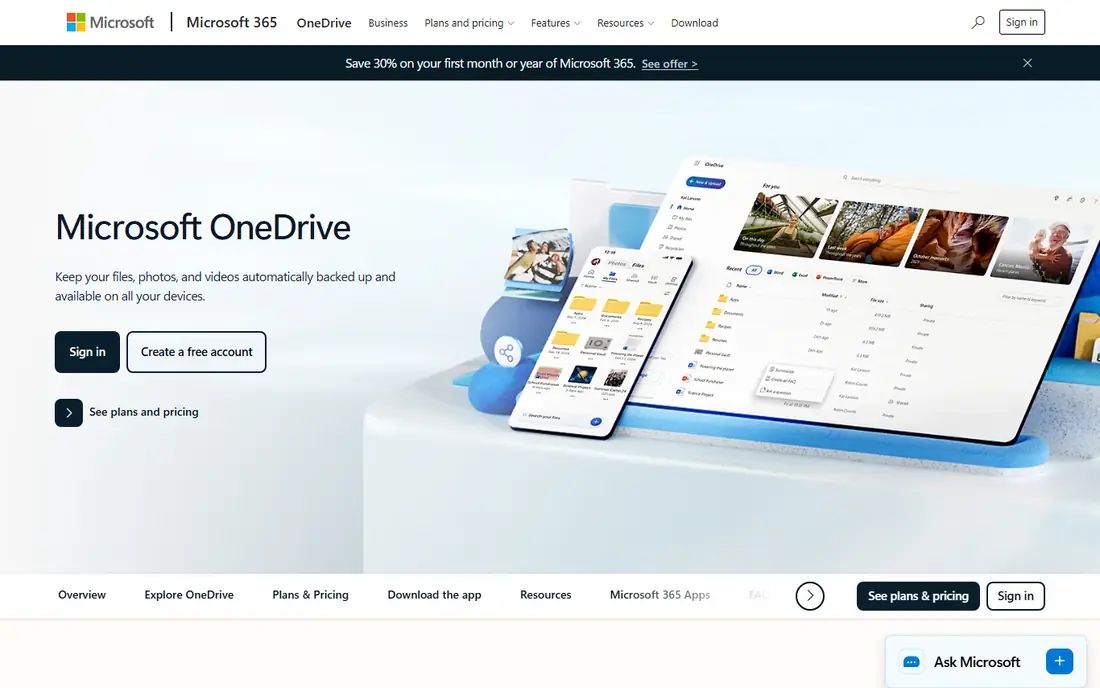
OneDrive is the default cloud storage for Microsoft 365, and that integration is its biggest strength. Files saved to OneDrive sync across Windows, Mac, mobile and the web, and they open directly in Word, Excel and PowerPoint with live co-authoring. Version history lets you restore earlier copies, and Personal Vault adds an extra layer of protection for sensitive files. Business plans include 1 TB per user, admin controls through the Microsoft 365 admin center, and sharing controls for internal and external users. The main weakness is that the most useful governance and data loss prevention tools sit behind Microsoft 365 E3 or E5 licensing, so smaller plans get a thinner admin feature set.
What we like- Deep integration with Microsoft 365, Office apps and Teams
- Real-time co-authoring
- 1 TB per user on business plans
Watch out for- The free 5 GB tier is small compared with Google Drive and Box, and advanced security features require higher Microsoft 365 plans
#2Box
Best for: Companies that need granular sharing controls, governance and content workflows4.2/5 on
G2 (5,259 reviews, checked Oct 2026)
Visit box.com
Starting priceBusiness Starter $5 per user per month; Business $15; Business Plus $25; Enterprise $35, 3-user minimum
Free plan10 GB free for one user

Box is a cloud content management platform rather than a simple storage drive, and it shows in the feature set. Admins can set permissions at folder and file level, apply watermarking, set link expiry dates and block downloads for sensitive documents. Box Shield adds classification and threat detection, while Box Relay automates approval workflows without extra software. Integrations cover Microsoft 365, Google Workspace, Slack, Salesforce and Adobe, so files stay usable across the tools a team already runs. Paid plans raise upload limits and add unlimited storage on Business Plus and above. Pricing climbs quickly as you move up the tiers, and the Starter plan caps storage at 100 GB per user, which can feel tight for media-heavy teams. For regulated industries and companies that share files widely with outside parties, the control Box offers is worth the premium.
What we like- Detailed permission and sharing controls
- Strong governance and compliance tools
- Wide integration library with more than 1,500 apps
Watch out for- The 3-user minimum and higher per-user pricing make it costly for very small teams, and storage limits on lower tiers are modest
#3Google Drive
Best for: Teams using Google Workspace that want generous free storage and easy sharing4.8/5 on
Capterra (28,634 reviews, checked Oct 2026)
Visit drive.google.com
Starting priceGoogle One Basic $1.99 per month (100 GB); Google Workspace Starter $7 per user per month, Standard $14, Plus $22
Free plan15 GB free storage shared across Drive, Gmail and Photos
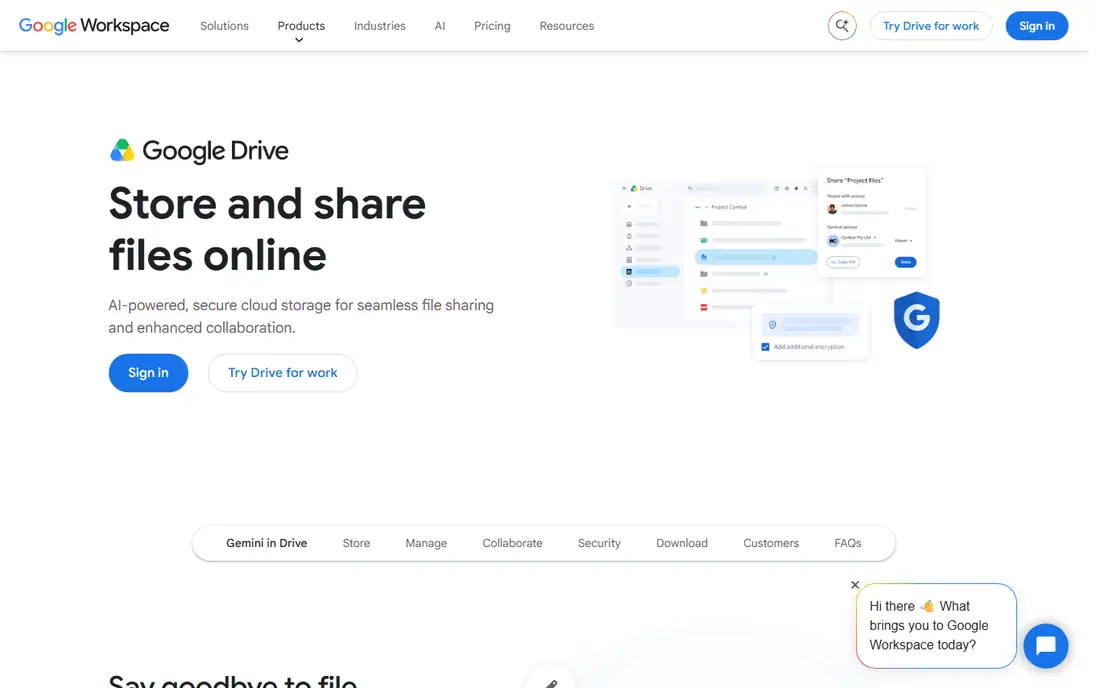
Google Drive is the storage layer for Google Workspace, and it works best for teams that already live in Gmail, Docs and Sheets. Sharing is simple, with link-based access, viewer, commenter and editor roles, and files open instantly in the browser without downloads. Workspace Starter at $7 per user per month adds 30 GB of pooled storage per user plus business Gmail and Meet, while Standard raises pooled storage to 2 TB per user. The free 15 GB tier is the most generous among the major providers, though it is shared across Gmail and Photos, which eats into the allowance. Drive lacks the granular governance controls Box offers on its lower plans, and its desktop sync client has fewer admin settings than OneDrive on Windows. For Google-first teams, though, the combination of price, simplicity and collaboration is hard to match.
What we like- Generous 15 GB free tier
- Fast search and simple sharing
- Strong real-time collaboration in Docs, Sheets and Slides
Watch out for- The 15 GB free tier is shared with Gmail and Google Photos, so it fills up faster than it first appears
#4Dropbox
Best for: Teams that want fast, reliable file sync and simple sharing across devices4.4/5 on
G2 (31,453 reviews, checked Oct 2026)
Visit dropbox.com
Starting pricePlus $9.99 per month billed annually ($11.99 month to month) for 2 TB; Professional $16.58 per month billed annually; business Standard $15 per user per month billed annually, Advanced $24
Free plan2 GB free storage
Dropbox built its reputation on sync that simply works, and that reliability remains its main selling point. Files sync quickly across devices, Smart Sync keeps large folders off your hard drive until needed, and version history on paid plans reaches back 180 days. Business Standard includes 5 TB of pooled storage, admin controls, and file transfer tools for sending large files to people without a Dropbox account. The free 2 GB tier is the smallest in this list, which makes Dropbox a poor choice for anyone who wants a useful free plan. Pricing is also higher per terabyte than Google One or Microsoft 365 Personal, so buyers pay for sync quality and simplicity rather than raw storage. Teams that move large files between devices every day will notice the difference; casual users may not need it.
What we like- Fast and reliable sync
- Clean interface
- Strong file recovery and version history up to 180 days on paid plans
Watch out for- The free plan offers only 2 GB, and Dropbox is more expensive per terabyte than Google Drive or OneDrive personal plans
#5Microsoft SharePoint
Best for: Organizations that need team sites, document libraries and intranet pages inside Microsoft 3654.0/5 on
G2 (8,961 reviews, checked Oct 2026)
Visit microsoft.com
Starting pricePlan 1 $5 per user per month; Plan 2 $10; Microsoft 365 Business Basic $7 per user per month includes SharePoint
Free planNo standalone free plan; included with Microsoft 365 business plans
SharePoint is the team layer that sits above OneDrive in the Microsoft stack. OneDrive stores personal files, while SharePoint stores shared team files in document libraries tied to team sites. That structure suits departments that need shared folders with metadata, approval workflows and retention policies rather than a pile of personal drives. Integration with Teams is close, since every Teams channel has a SharePoint library behind it. The standalone SharePoint plans are retiring for new customers, with end of sale on 31 May 2026, end of life in January 2027 and end of service in December 2029, so new buyers should get SharePoint through a Microsoft 365 plan such as Business Basic at $7 per user per month. Setup takes more admin effort than Box or Dropbox, and small teams may find the site structure overcomplicated for simple file storage.
What we like- Deep integration with Teams and OneDrive
- Team sites and document libraries
- Strong permission and metadata controls
Watch out for- SharePoint standalone plans are retiring for new customers, with end of sale on 31 May 2026 and end of life in Jan 2027, so new buyers should take the Microsoft 365 route instead
#6
Apple iCloud Drive
Best for: Individuals and small teams using Apple devices that want storage built into the operating system
Visit icloud.com
Starting priceiCloud+ 50 GB $0.99 per month; 200 GB $2.99; 2 TB $9.99
Free plan5 GB free storage
iCloud Drive is the natural storage choice for anyone deep in the Apple ecosystem. Files sync automatically between Mac, iPhone and iPad, and Desktop and Documents folders can be mirrored to the cloud without extra setup. The pricing is simple and cheap, starting at $0.99 per month for 50 GB, with 200 GB at $2.99 and 2 TB at $9.99, and paid plans can be shared with family members. Collaboration is possible through shared folders and Pages, Numbers and Keynote, though real-time editing is less smooth than Google Docs or Microsoft 365. Business use is the weak point, since iCloud Drive has no real admin console, no team permission management and limited audit tools. For freelancers and small creative teams on Apple hardware, iCloud Drive is convenient and cheap, but larger businesses should look at OneDrive, Box or Google Drive instead.
What we like- Built into macOS and iOS with seamless sync
- Very low starting price at $0.99 per month
- Family sharing on paid plans
Watch out for- Weak admin and collaboration controls for business use, and the Windows experience is limited compared with Mac and iPhone
#7Egnyte
Best for: Mid-size companies that need hybrid cloud storage with strong governance and compliance4.4/5 on
G2 (1,167 reviews, checked Oct 2026)
Visit egnyte.com
Starting priceTeam $10 per user per month; Business $22; Enterprise Lite $39; Elite $48
Free planNo free plan; trial available
Egnyte targets mid-size and larger companies that need more control than consumer storage tools offer. It supports hybrid deployments that combine cloud storage with on-premises servers, which suits firms with large files or strict data residency rules. Governance features include content classification, data loss prevention, ransomware detection and detailed audit trails. Team starts at $10 per user per month, Business at $22, Enterprise Lite at $39 and Elite at $48, with higher tiers adding advanced governance and workflow automation. There is no free plan, though a trial is available, which makes it harder to test casually than its rivals. The interface is denser than Dropbox or Google Drive, and smaller teams may find the admin options more than they need. For companies that need compliance and hybrid storage, Egnyte is a serious option.
What we like- Hybrid cloud and on-premises storage options
- Strong governance, ransomware detection and compliance features
- Good for architecture, engineering and construction teams
Watch out for- No free plan, and the interface takes longer to learn than Dropbox or Google Drive
#8pCloud
Best for: Users who want a one-time lifetime storage purchase instead of a monthly subscription4.3/5 on
G2 (166 reviews, checked Oct 2026)
Visit pcloud.com
Starting pricePremium 500 GB $4.99 per month or $49.99 per year, lifetime $199; Premium Plus 2 TB $9.99 per month or $99.99 per year, lifetime $399; Business $9.99 per user per month
Free plan10 GB free storage
pCloud stands out in this list because it sells lifetime storage alongside monthly plans. Premium offers 500 GB at $4.99 per month, $49.99 per year or $199 for life, while Premium Plus offers 2 TB at $9.99 per month, $99.99 per year or $399 for life. That lifetime option appeals to individuals and small businesses that would rather pay once than keep a subscription. The free plan gives 10 GB, and paid plans include file version history and the option to add pCloud Crypto for client-side encryption. Business costs $9.99 per user per month and includes team folders and admin controls, though these are lighter than what Box or Egnyte provide. The main trade-off is that a lifetime purchase ties you to one provider, and business governance features are basic. For solo users and small teams that want predictable costs, pCloud is worth a close look.
What we like- Lifetime plans remove the monthly bill
- Client-side encryption option with pCloud Crypto
- File version history up to 30 days on paid plans
Watch out for- The business plan lacks the admin and governance depth of Box or Egnyte, and lifetime plans are a single upfront payment
Frequently asked questions
Is OneDrive or Box better for a small business?
OneDrive is usually the better value for a small business that already uses Microsoft 365, since Business Basic at $7 per user per month includes 1 TB of storage plus web Office apps and Teams. Box Business Starter at $5 per user per month is cheaper on paper, but it caps storage at 100 GB per user and has a 3-user minimum. Choose Box if you need its granular sharing controls or workflow automation more than the Office bundle.
Can I use OneDrive and Box together?
Yes, many companies use both, with OneDrive for internal Microsoft 365 documents and Box for sharing files with outside partners or storing regulated content. Box integrates with Microsoft 365, so files can move between the two without manual downloads. Running two platforms adds cost and admin work, though, so most small teams should pick one as the primary store and use the other only where a specific feature justifies it.
How much storage does a business need per user?
Most office teams work well with 100 GB to 1 TB per user, which covers documents, spreadsheets and presentations with room to grow. Media, design and video teams often need 2 TB or more per user. OneDrive business plans include 1 TB per user, Box Business Plus and above offer unlimited storage, and Dropbox business plans start at 5 TB pooled. Audit your current usage before buying, and favour pooled storage if a few heavy users skew the average.
Is Box more secure than OneDrive?
Both platforms encrypt data in transit and at rest and support two-factor authentication, audit logs and admin controls. Box has an edge on governance features such as classification, retention policies and granular permissions on its standard business plans, which is why regulated industries often choose it. OneDrive matches or exceeds Box on identity security when paired with Microsoft Entra ID and higher Microsoft 365 plans. Security depends as much on your configuration as on the platform itself.
What is the cheapest cloud storage for business?
Google Drive through Google Workspace Starter at $7 per user per month is among the cheapest business options, with 30 GB pooled per user, while OneDrive through Microsoft 365 Business Basic costs the same and includes 1 TB per user. Box Business Starter at $5 per user per month is cheaper per user but limits storage to 100 GB. For a solo user, iCloud+ at $0.99 per month for 50 GB can work out cheapest over several years.
Sources we checked (9)
- https://www.microsoft.com/en-us/microsoft-365/onedrive/online-cloud-storage
- https://www.box.com
- https://drive.google.com
- https://www.dropbox.com
- https://www.microsoft.com/en-us/microsoft-365/sharepoint/collaboration
- https://www.icloud.com/iclouddrive
- https://www.egnyte.com
- https://www.pcloud.com
- https://rankite.com/blog/onedrive-vs-box
Is your product missing or out of date?
We review this list regularly. Vendors can request a listing, send updated pricing or ask about featured placement.

Shihab Mia · Founder, Rankite
Shihab has 5+ years in B2B and SaaS SEO. He writes Rankite's software buying guides from pricing pages, documentation and public user reviews. More about Shihab.