How we make this list: we compare pricing pages, product documentation and public user reviews. Ratings come from G2, Capterra or Trustpilot, with the date we checked them.
Key takeaways
- PDF24 Tools is the easiest online option, with no limits and no account needed.
- Sejda splits by ranges online up to 200 pages, with files auto-deleted after 2 hours.
- PDFsam Basic is the best free splitter if you can install software, with no size limit.
- Smallpdf and iLovePDF are polished but limit free use.
- PDF2go lets you reorder and delete pages in the same view, free up to 50 MB without an account.
Quick comparison
Is your product missing or out of date?
We review this list regularly. Vendors can request a listing, send updated pricing or ask about featured placement.
The best online services for PDF page removal
Starting priceFree
Free planYes
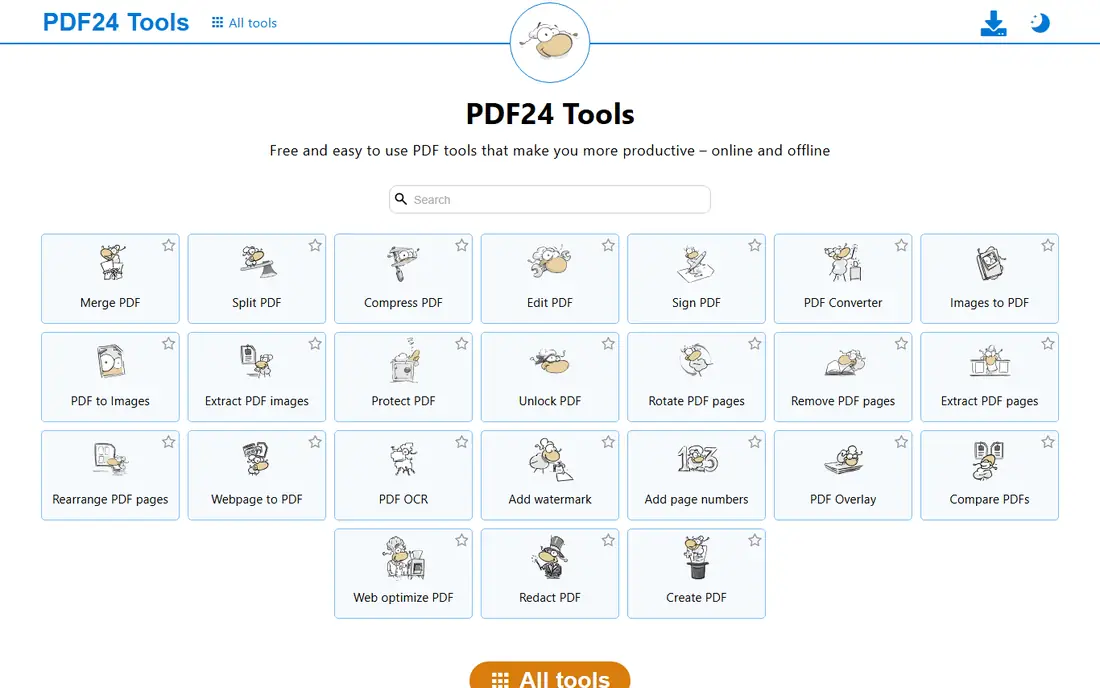
PDF24 Tools is the easiest online option for removing pages. The free online tool deletes pages in PDF files with no limits and no watermarks, no installation or registration required. Drag and drop page thumbnails to sort, add, or delete pages in the organizer view, then download the edited file.
The file uploads to PDF24 servers, so sensitive documents need care, and the interface is less modern than Smallpdf. For a quick, free, no-account page removal, PDF24 is the first tool to try.
What we like- No limits and no watermarks
- No installation or registration
- Fast page organizer with thumbnails
Watch out for- Uploads your file to their servers
- Interface is less modern
- Fewer editing extras than Smallpdf

#2Sejda
Best for: Range removal online4.5/5 on
G2 (42 reviews, checked Oct 2026)
Visit sejda.com
Starting priceFree; from $5 per week
Free planYes
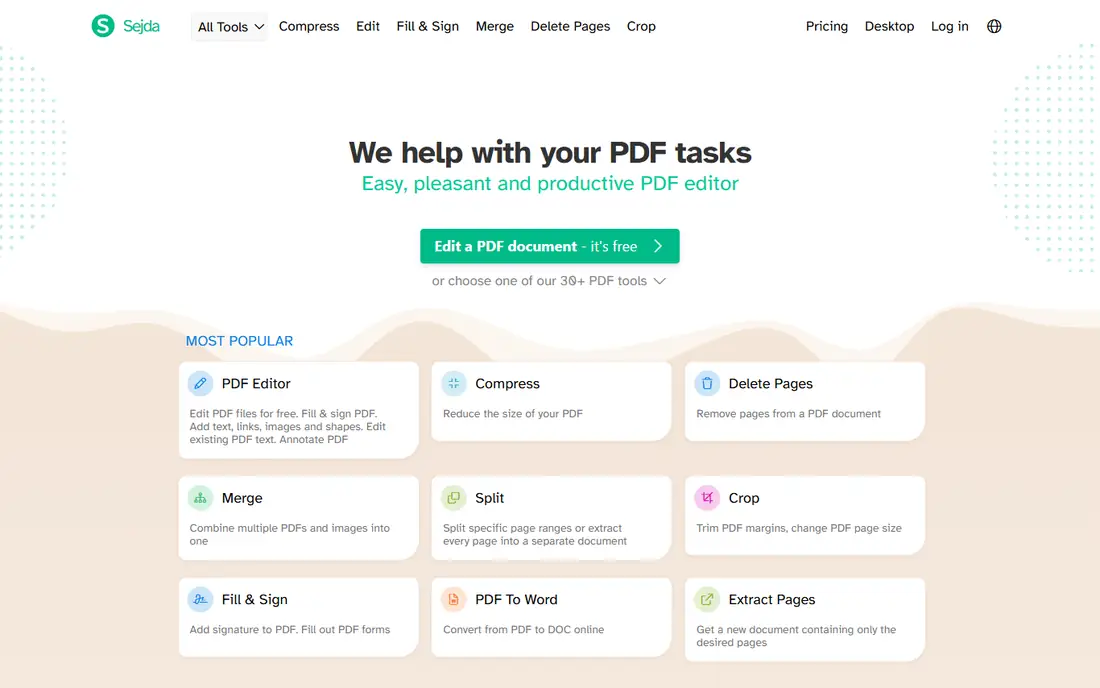
Sejda removes pages from a PDF online with a privacy-conscious approach. Specify an interval when deleting many pages, or pick thumbnails individually, with no registration or watermarks on the free tier. Files auto-delete after 2 hours, and a desktop editor covers offline work.
Free limits run 200 pages and 50 MB with 3 tasks per hour, so heavy users need the weekly plan from $5. For range-based removal with a stated deletion time, Sejda is the most transparent online option.
What we like- Remove pages by range or selection
- No registration or watermarks
- Files auto-deleted after 2 hours
- Desktop editor available
Watch out for- Free plan allows 200 pages and 50 MB, 3 tasks per hour
- Batch processing needs a paid plan
- Uploads to servers
#3iLovePDF
Best for: Simple removal plus editing4.6/5 on
G2 (583 reviews, checked Oct 2026)
Visit ilovepdf.com
Starting priceFree
Free planYes
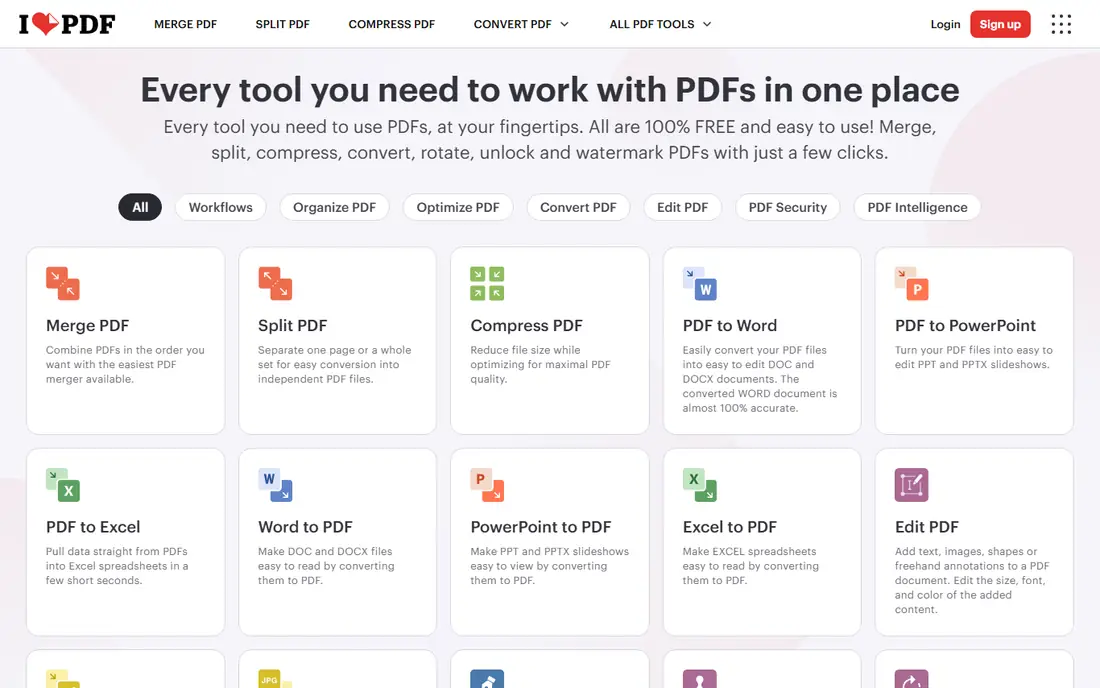
iLovePDF offers a free and easy tool to remove PDF pages and get a new file with only the pages you need, with no registration or installation for basic use. Beyond removal, the suite covers merging, splitting, compressing, and converting, so one site handles most PDF jobs.
The free tier carries size and count caps plus ads, and files upload to iLovePDF servers. For a user who removes pages and also edits PDFs regularly, iLovePDF is the most complete free suite.
What we like- Simple removal tool plus full PDF editing suite
- Bulk editing options
- No registration for basic use
Watch out for- Free tier has size and count caps
- Ads on the free version
- Uploads to servers

#4Smallpdf
Best for: Polished online tool4.5/5 on
G2 (306 reviews, checked Oct 2026)
Visit smallpdf.com
Starting priceFree
Free planYes
Smallpdf is the polished online tool for removing pages. Delete pages from an existing PDF or split separate pages into a new file, with a clean interface, fast processing, and drag-and-drop uploads. The brand is widely trusted, and the tool works the same on desktop and mobile browsers.
Free use is limited daily without a subscription, so frequent users need a paid plan. For an occasional user who values a smooth, reliable interface over unlimited free use, Smallpdf is the premium-feeling choice.
What we like- Clean interface and fast processing
- Drag-and-drop uploads
- Split or delete pages into a new file
- Strong brand trust
Watch out for- Limited daily use without subscription
- Paid plans needed for heavy use
- Uploads to servers
#5PDF2go
Best for: Reorder and delete together4.8/5 on
G2 (8 reviews, checked Oct 2026)
Visit pdf2go.com
Starting priceFree
Free planYes
PDF2go sort and delete tool lets you drop unwanted pages and rearrange what is left before downloading, both in the same view. Files up to 50 MB can be edited without registering, and a free account or paid plan raises that limit. Undo puts a deleted page back, and reset returns every page as loaded, while the uploaded PDF itself is never modified.
The connection is encrypted, work is done by software rather than people, and no backup of a user file is kept, under GDPR with a German operator. For a user who needs to reorder as well as delete, PDF2go is the most flexible free tool.
What we like- Reorder and delete in the same view
- Free up to 50 MB without registering
- Undo and reset during editing
- GDPR-compliant processing
Watch out for- Larger files need an account or paid plan
- Uploads to servers
- Fewer extras than full suites
Starting priceFree
Free planYes
Adobe Acrobat online deletes PDF pages for free with the trusted official tool. Removing unwanted or extra pages takes seconds, and the tool integrates with Acrobat Pro for users who later need full desktop editing. Reliability is high, since Adobe created the PDF format.
Some features need a paid account, and the free tier covers a limited number of files. For a user who trusts the official tool above all and removes pages occasionally, Adobe online is the safe choice.
What we like- Official PDF tool from the format creator
- Highly reliable
- Free tier covers basic removal
- Integrates with Acrobat Pro
Watch out for- Some features need a paid account
- Free tier covers about 20 files
- Uploads to Adobe servers

#7PDF Candy
Best for: Simple free removal3.8/5 on
G2 (18 reviews, checked Oct 2026)
Visit pdfcandy.com
Starting priceFree
Free planYes
PDF Candy offers a simple free tool to delete pages from PDF files, alongside a wide set of other PDF tools from merging to converting. No account is needed for basic use, and the interface stays simple on desktop and mobile browsers.
Free use carries hourly limits, and files upload to servers. For a user who wants a straightforward free removal tool with a broad toolset behind it, PDF Candy is a solid choice.
What we like- Simple interface
- Free removal plus many PDF tools
- No account for basic use
- Works on mobile browsers
Watch out for- Free tier has hourly limits
- Uploads to servers
- Fewer advanced options than Sejda or PDFsam

#8PDFsam Basic
Best for: Offline removal with no limits4.2/5 on
G2 (48 reviews, checked Oct 2026)
Visit pdfsam.org
Starting priceFree
Free planYes
PDFsam Basic is the best free PDF splitter if you can install software. It is free and open source, runs offline with no size limit, and covers every kind of split. Removing pages works by splitting out the pages you want to keep, or by merging the kept ranges, which takes one extra step versus a direct delete button.
The file never leaves your computer, which makes PDFsam the right choice for sensitive documents. For a privacy-conscious user comfortable installing software, PDFsam Basic beats every online tool on limits and privacy.
What we like- Free open source offline tool
- No size limit
- Every kind of split
- File never leaves your computer
Watch out for- Requires installation
- Interface is functional rather than polished
- Removal works via split and merge, not direct delete
How we chose
We compared tools on removal method, free limits, privacy, and ease of use, using vendor pages and published comparisons from October 2026. We favored tools US users can use today with a distinct strength. We did not claim hands-on testing, and where free limits changed by plan we quoted the standard figure. Five of the online tools here upload your PDF, and only some state exactly when it is deleted, so privacy matters for sensitive files.
How to pick the right PDF page removal service
Start with privacy. If the PDF contains contracts, medical records, or financial data, use an offline tool like PDFsam Basic or a browser-local tool, since online tools upload your file to their servers. If the file is public or low sensitivity, an online tool is faster and needs no install.
Then check limits against your file. PDF24 has no limits, Sejda caps free use at 200 pages and 50 MB with 3 tasks per hour, and PDF2go allows 50 MB without an account. Large files or frequent use push you toward PDF24, PDFsam, or a paid plan. Also check the job type: removing a few pages suits any tool here, while reordering plus deleting suits PDF2go, and range-based removal suits Sejda.
Finally, protect the original. Always back up the original PDF before editing, preview the document after making changes, and confirm page order before downloading. Removing pages does not change the remaining pages: same text, same images, same quality, only the removed pages are gone. Keep the original until you have checked the edited file, since a deleted page cannot be recovered from the edited file alone.
Common mistakes waste time and risk data. Users upload sensitive files to online tools without checking deletion policies, so read the privacy page first. Others delete pages without a backup and lose content, so copy the original before starting. A quick preview pass after editing catches wrong page selections before the file goes to a client or printer.
Mobile users should note that most tools here work in mobile browsers, so removing pages on a phone needs no app install. Upload from files or cloud storage, select thumbnails, and download the edited file, though small screens make selecting many pages slower than on desktop. For a large document on a phone, a desktop pass saves time and reduces selection errors.
Password-protected PDFs need one extra step: encrypted files may require the password before editing, so open the file with its password first in a tool you trust, then remove pages. Never share a password with an online tool you have not vetted, and prefer offline tools for password-protected documents.
Frequently asked questions
What is the best free online service for PDF page removal?
PDF24 Tools, for no limits, no watermarks, and no account. Sejda is best for range removal with a stated deletion time, and PDFsam Basic is best offline.
Is it safe to remove PDF pages online?
Generally yes with reputable tools, but files upload to their servers. For sensitive documents, use offline PDFsam Basic or check the deletion policy first.
How long do online tools keep my uploaded PDF?
It varies. Sejda auto-deletes files after 2 hours, and many reputable services delete within a few hours to a day. PDF2go keeps no backup of user files.
Can I remove multiple pages at once?
Yes. Most tools let you select several pages at once, and Sejda lets you specify an interval for deleting many pages in one pass.
Can I get a deleted page back?
While editing, yes: undo or reset restores pages in most tools. After downloading the edited file, only the backed-up original restores the page.
Does removing pages change the rest of the document?
No. The remaining pages are unchanged, with the same text, images, and quality. Only the pages you removed are gone.
Sources we checked (8)
- https://tools.pdf24.org
- https://www.sejda.com
- https://www.ilovepdf.com
- https://smallpdf.com
- https://www.pdf2go.com
- https://www.adobe.com/acrobat/online.html
- https://pdfcandy.com
- https://pdfsam.org
Is your product missing or out of date?
We review this list regularly. Vendors can request a listing, send updated pricing or ask about featured placement.

Shihab Mia · Founder, Rankite
Shihab has 5+ years in B2B and SaaS SEO. He writes Rankite's software buying guides from pricing pages, documentation and public user reviews. More about Shihab.
 PDF24 Tools
 Adobe Acrobat online