How we make this list: we compare pricing pages, product documentation and public user reviews. Ratings come from G2, Capterra or Trustpilot, with the date we checked them.
Direct answer
Fathom is the top pick for Microsoft 365 users who need meeting notes beyond Teams, with free unlimited recordings and transcriptions and Premium at $16 per user per month billed annually. Fireflies.ai suits cost-focused teams with Pro at $10 per seat/month billed annually.
Key takeaways
- Microsoft 365 teams should price Copilot as an add-on first, because Microsoft 365 Copilot is USD $30.00 user/month paid yearly and Copilot in Teams requires a paid Copilot license.
- Teams with meetings outside Teams should start with Fathom, whose free plan includes unlimited recordings and transcriptions and whose Team plan is $15 per user per month billed annually.
- Cost-focused teams should compare Fireflies.ai Pro at $10 per seat/month billed annually, which is $50 per month for 5 seats before storage and AI credit limits are checked.
- Google Workspace teams should run 1 SKU check before choosing Gemini in Meet, because Google's fetched pricing text says Gemini in Meet is not supported for the first SKU.
- Admins should test Otter.ai bot admission during its 300 minutes/month free plan, because Otter's vendor page says the notetaker joins as a named participant and may face lobby or bot-admission policies.
Quick comparison
| Tool | Best for | Starting price | Free plan |
|---|
 Fathom | Teams needing notes beyond Teams | Premium $16 per user per month billed annually | $0 forever, unlimited recordings and transcriptions |
 Fireflies.ai | Teams wanting low annual seat price | Pro $10 per seat/month billed annually | $0, limited AI summaries, 400 mins storage/team, 20 AI credits |
 Google Gemini in Meet | Google Workspace teams using Meet | See website | None found on vendor page |
 Otter.ai | Teams testing a simple free notetaker | See website | Basic free, 300 minutes/month, 30-minute conversation limit |
 tl;dv | Multilingual teams testing free transcription | Pro $18 per seat/month billed annually | $0, unlimited video recordings, unlimited transcription in 100+ languages, AI notes for 10 meetings |
 Grain | Solo users starting with one seat | Pro $15 per month billed yearly | $0 for one person, no shared workspace |
 Avoma | Revenue teams needing recorder seats | Startup $19 per recorder seat per month billed annually | 14-day free trial of Organization, no credit card required |
 Read AI | Teams needing unlimited Pro transcripts | Pro $15 per user/month billed annually | $0, 5 meetings/month, 1-hour max |
 Granola | Users wanting no daily transcription cap | Business $14/user/month | Basic free, note history last 30 days in app, no daily transcription limit |
 Fellow | Teams testing limited AI notes | See website | 5 AI notes and 5 AI recordings per user lifetime |
Is your product missing or out of date?
We review this list regularly. Vendors can request a listing, send updated pricing or ask about featured placement.
The best microsoft copilot meeting notes alternatives
Microsoft Copilot meeting notes start with a license check. Microsoft's pricing page lists the Microsoft 365 Copilot add-on at USD $30.00 user/month paid yearly, states Copilot Chat is included with eligible Microsoft 365 plans, and states Copilot in Teams requires a paid Copilot license. Alternatives matter when meetings happen outside Teams, only one team needs notes, or finance does not want another add-on for every user. This list ranks tools by license stacking, free limits, outside-Teams fit, and governance checks a buyer can verify on vendor pages.
Starting pricePremium $16 per user per month billed annually
Free plan$0 forever, unlimited recordings and transcriptions
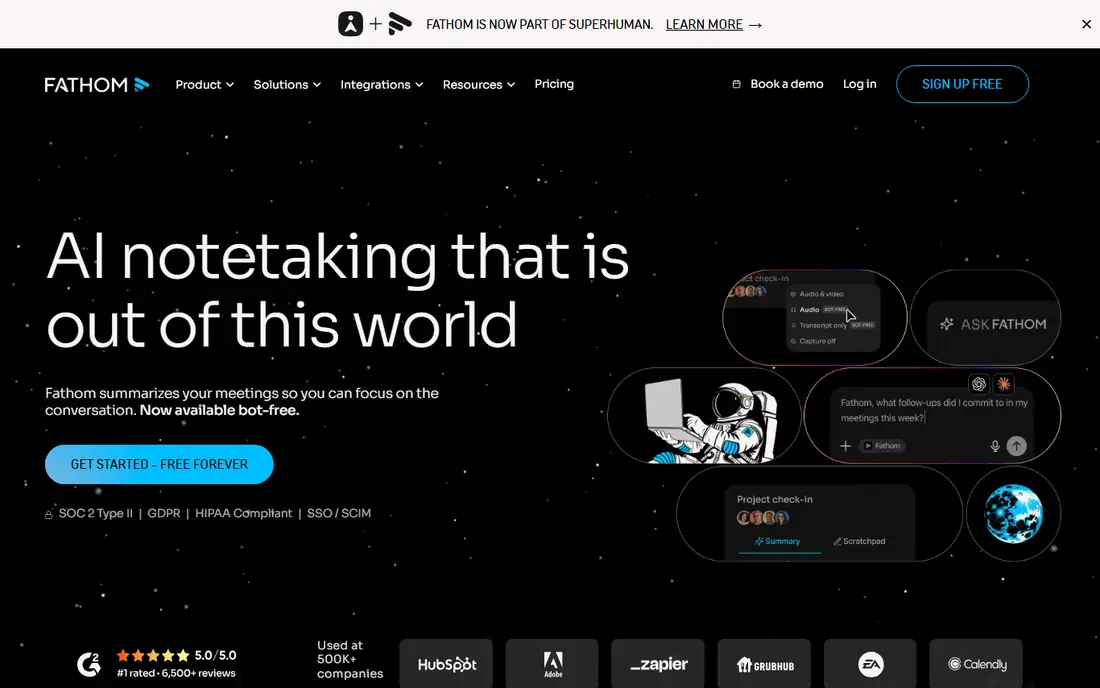
Fathom is the top Copilot alternative for teams whose meetings do not stay inside Teams. Its pricing page lists a free plan at $0 forever with unlimited recordings and transcriptions. Premium is $16 per user per month billed annually or $20 monthly. Team is $15 per user per month billed annually or $19 monthly, with a 2-user minimum. Business is $25 billed annually or $34 monthly. The per-user model is easier to approve for one department than a Copilot add-on for every Microsoft 365 user. That free transcript base lowers pilot risk before a license decision.
The catch is that Team still has a 2-user minimum and Business costs more per user. Pick Fathom if free transcript volume and clear annual pricing matter most. Look elsewhere if your company has already approved Copilot licenses, needs the lowest annual seat price, or wants notes bundled inside one meeting platform. Ask how guest meetings and outside organizer meetings are handled before rollout.
What we like- Free plan includes unlimited recordings and transcriptions
- Team is $15 per user per month billed annually
- Premium is $16 per user per month billed annually
Watch out for- Team has a 2-user minimum
- Business rises to $25 per user per month billed annually
Starting pricePro $10 per seat/month billed annually
Free plan$0, limited AI summaries, 400 mins storage/team, 20 AI credits
Fireflies.ai suits Microsoft 365 teams that want a lower annual seat price than a Copilot add-on. Its pricing page lists Free at $0 with limited AI summaries, 400 mins storage/team, and 20 AI credits. Pro is $10 per seat/month billed annually or $18 monthly, with 8,000 mins storage/seat. Business is $19 billed annually or $29 monthly with unlimited storage. Enterprise is $39 billed annually only. For 5 seats, Pro is $50 per month billed annually, which is one third of the Copilot add-on cost for 5 users before base plan cost.
The catch is that the free plan is limited by AI summaries, storage, and AI credits. Pick Fireflies.ai if seat price is the main driver and Pro storage fits the team. Look elsewhere if free users need unlimited transcripts, long history, or native Teams license coverage. Ask how AI credits, storage, and exports change when a seat is removed. Test exports first.
What we like- Pro is $10 per seat/month billed annually
- Business includes unlimited storage
- Free includes 400 mins storage/team
Watch out for- Free AI summaries are limited
- Free storage stops at 400 mins/team
Starting priceSee website
Free planNone found on vendor page
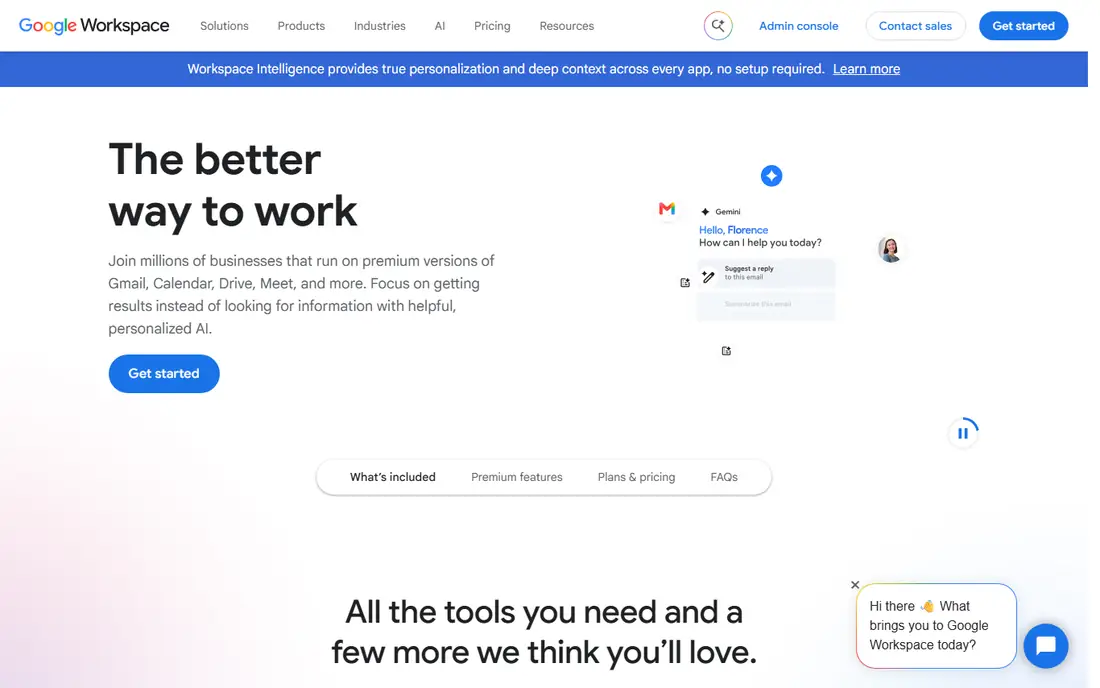
Google Gemini in Meet is the alternative for teams that use Google Workspace more than Microsoft Teams. Google's fetched pricing text states Gemini in Meet can summarize, translate, and take notes. The same text states Gemini in Meet is not supported for the first SKU and is available for other SKUs. It did not show dollar amounts in the fetched text, so this guide uses See website for price. Gemini fits when Meet is the meeting home and the Workspace SKU supports the feature for the organizers who matter. Confirm coverage first.
The catch is SKU support: a team can want Gemini notes and still lack the right Workspace plan. Pick Google Gemini in Meet if Meet is the main meeting system and SKU support is confirmed. Look elsewhere if Teams is the main system, meetings move across platforms, or finance needs a clear per-seat note price. Confirm organizer coverage before rollout.
What we like- Gemini in Meet can summarize, translate, and take notes
- Available for other SKUs
- Native Meet path can reduce separate note tools
Watch out for- Not supported for the first SKU
- Fetched pricing text had no dollar amounts
#4
Otter.ai
Best for: Teams testing a simple free notetaker
Visit otter.ai
Starting priceSee website
Free planBasic free, 300 minutes/month, 30-minute conversation limit
Otter.ai is a simple test option for Teams users who want a free notetaker before a Copilot license decision. Otter's vendor page lists Basic free with 300 minutes/month and a 30-minute conversation limit. The same page names Pro, Business, and Enterprise tiers, but this guide uses See website for the starting price because the official pricing page was not opened as a full URL in this run. Otter suits short meetings and quick tests. It is weaker for long calls, strict bot rules, and language needs beyond six languages. Test admission first.
The catch is that the notetaker joins as a named participant and may face lobby or bot-admission policies. Pick Otter.ai if short free tests are enough to judge fit. Look elsewhere if meetings run past 30 minutes, admins block named bots, or finance needs a published annual seat price. Ask for the current Pro price and bot controls in writing.
What we like- Basic free includes 300 minutes/month
- Vendor page discusses Teams notetaker use
- Pro and Business tiers are named on the vendor page
Watch out for- Notetaker joins as a named participant and may face lobby or bot-admission policies
- Supports six languages
#5
tl;dv
Best for: Multilingual teams testing free transcription
Visit tldv.io
Starting pricePro $18 per seat/month billed annually
Free plan$0, unlimited video recordings, unlimited transcription in 100+ languages, AI notes for 10 meetings
tl;dv fits Microsoft 365 teams with multilingual calls and a need to test transcription before paying for AI notes. Its pricing page lists Free at $0 with unlimited video recordings, unlimited transcription in 100+ languages, AI notes for 10 meetings, and 10 Ask AI queries. Pro is $18 per seat/month billed annually. Business is $29 per seat/month billed annually. The language scope matters when Copilot licensing is approved for some users but customer calls still need a separate transcript check across regions. The free recording scope helps teams compare transcripts before AI note limits matter.
The catch is that AI notes and Ask AI are capped on Free even though transcription is broad. Pick tl;dv if language coverage and free recordings matter most. Look elsewhere if every meeting needs AI notes from the first week or the team needs a lower annual seat price. Ask whether AI note limits reset by seat, workspace, or billing period.
What we like- Free includes unlimited video recordings
- Free includes unlimited transcription in 100+ languages
- Pro is $18 per seat/month billed annually
Watch out for- Free AI notes stop at 10 meetings
- Free Ask AI stops at 10 queries
Starting pricePro $15 per month billed yearly
Free plan$0 for one person, no shared workspace
Grain fits a solo Microsoft 365 user or a small team that wants to start with one seat. Its plans support page lists Free at $0 for one person with no shared workspace. Pro is $15 per month billed yearly or $19 monthly for one person. Business is $29 per seat per month billed yearly or $39 monthly, with a minimum of 2 seats. That path is simple for a manager testing notes before a Copilot decision, but team buyers should budget Business from the start. The Business minimum should be priced before the pilot expands.
The catch is that Free and Pro are one-person paths. Pick Grain if a solo start and a later Business move fit the team. Look elsewhere if the first purchase must include a shared workspace, guest-heavy meeting coverage, or lower per-seat pricing. Ask what shared workspace controls and retention rules appear on Business. Ask how guest access, retention, and deletion work on Business.
What we like- Pro is $15 per month billed yearly
- Business is $29 per seat per month billed yearly
- Free works for one person
Watch out for- Free has no shared workspace
- Business has a minimum of 2 seats
Starting priceStartup $19 per recorder seat per month billed annually
Free plan14-day free trial of Organization, no credit card required
Avoma fits revenue teams that think in recorder seats rather than every Microsoft 365 user. Its pricing page lists Startup at $19 per recorder seat per month billed annually or $29 billed monthly. Organization is $29 billed annually or $39 monthly. Enterprise is $39 billed annually only. Avoma does not list a free recording plan, but it offers a free 14-day trial of Organization with add-ons and no credit card required. That suits teams that can test during a defined trial window with real customer calls. The trial should include customer calls with real owners and dates.
The catch is that there is no free recording plan for slow adoption. Pick Avoma if recorder-seat pricing matches who actually records calls. Look elsewhere if the team needs a free plan for months, lower per-seat cost, or unlimited free transcripts. Ask which add-ons are included in the trial and which seats need paid licenses. Ask how trial data is retained after the trial ends.
What we like- Startup is $19 per recorder seat per month billed annually
- Organization is $29 per recorder seat per month billed annually
- Free trial needs no credit card
Watch out for- No free recording plan is listed
- Enterprise is $39 per recorder seat per month billed annually only
#8
Read AI
Best for: Teams needing unlimited Pro transcripts
Visit read.ai
Starting pricePro $15 per user/month billed annually
Free plan$0, 5 meetings/month, 1-hour max
Read AI suits teams that want a small free test and a clear Pro step. Its support pricing page lists Free at $0 with 5 meetings/month and a 1-hour max. Pro is $15 per user/month billed annually or $19.75 monthly, with unlimited transcripts, a 4-hour max, and 100 upload minutes/month. Enterprise is $22.50 billed annually or $29.75 monthly. For Microsoft 365 teams, Pro can be easier to budget than a Copilot add-on when only one department needs meeting notes every week. The upload minutes matter when recorded calls are added after live meetings.
The catch is that Free is too narrow for a team rollout. Pick Read AI if Pro unlimited transcripts and the 4-hour max match your meeting load. Look elsewhere if free users need unlimited recordings, long history, or many upload minutes. Ask how retention, deletion, and Enterprise controls change when free users move to Pro. Ask how Enterprise controls differ from Pro controls.
What we like- Pro includes unlimited transcripts
- Pro raises the meeting max to 4 hours
- Pro is $15 per user/month billed annually
Watch out for- Free stops at 5 meetings/month
- Free meetings stop at 1 hour
Starting priceBusiness $14/user/month
Free planBasic free, note history last 30 days in app, no daily transcription limit
Granola suits Microsoft 365 users who want notes without a daily transcription cap on the free tier. Its billing help page lists Basic as free, with note history for the last 30 days in the app, no daily transcription limit, Slack only integrations, and MCP limited to 30 days with no API. Business is $14/user/month. Enterprise starts from $35/user/month. For a 5-user team, Business is $70 per month, which is less than the Copilot add-on cost for 5 users before base plan cost. The history limit should be tested against how often teams search older notes.
The catch is that Basic history and integration limits can block older-note search and wider workflow use. Pick Granola if $14/user/month and no daily transcription cap fit the team. Look elsewhere if free users need long history, broad integrations, or native Teams license coverage. Ask what Business changes for history, integrations, API access, and admin controls. Test older-note search first.
What we like- Basic has no daily transcription limit
- Business is $14/user/month
- Enterprise starts from $35/user/month
Watch out for- Basic note history is limited to the last 30 days in the app
- Basic integrations are Slack only
Starting priceSee website
Free plan5 AI notes and 5 AI recordings per user lifetime
Fellow fits a controlled pilot for Microsoft 365 teams that want to test AI notes before a Copilot license purchase. Fellow's vendor page lists a free plan with 5 AI notes and 5 AI recordings per user lifetime. The same page names Team, Business, and Enterprise tiers, but this guide uses See website for the starting price because the official pricing page was not opened as a full URL in this run. Fellow suits a small group with a clear test plan. It is not a broad free plan for a department with daily meetings.
The catch is that five lifetime AI notes end quickly in a busy team. Pick Fellow if a short pilot can prove value. Look elsewhere if free users need daily notes, broad language coverage, or botless recording without a desktop app. Ask for the current Team price, admin controls, retention rules, and desktop app requirements. Ask how retention and deletion work after the pilot.
What we like- Free includes 5 AI notes per user lifetime
- Free includes 5 AI recordings per user lifetime
- Team, Business, and Enterprise tiers are named on the vendor page
Watch out for- Free AI notes stop at 5 per user lifetime
- Botless recording requires the Mac or Windows desktop app
How much license stacking should a Teams team expect?
Expect Copilot to stack on top of the base Microsoft 365 plan. Microsoft lists the Microsoft 365 Copilot add-on at USD $30.00 user/month paid yearly, so 5 users cost USD $150.00 per month before base plan cost. Fireflies.ai Pro is $50 per month for 5 seats billed annually. Granola Business is $70 per month for 5 users. Fathom Team is $75 per month for 5 users billed annually. Read AI Pro is $75 per month for 5 users billed annually. tl;dv Pro is $90 per month for 5 seats billed annually. License stacking is acceptable when Copilot value spreads across Microsoft 365 work. It is harder to defend when the only need is meeting notes for one team. A 10-user department doubles the gap: Copilot add-on cost is USD $300.00 per month paid yearly, while Fireflies.ai Pro is $100 per month billed annually and Fathom Team is $150 per month billed annually.
Which Copilot alternative works best for meetings outside Teams?
Choose a per-user or per-seat tool when meetings move outside Teams. Fathom prices by user, Fireflies.ai prices by seat, Granola prices by user, and Read AI prices by user. That model maps cost to the people who need notes rather than every Microsoft 365 user. Test guest meetings, outside organizer meetings, and long calls before rollout. The best outside-Teams pick is the one whose bot, export, and retention rules pass admin review.
What governance checks matter before adding a meeting bot?
Check bot admission, guest access, retention, deletion, export, and who can search transcripts. Otter's vendor page says its notetaker joins as a named participant and may face lobby or bot-admission policies. Fellow's vendor page states botless recording requires the Mac or Windows desktop app. Run tests with internal calls, customer calls, and outside organizer calls. Governance fails when notes are accurate but access rules block the people who need them.
When is Google Gemini in Meet a better fit than Copilot?
Gemini in Meet is a better fit when Google Workspace is the main meeting system and the SKU supports Gemini for the organizers who matter. Google's fetched pricing text states Gemini in Meet can summarize, translate, and take notes, but it is not supported for the first SKU. Copilot is a better fit when Teams and Microsoft 365 licenses are already approved. Choose by meeting home first, then by seat price.
Frequently asked questions
Is Copilot in Teams included with Microsoft 365?
Microsoft's pricing page states Copilot Chat is included with eligible Microsoft 365 plans. The same page states Copilot in Teams requires a paid Copilot license. The Microsoft 365 Copilot add-on is USD $30.00 user/month paid yearly, with annual subscription auto-renewal and tax excluded. Budget the base plan and add-on together.
Which Copilot alternative is cheapest for 5 users?
Fireflies.ai Pro is cheapest in this list at $50 per month for 5 seats billed annually. Granola Business is $70 per month for 5 users. Fathom Team and Read AI Pro are $75 per month for 5 users billed annually. Microsoft 365 Copilot is USD $150.00 per month for 5 users paid yearly before base plan cost.
What if meetings happen outside Teams?
Use a per-user or per-seat note tool and test guest access before rollout. Fathom, Fireflies.ai, Granola, and Read AI price by user or seat, which maps cost to the people who need notes. Check bot admission, export, retention, and deletion with outside organizer meetings, not only internal Teams calls.
Which free plan is strongest for Teams users?
Fathom is strongest for transcript volume because its free plan includes unlimited recordings and transcriptions. tl;dv lists unlimited video recordings and unlimited transcription in 100+ languages, but AI notes stop at 10 meetings. Granola Basic has no daily transcription limit, but note history is limited to the last 30 days in the app.
What should admins check before adding a note bot?
Check bot admission, guest access, retention, deletion, export, language support, and who can search transcripts. Otter's vendor page says its notetaker joins as a named participant and may face lobby or bot-admission policies. Test internal calls, customer calls, and outside organizer calls before a department rollout.
What to look for before you buy
First, add the Copilot add-on to the base Microsoft 365 plan cost before comparing it with note-only tools, because 5 Copilot users cost USD $150.00 per month paid yearly before base plan cost. Second, check whether meetings stay in Teams or move to Meet, Zoom, and outside organizer calls. Third, test bot admission, guest access, retention, deletion, and transcript export with real meeting owners. Fourth, compare the free cap your team will hit first, such as AI notes, storage, history, or conversation length. Fifth, confirm admin controls and contract exit terms in writing.
How we chose
We compared Microsoft pricing text, Google Workspace pricing text, vendor pricing pages, support pages, and vendor product pages for meeting note tools. Prices and facts were checked on vendor pages and documentation for this 2026-11-29 update. We did not claim hands-on testing. Otter.ai, Fellow, and Google Gemini in Meet use See website where the fetched pricing text did not give a clear starting price or the official pricing page was not opened as a full URL in this run.
Sources we checked (11)
- https://www.microsoft.com/en-my/copilot/pricing/enterprise
- https://www.fathom.ai/pricing?plan=individuals
- https://fireflies.ai/pricing?fpr=the67
- https://workspace.google.com/pricing?source=gafb-enterprise-global+nav-en&hl=en&ga_region=amer&ga_country=us&ga_lang=en
- https://otter.ai/blog/ai-notetakers-for-microsoft-teams
- https://tldv.io/app/pricing/
- https://support.grain.com/en/articles/9253220-plans
- https://www.avoma.com/pricing
- https://support.read.ai/hc/en-us/articles/57202000020115-How-much-do-Read-s-plans-cost-and-what-does-each-include
- https://docs.granola.ai:443/help-center/managing-your-account/subscriptions-and-billing
- https://fellow.ai/blog/microsoft-copilot-cowork-meeting-note-takers/
Is your product missing or out of date?
We review this list regularly. Vendors can request a listing, send updated pricing or ask about featured placement.

Shihab Mia · Founder, Rankite
Shihab has 5+ years in B2B and SaaS SEO. He writes Rankite's software buying guides from pricing pages, documentation and public user reviews. More about Shihab.