How we make this list: we compare pricing pages, product documentation and public user reviews. Ratings come from G2, Capterra or Trustpilot, with the date we checked them.
Key takeaways
- Slack is the safest general replacement for most teams, thanks to its channel model, app catalog, and wide adoption.
- Microsoft Teams wins for companies already paying for Microsoft 365, since chat, meetings, and files sit in one place.
- Mattermost and Rocket.Chat suit teams that need self-hosting or strict data control, but they need more admin time.
- Free plans are useful for small teams, but message history limits and per-user pricing deserve a close read before you scale.
Quick comparison
| Tool | Best for | Starting price | Free plan |
|---|
 Slack Slack | Most teams wanting channels and integrations | $7.25 per user/month | Yes |
 Microsoft Teams Microsoft Teams | Companies already using Microsoft 365 | See website | Yes |
 Mattermost Mattermost | Self-hosted team chat with data control | See website | Yes |
 Rocket.Chat Rocket.Chat | Open source chat with wide customization | See website | Yes |
 Chanty Chanty | Small teams wanting chat plus tasks | See website | Yes |
 Twist Twist | Remote teams wanting calmer async chat | See website | Yes |
 Element Element | Privacy-focused teams using Matrix | See website | Yes |
 Discord Discord | Communities and casual team servers | See website | Yes |
Is your product missing or out of date?
We review this list regularly. Vendors can request a listing, send updated pricing or ask about featured placement.
The best Google Chat alternatives
#1Slack
Best for: Most teams wanting channels and integrations4.5/5 on
G2 (39,944 reviews, checked Oct 2026)
Visit slack.com
Starting price$7.25 per user/month
Free planYes
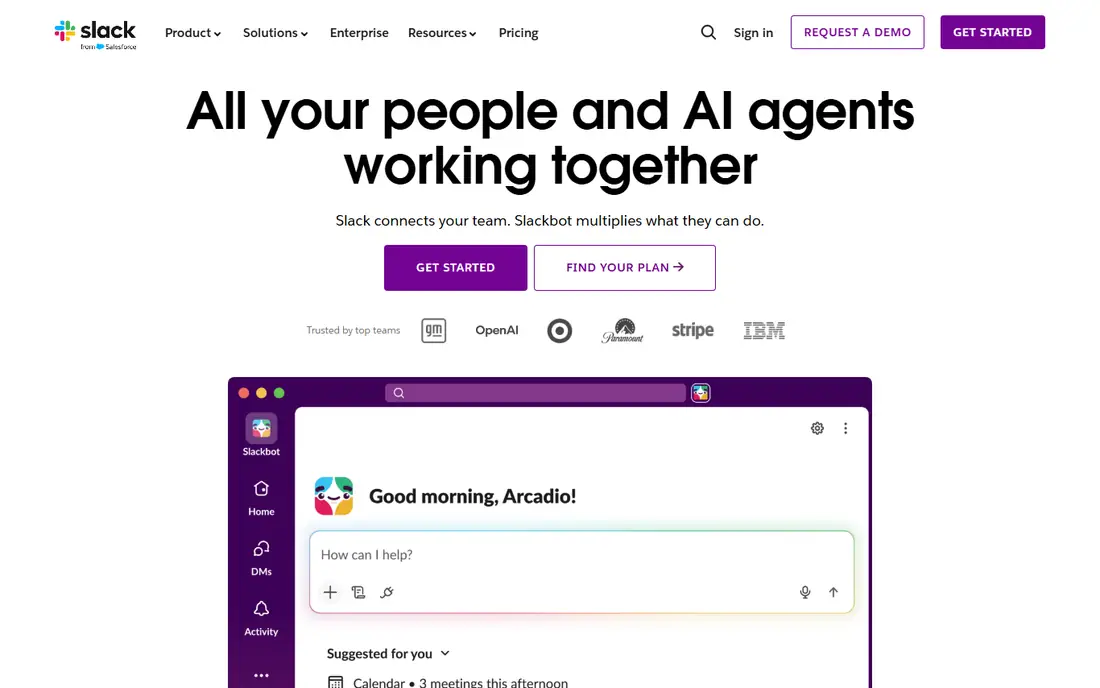
Slack remains the standard team chat tool for a reason. Channels keep topics separate, threads keep side discussions tidy, and integrations cover project tools, CRMs, and code repositories. Huddles add quick audio and screen sharing without scheduling a formal meeting.
The main costs are history and headcount. The free plan hides older messages, and the Pro plan is billed per active user, so a large team should model the annual total. For most companies leaving Google Chat, Slack is the lowest-risk move, because new hires already know it and most vendors support it.
What we like- Huge integration catalog
- Channels and threads
- Huddles for quick calls
Watch out for- Free plan limits message history
- Costs grow with headcount
#2Microsoft Teams
Best for: Companies already using Microsoft 3654.4/5 on
G2 (19,330 reviews, checked Oct 2026)
Visit microsoft.com
Starting priceSee website
Free planYes
Teams suits companies that already live in Outlook, Word, and SharePoint. Chat sits beside meetings, shared files, and collaborative documents, so a team can move from a message to a call to a document edit without switching apps. Admin controls and compliance tools are also strong for larger organizations.
The interface is busier than Google Chat or Slack, and some users find channels and teams harder to follow at first. The free version covers basic chat and meetings, but the full value appears with a Microsoft 365 subscription. If your company already pays for that bundle, Teams is hard to beat on value.
What we like- Meetings, files, and chat in one app
- Strong Microsoft 365 links
- Enterprise security
Watch out for- Interface can feel heavy
- Best value requires a Microsoft 365 plan
#3Mattermost
Best for: Self-hosted team chat with data control4.3/5 on
G2 (369 reviews, checked Oct 2026)
Visit mattermost.com
Starting priceSee website
Free planYes
Mattermost is built for teams that need to control where messages live. You can self-host it on your own servers or use a cloud plan, and it offers channels, threads, calls, and workflow integrations in a familiar layout. Government, healthcare, and engineering teams often choose it for compliance reasons.
Self-hosting is also the catch. Someone on your team must install, update, and back up the system, and that work never fully ends. The integration catalog is smaller than Slack's, so check for your key tools before committing. If data control is a requirement rather than a preference, Mattermost is a strong pick.
What we like- Self-hosting option
- Open source core
- Strong security and compliance controls
Watch out for- Needs admin time to run
- Smaller app catalog than Slack
#4Rocket.Chat
Best for: Open source chat with wide customization4.2/5 on
G2 (374 reviews, checked Oct 2026)
Visit rocket.chat
Starting priceSee website
Free planYes
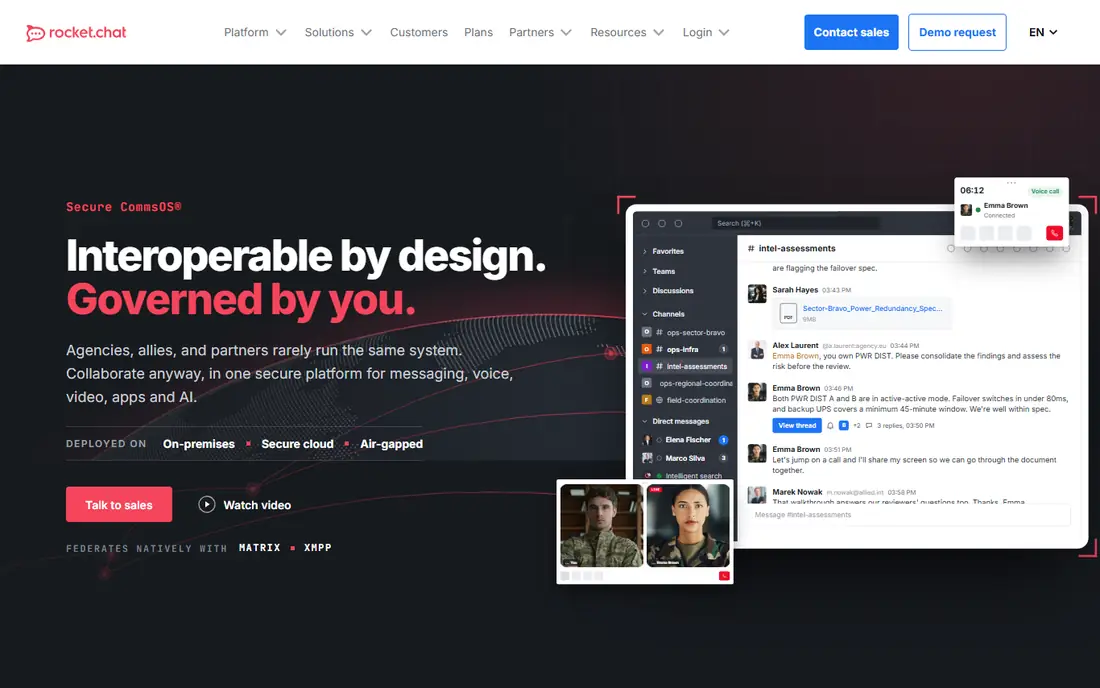
Rocket.Chat gives teams an open source chat platform they can shape to their needs. It supports channels, direct messages, video calls, and omnichannel inboxes that pull in email, social, and web chat. Developers can extend it with apps and custom integrations.
That freedom comes with upkeep. Self-hosted deployments need updates, backups, and monitoring, and the interface is less polished than Slack in places. Cloud plans remove some of that burden for a fee. Rocket.Chat fits teams with technical staff who value control over a fully managed service.
What we like- Open source and highly customizable
- Omnichannel messaging
- Self-hosting
Watch out for- Setup and maintenance take effort
- Interface polish varies
#5Chanty
Best for: Small teams wanting chat plus tasks4.4/5 on
G2 (57 reviews, checked Oct 2026)
Visit chanty.com
Starting priceSee website
Free planYes
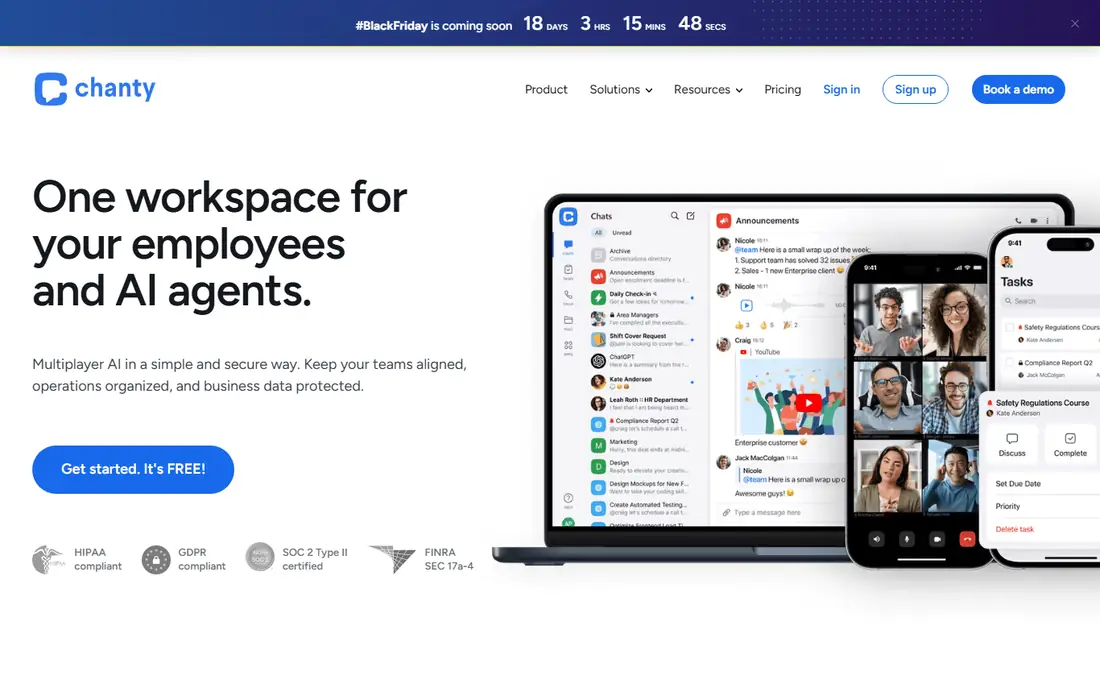
Chanty combines team chat with task management, so a message can become an assigned task without leaving the app. That pairing suits small teams that do not want a separate project tool for simple work. Voice and video calls are built in, and the interface stays simple enough for non-technical users.
The limits show at scale. Chanty has fewer integrations than Slack or Teams, and it is not designed for a thousand-person company with complex permissions. For a team of five to fifty people that wants chat and light task tracking in one affordable place, it is a practical choice.
What we like- Built-in task management
- Simple interface
- Affordable paid plans
Watch out for- Smaller integration catalog
- Less suited to very large teams
#6Twist
Best for: Remote teams wanting calmer async chat4.1/5 on
G2 (34 reviews, checked Oct 2026)
Visit twist.com
Starting priceSee website
Free planYes
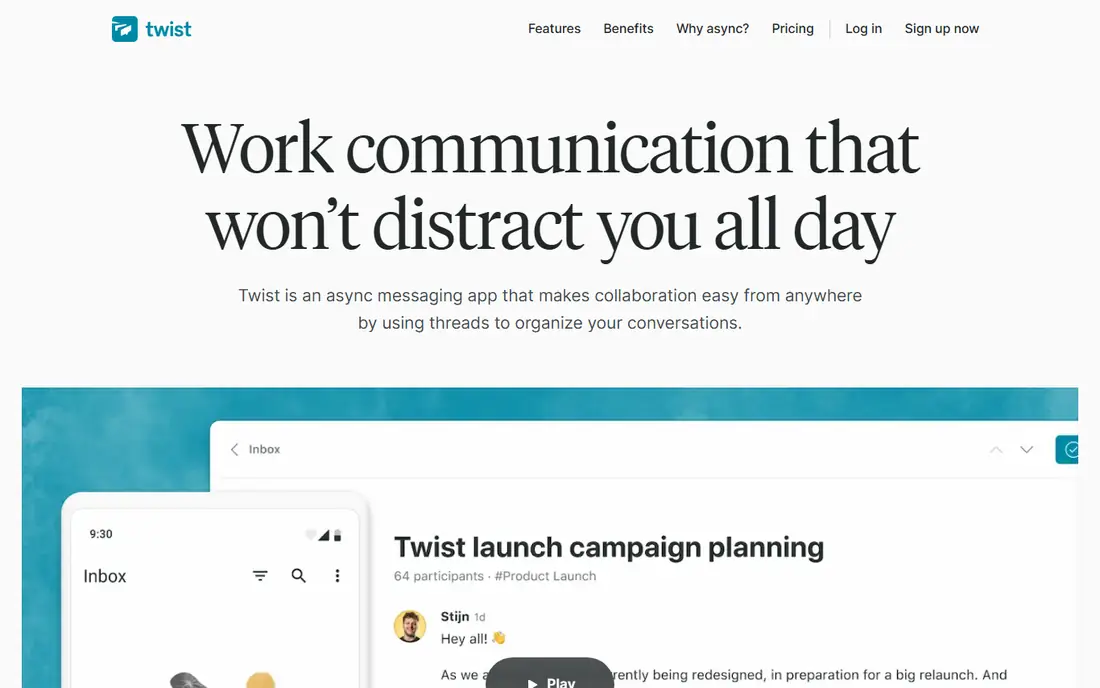
Twist, from the makers of Todoist, takes a different approach to chat. Conversations are organized into threads by topic, so a discussion does not vanish in a fast-moving channel. That structure suits remote teams across time zones, where people catch up in batches rather than watching chat all day.
The trade-off is immediacy. Twist feels slower than Slack, and teams that rely on quick back-and-forth may find it frustrating. The integration list is also shorter. If chat overload is your main problem with Google Chat, Twist is the most deliberate fix on this list.
What we like- Thread-first design reduces noise
- Good for async remote work
- Clear topic structure
Watch out for- Less real-time feel
- Smaller community and fewer integrations
#7Element
Best for: Privacy-focused teams using Matrix4.2/5 on
G2 (43 reviews, checked Oct 2026)
Visit element.io
Starting priceSee website
Free planYes
Element is the main client for Matrix, an open protocol for decentralized messaging. That means your team can run its own server, join a hosted service, or talk across servers that support the protocol. Encryption and federation appeal to teams that want independence from a single vendor.
The learning curve is real. Concepts such as rooms, spaces, and homeservers take explanation, and less technical users may need help at first. Mainstream adoption is also smaller, so fewer outside partners will already use it. For privacy-minded teams, those costs are worth the control.
What we like- Built on the open Matrix protocol
- End-to-end encryption options
- Federated servers
Watch out for- Setup can confuse new users
- Smaller mainstream adoption
#8Discord
Best for: Communities and casual team servers4.6/5 on
G2 (43 reviews, checked Oct 2026)
Visit discord.com
Starting priceSee website
Free planYes
Discord is best known for gaming and communities, but many small teams and creator groups use it for daily work. Servers, channels, voice rooms, and screen sharing are free and easy to set up, and most people already have an account. That makes it a fast option for informal teams.
It is not a corporate chat tool. Admin controls, data retention, and compliance features are weaker than Slack or Teams, and the tone can feel casual for formal workplaces. Use Discord when your team is community-like and informal, and choose a business tool when compliance or formal records matter.
What we like- Free voice, video, and text
- Flexible servers and channels
- Huge user base
Watch out for- Not built for business compliance
- Can feel informal for corporate work
How we chose
We compared pricing pages, product documentation, and public reviews for team messaging tools that cover channels, direct messages, calls, and file sharing. We included mainstream business tools, self-hosted open source options, and one community platform, and we used "See website" where pricing depends on plan bundles or self-hosting choices. We did not claim hands-on testing.
Moving a team without losing messages
Plan the move around channels, not just the app. List your current spaces, decide which ones carry over, and archive the rest. A fresh channel list is a chance to remove dead rooms that nobody has used in months, and it helps new users learn where each topic lives.
Export what you can before switching. Google Chat history, shared files, and key decisions should be saved or linked in your new workspace, because chat tools rarely import history cleanly. Tell the team where old decisions now live, and name one owner for each main channel during the first month.
Finally, set norms early. Decide when to use threads, when to use direct messages, and when a message should become a task or a document instead. Most chat problems are habit problems, not software problems, and a new tool will not fix unclear norms on its own.
One more test helps before a company-wide switch: run the new tool with two teams that work differently, such as a sales team that chats all day and an engineering team that works in focused blocks. Watch how each team uses channels, threads, and notifications over two weeks. A tool that suits one work style may frustrate the other, and that gap only shows up in real use. Also check admin controls for guest access, data retention, and message export, since those settings matter when a contractor joins or an employee leaves. Finally, agree on a simple naming pattern for channels before launch, so new staff can find the right room without asking. Clear names and a short channel guide reduce the confusion that often follows a move to a new chat tool.
Before you finish, write down your top three requirements and rank the shortlist against them in plain language. That short list stops a demo or a discount from pulling the choice toward a feature you will rarely use. Share the ranking with the people who will use the tool daily, and ask them to flag any deal-breaker you missed, such as a missing integration, a device limit, or a workflow step that would take longer than it does today. Their answers often change the order. Once you have a winner, set a review date three months after launch to check cost, usage, and complaints, and be ready to switch if the tool is not earning its place. A planned review keeps the decision honest and prevents a poor fit from lingering for years.
Frequently asked questions
What is the closest free alternative to Google Chat?
Slack and Discord offer the most complete free chat experiences for small teams, while Mattermost and Rocket.Chat offer free self-hosted options for teams with technical staff. Free plans differ on message history, storage, and integrations, so check those limits first.
Is Slack better than Microsoft Teams?
It depends on your stack. Slack has a larger integration catalog and a simpler chat-first design, while Teams fits better if your company already uses Microsoft 365 for email, files, and meetings. Teams inside the Microsoft bundle are usually cheaper overall than Slack plus separate Microsoft licenses.
Can I self-host a Google Chat alternative?
Yes. Mattermost and Rocket.Chat both support self-hosting, and Element supports Matrix servers you control. Self-hosting gives you data control, but it adds admin work for updates, backups, and security.
Do these tools work on mobile?
Yes, all eight offer mobile apps for iOS and Android, plus desktop and web versions. Voice and video quality varies by tool and network, so test calls on the devices your team actually uses during a trial.
How do I keep chat from becoming a distraction?
Use threads for side topics, mute low-priority channels, and set expectations for response times. Twist is designed for async work, while Slack and Teams offer notification schedules and focus settings. A short team agreement helps more than any single setting.
Which alternative is best for a small business?
Slack is the safest small-business pick for most teams, and Chanty is a cheaper option when chat plus simple tasks is enough. If your business already pays for Microsoft 365, Teams is usually the best value.
Sources we checked (8)
- https://slack.com
- https://www.microsoft.com/en-us/microsoft-teams/group-chat-software
- https://mattermost.com
- https://rocket.chat
- https://www.chanty.com
- https://twist.com
- https://element.io
- https://discord.com
Is your product missing or out of date?
We review this list regularly. Vendors can request a listing, send updated pricing or ask about featured placement.

Shihab Mia · Founder, Rankite
Shihab has 5+ years in B2B and SaaS SEO. He writes Rankite's software buying guides from pricing pages, documentation and public user reviews. More about Shihab.