How we make this list: we compare pricing pages, product documentation and public user reviews. Rankite is independent; if a vendor ever pays for a featured spot, that listing is clearly labeled Partner.
Key takeaways
- Most people buy the wrong writing assistant: if you need cleaner sentences, buy a checker (Grammarly, ProWritingAid); if you need drafts written, buy a generator (Jasper, Sudowrite).
- The best free writing assistant software: Grammarly Free, Hemingway's free web app and LanguageTool's free tier all cover the basics at $0.
- ProWritingAid's $399 lifetime deal is the cheapest long-term option for serious writers; Grammarly Pro costs $12/month billed annually.
- Fiction writers should look at Sudowrite (from $10/month), marketers at Jasper ($59/month), and multilingual teams at LanguageTool Premium.
Quick comparison
| Tool | Best for | Starting price | Free plan |
|---|
 Grammarly Grammarly | Anyone who writes emails, docs and posts every day and wants fewer mistakes | $0 (Free); Pro $12/member/month billed annually ($30 billed monthly) | Yes (genuinely useful free tier) |
 ProWritingAid ProWritingAid | Novelists, nonfiction authors and anyone editing long documents | $30/month; $120/year ($10/month); $399 lifetime (Premium) | Yes (limited free tier) |
 Hemingway Editor Hemingway Editor | Writers who want shorter sentences and clearer prose, not grammar lessons | $0 (web app); Classic desktop $19.99 one-time; Plus from $8.33/month billed annually | Yes (the full web app is free) |
 Wordtune Wordtune | Anyone who knows what they want to say but not how to say it well | $0 (Basic); Advanced $6.99/month billed annually ($13.99 monthly); Unlimited $9.99/month billed annually | Yes (Basic, with daily rewrite limits) |
 Jasper Jasper | Marketing teams that need first drafts of blogs, ads and emails fast | $59/month billed yearly ($69 billed monthly); Business custom | No (7-day free trial, per jasper.ai) |
 Sudowrite Sudowrite | Fiction writers who want an AI brainstorming partner, not an editor | $10/month after free trial; Hobby & Student $19/month ($10 annual); Professional $29/month ($22 annual); Max $59/month ($44 annual) | Free trial (no credit card required, per the vendor's homepage) |
 LanguageTool LanguageTool | Multilingual writers and anyone who prefers open-source, privacy-friendly software | $0 (free); Premium €59.89/year (about €4.99/month), €19.90/month billed monthly | Yes (free tier with basic checks) |
Is your product missing or out of date?
We review this list regularly. Vendors can request a listing, send updated pricing or ask about featured placement.
The best writing assistant software
Here is the blunt truth: most people who pay for a writing assistant bought the wrong category. They subscribe to a grammar checker when what they actually needed was a rewriter, or they pay $59 a month for an AI generator when a free checker would have fixed their real problem, which was commas. The seven tools below fall into two camps that do not compete with each other, and the first step is admitting which camp you are in. Prices are from the vendors' own pages, and free tiers are real, not trials wearing a costume.
#1
Grammarly
Best for: Anyone who writes emails, docs and posts every day and wants fewer mistakes
Visit grammarly.com
Starting price$0 (Free); Pro $12/member/month billed annually ($30 billed monthly)
Free planYes (genuinely useful free tier)
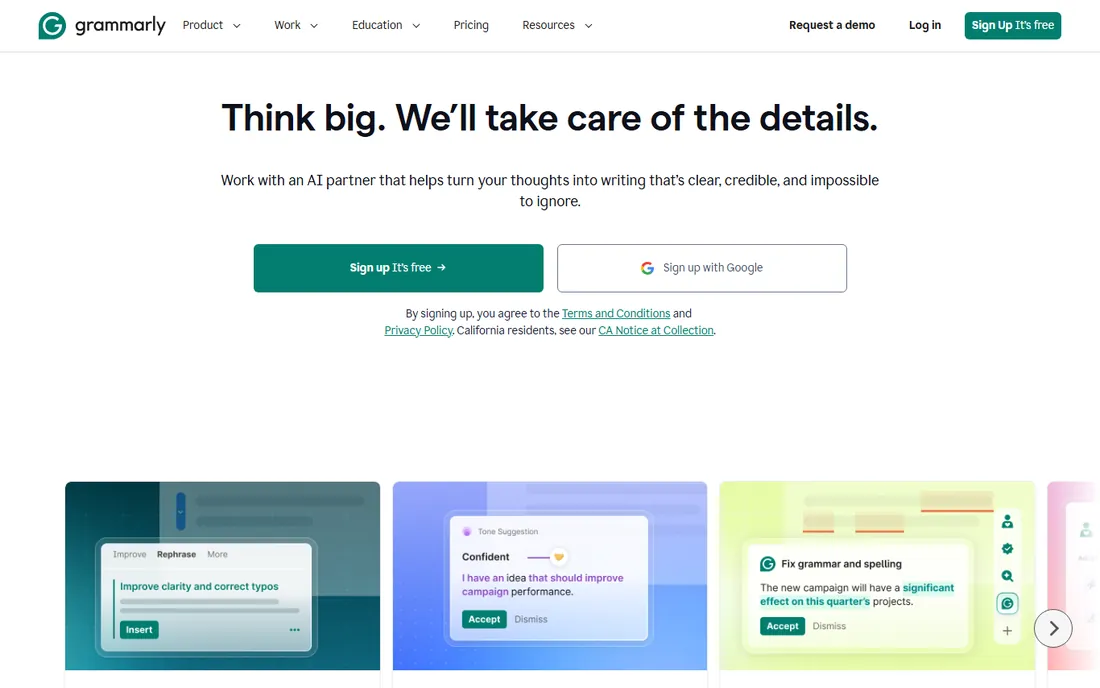
Grammarly is the default writing assistant for a simple reason: it lives wherever you type. The browser extension, desktop app and mobile keyboard mean the same checker follows you from Gmail to Google Docs to Slack. The free tier is genuinely useful, catching spelling, grammar and basic tone issues, and Pro at $12 per member per month billed annually ($30 billed monthly, per Grammarly's own homepage) adds clarity rewrites, engagement suggestions, plagiarism detection and team style guides.
The honest criticism is the voice problem. Follow every Grammarly suggestion and your writing gets correct, safe and slightly lifeless, which is fine for customer emails and risky for anything with personality. It is also priced per member, so a 10-person team pays $120 a month before any discount. For everyday professional writing, though, nothing else is this frictionless. Start with the free tier; upgrade when you start wanting the clarity and plagiarism features, not before.
What we like- Works everywhere through browser extension, desktop and mobile apps
- Free tier covers spelling, grammar and tone basics
- Pro adds clarity, engagement and plagiarism checks
- Published per-member pricing
Watch out for- Pro suggestions can push a bland corporate voice
- $12 per member per month adds up for teams
- The free tier's upsell nudges get annoying
Starting price$30/month; $120/year ($10/month); $399 lifetime (Premium)
Free planYes (limited free tier)
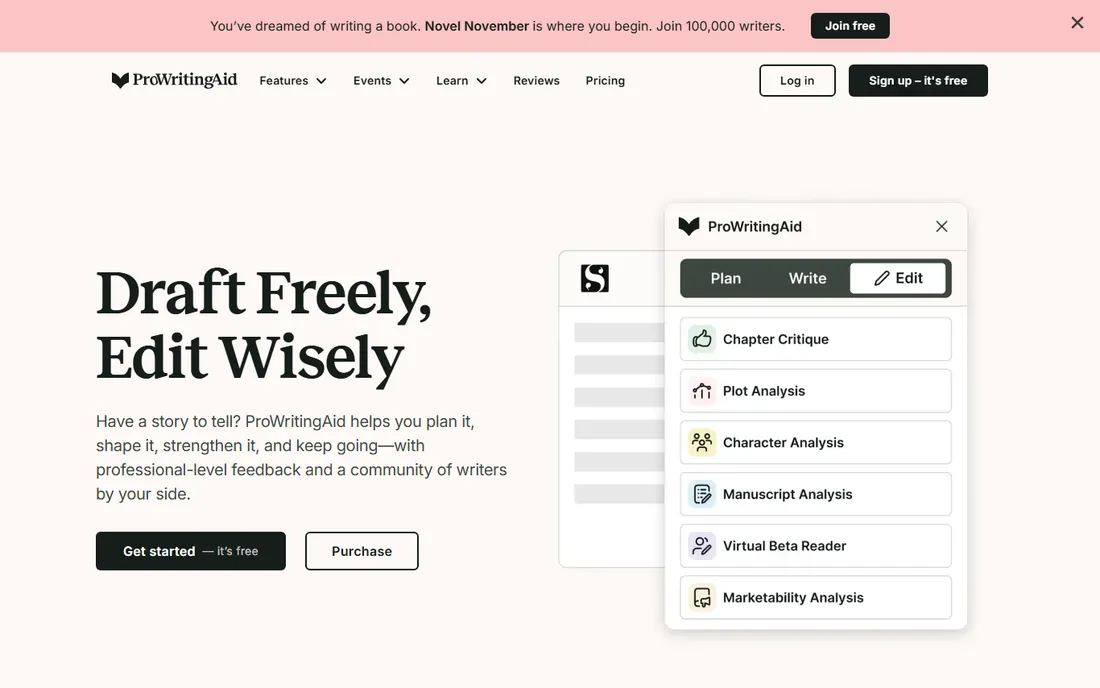
ProWritingAid is the editor's writing assistant, built for people finishing books rather than emails. Where Grammarly fixes sentences, ProWritingAid analyzes chapters: pacing, dialogue tags, repeated sentence starts, sticky sentences, overused words. The report suite runs 20 deep, which is either a treasure chest or a firehose depending on your temperament. Integrations cover Scrivener, Word, Google Docs and the browser.
The pricing story is the lifetime deal: $399 once for Premium (Premium Pro runs $144 per year or $699 lifetime), which undercuts every subscription here within two years. The monthly option at $30 is punishing by comparison, so this is a buy-annual-or-lifetime product. If you write long-form and want an editing partner that thinks about structure, not just commas, this is the pick. If you write emails, Grammarly is faster and simpler.
What we like- The $399 lifetime deal is the cheapest long-term price here
- 20+ in-depth reports (pacing, dialogue, sticky sentences)
- Integrates with Scrivener, Word and Google Docs
- Strong for fiction-specific issues
Watch out for- Monthly price ($30) is the highest per-month figure on this list
- The interface can overwhelm with report volume
- Slower than Grammarly on very long manuscripts
#3
Hemingway Editor
Best for: Writers who want shorter sentences and clearer prose, not grammar lessons
Visit hemingwayapp.com
Starting price$0 (web app); Classic desktop $19.99 one-time; Plus from $8.33/month billed annually
Free planYes (the full web app is free)
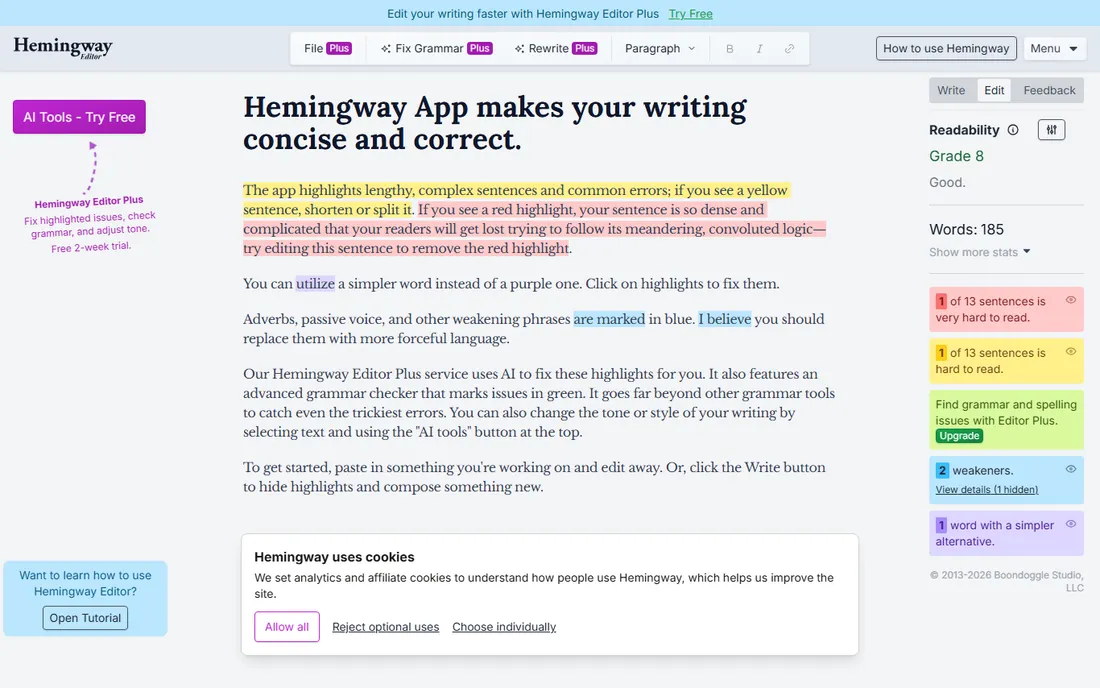
Hemingway does not care about your grammar. It cares that your sentences are too long, your voice is too passive and your adverbs are doing the work your verbs should do. Paste text into the free web app and it highlights problems in color: yellow for long sentences, red for very long ones, purple for simpler word choices. It is the fastest way to make a paragraph punchier, and the web version costs nothing with no account.
The Classic desktop app is a $19.99 one-time purchase for offline work, and the newer Plus subscription (from $8.33 per month billed annually, per the vendor's pages) adds AI rewriting. Most users need neither. The limitation is scope: Hemingway will happily approve a grammatically wrong sentence if it is short and active, so pair it with a real grammar checker. Use it as the second pass after Grammarly or LanguageTool, never as the only pass.
What we like- The free web app does the core job with no account
- Brutally effective at flagging dense, passive, adverb-heavy prose
- Classic desktop is a $19.99 one-time purchase
- No subscription required for the basics
Watch out for- Does not check grammar at all, only readability
- Following it blindly makes everything sound like Hemingway
- The Plus subscription adds AI features most users will not need
#4
Wordtune
Best for: Anyone who knows what they want to say but not how to say it well
Visit wordtune.com
Starting price$0 (Basic); Advanced $6.99/month billed annually ($13.99 monthly); Unlimited $9.99/month billed annually
Free planYes (Basic, with daily rewrite limits)

Wordtune answers a different question from the grammar checkers: not "is this correct" but "is there a better way to say this." Highlight a sentence and it offers rewrites in casual or formal tones, shorter or longer versions, and it is often right in a way that surprises first-time users. The browser extension brings it to Gmail, Docs and social apps.
Pricing runs from a free Basic tier with daily rewrite limits to Advanced at $6.99 per month billed annually ($13.99 month to month) and Unlimited at $9.99 per month billed annually. The free tier is enough to learn whether the rewriter fits your brain; heavy users hit the limits fast and should price the annual plans. It does not replace a grammar checker or a long-form editor. It is the tool for the sentence you have rewritten four times and still hate.
What we like- The rewriter is genuinely good at finding better phrasings
- Tone options (casual, formal) fit different audiences
- Browser extension works across web apps
- The free Basic tier lets you test the core feature
Watch out for- Rewrite limits on lower tiers frustrate heavy users
- It is a sentence tool, not a document editor
- $13.99 month-to-month billing is steep for what it does
#5
Jasper
Best for: Marketing teams that need first drafts of blogs, ads and emails fast
Visit jasper.ai
Starting price$59/month billed yearly ($69 billed monthly); Business custom
Free planNo (7-day free trial, per jasper.ai)

Jasper is not a checker at all. It is a generator: you give it a brief and it produces first drafts of blog posts, ad copy, emails and product descriptions, tuned with brand voice settings and marketing templates. For content teams publishing at volume, the pitch is throughput: drafts in minutes that a human then edits, rather than blank pages that a human fills.
The price reflects the positioning. Pro is $59 per month billed yearly or $69 billed monthly (from Jasper's own trial and pricing pages), with a custom-priced Business tier above it and a 7-day free trial instead of any free plan. That makes it the most expensive starting point on this list and the wrong tool for anyone whose problem is correctness. Buy Jasper when your bottleneck is producing drafts, not when your bottleneck is commas. Every output needs a human editor; the teams that forget that publish embarrassing copy.
What we like- Purpose-built for marketing copy with templates and brand voice controls
- Team collaboration and workflow features
- Generates long-form drafts quickly
- Business tier for larger organizations
Watch out for- No free tier, only a 7-day trial
- $59 per month is the priciest entry point here
- Output still needs human editing
- Overkill for individuals who just need grammar help
#6
Sudowrite
Best for: Fiction writers who want an AI brainstorming partner, not an editor
Visit sudowrite.com
Starting price$10/month after free trial; Hobby & Student $19/month ($10 annual); Professional $29/month ($22 annual); Max $59/month ($44 annual)
Free planFree trial (no credit card required, per the vendor's homepage)
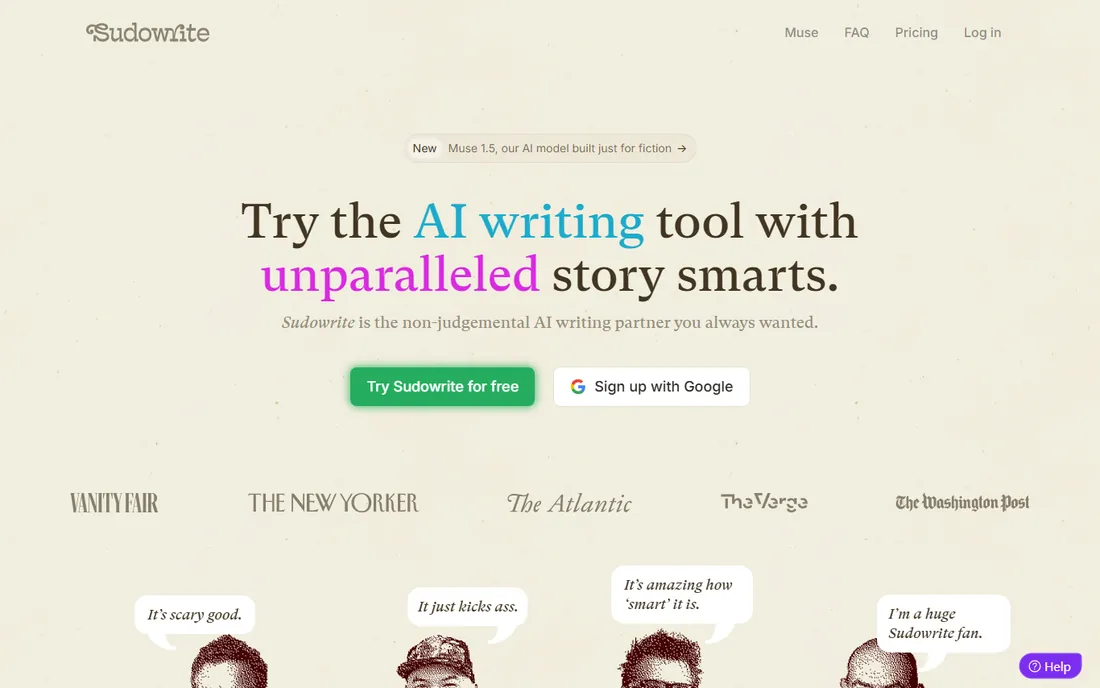
Sudowrite is Jasper's mirror image: where Jasper writes marketing copy, Sudowrite writes fiction. It helps novelists brainstorm plot twists, expand a thin scene into a vivid one, find a character's voice and push past writer's block. The homepage states the entry plainly: $10 per month after the free trial, no credit card required to start, with Hobby & Student at $19 monthly ($10 annual), Professional at $29 ($22 annual) and Max at $59 ($44 annual).
This is a specialist tool with a specialist audience. If you write novels, short stories or screenplays, nothing else on this list does what it does. If you write anything else, it does nothing for you: no grammar checking, no email help, no readability analysis. The credit system also means the sticker price is not the whole story for heavy users. Fiction writers should trial it on a stuck chapter; everyone else should keep scrolling.
What we like- Built specifically for fiction: story beats, character voices, descriptive passages
- No credit card required for the trial
- Annual billing roughly halves the monthly prices
- A genuine cure for blank-page paralysis
Watch out for- Useless outside creative writing
- Credit-based system means heavy users hit limits
- The prose it generates needs rewriting to sound like you
- No grammar checking to speak of
#7
LanguageTool
Best for: Multilingual writers and anyone who prefers open-source, privacy-friendly software
Visit languagetool.org
Starting price$0 (free); Premium €59.89/year (about €4.99/month), €19.90/month billed monthly
Free planYes (free tier with basic checks)
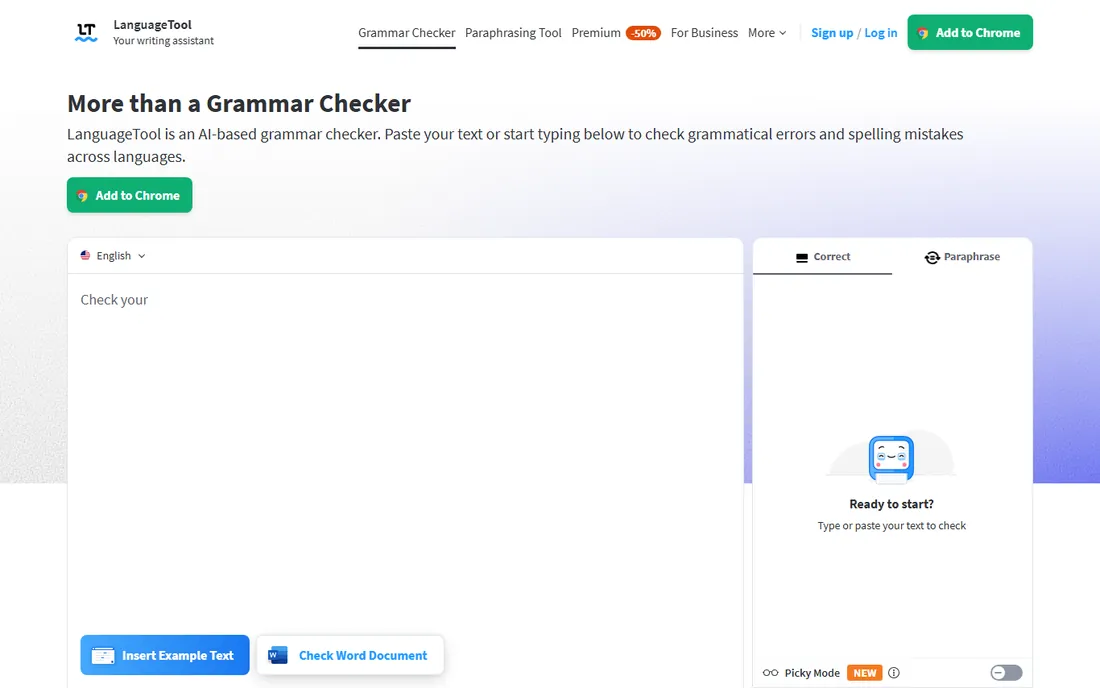
LanguageTool is the quiet alternative for everyone Grammarly does not serve: writers working in German, French, Spanish, Dutch, Portuguese or 25 other languages, and anyone who prefers open-source software with a privacy-first posture. The free tier handles spelling and basic grammar across 30+ languages, and Premium at €59.89 per year (about €4.99 per month) or €19.90 month to month adds longer texts, advanced checks, AI paraphrasing and a personal style guide.
The tradeoffs are real. Prices are listed in euros on the vendor's site, and the English-language suggestions are solid but less polished than Grammarly's. The free tier limits how much text you can check at once. But for multilingual teams, European companies with data-sovereignty concerns, and writers who like knowing the core is open source, LanguageTool is the principled pick at a price that undercuts nearly everything here. Students and educators get an additional discount.
What we like- Checks 30+ languages, far beyond the English-first tools
- Open-source core with a privacy-friendly stance
- Browser add-ons, desktop apps and office integrations
- Premium is cheap at under €5/month annual
Watch out for- Prices listed in euros, which complicates US budgeting
- English suggestions lag Grammarly's polish
- The free tier caps text length
- Smaller ecosystem of integrations
Grammar checkers vs AI writing generators: know which one you need
This is the decision the intro warned about, so let us make it concrete. Grammar checkers (Grammarly, ProWritingAid, LanguageTool, Hemingway) start with your words and improve them. They fix mistakes, tighten sentences and enforce consistency. You remain the author; the software is the editor. If your problem is "my writing has errors" or "my prose is flabby," you are in this camp, and a generator will not help you.
AI writing generators (Jasper, Sudowrite) start with a prompt and produce words you did not write. They solve the blank page: drafts, ideas, variations, brainstorming. You become the editor; the software is the author. If your problem is "I cannot produce enough content" or "I am stuck on this chapter," you are in this camp, and a checker will not help you. Wordtune sits between the two: it rewrites your sentences but does not invent content.
The expensive mistake is buying a generator for a checker problem. A marketing team paying $59 a month for Jasper when their real issue was typos in emails could have solved it with Grammarly Free. A novelist paying for ProWritingAid when their real issue is blank-page paralysis needs Sudowrite instead. Name your problem first, then match the camp, then compare prices inside it.
How we chose
We started with the searches buyers actually run: best writing assistant software, grammar checker software, AI writing assistant and best AI writing tools. For each candidate we opened the vendor's own site and pricing page, recorded the current plans and prices, and compared them against public reviews on G2 and Capterra and practitioner discussion on Reddit. Where a price could not be confirmed on the vendor's own page, we labeled it as reviewer-reported or wrote "See website" rather than stating a number as fact. Every website URL below was copied from the vendor's site after opening it.
What to check before paying for a writing assistant
First, exhaust the free tier. Grammarly Free, Hemingway's web app, LanguageTool's free checks and Wordtune Basic cover a surprising amount of real work, and many buyers discover the free tier was all they needed. Pay only for a specific feature you have already missed: plagiarism checks, unlimited rewrites, long-document reports.
Second, check where it works. A checker that only lives in its own web editor is useless if you write in Google Docs, Outlook and WordPress. Browser extensions and desktop apps (Grammarly, LanguageTool) beat walled gardens for everyday use. Third, mind the billing model: monthly prices here range from $6.99 to $69, annual billing cuts most of them nearly in half, and ProWritingAid's $399 lifetime option beats every subscription within two years. Finally, never trust an assistant with final judgment. Every tool on this list produces confident suggestions that are wrong for your context, your voice or your facts. The software drafts; you decide.
Frequently asked questions
What is the best writing assistant software overall?
For most people, Grammarly: it works everywhere you type, the free tier is genuinely useful, and Pro at $12/month billed annually adds the features professionals need. Long-form writers should consider ProWritingAid instead, and multilingual writers should look at LanguageTool.
Is there a completely free writing assistant?
Yes, several. Grammarly Free, Hemingway's web app and LanguageTool's free tier all cost $0 and cover spelling, grammar basics and readability. The paid tiers add advanced checks, longer documents, plagiarism detection and AI rewriting, but the free versions handle everyday writing well.
What is the difference between Grammarly and Jasper?
They solve different problems. Grammarly is a checker: it improves writing you already wrote. Jasper is a generator: it produces first drafts from a prompt for marketing teams. If your problem is mistakes, buy Grammarly. If your problem is producing content volume, buy Jasper. Many teams end up using both.
Is ProWritingAid better than Grammarly for books?
For fiction and long-form nonfiction, yes. ProWritingAid's 20+ reports analyze pacing, dialogue, repetition and structure across chapters, which Grammarly does not attempt. Grammarly is faster and simpler for short everyday writing. The $399 lifetime Premium deal also makes ProWritingAid cheaper long-term than Grammarly Pro.
Can writing assistants replace a human editor?
No. They catch errors and suggest improvements at speed no human can match, but they miss context, voice, factual accuracy and argument logic. Every tool on this list produces suggestions that are confidently wrong for specific situations. Use them as a first pass; a human still makes the final call.
Which writing assistant is best for non-native English speakers?
Grammarly and LanguageTool. Grammarly's explanations teach as they correct, and its free tier is generous. LanguageTool covers 30+ languages, so writers working across languages get checks in each one, and its privacy stance appeals to European users. Wordtune also helps non-native speakers by offering more natural phrasings.
Sources we checked (7)
- https://www.grammarly.com
- https://prowritingaid.com
- https://hemingwayapp.com/
- https://wordtune.com/
- https://jasper.ai/
- https://www.sudowrite.com
- https://languagetool.org
Is your product missing or out of date?
We review this list regularly. Vendors can request a listing, send updated pricing or ask about featured placement.

Shihab Mia · Founder, Rankite
Shihab has spent more than a decade helping SaaS and e-commerce brands grow through search. He writes Rankite's software buying guides from pricing pages, documentation and public user reviews. More about Shihab.