How we make this list: we compare pricing pages, product documentation and public user reviews. Rankite is independent; if a vendor ever pays for a featured spot, that listing is clearly labeled Partner.
Key takeaways
- WriterSolo gives you nearly the full WriterDuet Pro feature set for free, offline, with no script cap, which makes the paid tiers a hard sell for solo writers.
- Trelby and Story Architect are the two genuinely free, open source desktop options; Trelby is simpler, Story Architect handles the whole development process.
- Beat is the best free choice on a Mac, native, fast, and GPL-licensed, though Windows and Linux writers need to look elsewhere.
- WriterDuet, Celtx, and Arc Studio all offer real free tiers, but each caps scripts or projects to push you toward a subscription.
Quick comparison
| Tool | Best for | Starting price | Free plan |
|---|
 WriterSolo WriterSolo | solo writers who want pro features without a subscription | Free | Yes |
 Trelby Trelby | writers who want a tiny, fast, no-frills screenwriting app | Free | Yes |
 Story Architect Story Architect | writers who want research, outlining, and drafting in one free app | Free | Yes |
 Beat Beat | Mac writers who want a fast native free app | Free | Yes |
 WriterDuet WriterDuet | writers who need real-time collaboration | See website | Yes (free tier) |
 Celtx Celtx | productions that need script plus scheduling and planning | See website | Yes (free tier) |
 Arc Studio Arc Studio | writers who want a modern, clean writing environment | See website | Yes (free tier) |
Is your product missing or out of date?
We review this list regularly. Vendors can request a listing, send updated pricing or ask about featured placement.
The best free screenplay software
#1
WriterSolo
Best for: solo writers who want pro features without a subscription
Visit writersolo.com
Starting priceFree
Free planYes
Nobody reading your script cares what software formatted it, and WriterSolo takes that truth to its logical end. It is the free, offline sibling of WriterDuet, built by the same team, with professional formatting, revision tracking, outlining, and production reports included. Your files live on your machine or your own cloud storage, nothing phones home, and there is no script cap. The pay-what-you-want model starts at zero, so free genuinely means free.
The trade is collaboration. Real-time co-writing is the one major feature reserved for WriterDuet's paid cloud plans, so writing teams need to look elsewhere. Solo writers lose nothing. If your workflow is you, a laptop, and a deadline, WriterSolo removes every excuse that involves money.
What we like- Nearly the full WriterDuet Pro feature set at no cost
- Works fully offline with files under your control
- Opens and saves Final Draft, Fountain, and PDF
Watch out for- No real-time collaboration
- The interface carries some WriterDuet-era clutter
#2
Trelby
Best for: writers who want a tiny, fast, no-frills screenwriting app
Visit trelby.org
Starting priceFree
Free planYes
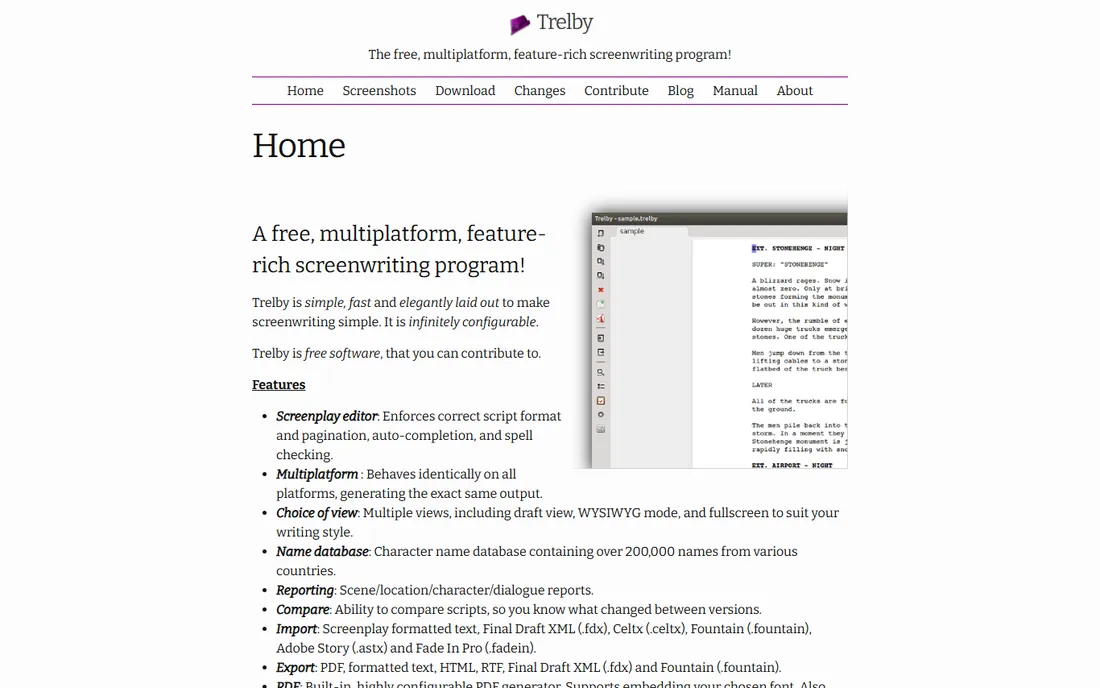
Trelby is the anti-bloat choice. It opens in a blink, enforces correct screenplay pagination as you type, and offers draft view, WYSIWYG view, and fullscreen writing with auto-complete and spell check. Reports for scenes, characters, dialogue, and locations cover the basics of a rewrite, and a 200,000-name character database helps when every protagonist is currently named Jack. It runs on Windows and Linux and asks for nothing.
The honest catch is momentum. Trelby works as well today as it did years ago, but active development has slowed, there is no macOS build, and collaboration features do not exist. For a Windows or Linux writer who wants a dependable local tool and nothing else, that stability is a feature. For anyone needing cloud sync or a writing partner, pick WriterSolo or WriterDuet instead.
What we like- Completely free and open source under the GPL
- Starts instantly and stays out of the way
- Solid import and export including Final Draft XML
Watch out for- No Mac version and no collaboration
- Development has been quiet for years
#3
Story Architect
Best for: writers who want research, outlining, and drafting in one free app
Visit starc.app
Starting priceFree
Free planYes
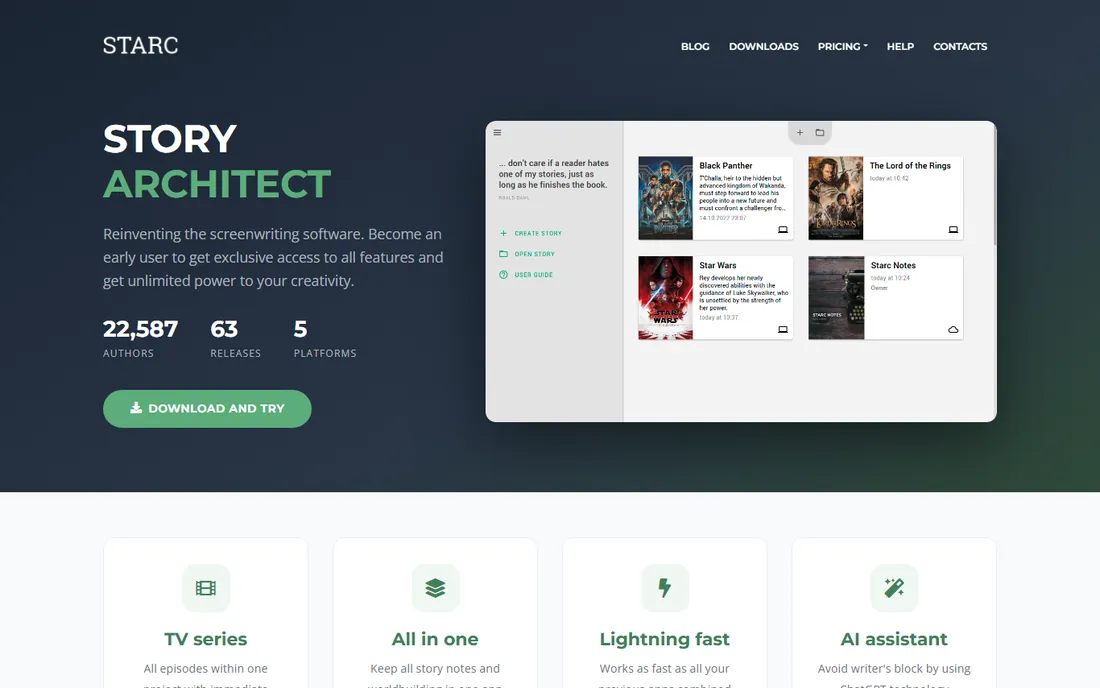
Story Architect, known as STARC, is the successor to KIT Scenarist, built by the same team after KIT development ended. It aims higher than a script editor: one project holds your screenplay, series bible, character profiles with relationship maps, location notes, research documents, mind maps, and statistics, all feeding the same draft. The free version places no limit on project count, which the developers state plainly on their site. It runs on Windows, Mac, and Linux and writes in any language.
Because it is still evolving toward version 1.0, expect the occasional rough edge and a UI that shows its many features at once. Writers who plan extensively will find the depth worth the learning curve; writers who just want to type dialogue may prefer Trelby or Beat. For world-builders and series writers, nothing else free covers this much ground.
What we like- Free and open source with no project cap
- Combines script editor with character, location, and research tools
- Imports KIT Scenarist projects
Watch out for- Still in active development with rough edges
- The feature-dense interface can overwhelm first-time users
Starting priceFree
Free planYes
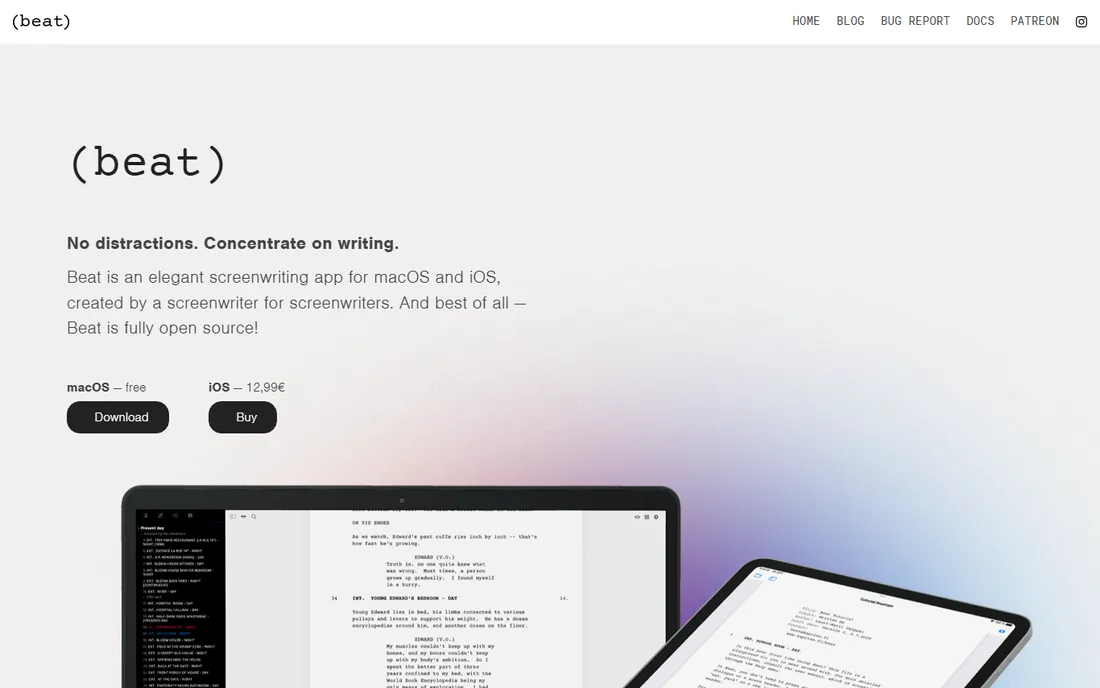
Beat feels like it was designed by someone annoyed with slow software. It is a native Mac application, so it launches instantly and never stutters, and the writing view is clean enough to disappear. Underneath sit serious tools: beat sheets, color-coded outline cards, real-time screenplay analytics covering scene length and dialogue distribution, and full revision tracking with locked scene numbers for production drafts. It imports and exports Final Draft files without mangling them.
The limitation is platform, not capability. There is no Windows or Linux version, and the iOS app costs a few dollars as a one-time purchase. Mac writers get the best free screenwriting app on this list with no qualification. Everyone else should keep scrolling.
What we like- Free and open source under GPLv3 for macOS
- Genuinely fast with a distraction-free editor
- Outline view, index cards, analytics, and revision tracking included
Watch out for- MacOS only on desktop, with a paid iOS companion
- Smaller community means fewer tutorials
Starting priceSee website
Free planYes (free tier)
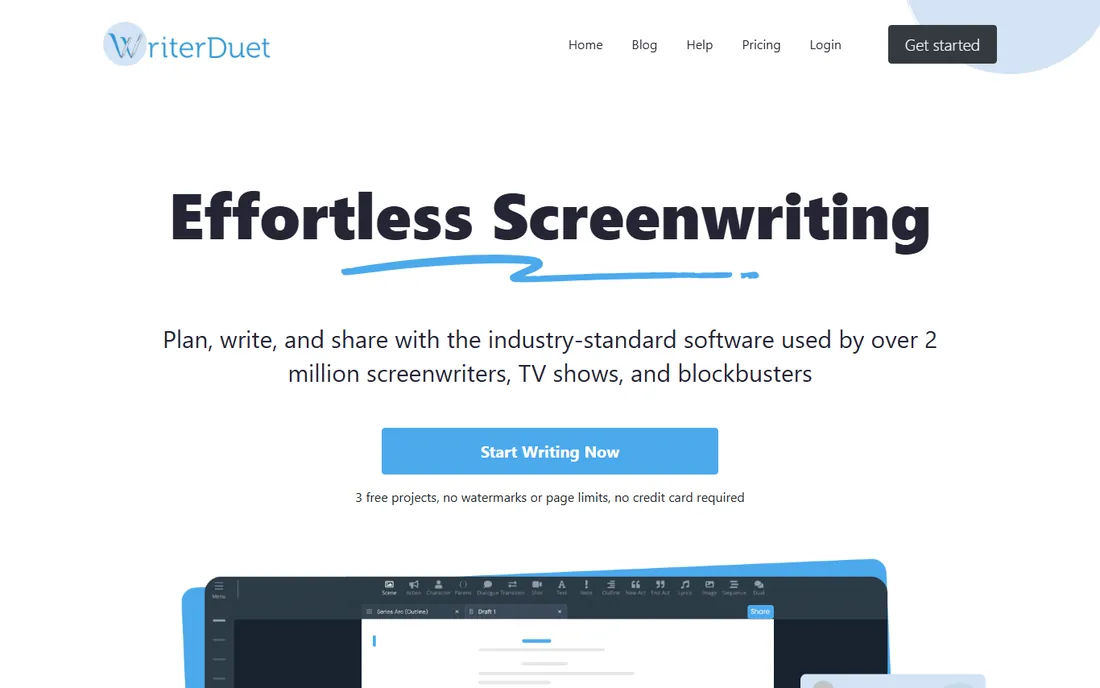
WriterDuet earned its reputation on collaboration: two writers editing the same script simultaneously, with chat, tracked changes, and no merge conflicts. The free tier lets you write your first scripts at no cost with the same professional formatting as the paid plans, which is enough to finish a feature or a pilot before spending anything. Outlining, beat boards, and production features round out a genuinely professional package.
The free tier is a trial in spirit, capped at a small number of scripts. Writers who finish work regularly will outgrow it and face the subscription. If collaboration is the reason you are here, the paid plan is worth budgeting. If you write alone, WriterSolo gives you the same engine without the cap or the cost.
What we like- The best real-time co-writing in the business
- Generous free tier for getting started
- Strong outlining and revision tools
Watch out for- The free tier caps the number of scripts
- Full features require a paid plan
#6
Celtx
Best for: productions that need script plus scheduling and planning
Visit celtx.com
Starting priceSee website
Free planYes (free tier)

Celtx is the only tool here that thinks past the script. The same project that holds your screenplay can hold your shot list, shooting schedule, and call sheets, which is why small productions and film schools keep returning to it. The script editor formats to industry standard automatically, and collaboration features let a team comment and revise together. Seven million registered users is a real number with real history behind it.
The free tier covers one project, which suits a student short or a single spec script. Anything beyond that, or any serious production planning, needs a paid plan starting in the mid-teens per month. Come to Celtx when the shoot matters as much as the script; come to the others when only the writing does.
What we like- Scriptwriting connected to storyboards, shot lists, and scheduling
- Long track record with productions of all sizes
- Cloud-based with team features
Watch out for- The free tier is limited to a single project
- The interface pushes hard toward paid production plans
Starting priceSee website
Free planYes (free tier)
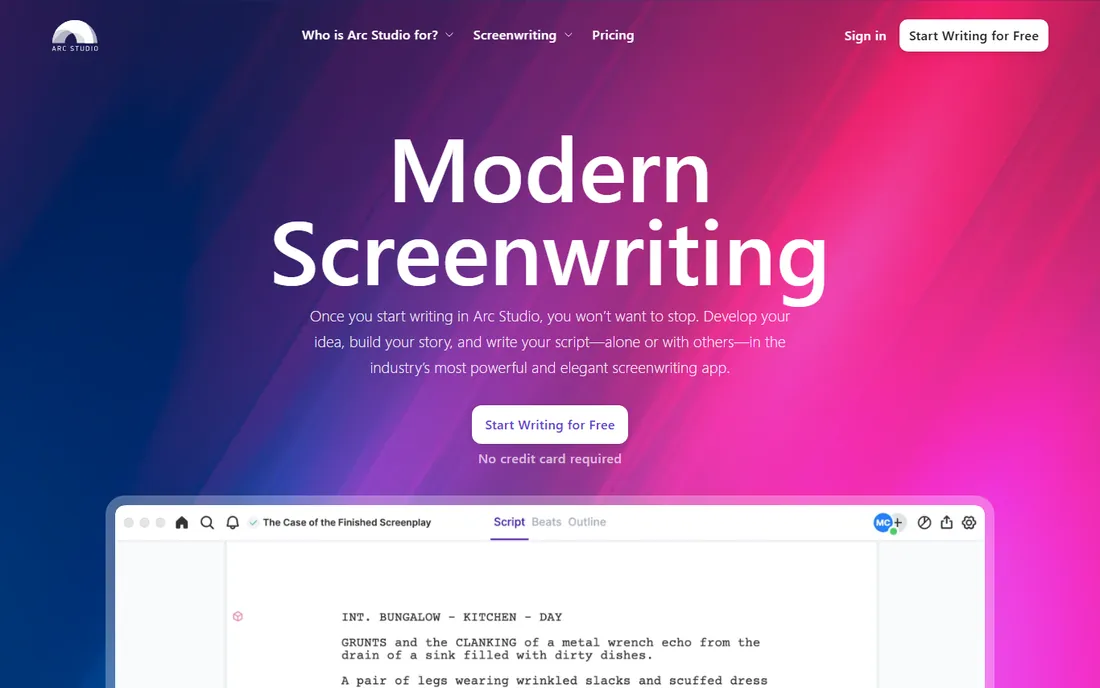
Arc Studio looks like software designed this decade, which counts for more than it should when you stare at it for six hours a day. The free tier lets you write two complete scripts with proper industry formatting, drag-and-drop beat cards, and cloud backup. The outlining tools sit beside the draft rather than in a separate mode, which keeps structure visible while you write.
Two scripts is enough to learn the tool and finish a project, not enough for a working writer's year. Paid plans start at $69 per year for Essentials, billed annually with no monthly option, and remove the watermark and the cap. Try the free tier for your next script; if the interface clicks, the annual price is modest by industry standards.
What we like- Polished, contemporary interface
- Beat boards and outlining beside the script
- Real-time collaboration on paid plans
Watch out for- The free tier covers only two scripts with a watermark
- Paid plans are annual only
How we chose
We evaluated each tool's currently available free offering, not its marketing page promises: what you can actually write, export, and keep without paying. We checked vendor sites and documentation for free-tier limits, confirmed each product ships and is maintained in 2026, and cross-checked usability against reviews on G2, Capterra, and working-writer discussions. We claim no hands-on testing. The emphasis is on honest limits: every free tier here rations something, and the write-ups say what.
What actually matters in a free screenwriting app
Formatting correctness is table stakes; every tool here produces a properly paginated industry-standard script. The differences that matter are elsewhere. First, export: confirm the app writes clean PDF and Final Draft (.fdx) files, because readers, contests, and producers expect those formats. Trelby, WriterSolo, Beat, and Story Architect all clear this bar. Second, ownership: desktop apps like Trelby, WriterSolo, Beat, and Story Architect keep your files on your machine, while cloud tools hold them on someone else's server under their terms.
Third, the cap. Free tiers limit scripts (WriterDuet, Arc Studio), projects (Celtx), or nothing at all (WriterSolo, Trelby, Beat, Story Architect). Count how many scripts you realistically finish per year before choosing. A writer producing one feature a year may never leave Arc Studio's free tier; a television writer breaking stories monthly will hit every cap here and should budget for a paid plan from the start.
When the free tier runs out
Free tiers end in predictable ways, so plan for yours. WriterDuet's script cap arrives exactly when you are most productive, which is the point. Celtx's single project limit bites the moment you start a second script. Arc Studio's two-script allowance with watermark covers learning, not a career. When you hit the wall, the paid options cluster between roughly $70 per year (Arc Studio Essentials) and $15 per month (Celtx), with WriterDuet in between.
Before paying, ask whether a fully free tool already covers the need. WriterSolo matches WriterDuet's solo feature set with no cap. Story Architect covers development work Celtx charges for. Beat matches paid Mac apps for pure writing. The paid tiers earn their money through collaboration, cloud production tools, and support, not through better formatting. Pay for the workflow, not the file format.
Frequently asked questions
Will producers accept a script written in free software?
Yes. Readers see the PDF, not the application. Every tool here exports industry-standard formatting with correct pagination, which is all that matters. Final Draft remains common in writers' rooms for its collaboration features, but no serious reader rejects a well-formatted PDF because of the software that made it.
What is the Fountain format, and should I care?
Fountain is a plain-text markup format for screenplays that many apps can open, including WriterSolo, Trelby, Beat, and Story Architect. It matters because plain text never becomes unreadable: even if an app disappears, your script survives. Keep a Fountain copy of every important draft as insurance.
Can I collaborate for free with a writing partner?
Real-time collaboration is the feature most free tiers withhold. WriterDuet's paid plans and Celtx's team features cover it; among free options, WriterSolo lacks real-time co-writing. Partners on a budget can trade Fountain or .fdx files back and forth, which works fine with clear version discipline.
Is KIT Scenarist still available?
KIT Scenarist is discontinued. Its developers ended updates and direct users to Story Architect (STARC), its open source successor, which imports KIT projects. If you have old KIT files, install Story Architect and import them rather than hunting for the retired app.
Do free screenwriting apps work on phones and tablets?
Partially. WriterSolo and WriterDuet run in browsers, so tablets work. Story Architect has mobile builds in progress with desktop as the focus. Beat offers a paid iOS app alongside the free Mac version. For serious drafting, a laptop remains the practical choice regardless of app.
Sources we checked (10)
- https://writersolo.com/
- https://www.trelby.org/
- https://starc.app/
- https://beat-app.fi/
- https://www.writerduet.com/
- https://www.celtx.com/
- https://www.arcstudiopro.com/
- https://kitscenarist.ru/en/index.html
- https://nofilmschool.com/free-screenwriting-software
- https://nofilmschool.com/beat-screenwriting-software
Is your product missing or out of date?
We review this list regularly. Vendors can request a listing, send updated pricing or ask about featured placement.

Shihab Mia · Founder, Rankite
Shihab has spent more than a decade helping SaaS and e-commerce brands grow through search. He writes Rankite's software buying guides from pricing pages, documentation and public user reviews. More about Shihab.