How we make this list: we compare pricing pages, product documentation and public user reviews. Rankite is independent; if a vendor ever pays for a featured spot, that listing is clearly labeled Partner.
Key takeaways
- Long-form writers should start with Scrivener ($59.99 one-time) or Ulysses ($5.99/month): both are built for managing books, not just typing pages.
- Distraction-free drafting is cheapest with iA Writer ($49.99 Mac, $29.99 Windows, one-time) or free with Manuskript and Google Docs.
- Reedsy Studio is free and handles the full book workflow from draft to formatted export, which makes it the best no-cost starting point for authors.
- If you collaborate with editors or co-authors, Microsoft Word and Google Docs win on compatibility; the specialist writing apps win on everything else.
Quick comparison
| Tool | Best for | Starting price | Free plan |
|---|
 Scrivener Scrivener | Novelists and long-form writers managing complex projects | $59.99 (one-time, standard license) | Free trial (30 days of actual use) |
 Ulysses Ulysses | Writers in the Apple ecosystem who want a calm, powerful writing space | $5.99/month (or $39.99/year) | Free trial available |
 Microsoft Word Microsoft Word | Writers who need their manuscript to open correctly everywhere | From $9.99/month (Microsoft 365 Personal) | No (web version free with a Microsoft account) |
 Google Docs Google Docs | Writers who collaborate or want capable writing for free | Free | Yes |
 iA Writer iA Writer | Writers who want pure distraction-free drafting | $49.99 (Mac, one-time) / $29.99 (Windows, one-time) | Free trial (7 days, no credit card required) |
 Reedsy Studio Reedsy Studio | Authors who want a free path from first draft to formatted book | Free | Yes |
 LivingWriter LivingWriter | Writers who want cloud-based outlining with their drafting | See website (pricing not published on the pricing page crawl) | Free trial available |
 Manuskript Manuskript | Writers who want open-source novel software for free | Free | Yes (open source) |
Is your product missing or out of date?
We review this list regularly. Vendors can request a listing, send updated pricing or ask about featured placement.
The best word processing software for writers
Word processors and writing apps are different tools. A word processor formats documents; a writing app manages the messy middle of a long project: research, outlines, drafts, revisions and exports. Writers who draft novels, nonfiction books or screenplays in a plain word processor end up with a folder of versioned files and regret. These eight cover both, matched to how writers actually work.
Starting price$59.99 (one-time, standard license)
Free planFree trial (30 days of actual use)

Scrivener is the long-form standard for a reason. The binder holds every scene, chapter, research note and character sketch in one project; the corkboard lets you rearrange scenes like index cards; and the compile feature turns the whole thing into a formatted manuscript, ebook or PDF. It is the closest software gets to thinking the way a novelist thinks.
The trial is generous: 30 days of actual use, not 30 calendar days. The $59.99 one-time price means no subscription treadmill. The honest cost is learning time: Scrivener's depth takes a weekend to absorb, and the interface will not impress anyone. Writers who push through that weekend rarely go back to drafting books in Word.
What we like- The corkboard, outliner and binder system is unmatched for structuring long manuscripts
- Compile feature exports to manuscript, ebook and print formats
- One-time price with no subscription
Watch out for- Learning curve is real for the full feature set
- Interface looks dated
- No native cloud collaboration for co-writing
#2
Ulysses
Best for: Writers in the Apple ecosystem who want a calm, powerful writing space
Visit ulysses.app
Starting price$5.99/month (or $39.99/year)
Free planFree trial available
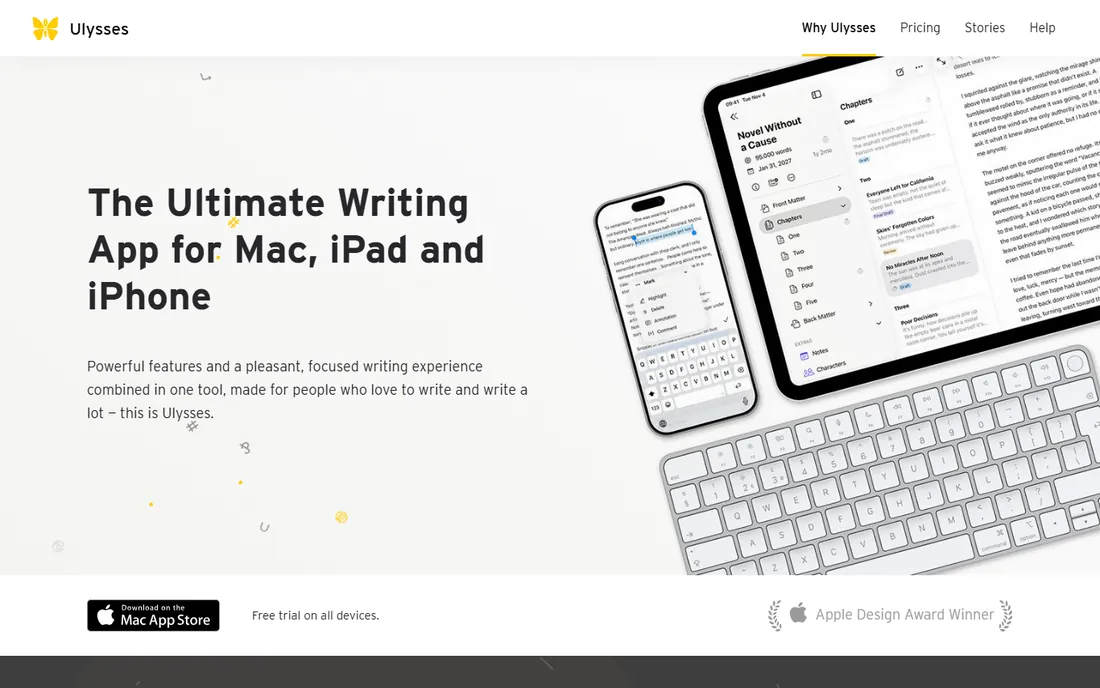
Ulysses is the writer's app for people who live on Mac, iPad and iPhone. Writing happens in clean Markdown with inline rendering, organized in a library of sheets and groups with smart filters. Publishing goals, revision modes and style-checked export (PDF, DOCX, ePub, HTML, even direct blog publishing) cover the path from draft to finished piece. Sync across Apple devices works quietly in the background.
The subscription is the debate: $5.99 per month or $39.99 per year, with no purchase option. Apple-only is the other limit. For articles, essays, blog posts and shorter books on Apple hardware, the writing experience is the best here. For hundred-thousand-word novels with complex structure, Scrivener's project tools go deeper.
What we like- Beautiful distraction-free writing environment with Markdown
- Library organizes sheets, groups and filters elegantly
- Excellent export to PDF, DOCX, ePub and HTML
Watch out for- Apple platforms only, which excludes Windows and Android writers
- Subscription-only with no one-time purchase
- Weaker long-form project tools than Scrivener
#3
Microsoft Word
Best for: Writers who need their manuscript to open correctly everywhere
Visit microsoft.com
Starting priceFrom $9.99/month (Microsoft 365 Personal)
Free planNo (web version free with a Microsoft account)
Word is not a writing app; it is the document standard, and that is its strength. When an agent asks for a manuscript, a publisher sends a contract markup, or an editor returns track changes, the file is a .docx. Word's reviewing tools are what the publishing industry runs on, and no writing app replaces them at the submission stage.
As a drafting environment it is mediocre: one long scrolling document, no scene management, no research binder. Most serious writers draft in Scrivener or Ulysses and export to Word for submission and editing. Buy Microsoft 365 for compatibility and the editing workflow, not for the joy of writing.
What we like- Universal compatibility: agents, editors and publishers all accept Word files
- Track changes remains the industry standard for editorial markup
- Deep formatting for complex documents
Watch out for- Subscription pricing for the full desktop app
- No project management for long manuscripts
- The feature sprawl distracts from drafting
Starting priceFree
Free planYes
Google Docs wins on collaboration and price. Multiple people can edit and comment in real time, version history recovers any earlier draft, and it costs nothing. For co-written articles, beta reader feedback and editor rounds, the suggesting mode and comments are genuinely better than Word's.
For solo long-form writing it is the wrong tool. Big manuscripts get sluggish, organization across chapters is manual, and there are no project tools. Use Docs for what it is: the free, collaborative drafting surface. Novelists should pair it with a real writing app or accept the friction.
What we like- Free with generous cloud storage
- Real-time collaboration and commenting are best in class
- Version history saves every change automatically
Watch out for- Weak for long manuscripts: large documents slow down
- Offline work needs setup
- Formatting control is thinner than Word
#5
iA Writer
Best for: Writers who want pure distraction-free drafting
Visit ia.net
Starting price$49.99 (Mac, one-time) / $29.99 (Windows, one-time)
Free planFree trial (7 days, no credit card required)
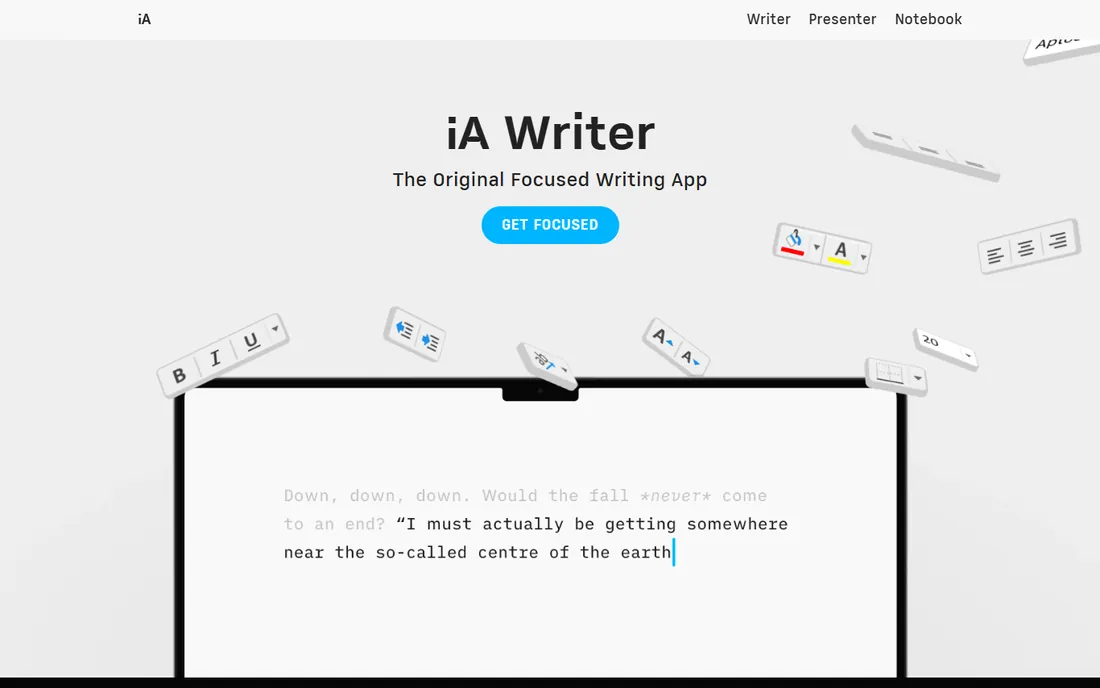
iA Writer is a philosophy in software form: you, your words, nothing else. The focus mode fades everything but the current sentence, the typography is considered, and there are no subscriptions, no accounts required and no compatibility traps. Pricing is published plainly on ia.net: 7-day free trial, then $49.99 for Mac or $29.99 for Windows as one-time purchases, with education discounts available.
The minimalism is the limit. There is no corkboard, no research binder, no collaboration. It is a drafting instrument, not a project manager. Writers who draft in iA Writer typically organize elsewhere or keep projects small. For the pure act of getting words down without interface noise, nothing here is calmer.
What we like- The cleanest focus mode in the category, highlighting one sentence at a time
- No subscriptions or lock-in: you own the app
- Syntax highlighting and content blocks aid structured writing
Watch out for- Deliberately minimal, so long-form project management is absent
- Per-platform pricing adds up across Mac, Windows and mobile
- No collaboration features
#6
Reedsy Studio
Best for: Authors who want a free path from first draft to formatted book
Visit reedsy.com
Starting priceFree
Free planYes

Reedsy Studio is the free book-writing platform from the Reedsy marketplace. It handles the whole author workflow: drafting with chapter management, collaboration with co-authors or editors, and professional typesetting export to EPUB and print-ready PDF. For an author who wants to go from blank page to a formatted book without paying for software, it is the most complete free option.
The constraints are the platform's. It lives in the browser under a Reedsy account, the structure assumes books, and general document work belongs elsewhere. But the price is zero and the export quality is genuinely professional. New authors should start here before spending money on Scrivener.
What we like- Free end-to-end workflow: write, format and export print-ready and ebook files
- Book-specific tools like chapter management and typesetting
- Connects to Reedsy's marketplace of editors and designers
Watch out for- Requires a Reedsy account and works in the browser
- Less flexible than Scrivener for unconventional structures
- Export options serve book publishing, not general documents
Starting priceSee website (pricing not published on the pricing page crawl)
Free planFree trial available
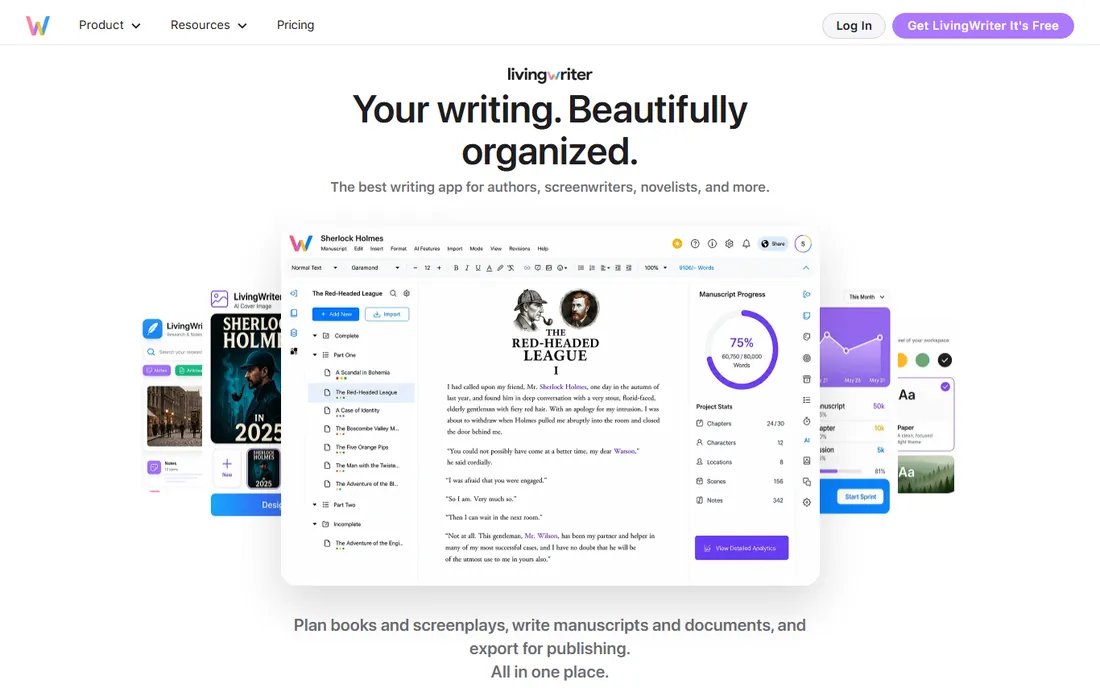
LivingWriter is the cloud-native fiction tool: outlining boards, story templates, character and world-building notes wrapped around the manuscript draft. Because it runs in the browser, it works on any device without installs or sync setup, which suits writers who move between computers.
The caution is commercial: we could not verify published pricing on the vendor's site, so confirm the plan cost in the free trial before committing your manuscript to it. The ecosystem is also smaller than Scrivener's, with fewer export paths and community resources. For a fiction writer who wants outlining and drafting in one cloud app, it is worth the trial.
What we like- Story outlining boards, templates and character tools built around the draft
- Cloud-based so it works on any device
- Aimed squarely at fiction writers
Watch out for- No published price found on the vendor's site
- Smaller ecosystem than Scrivener with fewer export options
- Subscription model for a niche tool
#8
Manuskript
Best for: Writers who want open-source novel software for free
Visit theologeek.ch
Starting priceFree
Free planYes (open source)
Manuskript is the open-source answer to Scrivener. It offers the novelist's toolkit, outliner, corkboard-style cards, character sheets, plot tracking and a distraction-free writing mode, for free, on Windows and Linux. There is no account, no subscription and no upsell.
Expect open-source tradeoffs: the interface is functional rather than polished, development moves at community pace, and export options are narrower than Scrivener's compile. For a Linux writer or anyone who wants capable novel software at zero cost, it is the honest pick.
What we like- Free and open source with no account or subscription
- Corkboard-style outliner, character and plot management for novels
- Runs on Windows and Linux
Watch out for- Interface is utilitarian and development is community-paced
- Fewer export and formatting options than commercial tools
- Documentation is thinner
Drafting apps vs. word processors: use both
The working pattern of most professional writers is two tools. Draft in the writing app that fits your brain: Scrivener for structured long-form, Ulysses for Apple-based writing, iA Writer for pure focus, Reedsy Studio for free book workflow. Then export to Word or Google Docs for the parts of publishing that demand standard documents: submissions, track-changes editing and collaboration.
Trying to do everything in one app is where writers get frustrated. Word is a poor drafting environment and Scrivener is a poor collaboration tool. The writers who are happiest picked the drafting app for the writing and the word processor for the business of writing, and stopped expecting one tool to do both jobs.
How we chose
We started with the categories buyers search: word processing software for writers, best writing apps and novel writing software. For each candidate we opened the vendor's own pricing page, verified the published prices, and weighted the features writers use: project organization, distraction-free drafting, export quality and collaboration. Where a price could not be verified on the vendor's page we wrote "See website" rather than guessing.
Frequently asked questions
What is the best writing software for authors?
Scrivener ($59.99 one-time) for structured long-form work, Ulysses ($5.99/month) for Apple-ecosystem writers, or Reedsy Studio (free) for a no-cost draft-to-publish path. Most professional authors draft in a writing app and export to Word for submissions and editing.
Is Scrivener worth it in 2026?
For novelists and nonfiction authors managing complex manuscripts, yes. The $59.99 one-time price covers the binder, corkboard and compile system that no word processor matches, and the 30-day trial is measured in days of actual use. Short-form writers will not use enough of it to justify the learning curve.
Can I write a book in Google Docs?
You can, and many do, but it fights you past a certain length: large documents slow down, chapter organization is manual and there are no project tools. It is excellent for collaboration and beta reader feedback. Most authors draft long books in Scrivener, Ulysses or Reedsy Studio and use Docs for feedback rounds.
What is the difference between Ulysses and iA Writer?
Ulysses ($5.99/month) is a full writing environment with a library, organization tools and rich export, Apple-only. iA Writer ($49.99 Mac / $29.99 Windows, one-time) is a pure drafting instrument with the best focus mode in the category and almost no organization features. Ulysses manages the project; iA Writer disappears so you can write.
Is there a free alternative to Scrivener?
Yes: Manuskript is free and open source with an outliner, corkboard cards and novel-planning tools, and Reedsy Studio is free with a full draft-to-formatted-book workflow. Both cover the core novel-writing job without the $59.99 price or the learning curve.
Sources we checked (9)
- https://www.literatureandlatte.com/
- https://ulysses.app/
- https://www.microsoft.com/
- https://docs.google.com/
- https://ia.net/
- https://ia.net/writer/pricing
- https://reedsy.com/
- https://livingwriter.com/
- https://www.theologeek.ch/manuskript/
Is your product missing or out of date?
We review this list regularly. Vendors can request a listing, send updated pricing or ask about featured placement.

Shihab Mia · Founder, Rankite
Shihab has spent more than a decade helping SaaS and e-commerce brands grow through search. He writes Rankite's software buying guides from pricing pages, documentation and public user reviews. More about Shihab.