How we make this list: we compare pricing pages, product documentation and public user reviews. Rankite is independent; if a vendor ever pays for a featured spot, that listing is clearly labeled Partner.
Key takeaways
- Adobe InDesign remains the print-industry standard at $22.99 per month, but you no longer need it to make a professional magazine.
- Affinity by Canva is now completely free and handles layout, photo editing and vector design in one app, making it the strongest no-budget pick for real layout work.
- For teams creating issues together, Marq and Canva beat desktop apps on collaboration, while QuarkXPress and VivaDesigner suit shops that want to own their software outright.
- Watch out for hidden limits: free plans often export only at screen quality, and Mac-only tools shut out mixed-OS teams.
Quick comparison
| Tool | Best for | Starting price | Free plan |
|---|
 Adobe InDesign Adobe InDesign | professional print and digital publishing teams | $22.99 per user/month (billed annually) | 7-day free trial |
 Affinity by Canva Affinity by Canva | designers who want pro layout tools for free | Free | Yes |
 QuarkXPress QuarkXPress | print shops that prefer a yearly license over monthly rent | $314 per year (prepaid annual subscription) | Free trial |
 Marq Marq | distributed teams producing branded publications | $10 per user/month (billed annually) | Yes |
 Canva Canva | non-designers who need a good-looking issue fast | $144 per year (Pro, one person) | Yes |
 Scribus Scribus | zero-budget publishing on any operating system | Free | Yes |
 VivaDesigner VivaDesigner | mixed-OS teams and Microsoft Publisher refugees | See website (commercial editions); Free Edition is free | Yes |
 Swift Publisher Swift Publisher | Mac users who want cheap, capable page layout | $19.99 one-time | Free trial |
 iStudio Publisher iStudio Publisher | Mac beginners who want the simplest possible layout app | See website (sold through the Mac App Store) | Free trial |
 Designrr Designrr | turning blogs, videos and podcasts into ebooks and digital magazines | $29 per month (Standard) | 7-day free trial |
Is your product missing or out of date?
We review this list regularly. Vendors can request a listing, send updated pricing or ask about featured placement.
The best software for magazine design
#1
Adobe InDesign
Best for: professional print and digital publishing teams
Visit adobe.com
Starting price$22.99 per user/month (billed annually)
Free plan7-day free trial
Printers, agencies and publishers still speak InDesign. When your issue leaves the building for a commercial printer, an InDesign file with proper preflight, paragraph styles and PDF/X export is the safest package you can hand over. Master pages, data merge and the book panel were built for exactly this: multi-page publications where headlines, running heads and page numbers must stay consistent across dozens of pages.
The tradeoff is the rent. At $22.99 a month on the annual plan, InDesign costs about $276 a year per seat, and the moment you stop paying you lose access. For a solo publisher who lays out four issues a year, that is a lot of money for software that sits idle most months. Shortcuts, styles and baseline grids reward study, but the first few issues will be slow if you are new.
What we like- Industry-standard typography and long-document tools
- Tight integration with Photoshop and Illustrator
- Huge printer and agency compatibility
Watch out for- Subscription only, costs never stop
- Steep learning curve for beginners
- Overkill for simple newsletters
Starting priceFree
Free planYes
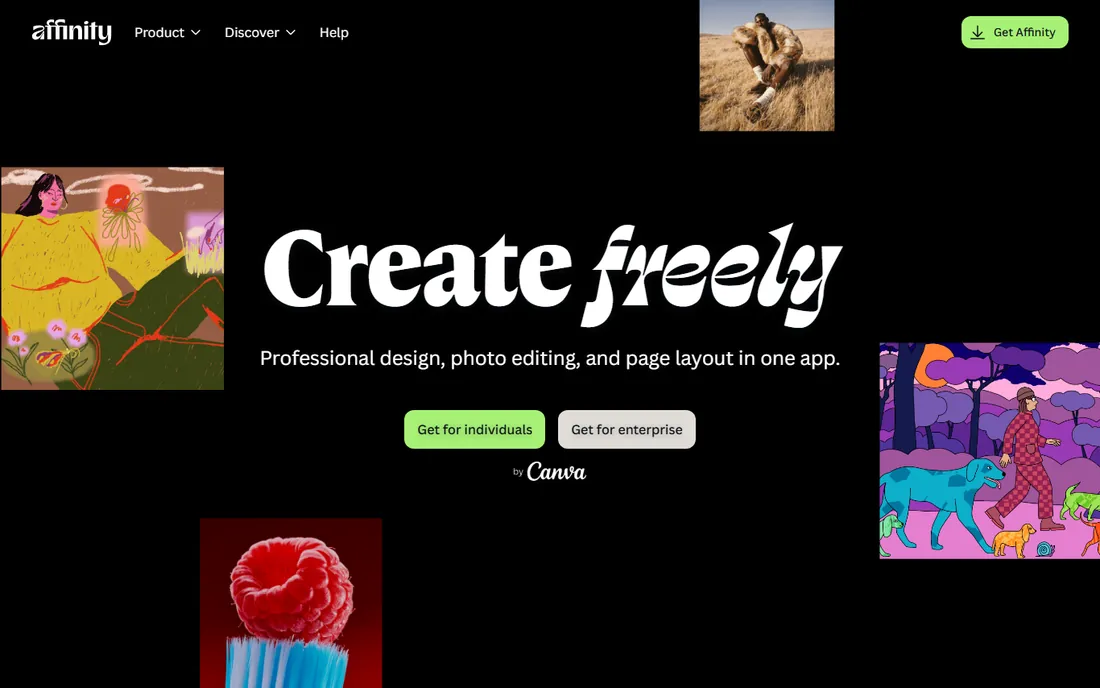
The biggest news in design software this year is that Affinity went free. After Canva bought Serif, the three separate Affinity apps were rebuilt into one free program covering page layout, photo editing and vector design. For magazine work, the layout side is what matters: long documents, typographic control, CMYK output for print and data merge all made the jump.
Because it opens IDML files, you can pick up work that started in InDesign without starting over, which removes the biggest fear of switching. The catch is momentum: Affinity's tutorial library and plugin ecosystem are a fraction of Adobe's, and fewer printers know the app. Still, for a small publisher or a school paper, free versus $276 a year per seat is hard to argue with.
What we like- Completely free with no subscription
- One app covers layout, photo and vector work
- Opens PSD, AI and IDML files
Watch out for- Newer unified app still maturing
- AI features need a paid Canva plan
- Smaller tutorial library than Adobe
#3
QuarkXPress
Best for: print shops that prefer a yearly license over monthly rent
Visit quark.com
Starting price$314 per year (prepaid annual subscription)
Free planFree trial
QuarkXPress was the layout standard before InDesign took the crown, and it has quietly become the refuge for people who hate subscriptions. You can pay $314 a year for the prepaid subscription, or buy a perpetual license outright for $637 and keep the version you paid for forever. Over five years, the perpetual license costs less than half of an InDesign subscription.
The app itself is a genuine all-rounder: page layout, vector illustration and photo editing live in one window, so small shops can skip separate image editors for basic work. Multi-page magazines, interactive digital editions and print output are all handled natively. What you give up is the network effect. Fewer freelancers know Quark, fewer templates circulate, and if your printer's preflight staff lives in Adobe, expect extra back-and-forth.
What we like- Choice of subscription or perpetual license
- Strong typography and long-document tools
- Built-in photo editing and illustration
Watch out for- Smaller ecosystem than InDesign
- Support gets mixed reviews
- Fewer third-party plugins
#4
Marq
Best for: distributed teams producing branded publications
Visit marq.com
Starting price$10 per user/month (billed annually)
Free planYes
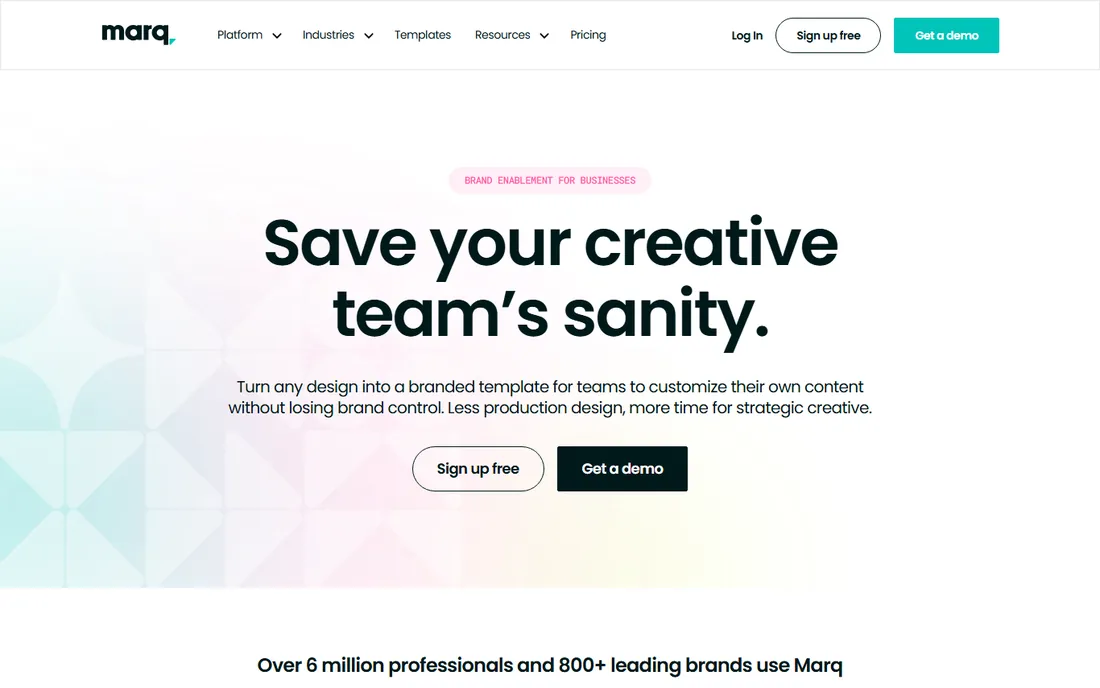
Marq, formerly Lucidpress, takes the opposite approach to InDesign: instead of one designer building pages, it lets a whole team build on-brand documents from locked templates. A marketing manager can drop new copy and photos into a magazine template while the design team keeps logos, fonts and colors untouchable. For organizations that publish recurring issues with rotating contributors, that workflow saves more time than any typography feature.
Pricing starts at $10 per user per month billed annually for Pro, with a useful free plan for occasional projects. Free exports are screen quality at 72 dpi, which rules out print, and InDesign import plus print-quality 300 dpi export need a paid plan. Marq is a brand-templating platform first and a layout tool second, so complex grids and custom typography belong in a desktop app.
What we like- Lockable templates keep every issue on brand
- Real-time collaboration in the browser
- InDesign import on paid plans
Watch out for- Free plan limited to 3 projects and screen-quality export
- Print-quality export requires a paid plan
- Less precise than desktop DTP for complex layouts
#5
Canva
Best for: non-designers who need a good-looking issue fast
Visit canva.com
Starting price$144 per year (Pro, one person)
Free planYes
Canva will not replace InDesign for a 64-page feature magazine, and it does not try to. Where it wins is speed: a small business owner can take a magazine template, swap in their photos and copy, and have a presentable issue in an afternoon with no training. The template library runs into the millions, and the free plan covers most of what a simple publication needs.
The honest limits show up in production. Canva's text handling is fine for headlines and short articles but crude for long-form typography: no real paragraph styles, limited hyphenation control, basic CMYK handling. If you send a Canva PDF to a commercial printer, check their specs first and expect a proofing round. For digital-first publications, internal magazines and simple print pieces ordered through Canva Print, those limits rarely bite.
What we like- Enormous template library and drag-and-drop editor
- Free plan is generous
- Built-in print ordering
Watch out for- Weak long-document and typography controls
- Print color management is basic
- Premium assets can inflate real cost
Starting priceFree
Free planYes
Scribus is the only tool here that does professional desktop publishing for literally nothing. It handles CMYK color, spot colors, ICC profiles and PDF/X-3 output, which covers what most commercial printers require. It even runs on Linux, where none of the commercial layout apps go. Schools, nonprofits and tiny publishers have produced real magazines with it for years.
The price is paid in patience instead of money. The interface looks and feels a decade behind, the learning curve is steep for newcomers, and it cannot open or save native InDesign or QuarkXPress files, which complicates working with outside designers or printers. If your budget is zero and you are willing to learn, Scribus is remarkable. If you bill your time, a paid tool usually pays for itself in saved hours.
What we like- Free and open source forever
- Real CMYK, spot colors and PDF/X output
- Runs on Windows, Mac and Linux
Watch out for- Dated interface with a steep learning curve
- Cannot open native InDesign or Quark files
- Small community and few tutorials
#7
VivaDesigner
Best for: mixed-OS teams and Microsoft Publisher refugees
Visit viva.systems
Starting priceSee website (commercial editions); Free Edition is free
Free planYes
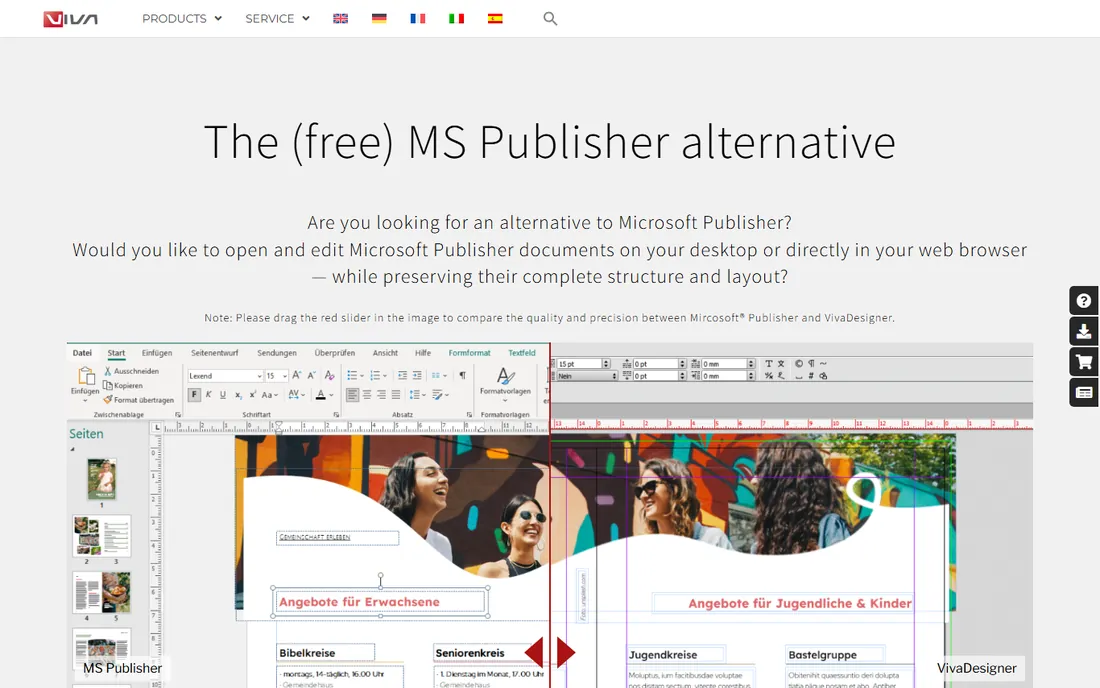
VivaDesigner comes from a German publishing software company and takes an unusual angle: it opens native Microsoft Publisher files with layout fidelity, which matters if your organization has years of Publisher documents and no good way to move them forward. It also runs everywhere, including directly in a web browser, so a team split across Windows, Mac and Linux can share the same files.
The Free Edition is permanently free for private and commercial use, though with limited features; a 30-day full-feature trial lets you test everything before deciding. Commercial pricing is not published plainly on the site, so budget planning takes a sales conversation. The software is capable, but the English documentation can feel rough and the community is small compared to Adobe or Affinity circles.
What we like- Free edition usable for commercial work
- Runs on Windows, Mac, Linux and in a browser
- Opens native Microsoft Publisher files
Watch out for- Commercial pricing is quote-based and opaque
- Interface and docs feel translated
- Smaller community than mainstream rivals
Starting price$19.99 one-time
Free planFree trial
Swift Publisher is the quiet bargain of Mac desktop publishing. For a $19.99 one-time purchase, you get master pages, two-page spreads, flowing text boxes, mail merge and export to print-ready PDF with CMYK and bleed controls. It handles the mechanics of a small magazine, newsletter or brochure without drama.
It is Mac-only, so mixed-OS teams need not apply, and its typography tools are simpler than InDesign's or Quark's. But for a Mac-based small business producing its own publications, the math is compelling: one payment of twenty dollars against hundreds per year for the big names. A free trial is available, and the 30-day money-back guarantee makes it a low-risk experiment.
What we like- Very cheap one-time price
- 500+ templates and master pages
- Two-page spreads and booklet printing
Watch out for- Mac only
- Not in the same league as InDesign for complex typography
- Small user community
Starting priceSee website (sold through the Mac App Store)
Free planFree trial
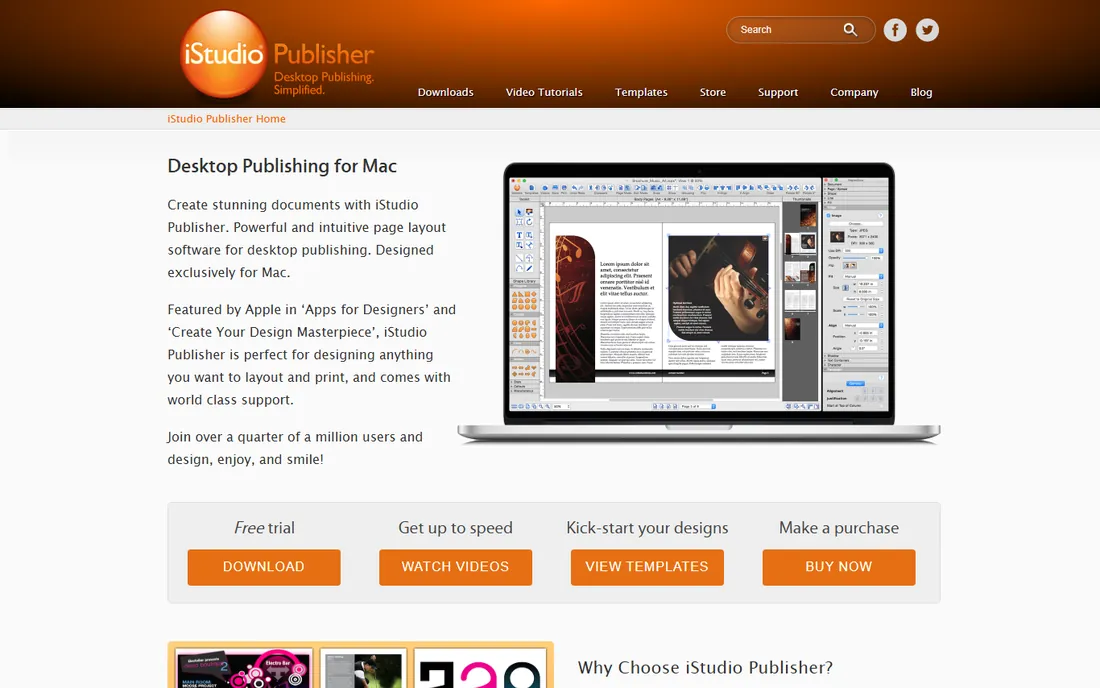
iStudio Publisher aims at people who find InDesign intimidating and Canva too limiting. It covers the fundamentals well: shapes-based layout, text flow across pages, master pages, true spread editing and PDF export set up for commercial printers with CMYK and embedded fonts. The built-in video tutorials and rapid-start guide get a beginner producing pages quickly.
Since August 2024 it sells exclusively through the Mac App Store on subscription plans, which the developer says keeps prices low and flexible. That is convenient for Mac users but means no Windows version exists and pricing lives inside Apple's store rather than on the vendor's site. For a simple club magazine or parish newsletter on a Mac, it is one of the gentlest on-ramps available.
What we like- Very easy to learn with video tutorials
- True spread editing and master pages
- XML-based files and commercial print PDF export
Watch out for- Mac only
- Sold only via the Mac App Store since 2024
- Feature set is basic next to pro tools
#10
Designrr
Best for: turning blogs, videos and podcasts into ebooks and digital magazines
Visit designrr.io
Starting price$29 per month (Standard)
Free plan7-day free trial
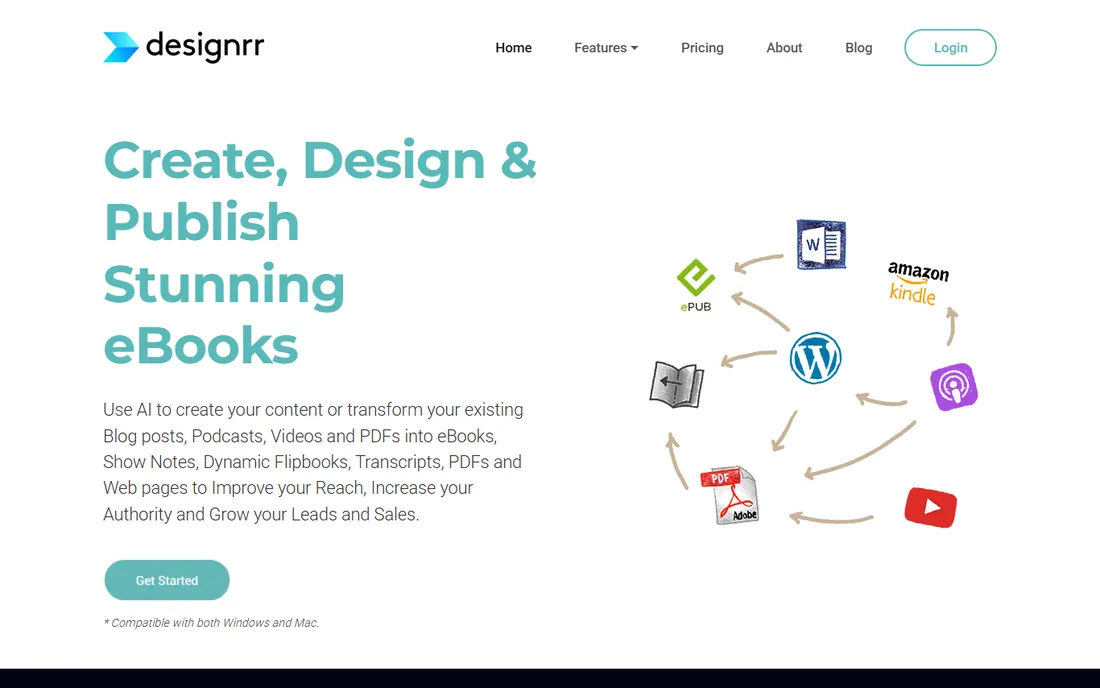
Designrr is not a layout program in the InDesign sense. It is a repurposing machine: feed it a blog post URL, a YouTube video or a podcast episode and it transcribes, drafts and formats the result into an ebook, lead magnet or flipbook-style digital publication. For content marketers who publish a digital magazine compiled from existing content, that automation is the whole point.
Plans start at $29 a month for Standard, rising to $39 for Pro with Kindle and ePub export, and a $27 lifetime deal on Standard has been offered. Every plan includes a 7-day trial and a 30-day money-back guarantee. Do not buy it for a print magazine: you work inside templates, typographic control is shallow, and prepress features are absent. Buy it to turn content you already made into something that looks like a publication in minutes.
What we like- Converts blog posts, videos and audio into designed ebooks automatically
- WordGenie AI drafts content
- Exports PDF, Kindle, ePub and flipbooks
Watch out for- Monthly plans add up fast
- Design control is template-bound
- Not a real layout tool for print magazines
How we chose
We compared tools that real buyers use for magazine production in 2026, from professional DTP suites to browser-based templating platforms. For each product we opened the vendor's own website and pricing page, read the feature documentation and checked public reviews on G2, Capterra, SourceForge and Reddit for recurring complaints. We favored tools with clear current pricing, an active 2026 release, and a genuine fit for multi-page publication work rather than single-image graphic design. We did not test the software hands-on; findings reflect vendor-published information and reviewer consensus.
What to check before you buy
Print or digital first?
This one decision eliminates half the list. If your magazine goes to a commercial printer, you need CMYK color, bleed, spot colors and PDF/X export, which points to InDesign, QuarkXPress, Affinity, Scribus or VivaDesigner. If it lives as a PDF download or flipbook, Canva, Marq and Designrr are faster and cheaper. Ask your printer for their file specs before you commit to anything.
Who will actually build the pages?
A professional designer wants InDesign, Affinity or QuarkXPress. A rotating cast of marketers and volunteers wants locked templates in Marq or Canva. Mismatching the tool to the team is the most common expensive mistake: buying InDesign for people who will open it twice a year, or asking a designer to build a 60-page issue in Canva.
Count the seats, not just the price
A $19.99 one-time app for one Mac user beats a $22.99 monthly subscription for a solo publisher, but the math flips for a team of five. Add up the real annual cost per seat, check whether the free plan's export quality meets your needs, and confirm the license covers commercial work. Several free editions here restrict features or export resolution.
Can you leave?
Check file export before you need it. Tools that export PDF, IDML or EPUB let you migrate later; tools with proprietary formats lock your archive in. Affinity's IDML import and VivaDesigner's Publisher import exist precisely because switching layout tools mid-publication is painful.
Mistakes that cost magazine publishers money
The classic error is paying for months you do not use. A quarterly magazine needs layout software about twelve weeks a year, but an annual InDesign subscription charges for fifty-two. A perpetual license or one-time purchase often costs less over three years in that pattern.
The second error is ignoring free tier limits until deadline week. Marq's free plan exports at screen quality only, which a printer will reject. Canva's free plan lacks CMYK export. Test your full production path, from layout to printer-ready PDF, during the trial, not after you commit to an issue date.
The third is buying for the cover instead of the workflow. A beautiful template library means little if your team cannot update text without breaking the layout. For recurring publications, template locking, styles and master pages save more money than any single feature.
Frequently asked questions
What is the cheapest good software for magazine design?
Affinity by Canva is free and genuinely capable, with layout, photo and vector tools in one app. If you need a desktop app with commercial print features and zero budget, Scribus is free and open source. For Mac users willing to spend a little, Swift Publisher costs $19.99 once.
Can I design a magazine in Canva?
Yes, for simple digital or short print publications. Canva's templates and drag-and-drop editor make fast work of straightforward layouts. For long issues with complex typography or strict printer requirements, a dedicated layout tool like InDesign, Affinity or QuarkXPress gives you the control Canva lacks.
Is Affinity really free now?
Yes. After Canva acquired Serif, the Affinity suite was rebuilt as a single free app covering photo editing, vector design and page layout for Windows and Mac. Some AI features require a paid Canva plan, but the core design tools cost nothing.
Do I need InDesign to work with a commercial printer?
Not strictly, but it is the safest choice. Most printers accept print-ready PDFs from any tool, and Affinity, QuarkXPress, Scribus and VivaDesigner all export PDF/X files. InDesign's advantage is familiarity: preflight staff know it, which shortens proofing rounds.
What is the best magazine software for a team?
Marq is built for teams, with lockable templates, roles and approval workflows starting at $10 per user per month. Canva works well for small teams that prioritize speed. For design-led teams, InDesign with Creative Cloud Libraries keeps assets shared and consistent.
Sources we checked (13)
- https://www.adobe.com/products/indesign.html
- https://justcreative.com/adobe-creative-cloud-photoshop-illustrator-cost/
- https://www.quark.com/shop
- https://www.affinity.studio/
- https://www.marq.com/pages/pricing/
- https://www.canva.com/pricing/
- https://www.scribus.net
- https://viva.systems/
- https://viva.systems/designer/prices-and-editions/
- https://www.swiftpublisher.com
- https://www.istudiopublisher.com/store/
- https://designrr.io/designrr-vs-canva/
- https://learn.designrr.io/en/articles/2510724-transaction-and-billing
Is your product missing or out of date?
We review this list regularly. Vendors can request a listing, send updated pricing or ask about featured placement.

Shihab Mia · Founder, Rankite
Shihab has spent more than a decade helping SaaS and e-commerce brands grow through search. He writes Rankite's software buying guides from pricing pages, documentation and public user reviews. More about Shihab.