How we make this list: we compare pricing pages, product documentation and public user reviews. Ratings come from G2, Capterra or Trustpilot, with the date we checked them.
Direct answer
Start with Proofpoint if you need inline and API protection for Microsoft 365 or Google Workspace. Pick Microsoft Defender for Office 365 if your estate is already Microsoft 365 and you want native controls. Choose FortiMail if you need gateway, cloud, virtual, or appliance deployment choices.
Key takeaways
- Microsoft 365 teams should compare Defender Plan 1 and Plan 2 before they add a separate gateway.
- Enterprises that need inline and API coverage should review Proofpoint, because it states 3 deployment paths: inline, API, and Microsoft 365.
- Hybrid estates should check FortiMail, because it lists 4 models: appliance, virtual, cloud hosted, and cloud SaaS.
- Lean IT teams should review Ironscales, because its pricing page states deployment with 0 MX changes and no gateway.
- Microsoft 365 buyers who want backup with email security should check Hornetsecurity 365 Total Protection and its 4 plan flavors.
Quick comparison
Is your product missing or out of date?
We review this list regularly. Vendors can request a listing, send updated pricing or ask about featured placement.
The best secure email gateway software
Secure email gateway software inspects mail before delivery, but modern buyers also compare API tools that work inside Microsoft 365 or Google Workspace. A gateway can enforce policy before mail reaches the inbox. An API tool can see internal mail, remove delivered threats, and deploy without MX changes. The right choice depends on mail flow, outbound controls, data residency, investigation needs, and whether your team runs a security operations center. We ranked these tools by vendor deployment facts, platform fit, outbound controls, and trial clarity from vendor pages checked on 2026-11-28. Enterprise pricing is quote based on the pages we opened, so every entry says See website.

#1
Proofpoint Core Email Protection
Best for: Inline and API enterprise coverage
Visit proofpoint.com
Starting priceSee website
Free planNone found on vendor page

Proofpoint Core Email Protection fits enterprises that want one vendor across gateway and API based email security. The vendor page states that it blocks advanced email threats, including phishing, business email compromise, and ransomware. It lists behavioral threat analysis, continuous protection before, during, and after delivery, unified investigation, Microsoft 365 integration, domain fraud protection, and outbound protection. It also explains the deployment choice clearly: a secure email gateway inspects messages inline, while API based security connects to cloud email and can remediate after delivery without MX changes. The proof of concept should include shared mailboxes, executives, and automated system mail.
The catch is evaluation scope. A buyer must decide whether it needs inline policy enforcement, API based mailbox visibility, or both. Public pricing was not shown on the product page we opened. Pick Proofpoint if your security team needs enterprise investigation and coverage across inbound, internal, outbound, and supplier threats. Look elsewhere if you need a public per user price or a simple self serve trial.
What we like- Vendor page states inline, API, and Microsoft 365 deployment coverage
- Behavioral AI is listed for BEC and account compromise
- Outbound protection is listed
Watch out for- Public price was not shown on the product page
- Buyers must separate gateway needs from API needs during evaluation

#2
Mimecast Advanced Email Security
Best for: Gateway led enterprise email security
Visit mimecast.com
Starting priceSee website
Free planNone found on vendor page
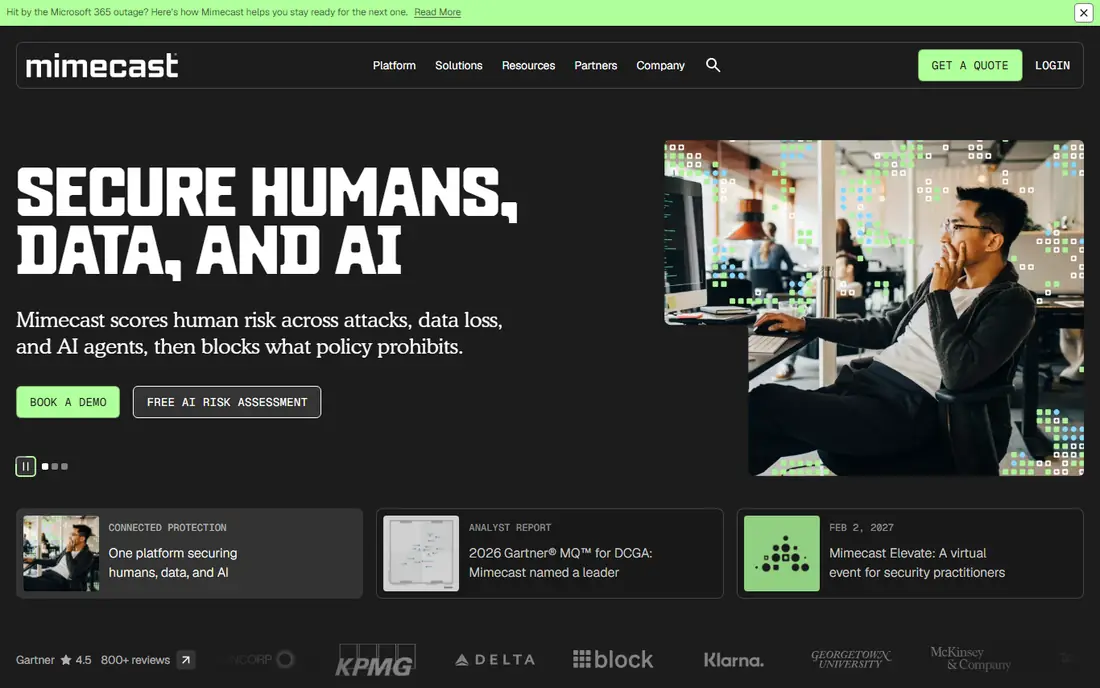
Mimecast Advanced Email Security fits organizations that want a gateway led email security vendor with enterprise plan structure. The official product page loads under Advanced Email Security. Mimecast plan material states that new email security plans focus on business email compromise and advanced phishing attacks. It also states that products and services already purchased remain online, uninterrupted, and unchanged. For an enterprise with an existing Mimecast estate, that continuity matters during renewal and migration planning. The proof of concept should include shared mailboxes, executives, and automated system mail. Record the result.
The catch is commercial clarity. Mimecast states that new customers must purchase the new email security plans from August 15, 2025, and that migration can add cost in some cases. Public pricing was not shown in the pages we opened. Pick Mimecast if gateway led protection and enterprise account management fit your model. Look elsewhere if procurement needs public pricing or if your team wants API deployment with no mail flow change.
What we like- Official product page loads for Advanced Email Security
- New plans focus on BEC and advanced phishing
- Existing products remain online during plan change
Watch out for- Public price was not shown
- Plan migration can add cost for some customers

#3
Microsoft Defender for Office 365
Best for: Native Microsoft 365 protection
Visit microsoft.com
Starting priceSee website
Free planFree trial offered, limits not stated on vendor page
Microsoft Defender for Office 365 fits organizations that already run Microsoft 365 and want email security inside the same control plane. Microsoft states that Defender helps stop phishing, business email compromise, and malware before they reach users. Plan 1 covers prevention and detection across email, Teams, SharePoint, and OneDrive, with real time protection for malicious links and QR codes and protection against zero day malware in attachments. Plan 2 adds threat hunting, automated investigation and response, attack simulation training, campaign tracking, and cross domain XDR. The proof of concept should include shared mailboxes, executives, and automated system mail.
The catch is platform scope. Defender is strongest when the estate is Microsoft 365. It is not the natural answer for a Google Workspace estate or a mixed gateway design. Price numerals were not shown in the opened product text. Pick Defender if Microsoft 365 is the center of your mail and collaboration estate. Look elsewhere if you need one gateway across several mail platforms.
What we like- Plan 1 covers prevention and detection
- Plan 2 adds hunting, XDR, and attack simulation
- Protection covers Teams, SharePoint, and OneDrive
Watch out for- Fit is Microsoft 365 centered
- Price numerals were not shown in the opened product text
Starting priceSee website
Free planNone found on vendor page
Barracuda Email Protection fits lean teams that need automation across detection, remediation, archiving, and recovery. The vendor page states that Barracuda connects to Microsoft 365 or Google Workspace with no MX changes and can be operational in minutes. It lists automated clawback across mailboxes, one click remediation across thousands of mailboxes or tenants, protection before, at, and after delivery, phishing simulations, tamper proof archiving, and backup with point in time restore. That scope helps a small IT team that cannot manually clean every mailbox after an incident. The proof of concept should include shared mailboxes, executives, and automated system mail.
The catch is scope and price clarity. Barracuda presents a wider platform across identity, data, application, and network security. A buyer that only needs a gateway may pay for more than it uses. Public pricing was not shown. Pick Barracuda if automation and recovery matter as much as filtering. Look elsewhere if you need a narrow gateway with public per user pricing.
What we like- Vendor page states no MX changes for Microsoft 365 or Google Workspace
- Automated clawback is listed
- Archiving and backup are listed
Watch out for- Public price was not shown
- Broader platform scope can exceed a gateway only need
Starting priceSee website
Free planNone found on vendor page
Fortinet FortiMail fits organizations with hybrid mail flow or a need for appliance and virtual deployment. The vendor page lists FortiMail hardware appliances, virtual appliances, FortiMail Cloud Hosted, and FortiMail Cloud SaaS. It states protection against phishing, business email compromise, impersonation, account takeover, and AI enhanced threats. Use cases include inbound protection, outbound inspection, data loss prevention, cloud native email security with clawback, managed service provider multi tenancy, and Security Fabric integration with FortiSandbox, FortiSIEM, and FortiSOAR. The proof of concept should include shared mailboxes, executives, and automated system mail.
The catch is operating model. Appliance and virtual choices can fit data residency and hybrid needs, but they add patching, sizing, and lifecycle work. Public pricing was not shown. Pick FortiMail if deployment choice is the deciding factor. Look elsewhere if your team wants only API deployment in Microsoft 365 or Google Workspace with no gateway estate to run. Confirm that point during the trial.
What we like- Appliance, virtual, cloud hosted, and cloud SaaS models are listed
- Outbound protection and DLP are listed
- Security Fabric integration is listed
Watch out for- Public price was not shown
- Appliance and virtual models add lifecycle work
Starting priceSee website
Free planNone found on vendor page
Sophos Email fits organizations that already manage security through Sophos Central. The vendor page describes a cloud based email gateway delivered through Sophos Central. It states protection against malicious email threats and lists phishing simulations and security awareness training. The product link text names Sophos Email for Microsoft 365, Gmail, and other SaaS email services where an organization manages the domain. For a Sophos estate, one console can reduce tool switching for email policy and user training. The proof of concept should include shared mailboxes, executives, and automated system mail.
The catch is detail depth on the opened page. The page confirms the gateway and Central model, but it does not publish price or detailed plan limits in the text we opened. Pick Sophos Email if Sophos Central is already your management plane. Look elsewhere if you need detailed public pricing, appliance options, or a gateway evaluation led by deployment architecture.
What we like- Cloud email gateway is delivered through Sophos Central
- Microsoft 365 and Gmail are named
- Phishing simulation and awareness training are listed
Watch out for- Public price was not shown
- Opened page gives limited plan detail

#7
TrendAI Vision One Email and Collaboration Security
Best for: SecOps visibility across collaboration tools
Visit trendmicro.com
Starting priceSee website
Free planNone found on vendor page
TrendAI Vision One Email and Collaboration Security fits SecOps teams that want email risk tied to user risk and collaboration tools. The vendor page states protection for Microsoft 365, Exchange Online, and Google Workspace. It lists AI powered detection, writing style analysis, anomaly detection, automated monitoring and response, and centralized visibility for phishing, scams, ransomware, and account takeover. It also lists Deep Discovery Email Inspector and ScanMail Suite for Microsoft Exchange in the email solutions area. The proof of concept should include shared mailboxes, executives, and automated system mail. Record the result.
The catch is platform breadth. Vision One is a wider security operations platform, so a buyer that only needs mail filtering may find the scope larger than the job. Public pricing was not shown. Pick TrendAI if email signals must feed a wider SecOps workflow. Look elsewhere if you need a narrow gateway, appliance deployment, or public per user pricing.
What we like- Microsoft 365, Exchange Online, and Google Workspace are named
- Writing style analysis and anomaly detection are listed
- Single console SecOps view is listed
Watch out for- Public price was not shown
- Platform scope is broader than a gateway only purchase
Starting priceSee website
Free planNone found on vendor page
Abnormal AI Email Security fits organizations that want API based defense against business email compromise, vendor fraud, account takeover, and AI generated attacks. The vendor page states that Abnormal builds a behavioral model of every person and vendor connected to the organization. It states deployment via API in 60 seconds and, in the FAQ, deployment in minutes with no MX record changes, no transport rule modifications, and no mail flow rerouting. It lists inbound and outbound coverage, cloud and hybrid environments, and a path to retire a legacy secure email gateway.
The catch is category fit. Abnormal is a gateway replacement or layer, not a traditional inline gateway. If policy must block before delivery at the MX layer, test that requirement directly. Public pricing was not shown. Pick Abnormal if payloadless BEC and vendor compromise are your main risks. Look elsewhere if inline gateway enforcement is a hard requirement. Confirm that point during the trial.
What we like- API deployment with no MX changes is stated
- Behavioral model covers people and vendors
- Outbound protection is listed
Watch out for- It is not a traditional inline gateway
- Public price was not shown
Starting priceSee website
Free planNone found on vendor page
Ironscales fits lean IT teams that want mailbox level protection without running a gateway. The vendor pricing page states that Email Essentials deploys in minutes with no MX changes and no gateway. It lists AI powered phishing, BEC, and VIP impersonation detection, autonomous remediation, dynamic alert banners, a report phishing add in, crowdsourced threat intelligence, basic spam and graymail protection, URL scanning, and Microsoft 365 and Google Workspace integration. Email Protect adds advanced spam protection, advanced URL scanning, malicious attachment scanning, and customizable remediation. Protect 360 adds encryption and DLP.
The catch is price and plan detail. Price numerals did not appear in the opened pricing text, so this guide does not copy a per mailbox figure. Encryption, DLP, account takeover protection, and incident services sit in higher plans or add ons. Pick Ironscales if lean operations and mailbox remediation matter most. Look elsewhere if you need inline gateway policy before delivery.
What we like- Pricing page states no MX changes and no gateway
- Microsoft 365 and Google Workspace integration are listed
- Automated remediation is listed
Watch out for- Price numerals did not appear in the opened pricing text
- Encryption and DLP sit in higher plans or add ons
Starting priceSee website
Free planNone found on vendor page
Hornetsecurity 365 Total Protection fits Microsoft 365 organizations that want email security with backup, archiving, compliance, and awareness training. Hornetsecurity states that the suite comes in Business, Enterprise, Enterprise Backup, and Compliance and Awareness flavors. Licensing is per user per month based on the selected flavor. All versions provide spam and malware protection, newsletter blocking, unwanted content control, signatures, disclaimers, S/MIME and PGP encryption, websafe encrypted sending, and Entra ID single sign on. Enterprise adds archiving, ATP sandboxing, secure links, QR code scanning, and threat reporting. The proof of concept should include shared mailboxes, executives, and automated system mail.
The catch is platform scope. This is a Microsoft 365 suite, not a general gateway for every mail platform. The official page we opened states the licensing model but not a price amount. Pick Hornetsecurity if Microsoft 365 backup and compliance belong in the same purchase. Look elsewhere if Google Workspace or on premises mail is central. Confirm that point during the trial.
What we like- Four plan flavors are listed
- Licensing is per user per month
- Backup, archiving, and awareness training are listed
Watch out for- Fit is Microsoft 365 centered
- Public price amount was not shown on the official page we opened
Buy a gateway when policy must act before delivery, when outbound mail needs inline inspection, or when mail flow includes systems outside Microsoft 365 and Google Workspace. Buy an API tool when you need internal mail visibility, post delivery removal, fast deployment, and no MX change. Buy both when the risk case supports layered control and your team can run two consoles without alert confusion. Proofpoint states the split clearly: a gateway inspects inline, while API security can provide in mailbox visibility and automated remediation without MX changes. Abnormal and Ironscales state no MX change deployment. FortiMail supports gateway and API models for cloud mail. A practical rollout has four steps. First, map inbound, outbound, internal, and supplier mail paths. Second, list controls that must act before delivery. Third, test post delivery removal on a seeded phishing message. Fourth, price the full estate, including shared mailboxes, archives, DLP, encryption, and support.
Do you still need a gateway with Microsoft 365?
You may, but the answer depends on Plan 1 or Plan 2 coverage and your risk. Microsoft states that Defender Plan 1 covers prevention and detection, while Plan 2 adds hunting, automated response, attack simulation, and XDR. Proofpoint states that built in protections cover baseline authentication, spam filtering, and mail routing, but may miss novel phishing and BEC. Test Defender settings first. Add a gateway or API layer for the gaps you can name.
What is the difference between a secure email gateway and API email security?
A secure email gateway sits in the mail path and inspects messages as they enter or leave. API email security connects to Microsoft 365 or Google Workspace and works with mailbox data. Gateway tools are strong for inline policy and outbound control. API tools are strong for internal mail, account compromise signals, and removal after delivery. Many enterprises use one model as the base and add the other for a named gap.
Can a gateway stop BEC with no attachment?
It can help, but BEC often has no malware and no bad link. Detection must read sender behavior, relationship context, message intent, and account signals. Proofpoint lists behavioral AI for BEC and account compromise. Abnormal builds behavioral baselines for people and vendors. Microsoft Defender lists language model based sentiment analysis. Test with executive impersonation, supplier bank change, and compromised internal account scenarios.
Frequently asked questions
How much does secure email gateway software cost?
The vendor pages opened for this guide did not publish a usable starting price, so every entry says See website. Price by mailbox count, shared mailboxes, deployment model, DLP, encryption, archiving, sandboxing, support, and contract term. Ask each vendor for the same estate count and the same control list. Do not compare a gateway quote with an API quote unless scope matches.
Should small businesses buy a secure email gateway?
Small businesses should start with native Microsoft 365 or Google Workspace controls, authentication, and user training. Add a gateway or API tool when phishing, BEC, or compliance risk is clear. Barracuda and Ironscales emphasize automation for lean teams. Microsoft Defender Plan 1 covers core prevention and detection. Buy for a named gap, not for a feature list.
What outbound controls should you check?
Check DLP, encryption, misdirected email warnings, and policy based TLS. FortiMail lists outbound inspection, DLP, and encryption. Proofpoint lists outbound protection for sensitive data risk. Ironscales lists encryption and DLP in Protect 360 and related plans. Test a message with personal data, a wrong recipient, and an external attachment before you sign.
How do SPF, DKIM, and DMARC fit with a gateway?
SPF, DKIM, and DMARC help prove sender identity and domain policy. A gateway or API tool adds content, behavior, URL, attachment, and account signals. Microsoft states that Defender checks SPF, DKIM, and DMARC. Hornetsecurity explains that the three protocols work together against spoofing and impersonation. Authentication is necessary, but it does not stop every compromised account message.
What should you test in a proof of concept?
Test inbound phishing, BEC with no attachment, QR code phishing, malicious attachments, supplier impersonation, internal lateral phishing, outbound DLP, and post delivery removal. Measure false positives on invoices, legal notices, and automated system mail. Check quarantine release, investigation time, and reporting. Include shared mailboxes and executives in the test group.
What to look for before you buy
First, map mail flow for inbound, outbound, internal, and supplier messages. Second, decide which controls must act before delivery and which can act after delivery. Third, test BEC, QR code, attachment, and account takeover cases with your own scenarios. Fourth, price mailboxes, shared mailboxes, DLP, encryption, archiving, sandboxing, and support on one scope sheet. Fifth, confirm data residency, log retention, investigation workflow, and exit steps before you change MX records.
How we chose
We compared vendor product pages and official pricing or plan pages checked on 2026-11-28. We favored tools with clear deployment models, platform fit, outbound controls, and investigation facts. We did not claim hands on testing. Enterprise vendor pages opened for this guide did not publish usable starting prices, so we wrote See website instead of copying third party figures.
Sources we checked (10)
- https://www.proofpoint.com/us/products/email-security
- https://www.mimecast.com/products/email-security/
- https://www.microsoft.com/en-us/security/business/siem-and-xdr/microsoft-defender-office-365
- https://www.barracuda.com/products/email-protection
- https://www.fortinet.com/products/email-security
- https://www.sophos.com/en-us/products/email
- https://www.trendmicro.com/en_us/business/products/email-security.html
- https://abnormalsecurity.com/products/email-security
- https://ironscales.com/pricing
- https://www.hornetsecurity.com/en/blog/single-third-party-vendor-m365-security/
Is your product missing or out of date?
We review this list regularly. Vendors can request a listing, send updated pricing or ask about featured placement.

Shihab Mia · Founder, Rankite
Shihab has 5+ years in B2B and SaaS SEO. He writes Rankite's software buying guides from pricing pages, documentation and public user reviews. More about Shihab.
 Barracuda Email Protection
 Fortinet FortiMail
 Sophos Email
 Abnormal AI Email Security
 Ironscales
 Hornetsecurity 365 Total Protection