How we make this list: we compare pricing pages, product documentation and public user reviews. Ratings come from G2, Capterra or Trustpilot, with the date we checked them.
Key takeaways
- DaVinci Resolve is the strongest free professional editor, and its $295 Studio version is the best one-time purchase for color and finishing work.
- Premiere Pro remains the safest choice for agency and team pipelines, thanks to Creative Cloud integration, but it costs $22.99 a month forever.
- Final Cut Pro gives Mac editors a $299.99 one-time purchase with fast Apple silicon performance, and it does not run on Windows.
- Avid Media Composer still rules film and TV post-production, where shared projects and strict delivery rules matter more than ease of use.
- For social and short-form work, CapCut and Filmora finish videos faster than the big studio editors, even though they lack deep color and finishing tools.
Quick comparison
Is your product missing or out of date?
We review this list regularly. Vendors can request a listing, send updated pricing or ask about featured placement.
The best professional video editing software

#1Adobe Premiere Pro
Best for: Agency and team pipelines4.5/5 on
G2 (1,675 reviews, checked Oct 2026)
Visit adobe.com
Starting price$22.99 per month
Free planFree trial
Premiere Pro is the default editor for agencies, production companies, and freelance editors who trade projects with clients. It sits inside Creative Cloud, so projects move into After Effects for motion graphics, Audition for audio, and Photoshop for graphics without conversion steps.
The editing toolset covers multicam, captions, speech-to-text, color with Lumetri, and a large effects library. Premiere Pro handles most camera formats natively, and its proxy workflow helps on weaker machines. The subscription costs $22.99 a month billed annually for a single app, or more for the full Creative Cloud bundle, and stopping payment ends access to the app.
The 7-day trial is also short for a serious test. Premiere Pro fits editors who work with teams and clients daily. Solo creators on a budget will likely prefer Resolve.
What we like- Industry standard for agencies
- Deep After Effects and Audition integration
- Strong multicam and captions
- Runs on Windows and Mac
Watch out for- Subscription never ends
- Needs a strong computer for 4K work
- 7-day trial is short for learning
Starting priceFree
Free planYes
DaVinci Resolve is the most capable free video editor ever released, and that is not an exaggeration. The free version includes editing on Cut and Edit pages, color grading, Fusion visual effects, and Fairlight audio post, with 4K exports and no watermark. It runs on Windows, Mac, and Linux, and it is the same toolset used to finish feature films and streaming shows.
The Color page is the best in the business, with node grading, HDR tools, tracking, and PowerWindows. Collaboration through Blackmagic Cloud lets editors, colorists, and sound engineers work on the same project at once.
Resolve Studio costs $295 one-time and adds AI tools such as noise reduction, multi-GPU support, and HDR features. The free version covers most professional work, so buy Studio only when a specific feature is missing. Resolve needs a capable GPU and takes time to learn, especially Fusion. For editors who want one app for the whole post process, nothing else here matches it.
What we like- Full professional editor free with no watermark
- Best color tools at any price
- Fusion VFX and Fairlight audio included
- Runs on Windows, Mac, and Linux
Watch out for- Steep learning curve
- Studio-only AI tools
- Needs a strong GPU for heavy color work

#3Final Cut Pro
Best for: Mac editors who buy once4.4/5 on
G2 (87 reviews, checked Oct 2026)
Visit apple.com
Starting price$299.99 one-time
Free planFree trial
Final Cut Pro is the Mac editor for professionals who want speed and a one-time price. It costs $299.99 as a standalone Mac app, or comes with Apple Creator Studio at $12.99 a month, and it runs fast on Apple silicon thanks to deep hardware optimization. Background rendering, proxy handling, and ProRes performance make 4K editing feel smooth on machines that struggle in other editors.
Final Cut Pro also offers strong color tools, Magnetic Mask, transcript search, and multicam editing, plus an iPad version that syncs projects to Mac.
The limits are platform and ecosystem. Final Cut Pro does not run on Windows, and its third-party plugin and integration catalog is smaller than Premiere. Some editors dislike the magnetic timeline and prefer a traditional track layout. For Mac owners who edit alone or in small teams, Final Cut Pro is the best value professional editor on this list.
What we like- Very fast on Apple silicon
- Magnetic timeline speeds rough cuts
- One-time purchase
- Strong ProRes and HDR support
Watch out for- Mac and iPad only
- Fewer third-party integrations than Premiere
- Magnetic timeline divides opinion

#4Avid Media Composer
Best for: Film and TV post-production4.1/5 on
G2 (69 reviews, checked Oct 2026)
Visit avid.com
Starting priceSee website
Free planYes
Avid Media Composer is the editor behind most feature films and television shows, and studios choose it for reasons that matter at scale. Its database-driven media management keeps thousands of clips linked even as projects move across drives and servers. Bin locking lets several editors work in the same project without overwriting each other, and its finishing pipelines meet strict broadcast and delivery rules.
The editing tools are precise. Trim modes, frame-accurate controls, transcript-based cutting, and multicam grouping up to 64 cameras handle large documentary and TV workloads. Media Composer First is free forever for new editors, though with feature limits, while paid plans and perpetual licenses cover full professional use. Current prices vary by plan and region, so check the Avid pricing page before budgeting.
It also fits Windows and Mac studio pipelines better than social video workflows. Choose Avid when you work in film or TV post, or when clients require it. For most independent editors, it is more tool than needed.
What we like- Standard for film and TV studios
- Bin locking for team collaboration
- Precise trimming and media management
- Reliable finishing pipelines
Watch out for- Hardest interface to learn here
- Pricing varies by plan and region
- Weaker for solo creators and social video
Starting price$219.95 one-time
Free planFree trial
VEGAS Pro is the Windows editor for creators who want speed without a subscription. The current version, under Boris FX ownership, costs $219.95 for a perpetual license in vendor pricing data, with a 15-day free trial. The timeline is flexible, rendering is fast thanks to GPU acceleration, and the license works on two computers, which suits editors who move between desktop and laptop.
Boris FX tools now sit inside VEGAS Pro, including Mocha Pro tracking, Particle Illusion effects, and CrumplePop audio cleanup. AI features add text-based editing, auto reframing for vertical and square formats, smart masking, and speech-to-text. That combination covers editing, color, audio, titles, and effects in one Windows app without buying extra plugins.
VEGAS Pro does not run on Mac, and its community and tutorial library are smaller than Premiere or Resolve. For a Windows editor who wants a fast, owned tool with strong effects built in, VEGAS Pro is a strong pick.
What we like- Fast timeline and rendering on Windows
- Boris FX tools built in
- Text-based editing and AI masking
- License works on two computers
Watch out for- Windows only
- Smaller community than Premiere or Resolve
- Version numbering changed under new ownership

#6Lightworks
Best for: Free professional editing3.6/5 on
G2 (31 reviews, checked Oct 2026)
Visit lwks.com
Starting priceFree
Free planYes

Lightworks has cut Oscar-winning films, including Pulp Fiction and Braveheart, and its free version is a real professional editor rather than a demo. Lightworks Free is not time-limited, exports finished videos at up to 1080p including portrait video for social, and runs on Windows, Mac, and Linux. That makes it a serious option for editors with no budget.
The timeline is built around a trim engine that keeps everything in sync, and the redesigned interface puts common controls close at hand. You can import from phone clips to RAW footage, organize with bins and tags, and finish with color, sound, effects, and graphics tools. Paid Create and Pro tiers add higher resolutions, more formats, and delivery options, with Create from $13.99 a month and Pro from $27.99 a month in vendor pricing data.
The free version caps exports at 1080p, which rules it out for 4K delivery work unless you pay. Lightworks fits editors who want a proven, free, cross-platform tool and can live with 1080p exports, or who plan to upgrade for 4K work.
What we like- Free version is not time-limited
- Film industry track record
- Runs on Windows, Mac, and Linux
- Redesigned timeline for creators
Watch out for- Free exports cap at 1080p
- Paid tiers needed for 4K and more formats
- Smaller effects library than Resolve
Starting price$49.99 per year
Free planYes
Filmora is the fastest path from footage to a finished YouTube video on this list. The timeline is simple, AI tools handle analysis, text-based editing, caption generation, and picture cleanup, and a library of more than 2.9 million templates, effects, titles, and stock assets speeds up polished results. Filmora 16 adds AI media analysis that tags people, scenes, and speech so you can find shots quickly.
Pricing starts at $49.99 a year in third-party checks, with a perpetual license also available, and the free version lets you use the full editor but watermarks exports.
The ceiling is the trade-off. Color grading, compositing, and audio mixing do not match Resolve or Premiere, and some templates and assets cost extra. Filmora fits YouTubers, course creators, and small businesses who value speed and simplicity. Editors who need broadcast color or complex finishing should look at Resolve instead.
What we like- Easy timeline with strong AI tools
- Text-based editing and auto captions
- Huge template and asset library
- Runs on Windows and Mac
Watch out for- Free exports carry a watermark
- Ceiling below Resolve and Premiere for color and finishing
- Some assets are paid extras

#8PowerDirector
Best for: AI-assisted all-round editing4.4/5 on
G2 (57 reviews, checked Oct 2026)
Visit cyberlink.com
Starting priceSee website
Free planYes
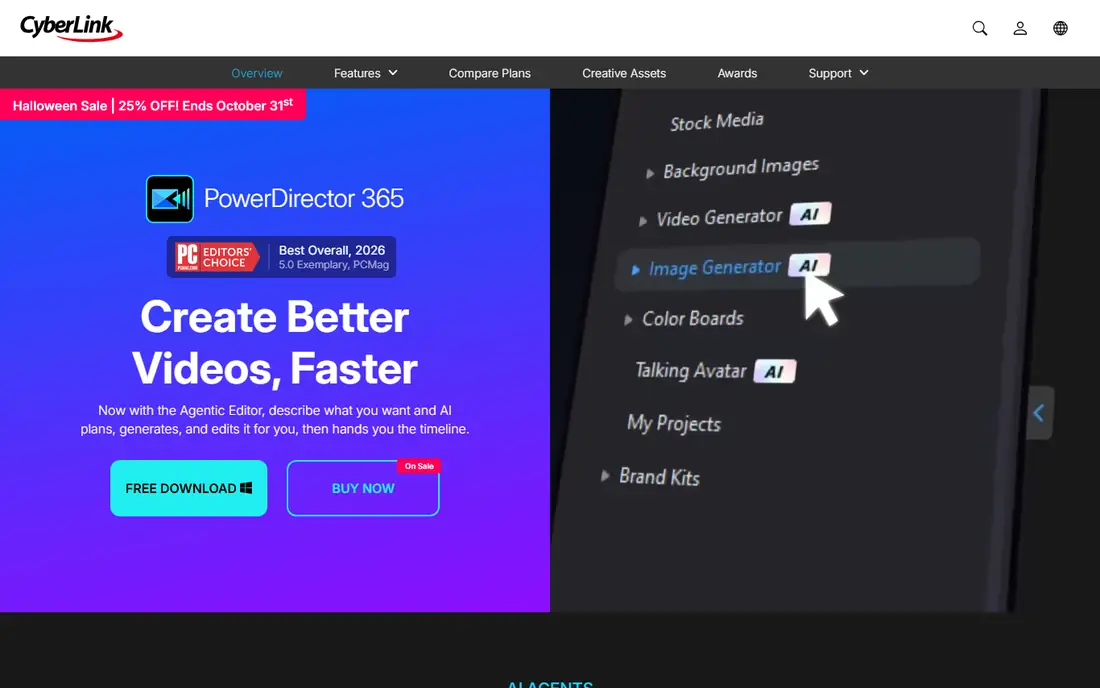
PowerDirector is the all-rounder for creators who want AI help without learning a studio editor. The free Essential version has no time limit and covers core editing, while PowerDirector 365 adds AI tools, continuous updates, and a large stock library, and a lifetime purchase option covers core tools without a subscription. PCMag named PowerDirector its Best Overall video editor for 2026.
AI features are the draw. An Agentic Editor plans and cuts from a plain-language description, AI object removal erases people or items in motion, background removal needs no green screen, and auto reframe adapts one edit for YouTube, TikTok, and Instagram. The timeline still offers frame-accurate trimming, keyframes, multicam, and color tools for editors who want manual control.
The catch is tiering. The most useful AI features sit in the 365 subscription, while the lifetime version gets core tools but not every new feature. For a creator who wants fast, AI-assisted edits with a free starting point, PowerDirector is easy to recommend.
What we like- Free Essential version with no time limit
- Strong AI tools including object removal
- Fast rendering
- Large stock library
Watch out for- Best AI features need the 365 subscription
- Lifetime version lacks some new features
- Windows-first history, Mac version thinner
Starting priceSee website
Free planYes
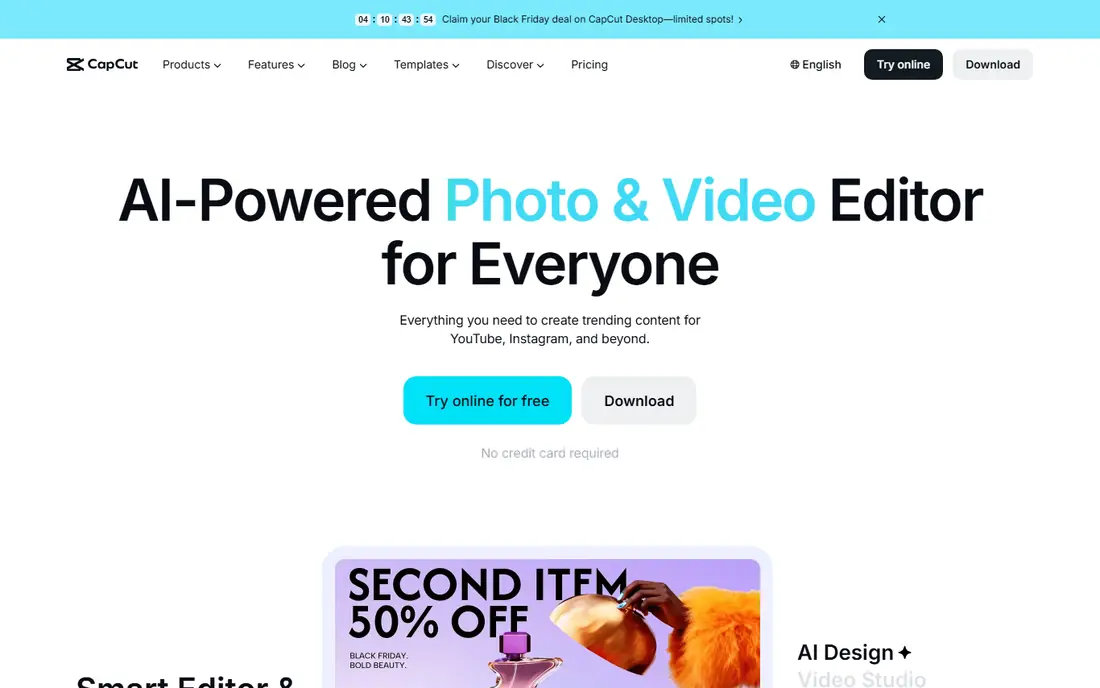
CapCut is the default editor for short-form social video, and it earns that spot on speed. You can cut, caption, add effects, and export a vertical video for TikTok, Reels, or Shorts in minutes, using templates, trending effects, auto captions, background removal, and text-to-speech. Free online, desktop, and mobile editors cover most social work without payment, and Pro adds more effects, cloud storage, and higher limits.
That speed comes from focus. CapCut is built for short videos, not for feature films, broadcast finishing, or complex multicam projects. Color grading, audio mixing, and media management are thinner than Resolve or Premiere, and teams handling sensitive footage should review CapCut account and cloud terms before using it for client work.
For a creator or small business whose main output is social video, CapCut is the most productive tool on this list. Pair it with Resolve or Premiere when a project needs long-form editing or serious finishing, and use CapCut for what it does best: fast, polished short videos.
What we like- Fastest short-form workflow here
- Auto captions and background removal
- Templates and trending effects
- Free online and mobile editors
Watch out for- Not a full studio editor for long-form work
- Weaker color and audio finishing
- Cloud and account features raise privacy questions for some teams
How we chose
We compared professional video editors that are actively sold and supported in 2026, using vendor homepages and pricing pages, plus public reviews on G2, Capterra, and Trustpilot and pricing checks from October 2026. We favored tools with real professional features, such as multicam, color tools, and 4K delivery, rather than simple clip trimmers, and we included free, one-time, and subscription options so readers can compare long-term cost.
We did not claim hands-on testing. Our findings rest on published specs, pricing pages, and reviewer reports about workflow, limits, and performance. Prices vary by region and promotion, and some vendors gate full pricing behind quote forms, so where a current price could not be confirmed on the vendor site, this article lists "See website" instead of guessing.
What to check before you buy an editor
Match the editor to your main output
Long-form films and TV favor Resolve, Premiere, or Avid. YouTube and creator work favor Filmora, PowerDirector, or Resolve. Short-form social favors CapCut. Picking an editor built for a different output means fighting its workflow on every project.
Count the cost over three years
A $22.99 monthly subscription costs $828 over three years, while Resolve Studio at $295 one-time costs $295. Final Cut Pro at $299.99 is similar. If you edit year-round, one-time tools save hundreds. If you edit for a few months a year, a monthly plan you can cancel may cost less overall.
Test on your own footage and computer
Download the trial or free version and cut a real project with your camera files, not sample clips. Check playback smoothness, export speed, and whether your GPU and storage keep up. An editor that stutters on your machine will cost you time on every edit, no matter how good its feature list looks.
Check delivery requirements early
Confirm the export formats, resolutions, and color standards your clients or platforms need. Free tiers often cap resolution, as Lightworks does at 1080p, and some tools handle HDR or ProRes better than others. A cheap editor that cannot deliver your required format is not cheap at all.
Frequently asked questions
What is the best free professional video editor?
DaVinci Resolve is the best free professional editor, with full editing, color, VFX, and audio tools and 4K exports with no watermark. Lightworks Free is a strong second choice for 1080p work, and CapCut covers free social editing. Start with Resolve if you want professional depth at no cost.
Is Premiere Pro worth $22.99 a month?
It is worth it if you work with teams, agencies, or clients who use Creative Cloud, since project sharing and After Effects integration save real time. If you edit alone and mostly for yourself, Resolve Studio at $295 one-time or Final Cut Pro at $299.99 will cost less over three years and cover most of the same work.
Should I buy Final Cut Pro or DaVinci Resolve on a Mac?
Buy Final Cut Pro if you want the fastest Mac editing experience and a simple one-time purchase with a magnetic timeline. Choose Resolve if you need the best color tools, Fusion effects, or Windows and Linux compatibility. Both are professional tools, so pick by workflow, not by brand.
Can Filmora or CapCut handle professional client work?
They can handle straightforward client work such as social videos, YouTube content, and simple brand videos, especially on tight deadlines. For broadcast, film, or complex finishing with strict color and delivery rules, Resolve, Premiere, or Avid are safer choices. Match the tool to the delivery standard, not just the edit.
Do I need a powerful computer for professional editing?
Yes, for 4K work with effects and color grading. A strong GPU, at least 16GB of memory, and fast SSD storage make the biggest difference. Resolve and Premiere benefit most from GPU power, while Final Cut Pro runs well on Apple silicon machines with less memory. Test with your own footage before upgrading hardware.
What is the cheapest way to edit 4K video professionally?
DaVinci Resolve free is the cheapest professional path to 4K, since it exports 4K with no watermark and no payment. Final Cut Pro at $299.99 and Resolve Studio at $295 are the cheapest one-time professional purchases. Avoid free tiers that cap exports at 1080p, such as Lightworks Free, if 4K delivery is required.
Sources we checked (9)
- https://www.adobe.com/products/premiere.html
- https://www.blackmagicdesign.com/products/davinciresolve
- https://www.apple.com/final-cut-pro/
- https://www.avid.com/media-composer
- https://www.vegascreativesoftware.com/us/vegas-pro/
- https://www.lwks.com
- https://filmora.wondershare.com
- https://www.cyberlink.com/products/powerdirector-video-editing-software
- https://www.capcut.com
Is your product missing or out of date?
We review this list regularly. Vendors can request a listing, send updated pricing or ask about featured placement.

Shihab Mia · Founder, Rankite
Shihab has 5+ years in B2B and SaaS SEO. He writes Rankite's software buying guides from pricing pages, documentation and public user reviews. More about Shihab.
 DaVinci Resolve
 VEGAS Pro
 Filmora
 CapCut