How we make this list: we compare pricing pages, product documentation and public user reviews. Rankite is independent; if a vendor ever pays for a featured spot, that listing is clearly labeled Partner.
Key takeaways
- Clio has the largest integration library and the most polished AI features, but costs climb quickly as you move up its tiers.
- MyCase and PracticePanther are the strongest picks for solo and small firms that want billing and client communication without a long setup.
- If you want to drop QuickBooks entirely, CosmoLex and Actionstep build real legal accounting into the platform.
- Smokeball and Filevine suit firms with heavier document and workflow demands, with automatic time tracking and deep matter customization as their signatures.
Quick comparison
| Tool | Best for | Starting price | Free plan |
|---|
 Clio Clio | Firms that want the deepest integration ecosystem and built-in legal AI | $69 per user/month (EasyStart) | Free trial (7 days) |
 MyCase MyCase | Solo and small firms that want client communication built in | See website | Free trial |
 PracticePanther PracticePanther | Firms that want accounting inside the same login | See website | Free trial (7 days) |
 Smokeball Smokeball | Small firms that live in Microsoft Word and Outlook | See website | See website |
 Filevine Filevine | Firms with complex, high-volume caseloads | See website | See website |
 CosmoLex CosmoLex | Firms that want accounting included with no QuickBooks | See website | Free trial |
 Actionstep Actionstep | Midsize firms that need deeply customizable workflows | See website | See website |
 Rocket Matter Rocket Matter | Firms that want the shortest learning curve | See website | See website |
 CARET Legal CARET Legal | Firms that want email management baked into the matter | See website | See website |
Is your product missing or out of date?
We review this list regularly. Vendors can request a listing, send updated pricing or ask about featured placement.
#1
Clio
Best for: Firms that want the deepest integration ecosystem and built-in legal AI
Visit clio.com
Starting price$69 per user/month (EasyStart)
Free planFree trial (7 days)

Clio is the default choice in this category for a reason. The base product covers matters, documents, time tracking, billing, and trust accounting, and the integration library around it is the largest in legal tech. If your firm already uses a specialized intake tool, dialer, or reporting add-on, there is a good chance it connects to Clio first.
The honest catch is pricing structure. The entry EasyStart tier starts at $69 per user per month, but the client portal, custom reporting, and advanced workflows live on higher plans, and Clio Grow (intake and CRM) is a paid add-on unless you take the top bundle. For a five-person firm, the annual total can reach five figures before payment processing fees. Still, for firms that value breadth of integrations and a mature AI layer, Clio is the safest bet in the group.
What we like- 300+ app integrations
- Approved by more than 100 bar associations
- AI features built into daily workflows
Watch out for- Meaningful features sit on higher tiers
- Add-ons for intake and accounting cost extra
#2
MyCase
Best for: Solo and small firms that want client communication built in
Visit mycase.com
Starting priceSee website
Free planFree trial
MyCase, now branded as 8am MyCase, takes a different angle from Clio. The client portal is the centerpiece: secure messaging, document sharing, and online payments sit in one place, and unlimited two-way texting with a dedicated number is included. Firms that lose time chasing clients over email tend to feel the difference fast.
Billing is straightforward, with debit, credit, eCheck, and payment plans handled through 8am LawPay. The trade-offs show up as you grow. API access requires the Advanced plan, which matters if you ever want to connect a document management system or a custom intake form. MyCase also raised prices in 2026, so confirm the current tiers on the pricing page before you budget. For solos and small teams that want to get running this week, it remains one of the easiest starts.
What we like- Strong client portal with unlimited texting
- Payments powered by LawPay
- Quick onboarding
Watch out for- Open API access only on the top tier
- Long-time users report sharp price increases
Starting priceSee website
Free planFree trial (7 days)
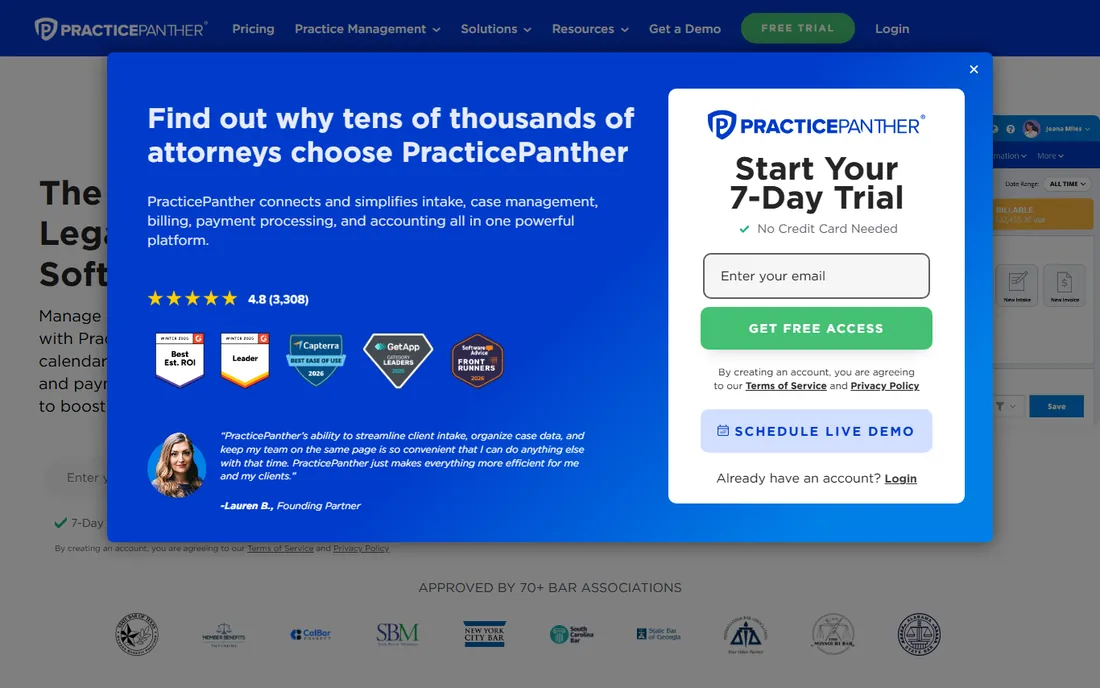
PracticePanther sells itself as the all-in-one option, and the accounting side is what sets it apart from pure case managers. Trust accounting, a general ledger, and financial reporting live in the same system as matters and billing, with three-way trust reconciliation that takes minutes. PantherPayments handles credit card, ACH, and eCheck with payment plans and custom payment links.
The workflow automation is genuinely useful: conditional workflows create and assign case-specific tasks so repetitive matter types run the same way every time. On the downside, firms with heavy document needs sometimes pair it with a dedicated document tool. Pricing runs across four tiers (Solo, Essential, Business, Business Pro), and the published numbers move, so check the pricing page for the current per-user rates. The 7-day free trial needs no credit card, which makes a hands-on test easy.
What we like- Built-in accounting with trust reconciliation
- Automated workflows
- 7-day trial with no credit card
Watch out for- Document management is less deep than specialist tools
- Price steps up across four tiers
Starting priceSee website
Free planSee website

Smokeball is built for what it calls people-law: solo practitioners and small teams of roughly 2 to 30 people. The standout feature is automatic time tracking, which records activity across programs without manual timers. Reviewers regularly say the captured billable time alone covers the subscription. The form library, more than 20,000 federal and local court documents, is another draw for firms in family law, conveyancing, and litigation.
The Word and Outlook integration runs deep, with document automation that populates matter details into forms in seconds. Archie, the built-in AI assistant, summarizes documents and drafts correspondence from matter data. The catch is cost. Smokeball prices at the premium end of this list, and implementation and data migration are quoted separately. It is also a member benefit of 28 US state bar associations, so check whether your bar membership qualifies you for a discount before you pay full price.
What we like- Automatic time and activity tracking
- Library of 20,000+ court forms
- Deep Word and Outlook integration
Watch out for- Premium pricing
- Data migration and onboarding can add thousands to year one
Starting priceSee website
Free planSee website

Filevine started as a case management system for firms with complicated files and has grown into a full legal operating platform. Matter types are highly configurable: custom fields, task sequences, document assembly, and deadline chains can all be shaped around how your practice actually runs. Personal injury and mass tort firms are its core audience, and the system handles thousands of plaintiffs and documents without breaking a sweat.
In 2026 Filevine repositioned around LOIS, its AI layer that runs agents across matters, with document analysis and legal research built in. Timekeeping, billing, and payments were added to make it a true end-to-end system. The trade-off is opacity: pricing is quote-based, onboarding is a project, and this is not the tool for a solo who wants to be billing by Friday. For firms with volume and complexity, though, few platforms go as deep.
What we like- Deeply customizable matter workflows
- LOIS AI platform for legal work
- Strong for personal injury and mass torts
Watch out for- Quote-based pricing with no published tiers
- Setup takes real planning
#6
CosmoLex
Best for: Firms that want accounting included with no QuickBooks
Visit cosmolex.com
Starting priceSee website
Free planFree trial
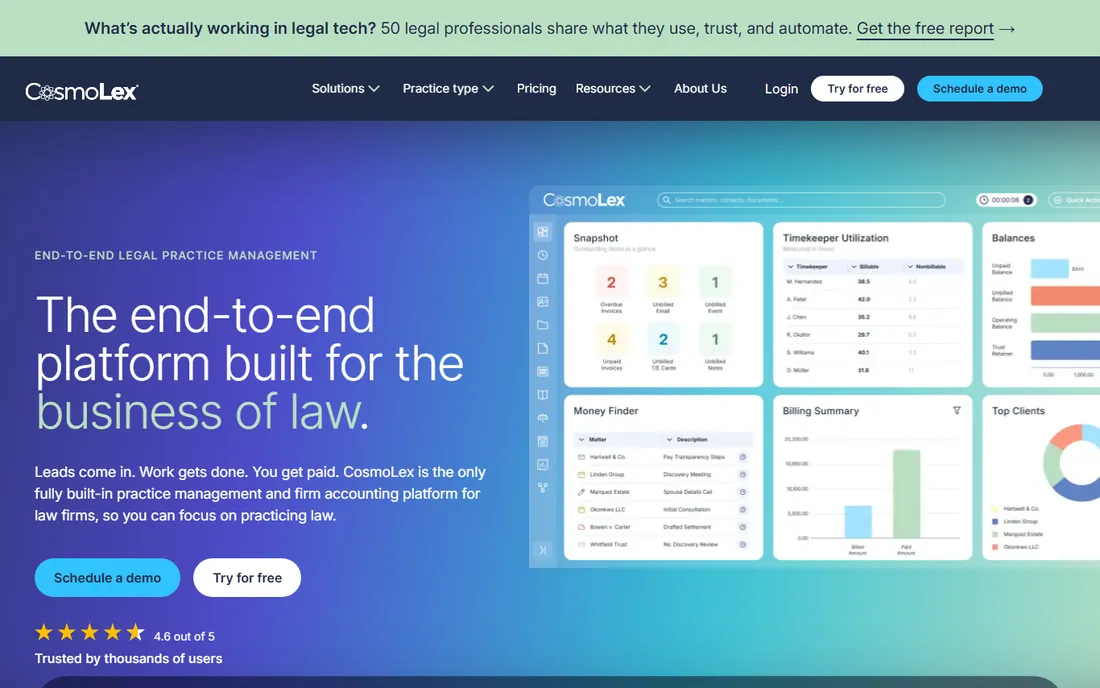
CosmoLex makes one promise: practice management, billing, and accounting in a single login, with no QuickBooks required. For small firms, that consolidation matters. Time and expense tracking, invoicing, business accounting, trust (IOLTA) accounting, calendaring, and document management all live in one web-based app. Built-in payment processing through LawPay comes with no separate monthly fee.
The compliance tooling is a genuine strength, with three-way reconciliation and audit trails designed for bar auditors. Firms praise the support team and the forgiving interface for fixing bookkeeping mistakes. Weaknesses are real but narrow: reporting options could go deeper, and the mobile app lags the desktop experience. Pricing is subscription-based with a free trial, and the company advises requesting a quote for current rates. If your books are the painful part of your practice, start here.
What we like- Full legal accounting built in
- Strong trust accounting compliance tools
- One login for everything
Watch out for- Reporting is less advanced than Clio
- Mobile app is limited
Starting priceSee website
Free planSee website

Actionstep is the workflow nerd of this list. Every matter type gets a configurable workflow template with automated steps, which suits firms that handle repetitive work like conveyancing, immigration, or family law and want consistent processes across every practitioner. Document automation, client intake webforms, a client portal, and a CRM all feed the same system.
Accounting is built in too, with a multi-currency general ledger, trust accounting, and financial reporting. The platform is particularly strong outside the US, with deep compliance roots in New Zealand, Australia, and the UK. The honest catch: all that configurability means setup is a project, and firms often pay for implementation help. Pricing is not published, so budget for a sales conversation. If your firm has outgrown a simpler tool and wants processes that run themselves, Actionstep deserves a demo.
What we like- Workflow automation at the core
- Built-in legal accounting
- Strong in the UK, Australia, and New Zealand markets
Watch out for- Configuration can get complex
- Custom work often means paid setup
- No published pricing
Starting priceSee website
Free planSee website
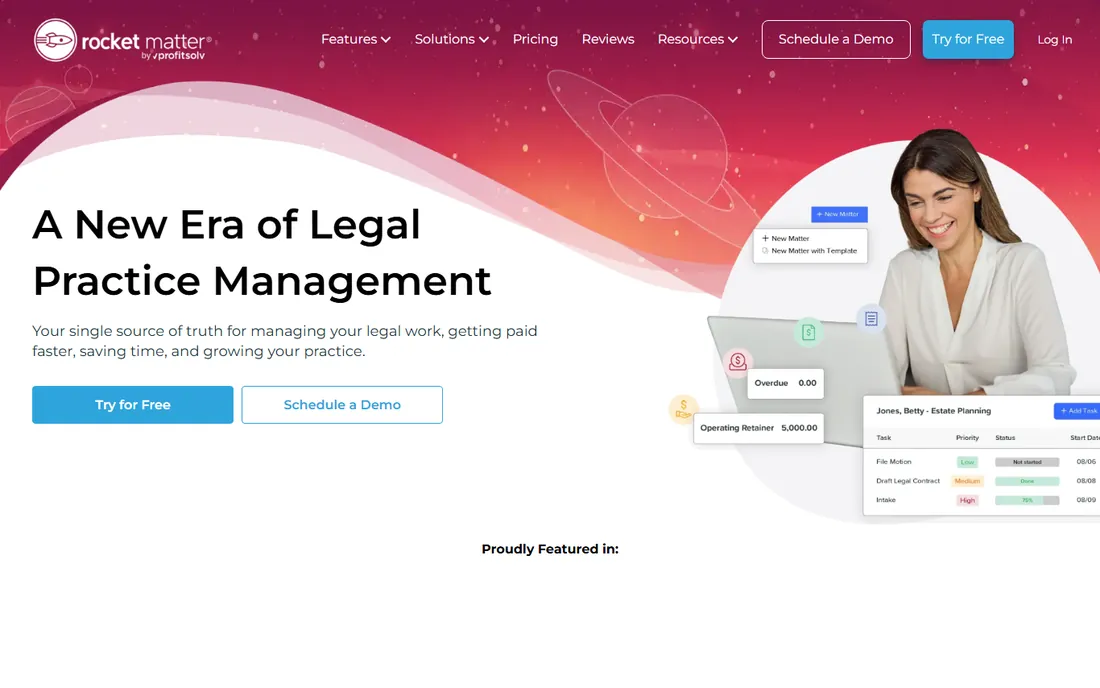
Rocket Matter has been around since 2008, and its pitch has barely changed: practice management that your whole team can learn in days, not weeks. Matters, documents, time tracking, billing, and payments are all here, wrapped in an interface that new hires figure out on their own. The company has won service awards for over a decade, and support includes personalized setup and a dedicated success manager.
The QuickBooks integration is genuinely industry-leading, which matters for firms that want to keep their existing books. The trade-off is depth. Firms that need complex workflow automation, advanced document assembly, or serious AI tooling will find Rocket Matter thinner than Clio, Filevine, or Actionstep. Pricing is not published on the site. For solos and small firms that value simplicity and human support over feature checklists, it is a comfortable choice.
What we like- Easy to learn and train staff on
- Award-winning customer support
- Strong QuickBooks integration
Watch out for- Less advanced automation than Clio or Filevine
- AI features lag the leaders
#9
CARET Legal
Best for: Firms that want email management baked into the matter
Visit zolasuite.com
Starting priceSee website
Free planSee website
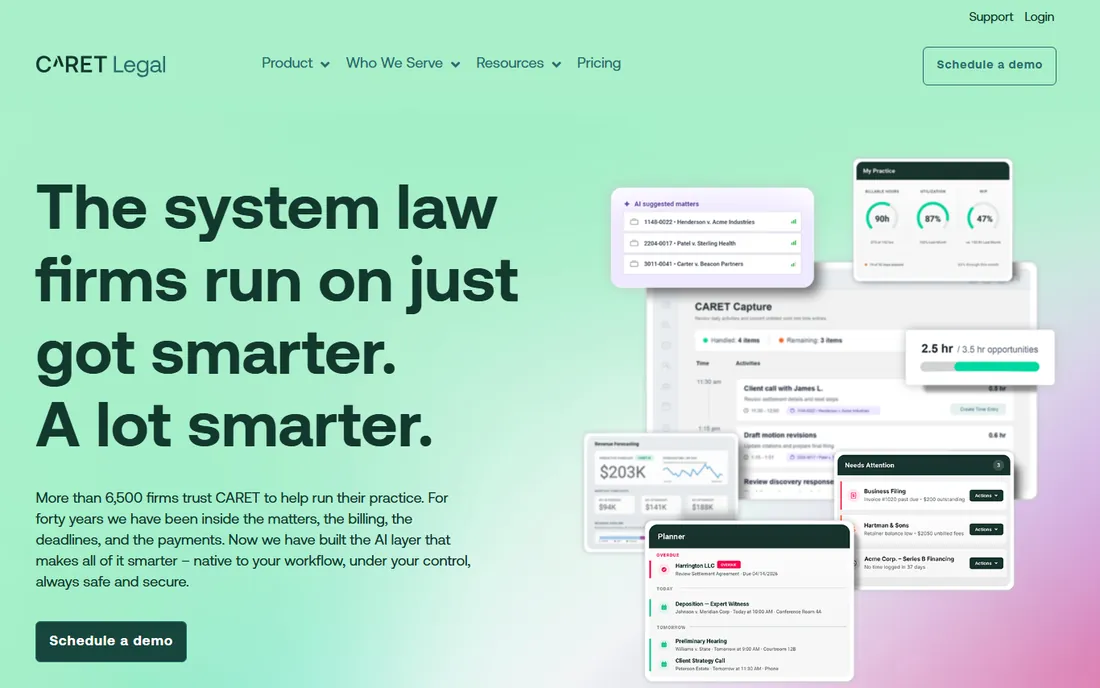
CARET Legal is the current name for the product formerly sold as Zola Suite, now part of the CARET (formerly AbacusNext) portfolio. Its signature feature is patented email management: messages are captured and filed into the right matter automatically, which solves the inbox archaeology problem that plagues busy firms. Case management, LEDES billing and timekeeping, and complete trust and business accounting round out an all-in-one platform.
The platform suits small to midsize firms that want front-office and back-office tools in one system without stitching integrations together. The honest catch is ecosystem size: the integration library and user community are smaller than Clio's, and firms with unusual tooling should verify compatibility before committing. Pricing is quote-based. If email chaos is your firm's specific pain, this is the most targeted fix on the list.
What we like- Email captured automatically into matters
- All-in-one billing and accounting
- Part of an established legal tech portfolio
Watch out for- Smaller user community than Clio
- Fewer third-party integrations
How we chose
We started from the vendor's own pricing pages, feature documentation, and public review profiles on G2, Capterra, and Software Advice, cross-checking plan names and starting prices against what each company actually publishes. We weighed feature depth against firm-size fit, since a solo practice and a 20-attorney firm buy very different things. We also checked integration libraries and bar association approvals, which matter more in legal tech than in most software categories. We did not test any product hands-on; nothing here is based on a trial account.
How to pick without regret
Start with your non-negotiables, not the feature grid. If trust accounting keeps you up at night, shortlist the tools with accounting built in: CosmoLex, PracticePanther, Actionstep, and CARET Legal. If your team lives in other software, Clio's integration library probably decides it. If billable time leaks through manual timers, Smokeball's automatic tracking is the feature to test.
Ask three questions on every sales call. First, what does the per-user price exclude: onboarding, data migration, payment processing, and add-ons are quoted separately across this whole category. Second, how long is the contract, and what happens to your data if you leave. Third, who does the migration, and what does it cost for your specific prior system. Run the trial with two real matters, not the demo data, and have the person who will do billing click through an invoice cycle before you sign.
What pricing usually looks like
Expect per-user, per-month pricing almost everywhere, with annual billing shaving roughly 10 to 20 percent off the monthly rate. Entry tiers generally cover matters, documents, time tracking, and basic billing; client portals, advanced reporting, workflow automation, and open APIs tend to appear one or two tiers up. Implementation is the hidden line item: data migration commonly runs from a few hundred to several thousand dollars depending on volume, and complex setups can reach five figures. Payment processing fees, usually around 3 percent per card transaction, sit outside the subscription everywhere. Get the full first-year total in writing before you compare.
Frequently asked questions
What is practice management software for law firms?
It is software that runs the business side of a law practice: matters, contacts, documents, calendars, time tracking, billing, payments, and client communication in one system. Many products also include trust accounting and intake tools. The goal is to replace the patchwork of spreadsheets, shared drives, and email threads that most firms outgrow.
How much does practice management software cost?
Most products charge per user per month, with published entry prices generally between $39 and $89 and full-featured tiers reaching $130 to $220 or more. Implementation, data migration, and payment processing are usually extra. Several vendors in this category do not publish pricing at all, so expect a quote process for Filevine, Smokeball, Actionstep, Rocket Matter, and CARET Legal.
Do I still need QuickBooks if I buy one of these?
It depends on the product. CosmoLex, PracticePanther, Actionstep, and CARET Legal include real legal accounting, so many small firms drop QuickBooks entirely. Clio, MyCase, Smokeball, and Rocket Matter integrate with QuickBooks Online instead. If your accountant works in QuickBooks and will not switch, pick a tool with a strong integration rather than fighting that battle.
Can I migrate from my current system?
Yes, every vendor on this list offers migration help, but the cost and effort vary widely. Simple moves from spreadsheets or a basic tool can take days; moves from a legacy on-premise system with decades of data can take weeks and cost thousands. Ask for a fixed migration quote tied to your current system, and confirm in writing that you can export your data freely if you ever leave.
Is cloud-based practice management software secure enough for client data?
The established vendors take this seriously: SOC 2 compliance, encryption at rest and in transit, multi-factor authentication, and role-based access are standard across this list. Several are approved by dozens of state bar associations, which involves security review. Your bigger risk is usually weak passwords and shared logins at your own firm, so enforce MFA from day one.
Sources we checked (14)
- https://clio.com/
- https://www.clio.com/ca/pricing/
- https://www.mycase.com/
- https://practicepanther.com/
- https://www.smokeball.com/
- https://www.smokeball.com.au/pricing
- https://www.filevine.com/
- https://cosmolex.com/
- https://www.actionstep.com/
- https://rocketmatter.com/
- https://zolasuite.com
- https://www.capterra.com/p/133656/Smokeball/pricing/
- https://oktopeak.com/blog/mycase-pricing-real-cost-tco/
- https://www.g2.com/products/smokeball/pricing
Is your product missing or out of date?
We review this list regularly. Vendors can request a listing, send updated pricing or ask about featured placement.

Shihab Mia · Founder, Rankite
Shihab has spent more than a decade helping SaaS and e-commerce brands grow through search. He writes Rankite's software buying guides from pricing pages, documentation and public user reviews. More about Shihab.