How we make this list: we compare pricing pages, product documentation and public user reviews. Rankite is independent; if a vendor ever pays for a featured spot, that listing is clearly labeled Partner.
Key takeaways
- Sweepy and Tody are the best starting points for cleaning routines, both free to try with visual schedules that show what needs doing next.
- Cozi is the strongest all-in-one family organizer, combining a shared calendar, lists, and meal planning in one free app.
- OurHome and Chorsee focus on kids and chores, using points, rewards, or allowance tracking to get children involved.
- Sortly and Everspruce organize what you own rather than what you do, which is invaluable for moves, storage, and insurance records.
- Every app here has a usable free tier, so you can test the approach before paying for premium features.
Quick comparison
| Tool | Best for | Starting price | Free plan |
|---|
 Sweepy Sweepy | Turning cleaning into a shared game | $19.99 per year (Premium) | Yes |
 Tody Tody | Flexible cleaning schedules by actual need | Free (optional Premium) | Yes |
 Cozi Cozi | Whole-family calendar and lists | Free (Gold $39 per year) | Yes |
 OurHome OurHome | Motivating kids with points and rewards | Free | Yes |
 Home Routines Home Routines | Low-pressure daily routines | Free (optional Premium) | Yes |
 Chorsee Chorsee | Simple chore and allowance tracking | Free (optional Premium) | Yes |
 Sortly Sortly | Visual home and storage inventory | $24 per month, billed annually (Advanced) | Yes |
 Everspruce Everspruce | Photo-based home inventory for moves | $44.99 per year (Plus) | Yes |
Is your product missing or out of date?
We review this list regularly. Vendors can request a listing, send updated pricing or ask about featured placement.
The best organizing software
Starting price$19.99 per year (Premium)
Free planYes
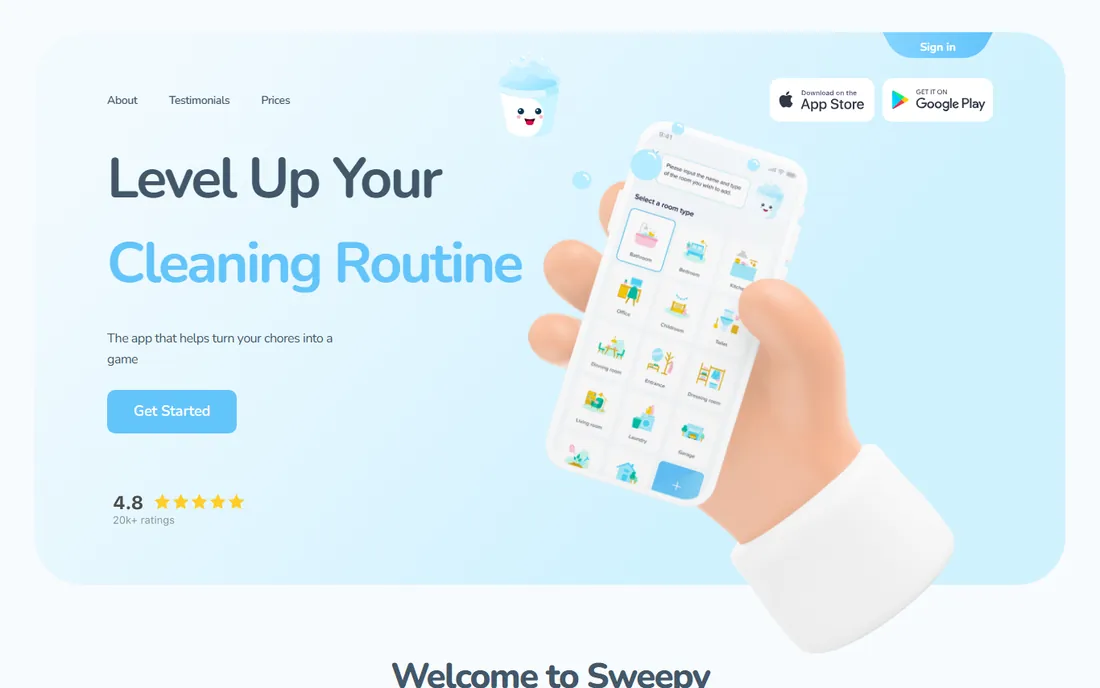
Sweepy attacks the biggest household problem: nobody agrees on what needs cleaning or who should do it. You set up rooms, pick tasks from a large suggestion list, and the app's Smart Schedule builds a daily list matched to your available time. Each task carries up to three points based on effort, and color indicators show which rooms need attention.
The social layer is what makes it work for families. Add household members, split the workload, and compete on a family leaderboard. Parents can review and approve kids' completed tasks before awarding points. With over a million households using it, Sweepy is the most proven option in this space.
The catch is that the free version is mostly a solo experience. Sharing tasks across a household and syncing between devices requires Premium, at about $3.99 per month or $19.99 per year. That is still cheap for a family, but it is worth knowing before you invest time in setup.
What we like- Auto-generates a daily schedule from your tasks
- Points and leaderboards keep families engaged
- Parent approval mode for kids' chores
Watch out for- Household sharing needs the Premium plan
- Some users find the points system gimmicky
Starting priceFree (optional Premium)
Free planYes
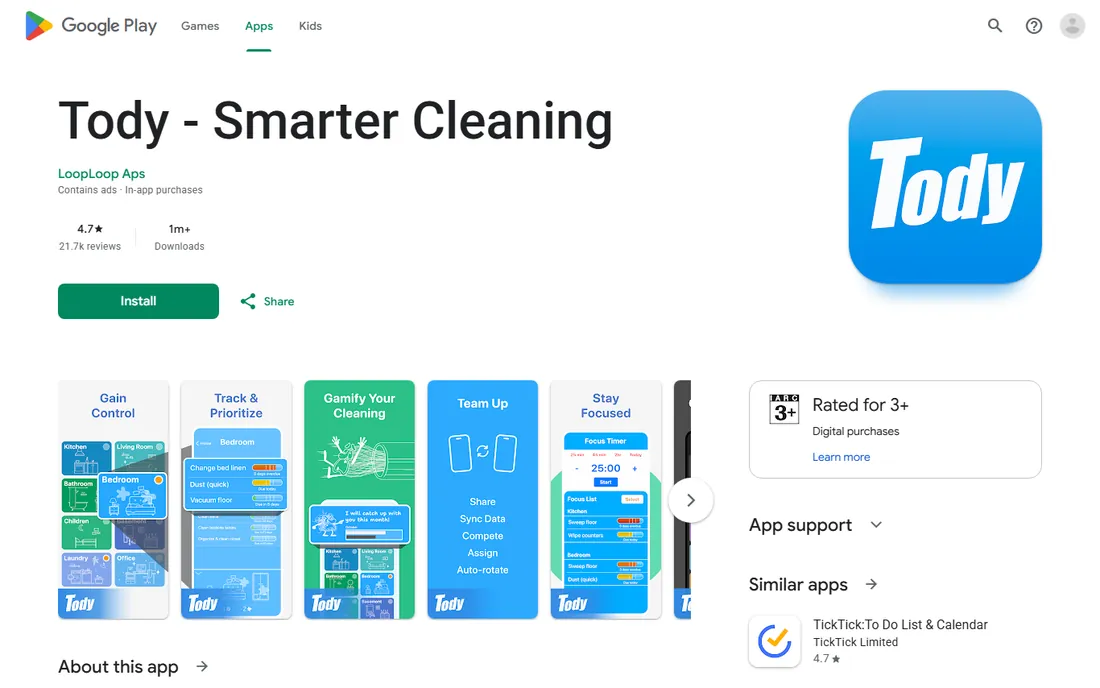
Tody is built around a clever idea: clean things when they actually need it, not because the calendar says so. Its indicator method tracks how "dirty" each task is based on when you last did it, so you see at a glance what deserves attention. If you fall behind, tasks do not pile up unfairly; the system reflects reality rather than punishing you.
Customization is deep. Singles can run a minimal plan while large households assign tasks to members, claim credit, and compete against "Dusty," the app's fictional rival. Recent updates added cleaning reports you can share with the whole household. The Google Play listing shows a 4.7 rating from more than 21,000 reviews.
The honest trade-off is setup time. Building a full task library for a large home takes an afternoon, and some users find the editing options unintuitive at first. Like Sweepy, syncing across the whole family sits behind the paid tier, though the free version is generous for one person.
What we like- Indicator system cleans by actual need, not fixed dates
- Highly customizable plans for any household size
- Rated 4.7 by more than 21,000 reviewers
Watch out for- Setup takes real effort to get right
- Full household sync requires paying
Starting priceFree (Gold $39 per year)
Free planYes
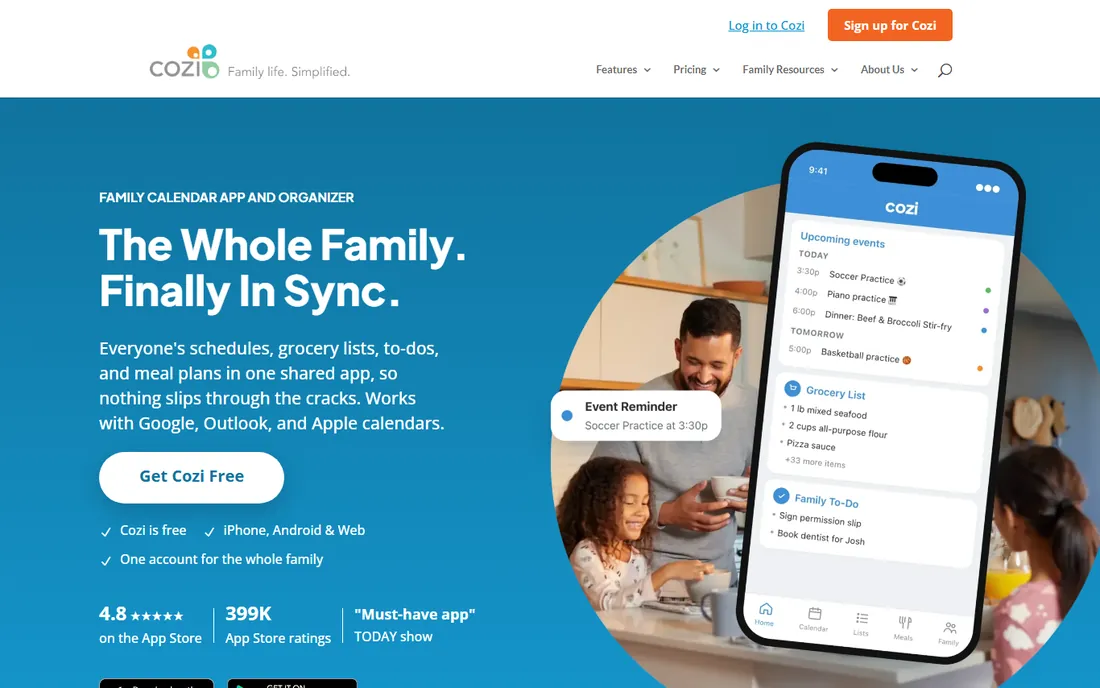
Cozi has been organizing families for nearly two decades, and it shows. One shared calendar color-codes every family member's schedule, while grocery lists, to-do lists, and a recipe box sit in the same app. Whoever is at the store sees the latest list, and agenda emails mean fewer missed pickups and double-booked Saturdays. It integrates with Google, Outlook, and Apple calendars.
The free tier is genuinely complete: shared calendar, shopping and to-do lists, and the recipe library. Cozi Gold at $39 per year removes ads and adds month view on mobile, calendar search, change notifications, and a birthday tracker. A newer Max tier at $79 per year adds AI features like event import and meal planning.
Cozi is less of a cleaning app than Sweepy or Tody. It will organize your family's hours beautifully, but it will not tell you the bathroom is overdue for a scrub. Use it as the household command center and pair it with a cleaning app if needed.
What we like- Shared calendar, lists, and recipes in one free app
- Color-coded schedules by person
- Works on iPhone, Android, and web
Watch out for- Free version shows ads
- Calendar-focused, not a deep cleaning scheduler
Starting priceFree
Free planYes
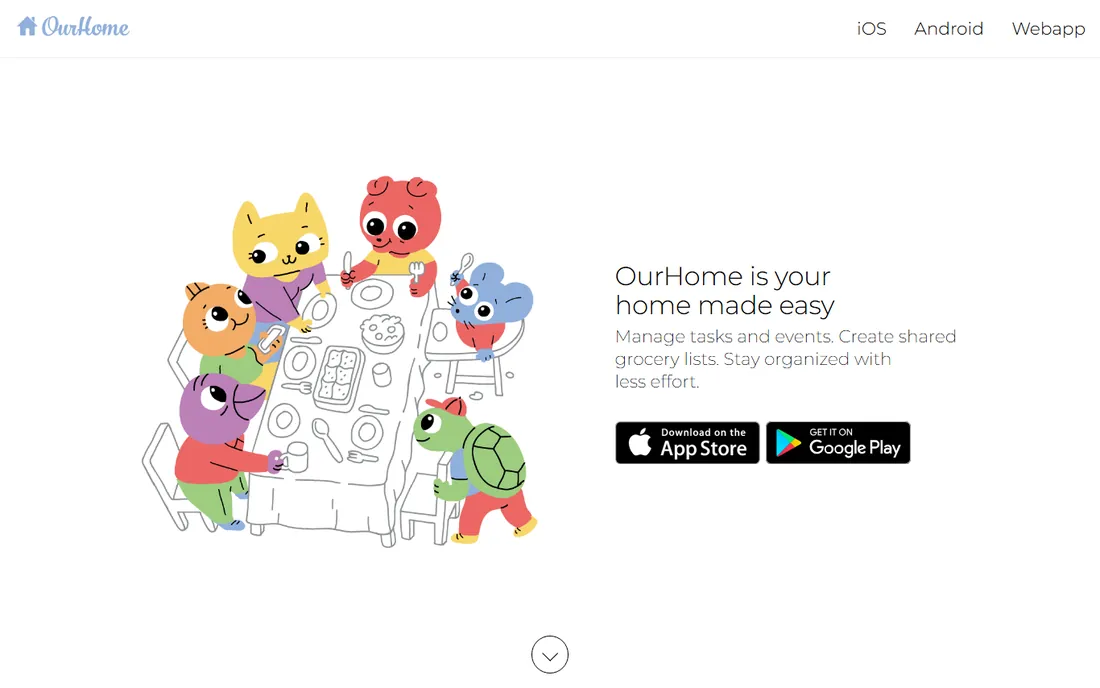
OurHome takes the gamification idea further than anyone. Kids earn points for completed chores, face late penalties for skipped ones, and cash in points for rewards parents define, from screen time to weekend trips. Parents can also assign grocery items, manage a shared family calendar, and message the family, all inside the app.
The whole thing is free, which is remarkable given how much it includes. Chores can rotate between family members, multiple admins can manage the household, and everything syncs across unlimited devices. For a family that responds to structure and incentives, it covers more ground than most paid apps.
The downsides are polish and community. The design feels dated next to Sweepy or Cozi, and the smaller user base means fewer tutorials and community tips. Still, for a free app that handles chores, shopping, and scheduling, it punches above its weight.
What we like- Points, rewards, and late penalties built in
- Includes grocery list, family calendar, and messaging
- Completely free
Watch out for- Smaller user base and dated design
- Some users report sync hiccups
Starting priceFree (optional Premium)
Free planYes
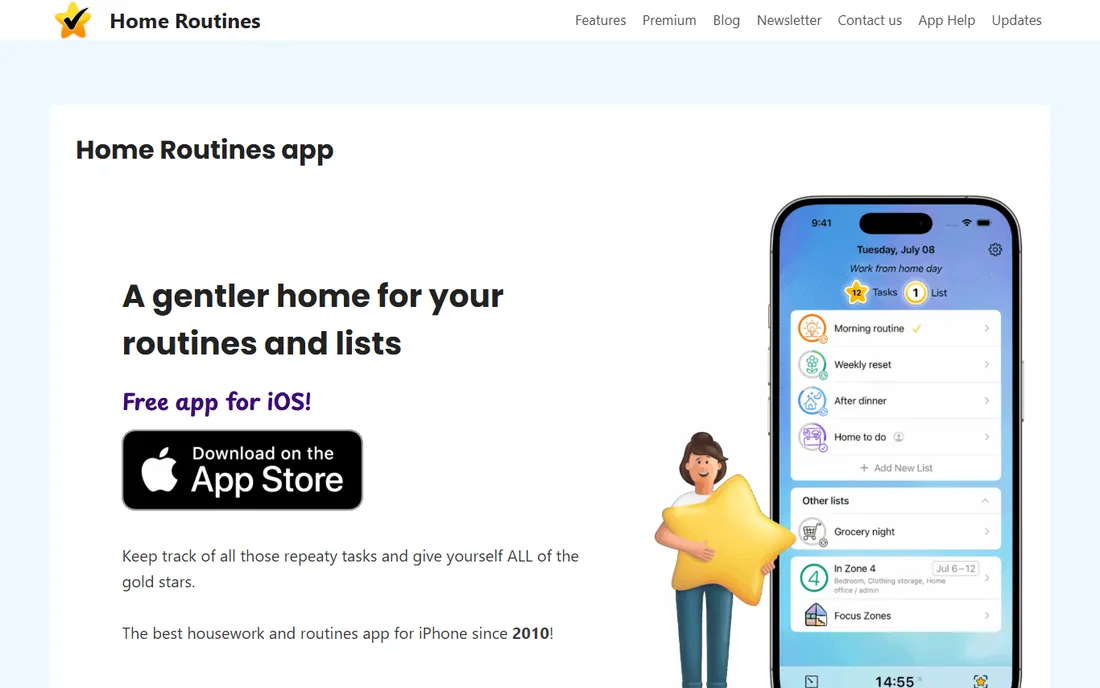
Home Routines is the anti-streak app. Task stars reset overnight by default, so you never wake up to yesterday's failures. The philosophy comes from the FlyLady method: small manageable tasks done often, morning and evening routines, weekly tasks, and a different focus zone each week. A built-in timer helps you work in short bursts.
This gentle approach has earned it a devoted following, including many users with ADHD who say other systems felt punitive. The app is free and fully featured for personal use, with an inexpensive Premium subscription adding Apple Watch support, sharing and collaboration, and customization extras. It has been around since 2010, which is ancient in app years.
The big limitation is platform: it is iOS only. Android households will need to look elsewhere. And while the free version is generous, sharing routines across a family requires Premium.
What we like- Tasks reset overnight, no guilt-driven streaks
- FlyLady-compatible zone cleaning built in
- Beloved by users with ADHD
Watch out for- IOS only
- Collaboration features need the Premium subscription
Starting priceFree (optional Premium)
Free planYes
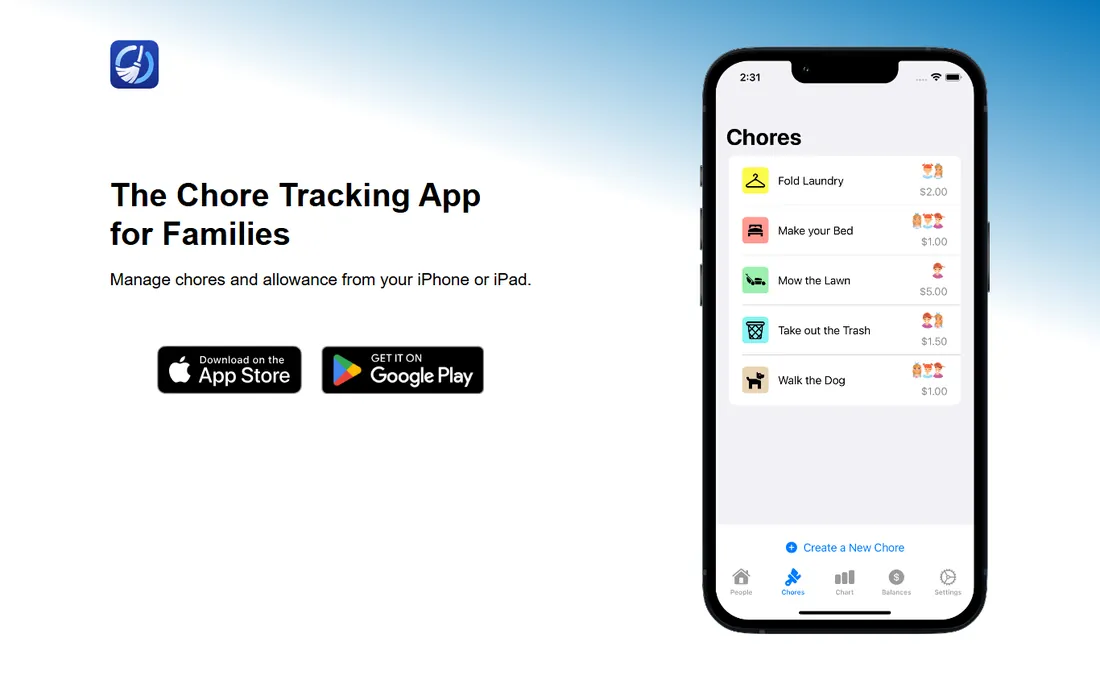
Chorsee deliberately skips the games. No leaderboards, no cartoon mascots. It is a clean, simple chore tracker where you create color-coded chores, assign them to family members, and set them to repeat daily, weekly, or on custom schedules. Rewards can run as allowance, points, or nothing at all, and each child's balance updates automatically as chores are completed.
Parents get practical controls: photo proof for specific chores, first-come-first-served or rotating assignments, and instant syncing between devices. The app runs on both iOS and Android, with optional in-app purchases for extra features.
It is not a full household organizer. There is no grocery list, no calendar, no meal planner. But if what you need is a no-nonsense way to run chores and allowance for your kids, Chorsee does exactly that without clutter.
What we like- Clean, simple design with no forced gamification
- Allowance or points tracking per child
- Photo proof option for completed chores
Watch out for- Fewer features than OurHome or Cozi
- Mostly a chore app, not a full organizer
Starting price$24 per month, billed annually (Advanced)
Free planYes

Sortly organizes a different kind of household chaos: your stuff. Organize inventory into folders by room or category, attach photos and custom fields to every item, and print QR code labels so you can scan a box and see its contents. The mobile app works offline, which matters in a storage unit or attic.
The free plan covers 100 items with one user, enough to test it on a single room. Paid plans start at $24 per month billed annually for the Advanced tier with 500 items. That is business pricing, and it is the main reason home users hesitate.
Still, for a big move, a renovation, or documenting valuables for insurance, Sortly's visual approach beats a spreadsheet. If the price feels steep, Everspruce below does the same job for less.
What we like- Photo-based visual inventory with QR codes
- Barcode scanner and low-stock alerts
- Cloud sync across devices
Watch out for- Built for small businesses, so pricing is steep for home use
- Free tier limited to 100 items
Starting price$44.99 per year (Plus)
Free planYes
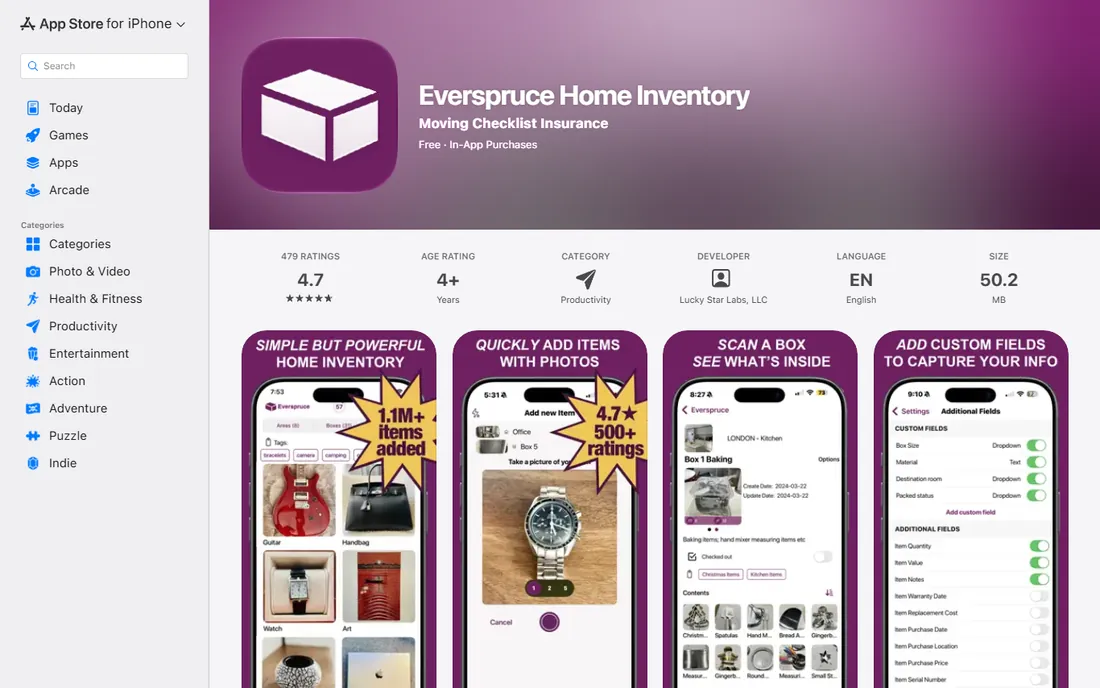
Everspruce makes home inventory almost fun. Take a photo of a room, then photos of the boxes in it, then photos of the items in each box. The nested structure mirrors how you actually pack and store things. Batch mode speeds up big jobs, and you can print QR code labels for boxes, then scan them later to see the contents.
The free tier includes 50 entries with cloud backup, search, filters, tags, and export to CSV and PDF. Everspruce Plus at $44.99 per year adds unlimited entries, multiple devices, and a security PIN. Users report logging over a million items in total, and the app holds a 4.7 rating.
The limitation is platform: iPhone and iPad only. Android users should look at Sortly instead. For Apple households planning a move or cataloging a collection, it is the friendliest inventory app available.
What we like- Snap a photo to add an item
- Nested areas, boxes, and items structure
- QR code labels and CSV/PDF export included free
Watch out for- IOS only
- Free tier capped at 50 entries
How we chose
We focused on apps that organize household time and belongings: cleaning schedules, chore management, family calendars, and home inventory. We drew on App Store and Google Play data, review sites, and parenting and organizing communities to find the most-used options. We checked each vendor's own site or official store listing in October 2026 for current pricing and features. We never claim hands-on testing; our picks reflect documented features, real user ratings, and how each app fits a specific household situation.
Picking the right approach for your household
The apps above solve different problems, so start by naming yours.
If cleaning is the pain point
Pick Sweepy or Tody. Both build visual schedules and split work across the household. Sweepy leans into games and competition; Tody leans into flexible, need-based scheduling. Try both free for a week and keep the one your family actually opens.
If schedules are the pain point
Pick Cozi. A shared family calendar with lists and meal planning solves the "who needs to be where" problem that causes most household friction. It is free and works on every platform.
If kids and chores are the pain point
Pick OurHome, Chorsee, or Home Routines. OurHome is best for reward-driven motivation, Chorsee for simple allowance tracking, and Home Routines for building personal daily rhythms without pressure.
If your stuff is the pain point
Pick Sortly or Everspruce. A photo inventory pays for itself the first time you need to find something in storage or file an insurance claim. Everspruce is cheaper and friendlier; Sortly is more powerful.
A note on the audience for these apps
Most household organizing apps are designed for families, not companies. Prices are per household, not per user, and support is consumer-grade. That is fine for the job, but if you run a professional organizing or cleaning business, you need client management software like Dubsado or 17hats instead. These consumer apps will not invoice clients or manage bookings.
Frequently asked questions
What is the best app for organizing household chores?
Sweepy and Tody lead the pack. Sweepy auto-generates daily schedules and uses points and leaderboards to engage the family. Tody schedules by actual need with a visual dirtiness indicator. Both are free to try, so test both and keep the one your household uses.
Is there a free family organizer app?
Yes. Cozi is free with a shared calendar, lists, and recipes. OurHome is completely free with chores, rewards, calendar, and grocery lists. Sweepy, Tody, Chorsee, and Home Routines all have generous free tiers with optional paid upgrades.
How do I organize my home inventory?
Use a photo-based inventory app. Everspruce lets you snap photos of rooms, boxes, and items in a nested structure, with 50 free entries. Sortly adds QR code labels and works on all platforms. Both export to CSV and PDF for insurance records.
Which chore app is best for kids?
OurHome is best for reward-driven kids, with points, goals, and parent-defined rewards. Chorsee suits families that prefer allowance tracking with a clean, simple interface. Sweepy lets parents review and approve kids' completed tasks before awarding points.
Can these apps replace a paper chore chart?
For most families, yes, and they add things paper cannot: automatic reminders, progress history, syncing between parents' and kids' devices, and photo proof of completed chores. The catch is that everyone needs to actually open the app, so pick one the whole household will use.
Do I need a paid plan?
Probably not at first. Every app on this list has a usable free tier. Pay only when you hit a real limit, like needing household sync in Sweepy or Tody, more than 100 inventory items in Sortly, or an ad-free experience in Cozi.
Sources we checked (9)
- https://sweepy.com
- https://play.google.com/store/apps/details?id=com.looploop.tody&hl=en_GB
- https://www.cozi.com/
- http://ourhomeapp.com/
- https://www.homeroutines.com/
- https://chorsee.com
- https://sortly.com/
- https://apps.apple.com/us/app/everspruce-home-inventory/id1393940808
- https://www.appbrain.com/app/tody-smarter-cleaning/com.looploop.tody
Is your product missing or out of date?
We review this list regularly. Vendors can request a listing, send updated pricing or ask about featured placement.

Shihab Mia · Founder, Rankite
Shihab has spent more than a decade helping SaaS and e-commerce brands grow through search. He writes Rankite's software buying guides from pricing pages, documentation and public user reviews. More about Shihab.