How we make this list: we compare pricing pages, product documentation and public user reviews. Rankite is independent; if a vendor ever pays for a featured spot, that listing is clearly labeled Partner.
Key takeaways
- Nobody quits journaling because the app was bad; they quit because the habit was hard. Pick the app that makes starting easiest.
- Day One Silver ($49.99 per year) is the best full-featured journal with sync, media and printing.
- Daylio (free) is the best journal for people who hate writing: moods and activities in taps.
- Penzu, Diaro and Journey are solid free starts for traditional diary writing.
- Diarium suits Windows-first users; Reflectly and Grid Diary suit guided, prompt-driven journaling.
Quick comparison
| Tool | Best for | Starting price | Free plan |
|---|
 Day One Day One | Anyone wanting the best full-featured journaling app | $49.99/year (Silver); Gold $74.99/year | Yes |
 Journey Journey | Cross-platform journalers who want their diary everywhere | See website | Yes |
 Diarium Diarium | Windows-first users who want a proper diary app | See website | No |
 Reflectly Reflectly | Beginners who want guided, prompt-driven journaling | See website | Free trial |
 Diaro Diaro | Multilingual users wanting a simple diary with a Pro upgrade path | See website | Yes |
 Penzu Penzu | Writers wanting a private, secure-feeling online diary | See website | Yes |
 Grid Diary Grid Diary | Reflective journalers who like structured daily prompts | See website | Yes |
 Daylio Daylio | People who want to journal without writing a word | See website (Premium monthly, annual and lifetime tiers) | Yes |
 Momento Momento | Life-loggers who want their feeds auto-collected into a diary | See website | Yes |
Is your product missing or out of date?
We review this list regularly. Vendors can request a listing, send updated pricing or ask about featured placement.
The best journaling software
Nobody quits journaling because the app was bad. They quit because the habit was hard, and the app did not make starting easier. The best journaling software is therefore not the one with the most features; it is the one you will open tomorrow. These nine cover the real approaches: long-form writing, guided prompts, mood taps and automatic life-logging. One of them matches how your brain works.
Starting price$49.99/year (Silver); Gold $74.99/year
Free planYes
Day One is the journaling app other apps are measured against: unlimited entries and journals on the free Basic tier, with Silver ($49.99 per year, formerly Premium) adding sync across all devices, 30 media attachments per entry, audio, video, PDF scanning and integrations. Gold ($74.99 per year) adds AI features like summaries and daily chat. End-to-end encryption and book printing round out the serious-journalist toolkit.
The honest catch is the Apple tilt. Day One shines brightest on iPhone and Mac; Android is supported but secondary. There is also no monthly billing, only annual. For the committed journaler who wants the deepest app, Silver is fairly priced for what it includes.
What we like- Prices published on dayoneapp.com
- Silver at $49.99 per year adds sync, 30 media per entry and integrations
- End-to-end encryption
- Printed book option
Watch out for- Best experience is Apple-first
- Gold's AI features cost $74.99 per year
- No monthly plan
Starting priceSee website
Free planYes
Journey is the platform-agnostic diary: native apps on every major platform plus web, with Google Drive-based sync that keeps your entries everywhere. The interface is a clean chronological timeline, and the free tier handles genuine daily journaling. For households and workflows split across Apple, Android and Windows, Journey's ubiquity is the selling point.
The honest catch is depth. Journey does the basics beautifully but lacks Day One's media richness, printing and encryption story. Premium pricing appears in-app rather than on a public page. Choose Journey when "works on all my devices" outranks "does everything."
What we like- True cross-platform (iOS, Android, Mac, Windows, web)
- Google Drive sync
- Clean timeline interface
- Free tier covers core journaling
Watch out for- Premium pricing shown in-app
- Feature depth trails Day One
Starting priceSee website
Free planNo
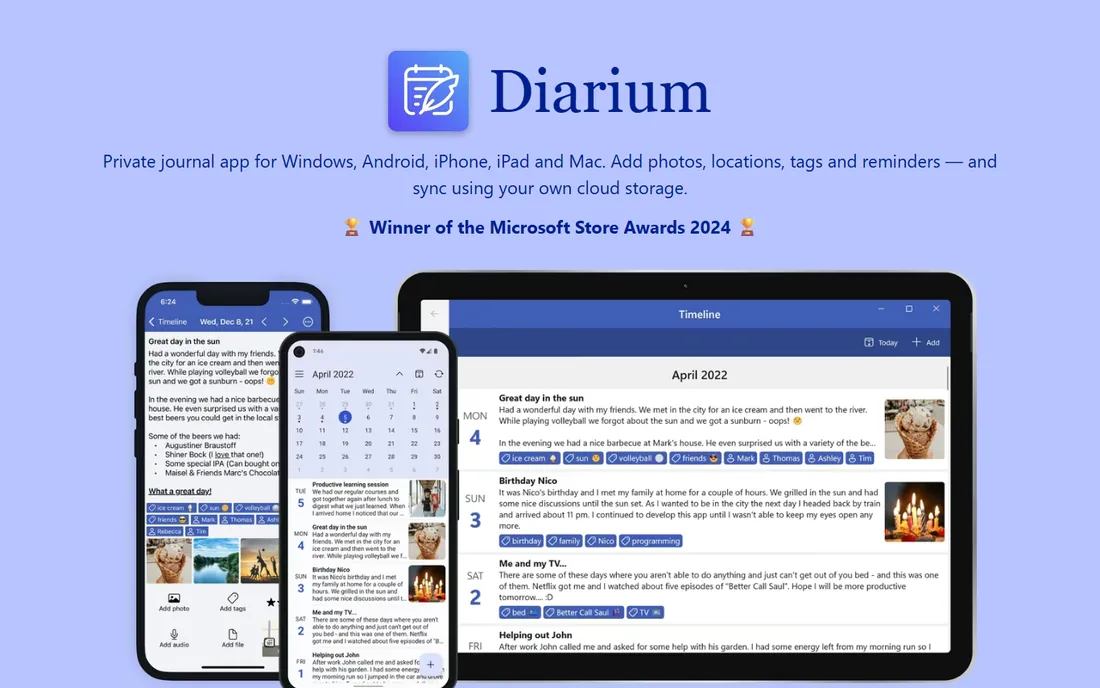
Diarium fills the gap most journaling apps ignore: Windows. While Day One and others treat Windows as an afterthought or skip it entirely, Diarium offers a full diary experience on Windows alongside mobile apps, with calendar browsing, map views, attachments and templates. The one-time purchase model (no subscription) appeals to buyers tired of rent.
The honest catch is the lack of a free tier: you buy before you try, so read reviews carefully. The ecosystem is also smaller, with fewer integrations and community resources. For the Windows-based journaler, though, it is the most serious option available.
What we like- Strong Windows app where rivals are thin
- Calendar and map views
- Supports attachments and templates
- One-time purchase model
Watch out for- No free version to try first
- Smaller community and fewer integrations
Starting priceSee website
Free planFree trial
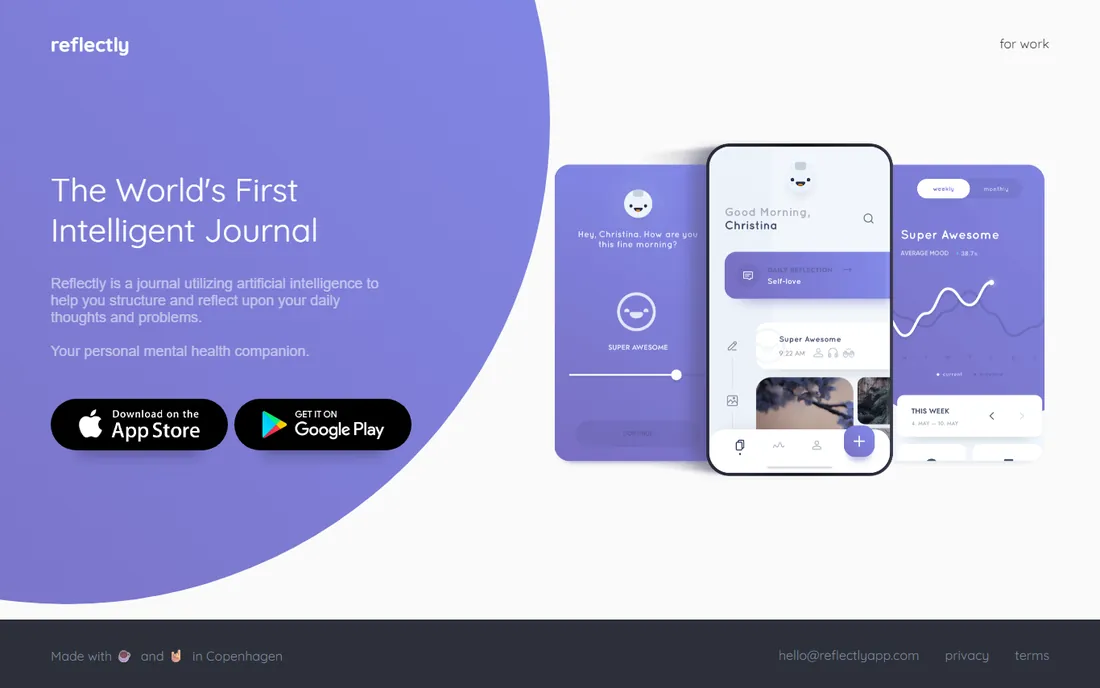
Reflectly is journaling with training wheels, in the best sense: instead of a blank page, you get guided questions, mood check-ins and structured reflections that make five minutes of journaling feel easy. For the person who has bought journals and abandoned them, the guidance is the product. A free trial lets you test whether the format clicks.
The honest catch is the ceiling. Long-form writers will find the guided structure constraining, and the subscription price is presented in-app. Reflectly is a starter app by design; plan to graduate to Day One or Journey if the habit sticks and your entries grow.
What we like- AI-guided prompts and questions make starting easy
- Mood tracking built in
- Attractive, calming design that encourages daily use
Watch out for- Subscription pricing shown in-app
- Less flexible than blank-page journals for long-form writers
#5
Diaro
Best for: Multilingual users wanting a simple diary with a Pro upgrade path
Visit diaroapp.com
Starting priceSee website
Free planYes
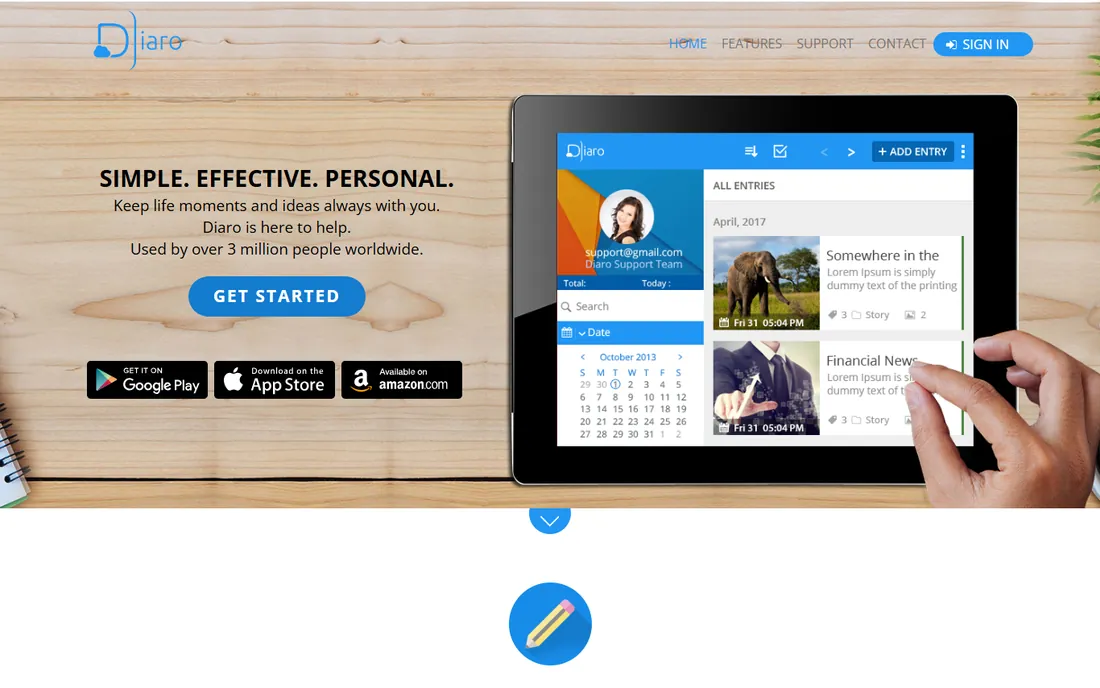
Diaro is the unpretentious diary: fast, simple, available in over 30 languages, with a free version that handles daily entries honestly. The Pro upgrade adds Dropbox sync and additional features for those who need them. There is no AI, no social layer, no gamification; just your words, organized by date, searchable and exportable.
The honest catch is aesthetics. Diaro looks like a utility, not an experience, and writers motivated by beautiful software may bounce. Pricing for Pro appears in-app. But for the journaler who values simplicity and language support over polish, Diaro is refreshingly honest.
What we like- Free version covers real diary keeping
- Available in 30-plus languages
- Pro upgrade adds sync and extras
- Straightforward and fast
Watch out for- Design is functional rather than beautiful
- Pro pricing shown in-app
#6
Penzu
Best for: Writers wanting a private, secure-feeling online diary
Visit penzu.com
Starting priceSee website
Free planYes
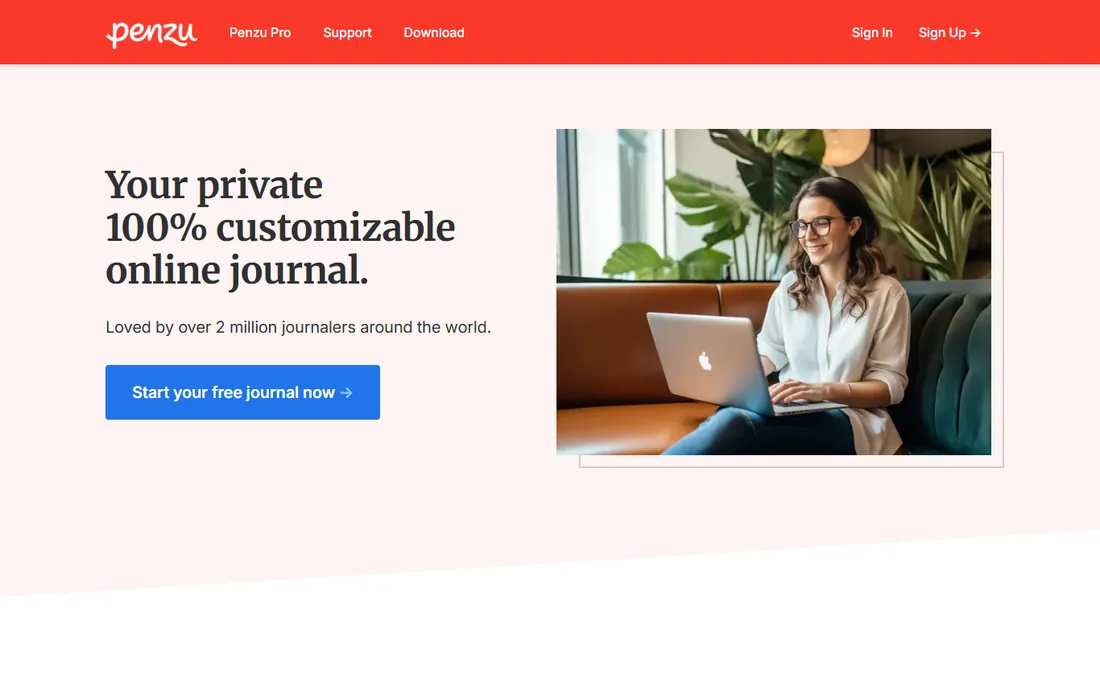
Penzu has been the "private online diary" since before journaling apps were fashionable: a web-based journal with a free tier, lockable entries and a Pro upgrade adding stronger encryption, multiple journals, custom covers and reminders. For the writer who wants to journal from any browser without installing anything, Penzu remains the simplest path.
The honest catch is mobile. Penzu's apps lag its website, and the company has adjusted Pro features and pricing over time, so verify the current offering before paying. Desktop-first journalers who value privacy framing will be happiest here.
What we like- Free tier for basic private journaling
- Pro adds military-grade encryption marketing, custom journals and reminders
- Web-based so nothing to install
Watch out for- Mobile apps are weaker than the web experience
- Pro pricing and feature gates have shifted over the years
#7
Grid Diary
Best for: Reflective journalers who like structured daily prompts
Visit griddiary.com
Starting priceSee website
Free planYes
Grid Diary structures each day as a grid of prompts (gratitude, goals, highlights, learnings), turning journaling into a repeatable five-minute ritual. For analytical minds and anyone who freezes at blank pages, the scaffolding works: you answer small questions and end up with a meaningful entry. The free version covers the core experience.
The honest catch is the format's rigidity. Writers who want to ramble, draft essays or paste freely will fight the grid. Premium pricing is in-app. Use Grid Diary as a daily reflection tool; use Day One or Journey when you want a real diary.
What we like- Unique grid of daily prompts makes reflection systematic
- Free version usable
- Good for gratitude and habit-adjacent journaling
Watch out for- The structure that helps beginners can constrain experienced writers
- Premium features behind in-app purchase
#8
Daylio
Best for: People who want to journal without writing a word
Visit daylio.net
Starting priceSee website (Premium monthly, annual and lifetime tiers)
Free planYes
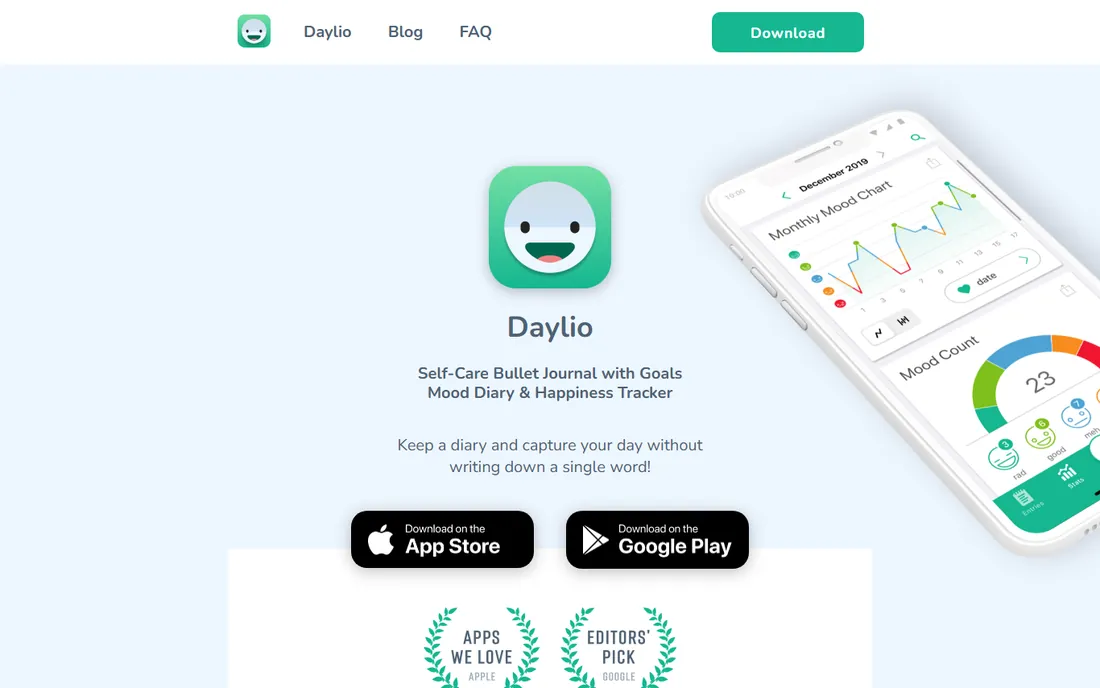
Daylio solved journaling's hardest problem: the blank page. You tap your mood, tap your activities, done; over weeks it builds statistics correlating activities with mood ("you feel better on days you exercise") that no written diary provides. Data stays on your device, the free tier is genuinely useful, and Premium (offered in monthly, annual and lifetime tiers; check your app store for current prices) adds backups, unlimited moods and themes.
The honest catch is expressive range. Daylio captures what you did and how you felt, not what you thought. Writers should pair it with a real journal or accept the tradeoff. For habit-adjacent self-knowledge with near-zero effort, it is unmatched.
What we like- Mood plus activities in under 30 seconds
- Excellent statistics and Year in Pixels
- Data stored locally on device
- Free tier genuinely usable
Watch out for- Not for long-form writing
- Pricing varies by app store (monthly, annual, lifetime options)
#9
Momento
Best for: Life-loggers who want their feeds auto-collected into a diary
Visit momentoapp.com
Starting priceSee website
Free planYes
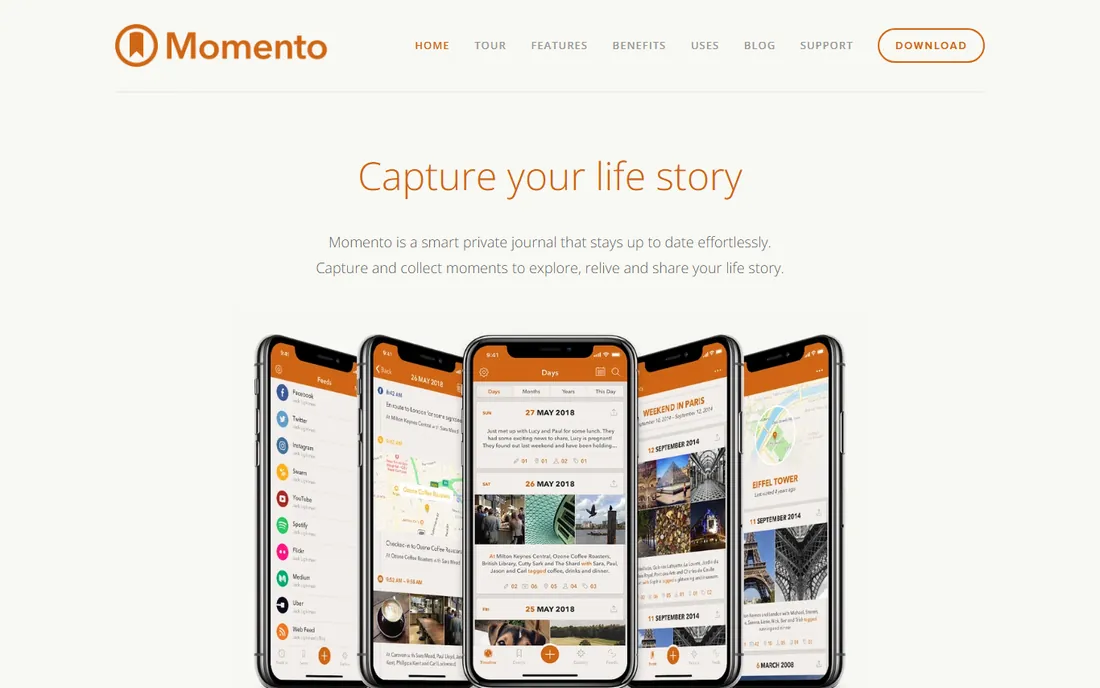
Momento takes the opposite approach from Day One: instead of asking you to write, it collects. Connect your social accounts, photo libraries and feeds, and Momento assembles them into a daily timeline you can annotate. For the person who lives online and wants a record without effort, the automation is the appeal.
The honest catch is authorship. An aggregated feed is a scrapbook, not a journal; the reflection that makes journaling valuable still requires your words. It is also iOS-centric. Use Momento as a memory aid alongside a real journal, not instead of one.
What we like- Pulls in social posts, photos and check-ins automatically
- Creates a life log with minimal effort
- Pleasant timeline interface
Watch out for- IOS-focused
- Depends on the services you connect
- Less a journal than an aggregator
Pick by your journaling style
Blank-page writers should start with Day One (free Basic) or Journey (free): unlimited entries, real editors, room to grow. Guided beginners should try Reflectly or Grid Diary: prompts beat paralysis. Non-writers should get Daylio: taps beat pages. Life-loggers should try Momento: automation beats discipline.
The style question matters more than the feature list because journaling fails at the habit level. Be honest about which person you are: the one who writes paragraphs, the one who answers prompts, or the one who will only tap. Then pick the app built for that person.
What to check before you buy
Start free for a month. Every app here has a free tier or trial; use it daily for 30 days before paying. The app you actually open beats the app with the better feature list. Pay only when you hit a real limit (sync, media, history).
Then check export and lock-in. Your journal is years of your life; verify you can export it (Day One offers PDF, JSON and plain text; others vary). A journal you cannot leave is a journal you do not own.
Finally, check the privacy model. Journals hold your most sensitive writing: look for encryption (Day One's end-to-end encryption), local storage (Daylio), and clear privacy policies. Free apps monetize somehow; make sure the answer is not your diary.
How we chose
We started with real searches: best journaling app, Day One vs Journey, best diary app, journaling app for beginners. For each candidate we checked the vendor's own site for pricing and plan details, then cross-checked features against documentation and user discussion. Where pricing lives only in-app, we wrote "See website." Note-taking apps without journaling focus (Notion, Evernote) were excluded.
Frequently asked questions
What is the best journaling app overall?
Day One: the deepest feature set, real encryption, book printing and a free tier. Silver at $49.99 per year is fairly priced for committed journalers. Journey is the best cross-platform alternative.
Is there a good free journaling app?
Yes. Day One's free Basic tier (unlimited entries), Journey's free tier, Penzu's free tier and Daylio (free) all support real journaling habits. Start free; pay when you hit a limit.
Day One vs Journey: which is better?
Day One for depth (media, encryption, printing, Apple polish); Journey for ubiquity (every platform including Windows and web). Pick Day One if you are Apple-centric, Journey if your devices are mixed.
Can I journal without writing?
Yes. Daylio captures mood and activities in taps and builds meaningful statistics over time. Momento auto-collects your digital life. Both suit people who will never keep a written diary.
How do I keep a journal private?
Use apps with encryption (Day One's end-to-end encryption), local-only storage (Daylio), or strong account security. Avoid journaling in apps whose business model is advertising. And export backups regularly.
Will my journal survive if the app shuts down?
Only if you export. Check export options before committing years of writing: Day One exports to PDF, JSON and plain text. Whatever you choose, export periodically and keep your own copy.
Sources we checked (1)
- http://dayoneapp.com/guides/premium-subscription/day-one-pricing-features-guide/?ref=noteapps.ca
Is your product missing or out of date?
We review this list regularly. Vendors can request a listing, send updated pricing or ask about featured placement.

Shihab Mia · Founder, Rankite
Shihab has spent more than a decade helping SaaS and e-commerce brands grow through search. He writes Rankite's software buying guides from pricing pages, documentation and public user reviews. More about Shihab.