How we make this list: we compare pricing pages, product documentation and public user reviews. Rankite is independent; if a vendor ever pays for a featured spot, that listing is clearly labeled Partner.
Quick comparison
| Tool | Best for | Starting price | Free plan |
|---|
 Cozi Cozi | Families who want one free shared calendar, lists and meal plans | Free | Yes |
 FamilyWall FamilyWall | Families who want calendar, chat, location and budget in a single app | Free | Yes |
 OurHome OurHome | Parents who want young kids to actually do their chores | Free | Yes |
 FamCal FamCal | A straightforward shared calendar with notes, tasks and trip budgets | Free | Yes |
 Sense Sense | Families whose calendar lives scattered across email, chats and photos | Free | Yes |
 Tody Tody | Cleaning schedules based on how dirty things actually get | Free | Yes |
 Sweepy Sweepy | Turning house cleaning into a tracked, gamified team effort | See website | Yes |
 BeTidy BeTidy | Detailed cleaning plans with a buy-once lifetime option | $3.99/month | Yes |
 HomeZada HomeZada | Homeowners managing maintenance, inventory and improvement projects | See website | Yes |
Is your product missing or out of date?
We review this list regularly. Vendors can request a listing, send updated pricing or ask about featured placement.
Key takeaways
- Cozi remains the default family organizer: a free shared calendar, lists and meal planning, with an ad-free Gold tier at $39 per year.
- FamilyWall packs the most into one app (calendar, chat, location, budget, meal planner), with Premium at $4.99 per month or $44.99 per year.
- For chores specifically, OurHome is completely free and kid-friendly, while Tody's $9.99 per year Premium is the cheapest paid upgrade here.
- Sweepy and BeTidy turn cleaning into a scheduled, trackable routine instead of a weekend panic.
- HomeZada is the only pick for the house itself: maintenance schedules, home inventory and renovation tracking.
The best household management apps
#1
Cozi
Best for: Families who want one free shared calendar, lists and meal plans
Visit cozi.com
Starting priceFree
Free planYes
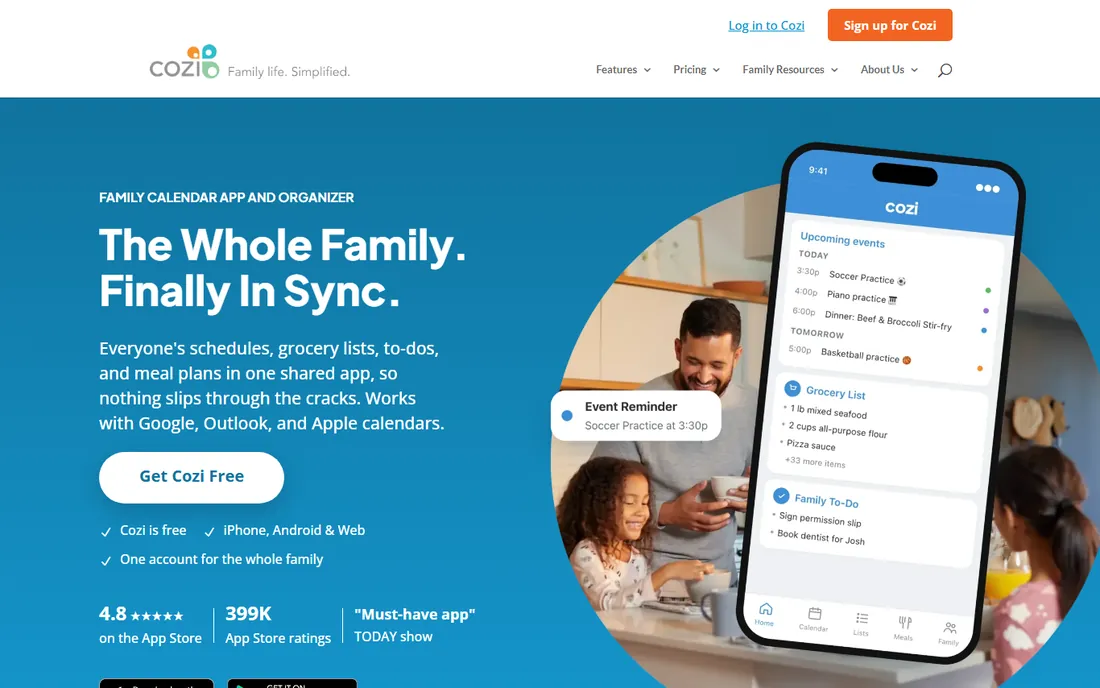
Cozi has been the family organizer default for well over a decade, and the formula still works. One free account covers the whole family: a shared color-coded calendar, shopping and to-do lists that update in real time, and a recipe box that sends ingredients straight to the shopping list. It pulls in events from Google, Outlook and Apple calendars plus school and sports schedules, and agenda emails go out so nobody misses a pickup. With hundreds of thousands of App Store ratings behind it, Cozi is the safe recommendation when relatives ask what to install.
The free version carries ads, which is the main reason people upgrade. Cozi Gold costs $39 per year and removes ads while adding month view on mobile, calendar search and change notifications. A newer Max tier adds AI event import from your inbox at $79 per year. For most families the free tier is plenty, and Gold is cheap enough to be an easy yes if the ads bother you.
What we like- Free core app with shared calendar, shopping lists, to-dos and recipes
- Color-coded by family member
- Syncs with Google, Outlook and Apple calendars
Watch out for- The free version shows ads
- The interface looks dated next to newer rivals
#2
FamilyWall
Best for: Families who want calendar, chat, location and budget in a single app
Visit familywall.com
Starting priceFree
Free planYes
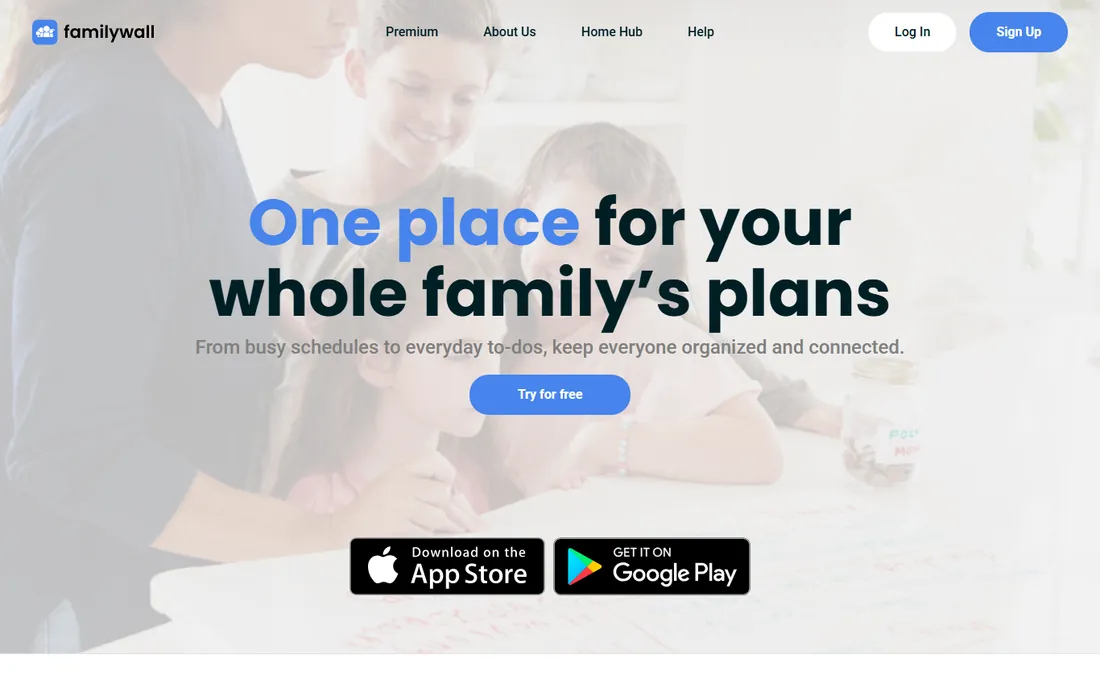
If Cozi is the calendar-first pick, FamilyWall is the everything-first pick. The free tier includes the shared calendar, shopping and to-do lists, family messaging, a photo gallery, a recipe box and a modest amount of shared storage. Premium adds the features that make it distinctive: real-time family location with arrival and departure alerts, Google and Outlook calendar sync, the meal planner, the budget and expense tracker, shared documents, and as of 2026 an AI email import that turns forwarded messages into calendar events.
Premium costs $4.99 per month or $44.99 per year and applies to the whole family, with a 30-day trial that does not require a card upfront. The honest catch is that the free tier feels like a teaser for the features most buyers actually want, and some reviews mention sync hiccups across devices. If location sharing and a shared budget matter to your household, though, no other app here bundles this much.
What we like- The widest feature set: shared calendar, messenger, real-time location, budget tracker, meal planner and documents
- 30-day Premium trial
Watch out for- Many headline features need Premium
- Occasional sync complaints in reviews
Starting priceFree
Free planYes
OurHome understands something most chore apps miss: a six-year-old will tap a button for a cartoon avatar when they will ignore a spreadsheet. Parents assign and schedule chores, kids earn points for completing them, and points convert into rewards you define, from extra screen time to a movie night. Around that core sits a shared grocery list, a family calendar and messaging, and the whole thing is free with no ads and no upsell, which is remarkable in this category.
The ceiling is real. The design skews young, roughly ages four to nine, and there is no way to tie a chore to a specific calendar date or see the week's chore load at a glance. Development has also been slow, with long-promised features still listed as coming. But for the specific job of getting small children to participate in household work, it is the easiest sell on this list, and trying it costs nothing.
What we like- Completely free with no ads and no hidden costs
- Points and rewards store motivate kids
- Shared grocery list and family calendar included
Watch out for- Feels juvenile past about age ten
- No real calendar depth or chore-to-date scheduling
#4
FamCal
Best for: A straightforward shared calendar with notes, tasks and trip budgets
Visit appxy.com
Starting priceFree
Free planYes
FamCal keeps things simple on purpose. It combines a shared family calendar, task lists, notes, contacts and birthday reminders in one place, with color-coded events per member and both calendar and agenda views. Parents can restrict editing permissions for child members and choose who gets notified about what, which solves the classic problem of a toddler deleting the dentist appointment. A genuinely useful extra is shared trip expense tracking, with charts that break down who spent what on family vacations.
The app is free with ads and in-app purchases for the full feature set. It will not win design awards, and power users may miss the deeper integrations of Cozi or FamilyWall. But as a no-cost, no-learning-curve shared calendar that the whole family can adopt in an afternoon, it does the job with minimal fuss.
What we like- Free to download with no event or task limits
- Adult and child member roles with permissions
- Shared trip expense tracking with charts
Watch out for- Contains ads
- The interface is functional rather than polished
#5
Sense
Best for: Families whose calendar lives scattered across email, chats and photos
Visit getsense.ai
Starting priceFree
Free planYes
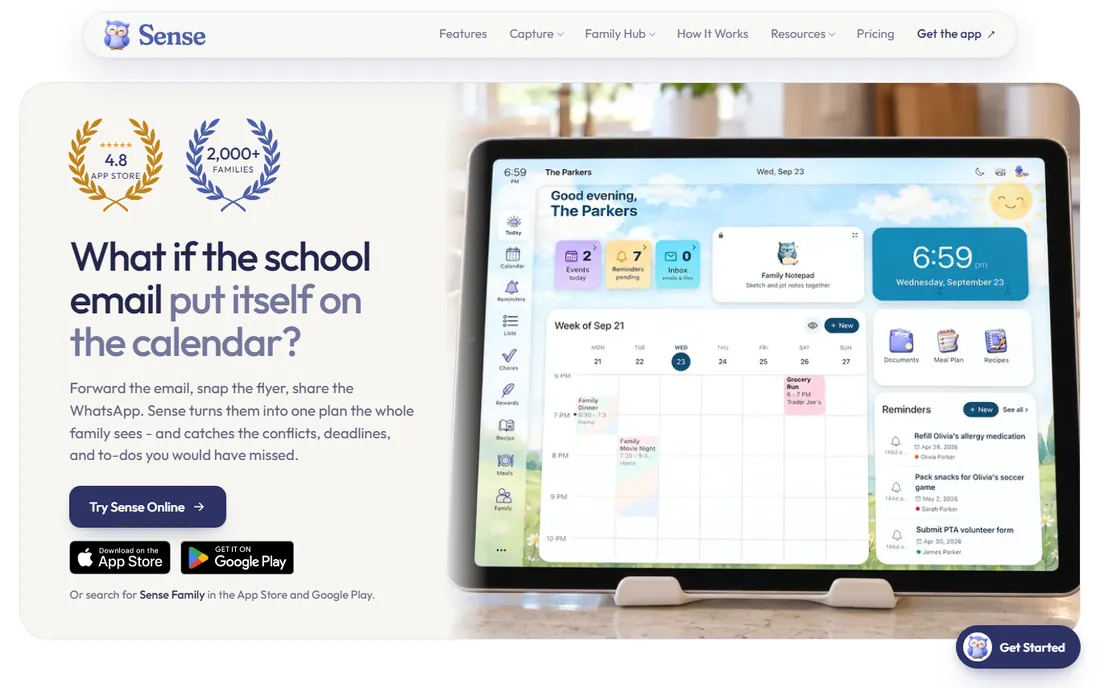
Sense starts from an honest observation: the work is not the calendar, it is getting dates into the calendar. You forward school emails, snap photos of flyers, paste chat messages or drop in links, and Sense turns them into events on a shared family calendar, with an AI assistant that can answer questions about the schedule. A kiosk mode turns a spare tablet into an always-on family board for the kitchen, which is where this kind of app earns its keep.
Premium costs $6.99 per month or $59.99 per year. The free tier lets you test the core idea, but heavy capture users will hit the paywall. Sense is deliberately narrower than FamilyWall: no location sharing, no budget tracker. Choose it if the nightly admin of typing in dates is what wears you down; choose FamilyWall if you need the broader hub.
What we like- AI pulls events from emails, flyers, screenshots and messages
- Kitchen tablet display mode
- Chores, meals and lists around the calendar
Watch out for- Newer and narrower than FamilyWall or Cozi
- The best capture features sit behind Premium
#6
Tody
Best for: Cleaning schedules based on how dirty things actually get
Visit todyapp.com
Starting priceFree
Free planYes
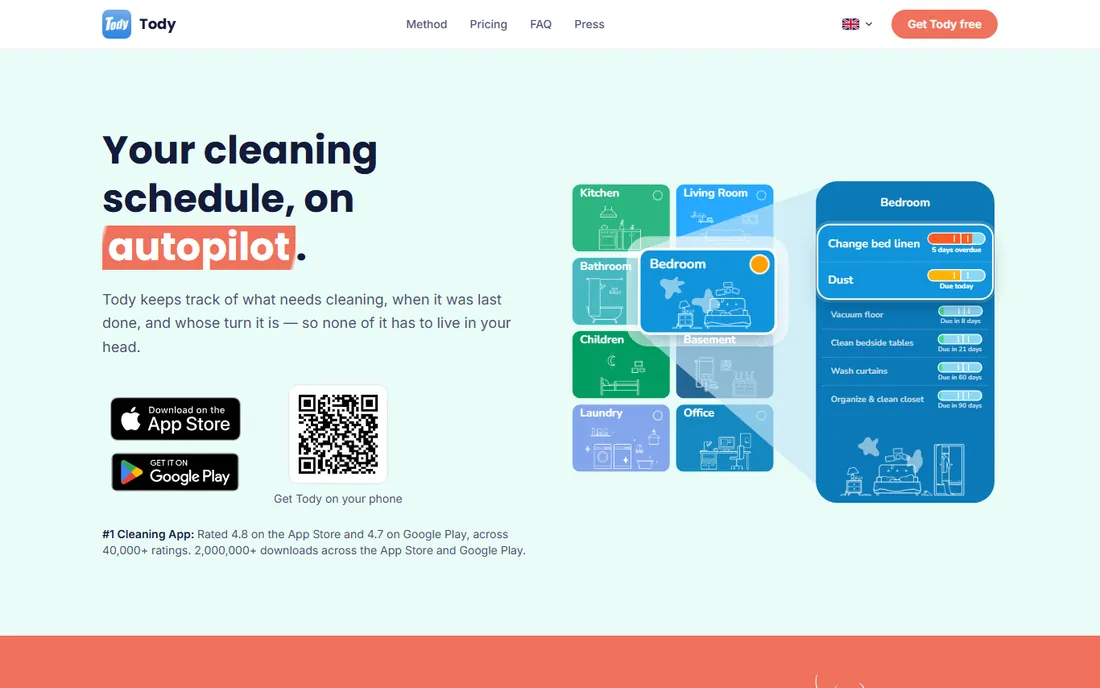
Tody's insight is that cleaning should follow dirt, not days of the week. Every task gets its own interval based on how often it realistically needs doing, and a color indicator shows how far along that interval each task is: green can wait, red is overdue. You clean when things need it, which feels saner than a rigid Tuesday schedule. Chores can be assigned or rotated automatically on every plan, and the Dusty mascot gives the whole thing a light competitive edge.
The free plan is the real deal: free forever, no ads, with chore assignment and rotation included. Tody Premium at $9.99 per year adds multiple homes and a focus timer. Household sync, where everyone sees the same live plan and FairShare sets contribution targets, needs Premium+, priced by household size from $25 per year for two people to $40 for a family of six. Every upgrade starts with a 30-day trial.
What we like- Free forever plan with no ads
- Tasks rotate automatically among household members
- FairShare balances the workload fairly
Watch out for- Household sync requires Premium+
- Focused on cleaning rather than general organizing
Starting priceSee website
Free planYes
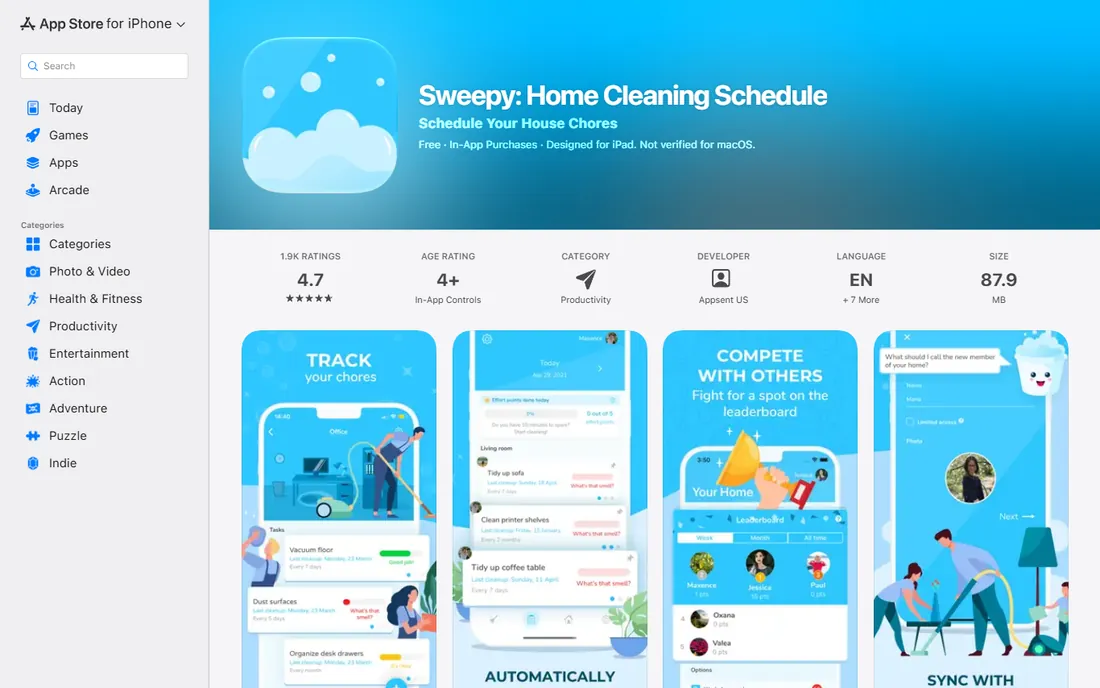
Sweepy treats cleaning like a fitness app treats exercise. You set up your home's rooms and tasks once, and it generates a daily schedule for each household member, tracks how clean each room is, and scores everyone on a leaderboard. Reviewers consistently say the same thing: the house is not perfect, but it is meaningfully cleaner, and arguments about who does what drop because the app decides. Prioritizing urgent tasks and syncing across devices keeps multi-person households coordinated.
The free version gets you started, but sharing tasks across the household requires Premium, and pricing differs by store region, so check the current figure in your app store before committing. It is cleaning-specific, so pair it with a family calendar app rather than expecting it to organize your life. For the narrow job of keeping a house clean without a manager, it is one of the most effective apps here.
What we like- Auto-generates a daily cleaning schedule per member
- Tracks each room's cleanliness
- Leaderboard and points keep it competitive
Watch out for- Sharing tasks across the household needs Premium
- Subscription pricing varies by region
Starting price$3.99/month
Free planYes
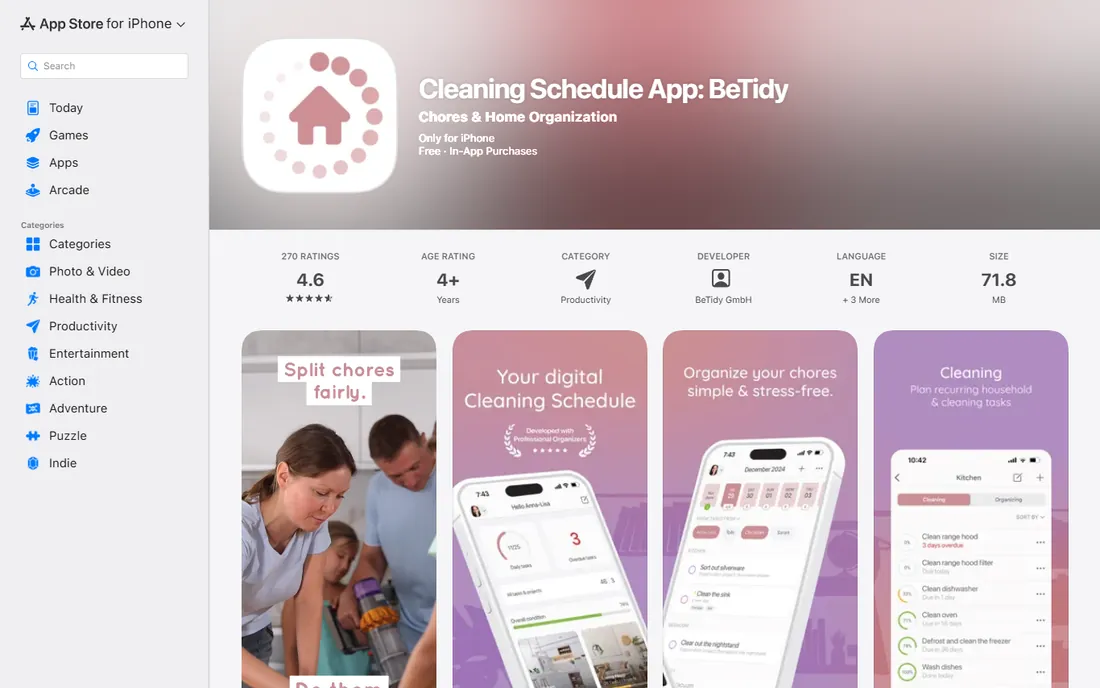
BeTidy takes the cleaning-schedule concept a step further toward professional structure. Beyond the standard scheduling and reminders, it sells organization packages created with professional organizers, including an office package for home workspaces. The pricing menu is unusually flexible: monthly, half-yearly and yearly subscriptions plus a lifetime purchase for buyers who would rather pay once than rent forever.
The trade-off for that flexibility is a smaller community and thinner review history than the bigger names here, so there is less crowd wisdom about long-term reliability. It also does exactly one thing: cleaning. But if you like the idea of a cleaning app designed with professional input and you prefer owning software to subscribing, BeTidy deserves a look.
What we like- Structured cleaning schedules with professional organizer packages
- Lifetime purchase available
- Half-yearly billing option
Watch out for- Smaller user base and fewer reviews than Sweepy or Tody
- Cleaning-only scope
#9
HomeZada
Best for: Homeowners managing maintenance, inventory and improvement projects
Visit homezada.com
Starting priceSee website
Free planYes

HomeZada is the odd one out here, and deliberately so: it manages the house, not the family schedule. It tracks maintenance tasks with schedules, keeps a room-by-room inventory of possessions with photos and receipts (exportable for insurance claims), manages renovation projects with budgets and timelines, and stores home finances and documents. A free Essential tier covers the inventory basics, and paid tiers add the full maintenance and project toolset for one home or several.
The breadth is both the appeal and the warning. Reviewers praise the depth but note a learning curve and mixed experiences with billing and support. Pricing has also moved around over the years, so check the current tiers on HomeZada's site rather than trusting older reviews. If you own a home and want one place that knows when the furnace filter is due and what the sofa cost, nothing else on this list tries.
What we like- Covers maintenance schedules, home inventory, projects, finances and documents in one dashboard
- AI assistant for property questions
- Exportable inventory for insurance
Watch out for- Feature-rich enough to have a real learning curve
- Pricing tiers have shifted over the years, so confirm current rates
How we chose
We looked at what US families actually need from a household app: a shared calendar, chore and task management, cleaning routines, and a way to track the home itself. We tested vendor sites, pricing pages and app store listings, and checked real user feedback on the App Store, Google Play and Reddit, where parents are blunt about what their kids will and will not use. Every app here is actively maintained and available today. We favored apps with genuinely usable free tiers, since families should not have to pay to find out if an app fits, and we made sure the list covers organizing, cleaning and home maintenance rather than just calendars.
The real cost of free family apps
Nearly every app on this list is free to start, which raises the fair question of what the business model is. The honest answer varies. Cozi and FamCal show ads on their free tiers. FamilyWall and Sense reserve their best features for subscriptions. OurHome is free with no ads, which is generous and slightly mysterious, but it has sustained itself for years. Tody's free tier is a genuine product, not a demo.
The practical rule: free tiers are for evaluation. If the whole family adopts an app, budget for the paid tier of whichever one you choose. The prices here are modest, mostly $20 to $60 per year, which is less than one forgotten late fee or one duplicate grocery run per month. Pay for the app your family will actually open, not the one with the longest feature list.
Picking the right app for your household
Start with your biggest pain point, not the app with the most features. If the problem is scheduling chaos, Cozi or FamCal solve it this weekend. If the problem is that nobody knows where anyone is, FamilyWall's location sharing is the answer. If the problem is chores, OurHome works for young kids and Tody works for teens and adults. If the problem is a dirty house, Sweepy or BeTidy build the routine. If the problem is the house itself aging, HomeZada tracks it.
Then consider who has to adopt it. An app only works if the least technical family member uses it, so favor simplicity over power when the household includes kids or grandparents. Most of these apps offer free tiers precisely so you can run a two-week trial with the family before committing. And do not try to run two organizers at once: pick one hub for the calendar and let the specialists handle cleaning or maintenance alongside it.
Frequently asked questions
Which household management app is actually free?
OurHome is completely free with no ads. Cozi, FamCal, FamilyWall, Sense, Tody, Sweepy and BeTidy all have usable free tiers with ads or feature limits, and paid upgrades from $9.99 to about $60 per year. HomeZada has a free Essential tier for basic inventory.
Can my kids use these apps?
Yes, with supervision. OurHome and FamCal are designed with child members in mind, including permission controls. FamilyWall and Cozi work for teens. Check each app's age rating in the app store, and remember that location-sharing features deserve a family conversation before you switch them on.
Do I need a separate app for cleaning?
Not necessarily, but it helps. Family organizers handle calendars and lists; cleaning apps like Tody, Sweepy and BeTidy handle the recurring reality of dirt with schedules, rotation and reminders. Households that struggle specifically with cleaning usually do better with a dedicated app than with calendar reminders.
Will these apps replace my paper calendar?
They can, but give it two weeks. The failure mode of every organizer app is half the family using it and half not. Put the app on everyone's phone, turn on notifications, and agree that if it is not in the app, it is not happening. The kitchen tablet trick, showing the day's schedule where everyone sees it, helps a lot.
What about privacy with family location sharing?
Location features in apps like FamilyWall share real-time whereabouts with circle members, which is powerful and sensitive. Use the built-in controls to limit sharing to family only, review the app's privacy policy, and talk with teens about boundaries before enabling it. You can always use the calendar and lists without turning on location.
Sources we checked (12)
- https://www.cozi.com/
- https://www.familywall.com/
- https://ourhomeapp.com
- https://www.appxy.com/
- https://getsense.ai/blog/posts/sense-vs-familywall-2026
- https://todyapp.com/
- https://todyapp.com/faq
- https://apps.apple.com/gb/app/sweepy-home-cleaning-schedule/id1498897320
- https://apps.apple.com/us/app/cleaning-schedule-betidy/id6468808266
- https://www.homezada.com/
- https://realestateledger.io/comparisons/homezada-vs-centriq
- https://www.kinhold.app/blog/best-chore-chart-apps-for-families-2026
Is your product missing or out of date?
We review this list regularly. Vendors can request a listing, send updated pricing or ask about featured placement.

Shihab Mia · Founder, Rankite
Shihab has spent more than a decade helping SaaS and e-commerce brands grow through search. He writes Rankite's software buying guides from pricing pages, documentation and public user reviews. More about Shihab.