How we make this list: we compare pricing pages, product documentation and public user reviews. Rankite is independent; if a vendor ever pays for a featured spot, that listing is clearly labeled Partner.
Quick comparison
| Tool | Best for | Starting price | Free plan |
|---|
 ImgBurn ImgBurn | Advanced users who want complete control over the burn process | Free | Yes (fully free, no paid tier) |
 CDBurnerXP CDBurnerXP | Windows users who want straightforward data, audio and ISO burning | Free | Yes (fully free, donations accepted) |
 InfraRecorder InfraRecorder | Users who want a lightweight open-source burner | Free | Yes (open source, GPL) |
 Burn Burn | Mac users who need more than Finder's built-in burning | Free | Yes (fully free, open source) |
 Nero BurnLite Nero BurnLite | Users who trust the Nero name but will not pay for the suite | Free | Yes (free limited edition) |
 BurnAware Free BurnAware Free | Everyday Windows users who want a modern, clean burner | Free | Yes (free tier; paid Premium and Pro add features) |
 AnyBurn AnyBurn | Technicians who want a portable burner on a USB stick | Free | Yes (fully free) |
 Ashampoo Burning Studio FREE Ashampoo Burning Studio FREE | Beginners who want burning explained step by step | Free | Yes (free tier; paid version adds features) |
Is your product missing or out of date?
We review this list regularly. Vendors can request a listing, send updated pricing or ask about featured placement.
Key takeaways
- Every tool here is genuinely free. The differences are interface polish, format support and whether Blu-ray is included.
- For maximum control on Windows: ImgBurn. For the simplest experience: CDBurnerXP or Ashampoo Burning Studio FREE.
- On a Mac, Burn is the long-standing free option, though macOS still burns basic data discs through Finder with no extra software.
- Watch installers on Windows: some free burners bundle optional extra software, so choose custom install and decline what you do not need.
The best free CD burning software
Optical drives are disappearing from new computers, but the need to burn a disc has not vanished with them. Musicians still press demo CDs, IT staff still build bootable rescue discs, photographers still archive to DVD, and cars with CD players still exist in large numbers. The good news: every serious disc burner has a free version, and the free versions are the ones most people should use. The eight below cover Windows and Mac, from bare-bones ISO burners to guided suites.
#1
ImgBurn
Best for: Advanced users who want complete control over the burn process
Visit imgburn.com
Starting priceFree
Free planYes (fully free, no paid tier)
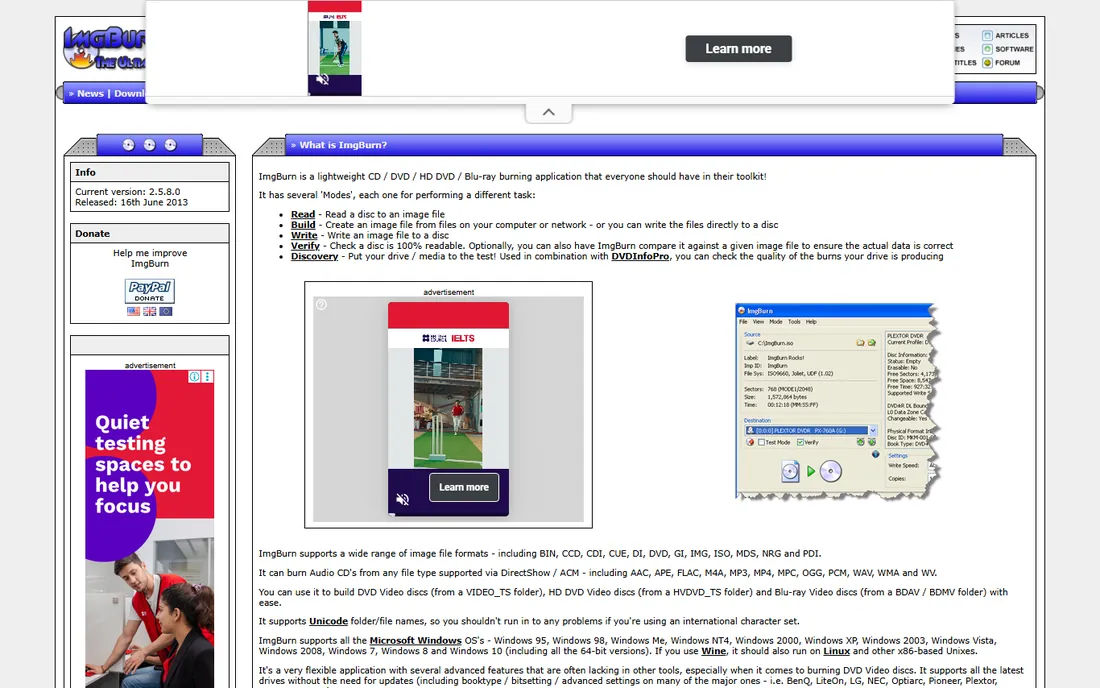
ImgBurn is the tool enthusiasts recommend when someone asks for a free burner, and it has earned that reputation over many years. It burns data discs, audio CDs from common formats, DVD video from VIDEO_TS folders and disc images of every common type, with a verification pass that compares the burned disc against the source. The queue system lets you line up several images and walk away.
The catch is the learning curve. ImgBurn exposes settings most people never need, and its interface assumes you know what a layer break is. It is also effectively finished software: the last release is old, though it still runs on current Windows. For a one-off ISO burn it is overkill; for someone who burns regularly and wants precision, it remains the benchmark.
What we like- Handles ISO, BIN, IMG and every common image format with precise settings
- Verify-after-write catches bad burns before you find out the hard way
- Tiny footprint with no background services
Watch out for- Interface looks technical and intimidating to beginners
- Development stopped years ago, though the last release still works on modern Windows
- No Blu-ray video authoring
#2
CDBurnerXP
Best for: Windows users who want straightforward data, audio and ISO burning
Visit cdburnerxp.se
Starting priceFree
Free planYes (fully free, donations accepted)
CDBurnerXP is the sensible default for most Windows users: a clean interface with tabs for data disc, audio disc, video DVD, ISO copy and disc copy, plus Blu-ray data support that many free competitors lack. It handles the everyday jobs, audio CDs from MP3 and FLAC, data backups to DVD, ISO images to disc, without burying them in options. The portable version runs from a USB stick, which is handy on machines you do not own.
The name is the biggest problem: it suggests Windows XP-only software, but it runs on current Windows versions. There is no DVD video authoring with menus, and a donation prompt appears now and then. Neither is a real obstacle. If you burn discs a few times a year and want it to just work, start here.
What we like- Clear tabbed interface covering data, audio, video and ISO
- Burns Blu-ray data discs and HD DVDs on the free version
- Available as a portable version with no install
Watch out for- Despite the name it runs fine on modern Windows but the branding confuses people
- No video DVD authoring with menus
- Occasional nag screen asking for donations
Starting priceFree
Free planYes (open source, GPL)
InfraRecorder is the open-source purist's pick: a small, clean GPL-licensed burner with zero bundled software and zero upsells. It writes data and audio discs, handles dual-layer DVDs, creates disc images and burns them back, all in a program small enough to run on hardware that struggles with modern suites. For a rescue USB toolkit or an old office PC, its size is the feature.
It is also visibly old. The interface belongs to another era, Blu-ray is not supported, and copying a disc means ripping to an image first and then burning it. Development has been quiet for years. Choose InfraRecorder when you want the smallest trustworthy burner and nothing else; choose CDBurnerXP or ImgBurn when you need modern format support.
What we like- Open source with no ads, bundles or upsells of any kind
- Very small download that runs on old hardware
- Covers data, audio, mixed-mode and dual-layer discs
Watch out for- Dated interface and no updates in years
- No Blu-ray support
- Disc copying requires a two-step read-then-write process
Starting priceFree
Free planYes (fully free, open source)
Burn has been the answer to "is there a free CD burner for Mac" for a very long time. Finder can write basic data discs, but Burn adds proper audio CDs, video DVDs with automatic conversion, disc images and disc-to-disc copying in a straightforward window. For Mac owners with an external optical drive, it fills the gap Apple left.
The trade-offs are platform and polish. It is Mac-only, the video DVD menus are basic, and on recent macOS versions you may need to allow it in the security settings before it launches. If your needs are simple, check Finder first; if you need audio CD burning or video DVDs on a Mac, Burn is still the free standard.
What we like- Free Mac burner with data, audio, video and disc-copy modes
- Converts video files automatically for video DVDs
- Simple drag-and-drop interface
Watch out for- Mac only
- Video DVD output is basic with simple menus
- Newer macOS versions may need security permission tweaks to run it
#5
Nero BurnLite
Best for: Users who trust the Nero name but will not pay for the suite
Visit nero.com
Starting priceFree
Free planYes (free limited edition)
Nero was the disc-burning brand of the 2000s, and BurnLite is its free remnant: the core burning engine without the video editing, backup and media management of the paid suite. It copies discs, burns images and writes data and audio reliably, in an interface that feels current rather than retro. For users who remember Nero fondly, it is the comfortable choice.
Comfort has limits. The free edition drops features the paid suite keeps, Blu-ray among them, and the installer will suggest the paid version more than once. If brand trust matters to you, BurnLite delivers it free. If features per dollar matter, ImgBurn and CDBurnerXP give you more for the same zero price.
What we like- The familiar Nero burning engine without the full suite price
- Reliable disc copying and image burning
- Clean modern interface
Watch out for- Free edition is feature-limited compared with paid Nero
- Installer pushes the paid suite
- No Blu-ray in the free version
#6
BurnAware Free
Best for: Everyday Windows users who want a modern, clean burner
Visit burnaware.com
Starting priceFree
Free planYes (free tier; paid Premium and Pro add features)
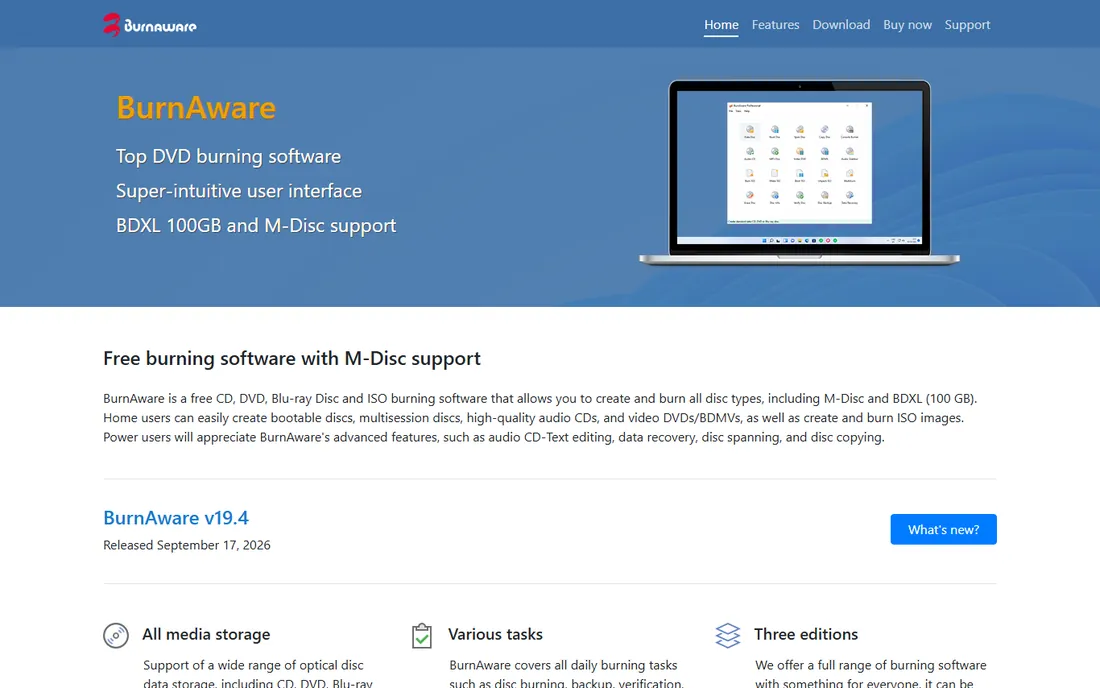
BurnAware Free is the most modern-feeling burner on this list, with a clean tabbed layout that makes the first burn obvious. The free tier handles the common jobs well: data discs, audio CDs, bootable discs, disc images and multisession writing. Disc spanning is a genuinely useful extra, splitting a backup larger than one disc across several automatically.
The free version is ad-supported in the sense that it promotes the paid tiers, and Blu-ray plus some advanced copy features sit behind the paywall. For CD and DVD work, which is what most people still burn, the free tier is complete. It is the best-looking option here, and for beginners that matters.
What we like- Polished tabbed interface that beginners understand immediately
- Free tier covers data, audio, MP3 discs and ISO burning
- Disc spanning splits big backups across multiple discs
Watch out for- Free version shows ads for the paid editions
- Blu-ray burning needs the paid tier
- Some advanced features like disc-to-disc copy are paywalled
#7
AnyBurn
Best for: Technicians who want a portable burner on a USB stick
Visit anyburn.com
Starting priceFree
Free planYes (fully free)
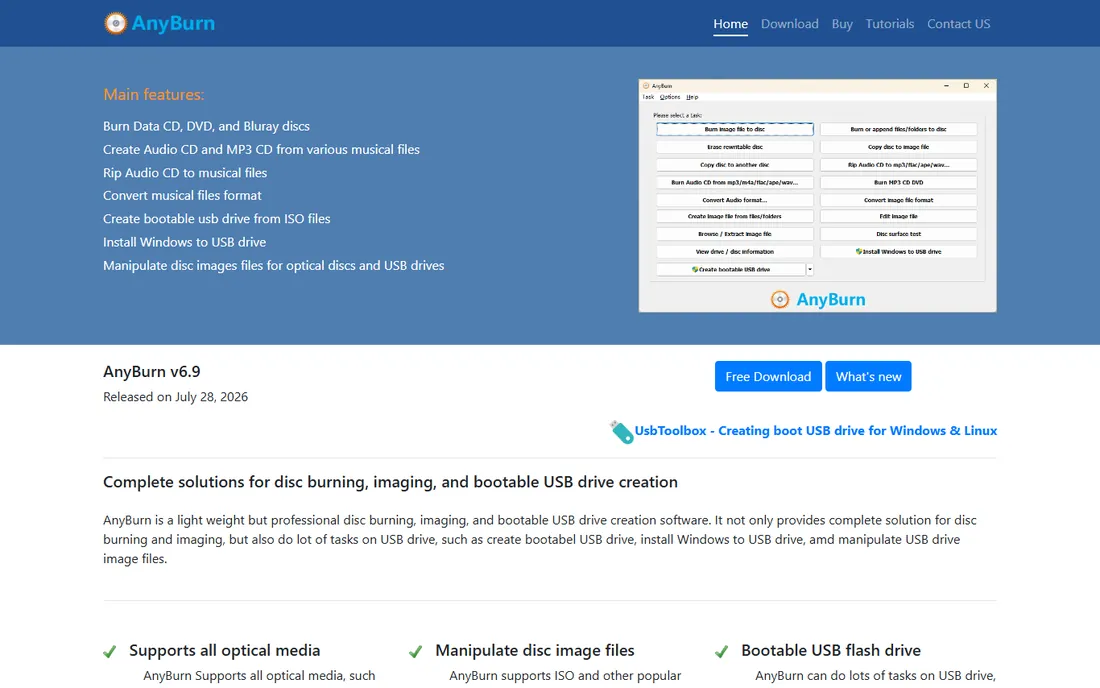
AnyBurn is built for the USB toolkit: a small single executable, available in 32-bit and 64-bit, that burns disc images, writes data and audio discs, rips audio CDs and converts between image formats without installing anything. IT staff who carry a rescue drive already know this category, and AnyBurn is one of the cleanest examples.
There is no polish to speak of. The interface is a simple list of tasks, the help files are sparse, and Blu-ray video authoring is absent. It is not the burner you recommend to your parents. It is the burner you keep on a flash drive for the day a machine needs a boot disc and has no software installed.
What we like- Tiny portable executable with 32-bit and 64-bit builds
- Burns images, audio CDs and data discs with no install
- Converts between image formats
Watch out for- Plain utilitarian interface
- Documentation is thin
- No Blu-ray video authoring
#8
Ashampoo Burning Studio FREE
Best for: Beginners who want burning explained step by step
Visit ashampoo.com
Starting priceFree
Free planYes (free tier; paid version adds features)
Ashampoo Burning Studio FREE takes the opposite approach from ImgBurn: instead of exposing every setting, it guides you through each burn with wizards that explain what is happening. Data backup, audio CD, video DVD, disc copy and image burning are all presented as simple flows. For someone burning their first disc in years, the hand-holding is the product.
The price of that guidance is a license-key signup with your email and regular reminders that a paid version exists. The free tier also skips Blu-ray and the more advanced options. If you burn discs rarely and want zero learning curve, Ashampoo is the friendliest free choice. If you burn often, you will outgrow the wizards and should look at CDBurnerXP.
What we like- Guided wizards walk first-timers through every burn type
- Covers data, audio, video and disc images
- Attractive interface that does not intimidate
Watch out for- Free version lacks Blu-ray and some advanced options
- Requires an email signup for the free license key
- Upsells the paid edition inside the app
Why free burners are still worth downloading in 2026
The built-in tools cover less than people assume. Windows can burn a basic data disc and macOS Finder handles simple writes, but neither makes a proper audio CD with track gaps, verifies the burn against the source, or builds a bootable disc from an ISO with the right settings. Those gaps are exactly where the free tools live: ImgBurn's verification pass, CDBurnerXP's audio disc tab and BurnAware's bootable-disc handling do things the OS tools simply skip.
The other reason is hardware reality. Plenty of working life still runs on discs: car stereos, older office equipment, medical and legal archives, and bootable rescue media for technicians. An external USB DVD burner costs little, and paired with a free tool it keeps that hardware useful. The category is shrinking, but the remaining use cases are real, and the software for them costs nothing.
What to check before you burn
First, match the tool to the disc. Audio CDs for the car need a burner with proper audio disc mode and gap control: CDBurnerXP, BurnAware Free or Burn on Mac. Bootable ISOs need image-burning mode with verification: ImgBurn or AnyBurn. Data archives need multisession or disc spanning: BurnAware Free or CDBurnerXP. Picking by job beats picking by brand.
Second, mind the installer. Free Windows software sometimes bundles optional extras, and disc burners have a history of it. Always choose the custom install, decline everything that is not the burner, and prefer the portable versions where offered. Third, verify important burns. ImgBurn's verify pass exists because cheap media and aging drives produce coasters; for anything you cannot afford to lose, the extra minutes are worth it.
How we chose
We started with the categories buyers search: free CD burning software, free DVD burner, free disc burning software and burn ISO to USB free. For each candidate we confirmed the software is still available for download, checked the free tier against the vendor's own site, compared format support and interface, and read practitioner discussion on Reddit and tech forums. Where a price could not be verified on the vendor's page we wrote "See website" rather than guessing; every tool here is free in its listed tier.
Frequently asked questions
What is the best free CD burning software for Windows?
CDBurnerXP for most people: free, simple tabs for data, audio and ISO, plus Blu-ray data support. ImgBurn if you want maximum control and verification, BurnAware Free if you want the most modern interface.
Is there a free CD burner for Mac?
Yes, Burn is the long-standing free Mac option with audio, video and disc-copy modes. For basic data discs, macOS Finder burns without any extra software.
Can free software burn Blu-ray discs?
Some can. CDBurnerXP burns Blu-ray data discs free; ImgBurn handles Blu-ray data as well. Blu-ray video authoring is usually a paid feature: BurnAware and Ashampoo reserve it for their paid tiers.
Is ImgBurn still safe to download?
ImgBurn itself is clean, but only download it from the official site, imgburn.com. Old versions bundled through third-party download sites sometimes carried adware, so the source matters more than the software.
Do I still need burning software on Windows 11?
For basic data discs, no: Windows burns those natively. You need a burner for audio CDs with proper track gaps, verified burns, bootable ISOs and disc copying, which is where the tools on this list come in.
Why does my burn fail halfway through?
The usual causes are cheap or old blank media, burning too fast, and a dusty or aging drive. Drop the burn speed to half the media rating, try a different brand of discs, and turn on verification so failures get caught immediately.
Sources we checked (8)
- https://www.imgburn.com
- https://cdburnerxp.se
- https://infrarecorder.org
- https://burn-osx.sourceforge.io
- https://www.nero.com
- https://www.burnaware.com
- https://www.anyburn.com
- https://www.ashampoo.com
Is your product missing or out of date?
We review this list regularly. Vendors can request a listing, send updated pricing or ask about featured placement.

Shihab Mia · Founder, Rankite
Shihab has spent more than a decade helping SaaS and e-commerce brands grow through search. He writes Rankite's software buying guides from pricing pages, documentation and public user reviews. More about Shihab.