How we make this list: we compare pricing pages, product documentation and public user reviews. Rankite is independent; if a vendor ever pays for a featured spot, that listing is clearly labeled Partner.
Key takeaways
- RightFont is the safest mainstream pick for Mac designers: native, fast, one-time purchase, with auto-activation for Adobe apps and Sketch.
- Typeface is the best-looking option on macOS, with live font comparison and variable font sliders, but it is Mac-only.
- FontBase gives you a genuinely useful free tier on Mac and Windows, with paid plans adding the full feature set.
- Windows users are best served by MainType or the completely free NexusFont, both built for large local libraries.
- FontExplorer X Pro and Suitcase Fusion are gone as standalone products, both folded into Monotype's subscription, so do not buy old licenses from resellers.
Quick comparison
| Tool | Best for | Starting price | Free plan |
|---|
 RightFont RightFont | Mac designers who want a one-time purchase | See website | Free trial |
 Typeface Typeface | Mac users who browse fonts visually | See website | Free trial |
 FontBase FontBase | Designers who want a strong free tier | See website | Yes |
 Monotype Fonts Monotype Fonts | Teams that want fonts plus management in one subscription | See website | Free trial |
 FontAgent FontAgent | Studios that need font license compliance | See website | Free trial |
 MainType MainType | Windows power users with big libraries | See website | Free trial |
 NexusFont NexusFont | Windows users who want capable font management for free | Free | Yes |
 FontExpert FontExpert | Budget-conscious Windows users | See website | Free trial |
Is your product missing or out of date?
We review this list regularly. Vendors can request a listing, send updated pricing or ask about featured placement.
The best font management software in 2026
Every designer hits the same wall: a Downloads folder with 4,000 font files, duplicate families, and InDesign begging for a missing weight five minutes before a deadline. The best font management software fixes that by keeping fonts organized, previewable, and activated only when you need them, which also keeps your system menus fast. These eight cover both major platforms and every budget.
Starting priceSee website
Free planFree trial
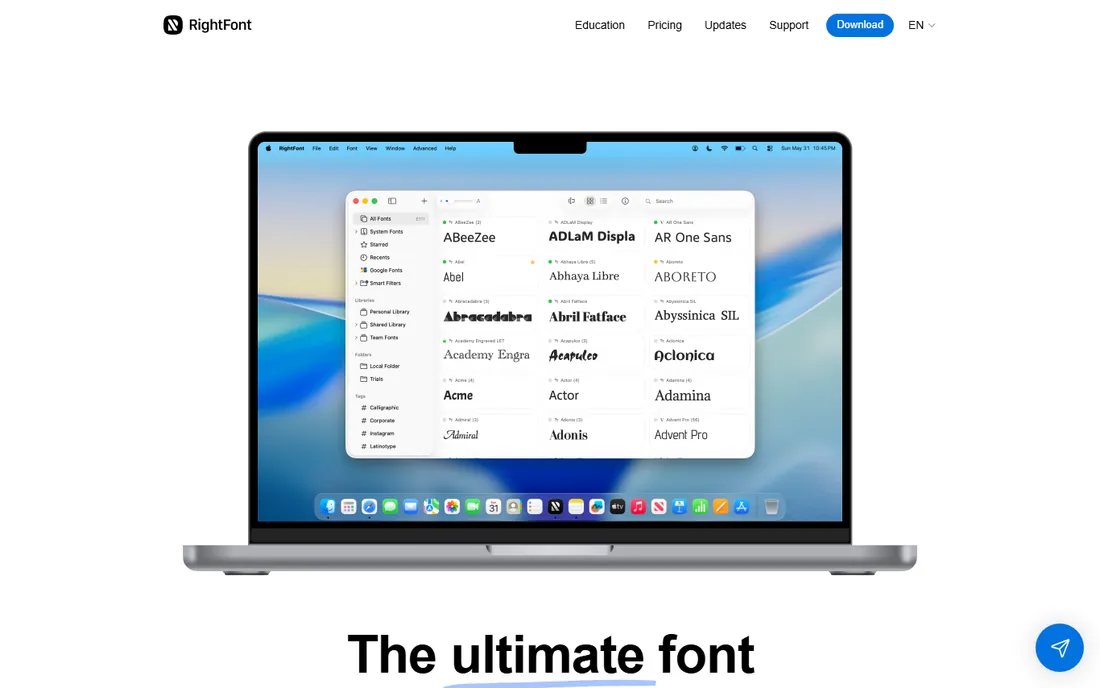
RightFont has become the default recommendation for Mac-based designers, and it is easy to see why. The app is native to macOS, runs well on Apple Silicon, and stays quick even with tens of thousands of fonts loaded. You can browse any folder without installing anything, and fonts activate with a click instead of being copied into the system directory.
The standout feature is auto-activation. Open a Photoshop or InDesign document and RightFont detects missing fonts and prompts you to activate them, which saves the familiar hunt through old project folders. It also syncs Google Fonts with one click and includes an icon font manager for drag-and-drop symbols. The pricing model is the real draw: a single purchase covers you indefinitely, which is rare now. The trade-off is platform lock-in. There is no Windows version, and teams that need centralized license tracking will outgrow it.
What we like- One-time purchase, no subscription
- Auto-activation for Photoshop, Illustrator, InDesign and Sketch
- Google Fonts sync built in
Watch out for- MacOS only
- Team sharing is basic compared with server products
Starting priceSee website
Free planFree trial
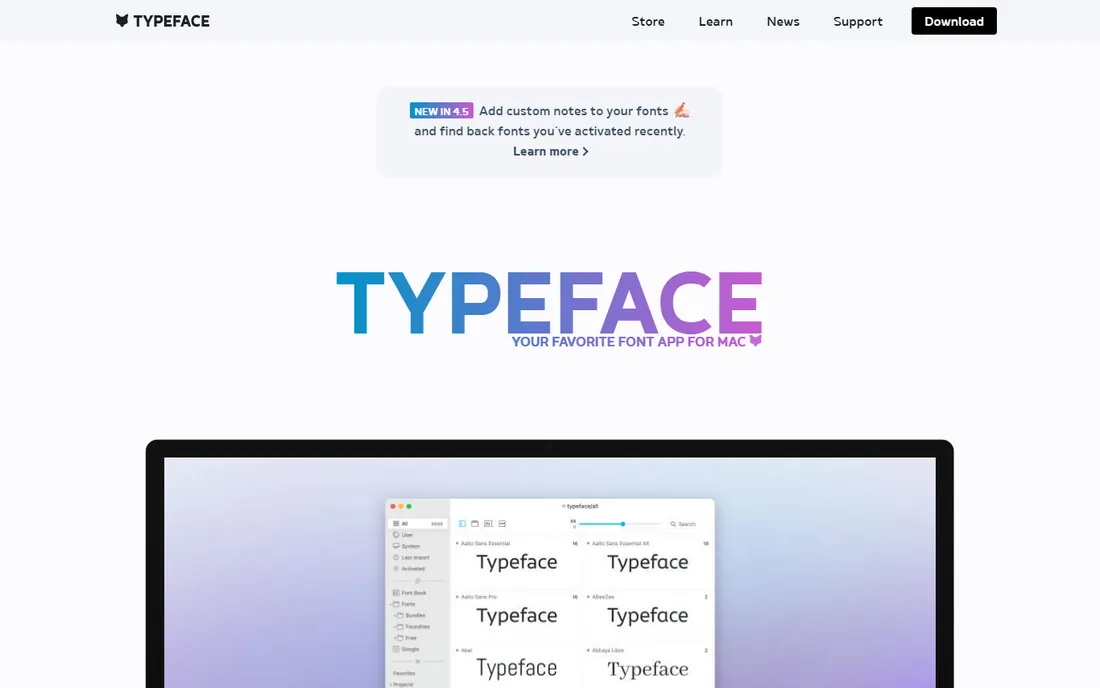
If RightFont is the practical pick, Typeface is the one designers fall for. It feels like Apple designed a font manager: smooth animations, live preview text you can customize, and a comparison mode that overlays two fonts so you can spot the difference between near-identical grotesques. Version 3 added persistent and temporary activation plus auto-activation for design documents.
Power users get real depth here. Variable fonts get sliders for every axis, OpenType features are fully inspectable, and you can preview fonts in book, magazine, or article layouts before committing. Synced folders keep your Downloads folder catalogued automatically, and tags export to JSON for backup. The honest catch is the same as RightFont: Mac only, and there is no native cloud service, so multi-seat studios sync through Dropbox or iCloud workarounds. It is also sold through the Mac App Store and Setapp, so check both for the current price.
What we like- Beautiful, fast interface
- Excellent variable font and OpenType previews
- Font overlay comparison
Watch out for- MacOS only
- No built-in cloud sync for teams
Starting priceSee website
Free planYes
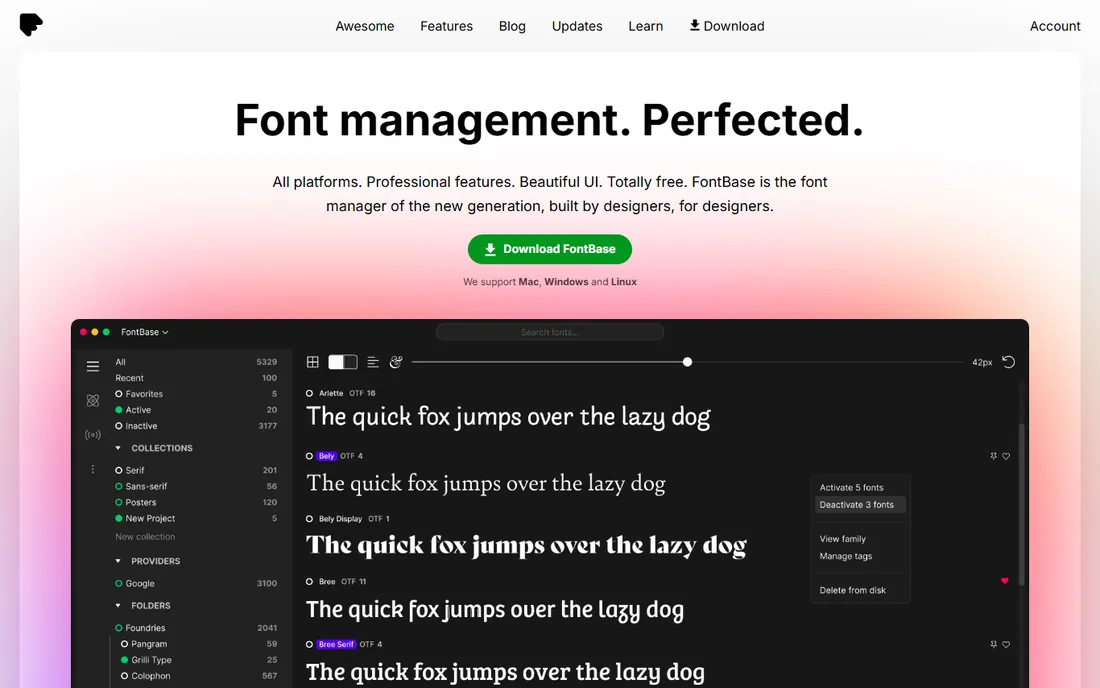
FontBase is the rare free tool that professionals actually keep. The free tier covers collections, watched folders, Google Fonts, glyph browsing, and fast search that stays instant with thousands of files. It runs on both Mac and Windows from one account, which makes it the obvious pick for mixed-platform freelancers.
The paid tiers add the features working designers eventually want: auto-activation in Adobe apps, nested collections, and the full OpenType feature set. Even then the pricing is modest compared with subscription competitors. The interface shows its indie roots in places, and reviewers note that very large libraries can take longer to load and that the free version surfaces upgrade prompts. Still, for the price of nothing, it beats every other free option on features.
What we like- Generous free version
- Fast search across huge libraries
- Works on Mac and Windows
Watch out for- Best features sit behind paid tiers
- No Linux version
Starting priceSee website
Free planFree trial
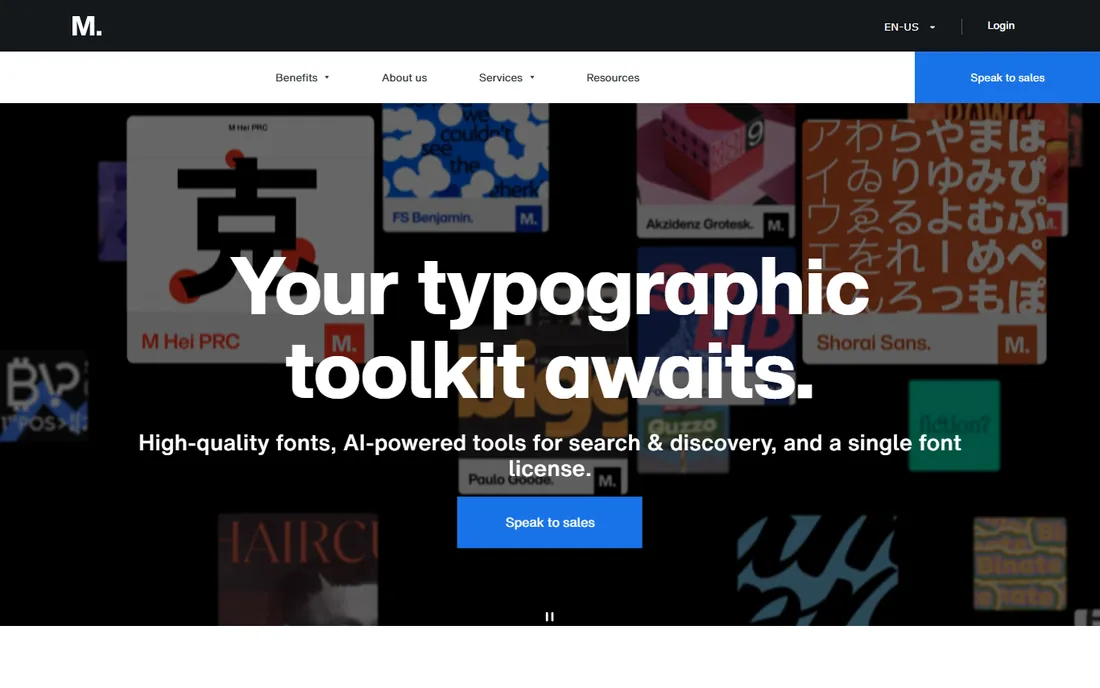
This entry needs context. Extensis retired Suitcase Fusion and Monotype retired FontExplorer X Pro as standalone products, and both funnels now point here: Monotype Fonts, the subscription that combines a huge font library with desktop font management. If you find old Suitcase Fusion or FontExplorer licenses for sale, do not buy them. They are end of life.
What you get is an all-in-one service: browse and license fonts from the Monotype library, sync them to your desktop, and manage your own collection alongside them. For studios that constantly license new typefaces, bundling the library with management simplifies procurement and keeps licensing clean. The downside is the model. If you already own your fonts and just need to organize them, paying a subscription forever stings, and the per-seat pricing adds up for larger teams.
What we like- Access to the Monotype library of 150,000+ fonts
- Syncs across desktop and web
- Replaces two retired products
Watch out for- Subscription only
- Overkill if you only need organization
Starting priceSee website
Free planFree trial
FontAgent has been around since the nineties, and it shows in the best way: this is the tool for organizations where fonts are a legal liability. Beyond standard activation and organization, it tracks font licenses across users, flags compliance risks, and offers a server edition that pushes the right fonts to the right machines. Insider even markets it explicitly as a replacement for retired Extensis and FontExplorer server products.
For a solo designer, that is more machinery than needed, and the pricing reflects the enterprise audience. But if you manage a team where designers share fonts over a network and legal wants an audit trail, few competitors match it. The desktop clients cover Mac and Windows, auto-activation works in Adobe Creative Cloud apps, and a 30-day trial lets you test the compliance reporting before talking to sales.
What we like- Deep license tracking and reporting
- Mac and Windows clients
- Server option for teams
Watch out for- Priced for businesses, not hobbyists
- Interface feels dated next to newer apps
Starting priceSee website
Free planFree trial
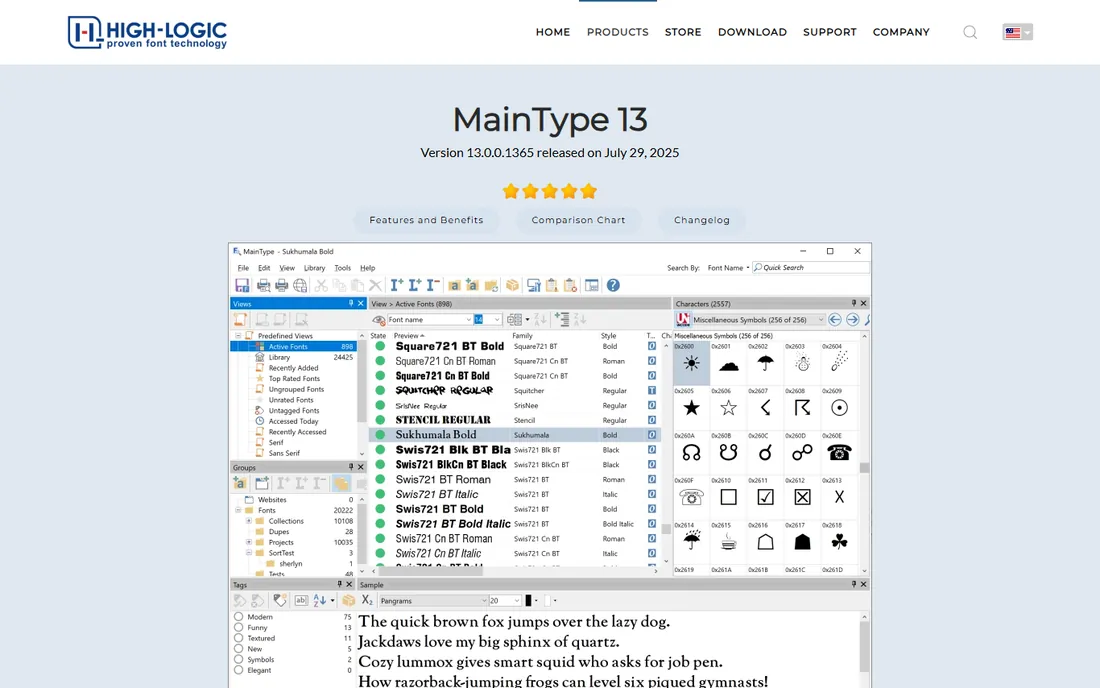
MainType is the Windows answer to the pro font manager question. It installs and activates fonts without administrator privileges, which matters on locked-down corporate machines, and changes sync across the system immediately with no reboot and no font-list refreshing. Support for variable fonts and OpenType layout features is complete, and the Unicode browser with copy-to-clipboard is genuinely useful for multilingual work.
Network support and advanced categorization put it in the same conversation as tools costing much more. The interface is utilitarian rather than pretty, and Mac users need not apply. Pricing is a one-time payment, which keeps the total cost of ownership low over the years. If your font work happens on Windows and you want professional depth without a subscription, this is the shortlist.
What we like- No admin rights needed
- Instant system-wide sync
- Strong Unicode and OpenType tools
Watch out for- Windows only
- Interface prioritizes function over beauty
#7
NexusFont
Best for: Windows users who want capable font management for free
Visit xiles.net
Starting priceFree
Free planYes
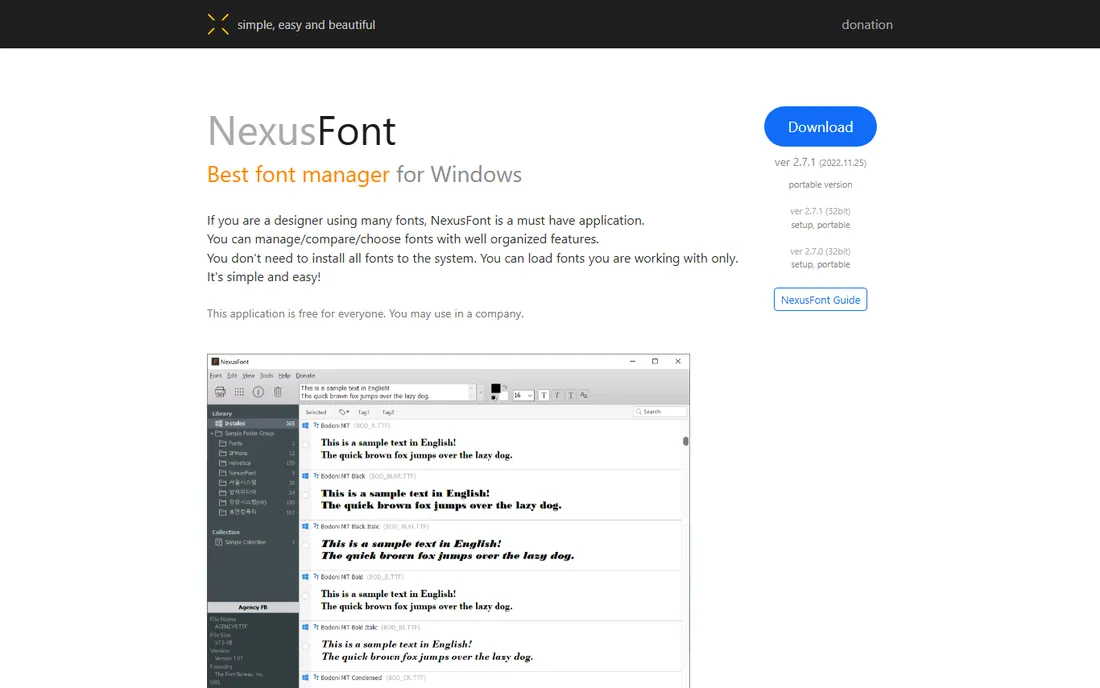
NexusFont is a small miracle: a capable Windows font manager that costs nothing and allows commercial use. You can load fonts into project sets without installing them, compare multiple faces side by side, detect duplicates, and export specimen sheets as images. It even runs portably from a flash drive, which freelancers who hop between studio machines appreciate.
The compromises are real. It is Windows only, updates are infrequent, and there is no cloud sync or auto-activation for Adobe apps. The developer's site is minimal, which can make new users nervous, but the software itself is stable and widely used. For students, hobbyists, or anyone who needs organization without spending a dollar, it remains the best free option on Windows.
What we like- Completely free, even for commercial use
- Portable, runs from a USB stick
- Duplicate detection
Watch out for- Windows only
- Rarely updated
- No cloud features
Starting priceSee website
Free planFree trial
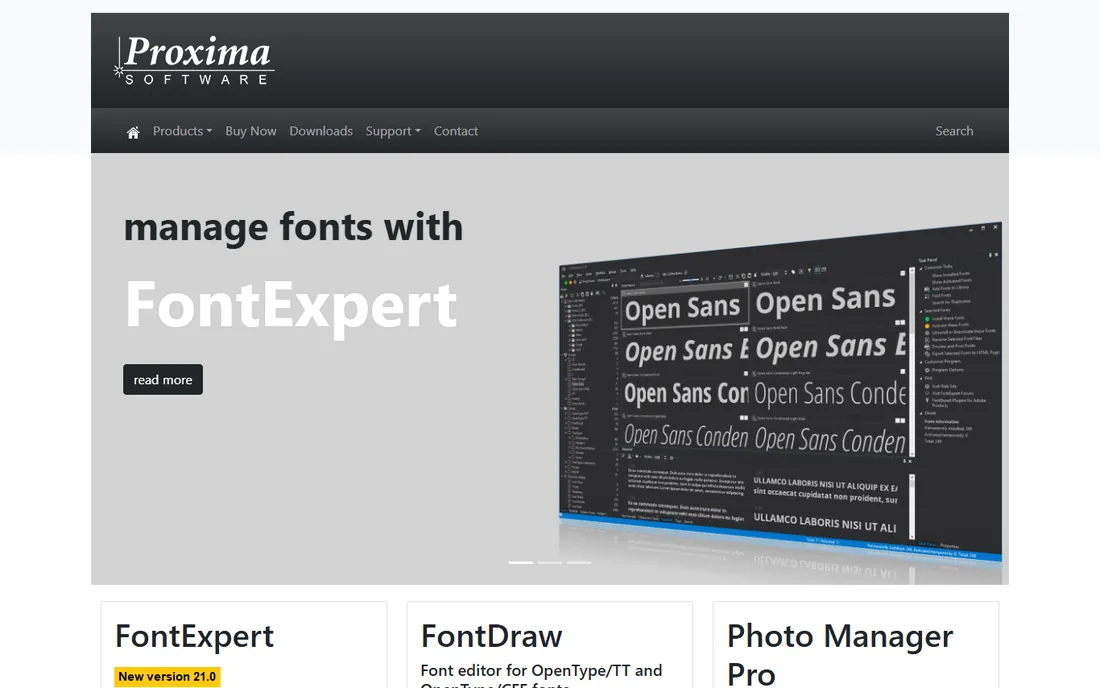
FontExpert fills the gap left by FontExplorer's Windows version: an inexpensive, no-subscription font manager for Windows. It previews and manages TrueType, OpenType, and legacy Adobe Type 1 fonts, detects corrupted and duplicate fonts, and prints specimen sheets. For the price of a couple of coffees per year of use, it covers the fundamentals.
Expectations should be set accordingly. The interface looks like software from another era, documentation is thin, and you will not find the lively community that surrounds the Mac tools. But it is actively maintained by Proxima Software, the license is perpetual, and for Windows users who want something sturdier than freeware without paying pro prices, it earns its place.
What we like- Affordable one-time license
- Handles TrueType, OpenType and old Type 1 fonts
- Font conflict detection
Watch out for- Dated interface
- Smaller user community for support
How we chose
We started from vendor homepages, documentation, and current pricing pages, then cross-checked features and pricing against public review sources including G2, Capterra, Slashdot, and designer roundups. Products that have been retired as standalone tools, specifically Suitcase Fusion and FontExplorer X Pro, were replaced with their current successors rather than reviewed as if they were still for sale. We did not claim hands-on testing. Platform coverage mattered: a list that only serves Mac designers would fail half the buyers, so Windows options were weighted equally. One-time purchase tools were favored where quality allowed, since designers consistently say they prefer them.
How to pick a font manager without overpaying
Start with your platform, because it eliminates half the list instantly. On a Mac, the real decision is RightFont versus Typeface, and it comes down to temperament: RightFont is the practical organizer with better team features, Typeface is the visual browser that makes choosing type enjoyable. On Windows, try NexusFont first. If you hit its limits, MainType is the professional step up.
Count your fonts honestly. Under a few hundred, your operating system's built-in tool plus a folder system is fine, and buying software is premature. Past a thousand, activation control starts saving real time, because every installed font slows app launches and clutters menus. Past five thousand, you need search, tagging, and duplicate detection, which is where the paid tools justify themselves.
Then decide on the money model. One-time purchases from RightFont, Typeface, MainType, and FontExpert cost more upfront and nothing later. Subscriptions like Monotype Fonts make sense only if you also need the font library. Free tools like FontBase and NexusFont are genuinely good enough for many working designers, so do not assume you must pay.
Font management is one of the few software categories still split by operating system. The best Mac tools do not exist on Windows and vice versa, so cross-platform lists can mislead. If you work on both, FontBase and FontAgent are the only options here with real clients for each, and FontBase is free. Everyone else should pick the best tool for the machine in front of them and stop worrying about the other side.
Frequently asked questions
Is a paid font manager worth it over the free ones?
It depends on library size and workflow. If you open Adobe documents daily and juggle client fonts, auto-activation alone can save an hour a week, which pays for a one-time license quickly. If you have a few hundred fonts and mostly work in one app, FontBase or NexusFont covers you for free.
What happened to Suitcase Fusion and FontExplorer X Pro?
Both were retired as standalone products. Extensis folded its desktop tools into Monotype Connect, and Monotype moved FontExplorer X into the Monotype Fonts subscription. Old licenses sold by third parties are end of life and will not get updates.
Do I need a font manager if I use Adobe Fonts?
Adobe Fonts handles licensing and syncing for its own library well, but it does nothing for fonts you bought elsewhere, downloaded, or received from clients. A manager unifies all of them in one searchable place.
Can font managers really speed up my computer?
They reduce font-related slowdowns rather than speeding up the machine itself. Keeping thousands of fonts deactivated means design apps launch faster and font menus stay short. The difference is noticeable past a few thousand fonts.
Which font manager is best for teams?
FontAgent leads for license compliance and centralized distribution. Monotype Fonts suits teams that also want a shared font library. RightFont and Typeface work for small Mac teams through shared folders but lack true server features.
Are Google Fonts safe to use in client work?
Google Fonts are open licensed and fine for commercial work, including client projects. Both RightFont and FontBase can sync the Google Fonts catalog directly, which is convenient but worth double-checking against client brand guidelines.
Sources we checked (13)
- https://rightfontapp.com
- https://typefaceapp.com
- https://fontba.se/
- https://monotypefonts.com/
- https://www.insidersoftware.com
- https://www.proximasoftware.com/
- https://www.xiles.net
- https://extensis.com/
- https://fontexplorerx.com/
- https://www.high-logic.com/font-manager/maintype
- https://www.g2.com/products/fontbase/pricing
- https://slashdot.org/software/p/RightFont/
- https://softwarehow.com/best-font-manager-mac/
Is your product missing or out of date?
We review this list regularly. Vendors can request a listing, send updated pricing or ask about featured placement.

Shihab Mia · Founder, Rankite
Shihab has spent more than a decade helping SaaS and e-commerce brands grow through search. He writes Rankite's software buying guides from pricing pages, documentation and public user reviews. More about Shihab.