How we make this list: we compare pricing pages, product documentation and public user reviews. Rankite is independent; if a vendor ever pays for a featured spot, that listing is clearly labeled Partner.
Key takeaways
- FanControl is the enthusiast favorite: free, deeply customizable, and it handles case, CPU and GPU fans from one interface.
- Argus Monitor is the paid alternative with the most polished curve editor and a 30-day full trial.
- Motherboard-vendor tools (ASUS, MSI, NZXT) only make sense if you own that vendor's hardware.
- Always test fan control with temperature monitoring running: silent means nothing if the CPU is throttling.
Quick comparison
| Tool | Best for | Starting price | Free plan |
|---|
 FanControl FanControl | Enthusiasts who want total fan control free | Free | Yes |
 Argus Monitor Argus Monitor | Users who want polished, powerful control and will pay for it | Paid license (see website) | Free trial (30 days, full functionality) |
 SpeedFan SpeedFan | Legacy systems and old motherboards | Free | Yes |
 Open Hardware Monitor Open Hardware Monitor | Free monitoring with basic fan control on the side | Free | Yes |
 NZXT CAM NZXT CAM | NZXT case, cooler and motherboard owners | Free | Yes |
 Macs Fan Control Macs Fan Control | Mac users and Boot Camp Windows installations | Free basic; Pro version paid (see website) | Yes (basic) |
 ASUS Fan Xpert ASUS Fan Xpert | ASUS motherboard owners who want zero-hassle control | Free | Yes |
 MSI Center MSI Center | MSI motherboard and laptop owners | Free | Yes |
Is your product missing or out of date?
We review this list regularly. Vendors can request a listing, send updated pricing or ask about featured placement.
The best fan control software
Stock fan curves are compromises: loud under load, or quiet but hot. Fan control software lets you draw your own curves, tying each fan's speed to the temperature that actually matters. The tools below range from free enthusiast favorites to vendor utilities, and the right one depends on your motherboard more than on marketing.
Starting priceFree
Free planYes
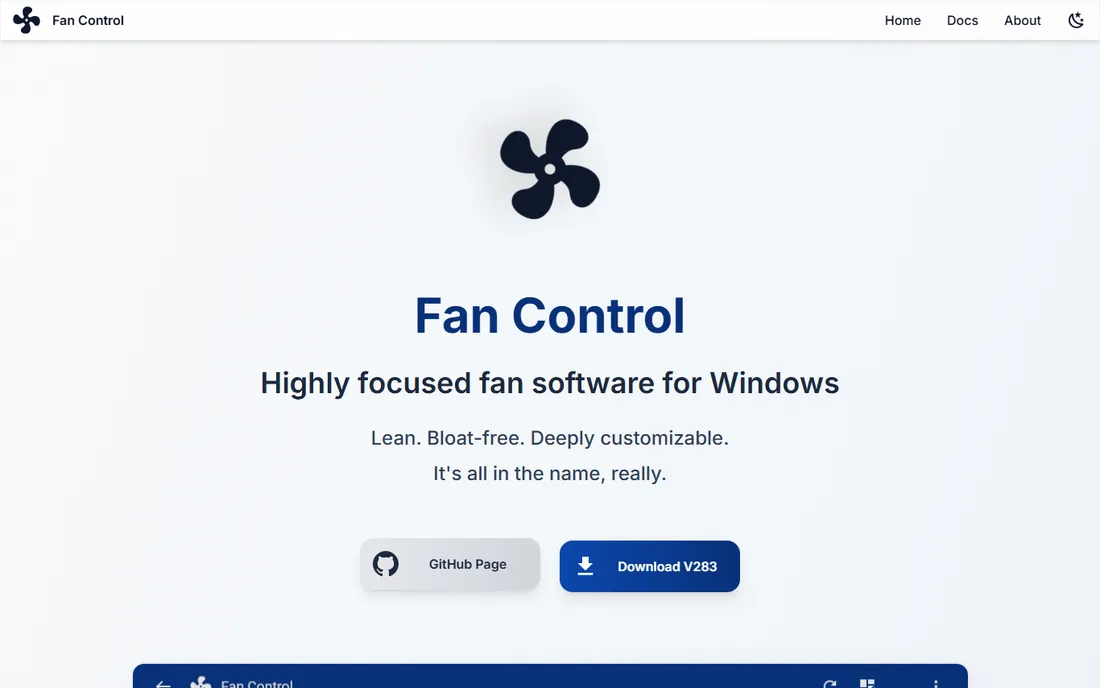
FanControl by Remi Mercier is the tool PC builders recommend to each other. It detects your fans and temperature sensors, then lets you build exactly the behavior you want: case fans following GPU temperature during gaming and CPU temperature during rendering, custom graph curves, hysteresis to prevent ramping, and profiles you switch with hotkeys. It is free, focused and constantly updated.
The price of that power is a learning curve. First launch walks you through setup, but you are expected to understand what a fan curve is. Sensor support for exotic boards can lag. For anyone comfortable with the concepts, it replaces every vendor utility on this list.
What we like- Completely free with deep customization: custom curves, mixed sensors, profiles and plugins
- Controls case, CPU and GPU fans in one interface
- Low resource usage and active development
Watch out for- Setup assumes technical comfort
- Sensor support depends on community-maintained libraries
#2
Argus Monitor
Best for: Users who want polished, powerful control and will pay for it
Visit argusmonitor.com
Starting pricePaid license (see website)
Free planFree trial (30 days, full functionality)
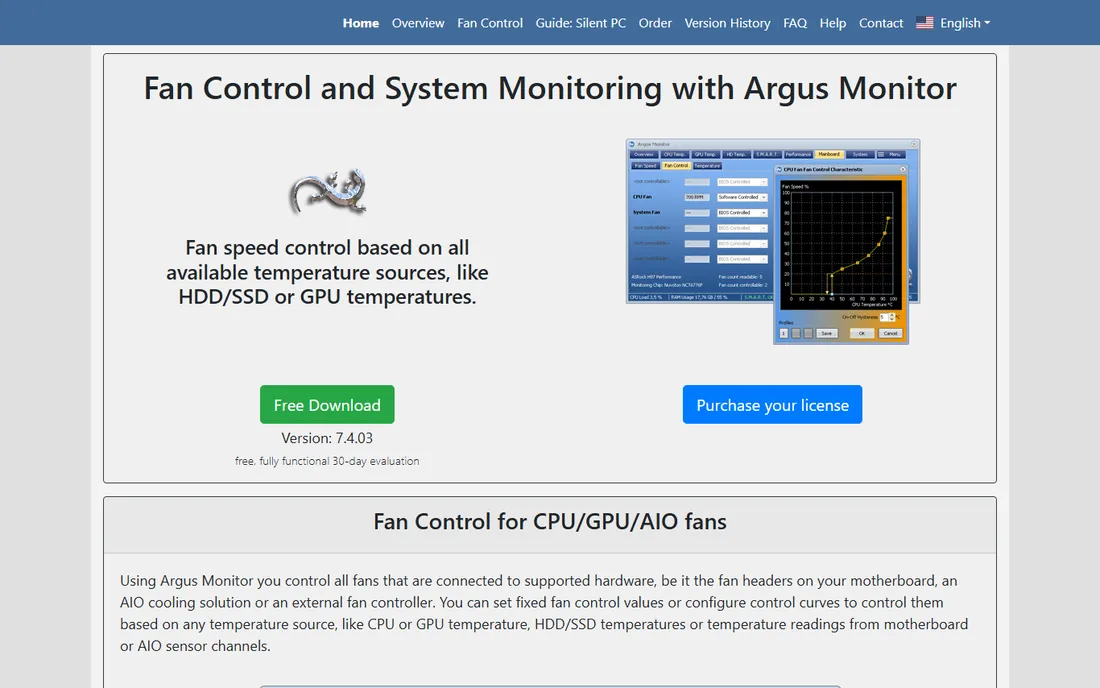
Argus Monitor is the commercial answer to FanControl. Its fan controller ties each fan to any combination of temperature sources (CPU, GPU, drives, motherboard sensors) with per-fan curves, and the 30-day trial includes every feature so you can verify compatibility before paying. It doubles as a system monitor with drive health tracking.
The license is a one-time purchase, which compares well against subscriptions elsewhere in software. The interface will not impress anyone, but the control logic is the most sophisticated here. Buyers who want power without tinkering through open-source setup will find the price fair.
What we like- Excellent curve editor with multi-source control (up to 6 controllers per fan)
- 30-day trial with zero restrictions
- Also monitors HDD/SSD health and temperatures
Watch out for- Paid after the trial
- The interface is functional rather than modern
Starting priceFree
Free planYes

SpeedFan is a legend running on reputation. For over a decade it was the fan control tool, and on older motherboards it still works fine: free, lightweight, with temperature and SMART monitoring built in. If you are nursing a 2012-era build, it may be the only tool that talks to your board.
On modern hardware it is a gamble. Development stalled years ago, new chipsets go unsupported, and the interface baffles first-time users. Try it on old systems; on anything built in the last five years, start with FanControl instead.
What we like- Free and tiny
- Still works on older boards that newer tools ignore
- Reads SMART data and temperatures alongside fan control
Watch out for- Effectively unmaintained for years
- Confusing interface
- Unreliable on modern chipsets and motherboards
Starting priceFree
Free planYes
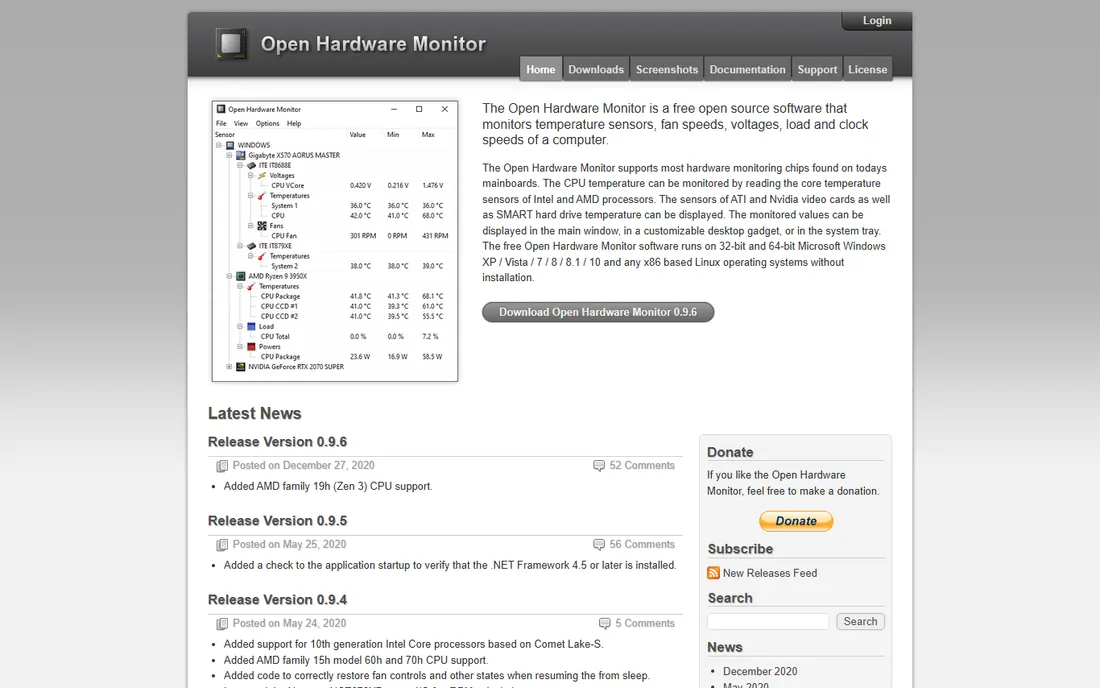
Open Hardware Monitor is primarily a monitoring tool that happens to control fans where the hardware allows. It reads temperatures, fan speeds, voltages and clock speeds across CPU, GPU and motherboard sensors, and exposes fan control on supported Super I/O chips. As open-source freeware, it costs nothing to try.
Expect monitoring first and control second: the fan features are rudimentary next to FanControl's curves. Development moves slowly. It earns its place for users who mainly want to watch temperatures and adjust a fan or two, not for curve perfectionists.
What we like- Free and open source
- Good temperature, voltage and fan-speed monitoring
- Fan control available where the chipset allows
Watch out for- Fan control is basic and board-dependent
- Development is slow
#5
NZXT CAM
Best for: NZXT case, cooler and motherboard owners
Visit nzxt.com
Starting priceFree
Free planYes
NZXT CAM is the vendor utility done right, provided you own NZXT gear. It controls fans on NZXT cases, AIO coolers and motherboards, syncs RGB lighting, and monitors temperatures in a genuinely attractive interface. For an all-NZXT build, it is the path of least resistance.
Outside the NZXT ecosystem its fan control is limited, the login requirement annoys privacy-minded users, and it runs heavier in the background than the free alternatives. NZXT owners should use it; everyone else should use FanControl.
What we like- Free and designed around NZXT hardware
- Clean modern interface
- Combines fan control with lighting and system monitoring
Watch out for- Full value requires NZXT hardware
- Account login required
- Background resource usage draws complaints
Starting priceFree basic; Pro version paid (see website)
Free planYes (basic)

Macs Fan Control is the go-to for Apple hardware, where Apple's own fan curves prioritize silence over cooling. It lets you set fans based on any temperature sensor, with presets and custom rules, in both macOS and Boot Camp Windows. The free version covers the essentials; Pro adds custom presets and menubar extras.
Apple Silicon Macs complicate things: you can monitor sensors but direct fan control is limited by the platform. Intel Macs and Boot Camp setups get the full benefit. For Mac users fighting thermal throttling, it remains the standard recommendation.
What we like- The standard fan control tool for Macs, including Apple Silicon via sensors
- Works in macOS and in Windows via Boot Camp
- Simple sensor-based rules
Watch out for- Apple Silicon support is sensor-reading with limited control depth
- Pro features target advanced users
#7
ASUS Fan Xpert
Best for: ASUS motherboard owners who want zero-hassle control
Visit asus.com
Starting priceFree
Free planYes
Fan Xpert (inside AI Suite 3 and Armoury Crate) is ASUS's answer, and for ASUS board owners it is the frictionless choice. It auto-detects each fan, calibrates minimum speeds, and offers preset and custom curves tuned for ASUS fan headers. No compatibility guessing: it was built for your board.
The lock-in is total: it only works with ASUS hardware, and it arrives inside suites that install more than you asked for. ASUS owners who want simplicity should start here; tinkerers will still prefer FanControl's deeper mixing.
What we like- Free with ASUS boards and tuned for their fan headers
- Automatic fan calibration and tuning
- Integrates with AI Suite and Armoury Crate
Watch out for- ASUS hardware only
- Bundled inside larger suites you may not want
#8
MSI Center
Best for: MSI motherboard and laptop owners
Visit msi.com
Starting priceFree
Free planYes
MSI Center serves MSI desktops and, importantly, MSI laptops, where fan control options are otherwise thin. User Scenarios tie fan curves to performance profiles (silent, balanced, extreme), and gaming laptops get cooler boost overrides. For MSI hardware it is the supported, warranty-safe path.
Like all vendor tools, it stops at the brand boundary, and the modular suite installs pieces you may not want. Desktop tinkerers on MSI boards often end up in FanControl anyway. Laptop owners should stay with the vendor tool: notebook EC firmware is unforgiving.
What we like- Free with MSI hardware including laptops
- User scenarios bundle fan curves with performance profiles
- Cooler boost modes for gaming laptops
Watch out for- MSI hardware only
- The modular suite can feel bloated
- Laptop fan control is coarser than desktop
Will it work with your motherboard
Fan control lives or dies on hardware support, and support varies by tool. FanControl relies on LibreHardwareMonitor libraries: most consumer boards from ASUS, MSI, Gigabyte and ASRock work, but brand-new chipsets can take months for support to land. Argus Monitor maintains its own broader compatibility list, one reason it charges. Vendor tools guarantee support for their own boards and nothing else.
Before committing, check the tool's supported-hardware list or forum for your exact motherboard model. Super I/O chips and embedded controllers differ even within a brand's lineup. And note the failure mode: if a tool cannot see your fans, it simply will not list them. Test with the trial or free version first, and keep the BIOS fan settings as your fallback.
How we chose
We searched the queries PC builders use: fan control software, best fan curve software and control pc fans windows. We favored tools with active development and real user communities over abandoned utilities, checked each vendor's own site for pricing and trial terms, and compared curve customization, sensor support and hardware compatibility against enthusiast reviews and forum discussion. Where a price could not be verified on the vendor's page we wrote "See website."
The noise-temperature trade-off
Every fan curve is a compromise between noise and temperature, and the right answer depends on the machine's job. A rendering workstation should prioritize temperatures: sustained heat shortens component life, and fan noise matters less than a crashed render. A bedroom PC should prioritize silence at idle, with fans ramping only under real load.
The technical trick is hysteresis and smoothing: fans that constantly ramp up and down are more annoying than fans running steadily faster. Set response delays of several seconds and avoid points where the curve jumps. Target temperatures, not silence: keep CPUs under their throttling threshold with headroom, GPUs within manufacturer spec, and accept the noise those targets require. A quiet PC that throttles is not a fast PC.
Frequently asked questions
Is fan control software safe?
Yes, when used sensibly. These tools adjust fan speeds within the hardware's normal range; they cannot overvolt anything. The risk is setting curves too passive and overheating, so monitor temperatures after changing curves.
Will FanControl work with my motherboard?
Most ASUS, MSI, Gigabyte and ASRock boards are supported via the LibreHardwareMonitor libraries. Very new chipsets may lag. Download it free and check whether your fans appear before investing time in curves.
Why are my fans loud even at idle?
Usually a stock curve tied to a spiky sensor (like CPU package temperature) or dust-clogged heatsinks. A custom curve with smoothing, or cleaning the coolers, fixes most idle-noise complaints.
Can I control GPU fans separately?
Yes. FanControl and Argus Monitor both handle GPU fans alongside case and CPU fans, letting you tie case airflow to GPU temperature during gaming. Vendor GPU tools (MSI Afterburner and similar) also offer GPU-specific curves.
Do I need fan control on a laptop?
Laptops have less headroom: use the vendor's tool (MSI Center, Armoury Crate) rather than generic utilities, since notebook firmware is less forgiving. Undervolting and cooling pads help more than aggressive curves on most laptops.
Free vs paid fan control: what does paying buy?
Argus Monitor's license buys a polished curve editor, broader compatibility and support. FanControl matches it on features for free. Pay for convenience and support, not for capability.
Sources we checked (8)
- https://getfancontrol.com
- https://www.argusmonitor.com
- https://www.almico.com/speedfan.php
- https://www.openhardwaremonitor.org
- https://www.nzxt.com/software/cam
- https://www.crystalidea.com/macs-fan-control
- https://www.asus.com
- https://www.msi.com
Is your product missing or out of date?
We review this list regularly. Vendors can request a listing, send updated pricing or ask about featured placement.

Shihab Mia · Founder, Rankite
Shihab has spent more than a decade helping SaaS and e-commerce brands grow through search. He writes Rankite's software buying guides from pricing pages, documentation and public user reviews. More about Shihab.