How we make this list: we compare pricing pages, product documentation and public user reviews. Ratings come from G2, Capterra or Trustpilot, with the date we checked them.
Direct answer
Docusign eSignature is the safest first pick for most large companies because Standard costs $25 per user per month billed annually and the product covers templates, audit trails, and admin controls. Adobe Acrobat Sign suits firms already paying for Acrobat. Dropbox Sign is the simpler option for teams that want unlimited requests.
Key takeaways
- Large firms should start with Docusign Standard at $25 per user per month billed annually, with up to 100 envelopes per user per year.
- Firms that license Acrobat widely should price Adobe Acrobat Sign first, since its enterprise plan is quote only with a 30-day trial.
- Teams that dislike envelope caps should check Dropbox Sign, which lists 5 templates on its entry plan and unlimited requests on paid plans.
- Sales teams should check PandaDoc Business at $49 per seat per month billed annually for proposals plus signing.
- European firms that need qualified signatures should ask Signicat for a quote, since it lists 35 or more identity methods and prices by setup, subscription, and transaction fees.
Quick comparison
| Tool | Best for | Starting price | Free plan |
|---|
 Docusign eSignature | Standard platform for large firms | $25/month per user, Standard plan, $300 billed annually | None found on vendor page |
 Adobe Acrobat Sign | Firms already using Acrobat | See website | Free 30-day trial, no credit card required |
 Dropbox Sign | Simple sending, unlimited requests | See website | 30-day free trial |
 PandaDoc | Proposals, quotes, and signing | $19 USD per seat per month, Starter plan, billed annually | Free plan, $0 for up to 5 documents a month |
 SignNow | Many occasional senders | $8/month, Business plan, billed annually | 7-day free trial |
 OneSpan Sign | Regulated signing with identity checks | See website | Free developer account for testing |
 Box Sign | Firms that store contracts in Box | See website | Free Developer plan with 5 Box Sign documents per month |
 Foxit eSign | Unlimited envelopes on Business plan | See website | Free trial stated on vendor page |
 Signeasy | Roles and approval workflows | $7/month, Personal plan, list price $10/month | 14-day free trial |
 Signicat | European eID qualified signatures | See website | Free sandbox account |
Is your product missing or out of date?
We review this list regularly. Vendors can request a listing, send updated pricing or ask about featured placement.
The best esignature software for enterprises
Enterprise signing is not only about collecting a signature. A large firm needs single sign-on, audit trails, templates that legal teams control, and records that can be found years later. It also needs limits that match real sending volume, since a cheap seat price can hide a low envelope allowance. This list ranks ten live products on enterprise controls, signing limits, identity options, and published pricing. Prices were checked on vendor pages on 2026-11-29. Where enterprise pricing is quote only, the entry says See website.
Starting price$25/month per user, Standard plan, $300 billed annually
Free planNone found on vendor page
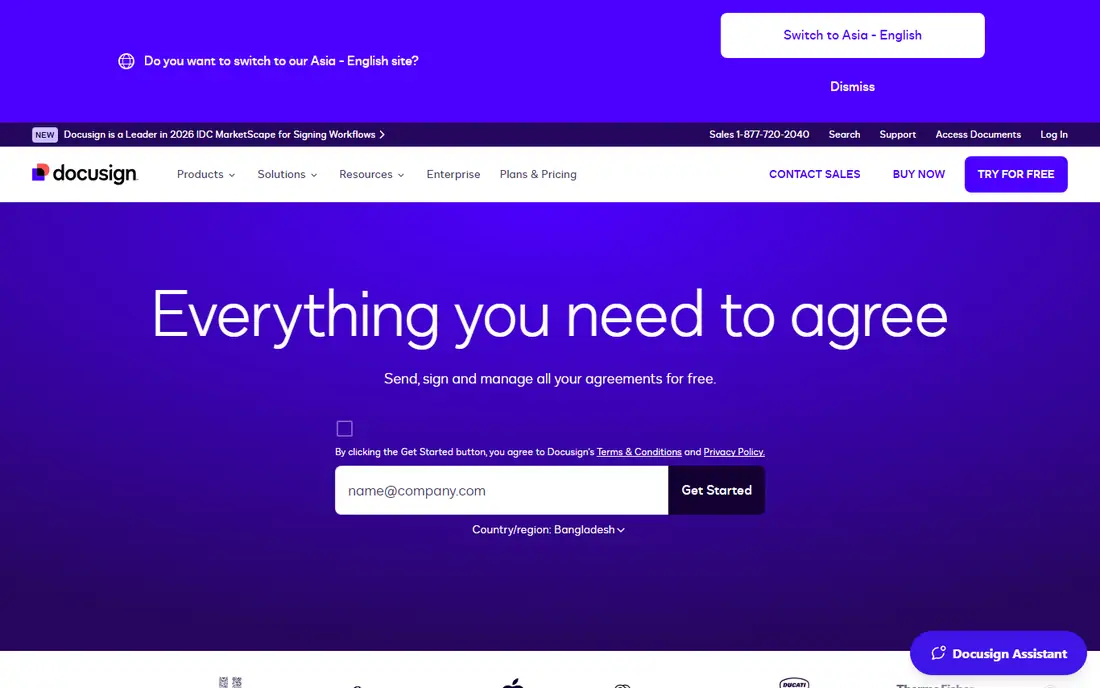
Docusign eSignature is the default shortlist name for many legal and procurement teams. Standard costs $25 per user per month billed annually. Business Pro costs $40 per user per month billed annually and targets firms that want more automation. Annual Standard and Business Pro plans include up to 100 envelopes per user per year. An envelope can hold one or many documents and signers, and it counts once when sent. That helps firms that send multi document packs. SMS sending starts at $0.40 per delivery and ID verification starts at $2.50 per attempt.
The catch is the envelope cap. A team of 50 senders on Standard gets up to 5,000 envelopes a year, and extra envelopes are billed pay as you go. Docusign suits firms that want a known signer experience and clear limits. Firms that need unlimited sending on a flat seat price should compare Dropbox Sign and Foxit eSign first, using last year envelope counts.
What we like- Annual plans include up to 100 envelopes per user per year
- Recipients need no Docusign account
- SMS and ID checks have stated add-on prices
Watch out for- Envelope cap can add pay as you go cost
- Enhanced enterprise terms need sales talks
Starting priceSee website
Free planFree 30-day trial, no credit card required
Adobe Acrobat Sign fits firms that already standardize on Acrobat for PDF work. Adobe describes Acrobat Sign as its standalone e-signature solution for medium and large businesses, with unlimited seats. The free 30-day trial includes reusable templates, web forms, Send in Bulk to thousands of recipients, custom workflows, and audit reports. It connects to Microsoft 365, Salesforce, and Workday, and offers a REST API. For an enterprise, the value is one vendor for PDF editing, forms, and signing, with licenses managed from a central console. Admins can assign and reassign licenses for the business from that console, which helps firms with frequent staff changes.
The catch is price clarity. Adobe does not publish a standalone enterprise price on the pages checked, and buyers are sent to sales for pricing. Pick Adobe Acrobat Sign if your firm already pays for Acrobat and wants signing in the same contract. Look elsewhere if you need a published per seat price before sales talks. A budget team should ask for the full enterprise quote in writing, with transaction terms stated.
What we like- Standalone plan built for medium and large businesses
- Trial includes templates, web forms, and bulk sending
- Connects to Microsoft 365, Salesforce, and Workday
Watch out for- Enterprise price is not published
- Signing sits inside the wider Acrobat product line
Starting priceSee website
Free plan30-day free trial
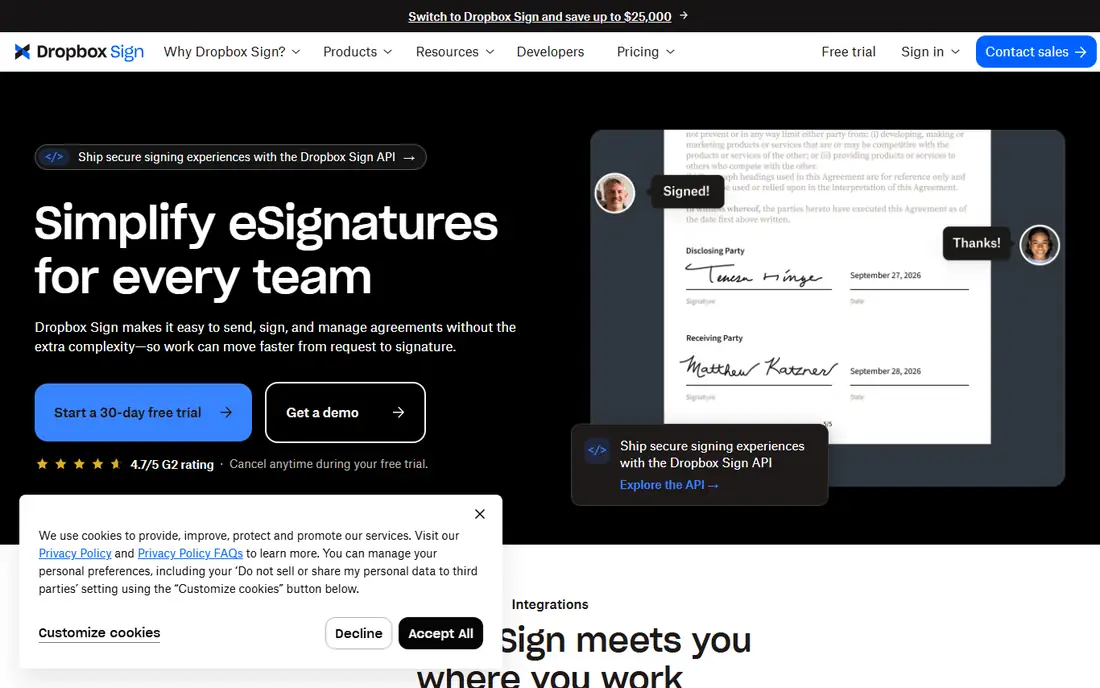
Dropbox Sign, formerly HelloSign, suits firms that want staff to send documents without much training. The pricing page text checked did not show dollar amounts, so buyers should confirm the current entry price on the vendor site. Its pricing page leads with unlimited signature requests and no hidden fees. The plan table shows 5 templates on the entry plan, 15 on the team plan, and unlimited templates on Premium. The separate API starts at $75 for 50 requests per month billed annually at $900. Dropbox states SOC 2 Type II compliance and support for HIPAA, GDPR, and eIDAS.
The catch is that enterprise controls sit in the higher tier. A firm that needs single sign-on and deep reporting should expect a Premium quote, not the entry plan price. Dropbox Sign suits firms that value a short setup and steady request volume. Firms that need European eID qualified signatures should look at Signicat, since email based signing may not meet local rules.
What we like- Paid plans advertise unlimited signature requests
- Audit trail and bulk send are core features
- API starts at $75 for 50 requests per month
Watch out for- Template limits rise by plan, from 5 to 15 to unlimited
- Teams of 5 or more are pushed to sales contact
Starting price$19 USD per seat per month, Starter plan, billed annually
Free planFree plan, $0 for up to 5 documents a month
PandaDoc is built for creating proposals, quotes, and agreements, then sending them for signature. Starter costs $19 per seat per month billed annually, or $35 billed monthly. Business costs $49 per seat per month billed annually, or $65 billed monthly. Business adds custom quotes, CRM integrations, a content library, deal rooms, approval workflows, web forms, and bulk send. Enterprise adds CPQ, workflow automation, single sign-on, team workspaces, and API access. The free plan covers up to 5 documents a month, and the trial period runs 14 days. PandaDoc also lists a signature certificate and two factor authentication in its plan comparison table.
The catch is the credit system. PandaDoc states that API, Zapier, Make, forms, and bulk send can use usage credits, and API document creation pauses when credits run out on Starter and Business. Pick PandaDoc if sales documents and signing should live in one system. Pick a signing first tool if contracts are created elsewhere. A firm with 20 Business seats pays $11,760 a year before credits, so seat count needs care.
What we like- Starter includes unlimited uploads and e-signatures
- Business adds CRM tools, approvals, and bulk send
- Audit trail is listed in the plan comparison
Watch out for- Single sign-on and CPQ sit on quote only Enterprise
- API and automation can consume usage credits
Starting price$8/month, Business plan, billed annually
Free plan7-day free trial
SignNow prices by invites, not seats. Business costs $8 per month billed annually, Business Premium costs $15, and Enterprise costs $30. Every paid plan includes unlimited users, which helps firms where many staff send a few documents each year. Annual plans include up to 100 signature invites per year. One invite can carry several documents and recipients. Extra invites cost $0.96, $1.80, or $3.60 each by tier. The Site License starts at $1.50 per signature invite and adds full API access and single sign-on. Reminders and resends do not use the invite allowance, which helps teams chase late signers.
The catch is that unlimited users does not mean unlimited sending. A firm that sends 2,000 invites a year will pay well past the $96 entry price. At that volume, the Site License rate deserves a quote. SignNow suits firms with many low volume senders. High volume senders should model invite costs against Docusign and Dropbox Sign. At 500 invites a year, the Enterprise tier adds $1,440 in extra invite fees on top of its $360 plan price.
What we like- All paid plans include unlimited users
- Business Premium adds bulk send and signing links
- Enterprise adds branding and signer authentication
Watch out for- Annual plans include up to 100 invites per year shared across the account
- Full API and single sign-on sit on Site License
Starting priceSee website
Free planFree developer account for testing
OneSpan Sign targets firms where signer identity and audit evidence matter as much as the signature. OneSpan describes use by financial institutions, government agencies, insurance agencies, and enterprises. It supports simple, advanced, and qualified electronic signatures. The product page lists FedRAMP, HIPAA, GDPR, SOC 2 Type II, and ISO 27001 family standards. Professional suits browser based, user initiated signing. Enterprise suits firms that integrate signing into core applications. A free developer account is offered for integration testing. OneSpan also describes a drag and drop document builder for assembling signing workflows without custom code for each form.
The catch is that the public page does not state a price. Buyers must ask OneSpan for Professional and Enterprise pricing, and the right tier depends on integration depth. Pick OneSpan Sign if your firm signs regulated agreements and needs identity checks in the flow. Pick a self serve tool if you need a published price and a fast start. Ask OneSpan to state transaction bands and identity check fees in the quote so finance can compare unit costs.
What we like- Built for financial, government, and enterprise signing
- Supports simple, advanced, and qualified signatures
- Open APIs and SDKs for core systems
Watch out for- No public price on the page checked
- Integrated use points to the Enterprise plan
#7
Box Sign
Best for: Firms that store contracts in Box
Visit box.com
Starting priceSee website
Free planFree Developer plan with 5 Box Sign documents per month
Box Sign suits firms that already keep contracts and records in Box. The Box pricing page checked lists a Free Developer plan with 10 GB of storage and 5 Box Sign documents per month. It lists Enterprise Advanced with unlimited storage, unlimited e-signatures, and a minimum of 3 users. The comparison table lists single sign-on, advanced admin controls, full user activity tracking, and Box Relay workflows for Box Sign. For a firm with records rules, keeping the signed copy in the same system as the draft has real value. The page also lists document watermarking and version history among Box controls for stored files.
The catch is that you are buying a content platform, not only signing. If your firm does not use Box for storage, the seat price pays for storage and AI features you may not need. Pick Box Sign if Box is already your system of record. Pick a standalone tool if documents live in another repository. A firm that already pays for Box seats should still confirm how many Sign documents its plan covers each year.
What we like- Signed files stay with the contract record in Box
- Pricing page lists single sign-on and admin controls
- Enterprise Advanced lists unlimited e-signatures
Watch out for- Bought as part of a Box plan, not standalone
- Custom integration signing has its own yearly allowance
#8
Foxit eSign
Best for: Unlimited envelopes on Business plan
Visit foxit.com
Starting priceSee website
Free planFree trial stated on vendor page
Foxit eSign suits firms that send a lot and dislike envelope counting. The Foxit store page lists eSign Essentials with 250 envelopes annually, 10 templates annually, payment collection, and audit trails. It lists eSign Business for growing companies and enterprise, with a 5 license minimum, unlimited envelopes, unlimited templates, and custom branding. Business also lists advanced authentication, advanced form fields, user management, signer delegation, bulk sending, and bulk signing. Foxit states that each product starts with a free, full-featured trial, which lets a team test before a yearly purchase. The store page also lists audit trails and certificates for Essentials, plus mobile app signing for staff who work away from desks.
The catch is the license floor. A team that needs Business features for 3 senders still faces a 5 license minimum. Essentials ties the license to 1 dedicated user who cannot be reassigned. Pick Foxit eSign if at least 5 senders need unlimited envelopes. Pick SignNow or Dropbox Sign if only 1 or 2 people send documents. At 10 Business licenses, a firm should confirm the yearly total and renewal terms before it commits to a full rollout.
What we like- ESign Business includes unlimited envelopes and templates
- Business lists branding, authentication, and bulk sending
- Essentials includes 250 envelopes annually
Watch out for- ESign Business has a 5 license minimum
- Essentials license is tied to 1 dedicated user
Starting price$7/month, Personal plan, list price $10/month
Free plan14-day free trial
Signeasy fits firms that want more control than a basic signing app. Its pricing page lists Personal at $7 per month on a limited-time offer, with a $10 list price, for 1 seat and 5 envelopes a month. Business is listed at $14 per month per seat on offer, with a $20 list price. Business Pro is listed at $18 per month per seat on offer, with a $30 list price. Business Pro adds role based access, approval workflows, delegation, audit trail, SharePoint and HubSpot integrations, signer attachments, and branding.
The catch is where enterprise features sit. Single sign-on, bulk send, HIPAA compliance, and 21 CFR Part 11 compliance are listed under eSign Custom, which needs a sales talk. Pick Signeasy if approval steps and roles matter most. Pick PandaDoc if proposals and CRM data drive your signing work. A 25 seat Business Pro team at the $30 list price pays $9,000 a year, so the sale price needs written confirmation.
What we like- Business Pro adds roles, approvals, and audit trail
- Business includes unlimited envelopes under fair usage
- Custom plan adds single sign-on and HIPAA options
Watch out for- Single sign-on and bulk send need the custom plan
- Page shows sale prices, so confirm renewal price
Starting priceSee website
Free planFree sandbox account
Signicat is built for European signing where the signer proves identity with a national eID or bank ID. Its pricing page states that pricing combines setup, subscription, and transaction fees, and that transaction pricing depends on the identity methods used. The same page lists 35 or more electronic identity methods and describes Signicat as a Qualified Trust Service Provider. Developer documentation covers signing through REST APIs, with European identity providers plus SMS and email one time passwords. A free sandbox account is offered for testing before a contract. Signicat also lists security add-ons such as hardware security modules for signing keys, sold through sales contact.
The catch is cost and build effort. With no public price list, a firm must request a quote by country, method, and volume. An API led product also needs developer time. Pick Signicat if qualified signatures and national eIDs are a legal need. Pick Docusign or Dropbox Sign if email based signing is enough. A firm that signs in 3 countries should ask for per method transaction prices for each country before it signs.
What we like- Pricing page lists 35 or more identity methods
- Presents itself as a Qualified Trust Service Provider
- Free sandbox for developer testing
Watch out for- Pricing combines setup, subscription, and transaction fees
- API led product needs developer time
How much should an enterprise budget per signer each year?
Budget by sender count and yearly volume, not by seat price alone. A firm with 100 senders on Docusign Standard at $300 per user per year pays $30,000 a year and gets up to 10,000 envelopes. The same firm on PandaDoc Business at $49 per seat per month billed annually pays $58,800 a year, but it also gets proposal and CRM tools. SignNow flips the math. Its $360 Enterprise plan includes unlimited users but up to 100 invites a year, with extra invites at $3.60 each. At 2,000 invites, invite fees alone reach about $7,200. Foxit eSign Business removes envelope counting but starts at 5 licenses. The sound budget line is cost per completed agreement, including SMS, ID checks, API use, and storage. Add implementation time as well. A quote only enterprise tier can look cheap per seat until identity checks, API credits, and a second year price rise are added. Ask each vendor for a 3 year total at your forecast volume, with overage rates stated per envelope, invite, or transaction.
Single sign-on is usually an enterprise tier feature, so check the plan name before you compare prices. PandaDoc lists single sign-on on Enterprise. Signeasy lists it under eSign Custom. SignNow lists it on Site License, from $1.50 per invite. Box lists single sign-on integration on its pricing page. Ask each vendor to confirm SSO, admin roles, and audit log export in the quote.
Do envelope limits matter more than seat prices at enterprise scale?
Yes, once volume passes a few thousand agreements a year. Docusign annual plans include up to 100 envelopes per user per year, with extra envelopes billed pay as you go. SignNow includes up to 100 invites per year on annual plans. Dropbox Sign and Foxit eSign Business advertise unlimited requests or envelopes on paid plans. A firm that sends 20,000 agreements a year should price envelopes first, then seats.
When does a firm need qualified signatures instead of standard e-signatures?
A firm needs qualified signatures when law or a regulator requires the highest assurance level. Signicat builds signing around European identity methods and presents itself as a Qualified Trust Service Provider. OneSpan Sign states support for simple, advanced, and qualified levels. For routine sales contracts, a standard e-signature with an audit trail is usually the practical choice. Ask legal counsel which level each document type needs.
Frequently asked questions
Which e-signature tool is best for a company with 1,000 employees?
Docusign eSignature is the safest first quote for most firms of that size. Standard costs $25 per user per month billed annually, with up to 100 envelopes per user per year. If 100 staff send documents, the seat cost is $30,000 a year.
How much does enterprise e-signature software cost per year?
Published entry prices range from $8 per month on SignNow Business billed annually to $49 per seat per month on PandaDoc Business billed annually. Enterprise tiers with single sign-on are often quote only. Budget by sender count, volume, and add-ons such as SMS at $0.40 per delivery.
Can signers sign without creating an account?
Yes on the main tools in this list. Docusign states that recipients do not need a Docusign account to sign. Signeasy states that recipients do not need a registered account and do not pay. Firms that need stronger identity proof should price signer authentication or eID signing.
Which tool is best for European qualified signatures?
Signicat is the clearest fit in this list. Its pricing page lists 35 or more electronic identity methods and describes the company as a Qualified Trust Service Provider. Pricing combines setup, subscription, and transaction fees by country and method and volume.
Is a free e-signature plan enough for enterprise use?
No. Free plans here suit trials or light use. PandaDoc free covers up to 5 documents a month. Box free developer access covers 5 Box Sign documents per month. Adobe and Dropbox Sign each offer a 30-day trial. An enterprise still needs single sign-on, admin controls, and audit exports.
What to look for before you buy
First, count senders and yearly agreements, then price envelopes before seat discounts. Second, confirm single sign-on, admin roles, and audit log export in the plan quoted. Third, ask legal counsel which signature level each document needs. Fourth, price add-ons in writing, including SMS, ID checks, and API credits. Fifth, test signing on phones, since mobile failures stall customer paperwork.
How we chose
This list started with enterprise e-signature products that have live vendor sites and controls such as audit trails, admin roles, APIs, or single sign-on. Prices and plan facts were checked on vendor pricing pages and official documentation on 2026-11-29. Tools with hidden enterprise pricing are marked See website. No hands-on testing is claimed, and no ratings are used.
Sources we checked (12)
- https://ecom.docusign.com/en-us/plans-and-pricing/esignature
- https://www.adobe.com/acrobat/business/sign.html?rs=adobe.com&rc=adobe.com
- https://helpx.adobe.com/sign/web/get-started/trial.html
- https://sign.dropbox.com/products/dropbox-sign/pricing
- https://sign.dropbox.com/vs/adobesign-switch
- https://www.pandadoc.com/lp/pricing/
- https://blog.signnow.com/signnow-pricing/
- https://www.onespan.com/topics/electronically-sign-documents
- https://web.mktg.box.com/en-nl/pricing
- https://www.foxit.com/shopping/?tab=esign
- https://signeasy.com/pricing/esignature
- https://www.signicat.com/pricing
Is your product missing or out of date?
We review this list regularly. Vendors can request a listing, send updated pricing or ask about featured placement.

Shihab Mia · Founder, Rankite
Shihab has 5+ years in B2B and SaaS SEO. He writes Rankite's software buying guides from pricing pages, documentation and public user reviews. More about Shihab.