How we make this list: we compare pricing pages, product documentation and public user reviews. Ratings come from G2, Capterra or Trustpilot, with the date we checked them.
Evernote vs Bear at a Glance
Evernote is the top pick for people who clip web pages, save PDFs and search inside documents across Windows, Mac, Android and the web, because its clipper and search are stronger than Bear. Bear suits writers who live on Apple devices and want a clean Markdown editor, and it costs far less. If you want a free workspace that also holds databases and wikis, Notion is the best alternative.
Key takeaways:
- Evernote wins on web clipping, PDF search and cross-platform sync.
- Bear is the better pick for focused Markdown writing on iPhone, iPad and Mac.
- Bear Pro costs 29.99 dollars a year, while Evernote Starter costs 99 dollars a year.
- Notion is the best free alternative for people who want databases as well as notes.
- Obsidian and Joplin suit people who want local files and full control of their data.
Which is better for notes, Evernote or Bear?
Evernote organises notes into notebooks and stacks, with tags for a second layer of order. Its search reads text inside PDFs, images and scanned documents, so a note you saved years ago still turns up with one query. The web clipper saves full pages, simplified articles and screenshots in a few clicks, and it keeps the source link with each clip. Bear works differently. It is a Markdown editor first, with a plain writing surface, live preview and nested tags that act like folders. You write in clean Markdown, and Bear renders it as you type. The editor is fast, the typography is good, and the app opens instantly. The right pick depends on the platform and the job. Choose Evernote if you collect research, save articles and work on Windows or Android as well as Apple devices. Choose Bear if you write every day on a Mac, iPhone or iPad and want a fast editor that stays out of the way. Research and clipping favour Evernote, while daily writing favours Bear.
How much do Evernote and Bear cost?
Evernote has a free plan, but it is tight. It allows 50 notes, one notebook and one synced device, so most regular users outgrow it fast. The first paid plan is Starter at 14.99 dollars a month or 99 dollars a year. It allows 1,000 notes, 20 notebooks and three devices, with 5 GB of storage. Advanced costs 24.99 dollars a month or 249.99 dollars a year, and it removes the limits on notes, notebooks, devices and storage. Both paid plans include AI features. Bear has a free tier that works on one Apple device with basic notes and export. Pro costs 2.99 dollars a month or 29.99 dollars a year, and it adds sync across all Apple devices, themes and export options. Bear announced a price rise to 3.99 dollars a month or 39.99 dollars a year from 24 November 2026, so the gap with Evernote narrows a little after that date. Over three years, Bear Pro costs about 90 dollars at the current yearly rate, while Evernote Starter costs 297 dollars. That gap is why many Apple-only writers pick Bear and never look back.
For Apple users, Bear is the stronger default. It is built for macOS and iOS, it uses native design, and it syncs through iCloud. Notes open instantly, the editor feels like part of the system, and the app works offline without fuss. Evernote fits Apple users when clipping matters more than writing. If you save articles, receipts and research every day, the clipper and the search inside PDFs earn their keep, but the free plan will not hold a real archive. Apple Notes is free, already installed, and syncs through iCloud with 5 GB of free storage. It handles checklists, tables and scanned documents, and it is the simplest option of all. Obsidian suits Apple users who want their notes as plain files on disk, with a graph of links between them. For a wider look at no-cost options, see our guide to the best free note-taking apps.
Evernote vs Bear Compared Side by Side
The table below puts the eight tools side by side on starting price, free plan and best use, so you can shortlist in a minute.
| Tool | Starting price | Free plan | Best for |
| Evernote | $14.99 per month or $99 per year | Yes, 50 notes and one notebook | Web clipping and PDF search |
| Bear | $2.99 per month or $29.99 per year | Yes, free on one Apple device | Markdown writing on Apple devices |
| Notion | $10 per user per month billed annually | Yes, free for one person | Notes plus databases and wikis |
| Obsidian | Free, Sync from $4 per user per month billed annually | Yes, full app free | Local Markdown notes and linking |
| Microsoft OneNote | Free | Yes, full app free | Handwriting and freeform pages |
| Apple Notes | Free | Yes, free with an Apple ID | Notes inside the Apple ecosystem |
| Google Keep | Free | Yes, free with a Google account | Quick capture and lists |
| Joplin | Free, Joplin Cloud from 2.40 euros per month billed annually | Yes, apps free and open source | Open source notes with your own sync |
Quick comparison
| Tool | Best for | Starting price | Free plan |
|---|
 Evernote | Web clipping, PDF search and structured notebooks | $14.99 per month or $99 per year (Starter plan) | Yes, free plan with 50 notes, one notebook and one synced device |
 Bear | Focused Markdown writing on iPhone, iPad and Mac | $2.99 per month or $29.99 per year (Pro plan) | Yes, free tier on one Apple device with basic notes and export |
 Notion | Notes plus databases, wikis and team workspaces | $10 per user per month billed annually (Plus plan) | Yes, free for one person with unlimited pages and blocks |
 Obsidian | Local Markdown notes with backlinks and a knowledge graph | Free, Sync from $4 per user per month billed annually | Yes, the full app is free for personal and commercial use |
 Microsoft OneNote | Handwriting, freeform pages and Microsoft 365 users | Free | Yes, the full app is free with a Microsoft account |
 Apple Notes | Simple notes inside the Apple ecosystem | Free | Yes, free with an Apple ID |
 Google Keep | Quick capture, lists and reminders | Free | Yes, free with a Google account |
 Joplin | Open source notes with your own sync | Free, Joplin Cloud from 2.40 euros per month billed annually | Yes, the apps are free and open source |
Is your product missing or out of date?
We review this list regularly. Vendors can request a listing, send updated pricing or ask about featured placement.
The eight tools below cover clipping, Markdown writing, databases, local files and quick capture. Prices were checked 18 November 2026.
#1Evernote
Best for: Web clipping, PDF search and structured notebooks4.3/5 on
G2 (2,034 reviews, checked Oct 2026)
Visit evernote.com
Starting price$14.99 per month or $99 per year (Starter plan)
Free planYes, free plan with 50 notes, one notebook and one synced device
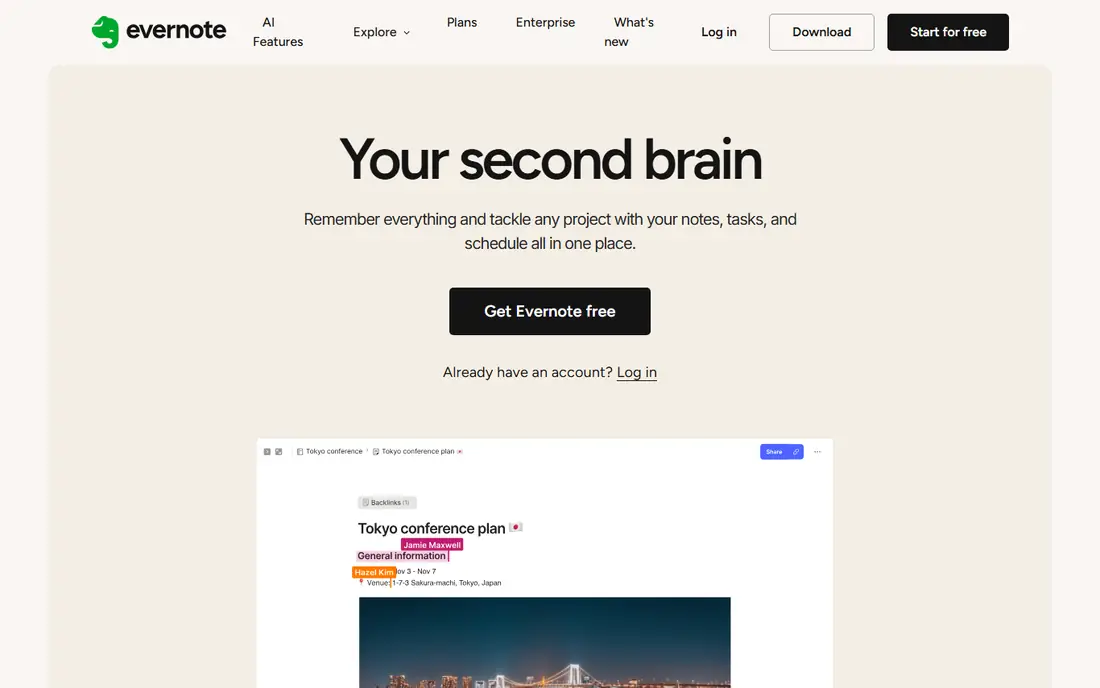
Evernote is still the strongest clipper in this list. The browser extension saves a full page, a simplified article or a screenshot, and it keeps the source address with the clip. Search is the other reason to pay. It reads text inside PDFs, images and Office files, so a receipt or a scanned contract turns up from one search box. Notes live in notebooks and stacks, with tags for cross-cutting topics. The trade-off is cost and lock-in, since notes sit in Evernote format, export takes effort, and the free plan is too small for real use. Paying 99 dollars a year for Starter is fair only if you clip and search every day.
What we like- Strong web clipper, search inside PDFs and images, sync across Windows, Mac, iOS, Android and web
Watch out for- The free plan holds only 50 notes, and paid plans cost more than most rivals in this list
#2Bear
Best for: Focused Markdown writing on iPhone, iPad and Mac4.5/5 on
G2 (45 reviews, checked Oct 2026)
Visit bear.app
Starting price$2.99 per month or $29.99 per year (Pro plan)
Free planYes, free tier on one Apple device with basic notes and export
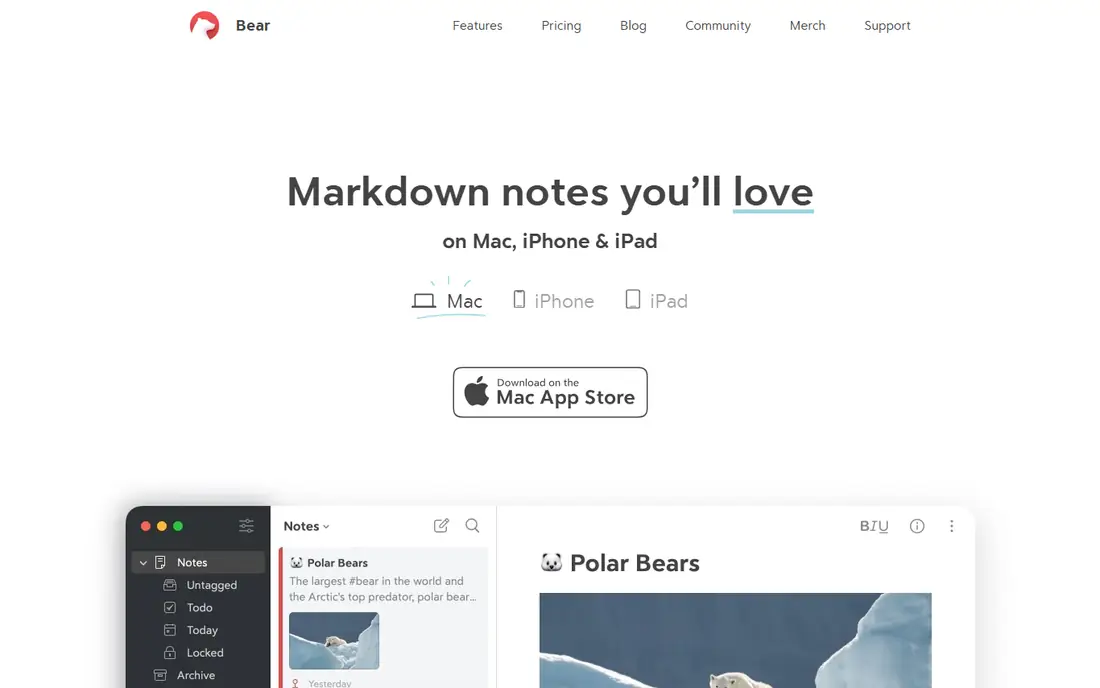
Bear is the best writing surface in this list for Apple users. The editor shows formatted text as you type, so there is no preview pane to manage, and the typography is easy on the eyes for long sessions. Nested tags work like folders, and a tag sidebar keeps a large library easy to browse. Sync runs through iCloud, and notes stay available offline. Export is straightforward, with Markdown, HTML, PDF and Word formats, so nothing is locked in. The limits are clear. Bear runs only on Apple devices, so a Windows PC or an Android phone cannot join the same library. There is no web clipper to match Evernote, and collaboration is basic. At 29.99 dollars a year, it is the cheapest paid plan here.
What we like- Fast clean Markdown editor, nested tags, sync through iCloud, export to Markdown, HTML and PDF
Watch out for- Apple devices only, with no Windows, Android or web app
#3Notion
Best for: Notes plus databases, wikis and team workspaces4.6/5 on
G2 (13,834 reviews, checked Oct 2026)
Visit notion.com
Starting price$10 per user per month billed annually (Plus plan)
Free planYes, free for one person with unlimited pages and blocks
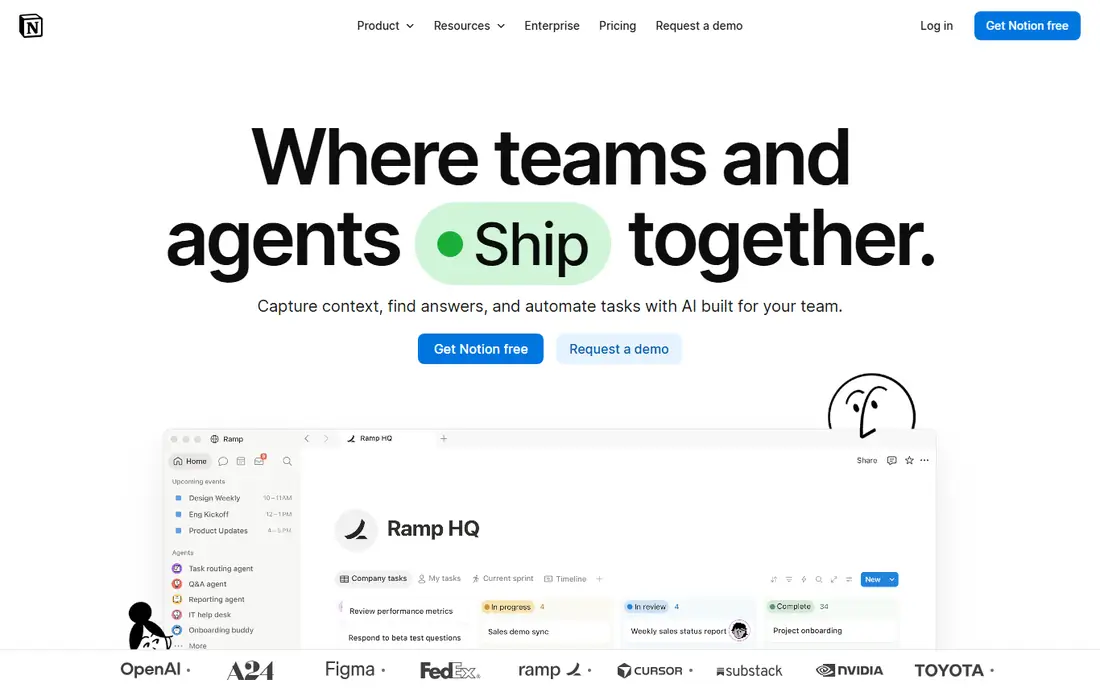
Notion is the most flexible tool in this list. A page can hold text, tables, boards, calendars and databases, so one workspace can replace a notes app, a wiki and a simple tracker. The free plan covers one person with unlimited pages and blocks, which is enough for most personal use. Plus costs 10 dollars per user per month billed annually, and Business costs 20 dollars, adding more admin controls and AI features. The trade-off is that Notion is a cloud app first. Offline access is limited, and a big workspace with many linked databases can load slowly. It is also weaker than Bear as a pure writing surface, since the block editor suits structured pages more than long prose.
What we like- Databases, templates and wikis in one workspace, strong sharing, huge template library
Watch out for- Needs an internet connection for the best experience, and large workspaces can feel slow
#4Obsidian
Best for: Local Markdown notes with backlinks and a knowledge graph4.5/5 on
G2 (13 reviews, checked Oct 2026)
Visit obsidian.md
Starting priceFree, Sync from $4 per user per month billed annually
Free planYes, the full app is free for personal and commercial use
Obsidian stores notes as plain Markdown files in a folder you control, so your writing stays readable in any editor and survives any company shutdown. Links between notes build a graph that shows how ideas connect, and the plugin library adds calendars, task lists and daily notes. The app itself is free, even for commercial use. Sync costs 4 dollars per user per month billed annually, or 5 dollars monthly, and Publish costs 8 dollars per site per month billed annually. A commercial licence is 50 dollars per user per year for larger teams, though it is optional for most users. The cost is a steeper learning curve. Obsidian ships plain, and you shape it with settings and plugins, which takes an afternoon before it feels like yours.
What we like- Notes are plain Markdown files on your own disk, powerful linking and graph view, large plugin library
Watch out for- Sync and publishing cost extra, and the interface takes time to set up well
#5Microsoft OneNote
Best for: Handwriting, freeform pages and Microsoft 365 users4.5/5 on
G2 (1,872 reviews, checked Oct 2026)
Visit onenote.com
Starting priceFree
Free planYes, the full app is free with a Microsoft account
OneNote is the only full-featured free tool in this list. It works like a paper notebook, with sections and pages that accept typed text, handwriting, drawings, images and audio recordings. Handwriting search works well, and the freeform canvas suits class notes and sketches. Sync runs through OneDrive, with 5 GB of free storage, and a Microsoft 365 Personal plan at 9.99 dollars a month adds 1 TB of storage. The app runs on Windows, Mac, iOS, Android and the web. The weak points are search and clipping. OneNote does not search inside PDFs as well as Evernote, and its clipper is less capable. The interface also packs many ribbons and panels, which can feel busy next to Bear.
What we like- Free with no note limit, strong handwriting and drawing, sync through OneDrive
Watch out for- Search and web clipping are weaker than Evernote, and the interface can feel busy
#6
Apple Notes
Best for: Simple notes inside the Apple ecosystem
Visit apple.com
Starting priceFree
Free planYes, free with an Apple ID
Apple Notes is the simplest option in this list, and for many Apple users it is enough. It is already installed on every iPhone, iPad and Mac, it syncs through iCloud, and it covers checklists, tables, locked notes and scanned documents. Recent versions added collapsible sections and a better search, so a large library stays manageable. Storage shares the 5 GB of free iCloud space, with paid iCloud plans from 0.99 dollars a month for 50 GB. The limits are platform and structure. There is no real Windows or Android app, so Apple Notes fits badly in a mixed-device household. Folders and tags cover basic organisation, but there is no Markdown export and no knowledge graph.
What we like- Free and already installed, syncs through iCloud, handles checklists, tables and scanned documents
Watch out for- No Windows or Android app, and organisation is limited to folders and tags
Starting priceFree
Free planYes, free with a Google account
Google Keep is the fastest capture tool in this list. It opens in a second, takes a note, a list or a voice memo, and syncs it to every device with your Google account. Labels and colours give a light layer of order, and reminders can fire at a time or a place. It is free, with no paid tier, and it works on the web, Android and iOS. The trade-off is depth. Keep has no notebooks, no folders and no Markdown, so a large archive turns into a long scroll of coloured cards. Long notes are awkward, and there is no web clipper or PDF search. Keep is best as a front door for quick thoughts, paired with a deeper tool such as Evernote or Notion for anything you need to keep.
What we like- Opens in a second, simple lists and reminders, syncs across web, Android and iOS
Watch out for- No real folders or notebooks, and long notes are hard to organise
#8Joplin
Best for: Open source notes with your own sync4.8/5 on
G2 (5 reviews, checked Oct 2026)
Visit joplinapp.org
Starting priceFree, Joplin Cloud from 2.40 euros per month billed annually
Free planYes, the apps are free and open source
Joplin is the open source answer to Evernote. The apps are free on Windows, Mac, Linux, iOS and Android, notes are stored as Markdown, and you can sync through Dropbox, OneDrive, WebDAV or Joplin Cloud. Joplin Cloud starts at 2.40 euros per month billed annually, and it adds sharing and publishing. End-to-end encryption is built in, which suits people who want their notes private by default. The web clipper covers the basics, and the plugin library adds extra features. The cost is polish. The interface is functional rather than beautiful, and choosing a sync target takes more setup than a tool that handles it for you. For people who value ownership and privacy over design, that trade is easy to accept.
What we like- Free and open source, notes in Markdown, sync with your own cloud storage, end-to-end encryption
Watch out for- The interface looks plain next to Bear and Notion, and setup takes more effort
We picked tools that cover the real alternatives to Evernote and Bear, not lookalikes. Each one handles notes in a different way, from clipping and Markdown to databases, local files and quick capture. Prices come from each vendor pricing page, checked 18 November 2026, and every tool above has a free plan or a free app. Where two sources disagreed on a price, we used the figure from the vendor own pricing page, and we note the change where it matters, such as the Bear price rise in November 2026.
Frequently asked questions
Is Bear better than Evernote for writing?
Bear is better for writing on Apple devices, because its Markdown editor is faster, cleaner and easier to use for long text, and it costs 29.99 dollars a year against 99 dollars a year for Evernote Starter. Evernote is better for research, because its web clipper and search inside PDFs beat anything Bear offers. Choose Bear if you write daily on a Mac or iPhone, and Evernote if you collect and search documents.
Does Bear work on Windows or Android?
No, Bear runs only on macOS and iOS, with sync through iCloud between Apple devices. There is no Windows app, no Android app and no web app. If you need notes on Windows or Android, pick Evernote, Notion, Obsidian or Joplin instead. Bear exports to Markdown, HTML, PDF and Word, so you can move notes out, but you cannot use Bear itself on a non-Apple device.
Can I move my notes from Evernote to Bear?
Yes, you can export notes from Evernote as ENEX files and import them into Bear, though formatting may need a tidy pass after import, especially for clipped web pages and tables. Bear also imports plain Markdown files directly. Moving a small library takes minutes, while a large archive with years of clips can take an afternoon. Test the move with a few notebooks before you export everything.
Is Evernote worth 99 dollars a year?
Evernote Starter at 99 dollars a year is worth it if you clip web pages, save PDFs and search inside documents every day, because no other tool in this list matches its clipper and document search. It is not worth it if you mainly write short notes, since Bear, Apple Notes and Obsidian cover that for less or for free. Try the free plan first, and pay only if the 50-note limit blocks real work.
What is the best free alternative to Evernote and Bear?
Notion is the best free alternative for most people, because its free plan gives one person unlimited pages and blocks, plus databases and wikis. Obsidian is the best free alternative if you want your notes as local Markdown files, and Apple Notes is the best free pick for Apple-only users. Google Keep suits quick capture, while Joplin is the best free pick for open source fans who want their own sync.
Sources we checked (8)
- https://evernote.com/pricing
- https://bear.app
- https://www.notion.com/pricing
- https://obsidian.md/pricing
- https://www.onenote.com
- https://www.apple.com/notes/
- https://keep.google.com
- https://joplinapp.org
Is your product missing or out of date?
We review this list regularly. Vendors can request a listing, send updated pricing or ask about featured placement.

Shihab Mia · Founder, Rankite
Shihab has 5+ years in B2B and SaaS SEO. He writes Rankite's software buying guides from pricing pages, documentation and public user reviews. More about Shihab.