How we make this list: we compare pricing pages, product documentation and public user reviews. Ratings come from G2, Capterra or Trustpilot, with the date we checked them.
Key takeaways
- HandBrake and MakeMKV cover most free ripping needs, but they solve different problems: HandBrake compresses to smaller files, while MakeMKV copies discs to large, uncompressed MKV files.
- WinX DVD Ripper Platinum and Leawo DVD Ripper are the lowest-cost paid options for people with a large stack of discs to work through.
- DVDFab DVD Ripper and VideoByte BD-DVD Ripper cost more, but they add Blu-ray support and wider format libraries for mixed collections.
- Check local copyright law before ripping a commercial disc. Only rip discs you own or have permission to copy, and do not share the output.
Quick comparison
Is your product missing or out of date?
We review this list regularly. Vendors can request a listing, send updated pricing or ask about featured placement.
The best DVD ripping software

#1
WinX DVD Ripper Platinum
Best for: Fast DVD to MP4 conversion on Windows
Visit winxdvd.com
Starting price$39.95 for the first year
Free planFree trial
WinX DVD Ripper Platinum suits a reader who wants to digitize a shelf of DVDs with as little fiddling as possible. Insert a disc, let the tool detect the main title, pick a profile for MP4, a phone, a tablet or a TV, and start the job. It also accepts DVD folders and ISO files as input, which helps when discs have already been copied to a drive.
Speed is the main reason to pick it over a free converter. With full GPU acceleration, Digiarty says a full movie can convert to MP4 in about five minutes on a modern PC, compared with roughly 25 minutes without acceleration. Real times vary with the disc, the output settings and the computer, so treat that figure as a best case. The lifetime license costs $59.95 for one PC, while the first-year price is $39.95 for up to three PCs. Use it only for discs you own, and check local law on copy protection before ripping a commercial disc.
What we like- GPU acceleration on Intel, NVIDIA and AMD hardware
- More than 300 output formats and device profiles
- Full backup as ISO, DVD folder or main-title file
- Safe Mode for scratched or unusual discs
Watch out for- Trial converts only the first five minutes of each disc
- No Blu-ray support
- Several similar WinX editions can confuse buyers

#2HandBrake
Best for: Free conversion of unprotected discs4.7/5 on
G2 (155 reviews, checked Oct 2026)
Visit handbrake.fr
Starting priceFree
Free planYes
HandBrake is the free converter many people start with, and for home-made or unprotected DVDs it is hard to beat. It converts discs and video files to MP4, MKV or WebM, with chapter selection, subtitle controls, audio track choice, filters for deinterlacing and cropping, and a batch queue for a run of discs. There is no account, no advertising and no watermark.
The limit matters. HandBrake officially works only with discs that have no copy protection, so most commercial movies will not open without an extra library such as libdvdcss, and that step sits in a legal grey area in some countries. If your discs are home recordings, school plays or your own wedding video, HandBrake does the job at no cost. If your collection is mainly store-bought movies, a paid ripper further down this list will save time and frustration.
What we like- Completely free and open source
- Modern encoders including H.265 and AV1
- Runs on Windows, macOS and Linux
- Batch queue and device presets
Watch out for- No built-in support for copy-protected discs
- Many settings can overwhelm a first-time user
- Slower than GPU-tuned paid rippers on some hardware
Starting priceSee website
Free planYes
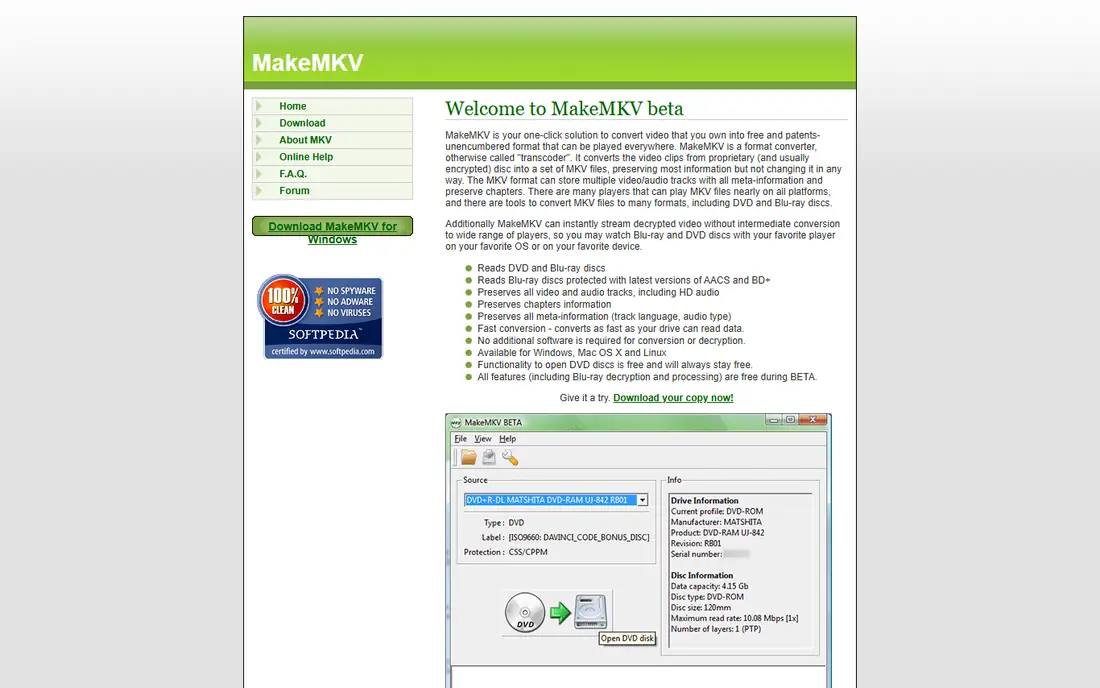
MakeMKV takes a different approach from every other tool here. It does not compress anything. It copies the video and audio streams from a disc into an MKV file with no quality loss, keeping all tracks, chapters and language metadata. That makes it the right first step for an archive you plan to keep for years, since you can compress copies later without losing the original quality.
The trade-off is size and simplicity. A DVD backup can take 4 to 8 GB, and a Blu-ray can take far more, so you need storage to match. Output is MKV only, so a phone or older TV may need a second conversion with HandBrake or a similar tool. DVD conversion is free and stays free, according to the vendor. All features, including Blu-ray, are free during the beta period with a beta key from the official forum, and that key needs renewing from time to time. The official purchase page was not accepting purchases when checked in October 2026, so the paid price is listed as See website rather than a number that cannot be confirmed.
What we like- Copies video and audio without re-encoding
- Preserves chapters, tracks and metadata
- Reads DVD and Blu-ray discs
- Available on Windows, macOS and Linux
Watch out for- Output is MKV only
- Files are large, often 4 to 8 GB per DVD
- Blu-ray features are free only while the program is in beta
- Paid purchase was unavailable at the time of checking

#4
DVDFab DVD Ripper
Best for: Large mixed DVD and Blu-ray collections
Visit dvdfab.cn
Starting price$84.99 lifetime
Free planFree trial
DVDFab DVD Ripper fits a collector with discs in several formats and a wish to handle them in one place. It reads DVD discs, ISO files and DVD folders, converts to more than 1,000 audio and video formats, and offers MKV passthrough for copies without re-encoding. A built-in editor covers cropping, trimming and watermarking, and GPU acceleration helps on supported systems.
The catch is the modular price structure. DVD Ripper alone costs $84.99 for a lifetime license, and Blu-ray and UHD tools are sold separately, so the total climbs fast if you need them all. A 30-day trial lets you check disc handling before paying. For occasional DVD conversion, WinX or Leawo cost less. For a large, mixed collection that you will work through over months, the format range and disc handling make the higher price easier to justify.
What we like- Converts to more than 1,000 formats
- GPU acceleration on NVIDIA, AMD and Intel hardware
- Built-in editor for cropping and trimming
- Device presets and MKV passthrough
Watch out for- Lifetime price is high for DVD-only use
- The wider DVDFab range uses separate paid modules
- Trial is limited to 30 days
Starting price$29.95 per year
Free planFree trial
Leawo DVD Ripper is the value pick among the paid tools here. It converts DVD discs, folders and ISO images to more than 180 formats, including MP4, MKV, AVI and audio-only MP3 or FLAC, with batch conversion and a choice of subtitle and audio tracks. A one-year plan starts at $29.95, and the lifetime license is listed at $39.95, which undercuts most rivals for the same job.
One detail to know before buying: Leawo DVD Ripper now ships as a module inside Leawo Prof. Media, the vendor's all-in-one media suite, so you install the larger suite and activate the parts you paid for. That also makes it simple to add Blu-ray ripping later. The short refund window is the main drawback, so use the trial on a few of your own discs first and confirm the output plays on your devices before committing.
What we like- Lifetime license listed at $39.95
- Converts to more than 180 formats
- Batch conversion with subtitle and audio track choice
- GPU acceleration
Watch out for- Delivered inside the larger Leawo Prof. Media suite
- Refund window is short, 14 days for lifetime and 5 days for yearly plans
- No Linux version
Starting price$34.95 for the first year
Free planFree trial
Mac users often find Windows-first rippers awkward, and MacX DVD Ripper Pro is built for macOS from the start, with native Apple Silicon support in recent versions. It backs up classic, new, scratched or region-locked DVDs, converts to MP4, MOV, MKV and other formats, and includes a preview, subtitle and audio selection, and basic editing before conversion.
Pricing is $34.95 for a one-year license on three Macs, or $59.95 for a lifetime license on one Mac, with a 30-day refund window. The trial limits each rip to five minutes, which is enough to check that a disc loads and plays, but not enough to judge a full movie. If you work on Windows, look at WinX or WonderFox instead. If you work on a Mac and want a dedicated ripper rather than a general converter, this is the most direct fit.
What we like- Native Mac build with Apple Silicon support
- GPU acceleration
- Device presets and basic editing
- Backup as ISO, folder or main-title file
Watch out for- Mac only, with a separate Windows product from the same company
- Trial caps output at five minutes
- No Blu-ray support
- Interface feels dated next to newer tools
Starting price$29.95 lifetime
Free planFree trial
WonderFox DVD Ripper Pro is a Windows-only ripper from WonderFox Soft, sold through videoconverterfactory.com (note that wonderfox.com itself is a different, for-sale domain and is not the vendor). It converts DVDs to MP4, MKV, MPG, AVI and hundreds of other formats and profiles, with presets for iPhone, iPad, Samsung, Huawei, Xbox and other devices. A single-PC lifetime license costs $29.95, with a family license for three PCs at $69.95 and a bundle with HD Video Converter Factory Pro at $39.95.
That price makes it one of the cheapest paid options here, and the 30-day money-back guarantee gives more room to test than Leawo's short window. The main limits are platform and polish: there is no Mac version, and some older reviews note quirks in reported disc sizes. For a Windows user with a modest collection and a tight budget, it is a sensible buy, provided you test it on your own discs during the trial.
What we like- Lifetime license for one PC at $29.95
- More than 500 output formats and device profiles
- 30-day money-back guarantee
- Email support answered within 24 hours according to the vendor
Watch out for- Windows only, with no Mac version
- Trial limits apply
- Disc-size reporting has drawn complaints in older reviews
Starting price$69.95 per year
Free planFree trial
VideoByte BD-DVD Ripper is for readers whose collection mixes DVDs and Blu-rays and who would rather buy one tool than two. It converts discs to more than 300 formats, keeps original video and audio quality where the source allows, and adds editing tools plus support for external audio and subtitle tracks. GPU acceleration on NVIDIA, AMD and Intel hardware helps with larger jobs.
Pricing starts at $69.95 for a one-year Windows subscription, with a lifetime license at $84.95, and the trial caps each conversion at five minutes. That puts it above DVD-only tools like WinX and Leawo, so it makes sense only if you actually have Blu-rays to rip or expect to buy them. If your collection is DVDs only, the cheaper tools in this list do the same job for less.
What we like- Handles DVD and Blu-ray in one license
- More than 300 output formats
- GPU acceleration
- Built-in editing and external subtitle and audio track support
Watch out for- Higher yearly price than DVD-only rivals
- Trial converts only five minutes per disc
- Lifetime license costs $84.95
How we chose
We compared vendor pricing pages, product documentation and public reviews on sites such as G2, Capterra and Reddit, and checked that each vendor homepage loads and belongs to the product named. We favored tools that are still sold and supported, that state their output formats and platform support clearly, and that cover a mix of free, low-cost and full-featured options. We did not claim hands-on testing. Prices were taken from vendor or checkout pages found in October 2026, and where a price could not be confirmed, the article says See website instead of guessing.
What to check before you buy a DVD ripper
Your discs come first
Count how many discs are home recordings and how many are commercial movies. Home discs work with free tools. Commercial discs usually need a paid ripper, and the law on bypassing copy protection varies by country, so confirm the rules where you live before you start.
Output format and file size
MP4 with H.264 plays almost everywhere and keeps files small. MKV from MakeMKV keeps full quality but takes much more space. If you plan to watch on a phone, a tablet or a TV app, check that the ripper offers a preset for that device, so you do not have to convert twice.
Trial limits and refunds
Almost every paid ripper here caps its trial at five minutes per disc or 30 days. Use the trial on your trickiest disc, not your easiest one, and check audio sync, subtitles and chapter handling. Read the refund window before paying, since it ranges from 5 days to 30 days across this list.
Storage and speed
A full DVD collection adds up fast. Plan storage before you start, and expect GPU acceleration to help only if your computer has a supported graphics chip. On an older machine, a queue that runs overnight is often more practical than watching a progress bar.
Frequently asked questions
Is it legal to rip a DVD I own?
It depends on your country and on the disc. Making a personal backup of a disc you own is allowed in some places and restricted in others, especially where bypassing copy protection is involved. This article is not legal advice. Check local law, rip only discs you own or have permission to copy, and do not share the output.
Which free DVD ripper is best?
HandBrake is the best free choice for unprotected discs, because it is free, open source and runs on Windows, macOS and Linux. MakeMKV is the best free choice for a lossless backup, because it copies discs to MKV without re-encoding. Many people use both: MakeMKV for the archive copy, then HandBrake to make a smaller file for a phone or tablet.
Why does my commercial DVD not open in HandBrake?
HandBrake does not include built-in support for copy-protected discs. It works with home-made and unprotected DVDs out of the box. Commercial discs usually need a paid ripper or an extra decryption library, and that step may be restricted by local law.
How long does ripping a DVD take?
It depends on the disc, the output format and the computer. Vendors quote about five minutes for a full movie with GPU acceleration on a modern PC, but real times are often longer, especially without a supported graphics chip or with high-quality settings. A batch queue left running overnight is a practical option for a large collection.
Do I need Blu-ray support?
Only if you own Blu-rays or plan to buy them. DVD-only rippers cost less, and several tools here sell Blu-ray support as a separate module or a more expensive bundle. If your collection is DVDs only, do not pay for Blu-ray features you will not use.
What format should I choose for a phone or tablet?
MP4 with H.264 video and AAC audio plays on almost every phone, tablet and TV. MKV also works on many devices, but older players may struggle with it. Pick a device preset in the ripper when one is offered, and check the first output on the actual device before ripping a whole collection.
Sources we checked (8)
- https://handbrake.fr/
- https://www.makemkv.com/
- https://www.winxdvd.com/
- https://www.dvdfab.cn/
- https://www.leawo.com/
- https://www.macxdvd.com/
- https://www.videoconverterfactory.com/
- https://videobyte.org/
Is your product missing or out of date?
We review this list regularly. Vendors can request a listing, send updated pricing or ask about featured placement.

Shihab Mia · Founder, Rankite
Shihab has 5+ years in B2B and SaaS SEO. He writes Rankite's software buying guides from pricing pages, documentation and public user reviews. More about Shihab.
 MakeMKV
 Leawo DVD Ripper
 MacX DVD Ripper Pro
 WonderFox DVD Ripper Pro
 VideoByte BD-DVD Ripper