How we make this list: we compare pricing pages, product documentation and public user reviews. Ratings come from G2, Capterra or Trustpilot, with the date we checked them.
Key takeaways
- Trados Studio is still the agency default, while memoQ gives teams flexible licensing and strong quality checks.
- Phrase and Smartcat suit teams localizing software and content in the cloud, with Smartcat adding a linguist marketplace.
- Wordfast Pro, MateCat and OmegaT give freelancers affordable and free options that handle real professional work.
- CafeTran Espresso is the cross-platform desktop choice, running on Mac, Windows and Linux with one license.
- Match the tool to your clients: agencies send Trados and memoQ packages, while software teams live in Phrase or Smartcat.
Quick comparison
| Tool | Best for | Starting price | Free plan |
|---|
 Trados Studio Trados Studio | Freelance translators working with agencies | See website | No |
 memoQ memoQ | Translators wanting flexible licensing | See website | No |
 Phrase Phrase | Companies managing software localization | $27 per month | No |
 Smartcat Smartcat | Teams combining AI translation and linguists | $1,200 per year | Yes |
 Wordfast Pro Wordfast Pro | Freelancers wanting affordable desktop CAT | $240 one-time | No |
 MateCat MateCat | Free browser-based CAT | Free | Yes |
 CafeTran Espresso CafeTran Espresso | Translators on Mac or Linux | See website | Yes |
 OmegaT OmegaT | Free open-source CAT translation | Free | Yes |
Is your product missing or out of date?
We review this list regularly. Vendors can request a listing, send updated pricing or ask about featured placement.
The best computer assisted translation software
#1Trados Studio
Best for: Freelance translators working with agencies4.0/5 on
G2 (154 reviews, checked Oct 2026)
Visit trados.com
Starting priceSee website
Free planNo
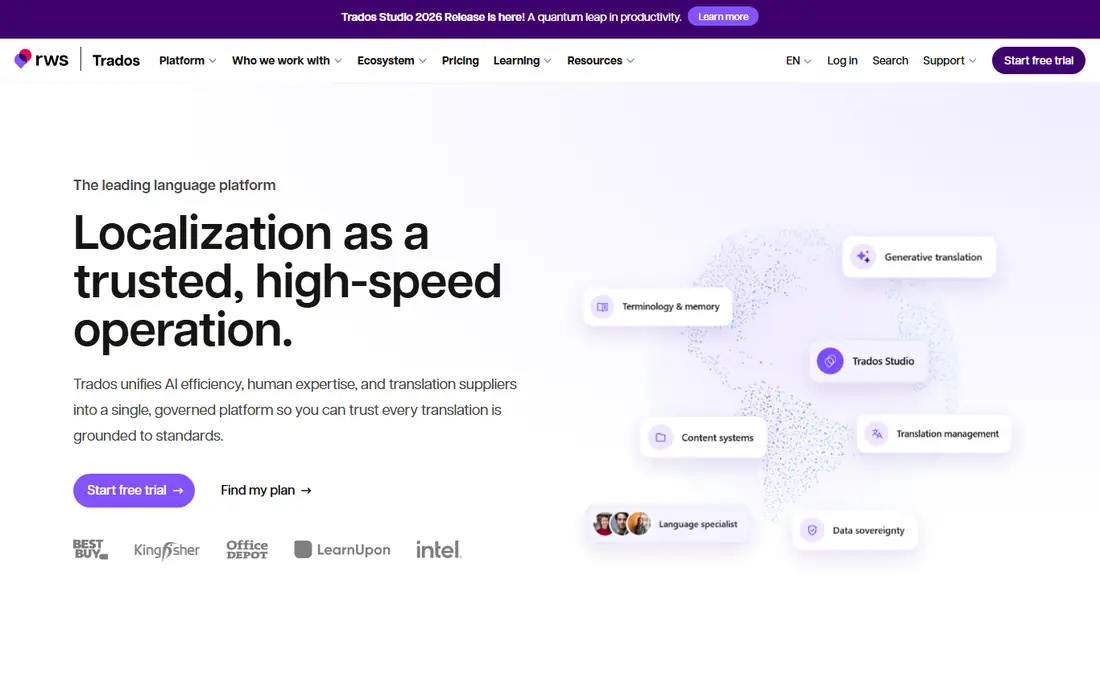
Trados Studio is the name most translation agencies still ask for by default. If you work with language service providers, knowing Trados means you can open their project packages, share their translation memories and plug straight into their workflows. The platform now unifies desktop editing, browser-based work, AI translation with your preferred model, terminology and machine translation management, and more than 250,000 language specialists work in Trados according to its own site.
The desktop application remains Windows-focused, and pricing is not published on the homepage, so freelancers should request a quote or trial before committing. For translators who live in the agency supply chain, the compatibility alone justifies it: jobs simply arrive in Trados format, and being fluent in the tool removes a layer of friction from every project.
What we like- The industry-standard tool most agencies expect
- Translation memory, terminology and QA in one environment
- Browser-based Trados Go option alongside desktop
Watch out for- Windows desktop focus, with macOS users needing workarounds
- Subscription pricing is steep for occasional translators
- Large ecosystem takes time to learn
#2memoQ
Best for: Translators wanting flexible licensing4.5/5 on
G2 (132 reviews, checked Oct 2026)
Visit memoq.com
Starting priceSee website
Free planNo
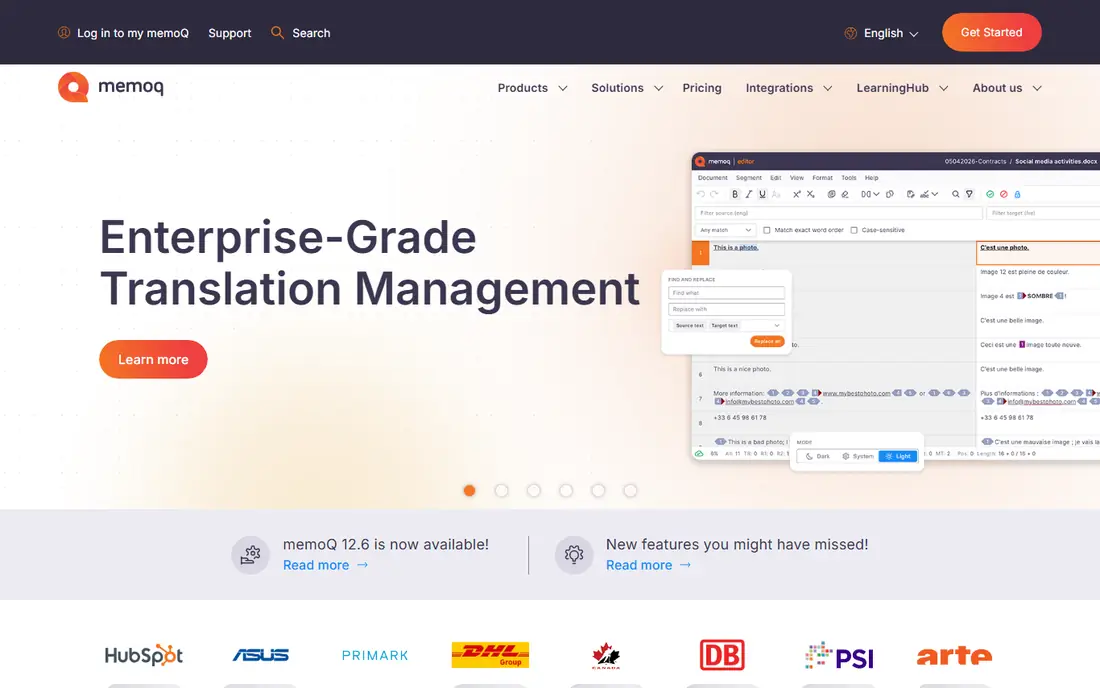
memoQ is the tool translators choose when they want real control over quality and licensing. The desktop translator pro edition is designed by translators for translators, while the translation management system serves enterprises and language service providers with flexible workflows, automated quality checks and advanced reporting. Its AI-driven memoQ AGT technology adds generative translation automation on top of the traditional memory and terminology engine.
The homepage does not publish prices, so both freelancers and teams need a quote, but the licensing flexibility is the selling point: subscription or perpetual options rather than subscription-only. If your work involves complex projects, strict terminology and demanding quality checks, memoQ is the strongest alternative to Trados, and many agencies accept memoQ packages as readily as Trados ones.
What we like- Flexible subscription and perpetual licensing
- Strong quality assurance and terminology tools
- AI-driven memoQ AGT automation for teams
Watch out for- Pricing not published on the homepage
- Enterprise TMS editions are priced for teams, not individuals
- Learning curve for advanced project features
#3Phrase
Best for: Companies managing software localization4.5/5 on
G2 (1,346 reviews, checked Oct 2026)
Visit phrase.com
Starting price$27 per month
Free planNo
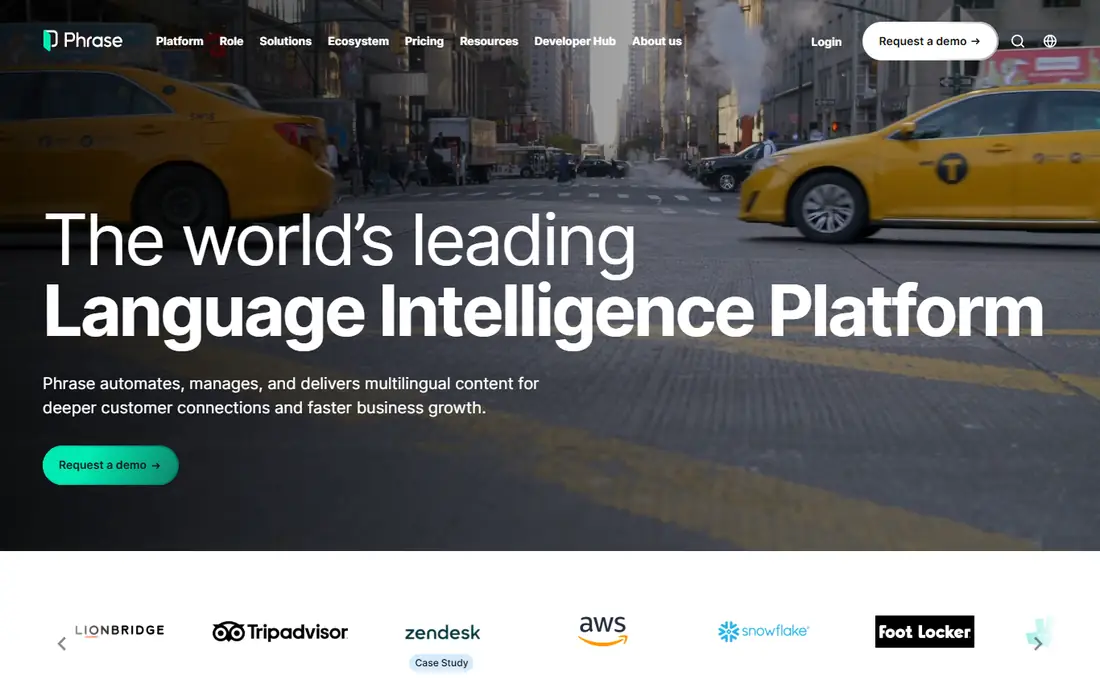
Phrase, formerly Memsource, is the platform companies choose when localization is continuous rather than project-based. Strings flow in from code repositories and content systems, translators work in the cloud editor with in-context previews, and automation routes work to reviewers and back into the product. The platform recently added Phrase Atlas, an AI assistant that sets up projects, builds workflows and pulls reports from plain-language instructions.
The $27-per-month Freelancer plan covers individual translators, while team plans start far higher, so small teams should price the team tier they actually need. For product teams localizing software, websites and apps at scale, Phrase is one of the most complete cloud options, and it is recognized as a Leader in the Forrester Wave for language technology.
What we like- Cloud-native platform built for software and content localization
- Freelancer plan from $27 per month
- Automation, integrations and in-context previews
Watch out for- Team plans jump sharply from the freelancer tier
- Enterprise pricing is quote-based
- Less suited to individual desktop translators
#4Smartcat
Best for: Teams combining AI translation and linguists4.6/5 on
G2 (176 reviews, checked Oct 2026)
Visit smartcat.com
Starting price$1,200 per year
Free planYes
Smartcat is the platform that combines an AI translation editor, a linguist marketplace and project management in one place. Content teams translate websites, files, software, eLearning and video into 280 plus languages, with AI agents for drafting, reviewing and maintaining content, and human translators available from the marketplace when quality demands it. The vendor reports more than 1,000 enterprise brands using the platform.
The free core tool makes Smartcat the easiest way for a freelancer to start with a cloud CAT editor at no cost, while paid plans from $1,200 per year add advanced workflow and procurement features. Watch the Smartwords credit model on paid plans, since machine translation and AI usage draw down credits. For teams that need AI drafting plus human review in one workflow, Smartcat is the most integrated option here.
What we like- Free core CAT tool with AI translation
- Integrated marketplace of 500,000 linguists
- Unlimited seats on paid plans
Watch out for- Paid plans are priced for teams, not individuals
- Smartwords credit limits need checking before buying
- Enterprise pricing is quote-based
#5Wordfast Pro
Best for: Freelancers wanting affordable desktop CAT4.0/5 on
G2 (3 reviews, checked Oct 2026)
Visit wordfast.com
Starting price$240 one-time
Free planNo
Wordfast Pro is the value pick for freelancers who want a professional desktop CAT tool without a monthly subscription. The one-time license, commonly $240, covers a platform-independent translation memory tool that works on Windows and Mac, with free educational licenses for more than 150 universities. Wordfast positions itself as the affordable TM provider, and for translators who own their tools rather than renting them, that matters.
The trade-off is ecosystem: fewer agency integrations, fewer enterprise features and a less polished interface than the big platforms. But the core work is the same, translation memory, terminology, quality checks and file handling, and Wordfast packages interchange with Trados and memoQ workflows. For a freelancer starting out or keeping costs down, Wordfast Pro is the most affordable professional desktop option.
What we like- One-time license instead of a subscription
- Platform-independent, running on Windows and Mac
- Fraction of the cost of competing tools
Watch out for- Smaller ecosystem than Trados or memoQ
- Fewer enterprise workflow features
- Interface feels less modern than cloud tools
#6MateCat
Best for: Free browser-based CAT4.0/5 on
G2 (13 reviews, checked Oct 2026)
Visit matecat.com
Starting priceFree
Free planYes
MateCat is the free CAT tool that is genuinely free, not a limited trial. The platform offers unlimited access to all features with no restrictions on users or projects, adaptive machine translation in more than 200 languages from ModernMT, collaborative translation memory through MyMemory, and locale-specific quality checks on punctuation, numbers and dates. It is entirely web-based, so you work from any computer with no installation or updates to manage.
The limits are those of any free browser tool: no offline desktop editing, less depth in enterprise project management, and project data lives in the cloud. For freelancers, students, small agencies and anyone who wants to try CAT translation without spending anything, MateCat is the best free starting point, and it handles real paid work without forcing an upgrade.
What we like- Completely free with no project or user limits
- Adaptive machine translation from ModernMT included
- Fully web-based with no installation
Watch out for- Browser-only, so no offline desktop editing
- Fewer advanced project management features than paid TMS tools
- Relies on cloud storage for project data
Starting priceSee website
Free planYes
CafeTran Espresso is the CAT tool built by a translator for translators, and it shows in the details: smart autocompletion, one-click placement of suggested text, AI and machine translation integration, and a deeply customizable interface. It runs natively on Mac, Windows and Linux, which matters because most major CAT tools are Windows-first, and one license covers two computers, so a PC and a Mac can share the same setup.
The standard version can even act as a translation memory server for team collaboration, and it handles Trados, memoQ and Wordfast bilingual files alongside dozens of document formats. The free download works indefinitely, with a paid license opening up unlimited memory and glossary sizes. For Mac and Linux translators who want a desktop tool that respects their platform, CafeTran Espresso is the standout.
What we like- Native Mac, Windows and Linux desktop tool
- Generous license covers two computers
- Free download usable indefinitely for smaller memories
Watch out for- Smaller user community than Trados or memoQ
- Interface is highly customizable but takes setup
- Paid license needed for large translation memories
#8OmegaT
Best for: Free open-source CAT translation3.7/5 on
G2 (16 reviews, checked Oct 2026)
Visit omegat.org
Starting priceFree
Free planYes
OmegaT is the free open-source translation memory application that has served professional translators for years. It offers fuzzy matching, match propagation, team translation, autocompletion, simultaneous use of multiple translation memories, glossaries with inflected-form recognition, and support for more than 30 file formats including Office, HTML, PO localization files and plain text. It is distributed under the GNU General Public License, so it is free to use, study and share.
The interface is functional rather than beautiful, and machine translation comes through external service connections rather than a bundled subscription. But for translators who want a tool that will never charge a subscription, never lock their data and runs on any operating system, OmegaT remains the best free desktop option, and it is the tool many translation courses teach first.
What we like- Free forever under an open-source license
- Runs on Windows, macOS and Linux
- 30 plus file formats with team translation support
Watch out for- Java-based interface feels dated
- No built-in machine translation subscription
- Community support rather than commercial support
How we chose
We compared vendor homepages, pricing pages and documentation against public comparisons and user reviews on G2 and Capterra. Every tool here had its official homepage opened and confirmed, and each one is a genuine computer assisted translation tool with translation memory, not a machine translation service alone. Where the vendor does not publish a price, we recorded "See website" instead of repeating third-party estimates.
What to weigh before you buy
Start with who sends you work. If agencies send Trados or memoQ packages, fluency in those tools is a business requirement, not a preference. If you localize software for product teams, Phrase or Smartcat fits the workflow better. If you are building a freelance practice on a budget, Wordfast Pro, MateCat, CafeTran Espresso or OmegaT cover professional work at little or no cost.
Test the tool on your own files before buying. Import a real project with your translation memory and glossary, check how it handles your most common formats, and confirm the machine translation connections you use are supported. The tool that handles your actual files cleanly is the one to buy, whatever the feature list promises.
Frequently asked questions
What is computer assisted translation software?
Computer assisted translation software, or CAT software, helps human translators work faster and more consistently using translation memory, terminology databases, quality checks and machine translation suggestions. The translator stays in control of every sentence, unlike fully automatic translation.
Is CAT software different from machine translation?
Yes. Machine translation services like DeepL or Google Translate produce a draft automatically, while CAT tools are the workspace where translators edit, reuse past translations and manage terminology. Most CAT tools connect to machine translation engines for suggestions inside the editor.
Which CAT tool do translation agencies use most?
Trados Studio is the most widely requested by agencies, followed by memoQ. Freelancers who work with agencies should be fluent in at least one of them, since client project packages commonly arrive in those formats.
Is there a free CAT tool good enough for professional work?
Yes. MateCat is free and web-based with adaptive machine translation, OmegaT is free and open source for desktop work, and CafeTran Espresso offers a free download for smaller memories. All three handle paid professional projects.
Do CAT tools work on Mac?
CafeTran Espresso, Wordfast Pro, OmegaT, MateCat and Phrase all work on Mac, while Trados Studio's desktop application is Windows-focused and memoQ's desktop tool is also Windows-first. Mac users should confirm compatibility before buying a Windows-first tool.
Sources we checked (10)
- https://www.trados.com
- https://www.memoq.com
- https://phrase.com
- https://www.smartcat.com
- https://www.wordfast.com
- https://www.matecat.com
- https://www.cafetran.com
- https://omegat.org
- https://rankite.com/blog/best-professional-translation-software
- https://www.guideflow.com/blog/computer-assisted-translation-software
Is your product missing or out of date?
We review this list regularly. Vendors can request a listing, send updated pricing or ask about featured placement.

Shihab Mia · Founder, Rankite
Shihab has 5+ years in B2B and SaaS SEO. He writes Rankite's software buying guides from pricing pages, documentation and public user reviews. More about Shihab.