How we make this list: we compare pricing pages, product documentation and public user reviews. Rankite is independent; if a vendor ever pays for a featured spot, that listing is clearly labeled Partner.
Key takeaways
- DaVinci Resolve is the default answer: a professional-grade color page with a genuinely free version.
- Adobe Premiere Pro and Final Cut Pro keep grading inside the edit, which suits editors who grade their own work.
- FilmConvert, Dehancer and Magic Bullet add film looks and finishing tools as plugins for your existing editor.
- Colourlab.ai brings AI-assisted grading for faster turnarounds, while 3D LUT Creator is the precision tool for LUT makers.
- Match the tool to the job: dedicated grading suites for colorists, in-editor tools for editors, plugins for looks.
Quick comparison
| Tool | Best for | Starting price | Free plan |
|---|
 DaVinci Resolve DaVinci Resolve | professional grading for free | See website | Yes |
 Adobe Premiere Pro Adobe Premiere Pro | editors grading inside Premiere | See website | Free trial |
 Final Cut Pro Final Cut Pro | Mac editors who grade as they cut | See website | Free trial |
 FilmConvert FilmConvert | film stock looks as a plugin | See website | Free trial |
 Colourlab.ai Colourlab.ai | AI-assisted grading and look creation | See website | Free trial |
 3D LUT Creator 3D LUT Creator | building custom LUTs with precision | See website | No |
 Dehancer Dehancer | film emulation for a cinematic finish | See website | Free trial |
 Magic Bullet Magic Bullet | color correction plugins for editors | See website | Free trial |
Is your product missing or out of date?
We review this list regularly. Vendors can request a listing, send updated pricing or ask about featured placement.
Color grading splits into two crafts. Correction fixes problems: exposure, white balance, matching shots. Grading creates the look: the mood, the style, the film feel. The tools below cover both, but they serve different people. Colorists need dedicated suites with scopes, nodes and HDR pipelines. Editors need fast, good-enough tools inside their timeline. Finishers need plugins that add the final 10 percent. Pick your craft first, then your tool.
Starting priceSee website
Free planYes
DaVinci Resolve is what professional colorists actually use, and the free version gives you the core of it: a node-based color page, primary and secondary corrections, curves, qualifiers, tracking and a full set of scopes. The Studio version adds features like noise reduction, stereoscopic tools and HDR grading extras, but the free tier handles the vast majority of real grading work. It is also a full editor, so round-tripping is optional.
The honest cost is learning time. The color page assumes you understand nodes, color management and scopes, and beginners can feel lost. The interface is dense across its many pages. But no other tool offers this much professional grading capability for free, and the skills transfer directly to paid colorist work.
What we like- Industry-standard color page
- Free version is remarkably complete
- Node-based grading with full scopes
Watch out for- The learning curve is real
- The free version omits some advanced features
#2
Adobe Premiere Pro
Best for: editors grading inside Premiere
Visit adobe.com
Starting priceSee website
Free planFree trial
Premiere Pro's Lumetri Color panel made in-editor grading respectable. Basic correction, creative looks, curves, color wheels and LUT support all live inside the timeline, so editors who grade their own work never leave the edit. The integration with After Effects, Audition and the rest of Creative Cloud keeps the whole post workflow in one subscription, and the tutorial ecosystem is unmatched.
It is still an editor's grading tool, not a colorist's. Deep work like complex node trees, advanced HDR pipelines and precise secondary isolation belongs in Resolve. And the subscription model means you rent forever. For editors who need good grades fast without leaving Premiere, Lumetri is the practical choice.
What we like- Lumetri Color panel is fast and capable
- No round-tripping needed
- Huge tutorial ecosystem
Watch out for- Subscription pricing
- Less depth than Resolve for dedicated colorists
#3
Final Cut Pro
Best for: Mac editors who grade as they cut
Visit apple.com
Starting priceSee website
Free planFree trial
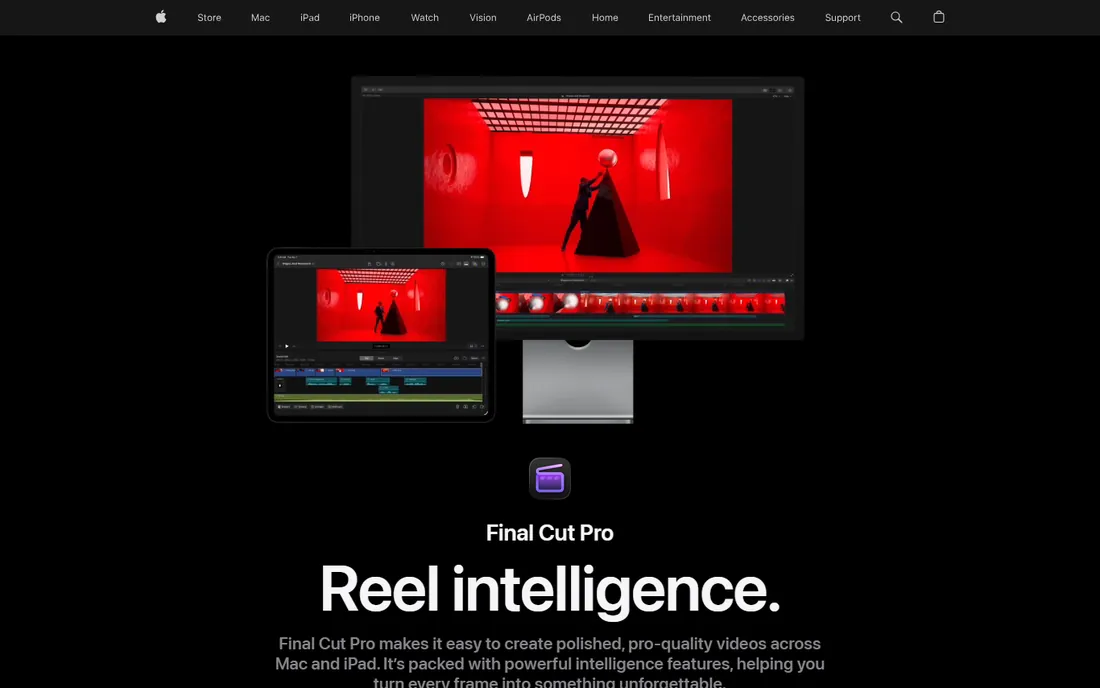
Final Cut Pro takes the opposite pricing stance from Adobe: buy once, own it. The color tools include color wheels, curves, hue and saturation curves, color masks and LUT support, all running with Apple's signature real-time performance on Mac hardware. The magnetic timeline divides opinion, but for fast-turnaround editors it genuinely speeds assembly.
The platform lock-in is total: Mac only, no Windows version, and the third-party plugin ecosystem is smaller than Premiere's. Color depth also trails Resolve for dedicated grading work. For Mac-based editors who want capable grading without a subscription, Final Cut Pro is the cleanest deal in editing.
What we like- One-time purchase, no subscription
- Fast color tools with great performance
- Magnetic timeline speeds the edit
Watch out for- Mac only
- Smaller plugin ecosystem than Premiere
Starting priceSee website
Free planFree trial
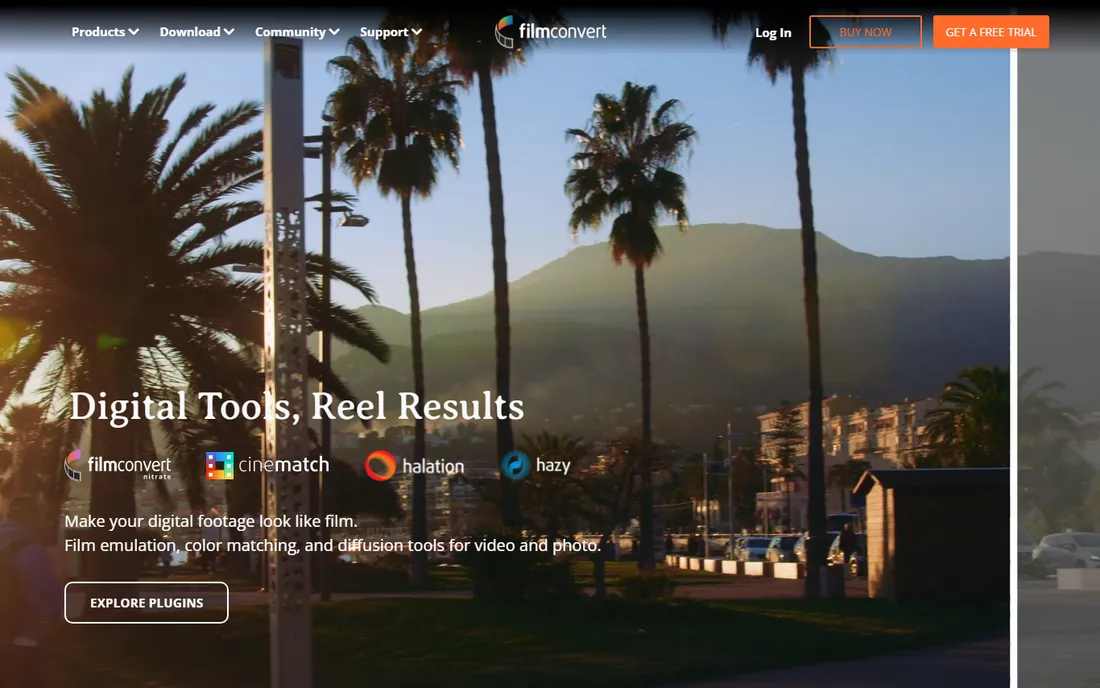
FilmConvert built its reputation on film stock emulation: real profiles of actual film stocks, applied as a plugin inside Premiere, DaVinci Resolve, Final Cut Pro and others. The grain model and halation handling are what set it apart from generic LUT packs; the results look like film rather than a filter. A free trial lets you test the profiles on your own footage.
There is no free version, and the film-look aesthetic has become recognizable enough that overuse reads as a shortcut. It is a finishing tool, not a grading suite: you still need to correct and balance before the film look lands. For editors who want an authentic film finish without leaving their editor, FilmConvert remains the benchmark.
What we like- Authentic film stock emulations
- Works as a plugin in major editors
- Grain and halation done well
Watch out for- Paid product with no free tier
- The look is recognizable if overused
Starting priceSee website
Free planFree trial

Colourlab.ai applies AI to the most tedious part of grading: matching. Feed it a reference look and it builds the grade across your footage, handling the shot-to-shot consistency that eats hours in traditional workflows. The tool targets colorists and editors who need fast turnarounds without sacrificing the creative look, and the interface feels modern next to the decades-old incumbents.
It is a younger product, so the community, tutorials and third-party resources are thinner than Resolve's. The subscription model adds up for freelancers. And AI matching is a starting point, not a finish: professional results still need a colorist's eye on top. For high-volume work where speed matters, Colourlab.ai's AI assistance is a genuine time-saver.
What we like- AI matches grades across shots fast
- Look creation from references
- Modern cloud-friendly workflow
Watch out for- Newer product with a smaller community
- Subscription pricing
Starting priceSee website
Free planNo
3D LUT Creator is a specialist's tool for one job: building and editing LUTs with surgical precision. The grid-based interface lets you manipulate color in ways that curves and wheels cannot express, making it the choice for colorists who sell LUT packs, DPs who build show looks and post houses that need exact, repeatable transformations. It is sold as a one-time license, not a subscription.
There is no free version, and the interface assumes you already understand color science. This is not a grading suite and not a plugin for quick looks; it is a laboratory for color. For the specific craft of LUT creation, nothing else offers this level of control.
What we like- Unmatched control over color transformations
- Grid-based editing is unique
- One-time license
Watch out for- Paid only, no free tier
- The interface is technical
Starting priceSee website
Free planFree trial

Dehancer has earned a devoted following among filmmakers for film emulation that goes beyond presets. The plugin models film stocks, grain, halation and gate weave with unusual care, and it runs inside DaVinci Resolve, Premiere Pro and Final Cut Pro. The results have a texture that digital footage rarely achieves on its own, which is why it shows up in so many independent films and music videos.
Like FilmConvert, it is a paid finishing tool, and the film look is a creative choice that does not suit corporate or documentary work. The two plugins overlap enough that most editors pick one; Dehancer tends to win with filmmakers who want the most nuanced emulation. A trial is available to compare on your own footage.
What we like- Beautiful, nuanced film emulations
- Works in Resolve, Premiere and Final Cut
- Active development
Watch out for- Paid product
- The film aesthetic suits some projects and not others
#8
Magic Bullet
Best for: color correction plugins for editors
Visit maxon.net
Starting priceSee website
Free planFree trial

Magic Bullet, now part of Maxon's Red Giant lineup, is the veteran plugin suite for color: Looks for stylized grades, Colorista for three-way correction inside your editor, Denoise for cleaning noisy footage and Cosmo for skin-tone work. It runs in Premiere, After Effects, Resolve and Final Cut, and generations of editors learned color on these tools.
The suite shows its age in places, and Maxon's subscription model replaced the old perpetual licenses, which raised the long-term cost. Newer competitors have caught up on individual features. But as a single suite that covers correction, looks and cleanup inside whatever editor you use, Magic Bullet remains a practical workhorse for working editors.
What we like- The classic color plugin suite
- Looks, Colorista and Denoise cover the bases
- Integrates with major hosts
Watch out for- Subscription through Maxon
- Some tools show their age
We compared tools against vendor product pages, documentation and published plan details. Browser access to vendor sites was unavailable during research, so pricing is marked as "See website" throughout and URLs use the vendors' canonical domains. We cross-checked real-world fit against public reviews on G2 and Capterra, plus colorist and editor discussions on Reddit and filmmaking forums. We did not grade footage with these tools ourselves.
Suite, in-editor or plugin: the three buying paths
Colorists should start with DaVinci Resolve. It is the professional standard, the free version is genuinely capable, and the skills are the ones studios hire for. Editors who grade their own work should stay in their editor: Lumetri in Premiere or the color tools in Final Cut Pro handle most real projects without round-tripping. The plugin path (FilmConvert, Dehancer, Magic Bullet, Colourlab.ai) is for the finishing layer: the look, the texture, the final 10 percent.
Budget accordingly. Resolve's free tier makes professional grading accessible to everyone, which is remarkable. The paid tools cluster around subscriptions or one-time licenses in the low hundreds, and most offer trials. Before buying any plugin, test it on your own footage: film emulation looks different on every camera's files, and the demo reels always show the best cases.
Learn the craft alongside the tool. The software matters less than the eye. Scopes, color management, skin-tone handling and shot matching are skills, and every tool here rewards them. A good colorist with free Resolve out-grades a beginner with every plugin on this list. Invest in learning first, software second.
Frequently asked questions
What is the best free color grading software?
DaVinci Resolve. The free version includes a professional node-based color page with scopes, tracking, qualifiers and curves that rival paid software. No other free tool comes close for serious grading work.
Do I need DaVinci Resolve if I already have Premiere Pro?
Not necessarily. Premiere's Lumetri Color handles most editing-room grading well, and staying in one app saves round-trip time. Resolve earns its place when you need deeper control: complex node trees, advanced HDR work, precise secondary corrections or a dedicated colorist workflow.
What is the difference between color correction and color grading?
Correction fixes technical problems: exposure, white balance, contrast and matching shots to look consistent. Grading is the creative step: applying a look, mood or style on top of the corrected image. In practice, you correct first and grade second, though the line blurs.
Are film emulation plugins worth it?
For projects that want a film aesthetic, yes. FilmConvert and Dehancer model real film stocks, grain and halation more convincingly than generic LUTs or filters. They are finishing tools, though: the underlying correction still needs to be right first, and the look does not suit every project.
What is a LUT and do I need 3D LUT Creator?
A LUT (lookup table) is a file that transforms colors from one state to another, used for everything from camera log conversion to creative looks. Most editors just use LUTs made by others. 3D LUT Creator is for people who build LUTs themselves: colorists, DPs and LUT-pack sellers who need precise control over the transformation.
Can AI grade my video for me?
AI tools like Colourlab.ai can match shots, apply reference looks and speed up the mechanical parts of grading significantly. But professional grading remains a creative judgment call about mood, story and taste. Treat AI as an assistant that handles the tedious 70 percent, with your eye on the final 30 percent.
Sources we checked (8)
- https://www.blackmagicdesign.com/products/davinciresolve
- https://www.adobe.com/products/premiere
- https://www.apple.com/final-cut-pro
- https://filmconvert.com
- https://colourlab.ai
- https://3dlutcreator.com
- https://dehancer.com
- https://www.maxon.net
Is your product missing or out of date?
We review this list regularly. Vendors can request a listing, send updated pricing or ask about featured placement.

Shihab Mia · Founder, Rankite
Shihab has spent more than a decade helping SaaS and e-commerce brands grow through search. He writes Rankite's software buying guides from pricing pages, documentation and public user reviews. More about Shihab.