How we make this list: we compare pricing pages, product documentation and public user reviews. Rankite is independent; if a vendor ever pays for a featured spot, that listing is clearly labeled Partner.
Key takeaways
- Adobe InDesign remains the professional standard for print-ready brochures at $22.99 per month, with precise control over bleeds, color, and typography.
- Affinity is now free forever under Canva ownership, making it the strongest no-cost option for desktop publishing with professional output.
- Canva and Marq are the best picks for teams: Canva for speed and templates, Marq for locking brochures to brand guidelines.
- Scribus is the only fully open-source layout tool here, a real option for nonprofits and schools with zero budget.
Quick comparison
| Tool | Best for | Starting price | Free plan |
|---|
 Canva Canva | Fast template-based brochures | $18/month (Pro, or $144/year) | Yes |
 Adobe InDesign Adobe InDesign | Professional print-ready brochures | $22.99/month (single app, billed annually) | No (7-day free trial) |
 Adobe Express Adobe Express | Quick brochures with Adobe assets | $9.99/month (Premium, or $99.99/year) | Yes |
 Marq Marq | Brand-controlled templates for teams | $10/month (Pro, billed annually) | Yes (3 projects) |
 VistaCreate VistaCreate | Budget-friendly brochure templates | $13/month (Pro, or $10/month billed annually) | Yes (Starter) |
 Affinity Affinity | Free professional desktop publishing | Free | Yes (free forever) |
 Scribus Scribus | Free open-source print layout | Free | Yes (open source) |
 Desygner Desygner | Quick marketing brochures | See website | Yes |
Is your product missing or out of date?
We review this list regularly. Vendors can request a listing, send updated pricing or ask about featured placement.
The best brochure design software
The trade show is in three weeks. You need a tri-fold brochure that explains your services, looks professional next to the competition, and prints correctly the first time. The wrong tool turns this into a week of frustration; the right one makes it an afternoon project. These eight tools cover the full range, from free layout software to the industry-standard publishing suite.
Starting price$18/month (Pro, or $144/year)
Free planYes
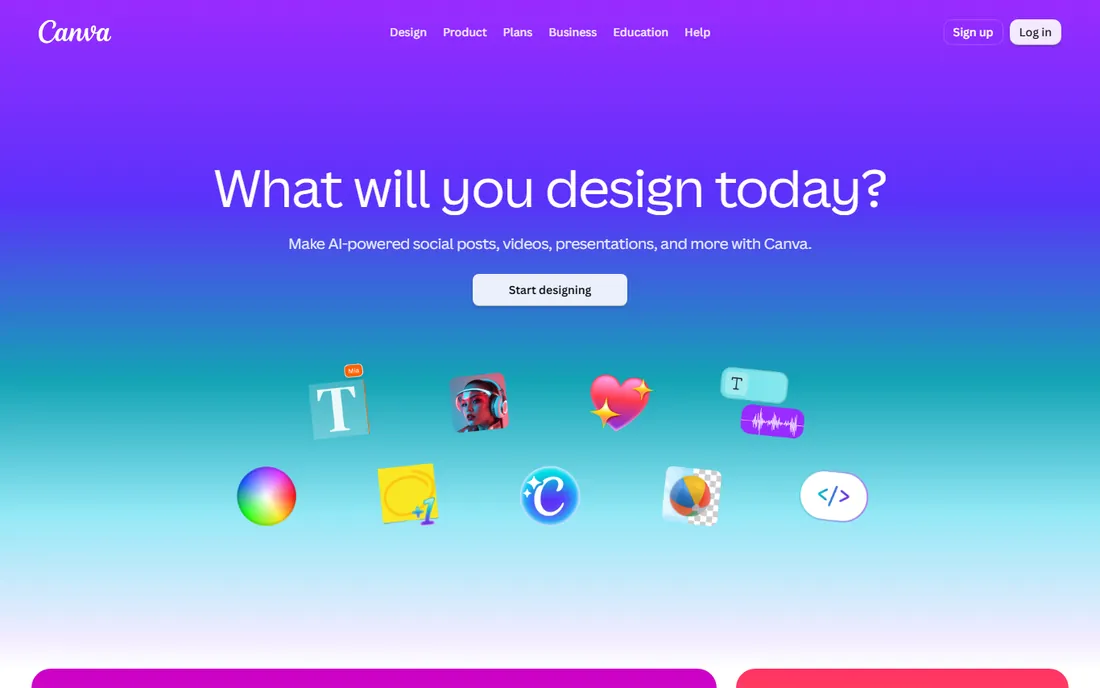
For most small businesses, Canva is the fastest route to a decent brochure. Pick a bi-fold or tri-fold template, replace the text and images, and export a print-ready PDF the same day. The browser-based editor needs no installation, and the free plan handles basic brochures without a credit card. Pro costs $18 per month or $144 per year and adds the background remover, premium stock, and full Brand Kit.
The team features are what make Canva stick. Shared folders, comment threads, and approval workflows let marketing draft a brochure while the owner reviews it, without emailing files back and forth. Canva Print closes the loop by producing the finished brochures and shipping them, which removes the most error-prone step for non-designers: dealing with a print shop's file specifications.
The limits are about print precision. You get less control over bleed settings, crop marks, and CMYK color than a desktop publishing app offers. For standard brochures printed through Canva or a tolerant local shop, that rarely matters. For exacting print work with spot colors or complex folds, a dedicated layout tool is the safer choice.
What we like- Large brochure template collection
- Brand Kit keeps every brochure on brand
- Canva Print orders finished brochures for you
Watch out for- Limited control over bleeds and color profiles
- Advanced typography needs a desktop app
#2
Adobe InDesign
Best for: Professional print-ready brochures
Visit adobe.com
Starting price$22.99/month (single app, billed annually)
Free planNo (7-day free trial)
InDesign is what professional designers use for brochures, and there is a reason it has held that position for decades. Master pages, paragraph and character styles, precise grid controls, and full CMYK and spot-color support give you exact control over every element on the page. When a brochure has to match brand guidelines to the millimeter and print flawlessly at any quantity, this is the tool. The single-app plan is $22.99 per month billed annually, with a 7-day free trial and no permanent free plan.
The workflow advantages show up on longer or repeated documents. Styles let you reformat an entire brochure by changing a definition once. Data merge can generate personalized versions for a mailing list. The template ecosystem, both from Adobe Stock and third-party marketplaces, means you rarely start from a blank page even in a professional tool.
The price of that power is complexity. A beginner faces a real learning curve: master pages, text threading, and preflight checks are concepts, not just buttons. The subscription never ends, which stings for a business that makes one brochure a year. InDesign is the right call when brochures are a core marketing asset and quality cannot slip, and overkill when they are not.
What we like- Industry-standard layout with precise print controls
- Master pages and styles for multi-page documents
- Huge ecosystem of templates and plugins
Watch out for- Steep learning curve for beginners
- Subscription cost adds up, with no free plan
Starting price$9.99/month (Premium, or $99.99/year)
Free planYes
Adobe Express sits between Canva-style simplicity and the Adobe professional suite. It is a template-driven editor in the browser, but it draws on Adobe Fonts, Adobe Stock, and the Firefly generative AI, which gives its output a more polished feel than most quick design tools. Premium is $9.99 per month or $99.99 per year, and the free plan covers simple projects.
For a one or two-page brochure, Express is genuinely quick. Templates are modern, the AI image generation fills the common gap of not having good photography, and one-click resize produces matching social posts and flyers from the same design. Anyone comfortable with a web app can finish a brochure in an afternoon.
It is not a replacement for InDesign on longer documents. Multi-page layout, master pages, and threaded text across many pages are beyond its scope, and print export controls stay basic. Think of Express as the tool for the simple brochure you need this week, with InDesign waiting for the catalog you need next quarter.
What we like- Adobe Fonts and Stock built in
- Firefly AI generates images and restyles text
- Quick resize turns brochures into matching flyers
Watch out for- Not a true multi-page layout tool
- Print controls are basic
Starting price$10/month (Pro, billed annually)
Free planYes (3 projects)
Marq, formerly Lucidpress, solves a specific team problem: how do you let twenty people make brochures without twenty different interpretations of your brand? The answer is lockable templates. A designer builds the brochure template, locks the logo, colors, and fonts, and leaves the text and photos editable. Sales reps and regional offices then produce on-brand materials without design skills or the ability to break anything. Pro starts at $10 per month billed annually, with Team plans at $10 per user per month, and a free tier covers 3 projects.
The collaboration model fits distributed organizations. Roles and permissions control who can edit, approve, and publish, and the approval workflow gives marketing oversight without bottlenecking every brochure. Because it runs in the browser, rolling it out to a sales team means sending a link, not managing installations.
The trade-off is creative freedom, which is limited by design. If your team wants to experiment with layouts, Marq will feel restrictive compared with Canva or InDesign. The template library is also smaller. It is a brand governance tool that happens to make brochures, and it excels exactly there.
What we like- Lockable templates keep every brochure on brand
- Team collaboration with roles and approvals
- Web-based with no installation
Watch out for- Design freedom is intentionally limited
- Smaller template library than Canva
Starting price$13/month (Pro, or $10/month billed annually)
Free planYes (Starter)
VistaCreate is the value alternative for template-based brochure design. The editor mirrors the familiar drag-and-drop pattern, the template library includes solid brochure layouts, and Pro costs $13 per month or $10 per month billed annually. The free Starter plan is generous enough for occasional brochures, which makes it easy to evaluate before paying.
The asset library punches above the price. Stock photos, videos, vectors, and design objects are bundled in, so you are not hunting the web for images or worrying about licenses. The editor is fast and uncluttered, and exporting a print PDF is straightforward for standard brochure sizes.
Where it falls short is print depth and teamwork. Bleed controls, color management, and preflight checks are minimal, so exacting print jobs need a desktop app. Collaboration features like shared brand kits are thinner than Canva's. For a solo marketer or small business making brochures a few times a year, the annual price is compelling.
What we like- Large template and stock library
- Low annual price
- Simple editor anyone can learn
Watch out for- Print-specific controls are thin
- Weaker collaboration than Canva
Starting priceFree
Free planYes (free forever)
Affinity's story changed in late 2025 when Canva made the full creative suite free forever. The desktop publisher, formerly Affinity Publisher, now sits inside a unified Affinity app that handles page layout, vector design, and photo editing with professional depth. You need a free Canva account to use it, but there is no subscription, no trial expiry, and no feature paywall.
For brochure work, this is remarkable value. You get master pages, text styles, precise typography controls, and proper print output including CMYK, without paying InDesign prices. The apps are fast native desktop software, not browser tools, so large documents with many images stay responsive. Anyone with desktop publishing experience will feel at home within an hour.
The ecosystem is the gap. InDesign's decades of templates, plugins, and print-shop familiarity do not transfer overnight, and some print vendors still ask for InDesign files by default. For a business producing its own brochures, though, Affinity removes the biggest barrier to professional output: the price.
What we like- Professional-grade layout tools at no cost
- Fast native desktop apps
- One-time workflow with no subscription
Watch out for- Requires a free Canva account
- Smaller template and plugin ecosystem than InDesign
Starting priceFree
Free planYes (open source)
Scribus is the open-source answer to InDesign, and it takes print seriously. CMYK color management, PDF/X export for professional printers, and precise layout controls are all here, free forever with no account and no upsell. It runs on Windows, Mac, and Linux, which makes it a practical choice for schools, nonprofits, and anyone whose budget for design software is zero.
For brochure work, the fundamentals are covered: master pages, text frames with threading, image frames, layers, and color management that satisfies most print shops. The documentation is thorough, and the community has kept the project alive and current for two decades. If your printer accepts PDF/X files, Scribus can produce them.
The experience is spartan. The interface looks dated, built-in templates are few, and the learning curve assumes you will read the manual. There is no stock library, no AI assistance, and no cloud anything. Scribus rewards patience with professional output at no cost, and it is the right pick when the budget is fixed at zero and the printer's specifications are non-negotiable.
What we like- Real desktop publishing with CMYK and PDF/X support
- Completely free with no account
- Runs on Windows, Mac, and Linux
Watch out for- Dated interface and sparse templates
- Learning curve with less hand-holding
Starting priceSee website
Free planYes
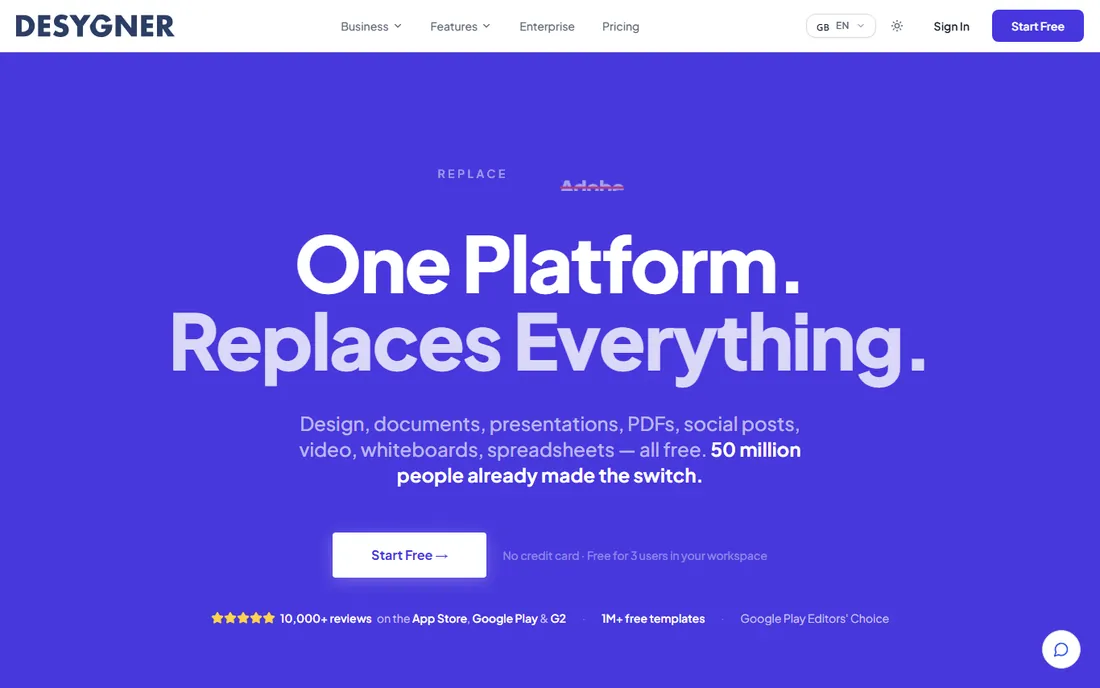
Desygner is a template-driven design tool in the Canva mold, with a useful trick: it can import PDFs and make them editable. For businesses with existing brochures made years ago in unknown software, that import feature alone can justify a look, since it beats rebuilding from scratch. The free plan covers basic design work, and paid plans add brand kits and team features.
The editor is quick and approachable, with brochure templates that follow current design trends. Brand kit functionality keeps colors, fonts, and logos consistent across a team's output. Mobile apps are solid, which suits owners who tweak designs between meetings.
The frustration is pricing transparency. Plan names and prices shift often enough that we list it as "see website" rather than risk quoting a stale number, so check the current pricing page before budgeting. The template library and community are also smaller than the leaders. Desygner fits businesses that want a simple editor and value the PDF import capability.
What we like- Fast template-driven editor
- Brand kit features on paid plans
- PDF import lets you edit existing files
Watch out for- Pricing is hard to pin down without checking the site
- Smaller community and template range
How we chose
We started with the tools buyers actually search for when they need brochures, then checked each one against the realities of print: export formats, color handling, and multi-page layout. Every price above comes from the vendor's own pricing page, checked in October 2026, with "see website" where pricing was too unstable to quote reliably. We included both professional layout tools and template editors because small businesses buy both, and we noted where each tool's free plan genuinely ends. We did not test products hands-on; we compared documentation, feature lists, plan limits, and public reviews.
Match the tool to the document, not the marketing. A tri-fold brochure is a short, visual document, and a template editor handles it well. A 12-page product brochure with tables, captions, and an index needs master pages and text threading, which only layout tools provide. Buying InDesign for a single tri-fold is overspending; making a catalog in a template editor is suffering. Count your pages first.
Then verify the print pipeline. Ask your printer what file they want before you design anything: PDF/X version, bleed size, color profile, and minimum image resolution. Then confirm your tool can produce exactly that. This single check eliminates most reprint disasters, and it is the main reason professional tools still matter.
Finally, think about repeatability. If this brochure gets updated quarterly with new prices or staff photos, styles and master pages pay for themselves many times over. If it is a one-time piece, speed and templates matter more than layout power. And if anyone else on your team will edit it later, browser-based tools remove the installation and licensing friction that desktop apps create.
Template editor or layout app: making the call
The brochure market splits cleanly in two. Template editors like Canva, Adobe Express, VistaCreate, and Desygner optimize for speed: pick a design, customize it, export, done. They are the right choice when brochures are occasional, pages are few, and nobody on the team is a designer. The subscription cost stays low and the learning curve stays flat.
Layout apps like InDesign, Affinity, and Scribus optimize for control: every margin, color, and typeface exactly where you want it, with output any printer accepts. They are the right choice when brochures are frequent, brand standards are strict, or print runs are large enough that a reprint would hurt. Marq sits between the two, trading design freedom for brand governance across teams.
When in doubt, start with the free option in the category you need. Affinity costs nothing and handles professional layout; Canva's free plan handles template brochures. You can always move up when the work outgrows the tool, and your files export to standard formats either way.
Frequently asked questions
What is the best free brochure design software?
Affinity is the strongest free option for professional-quality brochures, with full desktop publishing tools at no cost. Canva's free plan is the easiest for beginners making simple brochures. Scribus is the best fully open-source choice with no account required.
Can I make a print-ready brochure in Canva?
Yes, for standard jobs. Canva exports print PDFs and its print service handles the production for you. For exacting work, check bleed, crop marks, and CMYK handling with your printer first, since Canva offers less control than InDesign or Affinity.
Is InDesign worth it for a small business?
It depends on volume and standards. If brochures are a core sales tool updated regularly, InDesign's precision and styles pay for themselves. If you make one brochure a year, Canva, Affinity, or VistaCreate will serve you well at a fraction of the cost or free.
What file format should I send to the printer?
Ask your printer, but PDF/X is the professional standard most shops prefer. Confirm the required bleed size, usually 0.125 inches, and whether they want CMYK color. All the layout tools on this list can produce press-ready PDFs; template editors vary, so verify before you finalize.
Can I edit an existing brochure PDF?
Desygner offers PDF import that converts existing files into editable designs, which is useful for updating old brochures. Results vary with complex layouts, so keep expectations modest. For heavily designed pieces, rebuilding in your chosen tool often produces a cleaner result.
How long does it take to learn brochure software?
A template editor like Canva or VistaCreate takes an afternoon. Marq takes a day or two including template setup. InDesign and Scribus take weeks to learn properly, though Affinity is somewhat quicker for anyone with layout experience. Match the learning investment to how often you will use the tool.
Sources we checked (14)
- https://www.canva.com/pricing/
- https://www.adobe.com/products/indesign.html
- https://www.adobe.com/express/plans/
- https://marq.com/pricing/
- https://create.vista.com/pricing/
- https://affinity.serif.com/
- https://www.scribus.net/
- https://www.desygner.com/pricing/
- https://marq.com/blog/indesign-alternative/
- https://www.amateurphotographer.com/indesign-review/
- https://www.gizmodo.com/affinity-download/
- https://www.techradar.com/affinity-review/
- https://www.saasworthy.com/desygner-pricing/
- https://github.com/ishandutta2007/awesome-desktop-publishing
Is your product missing or out of date?
We review this list regularly. Vendors can request a listing, send updated pricing or ask about featured placement.

Shihab Mia · Founder, Rankite
Shihab has spent more than a decade helping SaaS and e-commerce brands grow through search. He writes Rankite's software buying guides from pricing pages, documentation and public user reviews. More about Shihab.