How we make this list: we compare pricing pages, product documentation and public user reviews. Rankite is independent; if a vendor ever pays for a featured spot, that listing is clearly labeled Partner.
Key takeaways
- Audacity, GarageBand and Ocenaudio are completely free and cover most editing and recording jobs, including the best free audio recording software needs.
- Adobe Audition ($22.99 per month) is the pro standard for broadcast and podcast post-production with a 7-day trial.
- Reaper ($60 discounted license) is the best-value full DAW, with an unlimited 60-day evaluation and no feature limits.
- Logic Pro ($199.99 one-time) and FL Studio (from $99 one-time) are the strongest buy-once options for Mac and Windows respectively.
- Descript edits audio by editing text, the fastest route for podcasters and video creators who think in words.
Quick comparison
| Tool | Best for | Starting price | Free plan |
|---|
 Audacity Audacity | free editing and recording for everyone | Free | Yes |
 Adobe Audition Adobe Audition | pro broadcast and podcast post-production | $22.99/month (annual, billed monthly) | Free trial |
 GarageBand GarageBand | free Mac and iOS recording studio | Free | Yes |
 Logic Pro Logic Pro | full Mac DAW, one-time price | $199.99 one-time | No |
 Pro Tools Pro Tools | industry-standard studio recording | $9.99/month | Yes |
 FL Studio FL Studio | beat making and electronic production | $99 one-time | Free trial |
 Reaper Reaper | best-value full DAW for any platform | $60 one-time | Free trial |
 Ocenaudio Ocenaudio | lightweight free editor | Free | Yes |
 Descript Descript | text-based podcast and video editing | Free | Yes |
 WavePad WavePad | simple editing with a free version | Free | Yes |
Is your product missing or out of date?
We review this list regularly. Vendors can request a listing, send updated pricing or ask about featured placement.
The best audio editing software
Starting priceFree
Free planYes
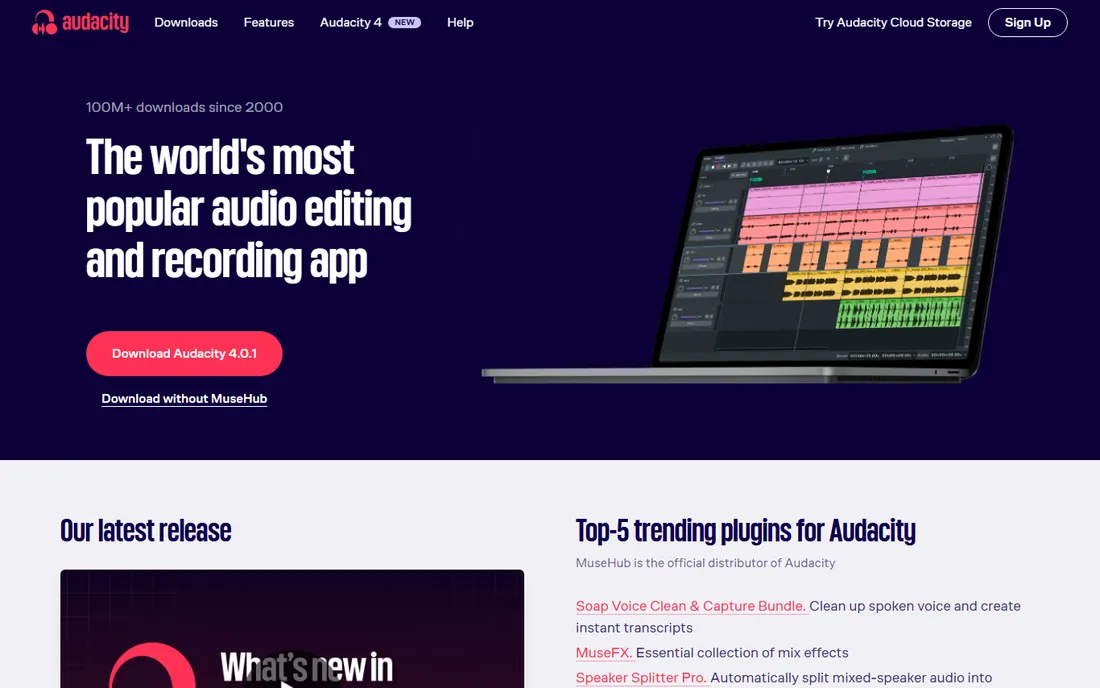
Audacity is the reason "free audio editor" is a solved problem. It records live audio, edits multitrack projects, applies noise reduction, EQ, compression and dozens of other effects, and exports to every format that matters. Podcasters cut interviews in it, musicians demo ideas, teachers clean up lecture recordings. It does all of this for free, on every major desktop platform, with a plugin ecosystem built over two decades.
The interface shows its age, and the editing model is destructive in places where modern DAWs are not, which means learning non-destructive habits takes extra care. It is also a weak choice for MIDI composition and virtual instruments. But as the best free audio recording software and a capable editor, nothing touches it. If your budget is zero, start here and you may never need to leave.
What we like- Records and edits multitrack audio free
- Huge effect and plugin library
- Runs on Windows, Mac and Linux
Watch out for- Destructive editing workflow feels dated
- MIDI and virtual instrument support is limited
#2
Adobe Audition
Best for: pro broadcast and podcast post-production
Visit adobe.com
Starting price$22.99/month (annual, billed monthly)
Free planFree trial
Adobe Audition is the professional's choice for cleaning up and finishing recorded audio. Its noise reduction, de-reverb and spectral editing tools rescue recordings that other software cannot fix, which is why broadcast, film and podcast producers keep it in the toolkit. The multitrack view handles complex sessions while the waveform view gives surgical precision on single files, and round-tripping with Premiere Pro works well for video projects.
The $22.99 monthly subscription on the annual plan is the main objection, and there is no perpetual license. A 7-day trial lets you test it on your worst recording, which is honestly the best demo: run its noise reduction on a noisy interview and compare. For simple recording and basic edits, Audacity or GarageBand do the job free. Audition earns its price when audio quality is the product.
What we like- Best-in-class noise reduction and restoration
- Multitrack and waveform views in one app
- Tight Creative Cloud integration
Watch out for- Subscription only, no buy-once option
- Overkill for simple voice recording
Starting priceFree
Free planYes
GarageBand is the best free audio recording software for anyone in the Apple ecosystem, and it is not close. It comes free with every Mac, iPhone and iPad, and it is a real multitrack studio: software instruments, guitar amp modeling, drummers that play along, and enough loops to sketch full songs. Voice recording is simple, with presets for podcast vocals that sound good with no tweaking. Projects open directly in Logic Pro when you outgrow it.
The limits are real but fair for free: fewer tracks, fewer plugins and less mixing depth than a paid DAW, and it only runs on Apple hardware. But as a starting point it removes every excuse. Songwriters, podcasters and students produce releasable work in GarageBand every day. If you own a Mac, you already own a studio.
What we like- Free with every Mac, iPhone and iPad
- Surprisingly good virtual instruments and loops
- Projects open directly in Logic Pro
Watch out for- Apple devices only
- Track and plugin limits frustrate as projects grow
Starting price$199.99 one-time
Free planNo
Logic Pro is the upgrade path from GarageBand and one of the best software values in music production. For $199.99 once, you get a full professional DAW with an enormous library of instruments, loops and effects, plus features like spatial audio mixing and live loops. Apple has never charged for an update, so the 2013 purchase price still covers the 2026 version. It records bands, produces electronic music, scores film and mixes podcasts with equal comfort.
The catch is the platform lock: Mac only, forever. There is no free tier, though Apple periodically offers a 90-day trial. For Mac users choosing between subscriptions, Logic's buy-once model against Pro Tools' or Audition's monthly fees is a straightforward win over two years. If you record on a Mac and want one DAW for everything, this is the default answer.
What we like- Pro-grade DAW for a single $199.99 payment
- Huge instrument and loop library included
- Free updates since launch
Watch out for- Mac only, no Windows version
- No free tier or trial beyond the 90-day offer
#5
Pro Tools
Best for: industry-standard studio recording
Visit avid.com
Starting price$9.99/month
Free planYes
Pro Tools remains the name on studio doors. When a band records in a commercial facility, the session is almost certainly in Pro Tools, and that compatibility matters: sessions move between studios, engineers and mixers without conversion. The Artist tier at $9.99 per month or $99 per year puts the real software within reach, and the free Intro tier teaches the workflow. Editing and comping performances is still the fastest in the business.
The ecosystem has friction: Avid's licensing, the iLok system and the upsell ladder to Studio and Ultimate tiers. For home recordists, Reaper or Logic do 90 percent of the job for far less money. But if you plan to work in or with professional studios, learning Pro Tools is career infrastructure. The free Intro tier is the right place to start.
What we like- The studio standard for recording and mixing
- Rock-solid with large track counts
- Free Intro tier for learning
Watch out for- Subscriptions add up
- Hardware and iLok requirements annoy on lower tiers
Starting price$99 one-time
Free planFree trial
FL Studio built its reputation on the step sequencer and piano roll, and it is still the fastest way to get a beat out of your head and into speakers. The workflow is pattern-based, which suits hip-hop, EDM and loop-driven production perfectly, and the included instruments and effects are strong from the Fruity edition's $99 upward. Image-Line's lifetime free updates policy means every edition keeps getting new versions forever, a genuine standout in this industry.
Audio recording is the weak spot: tracking vocals and comping takes is clunkier than in Pro Tools, Logic or Reaper. The free trial lets you do everything except open saved projects, which is enough to learn the workflow. For producers whose music starts with drums and synths rather than a microphone, FL Studio is the natural home.
What we like- Lifetime free updates on every edition
- Piano roll is the best in the business
- Fruity edition starts at $99
Watch out for- Recording and comping audio lags behind
- The interface divides opinion
Starting price$60 one-time
Free planFree trial
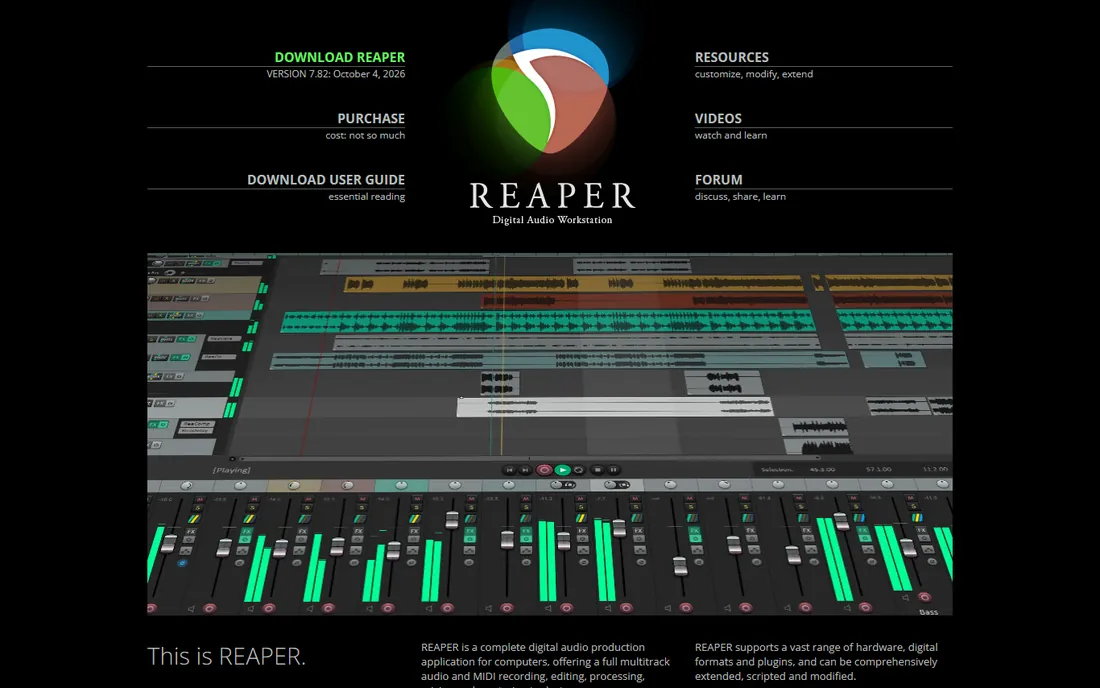
Reaper is the audio world's best-kept open secret. It is a complete, professional multitrack DAW, recording, editing, mixing, MIDI, video support, for a $60 discounted license, with a 60-day evaluation that never locks features. It runs on Windows, Mac and Linux, installs in minutes, and can be customized and scripted to an absurd degree. Podcasters, bands, game audio designers and broadcast engineers all swear by it.
The default interface is plain to the point of intimidating, and the included virtual instruments are thin compared to Logic's library. You will spend your first weekend setting it up and maybe buying or downloading free instruments. But dollar for dollar, no software here does more. If you want one affordable DAW that handles any audio job, Reaper is it.
What we like- $60 discounted license with full features
- Runs on Windows, Mac and Linux
- Deeply customizable and scriptable
Watch out for- Sparse default interface needs setup
- Fewer included instruments than Logic or FL Studio
Starting priceFree
Free planYes
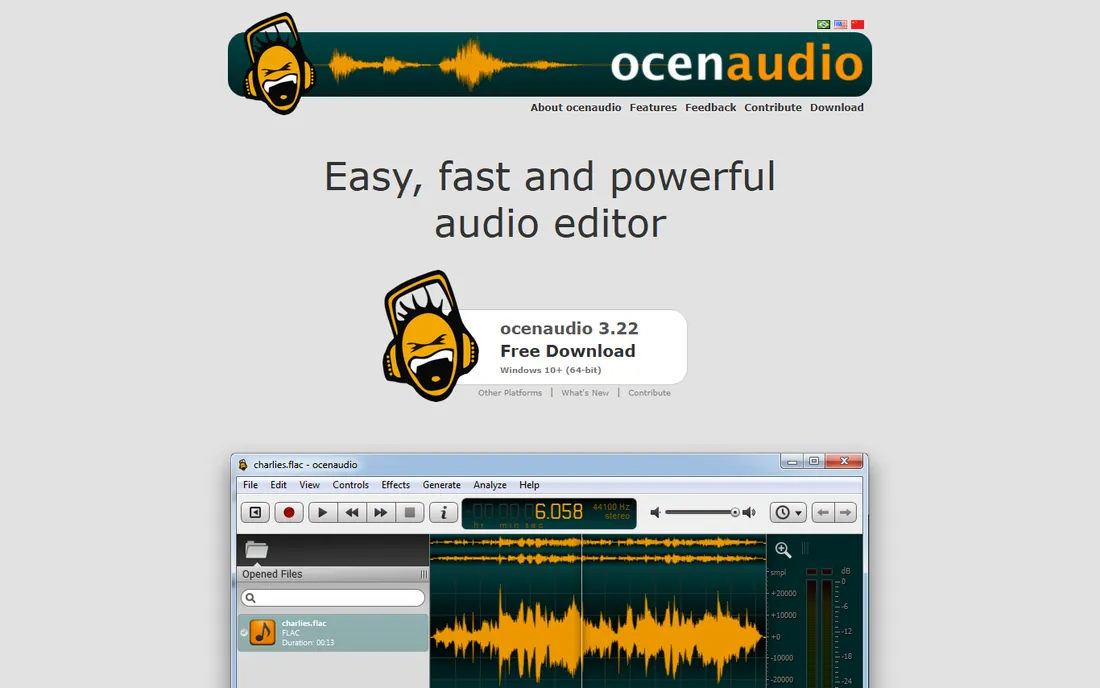
Ocenaudio is what Audacity would be if it were designed this decade. It is a free, cross-platform audio editor that opens fast, previews effects in real time as you adjust them, and handles the everyday jobs, trimming interviews, normalizing levels, converting formats, removing noise, without a learning curve. For quick edits it is noticeably more pleasant than Audacity.
It is not a multitrack DAW, so complex productions with many tracks belong elsewhere. The community and tutorial base are smaller than Audacity's, though the simplicity means you need less help. As a free audio editing app for fast, simple jobs, it deserves a place on every shortlist. Many users keep both: Ocenaudio for quick fixes, Audacity or a DAW for bigger work.
What we like- Free and genuinely easy to learn
- Real-time effect previews
- Cross-platform and lightweight
Watch out for- Single-track focus limits complex projects
- Smaller community than Audacity
Starting priceFree
Free planYes
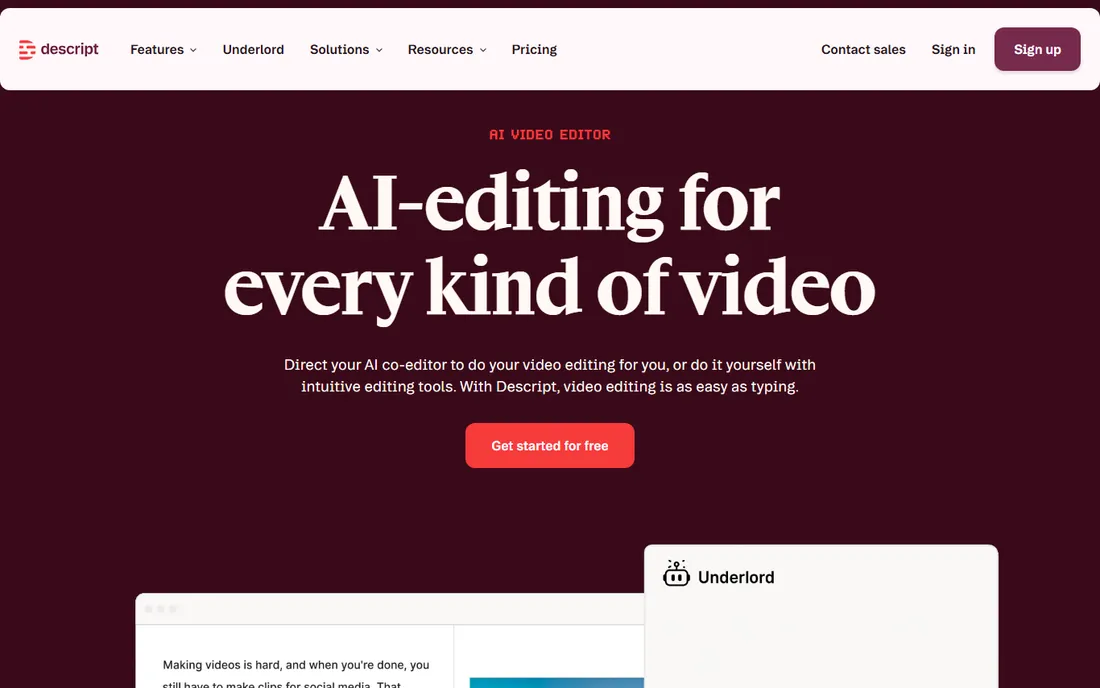
Descript changed podcast editing by treating audio as text. It transcribes your recording, and you edit by deleting words from the transcript, the audio follows. Removing ums, cutting a tangent or rearranging an interview becomes word-processor work. The free plan includes transcription hours to test the workflow, and the Hobbyist plan at $16 per month billed annually adds the AI features like filler-word removal, studio sound and voice cloning.
It is not a traditional DAW, and music production belongs elsewhere. Transcription struggles with heavy accents, crosstalk and poor recordings, so results vary. But for podcasters, YouTubers and course creators, it collapses hours of editing into minutes. If your content starts as spoken words, try the free plan on a real episode before judging it.
What we like- Edit audio by editing the transcript
- AI filler-word removal and voice cloning
- Multitrack and video in one project
Watch out for- Subscription needed for serious use
- Transcription accuracy varies with audio quality
Starting priceFree
Free planYes
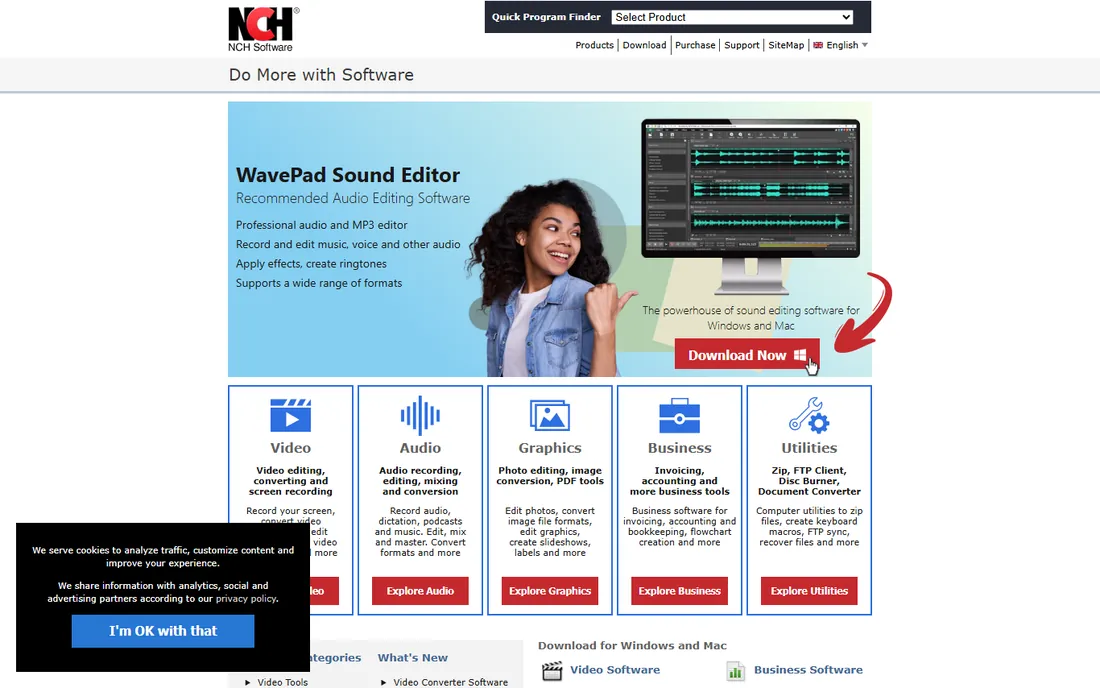
WavePad is the straightforward commercial editor on this list. The free version for non-commercial use handles cutting, copying, effects, noise reduction and format conversion with an interface that needs no manual. Batch processing converts or applies effects to whole folders of files, which is handy for podcast back catalogs or music libraries. Paid editions add more effects and features for professional use.
The honest caveats are the upsells: NCH will enthusiastically offer its other products, and the free version is deliberately limited to push the upgrade. Audacity and Ocenaudio do as much for free with no sales pitch. But some users prefer WavePad's cleaner interface and are happy to pay for the full version. If you want simple editing with commercial support behind it, it is a fair choice.
What we like- Free version covers basic editing well
- Simple interface anyone can learn
- Batch processing for many files
Watch out for- The best features are paywalled
- NCH upsells its other software aggressively
Matching the software to the job
Audio software splits by task, and the wrong pick wastes weeks. Recording music with microphones points to a DAW: Reaper, Logic Pro, Pro Tools or FL Studio, depending on platform and budget. Editing spoken word points to Audacity, Ocenaudio or Descript, where the transcript workflow can save hours. Cleaning up problem audio points to Adobe Audition. Decide whether you are recording, editing or restoring before you compare feature lists, because the best audio recording software is not always the best sound editing software.
Start free, upgrade when you hit a wall
Every paid tool here has a free alternative that covers the basics, and most have free trials. Record and edit your first real projects in Audacity, GarageBand or Ocenaudio. You will discover quickly whether your bottleneck is features, workflow or skill, and only the first one justifies spending. Reaper's $60 license and Logic's $199.99 one-time price are the upgrade sweet spots when free stops being enough.
Count the total cost, not the headline price
Subscriptions like Audition's $22.99 per month pass Logic Pro's one-time price in under nine months. FL Studio's lifetime updates make its editions cheaper over time than they look. Factor in the platform too: switching to Logic Pro means owning a Mac. The cheapest software is the one you still use in two years, so weigh the pricing model against how steadily you will work.
How we chose
We looked for software that real users recommend in 2026 for editing and recording, from bedroom podcasters to working studios. For each tool we verified pricing on the vendor's own site, checked the free tier or trial terms, and read user experiences on Reddit, G2 and app stores to find where each tool shines and where it frustrates. We excluded discontinued products, mobile-only toys and tools without a real editing workflow. Prices were checked in October 2026 and will change, so confirm before you buy.
Recording quality matters more than features
A $60 microphone in a quiet room through free software beats a $600 microphone in a noisy room through a $500 DAW. Before spending on software, spend on the recording environment: get close to the mic, turn off humming appliances, hang a blanket behind you. The tools on this list can all polish good audio, and none of them can rescue truly bad audio except Audition, which can only do so much. Fix the room first, then pick the software.
Frequently asked questions
What is the best free audio editing software?
Audacity is the most capable free editor overall, with multitrack recording and a huge effect library. GarageBand is the best free option on Apple devices, with real instruments and an upgrade path to Logic Pro. Ocenaudio is the simplest free editor for quick jobs. All three handle the core editing and recording tasks without spending anything.
What is the best audio recording software for beginners?
GarageBand on Mac or Audacity on any platform. Both are free, both record well, and both have enormous tutorial libraries. GarageBand is friendlier and includes instruments; Audacity is more flexible as a pure editor. Start with whichever matches your computer.
Do I need to pay for good audio software?
Not at first. Audacity, GarageBand and Ocenaudio cover recording and editing completely free, and Reaper's $60 license is the cheapest full DAW worth buying. Pay when you hit a specific wall: Audition for restoration work, Logic Pro or Pro Tools for professional studio compatibility, Descript for transcript-based podcast editing.
Which is better for podcasting, Audacity or Descript?
They solve different parts of podcasting. Audacity is the better pure audio editor and recorder, free and precise. Descript is faster for cutting interviews because you edit the transcript like a document. Many podcasters record in one tool and edit in Descript, or do everything in Audacity for free. Try Descript's free plan on a real episode to see if the workflow clicks.
Can I use this software commercially?
Yes for nearly everything here. Audacity, Reaper, Logic Pro, FL Studio and the paid tiers are all licensed for commercial work. GarageBand is licensed for commercial use too, with some conditions on its loops. WavePad's free version is for non-commercial use only, so check the license if you earn money from the work.
What computer do I need for audio editing?
Less than you think. Audacity, Ocenaudio and Reaper run well on modest machines. Logic Pro and GarageBand need a Mac but are efficient. The demanding tools are the big sample libraries and heavy plugin chains in any DAW. Any computer from the last five years handles recording and editing fine; spend on a decent audio interface and microphone before upgrading the computer.
Sources we checked (11)
- https://www.audacityteam.org/
- https://www.adobe.com/
- https://www.apple.com/
- https://www.avid.com/
- https://www.image-line.com/
- https://www.reaper.fm/
- https://www.ocenaudio.com/
- https://www.descript.com/
- https://www.nchsoftware.com/
- https://www.adobe.com/products/audition.html
- https://www.avid.com/pro-tools
Is your product missing or out of date?
We review this list regularly. Vendors can request a listing, send updated pricing or ask about featured placement.

Shihab Mia · Founder, Rankite
Shihab has spent more than a decade helping SaaS and e-commerce brands grow through search. He writes Rankite's software buying guides from pricing pages, documentation and public user reviews. More about Shihab.