How we make this list: we compare pricing pages, product documentation and public user reviews. Rankite is independent; if a vendor ever pays for a featured spot, that listing is clearly labeled Partner.
Key takeaways
- AIA billing means progress billing on the G702/G703 forms; the tools here either generate those forms natively or integrate with accounting that does.
- Foundation Software and Sage 300 CRE are the construction accounting heavyweights with the deepest AIA billing workflows.
- Procore, Buildertrend, CoConstruct and JobTread generate pay applications from project data and push them to accounting.
- QuickBooks handles basic AIA-style progress billing for small contractors; Knowify and RedTeam sit in the mid-market sweet spot.
Quick comparison
| Tool | Best for | Starting price | Free plan |
|---|
 Foundation Software Foundation Software | construction accounting with AIA billing | See website | No |
 Sage 300 CRE Sage 300 CRE | enterprise construction accounting | See website | No |
 Procore Procore | project-driven pay applications | See website | No |
 Buildertrend Buildertrend | residential progress billing | See website | No |
 CoConstruct CoConstruct | custom builder billing | See website | No |
 QuickBooks QuickBooks | small contractor accounting | See website | No |
 Knowify Knowify | mid-market job costing and billing | See website | Free trial |
 RedTeam RedTeam | contractor project and financials | See website | No |
 Jonas Construction Jonas Construction | full construction ERP | See website | No |
 JobTread JobTread | modern construction management | See website | Free trial |
Is your product missing or out of date?
We review this list regularly. Vendors can request a listing, send updated pricing or ask about featured placement.
The best AIA billing software
Starting priceSee website
Free planNo

Foundation Software's FOUNDATION is the construction accounting system that treats AIA billing as a first-class workflow, not an add-on. Progress billings, stored materials, retainage and change orders flow through the G702/G703 forms with the job costing to back them up. It is built by people who understand how contractors actually bill.
The depth is the point. Payroll with union and certified reporting, equipment costing, purchase orders and general ledger all tie into the billing, so the pay application reflects real job costs. For contractors doing commercial work with formal AIA billing requirements, this is the accounting backbone that handles it.
The honest trade-off is the experience. The interface shows its on-premise roots, and implementation is a real project with data migration and training. This is software for established contractors with accounting staff, not for the owner doing books at night. If AIA billing is your daily reality, the depth justifies the effort.
What we like- Deep construction accounting
- Native AIA billing workflows
- Strong payroll and job costing
Watch out for- On-premise heritage, dated interface
- Implementation is a project
#2
Sage 300 CRE
Best for: enterprise construction accounting
Visit sage.com
Starting priceSee website
Free planNo

Sage 300 Construction and Real Estate, the former Timberline, is the construction accounting standard for mid-size and large contractors. Its billing module handles AIA G702/G703 progress billing, time and materials, cost-plus and unit-price contracts, with retainage tracking and lien management built in.
The ecosystem is the advantage. Decades of market presence mean integrations, third-party modules, experienced consultants and accountants who already know the system. For general contractors and large specialty contractors, it is the safe enterprise choice with the reporting depth that owners and sureties demand.
The catch is cost and complexity. Licensing, implementation and ongoing administration are enterprise-grade in both senses. Small contractors will drown in it. This is for companies with real accounting departments and project portfolios that justify the investment. If that describes you, it remains the benchmark.
What we like- The industry standard for large contractors
- Comprehensive billing and job cost
- Huge ecosystem
Watch out for- Expensive and complex
- Needs trained administrators
Starting priceSee website
Free planNo

Procore approaches AIA billing from the project side: the daily logs, change events, subcontracts and schedule of values live in Procore, and pay applications generate from that live project data. Subcontractors submit their pay apps through the portal, the GC reviews and approves, and the approved billing exports to the accounting system.
The workflow is the selling point. Because the billing reflects the same data as the project management, discrepancies between the field and the invoice shrink. The subcontractor portal standardizes submissions across trades, which anyone who has chased paper pay apps will appreciate. Integrations with Sage, Foundation, QuickBooks and others complete the loop.
The honest limit is that Procore is not an accounting system. The financial depth lives in the ERP it integrates with; Procore handles the billing workflow, not the general ledger. Pricing is premium and per-project or per-user depending on the deal. For GCs running Procore already, the billing tools are a natural extension.
What we like- Pay apps generated from project data
- Huge contractor adoption
- Strong integrations
Watch out for- Premium pricing
- Financial depth trails true accounting systems
Starting priceSee website
Free planNo
Buildertrend handles billing the way residential remodelers and home builders work: estimates become budgets, progress invoices go out against the schedule of values, change orders adjust the contract and clients pay through the portal. For residential contractors who need AIA-style progress billing rather than formal commercial G702/G703 submissions, it covers the workflow.
The client experience is the differentiator. Homeowners see invoices, approve change orders and pay online in the same portal where they track progress and make selections. That transparency reduces billing disputes, which are the residential contractor's constant headache.
The honest boundary is the commercial line. This is not the tool for a GC billing an owner on formal AIA documents with stored materials and complex retainage; use Foundation or Sage for that. It is also premium-priced with a real onboarding commitment. For the residential contractor, though, the billing-to-project integration is exactly right.
What we like- Billing tied to residential project workflow
- Client portal for payments
- Industry standard
Watch out for- AIA forms are residential-adapted, not commercial-grade
- Premium pricing
Starting priceSee website
Free planNo
CoConstruct, now under Buildertrend ownership, serves custom home builders and high-end remodelers with billing tuned to their contracts: fixed-price with allowances, cost-plus and the change orders that define custom work. Invoices reflect the selections and changes the client approved in the portal, which keeps billing aligned with reality.
The allowance and change workflow is the strength. Clients select finishes against allowances, overages become change orders with signatures and the billing picks it all up automatically. For custom builders, this discipline is where profit is protected. The proposals and invoices look professional without extra effort.
The caveat is the acquisition: CoConstruct's future is tied to Buildertrend's strategy, so ask about the roadmap. Pricing is premium. Custom builders who bill on allowances and changes will find the workflow fit excellent; commercial contractors needing formal AIA documents should look at the accounting-first tools.
What we like- Billing built for custom home workflow
- Allowances and change orders handled well
- Client portal
Watch out for- Part of Buildertrend now, shared roadmap
- Premium pricing
Starting priceSee website
Free planNo
QuickBooks is the accounting software most small contractors already use, and it handles basic progress billing: create estimates, invoice against them by percentage or line item and track what is billed versus remaining. For small contractors whose "AIA billing" is really just professional progress invoicing, it is often enough.
The ecosystem is the real story. Hundreds of construction apps integrate with QuickBooks, including several that add proper AIA G702/G703 billing on top of the QuickBooks data. The accountant already knows it, the price is low and the learning curve is minimal. For the contractor graduating from spreadsheets, it is the natural first step.
The honest limit is depth. Native AIA billing is not QuickBooks' game; formal G702/G703 forms, retainage schedules and certified payroll need add-ons or workarounds. Job costing is basic compared with Foundation or Sage. Use it while you are small, plan to graduate when commercial work demands real AIA workflows.
What we like- Every accountant knows it
- Affordable
- Huge app ecosystem
Watch out for- AIA billing needs workarounds or apps
- Job costing is basic
Starting priceSee website
Free planFree trial

Knowify targets the mid-market contractor who has outgrown QuickBooks but is not ready for Sage: real job costing, contract management and AIA-style progress billing in a cloud system that integrates with QuickBooks for the general ledger. Specialty contractors in mechanical, electrical, plumbing and similar trades are the core audience.
The positioning is the pitch. You get contract schedules of values, change order management, progress billings and job cost tracking without the enterprise price tag or implementation project. The QuickBooks integration means the accountant keeps working in familiar software while operations run in Knowify.
The trade-off is vendor size and depth. Knowify is smaller than the enterprise players, and the feature depth reflects it. Complex multi-entity contractors will still need Sage or Foundation. For the growing specialty contractor, it hits the sweet spot between QuickBooks simplicity and enterprise power.
What we like- Job costing plus AIA billing in one
- Good for specialty contractors
- QuickBooks integration
Watch out for- Smaller vendor
- Less depth than enterprise systems
Starting priceSee website
Free planNo
RedTeam is the cloud platform for commercial general contractors that combines project management with financial controls: subcontracts, change orders, progress billing and job costing in one system. It is built for the GC workflow where the pay application to the owner and the pay apps from subcontractors have to reconcile.
The commercial focus shows. Schedule of values management, subcontractor compliance tracking, lien waiver management and AIA-style billing are native, not bolted on. The real-time job costing gives project managers the financial picture without waiting for accounting. It competes with Procore on the project side with deeper financial DNA.
The catch is price and commitment. This is premium software with a real implementation, aimed at commercial GCs doing real volume. Small contractors will find it too much. For the commercial GC that wants project and financials in one cloud system, it is a strong alternative to the Procore-plus-ERP stack.
What we like- Project management plus financials
- Built for commercial GCs
- Real-time job costing
Watch out for- Premium pricing
- Implementation takes effort
Starting priceSee website
Free planNo
Jonas Construction Software is the full ERP for contractors who want everything in one system: accounting, job costing, billing, payroll, equipment, service management and document control. The billing module handles AIA progress billing, T&M and the contract types contractors actually use, with the job cost data to support every invoice.
The completeness is the argument. Instead of integrating five systems, the contractor runs one, with one database and one vendor relationship. The service management module suits contractors with service divisions, and the reporting covers the operational and financial views owners need.
The honest trade-off is the enterprise nature. Pricing, implementation and the interface reflect a system built for established companies, not startups. Smaller contractors should look at Knowify or JobTread. For the mid-size to large contractor wanting one system for the whole business, Jonas is a proven choice.
What we like- Complete ERP for contractors
- Deep billing and service management
- Stable vendor
Watch out for- Enterprise pricing and complexity
- Dated interface in places
Starting priceSee website
Free planFree trial
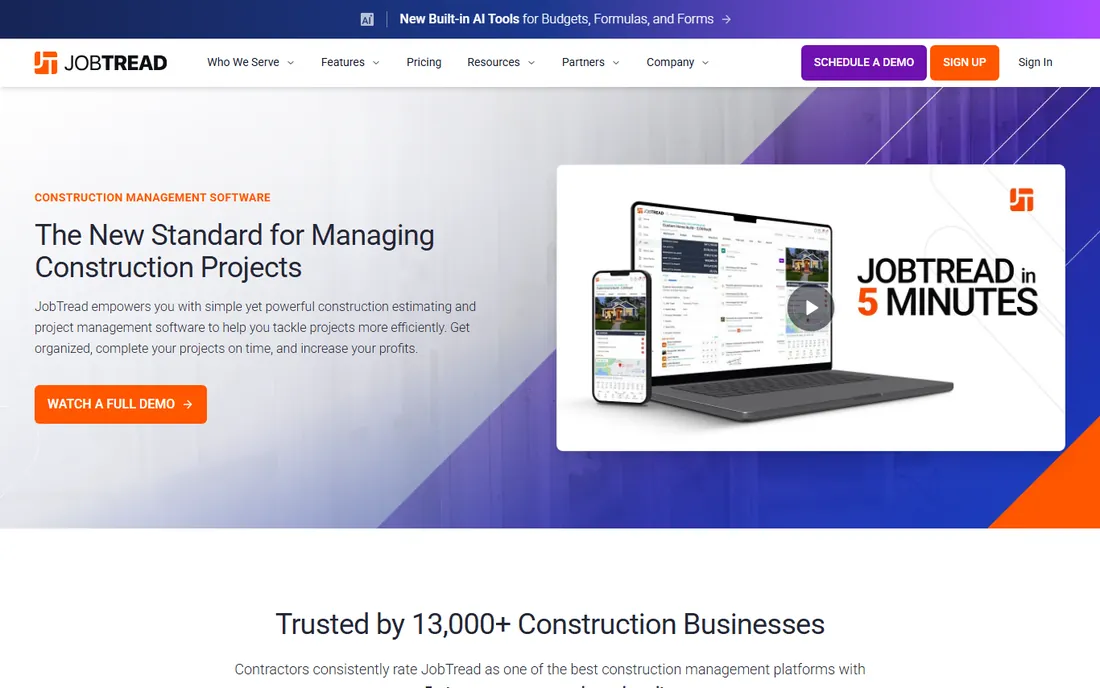
JobTread is the modern cloud construction management platform that takes jobs from estimate to invoice: takeoff and estimating, budgets, purchase orders, scheduling and progress billing in a clean interface that does not require training to understand. It suits remodelers, custom builders and light commercial contractors.
The modern feel is the differentiator. Where legacy construction software looks like accounting from another era, JobTread looks like software built this decade. The estimating-to-billing flow is smooth: the estimate becomes the budget, costs track against it and progress invoices reflect reality. The price undercuts the enterprise platforms significantly.
The catch is maturity. As a newer vendor, the feature depth and integration ecosystem trail the established players, and complex commercial AIA workflows may stretch it. For the contractor who wants modern software without the enterprise project, it is the fresh alternative worth trialing.
What we like- Modern interface
- Estimating through billing
- Good value
Watch out for- Newer vendor
- Less depth than enterprise ERPs
G702 and G703: what AIA billing actually is
AIA billing refers to the American Institute of Architects' standard forms for construction payment applications. The G702 is the Application and Certificate for Payment: the summary page showing the contract sum, change orders, completed work, stored materials, retainage and the amount due. The G703 is the Continuation Sheet: the line-by-line schedule of values with percent complete per line.
Owners, architects and lenders on commercial projects typically require these forms because they standardize the billing and tie it to the contract. The software on this list either generates these forms directly or produces the data that fills them. The key features to verify: schedule of values management, retainage tracking, stored materials, change order integration and lien waiver tracking.
What to check before you buy
Start with who requires your billing format. If owners demand formal AIA documents, you need software that generates them natively; workarounds fail under scrutiny. Second, match the system to your accounting: the billing has to reconcile with the general ledger, so check the integration with your accounting software or buy the accounting-first tool.
Third, verify retainage and change order handling against your contract types; these are where billing software earns its keep or falls apart. Fourth, test the subcontractor pay app workflow if you are a GC; chasing paper from twenty trades is the pain these systems solve. Finally, confirm the implementation timeline against your next billing cycle; switching mid-project is possible but needs planning.
How we chose
We compared vendor product pages, contractor reviews and trade coverage, then confirmed every homepage was live in October 2026. Buildertrend returned a bot-block response but the domain is live, so we kept the URL as-is. Where we could not verify a vendor-published price we say so. Nothing here reflects hands-on testing; assessments come from documentation, feature lists and public user feedback.
Frequently asked questions
What is AIA billing?
AIA billing is progress billing using the American Institute of Architects' standard forms, primarily the G702 (payment application summary) and G703 (schedule of values detail). Commercial owners and lenders commonly require these forms for construction payments.
Do I need special software for AIA billing?
If you bill on formal AIA documents, yes: purpose-built software generates the forms correctly with retainage, stored materials and change orders. For simple progress invoicing, standard accounting software suffices. Match the software to what your contracts require.
Can QuickBooks do AIA billing?
QuickBooks handles basic progress invoicing natively. Formal AIA G702/G703 billing needs third-party apps that integrate with QuickBooks or a purpose-built construction system. Many small contractors use this combination successfully.
What is retainage in construction billing?
Retainage is the percentage of each payment (commonly 5 to 10 percent) that the owner withholds until the project is complete, as security against defects or incomplete work. AIA billing software tracks retainage per line item and releases it at the right milestones.
How much does AIA billing software cost?
Small-contractor tools start at tens of dollars per user monthly. Mid-market systems like Knowify and RedTeam are quote-based but affordable for growing firms. Enterprise construction accounting like Sage 300 CRE involves significant licensing and implementation costs. Always get a quote for your situation.
Sources we checked (10)
- https://www.foundationsoft.com
- https://www.sage.com
- https://www.procore.com
- https://www.buildertrend.com
- https://www.coconstruct.com
- https://quickbooks.intuit.com
- https://www.knowify.com
- https://redteam.com
- https://www.jonasconstruction.com
- https://www.jobtread.com
Is your product missing or out of date?
We review this list regularly. Vendors can request a listing, send updated pricing or ask about featured placement.

Shihab Mia · Founder, Rankite
Shihab has spent more than a decade helping SaaS and e-commerce brands grow through search. He writes Rankite's software buying guides from pricing pages, documentation and public user reviews. More about Shihab.