How we make this list: we compare pricing pages, product documentation and public user reviews. Ratings come from G2, Capterra or Trustpilot, with the date we checked them.
Direct answer
Restaurant365 is the top pick for multi-location restaurants that want accounting, inventory, and reporting in one system. Single-location operators who already use an accountant can start with QuickBooks Online at $38 per month and add a food cost tool later. MarginEdge suits groups that want invoice automation without replacing their ledger.
Key takeaways
- Multi-location groups should look at Restaurant365 first, at $489 per location per month billed annually for the Professional plan.
- Operators keeping QuickBooks or Xero can add MarginEdge at $350 per location per month for unlimited invoice processing.
- Small restaurants on a tight budget can start with Zoho Books Standard at $15 per org per month billed annually.
- Toast users can add xtraCHEF Essentials at $179 per month per location for invoice automation and accounting sync.
- Larger groups with several entities should budget for a Sage Intacct quote, since Sage publishes no price and states implementation takes 3 to 6 months.
Quick comparison
| Tool | Best for | Starting price | Free plan |
|---|
 Restaurant365 | Multi-location restaurants that want one accounting system | Professional $489 per location per month billed annually | None found on vendor page |
 MarginEdge | Invoice automation without replacing your ledger | $350 per location per month | None found on vendor page |
 QuickBooks Online | Small restaurants that need a standard ledger | Simple Start $38 per month | Free plan, 1 user, 2 invoices per month, connect 1 bank account, no accountant access |
 Xero | Restaurants that need unlimited users included | Early $27 per month | None found on vendor page |
 xtraCHEF by Toast | Toast restaurants that want invoice automation | Essentials $179 per month per location | None found on vendor page |
 Ottimate | Multi-unit groups with heavy invoice volume | See website | None found on vendor page |
 MarketMan | Inventory counts and recipe costing by location | Starter $249 per month | None found on vendor page |
 Sage Intacct | Larger groups with multiple entities | See website | None found on vendor page |
 Zoho Books | Cost control with a clear plan ladder | Standard $15 per org per month billed annually | Free plan while revenue stays under $50K, 1 user plus 1 accountant, up to 1,000 invoices and 1,000 expenses a year |
 Wave | Very small restaurants starting their books | Pro $19 USD per month per business | Starter plan with unlimited estimates, invoices, bills, and bookkeeping records |
Is your product missing or out of date?
We review this list regularly. Vendors can request a listing, send updated pricing or ask about featured placement.
The best accounting software for restaurants
Restaurant accounting has two jobs. The first is the ledger: sales, bills, bank reconciliation, payroll entries, sales tax, and profit and loss reports by location. The second is cost control: supplier invoices at line level, inventory counts, recipe costs, and waste. This list ranks tools by how well they cover both jobs, in one system or through a stated accounting integration. Prices come from vendor pages checked for this guide. Invoice and inventory tools are labeled as back office tools, not full ledgers.
Starting priceProfessional $489 per location per month billed annually
Free planNone found on vendor page
Restaurant365 is a cloud platform built only for restaurants. The vendor page describes accounting, inventory, scheduling, payroll, HR, and reporting in one system, with integration to POS systems, vendors, and banks. For accounting work, the Professional plan lists R365 Accounting with a full AP automation suite, custom financial reports, fixed assets, and business analytics. Store Operations adds scheduling, inventory, and POS Connect. That mix suits operators who want daily sales, food cost, and labor data to feed the same profit and loss view instead of moving files between separate tools each week.
The catch is cost structure. Professional is $489 per location per month billed annually, or $539 billed quarterly, and Workforce add-ons cost extra. Three locations cost $1,467 per month before add-ons. Pick Restaurant365 if you run several locations and want one system. Look elsewhere if you run one small location and only need a ledger, bank feeds, sales tax tracking, and monthly reports.
What we like- Restaurant-specific accounting with AP automation and custom financial reports
- Inventory, scheduling, and POS Connect in the same platform
- Actual versus theoretical food cost reporting across locations
Watch out for- Workforce add-ons such as payroll and HR cost extra
- Per location pricing grows quickly as locations are added
Starting price$350 per location per month
Free planNone found on vendor page
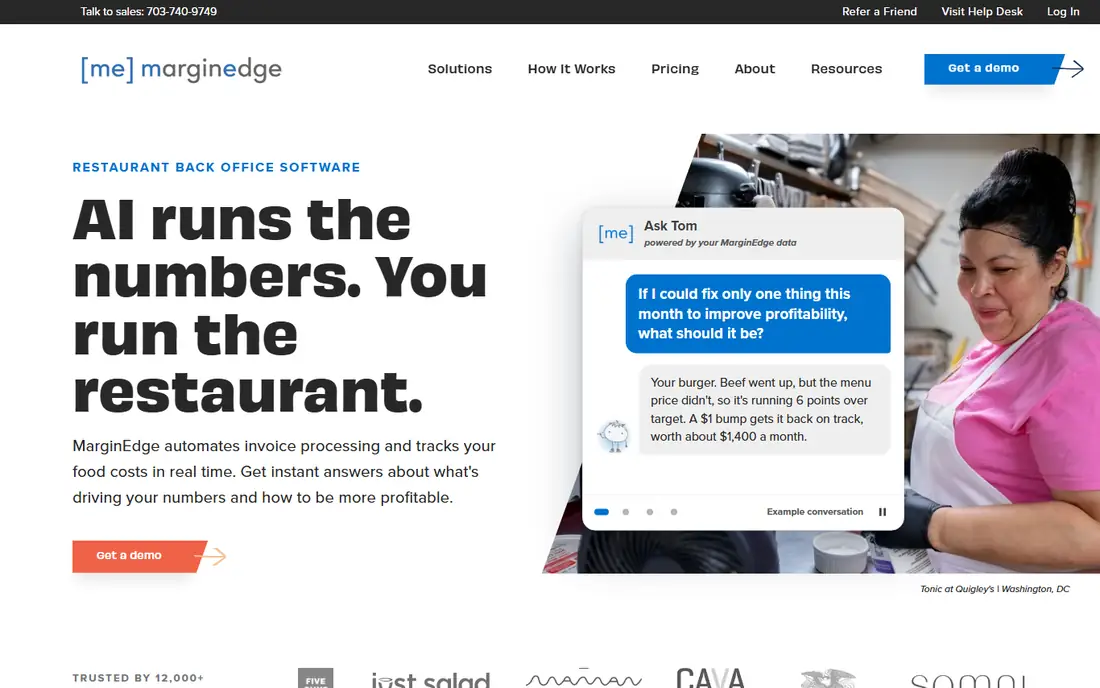
MarginEdge is restaurant back office software that automates invoice processing and tracks food costs in real time. The vendor says AI plus its own team code every invoice, and the platform covers inventory, recipe costing, bill pay, and sales forecasting. The pricing page lists unlimited invoices processed and unlimited Bill Pay in the US. For a restaurant that already keeps its books in QuickBooks, Xero, or Sage, MarginEdge adds the line level invoice detail and food cost view that a general ledger usually does not provide on its own each week.
The catch is that MarginEdge does not replace your accounting system. It connects to accounting software, so you still pay for the ledger as well. The core price is $350 per location per month, or $315 per location per month billed annually. Add-ons cost extra. Pick it if invoice keying and food cost visibility are your main problems. Look elsewhere if you need one system to hold the ledger.
What we like- Unlimited invoice processing in the core price
- Daily profit and loss view with price change alerts
- Connects with QuickBooks, Xero, Sage, Toast, and Square
Watch out for- It is back office software, not a general ledger
- Prices exclude sales tax and onboarding fees, and Toast restaurants pay a pass-through API fee
Starting priceSimple Start $38 per month
Free planFree plan, 1 user, 2 invoices per month, connect 1 bank account, no accountant access
QuickBooks Online is general accounting software used by many small restaurants because accountants already know it. The pricing page lists Simple Start at $38 per month, Essentials at $85, Plus at $140, and Advanced at $340, with a 70 percent off promotion for 3 months shown at the time of checking. For restaurant use, the key features are bank feeds, bill management, profit and loss reporting, and sales tax tracking. Plus adds inventory tracking, budgets, project profitability, and class and location tracking, which helps a small group split results by store.
The catch is that QuickBooks Online does not do recipe costing or line level food cost analysis by itself. A restaurant that needs plate costs still needs a back office tool or a separate inventory process. Pick QuickBooks Online if you need a familiar ledger and your accountant works in it. Look elsewhere if food cost control is your main reason for buying.
What we like- Clear plan ladder from Free to Advanced at $340 per month
- Plus adds inventory tracking and class and location tracking for 40 classes and locations
- Bill pay with free ACH within monthly allotments
Watch out for- Inventory tracking and location tracking sit in Plus at $140 per month, not in Simple Start
- The Free plan allows only 1 user and no accountant access
#4
Xero
Best for: Restaurants that need unlimited users included
Visit xero.com
Starting priceEarly $27 per month
Free planNone found on vendor page
Xero is cloud accounting software with three US plans: Early at $27 per month, Growing at $59, and Established at $97, shown with a lower promotional price for the first 6 months on the vendor page checked. Every plan includes unlimited users, which matters when an owner, a manager, a bookkeeper, and an outside accountant all need access. Early includes bank reconciliation, Smart Document Capture, real-time reports, sales tax, W-9 and 1099 management, and a 30 day cash flow forecast. Growing removes the invoice and bill caps and adds automated bill entry and a 60 day forecast.
The catch is the Early plan limit. Twenty invoices and 5 bills a month is tight for a restaurant with weekly supplier deliveries, so most active restaurants should budget for Growing at $59 per month. Pick Xero if user count and accountant collaboration matter most. Look elsewhere if you want food cost counts, recipe costs, and inventory reports inside the ledger product itself.
What we like- Unlimited users on every plan with no per-seat charges
- Bank reconciliation and Smart Document Capture on Early
- More than 1,000 connected apps stated by the vendor
Watch out for- Early caps sending at 20 invoices and entering at 5 bills per month
- Recipe costing and restaurant inventory workflows depend on connected apps
#5
xtraCHEF by Toast
Best for: Toast restaurants that want invoice automation
Visit toasttab.com
Starting priceEssentials $179 per month per location
Free planNone found on vendor page
xtraCHEF by Toast is back office software for restaurants that automates accounts payable tasks and tracks food costs. Toast support lists two tiers. Essentials at $179 per month per location includes invoice automation and accounting system syncing, plus food cost reporting, an ingredient price tracker, and vendor and order management. Pro at $279 per month per location adds inventory management and recipe costing, including menu item cost and stock level tracking. For a Toast restaurant, the appeal is that sales data from the POS and invoice data from suppliers sit in one workflow.
The catch is the tier split and the sales route. Essentials has no inventory counts and no recipe costing, so a restaurant that wants plate costs must pay for Pro. At 3 locations, Pro is $837 per month, plus your accounting system. Pick xtraCHEF if you run Toast. Look elsewhere if you use another POS or need a standalone ledger.
What we like- Invoice automation and accounting system syncing in Essentials
- Pro adds inventory management and recipe costing
- Ingredient price tracker and food cost reporting included
Watch out for- Recipe costing and inventory management require Pro at $279 per month per location
- Buying starts with a demo request through the Toast Shop
Starting priceSee website
Free planNone found on vendor page
Ottimate, formerly Plate IQ, is accounts payable automation software built for finance teams in hospitality and other multi-location industries. The vendor page describes capture and coding of invoices down to the line item, GL prediction, matching each invoice to its purchase order and receipt, and routing approvals to the right person. It also lists duplicate detection and price variance checks before payment. For a restaurant group, that focus fits the weekly flow of distributor invoices, credits, and approvals across locations, with data syncing to the ERP or accounting system already in use.
The catch is that Ottimate is an AP layer, not a full accounting system, and it does not publish pricing. The vendor states implementation takes 6 to 12 weeks, so this is a planned project rather than a same day signup. Pick Ottimate if invoice volume and approval control are the bottleneck. Look elsewhere for one location, or if you need inventory counts in the same tool.
What we like- Line item invoice capture and GL coding
- Invoice matching to purchase orders and receipts
- Duplicate invoice and price variance detection before payment
Watch out for- No price is published on the vendor page checked
- Implementation takes 6 to 12 weeks according to the vendor
Starting priceStarter $249 per month
Free planNone found on vendor page
MarketMan is cloud software for restaurant inventory management, purchasing, and recipe costing. The pricing page lists Starter at $249 per month for independent operators, Growth at $299 per month, and Enterprise from $449. Starter includes real-time recipe costing, actual versus theoretical reporting, waste management, 1 vendor EDI integration, and 50 AI-powered invoice scans per month. Growth adds smart ordering, order by recipe, and unlimited invoice scanning. The comparison table lists POS and accounting integrations, so invoice and inventory data can move into the accounting system the restaurant already uses for its books.
The catch is the scan cap and the ledger gap. A busy kitchen that receives more than 50 supplier invoices a month needs Growth at $299 per month for unlimited scanning. MarketMan does not hold the books, so you still need accounting software. Pick it if inventory accuracy and plate costs come first. Look elsewhere if you mainly need a ledger.
What we like- Real-time recipe costing and actual versus theoretical reporting on Starter
- POS and accounting integrations listed on every plan comparison
- Growth adds smart ordering and unlimited invoice scanning
Watch out for- Starter caps AI invoice scans at 50 per month and includes 1 vendor EDI integration
- It manages inventory and purchasing, not the general ledger
#8
Sage Intacct
Best for: Larger groups with multiple entities
Visit sage.com
Starting priceSee website
Free planNone found on vendor page
Sage Intacct is cloud financial management software for growing and mid-sized organizations. Sage describes multi-entity management, real-time visibility across entities, and automation across accounts payable, close, and reporting. The AP automation features include reading incoming bills, matching them to purchase orders, coding account and department, and flagging duplicates. Sage states the product is ideal for businesses with over $4 million in annual revenue or more than 20 employees, and lists hospitality among the industries it serves. That profile fits a restaurant group with several entities, several locations, and a dedicated finance team.
The catch is scale and setup time. Sage does not publish a price, sells an annual subscription, and states implementation typically takes 3 to 6 months. Food cost workflows still depend on integrations. Pick Sage Intacct if consolidation and controls drive the purchase. Look elsewhere if you run one or two locations and need to start this month without a long implementation project.
What we like- Multi-entity management and consolidation in one system
- AP automation with purchase order matching and duplicate detection
- Annual subscription with hundreds of marketplace integrations stated by Sage
Watch out for- Pricing is tailored by quote with no published price
- Implementation typically takes 3 to 6 months according to Sage
#9
Zoho Books
Best for: Cost control with a clear plan ladder
Visit zoho.com
Starting priceStandard $15 per org per month billed annually
Free planFree plan while revenue stays under $50K, 1 user plus 1 accountant, up to 1,000 invoices and 1,000 expenses a year
Zoho Books is accounting software with a detailed public plan ladder. Standard is $15 per org per month billed annually for 3 users, with bank feeds, sales tax tracking, custom reports, and API access. Professional is $40 for 5 users and adds inventory tracking, sales and purchase orders, multi-currency transactions, and purchase approvals. Premium is $60 for 10 users. For a small restaurant, Standard covers the ledger basics at a low price, while Professional is the tier that adds stock tracking and purchase order controls that a kitchen can use.
The catch is the caps. The Free plan allows 1,000 invoices and 1,000 expenses a year and lasts only while revenue stays under $50K. Standard allows 5,000 invoices a year but does not list inventory tracking. Extra users cost $3 per user per month. Pick Zoho Books if price matters. Look elsewhere if you need recipe costing without another tool.
What we like- Standard includes bank feeds, custom reports, and API access for 3 users
- Professional adds inventory tracking and purchase orders for 5 users
- Clear annual invoice caps on every plan
Watch out for- Inventory tracking starts on Professional at $40 per org per month billed annually
- The Free plan ends once revenue passes the $50K threshold
Starting pricePro $19 USD per month per business
Free planStarter plan with unlimited estimates, invoices, bills, and bookkeeping records
Wave is bookkeeping and invoicing software for small businesses. The pricing page lists a Starter plan with unlimited estimates, invoices, bills, and bookkeeping records, plus a mobile app and a cash flow dashboard. Pro adds auto-import of bank transactions, auto-merge and categorization, unlimited receipt capture, and automated late payment reminders. Wave states the Pro subscription is $19 USD per month per business, so three businesses under one account would pay three times. Payroll is an add-on listed from $25 or $40 per month depending on country, and receipts are a paid add-on on Starter.
The catch is depth. The pricing page does not list inventory tracking, recipe costing, or location-level food cost reporting, and Starter leaves bank transactions to manual entry. Pick Wave for a very small operation that needs basic books at low cost. Look elsewhere once you need inventory counts, recipe costs, multi-location reports, or an accountant-led monthly close process each month.
What we like- Starter includes unlimited invoices, bills, and bookkeeping records
- Pro adds auto-import and auto-categorization of bank transactions
- Pro includes unlimited receipt capture
Watch out for- Automatic bank import requires Pro
- Online card payments cost 2.9 percent plus $0.60 per transaction on Starter
Replace the accounting system when the ledger itself is the problem, and add a back office tool when invoices and food cost are the problem. Restaurant365 Professional at $489 per location per month puts accounting and operations in one contract, so 3 locations cost $1,467 per month billed annually. Keeping QuickBooks Online Plus at $140 per month and adding MarginEdge at $350 per location gives a 3 location total of $1,190 per month. A Toast group using xtraCHEF Pro at $279 per location plus QuickBooks Plus pays $977 per month for 3 locations. The add-on route costs less in these examples, but it leaves two systems to reconcile and two vendors to manage. The single system route costs more per location and can remove duplicate data entry. Count your supplier invoices, locations, and users for one normal month first, then price both routes for a full year. If the invoice count is low and one person handles the books, a ledger alone may be enough.
Can QuickBooks Online handle restaurant food costs on its own?
QuickBooks Online can track inventory on Plus, but it does not provide recipe costing or line level food cost reporting on the pricing page checked. Plus at $140 per month adds inventory tracking, budgets, and class and location tracking. That covers stock quantities and store-level profit and loss reports. Plate cost work sits in tools such as MarginEdge, MarketMan, xtraCHEF Pro, or Restaurant365. A single location with a short menu may manage with Plus and a spreadsheet. A group should budget for a back office tool.
Do you need recipe costing inside your accounting software?
You need recipe costing somewhere in your workflow, but it does not have to sit inside the ledger. Recipe costing turns supplier prices and recipe quantities into a plate cost, then compares that cost with sales. MarketMan Starter at $249 per month includes real-time recipe costing. xtraCHEF includes recipe costing only on Pro at $279 per month per location. MarginEdge includes recipe management in its $350 per location platform. Restaurant365 includes recipe costing in its inventory tools. If your menu changes often, put recipe costing in the shortlist. If it is short and stable, monthly counts may be enough.
What happens when you outgrow a free accounting plan?
You move to a paid plan and should plan the move before the cap blocks daily work. Zoho Books Free allows 1,000 invoices and 1,000 expenses a year and applies while revenue stays under $50K. QuickBooks Free allows 1 user, 2 invoices per month, and 1 connected bank account, with no accountant access. Wave Starter allows unlimited invoices and bills, but automatic bank import sits in Pro at $19 USD per month per business. For a restaurant, the usual trigger is bank reconciliation time, accountant access, inventory tracking, and location reporting. Check those needs first.
Frequently asked questions
What is the best accounting software for a single restaurant?
For one location, QuickBooks Online Plus at $140 per month or Xero Growing at $59 per month covers the ledger, bank reconciliation, and reports. Add MarginEdge at $350 or MarketMan at $249 per month only if invoice volume or food cost tracking takes hours each week.
How much should a restaurant budget for accounting software?
A single location can start at $15 per month with Zoho Books Standard or $38 per month with QuickBooks Simple Start. Restaurant platforms cost more per location: MarketMan $249, MarginEdge $350, and Restaurant365 Professional $489 billed annually. Multiply by your store count.
Does restaurant accounting software replace a bookkeeper?
No. Software records transactions, imports bank data, and produces reports, but a person still needs to review coding, reconcile accounts, and check sales tax and payroll entries. MarginEdge codes invoices and QuickBooks automates rules, yet month-end review remains a human task.
Can accounting software track food cost by menu item?
Yes, when the tool includes recipe costing and inventory. MarketMan Starter includes real-time recipe costing at $249 per month. xtraCHEF Pro adds recipe costing at $279 per month per location. General ledgers track inventory or bills, but plate costs need a restaurant back office tool.
When should a restaurant group move to Sage Intacct?
Consider Sage Intacct when several entities, consolidation, and finance controls matter more than speed of setup. Sage states the product suits businesses with over $4 million in annual revenue or more than 20 employees. Pricing is by quote, with annual subscription and 3 to 6 month implementation.
What to look for before you buy
First, decide whether you need a ledger, a back office tool, or both. Second, count invoices, locations, and users for one month, then match them to plan caps. Third, confirm POS and accounting integrations by name, including any API fee. Fourth, price the full stack per location for 12 months, including add-ons and payment fees. Fifth, check exit terms, data export, and implementation time before signing.
How we chose
This guide kept 10 products with working vendor pages from a wider candidate list. Prices and limits were checked on vendor pricing and support pages. Tools were judged on ledger depth, invoice handling, inventory and recipe costing, integrations, multi-location reporting, and price clarity. Hidden pricing is marked See website. No hands-on testing is claimed.
Sources we checked (11)
- https://www.restaurant365.com/operations/
- https://www.marginedge.com/
- https://www.marginedge.com/pricing
- https://quickbooks.intuit.com/pricing/?msockid=0463bf71010f6dda223ba90c00686cb2
- https://www.xero.com/us/versus/zoho-books-alternative/
- https://support.toasttab.com/en/article/xtraCHEF-by-Toast-Requesting-a-Demo
- https://ottimate.com/feature/ap-solutions/
- https://www.marketman.com/pricing-for-restaurant-inventory-management-system?utm_source=spotsaas.com&utm_medium=cpc&sub1=so&sub3=list&sub4=d
- https://www.sage.com/en-us/sage-business-cloud/intacct-1/
- https://www.zoho.com/books/pricing/
- https://www.waveapps.com/pricing?utm_id=120214008110670228
Is your product missing or out of date?
We review this list regularly. Vendors can request a listing, send updated pricing or ask about featured placement.

Shihab Mia · Founder, Rankite
Shihab has 5+ years in B2B and SaaS SEO. He writes Rankite's software buying guides from pricing pages, documentation and public user reviews. More about Shihab.