How we make this list: we compare pricing pages, product documentation and public user reviews. Ratings come from G2, Capterra or Trustpilot, with the date we checked them.

Key takeaways
- Pillowfort is the closest Tumblr-style match, with reblogs and communities, but a smaller audience.
- WordPress.com and Ghost suit writers who want ownership, custom domains, and export options.
- Mastodon and Bluesky suit chronological social posting without algorithmic feeds.
- Medium and Substack suit writers who want a built-in reading audience.
Quick comparison
| Tool | Best for | Starting price | Free plan |
|---|
 WordPress.com WordPress.com | Owned blogging with themes | See website | Yes |
 Ghost Ghost | Professional publishing and newsletters | See website | Free trial |
 Medium Medium | Writing for a built-in audience | See website | Yes |
 Mastodon Mastodon | Decentralized chronological microblogging | See website | Yes |
 Bluesky Bluesky | Open social microblogging | See website | Yes |
 Pillowfort Pillowfort | Closest Tumblr-style community | $5 one-time registration | No |
 Dreamwidth Dreamwidth | Journal-style fandom blogging | See website | Yes |
 Blogger Blogger | Free simple Google blogging | See website | Yes |
 Substack Substack | Newsletter-first writing | See website | Yes |
Is your product missing or out of date?
We review this list regularly. Vendors can request a listing, send updated pricing or ask about featured placement.
The best tumblr alternatives
#1WordPress.com
Best for: Owned blogging with themes4.4/5 on
G2 (2,717 reviews, checked Oct 2026)
Visit wordpress.com
Starting priceSee website
Free planYes
For teams that need an owned blog, this is a practical place to start. WordPress.com is a strong pick when you want a blog you control, with a custom domain and a wide theme choice. It suits writers and small businesses that may later move to self-hosted WordPress, while the free plan is best for starting out.
In daily use, the deciding factors are usually Owned blogging with themes, how the tool handles your existing stack, and whether the plan limits match your volume. Check the pricing page, the documentation for WordPress.com, and recent public reviews before you buy, and use a trial with a real project rather than a demo dataset. Pricing and plan limits are worth checking on the vendor pricing page before you commit, because tiers and add-ons change over time. If the tool fits your main workflow and its limits are acceptable, it is worth a shortlist spot. If not, move to the next option in this guide.
What we like- Custom domains and themes
- Large plugin and theme ecosystem
- Export options
Watch out for- Free plan has limits and branding
- Paid tiers for full control
#2Ghost
Best for: Professional publishing and newsletters4.0/5 on
G2 (40 reviews, checked Oct 2026)
Visit ghost.org
Starting priceSee website
Free planFree trial
If your main problem is professional publishing, this option deserves a close look. Ghost is built for professional publishing, with membership and newsletter features built in. It suits writers and publications that earn from readers, while people seeking a social feed may miss Tumblr-style discovery.
In daily use, the deciding factors are usually Professional publishing and newsletters, how the tool handles your existing stack, and whether the plan limits match your volume. Check the pricing page, the documentation for Ghost, and recent public reviews before you buy, and use a trial with a real project rather than a demo dataset. Pricing and plan limits are worth checking on the vendor pricing page before you commit, because tiers and add-ons change over time. If the tool fits your main workflow and its limits are acceptable, it is worth a shortlist spot. If not, move to the next option in this guide.
What we like- Clean publishing editor
- Membership and newsletter tools
- Custom domains
Watch out for- No permanent free hosted plan
- Smaller social feed than Tumblr
Starting priceSee website
Free planYes
This option suits groups that want a built-in reading audience without a long setup. Medium suits writers who want readers without building an audience from scratch. Its simple editor keeps focus on writing, but customization and control are limited compared with WordPress or Ghost.
In daily use, the deciding factors are usually Writing for a built-in audience, how the tool handles your existing stack, and whether the plan limits match your volume. Check the pricing page, the documentation for Medium, and recent public reviews before you buy, and use a trial with a real project rather than a demo dataset. Pricing and plan limits are worth checking on the vendor pricing page before you commit, because tiers and add-ons change over time. If the tool fits your main workflow and its limits are acceptable, it is worth a shortlist spot. If not, move to the next option in this guide.
What we like- Large reading audience
- Clean reading experience
- Simple editor
Watch out for- Limited theme control
- Audience depends on Medium distribution
Starting priceSee website
Free planYes
When decentralized microblogging matters more than extra features, this tool fits well. Mastodon offers chronological feeds and no advertising, with servers run by different communities. It suits people who value privacy and control over discovery, while finding your community takes more effort at first.
In daily use, the deciding factors are usually Decentralized chronological microblogging, how the tool handles your existing stack, and whether the plan limits match your volume. Check the pricing page, the documentation for Mastodon, and recent public reviews before you buy, and use a trial with a real project rather than a demo dataset. Pricing and plan limits are worth checking on the vendor pricing page before you commit, because tiers and add-ons change over time. If the tool fits your main workflow and its limits are acceptable, it is worth a shortlist spot. If not, move to the next option in this guide.
What we like- Chronological feeds with no ads
- Federated servers
- Open-source software
Watch out for- Server choice confuses new users
- Smaller creative community than Tumblr
Starting priceSee website
Free planYes
A good pick for people who put open social posting first is this platform. Bluesky is a social platform with chronological feeds and custom feed options. It suits short posts and conversation, while long-form blogging and reblog chains are less central than on Tumblr.
In daily use, the deciding factors are usually Open social microblogging, how the tool handles your existing stack, and whether the plan limits match your volume. Check the pricing page, the documentation for Bluesky, and recent public reviews before you buy, and use a trial with a real project rather than a demo dataset. Pricing and plan limits are worth checking on the vendor pricing page before you commit, because tiers and add-ons change over time. If the tool fits your main workflow and its limits are acceptable, it is worth a shortlist spot. If not, move to the next option in this guide.
What we like- Chronological and custom feeds
- Open protocol
- Growing user base
Watch out for- Short-form focus, less long blogging
- Discovery still developing
Starting price$5 one-time registration
Free planNo
Consider this tool when a Tumblr-style community is the deciding factor. Pillowfort is the closest functional match to Tumblr in this list, with reblogs, communities, and tag-based discovery. Its smaller community means less reach, but its features suit fandom and creative users who miss Tumblr workflows.
In daily use, the deciding factors are usually Closest Tumblr-style community, how the tool handles your existing stack, and whether the plan limits match your volume. Check the pricing page, the documentation for Pillowfort, and recent public reviews before you buy, and use a trial with a real project rather than a demo dataset. Pricing and plan limits are worth checking on the vendor pricing page before you commit, because tiers and add-ons change over time. If the tool fits your main workflow and its limits are acceptable, it is worth a shortlist spot. If not, move to the next option in this guide.
What we like- Reblogs and communities like Tumblr
- Privacy controls
- No ads
Watch out for- Smaller user base
- Registration fee or waitlist
Starting priceSee website
Free planYes
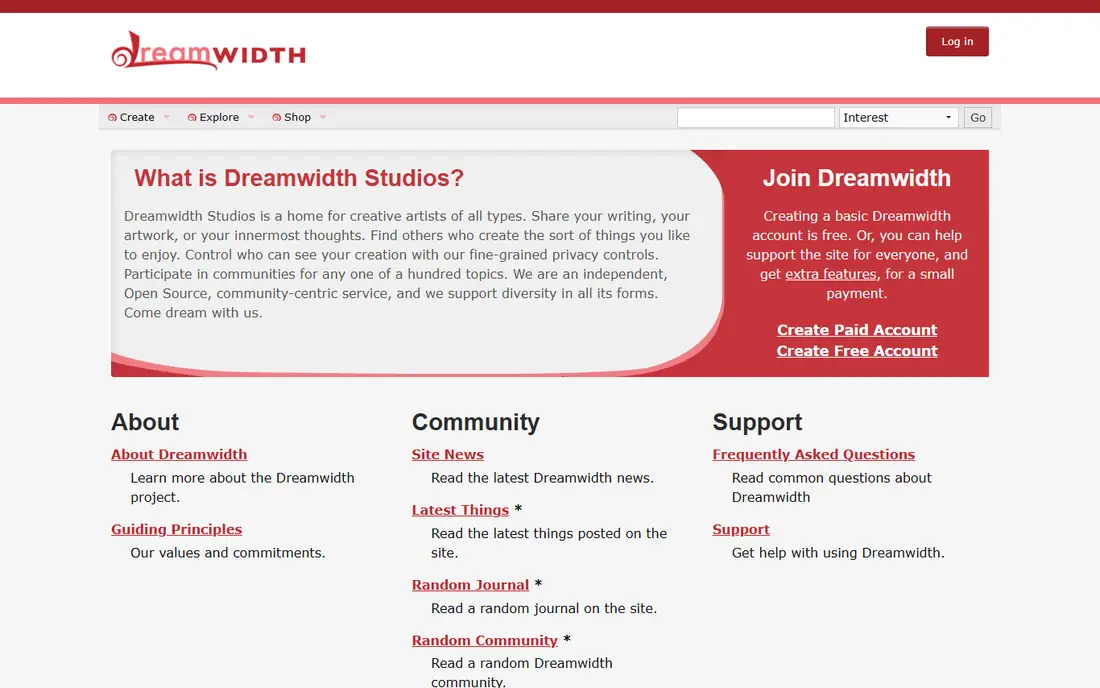
This platform works best where journal-style fandom blogging is the daily work. Dreamwidth is a journal platform with communities and privacy controls, long used by fandom writers. It suits long-form journal and fiction writers, while image-heavy artists may prefer a more visual platform.
In daily use, the deciding factors are usually Journal-style fandom blogging, how the tool handles your existing stack, and whether the plan limits match your volume. Check the pricing page, the documentation for Dreamwidth, and recent public reviews before you buy, and use a trial with a real project rather than a demo dataset. Pricing and plan limits are worth checking on the vendor pricing page before you commit, because tiers and add-ons change over time. If the tool fits your main workflow and its limits are acceptable, it is worth a shortlist spot. If not, move to the next option in this guide.
What we like- Journal and community features
- Strong privacy controls
- Long fandom history
Watch out for- Older interface
- Smaller audience
Starting priceSee website
Free planYes

For a setup built around free simple blogging, this is a strong candidate. Blogger is a free, simple way to start a blog with Google hosting. It suits casual bloggers who want a low-cost start, while serious publishers may outgrow its themes and tools.
In daily use, the deciding factors are usually Free simple Google blogging, how the tool handles your existing stack, and whether the plan limits match your volume. Check the pricing page, the documentation for Blogger, and recent public reviews before you buy, and use a trial with a real project rather than a demo dataset. Pricing and plan limits are worth checking on the vendor pricing page before you commit, because tiers and add-ons change over time. If the tool fits your main workflow and its limits are acceptable, it is worth a shortlist spot. If not, move to the next option in this guide.
What we like- Free Google hosting
- Simple setup
- Custom domain support
Watch out for- Limited themes and features
- Less active development
#9Substack
Best for: Newsletter-first writing4.3/5 on
G2 (17 reviews, checked Oct 2026)
Visit substack.com
Starting priceSee website
Free planYes
If you value newsletter-first writing above all else, start your shortlist here. Substack suits writers who want to build a newsletter audience and offer paid subscriptions. It works well for essays and serial writing, but it is not a Tumblr-style social feed.
In daily use, the deciding factors are usually Newsletter-first writing, how the tool handles your existing stack, and whether the plan limits match your volume. Check the pricing page, the documentation for Substack, and recent public reviews before you buy, and use a trial with a real project rather than a demo dataset. Pricing and plan limits are worth checking on the vendor pricing page before you commit, because tiers and add-ons change over time. If the tool fits your main workflow and its limits are acceptable, it is worth a shortlist spot. If not, move to the next option in this guide.
What we like- Newsletter and paid subscriptions
- Simple editor
- Built-in audience tools
Watch out for- Social and reblog features limited
- Platform fees on paid subs
How we chose
We compared pricing pages, product documentation, and public reviews on G2, Capterra, and Reddit, then checked features, integrations, and fit for different company sizes. We did not count marketing claims as facts, and we left a price as See website when the vendor page did not publish a clear starting price.
That method favors tools with clear documentation and a plan that matches the job. A large platform can still be the wrong pick for a small team, and a small tool can still be the right pick for a focused job, so size fit mattered as much as feature count.
How to choose a Tumblr replacement that fits your posts
Decide what you actually posted
Photo artists, long-form writers, and short-post fans need different platforms. Artists need strong image handling and discovery. Writers need a good editor and readable pages. Social posters need feeds, replies, and resharing. List your top two post types before you compare platforms.
Check ownership, export, and privacy
A blog on your own domain with export options is easier to move later. Social platforms offer discovery but less control. Check privacy settings, block tools, and content labels, especially for fandom and creative work. Read the content policy for the kind of work you post.
Try the community before you move everything
Create an account, follow people in your niche, and post a few pieces before you announce a move. Check whether your audience is there and whether discovery works for your tags. Keep your Tumblr blog live during the transition so readers can find you.
Frequently asked questions
What is the closest alternative to Tumblr?
Pillowfort is the closest functional match, with reblogs, communities, and tag discovery. Its audience is smaller than Tumblr, so reach may be lower, but the workflow will feel familiar.
Should I pick WordPress or Ghost?
Pick WordPress.com for a general blog with many themes and plugins. Pick Ghost for professional publishing with membership and newsletter tools built in. Both support custom domains and export.
Is Mastodon hard for new users?
Mastodon asks you to pick a server, which can confuse first-time users. Once you pick a server, posting and following work much like other social platforms, with chronological feeds and no ads.
Can I keep my Tumblr blog and use an alternative too?
Yes. Many creators keep Tumblr live and cross-post to a new platform during a transition. Link both profiles so readers can follow you in either place.
Are these platforms free?
Most social options in this list are free to join, while hosted blogging platforms use free plans or paid tiers. Pillowfort charges a one-time registration fee or offers a waitlist option.
Sources we checked (9)
- https://wordpress.com/pricing
- https://ghost.org/pricing
- https://medium.com/membership
- https://joinmastodon.org/
- https://bsky.app/
- https://www.pillowfort.social/
- https://www.dreamwidth.org/
- https://www.blogger.com/
- https://substack.com/pricing
Is your product missing or out of date?
We review this list regularly. Vendors can request a listing, send updated pricing or ask about featured placement.

Shihab Mia · Founder, Rankite
Shihab has 5+ years in B2B and SaaS SEO. He writes Rankite's software buying guides from pricing pages, documentation and public user reviews. More about Shihab.