How we make this list: we compare pricing pages, product documentation and public user reviews. Ratings come from G2, Capterra or Trustpilot, with the date we checked them.

Key takeaways
- Stripe and Linear set the standard for product-led homepages, with Stripe winning on storytelling and Linear on restraint and speed of understanding.
- Figma and Framer show their products directly on the homepage, which beats stock imagery for any tool with a visual interface.
- Vercel and GitHub speak to developers first, using real product language and proof instead of vague benefit claims.
- Notion and Slack show how to serve many audiences at once without losing a clear main message.
- The shared pattern across all eight is simple: one clear headline, a real product visual, and a short path to trying the product.
Quick comparison
| Tool | Best for | Starting price | Free plan |
|---|
 Stripe Stripe | Studying product storytelling, trust signals, and enterprise credibility | See website | No |
 Linear Linear | Studying restraint, speed, and product-first minimalism | See website | No |
 Figma Figma | Studying how to present a visual, collaborative product | See website | No |
 Vercel Vercel | Studying developer-focused messaging and proof by customer | See website | No |
 Notion Notion | Studying how one homepage serves many different teams | See website | No |
 Slack Slack | Studying how an established product repositions around AI | See website | No |
 GitHub GitHub | Studying scale, community, and developer trust on a homepage | See website | No |
 Framer Framer | Studying design-led marketing and showing the tool itself | See website | No |
Is your product missing or out of date?
We review this list regularly. Vendors can request a listing, send updated pricing or ask about featured placement.
The best software company websites to study
#1Stripe
Best for: Studying product storytelling, trust signals, and enterprise credibility4.2/5 on
G2 (462 reviews, checked Oct 2026)
Visit stripe.com
Starting priceSee website
Free planNo
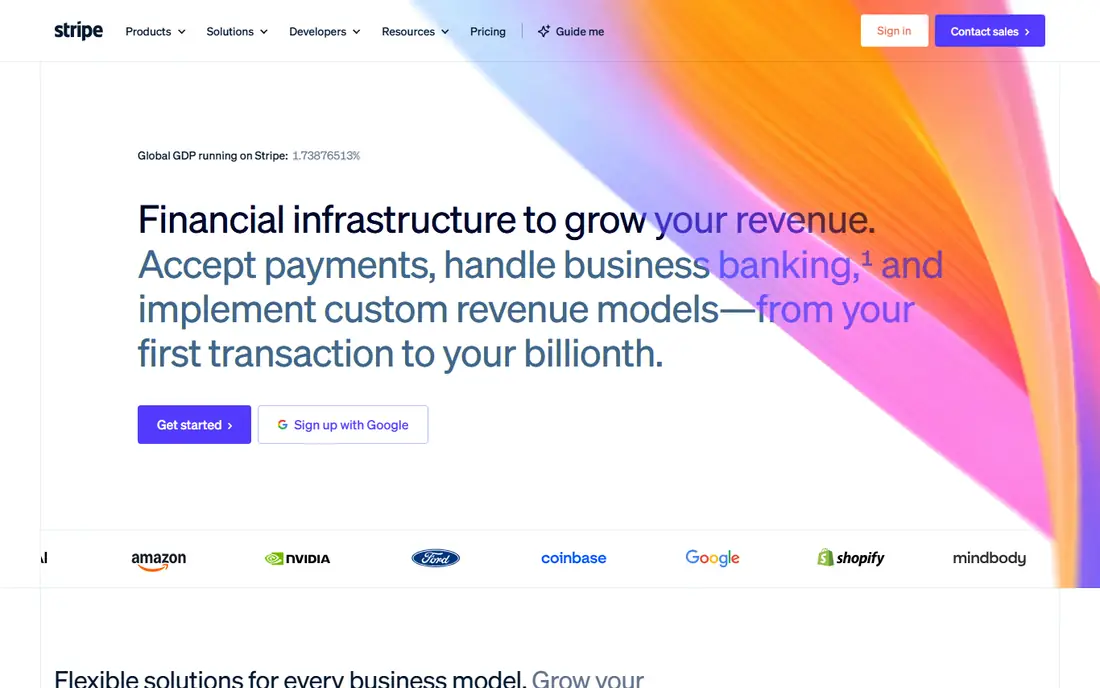
Stripe's homepage opens with a single idea, financial infrastructure to grow revenue, then backs it with numbers that matter to buyers, including currencies supported, payment volume, and uptime. Customer stories use real companies and specific products, which gives the claims weight. The visual system is consistent across the whole site, with a restrained palette and repeated graphic motifs that make every page feel like part of one company rather than a set of separate campaigns.
The lesson for other software companies is structure. Stripe organises its homepage by business model and buyer need, not by internal product teams, so a visitor can find the path that fits them. The catch is density. There is a lot to read, and a small business owner looking for a simple checkout link may need to scroll past enterprise material to find it. Stripe can afford that depth because its brand is established. Smaller companies should borrow the clarity and proof, not the page length.
What we like- Clear headline and proof points, strong customer stories, consistent visual system
Watch out for- Dense for first-time visitors, enterprise sections can bury the simple starting point
#2Linear
Best for: Studying restraint, speed, and product-first minimalism4.6/5 on
G2 (124 reviews, checked Oct 2026)
Visit linear.app
Starting priceSee website
Free planNo

Linear's site is the opposite of a loud marketing page. It shows the actual product interface, uses short headlines, and lets the design system do the persuading. A visitor grasps within seconds that Linear is a product development tool built around issues, cycles, and shipping work. The homepage avoids long benefit lists and instead presents workflows, such as triage and planning, in the language product teams already use.
That restraint is the lesson. Every section earns its place, and nothing shouts. The risk is that visitors outside product and engineering may not immediately see themselves in the imagery, which leans heavily on issue trackers and code-like detail. For a tool aimed at technical teams, that trade is correct. For a mass-market product, the same minimalism could feel cold. Study Linear for editing discipline, then adjust warmth to your own audience.
What we like- Fast to understand, real product interface on show, calm visual design
Watch out for- Dark, dense product imagery can feel abstract to non-technical visitors
#3Figma
Best for: Studying how to present a visual, collaborative product4.7/5 on
G2 (1,593 reviews, checked Oct 2026)
Visit figma.com
Starting priceSee website
Free planNo
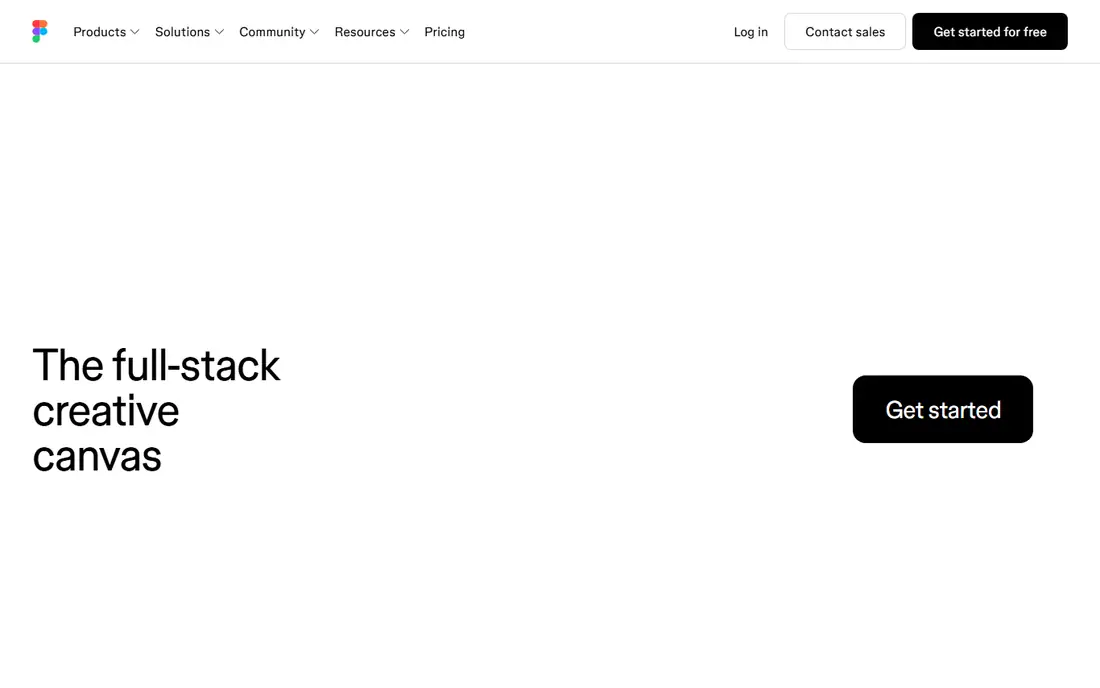
Figma's homepage leads with what the product actually looks like, which is the right choice for a design tool. Visitors see canvases, components, and collaboration in action rather than reading abstract claims about creativity. The copy moves from a broad promise about a shared canvas to specific jobs, such as designing apps and websites, building with developer tools, and working with AI agents in the same space. That progression helps designers, developers, and managers each find their reason to stay.
The site also handles scale well, noting broad adoption without turning the page into a trophy case. The weakness is breadth. Figma now covers design, code, slides, and AI features, and the homepage must gesture at all of them, which leaves less room for any single story. Companies with a narrower product should note the structure, one workspace, many jobs, but keep their own homepage focused on the one job that matters most.
What we like- Product visuals lead the page, collaboration story is concrete, broad audience handled well
Watch out for- Homepage tries to cover many products at once, which can dilute the core message
#4Vercel
Best for: Studying developer-focused messaging and proof by customer4.7/5 on
G2 (87 reviews, checked Oct 2026)
Visit vercel.com
Starting priceSee website
Free planNo
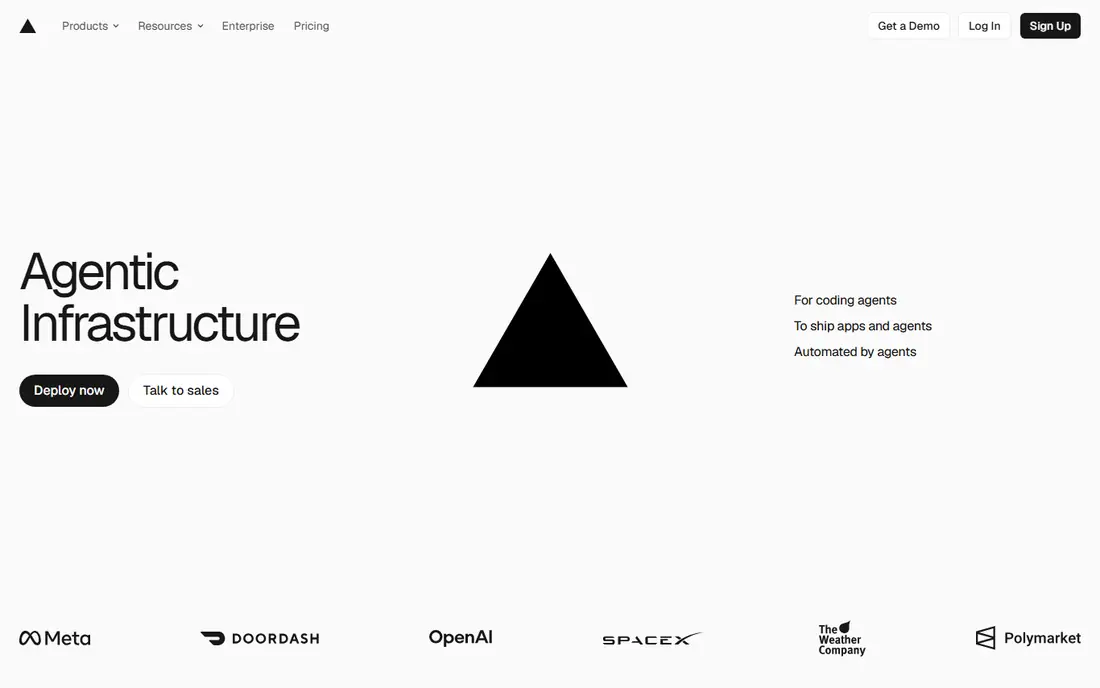
Vercel's homepage is written for people who build software, and it does not apologise for that. It names the infrastructure ideas that matter to developers, such as deployment environments, serverless functions, and global delivery, and it pairs each idea with a named customer and a scale claim. A visitor who deploys web apps recognises the problems immediately, which builds trust faster than generic claims about speed or innovation ever could.
The lesson is audience honesty. Vercel does not try to be all things to all buyers, so its message stays sharp. The trade is accessibility. A marketing manager or founder without a technical background may bounce off the terminology, and the site offers little hand-holding for that reader. For developer tools, that focus is a strength. For products with mixed buyers, pair a technical homepage with a plain-language path for everyone else.
What we like- Speaks developer language plainly, uses named customers with real scale claims, fast pages
Watch out for- Assumes technical knowledge, less welcoming to non-developer buyers
#5Notion
Best for: Studying how one homepage serves many different teams4.6/5 on
G2 (13,834 reviews, checked Oct 2026)
Visit notion.com
Starting priceSee website
Free planNo
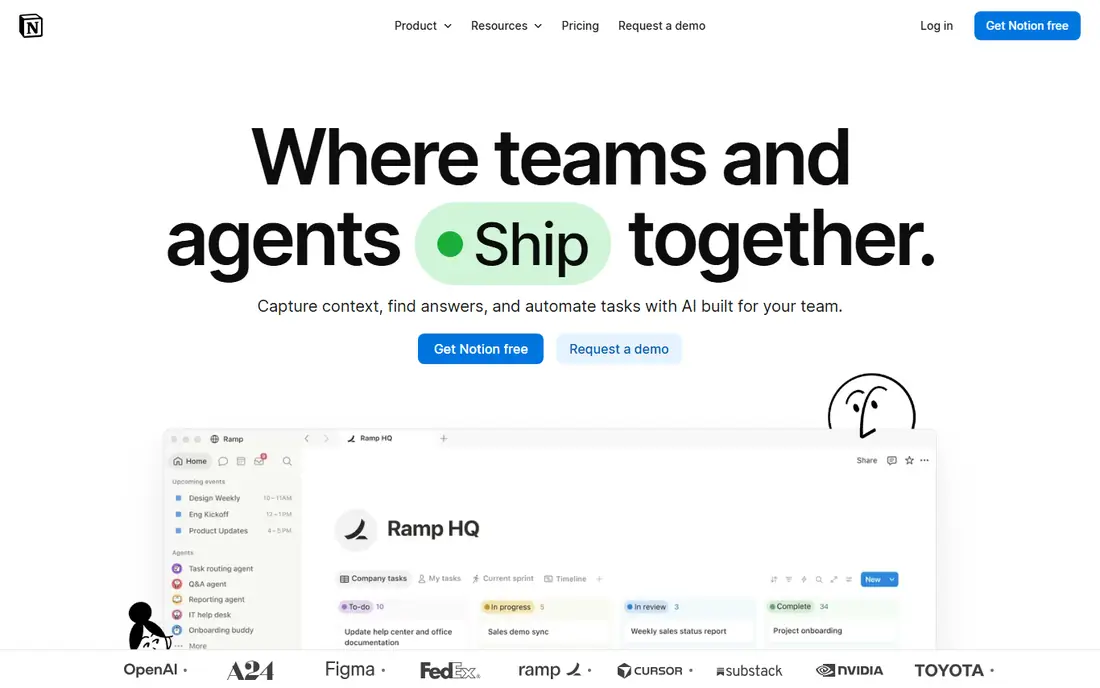
Notion faces a hard positioning problem, because its product serves writers, product teams, support staff, and whole companies at once. Its homepage answers with a simple frame, an AI workspace that works for you, then shows concrete jobs such as triaging feedback, resolving tickets, and automating reporting. That mix of one headline and several examples lets different visitors see themselves without the page splitting into separate sites.
Social proof is handled with restraint, using adoption figures and named segments rather than a wall of logos alone. The weakness is the same breadth that makes Notion flexible. A first-time visitor may still leave unsure what Notion replaces for them specifically, since the answer depends on their team. Companies with a broad product should copy the pattern of one promise plus concrete jobs, and add a short chooser or template path so visitors land on their version quickly.
What we like- Clear AI story, concrete use cases, strong social proof
Watch out for- Broad positioning can feel vague until a visitor picks a use case
#6Slack
Best for: Studying how an established product repositions around AI4.5/5 on
G2 (39,944 reviews, checked Oct 2026)
Visit slack.com
Starting priceSee website
Free planNo
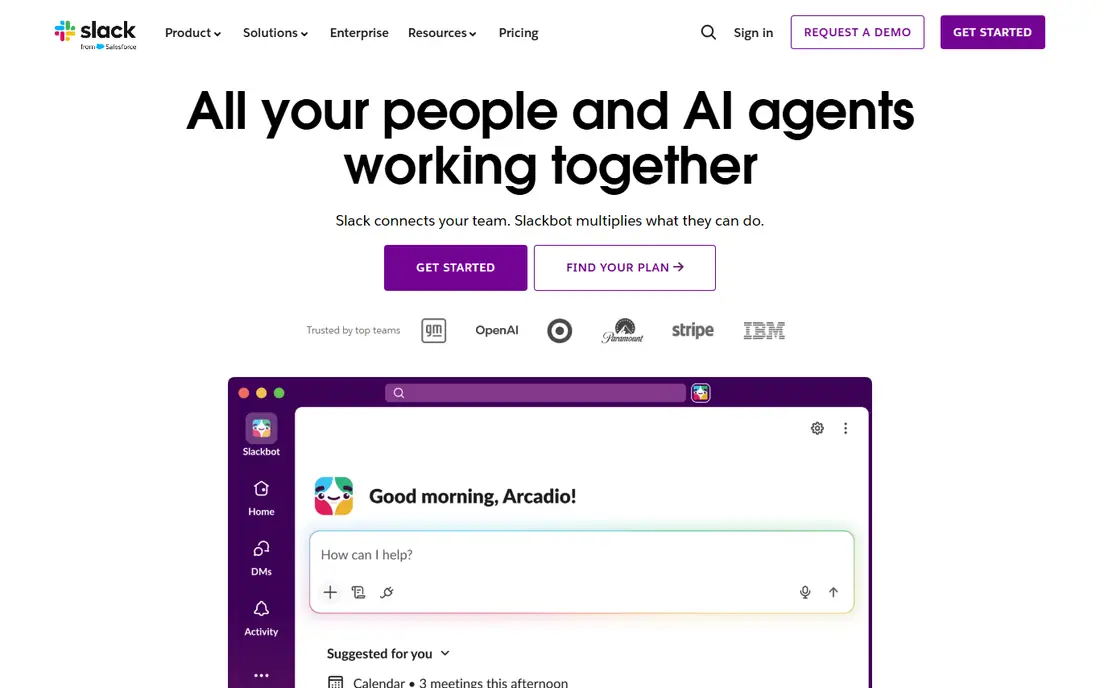
Slack's homepage shows how a mature product updates its story without abandoning what made it known. The central idea remains channels and team conversation, but the page now leads with AI assistance that acts on business context, automates tasks, and searches company knowledge. Short video-style sections show the assistant working inside real workflows, such as closing deals and planning launches, which makes an abstract AI claim feel concrete.
The page also keeps trust signals visible, including usage figures and integration breadth across common business tools. The catch is length and novelty. With Slackbot skills, Slack CRM, search, huddles, and workflows all competing for attention, a new visitor may miss the simple core pitch that Slack is where teams talk and get work done. Established products should study how Slack layers new capabilities onto a known story, while keeping the original promise easy to find.
What we like- Clear AI narrative, channels story stays central, strong proof and integration breadth
Watch out for- Long page with many new features, older core message can get lost
#7GitHub
Best for: Studying scale, community, and developer trust on a homepage4.7/5 on
G2 (2,412 reviews, checked Oct 2026)
Visit github.com
Starting priceSee website
Free planNo
GitHub's homepage is short, confident, and built on a simple truth, which is that developers already know the brand. It leads with collaboration and AI-assisted coding, shows Copilot fixing code and reviewing work, and stresses that the platform scales from startups to enterprises. There is little persuasion theatre, because the product's position in software development does much of the work.
That brevity is instructive. When a brand is widely known, a homepage can focus on what is new, in this case AI workflows, rather than re-explaining the basics. The risk for smaller companies copying GitHub is obvious. A short homepage works only when visitors arrive with context. Newer companies need more explanation, more proof, and a clearer first step. Study GitHub for tone and confidence, but match page depth to how well your audience already knows you.
What we like- Confident and simple headline, AI coding story is concrete, community scale is clear
Watch out for- Very short homepage leaves detail to inner pages, less guidance for new visitors
#8Framer
Best for: Studying design-led marketing and showing the tool itself4.5/5 on
G2 (144 reviews, checked Oct 2026)
Visit framer.com
Starting priceSee website
Free planNo
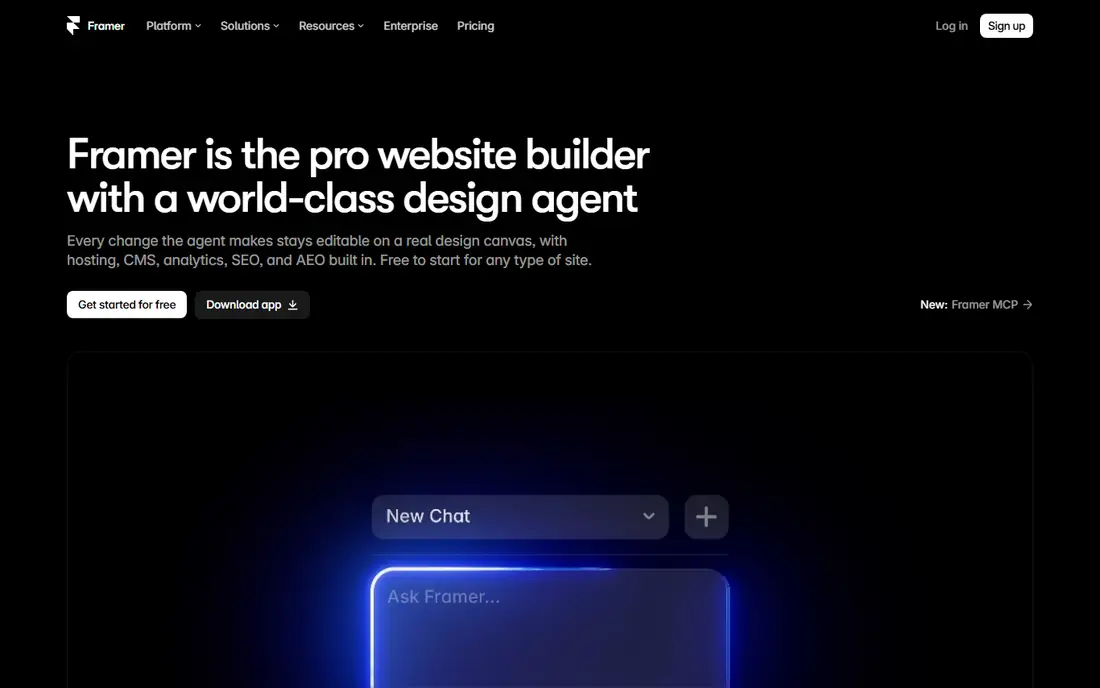
Framer sells a website builder, so its own site must prove the product, and it does. The homepage shows the canvas, the content system, and AI agents working directly on a site, with changes visible and editable. Motion and layout are confident without feeling gimmicky, and the page moves logically from designing with an agent to managing content and shipping code. For a design audience, that demonstration is more persuasive than any feature list.
The caution is balance. Framer's polish sets a high bar, and visitors may admire the site without remembering what Framer does differently from other builders. Practical buyers who care about pricing, hosting limits, or migration may need to dig into inner pages for answers. The lesson is to let the product show itself, but keep practical details, such as pricing and limits, within one click of the homepage hero.
What we like- Beautiful, fast pages, product shown in action, AI features demonstrated rather than described
Watch out for- Heavy visuals can distract, style may overshadow substance for practical buyers
How we chose
We reviewed the live homepages of well-known software companies, judging each on clarity of message, quality of product visuals, structure, and how quickly a first-time visitor can understand what the company sells. We also checked secondary pages where needed to confirm that homepage claims matched the product. A site made this list only if its design teaches a transferable lesson, not simply because the company is large. We favoured sites that show real product interfaces over sites that rely on stock imagery or vague claims, and we noted where a strength for one audience becomes a weakness for another.
Lessons to borrow for your own site
Start with one sentence a stranger can repeat. Stripe, Linear, and GitHub all pass this test, while broader sites such as Notion and Slack work harder to keep their headline simple. Write the headline for a visitor who has never heard of you, then test it on someone outside your team. If they cannot say what you sell after reading it, rewrite it before touching layout or colour.
Next, show the product early. Figma, Framer, and Linear all put real interfaces on the homepage, which answers the visitor's main question faster than any paragraph. If your product is visual, screenshots or short clips belong above the fold. If it is infrastructure, show a diagram, a code sample, or a customer result that makes the invisible work visible.
Then give visitors one clear next step. Every site on this list offers a trial, a sign-up, or a demo path without forcing a sales call first. Place that step near the headline and repeat it after each major section, so a convinced visitor never has to hunt for it. Finally, keep proof specific. Named customers, real numbers, and concrete outcomes beat superlatives. A visitor trusts a site that shows its work, and that trust is what turns a good-looking homepage into a good business asset.
Frequently asked questions
What makes a software company website good?
A good software company website explains the product in one clear headline, shows the real product, and gives visitors a short path to try it. It uses specific proof, such as named customers and concrete results, and it organises pages around visitor needs rather than internal teams. Design quality matters, but clarity and trust matter more than visual novelty alone.
Should a software homepage lead with features or benefits?
It should lead with the outcome for the visitor, then support that outcome with features. Stripe leads with revenue growth and follows with payments tools, while Linear leads with product development speed and follows with workflow detail. A feature list without an outcome leaves visitors unsure why they should care, and a benefit claim without features leaves them unsure whether the product can deliver.
How long should a software company homepage be?
Long enough to answer the main questions, and no longer. Linear and GitHub show that a short page works when the audience already understands the category. Stripe and Slack show that a longer page works when the product serves many buyers or many use cases. The test is whether each section answers a question a real visitor asks, not whether the page looks complete.
Do software company websites need pricing on the homepage?
Not always, but visitors should reach pricing within one click. None of the sites on this list hides its product behind a sales wall on the homepage, and most offer a trial or sign-up path immediately. Companies with simple pricing often show it early, while companies with quoted enterprise pricing use the homepage to build trust first and let inner pages handle detail.
What is the most common mistake on software company websites?
The most common mistake is vague language that could describe any company in the category. Headlines about solutions, platforms, and transformation tell visitors nothing specific. The sites on this list avoid that trap by naming the job, the audience, and the product behaviour in plain words, then proving the claim with visuals and customer evidence.
How often should a software company redesign its website?
Redesign when the product story changes, not on a fixed calendar. Slack updated its homepage when AI became central to its story, and Figma updated its framing as it added code and AI tools. Small, regular updates to headlines, visuals, and proof keep a site current without the risk of a large redesign that breaks what already converts.
Sources we checked (8)
- https://stripe.com
- https://linear.app
- https://www.figma.com
- https://vercel.com
- https://www.notion.com
- https://slack.com
- https://github.com
- https://www.framer.com
Is your product missing or out of date?
We review this list regularly. Vendors can request a listing, send updated pricing or ask about featured placement.

Shihab Mia · Founder, Rankite
Shihab has 5+ years in B2B and SaaS SEO. He writes Rankite's software buying guides from pricing pages, documentation and public user reviews. More about Shihab.