How we make this list: we compare pricing pages, product documentation and public user reviews. Ratings come from G2, Capterra or Trustpilot, with the date we checked them.
TeamGantt vs Smartsheet: which one should your team pick
TeamGantt and Smartsheet both help teams plan work on a timeline, but they start from different ideas. TeamGantt is built around a simple Gantt chart first. You open the chart, add tasks, drag bars, and see the whole project in one view. Smartsheet starts from a sheet that looks like a spreadsheet. You add rows, columns, dates and owners, then switch to a Gantt view or a dashboard.
That difference matters more than the price gap. A small team that wants a clear plan for a website build, a product launch, or a client project will often move faster in TeamGantt. Direct answer: Smartsheet is the top pick for most teams that need to scale, because Business at $19 per member per month billed annually adds reports, dashboards and more automation than TeamGantt Base at $59 per month flat. TeamGantt is the better pick for a small team that wants the simplest possible Gantt chart and does not need deep reporting.
Key takeaways
- Smartsheet Business at $19 per member per month billed annually suits teams that need sheets, Gantt views, reports and dashboards in one system.
- TeamGantt Base at $59 per month flat suits small teams, because the price covers the account by project count and not by user.
- GanttPRO Core at $8 per user per month billed annually is the lowest priced dedicated Gantt option in this comparison.
- monday Work Management Standard at $12 per seat per month billed annually suits visual teams that want boards, timelines and Gantt views together.
- Asana Starter at $10.99 per user per month billed annually and ClickUp Core at $9 per user per month billed annually suit teams that want task work and Gantt views in the same tool.
TeamGantt has the simpler and more direct Gantt chart. The chart is the main workspace, not a view you turn on. You can create tasks, set start and end dates, link dependencies, and move work by dragging a bar. Most new users can build a first plan in an afternoon.
Smartsheet has the broader Gantt chart, but it takes more setup. Its Gantt view sits on top of a sheet, so you can use formulas, conditional formatting, and linked cells to drive dates and status. You can set dependencies, critical path, and baselines on paid plans, and roll many sheets into a portfolio report. A new team will need to learn the sheet structure before the Gantt view feels natural.
How much do TeamGantt and Smartsheet cost in 2026
TeamGantt prices by account and project count, not by user count. Base is $59 per month flat, or $49 per month billed annually. Business starts from $120 per month, and Builder Edition starts from $199 per month. The free Personal plan covers 1 user, 1 project, and 40 tasks. There is a price conflict to note. TeamGantt help docs from Aug 2026 still list a Basic plan at $24 per month, but Nov 2026 vendor pricing shows Base at $59 per month, so this guide uses $59.
Smartsheet prices per member per month. Pro is $9 per member per month billed annually, or $12 billed monthly. Business is $19 per member per month billed annually, or $24 billed monthly. Pro is capped at 10 members, which pushes growing teams to Business. The free plan closed to new signups on 28 Aug 2024, so new buyers use a 30 day trial instead. A team of 10 on Business billed annually would pay about $190 per month, while the same team on TeamGantt Base would pay $59 per month flat.
Smartsheet is stronger for workload, budgets and reporting at scale. Business adds more dashboards, reports and automation rules, and it supports portfolio views that pull data from many sheets. Workload views help you see who is overbooked across projects, provided the data in the sheets is kept current.
TeamGantt covers workload and budgets in a simpler way. Its workload view shows who has too much work in a given week, and its hourly estimates help a small team plan capacity. Reporting is more limited. You will get project status, workload, and time reports, but you will not get the same depth of cross project dashboards as Smartsheet.
How hard is it to switch from TeamGantt to Smartsheet, or the other way
Switching from TeamGantt to Smartsheet is a medium effort move. You can export tasks and dates, then import them into a Smartsheet sheet, but you will need to rebuild dependencies, views, and dashboards by hand. Dates and owners move cleanly. Formulas, automations, and report logic do not. A team should plan a test import with one real project first, check the dates and dependencies, and train editors on the sheet view before moving live work.
Switching from Smartsheet to TeamGantt is usually simpler, because TeamGantt has less structure to rebuild. You can export a sheet to a CSV file, clean the columns, and import tasks into TeamGantt. You will lose sheet formulas, linked cells, and dashboard reports in the move. You will keep the core plan, which is dates, owners, and dependencies. Keep the old tool open for two weeks after the cutover date.
Quick comparison
| Tool | Best for | Starting price | Free plan |
|---|
 TeamGantt | small teams that want a simple timeline-first Gantt chart | $59 per month flat ($49 per month billed annually) | Yes, Personal plan with 1 user, 1 project and 40 tasks |
 Smartsheet | teams that like spreadsheet style sheets with Gantt, reports and dashboards | $9 per member per month billed annually ($12 billed monthly) | No, free plan closed to new signups 28 Aug 2024, 30 day trial instead |
 GanttPRO | teams that want a dedicated Gantt chart at a low per user price | $8 per user per month billed annually for teams of up to 15 members ($7 for 20 or more) | No, 14 day free trial |
 monday Work Management | visual boards with timeline and Gantt views | $9 per seat per month billed annually | Yes, free plan up to 2 seats |
 Asana | teams that want task work, timelines and Gantt views in one place | $10.99 per user per month billed annually ($13.49 monthly) | Yes, Personal plan up to 2 users |
 ClickUp | teams that want an all in one workspace with Gantt charts, docs and goals | $9 per user per month billed annually | Yes, Free Forever plan |
 Wrike | teams that need structured project work with Gantt charts and workload views | $10 per user per month billed annually | Yes, free plan up to 5 users |
 ProjectManager | teams that want Gantt charts, workload and reporting in a project focused tool | $15 per user per month billed annually | No, 30 day free trial |
Is your product missing or out of date?
We review this list regularly. Vendors can request a listing, send updated pricing or ask about featured placement.
The eight tools below cover the main ways teams buy Gantt software in 2026. Some are timeline first, some are sheet first, and some are task first with Gantt as one view. Compare the starting price, the free plan, and the best fit for your team before you start a trial. Pick two finalists and test them with the same dates, owners, and dependencies.
#1TeamGantt
Best for: small teams that want a simple timeline-first Gantt chart4.8/5 on
G2 (895 reviews, checked Oct 2026)
Visit teamgantt.com
Starting price$59 per month flat ($49 per month billed annually)
Free planYes, Personal plan with 1 user, 1 project and 40 tasks
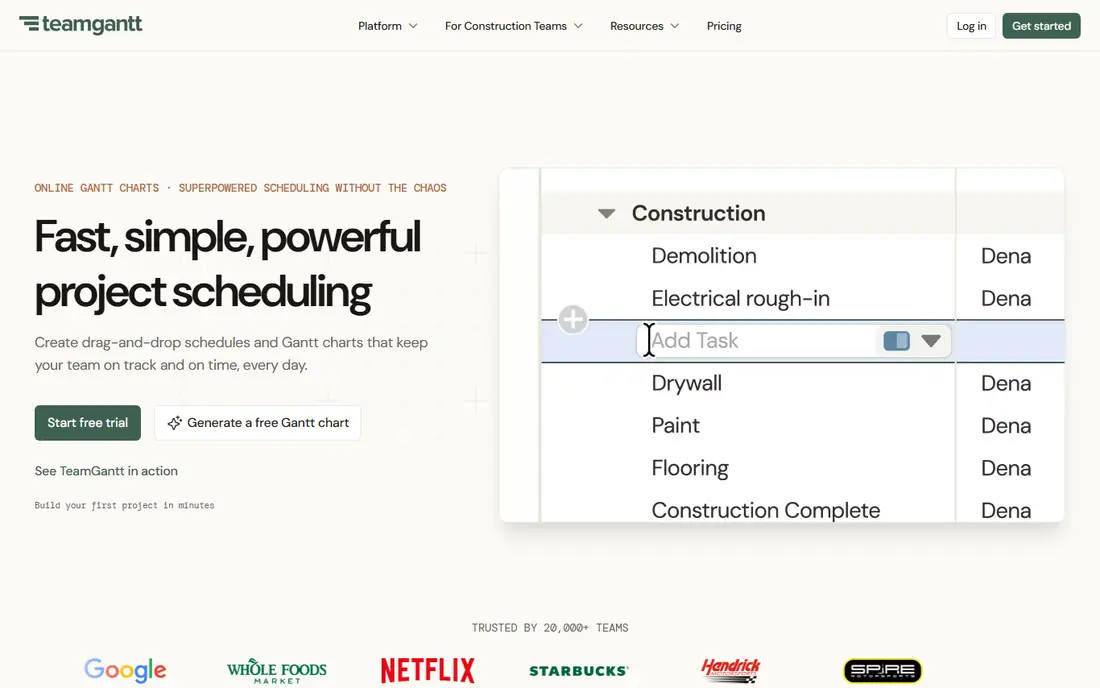
TeamGantt works best when the Gantt chart is the plan. You open the chart, you see the dates, and you move work without hunting through menus. That focus helps small teams, agencies, and client projects where the timeline is the main thing to manage. The trade off is depth. You get workload, time tracking, and basic reports, but you do not get the portfolio dashboards and sheet formulas that Smartsheet offers.
What we like- Simple drag and drop Gantt chart, flat pricing by project count not per user, clear workload view, easy guest sharing
Watch out for- Reporting and dashboards are limited next to Smartsheet, and the price conflict between older help docs and current vendor pricing can confuse new buyers
#2Smartsheet
Best for: teams that like spreadsheet style sheets with Gantt, reports and dashboards4.4/5 on
G2 (22,767 reviews, checked Oct 2026)
Visit smartsheet.com
Starting price$9 per member per month billed annually ($12 billed monthly)
Free planNo, free plan closed to new signups 28 Aug 2024, 30 day trial instead
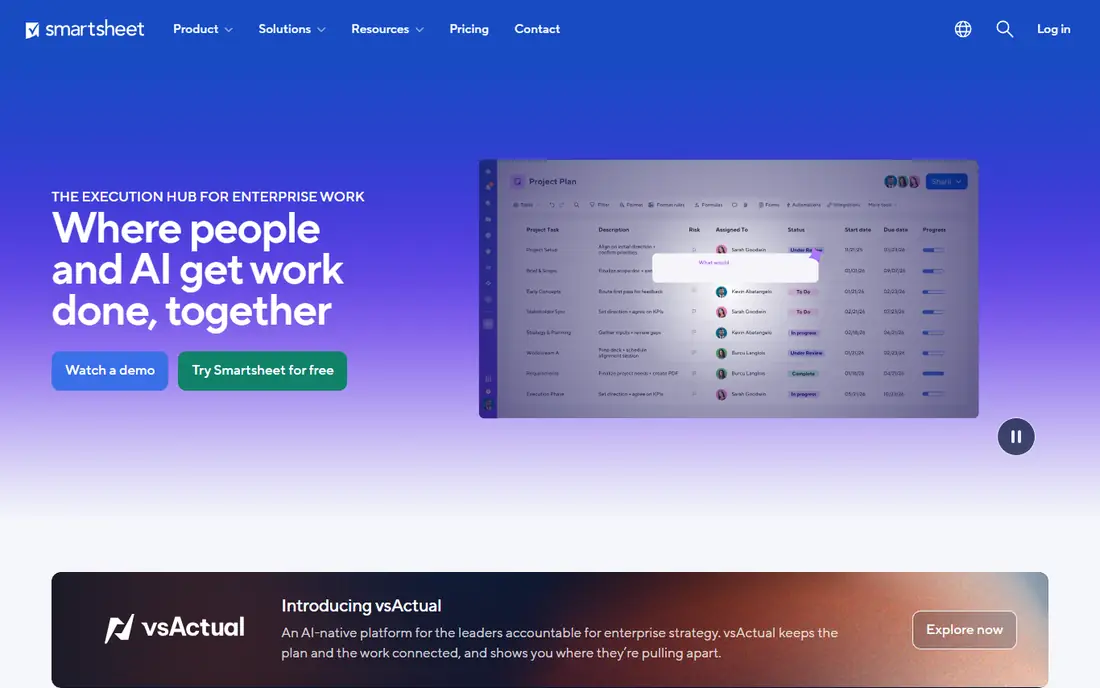
Smartsheet suits teams that already think in rows and columns. You can build an intake sheet, link it to a project sheet, and show the result in a dashboard without copying data by hand. That structure helps operations, marketing, and product teams that run many similar projects. The Gantt view is useful once the sheet is set up, with dependencies, critical path, and baselines on paid plans. Test reports and dashboards early in the trial.
What we like- Strong sheets, reports and dashboards, flexible views including Gantt, card and calendar, good automation on paid plans
Watch out for- Pro is capped at 10 members, so growing teams must move to Business at $19 per member per month billed annually, and the sheet first setup takes longer to learn
#3GanttPRO
Best for: teams that want a dedicated Gantt chart at a low per user price4.8/5 on
G2 (588 reviews, checked Oct 2026)
Visit ganttpro.com
Starting price$8 per user per month billed annually for teams of up to 15 members ($7 for 20 or more)
Free planNo, 14 day free trial
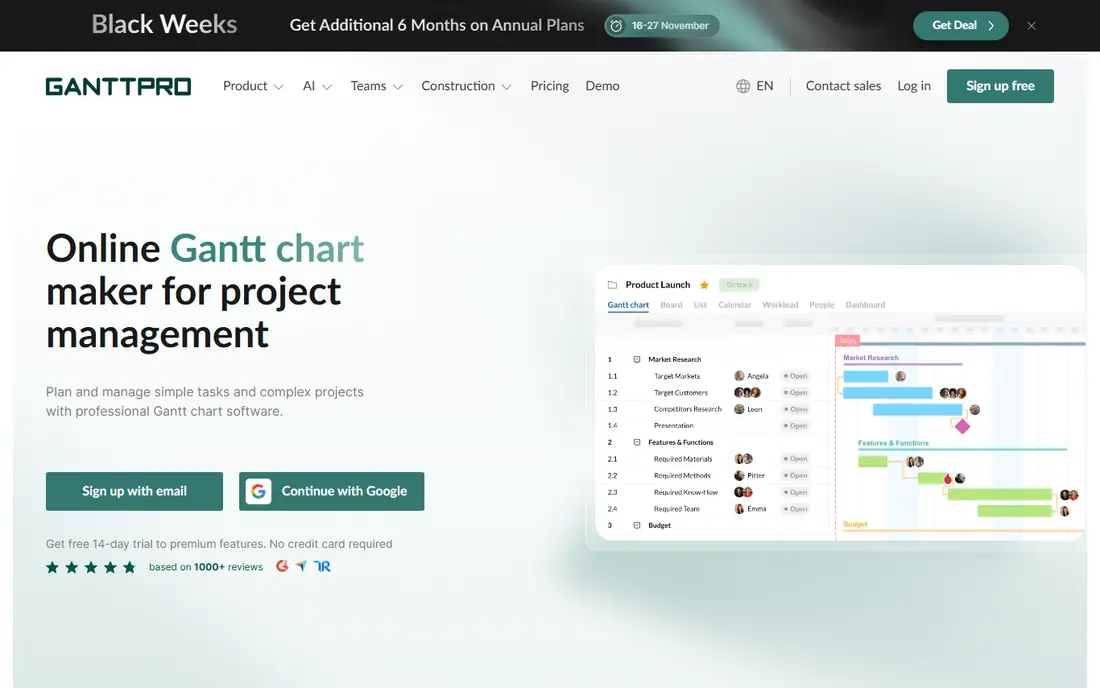
GanttPRO is the most direct alternative if you want a Gantt chart and little else. Core at $8 per user per month billed annually covers the main planning work, while Advanced at $12 and Business at $19 add more features for larger teams. The interface is clean, the timeline is easy to read, and the workload view shows who is overbooked. It suits teams that plan in phases and need to share a clear timeline.
What we like- Low starting price for a dedicated Gantt tool, clear critical path and baselines, simple resource and workload views
Watch out for- It is focused on Gantt planning, so it has less depth for docs, chat, and wider work management than Asana or ClickUp
#4
monday Work Management
Best for: visual boards with timeline and Gantt views
Visit monday.com
Starting price$9 per seat per month billed annually
Free planYes, free plan up to 2 seats
You can plan in a board, switch to a timeline, and then open a Gantt view for dates and dependencies. Standard at $12 per seat per month billed annually is the usual starting point for small teams, while Pro at $19 adds more automation and views. Note that these are Work Management prices, not monday CRM prices, so check the product name on the pricing page before you buy.
What we like- Visual boards are easy to learn, timeline and Gantt views are built in, strong templates and automations on paid plans
Watch out for- Costs rise quickly as you add seats and paid features, and the Gantt view is strongest when the board data is kept tidy
#5Asana
Best for: teams that want task work, timelines and Gantt views in one place4.4/5 on
G2 (13,930 reviews, checked Oct 2026)
Visit asana.com
Starting price$10.99 per user per month billed annually ($13.49 monthly)
Free planYes, Personal plan up to 2 users
Asana is a strong choice when daily task work matters as much as the timeline. Teams can assign work, set due dates, add subtasks, and then view the same work in a list, a board, or a Gantt chart. Starter at $10.99 per user per month billed annually adds the Gantt view and more features than the free Personal plan. Advanced at $24.99 adds portfolio tools, goals, and more controls, which suits larger teams. Asana is a balanced middle option.
What we like- Clear task and project structure, Timeline and Gantt views on paid plans, strong integrations and templates
Watch out for- Gantt view needs Starter or above, so the free plan cannot test it, and Advanced at $24.99 per user per month billed annually is a large step up from Starter
#6ClickUp
Best for: teams that want an all in one workspace with Gantt charts, docs and goals4.6/5 on
G2 (14,878 reviews, checked Oct 2026)
Visit clickup.com
Starting price$9 per user per month billed annually
Free planYes, Free Forever plan
ClickUp Core at $9 per user per month billed annually is priced to compete with Smartsheet Pro and monday Basic, while Business at $17 adds more automation and controls. The Free Forever plan lets a small team test lists, boards, and docs before paying, although Gantt is a paid feature. ClickUp suits teams that want to replace several tools with one workspace, including tasks, docs, goals, and time tracking. The trade off is complexity. A new team should start with one space, one list structure, and one view, then add features only when the team asks for them.
What we like- Wide feature set for the price, Gantt view on paid plans, docs, goals and time tracking in one workspace
Watch out for- The feature set can feel crowded for new users, and legacy Unlimited $7 and Business $12 prices still bill some existing workspaces, which can confuse price checks
#7Wrike
Best for: teams that need structured project work with Gantt charts and workload views4.2/5 on
G2 (4,540 reviews, checked Oct 2026)
Visit wrike.com
Starting price$10 per user per month billed annually
Free planYes, free plan up to 5 users
Wrike Team at $10 per user per month billed annually is a solid mid price option for teams that need more structure than TeamGantt and more control than a simple board. Gantt charts start on Team, so a small team can plan dates and dependencies without paying for the top tier. Business at $25 adds more automation, reporting, and resource tools. Wrike suits teams that run many projects with approvals and shared templates.
What we like- Strong project structure and approvals, Gantt charts from Team, useful workload and reporting views
Watch out for- The interface takes time to learn, and Business at $25 per user per month billed annually is a large jump from Team at $10
#8ProjectManager
Best for: teams that want Gantt charts, workload and reporting in a project focused tool4.4/5 on
G2 (103 reviews, checked Oct 2026)
Visit projectmanager.com
Starting price$15 per user per month billed annually
Free planNo, 30 day free trial
ProjectManager is built for project teams that live in plans, not in docs or chat. Team at $15 per user per month billed annually covers Gantt, kanban, and workload views, while Business at $28 adds more reporting and controls. It suits construction, engineering, and professional services teams that need a clear plan and a weekly status report. Use the 30 day trial with a real project to test Gantt, workload, and reports together.
What we like- Project focused Gantt, kanban and workload views, clear reporting for managers, simple onboarding for project teams
Watch out for- No free plan, so every buyer must start with the 30 day trial, and Team at $15 per user per month billed annually is higher than GanttPRO Core and ClickUp Core
Comparison table
| Tool |
Starting price |
Free plan |
Best for |
| TeamGantt |
$59 per month flat ($49 billed annually) |
Yes, 1 user, 1 project, 40 tasks |
Simple timeline-first Gantt chart |
| Smartsheet |
$9 per member per month billed annually |
No, 30 day trial |
Spreadsheet style sheets with Gantt and reports |
| GanttPRO |
$8 per user per month billed annually |
No, 14 day trial |
Dedicated Gantt chart at a low price |
| monday Work Management |
$9 per seat per month billed annually |
Yes, up to 2 seats |
Visual boards with timeline and Gantt |
| Asana |
$10.99 per user per month billed annually |
Yes, up to 2 users |
Task work with Timeline and Gantt views |
| ClickUp |
$9 per user per month billed annually |
Yes, Free Forever |
All in one workspace with Gantt |
| Wrike |
$10 per user per month billed annually |
Yes, up to 5 users |
Structured projects with Gantt and workload |
| ProjectManager |
$15 per user per month billed annually |
No, 30 day trial |
Project focused Gantt and reporting |
Frequently asked questions
Is TeamGantt cheaper than Smartsheet for a small team?
Yes, in most small team cases. TeamGantt Base is $59 per month flat, or $49 per month billed annually, and the price is based on project count, not user count. Smartsheet Pro is $9 per member per month billed annually, and Business is $19. A team of 10 on Smartsheet Business would pay about $190 per month billed annually, which is more than TeamGantt Base for the same team.
Does Smartsheet have a free plan in 2026?
No, Smartsheet closed its free plan to new signups on 28 Aug 2024. New buyers use a 30 day trial instead. Pro is $9 per member per month billed annually, and Business is $19. Pro is capped at 10 members, so a team that grows past 10 members will need Business. Test reports and dashboards during the trial period.
Which tool has the better Gantt chart, TeamGantt or Smartsheet?
TeamGantt has the simpler Gantt chart, because the chart is the main workspace and you can drag bars, link tasks, and share views with little setup. Smartsheet has the broader Gantt chart, because it sits on a sheet with formulas, linked cells, reports, and dashboards. Pick TeamGantt for speed and clarity, and pick Smartsheet when you need portfolio reporting and sheet based planning across many projects.
Can I use Gantt charts in Asana, ClickUp and monday Work Management?
Yes, all three offer Gantt views on paid plans. Asana needs Starter at $10.99 per user per month billed annually or above. ClickUp offers Gantt on paid plans, with Core at $9 per user per month billed annually. monday Work Management offers timeline and Gantt views, with Basic at $9 per seat per month billed annually. Each tool pairs the Gantt view with its own task and board views, so test the full workflow in a trial.
How do I switch from TeamGantt to Smartsheet without losing dates?
Export your TeamGantt tasks and dates, then import them into a Smartsheet sheet and check every start date, end date, owner, and dependency by hand. Dates and owners move cleanly, but dependencies, views, and dashboards must be rebuilt in Smartsheet. Run a test import with one real project first, train editors on the sheet view, and keep TeamGantt open for two weeks after the cutover date.
Sources we checked (8)
- https://www.teamgantt.com/pricing
- https://smartsheet.com/pricing
- https://ganttpro.com/pricing
- https://monday.com/pricing
- https://asana.com/pricing
- https://clickup.com/pricing
- https://wrike.com/pricing
- https://www.projectmanager.com/pricing
Is your product missing or out of date?
We review this list regularly. Vendors can request a listing, send updated pricing or ask about featured placement.

Shihab Mia · Founder, Rankite
Shihab has 5+ years in B2B and SaaS SEO. He writes Rankite's software buying guides from pricing pages, documentation and public user reviews. More about Shihab.