How we make this list: we compare pricing pages, product documentation and public user reviews. Ratings come from G2, Capterra or Trustpilot, with the date we checked them.
GanttPRO vs Smartsheet: which one should your team pick
GanttPRO and Smartsheet both help teams plan work on a timeline, but they start from different ideas. GanttPRO is built around the Gantt chart itself. You open the tool, you see tasks on a timeline, and you move bars, set dependencies and track progress in one view. Smartsheet starts with a spreadsheet style sheet. You enter rows of work, add dates and owners, then switch to a Gantt view, a card view or a dashboard when you need a different angle.
Direct answer: GanttPRO is the top pick for teams that live in a Gantt chart every day and want a simple, visual plan at a low per user price, starting at $8 per user per month billed annually for teams of up to 15 members. Smartsheet is the best alternative for teams that need spreadsheet style sheets, reports and dashboards across many projects, starting at $9 per member per month billed annually on Pro. If you use Asana already, Instagantt is worth a look as a cheaper Gantt layer, starting at $12 per month for one user.
Key takeaways
- GanttPRO starts at $8 per user per month billed annually for teams of up to 15 members, or $7 for teams of 20 or more, with no free plan and a 14 day free trial.
- Smartsheet Pro starts at $9 per member per month billed annually, Business starts at $19, and the free plan closed to new signups on 28 Aug 2024.
- TeamGantt starts at $59 per month flat billed monthly, or $49 per month billed annually, and the price is per account by project count, not per user.
- Instagantt starts at $12 per month for one user, or $10 billed annually, and works as a Gantt layer on top of Asana.
- monday Work Management starts at $9 per seat per month billed annually, Asana Starter starts at $10.99, ClickUp Core starts at $9, and Wrike Team starts at $10.
GanttPRO has the stronger pure Gantt chart. The chart is the main workspace, not a view you switch into. You can drag task bars to change dates, draw dependency lines between tasks, set milestones, group work into phases, and compare the plan against a baseline. The timeline stays clear when a plan has many tasks, and the learning curve is short because most controls sit on the chart itself.
Smartsheet has a capable Gantt view, but it sits inside a wider system. You build the plan in a sheet first, then open the Gantt view to see the same rows on a timeline. Dependencies, critical path and baselines are available on paid plans, and the view works well for reporting. The trade off is that the Gantt view is one of several views, so it does not feel as direct as GanttPRO for daily timeline editing.
How much do GanttPRO and Smartsheet cost in 2026
GanttPRO Core costs $8 per user per month billed annually for teams of up to 15 members, and $7 per user per month for teams of 20 or more. The monthly billed price is $9 per user per month. Advanced costs $12 per user per month billed annually, or $10 for teams of 20 or more. Business costs $19 per user per month, or $17 for teams of 20 or more. Enterprise costs $25 per user per month as a limited offer. There is no free plan, but there is a 14 day free trial.
Smartsheet Pro costs $9 per member per month billed annually, or $12 billed monthly. Business costs $19 per member per month billed annually, or $24 billed monthly. Pro is capped at 10 members, which pushes larger teams to Business or Enterprise. The free plan closed to new signups on 28 Aug 2024, so new buyers use a 30 day trial instead. At the entry level the two tools cost almost the same, but GanttPRO Advanced at $12 undercuts Smartsheet Business for teams that do not need the wider reporting suite.
Smartsheet is better for workload, budgets and reporting across a portfolio. Its sheets can hold budget figures, status fields and custom columns, and its reports and dashboards can pull rows from many sheets into one view for managers. You can build a dashboard that shows project health, spend and overdue work without opening each project. Workload views show who is overbooked across projects, and automation can move rows, send alerts and request updates.
GanttPRO covers workload and cost tracking inside a project, but it is narrower. You can assign tasks, see who is busy, set task costs and track time, and you can export charts and reports for a single project. That is enough for a team that manages one project at a time and needs a clean timeline with a budget attached. It is less suited to a portfolio of 20 projects that need one combined dashboard. In short, pick Smartsheet for reporting across many projects, and pick GanttPRO for workload and cost inside one clear project plan.
How hard is it to switch from GanttPRO to Smartsheet, or the other way
Switching is work, but it is not a rebuild from zero. Both tools import from spreadsheets, so you can export task names, dates, owners and status and bring them into the other tool as rows. Dependencies, baselines and custom fields need more care, because each tool stores them in its own way. Expect to rebuild dependency links, check date shifts, and reset baselines after the move.
The harder part is habit, not data. A GanttPRO team that moves to Smartsheet must learn to plan in sheets first and use the Gantt view second. A Smartsheet team that moves to GanttPRO must give up sheet based reports and learn to manage the plan on the chart. Before you switch, run one real project in the new tool for two weeks.
Quick comparison
| Tool | Best for | Starting price | Free plan |
|---|
 GanttPRO | teams that want a dedicated Gantt chart at a low per user price | $8 per user per month billed annually for teams of up to 15 members ($7 for 20 or more), $9 billed monthly | No free plan, 14 day free trial |
 Smartsheet | teams that like spreadsheet style sheets with Gantt, reports and dashboards | Pro $9 per member per month billed annually, Business $19 per member per month billed annually | No free plan for new signups since 28 Aug 2024, 30 day trial instead |
 TeamGantt | small teams that want a simple timeline-first Gantt chart | Base $59 per month flat ($49 per month billed annually) | Yes, Personal plan with 1 user, 1 project and 40 tasks |
 Instagantt | Asana teams that need a stronger Gantt layer on top of Asana | Individual $12 per month ($10 billed annually) for one user | Yes for Asana users, up to 3 projects and 1 user |
 monday Work Management | teams that want visual boards, timelines and automations in one workspace | Basic $9 per seat per month billed annually | Yes, up to 2 seats |
 Asana | teams that want task lists, timelines and goals in one shared workspace | Starter $10.99 per user per month billed annually ($13.49 billed monthly) | Yes, Personal plan up to 2 users |
 ClickUp | teams that want tasks, docs, goals and Gantt views in one low cost platform | Core $9 per user per month billed annually | Yes, Free Forever plan |
 Wrike | teams that want Gantt charts, workload and reporting in a structured project platform | Team $10 per user per month billed annually | Yes, up to 5 users |
Is your product missing or out of date?
We review this list regularly. Vendors can request a listing, send updated pricing or ask about featured placement.
These eight tools cover the main ways teams plan Gantt based work in 2026. GanttPRO and Smartsheet lead the list, TeamGantt and Instagantt serve smaller and Asana based teams, and monday Work Management, Asana, ClickUp and Wrike give buyers a wider project platform with a Gantt view included.
#1GanttPRO
Best for: teams that want a dedicated Gantt chart at a low per user price4.8/5 on
G2 (588 reviews, checked Oct 2026)
Visit ganttpro.com
Starting price$8 per user per month billed annually for teams of up to 15 members ($7 for 20 or more), $9 billed monthly
Free planNo free plan, 14 day free trial
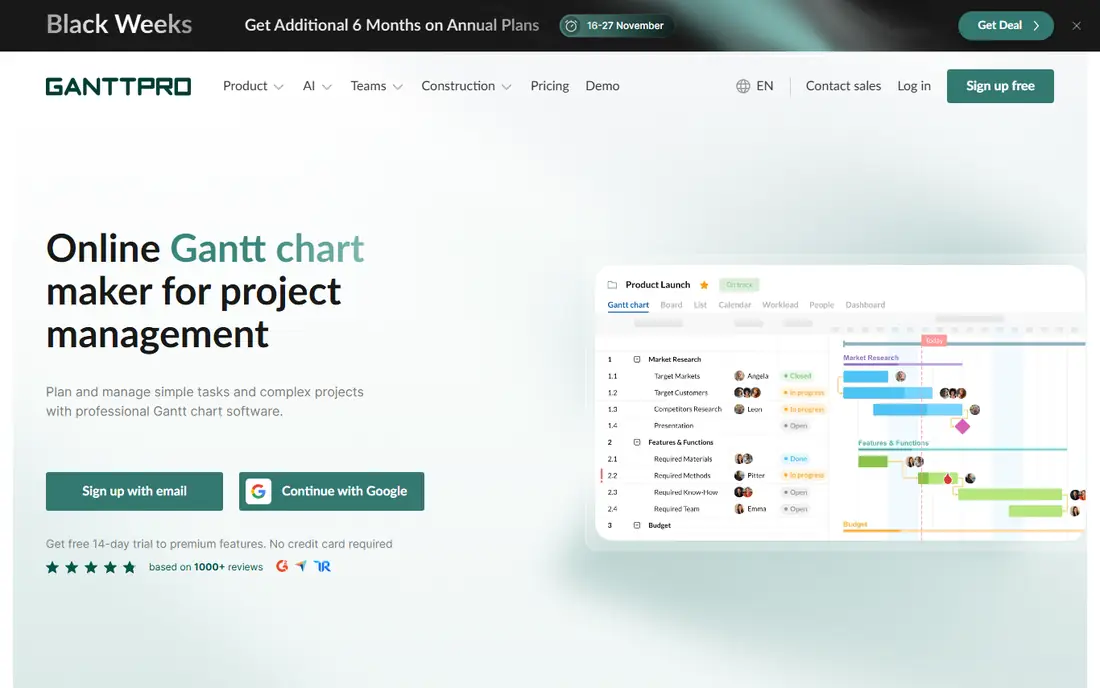
GanttPRO is the most direct choice in this list for teams that plan by dates. The chart opens first, tasks sit on a timeline, and you can drag a bar to move work, link tasks with a dependency, and set a baseline to track drift. Resource workload, cost tracking and time tracking are built in. Note the price conflict in Nov 2026 sources: some listings show Core at $7 and others show $8. This guide uses $8 for teams of up to 15 members and $7 for teams of 20 or more.
What we like- Clear Gantt chart as the main workspace, easy dependency and baseline controls, low entry price for small teams
Watch out for- No free plan, and reporting across many projects is weaker than Smartsheet
#2Smartsheet
Best for: teams that like spreadsheet style sheets with Gantt, reports and dashboards4.4/5 on
G2 (22,767 reviews, checked Oct 2026)
Visit smartsheet.com
Starting pricePro $9 per member per month billed annually, Business $19 per member per month billed annually
Free planNo free plan for new signups since 28 Aug 2024, 30 day trial instead
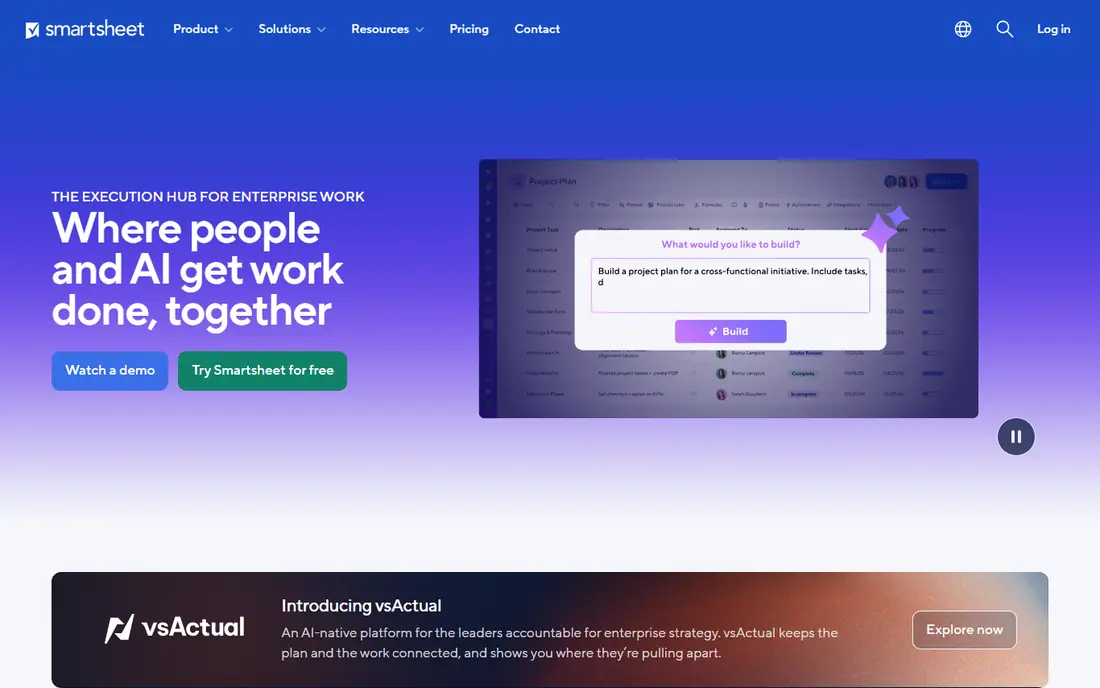
Smartsheet suits teams that already think in rows and columns. You can plan a project in a sheet, add dates, owners, status and budget columns, then switch to Gantt, card or calendar view when you need it. Reports can pull rows from many sheets into one list, and dashboards can show progress, spend and risk to managers and clients. The Gantt view is solid, but it is one view among many, not the centre of the product.
What we like- Strong reports and dashboards across many sheets, flexible sheet based planning, useful automation and forms
Watch out for- Pro is capped at 10 members, so growing teams must move to Business or Enterprise
#3TeamGantt
Best for: small teams that want a simple timeline-first Gantt chart4.8/5 on
G2 (895 reviews, checked Oct 2026)
Visit teamgantt.com
Starting priceBase $59 per month flat ($49 per month billed annually)
Free planYes, Personal plan with 1 user, 1 project and 40 tasks
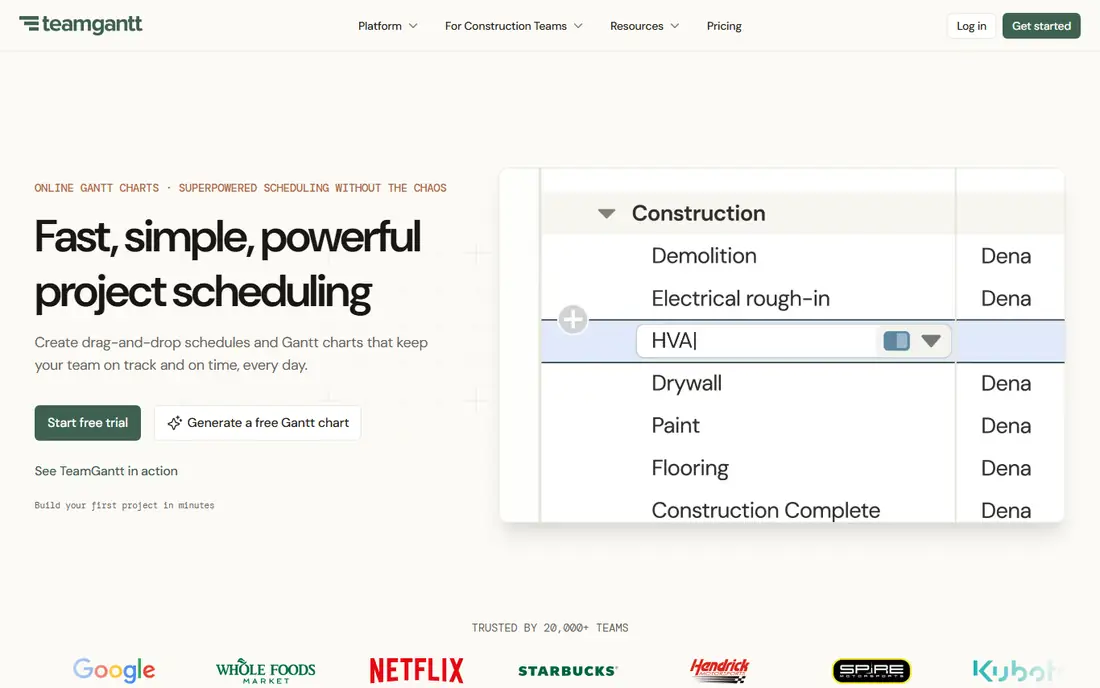
TeamGantt keeps Gantt planning simple. You create a project, add tasks on a timeline, assign owners, set dependencies and share the chart with the team. The interface is clean and the learning curve is short. Pricing is flat per account by project count, not per user. Business starts from $120 per month and Builder Edition starts from $199 per month. Note the price conflict: help docs from Aug 2026 still list a Basic plan at $24 per month, but Nov 2026 vendor pricing shows Base at $59.
What we like- Simple timeline view that is easy to learn, flat pricing by project count not per user, useful guest and workload views
Watch out for- Flat price is high for a very small team with one project, and reporting is basic next to Smartsheet
#4Instagantt
Best for: Asana teams that need a stronger Gantt layer on top of Asana4.3/5 on
G2 (29 reviews, checked Oct 2026)
Visit instagantt.com
Starting priceIndividual $12 per month ($10 billed annually) for one user
Free planYes for Asana users, up to 3 projects and 1 user
Instagantt is not a full project platform. It is a Gantt layer that sits on top of Asana and gives Asana users the timeline controls Asana lacks at lower tiers. You can see tasks on a clear Gantt chart, set dependencies, compare against a baseline, and view workload across the team. Teams plans cost a flat $24 per month, or $20 billed annually, for 3 collaborators, with $8 per extra collaborator. The free plan covers up to 3 projects and 1 user for Asana users.
What we like- Strong Gantt view for Asana projects, workload view and baselines, low cost for a single user
Watch out for- It depends on Asana, so it is not a standalone project tool for teams that do not use Asana
#5
monday Work Management
Best for: teams that want visual boards, timelines and automations in one workspace
Visit monday.com
Starting priceBasic $9 per seat per month billed annually
Free planYes, up to 2 seats
monday Work Management is a visual work platform with boards, timelines and Gantt views. You can plan a project on a board, switch to a Gantt view to see dates and dependencies, and use automations to move items, send alerts and update status. Basic costs $9 per seat per month billed annually, Standard costs $12, and Pro costs $19. The free plan covers up to 2 seats. These are Work Management prices, not monday CRM prices.
What we like- Visual boards and Gantt views are easy to use, strong templates and automations, free plan for up to 2 seats
Watch out for- Gantt and timeline features need a paid plan, and costs rise fast as you add seats and add ons
#6Asana
Best for: teams that want task lists, timelines and goals in one shared workspace4.4/5 on
G2 (13,930 reviews, checked Oct 2026)
Visit asana.com
Starting priceStarter $10.99 per user per month billed annually ($13.49 billed monthly)
Free planYes, Personal plan up to 2 users
Asana is a widely used task and project platform. Teams can plan work in lists and boards, switch to a timeline or Gantt view, and track goals and portfolios on higher plans. Starter costs $10.99 per user per month billed annually, or $13.49 billed monthly. Advanced costs $24.99 per user per month billed annually, or $30.49 billed monthly. The free Personal plan covers up to 2 users. The Gantt view needs Starter or above.
What we like- Clear task and timeline views, useful goals and reporting, wide range of integrations
Watch out for- Gantt view needs Starter or above, and Advanced at $24.99 per user per month is a big step up from Starter
#7ClickUp
Best for: teams that want tasks, docs, goals and Gantt views in one low cost platform4.6/5 on
G2 (14,878 reviews, checked Oct 2026)
Visit clickup.com
Starting priceCore $9 per user per month billed annually
Free planYes, Free Forever plan
ClickUp packs many tools into one platform. You get tasks, docs, goals, time tracking and views that include list, board, calendar and Gantt. Core costs $9 per user per month billed annually, and Business costs $17. The Free Forever plan is useful for small teams that want to test the core task system before they pay. Note that legacy Unlimited at $7 and Business at $12 still bills some existing workspaces, so older users may see different prices in their account.
What we like- Wide feature set for the price, Gantt view and workload view on paid plans, generous free plan
Watch out for- The interface can feel busy, and some teams need time to set up spaces, folders and views cleanly
#8Wrike
Best for: teams that want Gantt charts, workload and reporting in a structured project platform4.2/5 on
G2 (4,540 reviews, checked Oct 2026)
Visit wrike.com
Starting priceTeam $10 per user per month billed annually
Free planYes, up to 5 users
Wrike is a structured project platform for teams that manage many projects at once. Team costs $10 per user per month billed annually, and Business costs $25. The free plan covers up to 5 users, which is enough for a small team to test task and board views. Gantt charts are available from Team, with dependencies, milestones and workload views to help managers see who is busy and where work is late.
What we like- Gantt charts from Team, useful workload and reporting tools, clear structure for larger teams
Watch out for- Business at $25 per user per month is a large jump from Team, and setup takes time for new teams
Comparison table
| Tool |
Starting price |
Free plan |
Best for |
| GanttPRO |
$8 per user per month billed annually |
No, 14 day trial |
Dedicated Gantt chart at a low per user price |
| Smartsheet |
$9 per member per month billed annually |
No for new signups, 30 day trial |
Spreadsheet sheets with Gantt, reports and dashboards |
| TeamGantt |
$59 per month flat |
Yes, 1 user and 1 project |
Simple timeline-first Gantt chart for small teams |
| Instagantt |
$12 per month for one user |
Yes for Asana users |
Stronger Gantt layer on top of Asana |
| monday Work Management |
$9 per seat per month billed annually |
Yes, up to 2 seats |
Visual boards, timelines and automations |
| Asana |
$10.99 per user per month billed annually |
Yes, up to 2 users |
Task lists, timelines and goals in one workspace |
| ClickUp |
$9 per user per month billed annually |
Yes, Free Forever |
Tasks, docs, goals and Gantt in one platform |
| Wrike |
$10 per user per month billed annually |
Yes, up to 5 users |
Gantt, workload and reporting in a structured platform |
Frequently asked questions
Is GanttPRO cheaper than Smartsheet?
At the entry level the two tools are close. GanttPRO Core starts at $8 per user per month billed annually for teams of up to 15 members, while Smartsheet Pro starts at $9 per member per month billed annually. GanttPRO Advanced at $12 undercuts Smartsheet Business at $19. The real cost depends on team size and plan tier.
Which tool is better for a small team?
GanttPRO is often better for a small team that plans one project at a time on a timeline. The Gantt chart is the main view, setup is fast, and the entry price is low. Smartsheet is better if the small team also needs reports, forms and dashboards. TeamGantt is another good small team option, with a free Personal plan for 1 user and 1 project.
Can I use Smartsheet for free?
No, not as a new signup in 2026. Smartsheet closed its free plan to new signups on 28 Aug 2024. New buyers can use a 30 day trial instead. GanttPRO also has no free plan, but it offers a 14 day free trial. If you need a free plan, look at ClickUp Free Forever or Wrike for up to 5 users.
Does GanttPRO have baselines and dependencies?
Yes. GanttPRO supports task dependencies, milestones and baselines in the main Gantt view. You can link tasks so a start date moves when a prior task moves, and you can save a baseline to compare the current plan with the original plan. Smartsheet also supports dependencies and baselines on paid plans, with a critical path view for project control.
Should I pick monday Work Management or Asana instead?
Pick monday Work Management if you want visual boards, timelines and automations with a free plan for up to 2 seats, starting at $9 per seat per month billed annually. Pick Asana if you want a task first workspace with goals and a Gantt view from Starter at $10.99 per user per month billed annually. Both are wider platforms than GanttPRO.
Sources we checked (8)
- https://ganttpro.com/pricing
- https://smartsheet.com/pricing
- https://www.teamgantt.com/pricing
- https://www.instagantt.com/pricing
- https://monday.com/pricing
- https://asana.com/pricing
- https://clickup.com/pricing
- https://www.wrike.com/pricing
Is your product missing or out of date?
We review this list regularly. Vendors can request a listing, send updated pricing or ask about featured placement.

Shihab Mia · Founder, Rankite
Shihab has 5+ years in B2B and SaaS SEO. He writes Rankite's software buying guides from pricing pages, documentation and public user reviews. More about Shihab.