How we make this list: we compare pricing pages, product documentation and public user reviews. Ratings come from G2, Capterra or Trustpilot, with the date we checked them.
Instagantt vs TeamGantt: which one should your team pick
Instagantt and TeamGantt both promise a clear timeline that shows who is doing what and when it is due. They reach that promise from opposite directions. Instagantt is an add on that sits on top of Asana and turns Asana tasks into a full Gantt chart. TeamGantt is a standalone tool built around the timeline from the start.
That difference shapes almost every buying decision between them. If your team already lives in Asana, Instagantt adds the Gantt features Asana lacks without asking anyone to move projects. If your team does not use Asana, TeamGantt gives you a working timeline on day one, with no second subscription.
Direct answer: TeamGantt is the top pick for most small teams because it works on its own, costs a flat $59 per month on the Base plan, and keeps the timeline simple enough for non project managers to use. Instagantt suits Asana teams best, because its two way Asana sync keeps tasks, dates and assignees matched. GanttPRO is the best alternative, starting at $8 per user per month billed annually.
Key takeaways
- TeamGantt Base costs $59 per month flat ($49 billed annually), priced per account by project count, not per user, so adding people does not raise the bill.
- Instagantt Individual costs $12 per month ($10 billed annually) for one user, and the Teams plan is a flat $24 per month ($20 billed annually) for 3 collaborators, plus $8 per extra collaborator.
- GanttPRO is the cheapest dedicated Gantt option here, with Core at $8 per user per month billed annually for teams of up to 15 members.
- Asana Starter costs $10.99 per user per month billed annually, and its own Gantt view needs Starter or above, which is why many Asana teams add Instagantt.
- monday Work Management starts at $9 per seat per month billed annually on Basic, and Wrike Team starts at $10 per user per month billed annually with Gantt charts included.
TeamGantt has the stronger standalone Gantt chart. It was designed as a timeline tool first, so dependencies, milestones, baselines and workload views are built into the core product. You can drag bars to change dates, set dependencies between tasks, and see the whole project on one screen.
Instagantt has a strong Gantt chart too, but its strength is tied to Asana. It adds dependencies, baselines, workload views and critical path to Asana projects, and it syncs changes both ways. The catch is that the chart only makes sense inside an Asana workflow, since standalone mode is Gantt only.
How much do Instagantt and TeamGantt cost in 2026
Instagantt is the cheaper option for very small Asana teams. Individual costs $12 per month, or $10 billed annually, for one user. Teams costs a flat $24 per month, or $20 billed annually, for 3 collaborators, plus $8 per extra collaborator. The free plan for Asana users covers 3 projects and 1 user.
TeamGantt costs more at the entry level, but the flat price changes the comparison for larger groups. Base costs $59 per month, or $49 billed annually, and Business starts from $120 per month. Pricing is flat per account, by project count, not per user. Help docs from Aug 2026 still list a Basic plan at $24, but Nov 2026 vendor pricing shows Base at $59, so this guide uses $59. The free Personal plan covers 1 user, 1 project and 40 tasks.
Instagantt is clearly better for Asana teams. It was built for Asana, and its two way sync is the feature that justifies the price. Tasks, dates, assignees and sections stay matched between Asana and Instagantt. Dependencies, baselines and workload views that Asana lacks on lower plans appear in Instagantt without any data export.
TeamGantt is not an Asana tool at all. It is a standalone app, and a team that buys it for Asana work would run two separate systems with no live sync. TeamGantt does offer imports, so Asana projects can be moved across, but that is a one off migration, not an ongoing connection. If the team plans to leave Asana, TeamGantt is a clean replacement.
How hard is it to switch from Instagantt to TeamGantt, or the other way
Switching from Instagantt to TeamGantt is straightforward if the team is ready to leave Asana behind. TeamGantt can import project data, and the timeline structure maps well because both tools organise work as tasks on bars with dates and dependencies. The hard part is not the data. It is the habit change. Move one live project first to test the workflow before moving the rest.
Switching from TeamGantt to Instagantt is harder, because it means adopting Asana as well. Instagantt needs Asana projects to sync with, so the team must set up Asana, rebuild its projects there, and then connect Instagantt. The move makes sense only when the team wants Asana for its task management, boards, forms and integrations.
Quick comparison
| Tool | Best for | Starting price | Free plan |
|---|
 Instagantt | Asana teams that need a stronger Gantt layer on top of Asana | Individual $12 per month ($10 billed annually); Teams flat $24 per month ($20 billed annually) for 3 collaborators, $8 per extra collaborator | Yes, for Asana users, up to 3 projects and 1 user |
 TeamGantt | Small teams that want a simple timeline-first Gantt chart | Base $59 per month flat ($49 per month billed annually); Business from $120 per month; Builder Edition from $199 per month | Yes, Personal plan with 1 user, 1 project and 40 tasks |
 GanttPRO | Teams that want a dedicated Gantt chart at a low per user price | Core $8 per user per month billed annually for teams of up to 15 members ($7 for 20 or more), $9 billed monthly | No free plan; 14 day free trial |
 Asana | Teams that want task management, boards and Gantt views in one platform | Starter $10.99 per user per month billed annually ($13.49 monthly); Advanced $24.99 ($30.49) | Yes, Personal plan up to 2 users |
 Smartsheet | Teams that like spreadsheet style sheets with Gantt, reports and dashboards | Pro $9 per member per month billed annually ($12 monthly); Business $19 ($24 monthly) | Free plan closed to new signups 28 Aug 2024; 30 day trial instead |
 monday Work Management | Teams that want a visual, board based workspace with Gantt views included | Basic $9 per seat per month billed annually; Standard $12; Pro $19 | Yes, up to 2 seats |
 ClickUp | Teams that want tasks, docs, goals and Gantt charts in one low cost workspace | Core $9 per user per month billed annually; Business $17 | Yes, Free Forever plan |
 Wrike | Teams that want structured project management with Gantt charts and approvals | Team $10 per user per month billed annually; Business $25 | Yes, up to 5 users |
Is your product missing or out of date?
We review this list regularly. Vendors can request a listing, send updated pricing or ask about featured placement.
These eight tools cover the full range of options for a buyer comparing Instagantt and TeamGantt. Two are the head to head pair. The other six are the most common alternatives, from a low cost dedicated Gantt chart to full project platforms that include Gantt views. Prices are the vendor prices checked in Nov 2026.
#1Instagantt
Best for: Asana teams that need a stronger Gantt layer on top of Asana4.3/5 on
G2 (29 reviews, checked Oct 2026)
Visit instagantt.com
Starting priceIndividual $12 per month ($10 billed annually); Teams flat $24 per month ($20 billed annually) for 3 collaborators, $8 per extra collaborator
Free planYes, for Asana users, up to 3 projects and 1 user
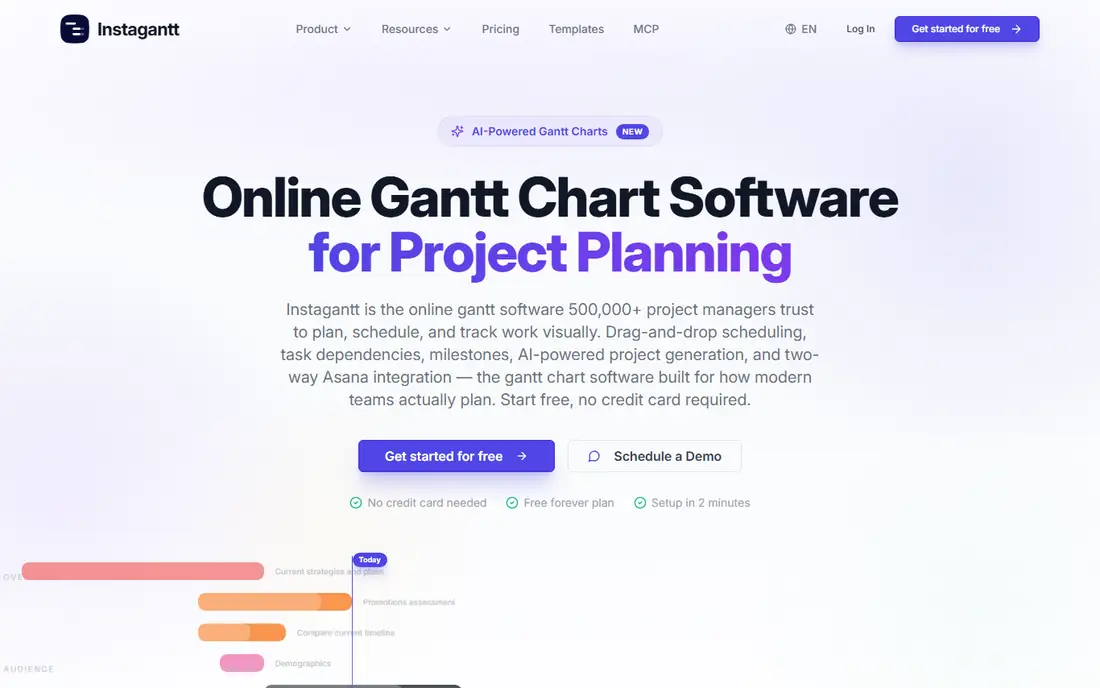
Instagantt is the right buy when Asana is already the team's home. The two way sync is the core of the product. Move a date in Instagantt and it moves in Asana. That live link means the team never works from two versions of the same plan. Outside Asana it is thin, with no native docs, no time tracking and no mobile app.
What we like- Two way Asana sync keeps tasks, dates and assignees matched
- Adds dependencies, baselines, workload and critical path to Asana projects
- Low flat Teams price for small groups
Watch out for- Standalone use is Gantt only, with no native docs, no time tracking and no mobile app, so it is weak without Asana
#2TeamGantt
Best for: Small teams that want a simple timeline-first Gantt chart4.8/5 on
G2 (895 reviews, checked Oct 2026)
Visit teamgantt.com
Starting priceBase $59 per month flat ($49 per month billed annually); Business from $120 per month; Builder Edition from $199 per month
Free planYes, Personal plan with 1 user, 1 project and 40 tasks
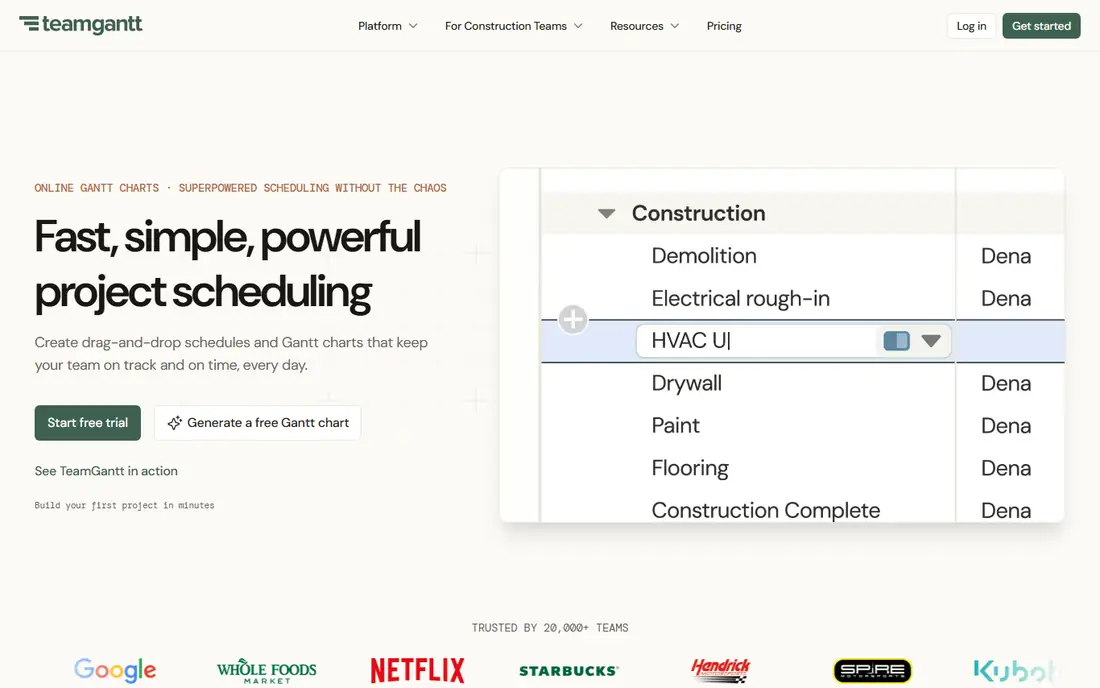
TeamGantt suits a small team that wants one timeline everyone can read. The interface is built around the chart, so there is no separate task system to learn first. Drag a bar to move a date, link bars to set dependencies, and add a baseline to track drift. Flat pricing by project count means the cost does not rise when the team adds people.
What we like- Flat per account pricing by project count, not per user
- Timeline-first design that non project managers pick up fast
- Dependencies, milestones, baselines and workload views built in
Watch out for- Higher entry price than per user Gantt tools, and Aug 2026 help docs still list a $24 Basic plan against the Nov 2026 vendor price of $59
#3GanttPRO
Best for: Teams that want a dedicated Gantt chart at a low per user price4.8/5 on
G2 (588 reviews, checked Oct 2026)
Visit ganttpro.com
Starting priceCore $8 per user per month billed annually for teams of up to 15 members ($7 for 20 or more), $9 billed monthly
Free planNo free plan; 14 day free trial
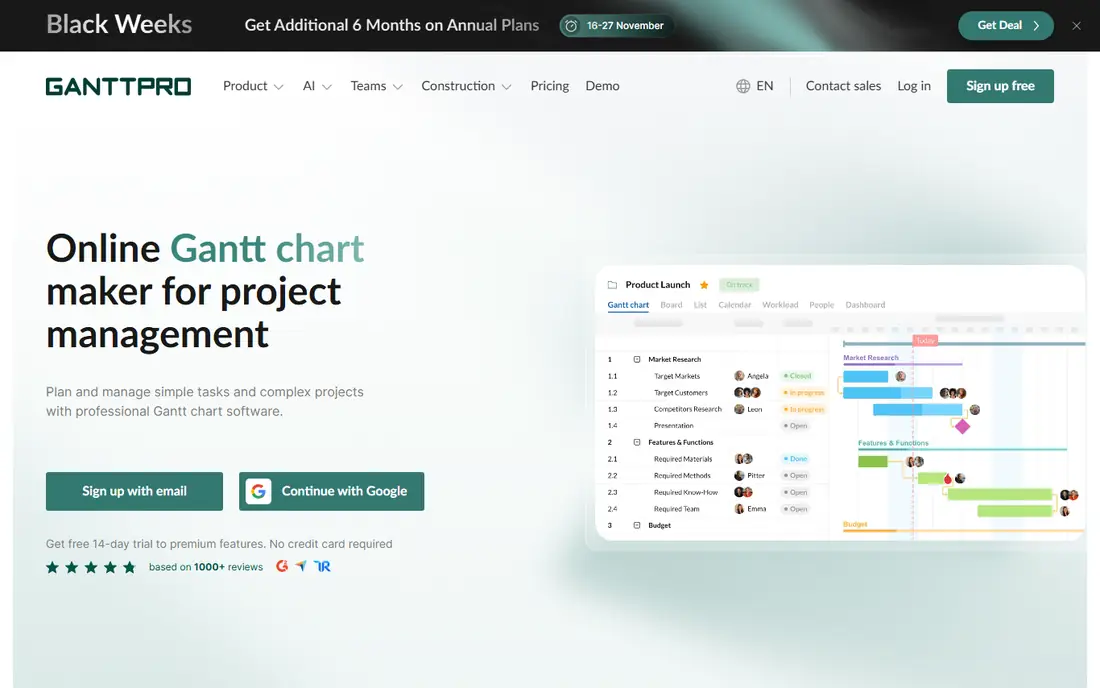
GanttPRO is the budget pick for a team that wants a proper Gantt chart without a full project platform. Core starts at $8 per user per month billed annually for teams of up to 15 members, or $7 for 20 or more. It covers dependencies, baselines, milestones, workload and exports. The trade off is breadth, since it is a chart tool, not a work hub.
What we like- Low per user starting price
- Dedicated Gantt features including dependencies, baselines and resource workload
- Clean interface focused on the timeline
Watch out for- No free plan, so every user is paid from day one, and the tool is narrower than full project platforms, with no native docs or chat
#4Asana
Best for: Teams that want task management, boards and Gantt views in one platform4.4/5 on
G2 (13,930 reviews, checked Oct 2026)
Visit asana.com
Starting priceStarter $10.99 per user per month billed annually ($13.49 monthly); Advanced $24.99 ($30.49)
Free planYes, Personal plan up to 2 users
Asana belongs on this list because it is the reason Instagantt exists. Starter costs $10.99 per user per month billed annually, or $13.49 monthly, and Advanced costs $24.99. Asana's own Gantt view needs Starter or above, which is the gap Instagantt fills. When the timeline is the main planning surface, a dedicated Gantt tool still earns its place. Asana's strength is the rest of the platform: boards, forms, automations and hundreds of integrations.
What we like- Strong task, board and list views with wide integrations
- Gantt view included from Starter
- The platform Instagantt syncs with
Watch out for- Its own Gantt view needs Starter or above, so free users get no timeline, and the Gantt features are lighter than a dedicated chart tool
#5Smartsheet
Best for: Teams that like spreadsheet style sheets with Gantt, reports and dashboards4.4/5 on
G2 (22,767 reviews, checked Oct 2026)
Visit smartsheet.com
Starting pricePro $9 per member per month billed annually ($12 monthly); Business $19 ($24 monthly)
Free planFree plan closed to new signups 28 Aug 2024; 30 day trial instead
Smartsheet fits teams that think in rows and columns. Work lives in sheets that look like a spreadsheet, and a Gantt view sits on top of the same data. Pro costs $9 per member per month billed annually, or $12 monthly, and Business costs $19. Reports and dashboards help managers track several projects at once. Pro is capped at 10 members, so a growing team faces a jump to Business.
What we like- Familiar spreadsheet grid that non technical users adopt fast
- Gantt, reports, dashboards and automations in one place
- Strong for cross project reporting
Watch out for- Pro is capped at 10 members, so growing teams must move to Business at $19, and there is no free plan for new signups since Aug 2024
#6
monday Work Management
Best for: Teams that want a visual, board based workspace with Gantt views included
Visit monday.com
Starting priceBasic $9 per seat per month billed annually; Standard $12; Pro $19
Free planYes, up to 2 seats
monday Work Management is the visual alternative in this group. Work is organised on boards with colour coded status columns, and Gantt, timeline, calendar and Kanban views sit on the same data. Basic costs $9 per seat per month billed annually, Standard $12, and Pro $19. These are Work Management prices, not monday CRM prices. A team of twenty on Pro pays $380 per month, while TeamGantt Base stays flat at $59.
What we like- Visual boards and many view types including Gantt, timeline and calendar
- Free plan up to 2 seats
- Wide template library and automations
Watch out for- Costs rise per seat, so a large team pays far more than TeamGantt flat pricing, and the cheapest plans limit automations and views
#7ClickUp
Best for: Teams that want tasks, docs, goals and Gantt charts in one low cost workspace4.6/5 on
G2 (14,878 reviews, checked Oct 2026)
Visit clickup.com
Starting priceCore $9 per user per month billed annually; Business $17
Free planYes, Free Forever plan
ClickUp is the value pick for a team that wants everything in one place. Core costs $9 per user per month billed annually, and Business costs $17. The Free Forever plan is genuinely usable, with tasks, docs and views included. Gantt charts are available on paid plans, alongside lists, boards, calendars, docs, goals and chat. The trade off is complexity, since new users can feel lost among so many features.
What we like- Free Forever plan with generous limits
- Many view types including Gantt, plus docs, goals and chat in one workspace
- Low Core price
Watch out for- The interface packs in many features, so new users face a learning curve, and legacy Unlimited $7 and Business $12 pricing still bills some existing workspaces
#8Wrike
Best for: Teams that want structured project management with Gantt charts and approvals4.2/5 on
G2 (4,540 reviews, checked Oct 2026)
Visit wrike.com
Starting priceTeam $10 per user per month billed annually; Business $25
Free planYes, up to 5 users
Wrike is the most structured tool in this comparison. Team costs $10 per user per month billed annually, and Business costs $25. The free plan covers up to 5 users, which is the most generous free tier here after ClickUp. Gantt charts are included from the Team plan, alongside task lists, boards, calendars and workload views. Business at $25 per user per month is the highest per user price in this group.
What we like- Gantt charts from the Team plan
- Strong task structure, approvals and reporting
- Free plan up to 5 users
Watch out for- Business at $25 per user per month is the dearest per user price in this group, and the feature depth can feel heavy for a team that only needs a simple timeline
Comparison table
| Tool |
Starting price |
Free plan |
Best for |
| Instagantt |
Individual $12 per month ($10 billed annually) |
Yes, Asana users, up to 3 projects and 1 user |
Asana teams needing a stronger Gantt layer |
| TeamGantt |
Base $59 per month flat ($49 billed annually) |
Yes, Personal plan, 1 user, 1 project, 40 tasks |
Small teams wanting a simple timeline-first Gantt chart |
| GanttPRO |
Core $8 per user per month billed annually |
No, 14 day free trial |
Teams wanting a low cost dedicated Gantt chart |
| Asana |
Starter $10.99 per user per month billed annually |
Yes, Personal plan up to 2 users |
Teams wanting tasks, boards and Gantt in one platform |
| Smartsheet |
Pro $9 per member per month billed annually |
No, free plan closed to new signups 28 Aug 2024, 30 day trial |
Teams liking spreadsheet sheets with Gantt and reports |
| monday Work Management |
Basic $9 per seat per month billed annually |
Yes, up to 2 seats |
Teams wanting a visual board workspace with Gantt views |
| ClickUp |
Core $9 per user per month billed annually |
Yes, Free Forever plan |
Teams wanting tasks, docs, goals and Gantt in one workspace |
| Wrike |
Team $10 per user per month billed annually |
Yes, up to 5 users |
Teams wanting structured projects with Gantt and approvals |
Frequently asked questions
Which is cheaper, Instagantt or TeamGantt?
Instagantt is cheaper for a very small Asana team. Individual costs $12 per month, or $10 billed annually, and the Teams plan is a flat $24 per month, or $20 billed annually, for 3 collaborators. TeamGantt Base costs $59 per month, or $49 billed annually, as a flat account price. Once the team grows, TeamGantt flat pricing stops rising per head, while Instagantt adds $8 per extra collaborator.
Does Instagantt work without Asana?
Instagantt has a standalone mode, but it is limited. It works as a Gantt chart on its own, with tasks, dates and dependencies, yet it has no native docs, no time tracking and no mobile app. The product is built around its two way Asana sync, and that is where it earns its price. A team that does not use Asana should buy a standalone tool instead, such as TeamGantt or GanttPRO.
Does TeamGantt have dependencies and baselines?
Yes, TeamGantt includes dependencies, milestones, baselines and workload views as part of its core timeline. You can link tasks so one cannot start until another finishes, save a baseline to compare the plan against actual progress, and check who is overloaded. These features are available on the paid plans.
Can I import my Asana projects into TeamGantt?
Yes, TeamGantt offers imports that move project data across from other tools, including Asana. Tasks, dates and assignees carry over, and the timeline rebuilds from that data. The import is a one off migration, not a live sync, so changes made in Asana after the import will not appear in TeamGantt. Teams should finish the move, then work only in TeamGantt.
Which tool is best for a small team on a tight budget?
GanttPRO is the best budget pick for a dedicated Gantt chart, at $8 per user per month billed annually on Core. ClickUp is the best budget pick for a full workspace, with a Free Forever plan and Core at $9 per user per month billed annually. TeamGantt is the best pick when the team will grow, because its flat $59 per month Base price does not rise per user.
Sources we checked (8)
- https://www.instagantt.com/pricing
- https://www.teamgantt.com/pricing
- https://ganttpro.com/pricing/
- https://asana.com/pricing
- https://www.smartsheet.com/pricing
- https://monday.com/pricing
- https://clickup.com/pricing
- https://www.wrike.com/pricing
Is your product missing or out of date?
We review this list regularly. Vendors can request a listing, send updated pricing or ask about featured placement.

Shihab Mia · Founder, Rankite
Shihab has 5+ years in B2B and SaaS SEO. He writes Rankite's software buying guides from pricing pages, documentation and public user reviews. More about Shihab.