How we make this list: we compare pricing pages, product documentation and public user reviews. Ratings come from G2, Capterra or Trustpilot, with the date we checked them.
pCloud vs Dropbox: The Short Answer
pCloud is the better pick if you want to pay once and stop paying monthly. Its lifetime plans cost $219 for 500 GB and $499 for 2 TB at the prices shown in November 2026, and they break even against the annual plans in about four to five years. Dropbox is the better pick if you need fast, reliable sync and strong sharing tools for client work. Dropbox sync is quicker, its file request and transfer features are stronger, and its business plans add admin controls that pCloud does not match. The free tiers favour pCloud, with up to 10 GB free against 2 GB from Dropbox. At 2 TB the monthly price is the same, $9.99 a month, so the choice comes down to payment model and workflow. Pick pCloud if you want lifetime storage and a media player. Pick Dropbox if you share large files with clients every day.
pCloud vs Dropbox on Price and Storage
Both services charge $9.99 a month for 2 TB, but the plans around that price are very different. pCloud Premium costs $4.99 a month or $49.99 a year for 500 GB, and Premium Plus costs $9.99 a month or $99.99 a year for 2 TB. The lifetime versions cost $219 for 500 GB and $499 for 2 TB at the prices shown on the pCloud site in November 2026, down from list prices of $279 and $709. Business costs $9.99 per user a month. Dropbox Plus costs $9.99 a month billed annually or $11.99 a month billed monthly for 2 TB, with no cheaper paid tier below it. Family costs $16.99 a month billed annually for 2 TB shared by up to six people. Standard costs $15 per user a month billed annually with pooled storage from 3 TB, and Advanced costs $24 per user a month billed annually with storage from 15 TB. pCloud is cheaper for light users, because 500 GB costs $4.99 a month while Dropbox starts at $9.99. Dropbox is stronger for teams, because Standard and Advanced add admin controls, longer version history and single sign on. The lifetime plan is the real reason to choose pCloud, since no other major service sells storage as a one time purchase.
| Feature | pCloud | Dropbox |
| Free storage | Up to 10 GB | 2 GB |
| Cheapest paid plan | $4.99 a month, 500 GB | $9.99 a month, 2 TB, annual billing |
| 2 TB plan | $9.99 a month | $9.99 a month, annual billing |
| Lifetime plan | $219 for 500 GB, $499 for 2 TB | Not sold |
| Family plan | Not sold as a family plan | 2 TB shared by 6, $16.99 a month |
| Business starting price | $9.99 per user a month | $15 per user a month, Standard |
| File version history | Up to 365 days | 30 days on Plus, 180 days on Standard |
| Best for | Lifetime buyers, media libraries | Client sharing, fast sync, teams |
Sync Speed, Apps and Everyday Use
Dropbox sync is faster and more dependable than pCloud sync. Files appear on other devices within seconds, and block level sync uploads only the changed part of a file. Smart Sync keeps large folders visible without downloading them. The Dropbox desktop app is mature on Windows and Mac, and the mobile apps are polished on Android and iOS. pCloud sync works well for everyday files, and its virtual drive shows all your files in Finder or Explorer without downloading them. pCloud also includes a built in audio and video player, which makes it a good home for a media library. The difference shows up with large files and many small files, where Dropbox finishes first. pCloud has another edge for media buyers, because its file versioning runs up to 365 days on paid plans, against 30 days on Dropbox Plus. If you move large files every day, Dropbox is the safer choice. If you store photos and videos and want to play them in the cloud, pCloud is the better home.
Privacy, Security and File Recovery
pCloud and Dropbox both encrypt files in transit and at rest, and both offer two factor authentication. The difference is how each handles zero knowledge encryption. pCloud sells it as an add on called pCloud Crypto, at $4.99 a month or $49.99 a year, or $150 as a lifetime purchase. With Crypto, files in the Crypto Folder are encrypted on your device and only you hold the key. Dropbox offers end to end encryption only as an add on for Advanced business plans, so personal users cannot get it at all. Neither service includes zero knowledge encryption by default, so buyers who need it on every file should look at Sync.com or Proton Drive instead. On recovery, pCloud is stronger for individuals, with file versions kept for up to 365 days and deleted files recoverable for 30 days. Dropbox Plus keeps versions for 30 days and Standard extends that to 180 days. Both services scan files for malware, and both offer password protected links and link expiry.
Quick comparison
| Tool | Best for | Starting price | Free plan |
|---|
 pCloud | Buyers who want a one time lifetime payment instead of a monthly bill | $4.99 a month for Premium, 500 GB, checked 18 Nov 2026 | Yes, up to 10 GB |
 Dropbox | Freelancers and teams that share large files with clients | $9.99 a month billed annually for Plus, 2 TB, checked 18 Nov 2026 | Yes, 2 GB on the Basic plan |
 Google Drive | Individuals and teams who use a mix of devices and Google apps | $1.99 a month for Google One Basic, 100 GB, checked 18 Nov 2026 | Yes, 15 GB shared across Drive, Gmail and Google Photos |
 Microsoft OneDrive | Households and businesses already paying for Microsoft 365 | $1.99 a month for Microsoft 365 Basic, 100 GB, checked 18 Nov 2026 | Yes, 5 GB with a free Microsoft account |
 Apple iCloud Drive | iPhone, iPad and Mac owners who want automatic backup and sync | $0.99 a month for iCloud+ 50 GB, checked 18 Nov 2026 | Yes, 5 GB |
 Box | Regulated teams that need governance, audit trails and admin control | $5 per user a month billed annually for Business Starter, checked 18 Nov 2026 | Yes, 10 GB for individuals |
 Sync.com | Privacy focused buyers who want zero knowledge encryption by default | $12 a month billed annually for Personal 1 TB, checked 18 Nov 2026 | Yes, 5 GB |
 MEGA | Buyers who want generous free storage with built in encryption | 3.33 euros a month billed yearly for Essential, 200 GB, checked 18 Nov 2026 | Yes, 20 GB |
Is your product missing or out of date?
We review this list regularly. Vendors can request a listing, send updated pricing or ask about featured placement.
The eight tools below cover the main cloud storage choices, from the two compared services to business and privacy focused alternatives. pCloud and Dropbox lead the list because they are the pair this guide compares. The other six suit buyers who want a different ecosystem, more privacy or a lower price.
#1pCloud
Best for: Buyers who want a one time lifetime payment instead of a monthly bill4.3/5 on
G2 (166 reviews, checked Oct 2026)
Visit pcloud.com
Starting price$4.99 a month for Premium, 500 GB, checked 18 Nov 2026
Free planYes, up to 10 GB
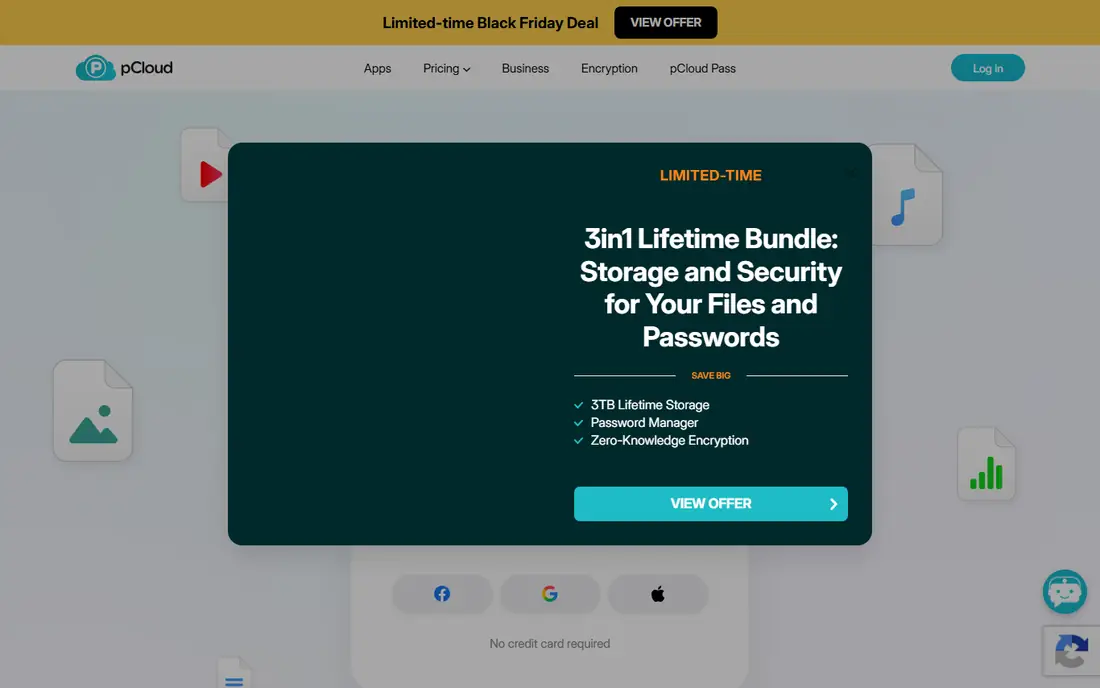
pCloud is a Swiss cloud storage service best known for lifetime plans. Premium costs $4.99 a month or $49.99 a year for 500 GB, and Premium Plus costs $9.99 a month or $99.99 a year for 2 TB. The lifetime versions cost $219 for 500 GB and $499 for 2 TB at the prices shown on the pCloud site in November 2026, down from list prices of $279 and $709. Business costs $9.99 per user a month. pCloud includes a built in audio and video player, file versioning and a virtual drive that shows files without downloading them. The catch is that true zero knowledge encryption is a paid add on called pCloud Crypto, at $4.99 a month or $150 lifetime.
What we like- Lifetime plans with a one time payment, built in media player, file versioning up to 365 days, EU or US data region choice
Watch out for- Zero knowledge encryption costs extra as pCloud Crypto, lifetime price is a frequent promotion so the checkout price varies, no real time document editing
#2Dropbox
Best for: Freelancers and teams that share large files with clients4.4/5 on
G2 (31,453 reviews, checked Oct 2026)
Visit dropbox.com
Starting price$9.99 a month billed annually for Plus, 2 TB, checked 18 Nov 2026
Free planYes, 2 GB on the Basic plan
Dropbox built its name on sync that simply works. Files appear on every device quickly, and Smart Sync keeps large folders off a small hard drive until they are needed. Plus costs $9.99 a month billed annually for 2 TB, and it includes 30 day version history and file transfers up to 50 GB. Standard costs $15 per user a month billed annually with pooled storage from 3 TB and 180 day recovery. Advanced costs $24 per user a month billed annually with storage from 15 TB and single sign on. Dropbox is a good fit for creative teams and freelancers who send large files to clients every day.
What we like- Fast and reliable sync, strong file request and transfer features, good third party integrations
Watch out for- Free plan is only 2 GB, no zero knowledge encryption on standard plans, business plans cost more than Google Workspace
#3Google Drive
Best for: Individuals and teams who use a mix of devices and Google apps4.8/5 on
Capterra (28,634 reviews, checked Oct 2026)
Visit drive.google.com
Starting price$1.99 a month for Google One Basic, 100 GB, checked 18 Nov 2026
Free planYes, 15 GB shared across Drive, Gmail and Google Photos
Google Drive is the default cloud storage for more than a billion people, and that scale is part of its appeal. Files sync across Windows, Mac, Android, iOS and the web, and the search finds text inside documents and images. Google One plans are simple to understand and cheap at every tier, with 100 GB for $1.99 a month and 2 TB for $9.99 a month. Annual billing saves about 17 percent. Business users get Workspace plans with custom email, admin controls and pooled storage. The weak points are privacy and the shared 15 GB pool, which fills up fast once Gmail attachments and Photos backups count against it.
What we like- Generous free tier, cheap paid plans, strong search, real time collaboration in Docs, Sheets and Slides
Watch out for- No zero knowledge encryption, storage is shared with Gmail and Photos so email can eat into your space
#4Microsoft OneDrive
Best for: Households and businesses already paying for Microsoft 3654.3/5 on
G2 (10,433 reviews, checked Oct 2026)
Visit microsoft.com
Starting price$1.99 a month for Microsoft 365 Basic, 100 GB, checked 18 Nov 2026
Free planYes, 5 GB with a free Microsoft account
OneDrive is the storage that comes with Microsoft 365, so it is the obvious choice for anyone who already pays for Word and Excel. Microsoft 365 Basic costs $1.99 a month for 100 GB, Personal costs $9.99 a month for 1 TB with the desktop Office apps, and Family costs $12.99 a month for 2 TB shared by up to six people. Business Basic costs $7 per user a month billed annually with 1 TB per user. Files On-Demand lets you see every file in Explorer without downloading it, which keeps small laptops usable. Personal Vault adds an extra layer of protection for sensitive files. The main weakness is the thin free tier and the gap between 100 GB and 1 TB on home plans.
What we like- Bundled with Word, Excel and PowerPoint on paid plans, deep Windows integration, Files On-Demand saves disk space
Watch out for- Free plan is only 5 GB, no Linux app, home plans jump from 100 GB to 1 TB with no tier between
#5
Apple iCloud Drive
Best for: iPhone, iPad and Mac owners who want automatic backup and sync
Visit icloud.com
Starting price$0.99 a month for iCloud+ 50 GB, checked 18 Nov 2026
Free planYes, 5 GB
iCloud Drive is the storage built into every iPhone, iPad and Mac. Photos, messages, device backups and app data sync automatically, and files in the Drive folder appear on every Apple device without any setup. Paid plans are simple and monthly only, with 50 GB for $0.99 a month, 200 GB for $2.99 a month and 2 TB for $9.99 a month. Larger tiers go up to 12 TB for $59.99 a month. Family Sharing lets up to six people share one storage pool, which makes the 200 GB and 2 TB plans cheap per person. The downsides are the tiny 5 GB free tier, which fills up with a single phone backup, and the poor experience on Windows and Android.
What we like- Deep Apple integration, automatic device backup, Family Sharing, Private Relay and Hide My Email included
Watch out for- Free plan is only 5 GB, weak Windows and Android apps, no annual discount on any plan
#6Box
Best for: Regulated teams that need governance, audit trails and admin control4.2/5 on
G2 (5,259 reviews, checked Oct 2026)
Visit box.com
Starting price$5 per user a month billed annually for Business Starter, checked 18 Nov 2026
Free planYes, 10 GB for individuals
Box is a content cloud built for business rather than a consumer storage locker. Its admin console gives IT teams control over who can view, edit, download or share every file, and its activity reports show exactly what happened to a document. Box integrates with more than 1,500 apps, including Microsoft 365, Salesforce, Slack and Zoom. Business Starter costs $5 per user a month billed annually but caps storage at 100 GB per user and file uploads at 2 GB. Business at $15 per user a month adds unlimited storage and Box AI. The three user minimum means a one person business pays for three seats. Box suits teams where compliance, audit and control justify the price.
What we like- Strong admin controls, detailed activity reports, granular sharing permissions, wide enterprise integrations
Watch out for- Three user minimum on every business plan, higher per user cost than Google or Dropbox, file upload limits are low on cheaper plans
#7Sync.com
Best for: Privacy focused buyers who want zero knowledge encryption by default4.0/5 on
G2 (44 reviews, checked Oct 2026)
Visit sync.com
Starting price$12 a month billed annually for Personal 1 TB, checked 18 Nov 2026
Free planYes, 5 GB
Sync.com is a Canadian cloud storage service that encrypts files on your device before upload, so only you hold the keys. Personal 1 TB costs $12 a month billed annually or $16 a month billed monthly, and Solo 5 TB costs $28 a month billed annually or $32 a month billed monthly. Teams Standard starts at $6 per user a month billed annually. First year promotions cut these prices by 25 percent, so check the renewal price before you commit. Sync.com has no file size limits on paid plans and offers unlimited data transfer, which suits photographers and video editors. The trade off is a smaller integration library than Dropbox or Google Drive, and sync can be slower on very large folders.
What we like- Zero knowledge encryption on every plan, Canadian privacy law, no file size limits on paid plans, HIPAA compliance on team plans
Watch out for- Slower sync than Google or Dropbox in some tests, first year discounts make the renewal price a surprise, fewer third party integrations
#8
MEGA
Best for: Buyers who want generous free storage with built in encryption
Visit mega.io
Starting price3.33 euros a month billed yearly for Essential, 200 GB, checked 18 Nov 2026
Free planYes, 20 GB
MEGA is a cloud storage service that encrypts files on your device before upload, so only you hold the keys. The free plan gives 20 GB, which is the largest free tier among the major services, though downloads are limited by a transfer quota. Essential costs 3.33 euros a month billed yearly for 200 GB. Pro Lite costs 4.99 euros a month for 750 GB, and Pro I costs 9.99 euros a month for 3 TB. Every paid plan includes MEGA VPN and MEGA Pass, the password manager. Business plans start from 15 euros a month for a 3 TB base. The main drawbacks are euro pricing, which makes the real cost depend on exchange rates, and the transfer quota, which can block large downloads on the free plan.
What we like- Large 20 GB free tier, zero knowledge encryption by default, VPN and password manager bundled with paid plans
Watch out for- Prices are set in euros, downloads count against a transfer quota, support is slower than larger rivals
Frequently asked questions
Is pCloud or Dropbox cheaper?
pCloud is cheaper for light users, and the two tie at 2 TB. pCloud Premium costs $4.99 a month for 500 GB, while Dropbox has no paid plan below Plus at $9.99 a month billed annually for 2 TB. At 2 TB both charge $9.99 a month, though Dropbox charges $11.99 a month if you pay monthly. The lifetime plan is where pCloud pulls ahead.
Is the pCloud lifetime plan worth it?
The lifetime plan is worth it if you will use the storage for at least five years and you are comfortable with a smaller provider. Premium Plus lifetime costs $499 for 2 TB at the prices shown in November 2026, against $99.99 a year for the same storage on the annual plan. The break even point is about five years, and every year after that is free.
Which service syncs faster?
Dropbox syncs faster in most tests. Its block level sync uploads only the changed part of a file, so a small edit to a large file finishes in seconds. Its desktop app is mature and reliable on Windows and Mac. pCloud sync works well for everyday files, and its virtual drive shows all your files without downloading them, but large uploads and folders with many small files take longer.
Does pCloud or Dropbox offer better privacy?
pCloud has the better privacy option, because it sells zero knowledge encryption as an add on called pCloud Crypto. Files in the Crypto Folder are encrypted on your device and only you hold the key. The add on costs $4.99 a month or $49.99 a year, or $150 as a lifetime purchase. Dropbox offers end to end encryption only as an add on for Advanced business plans, so personal users cannot get it at all.
How do I move files from Dropbox to pCloud?
Moving files is simple but takes time with a large library. Install both desktop apps, then drag files from the Dropbox folder to the pCloud Drive folder in Finder or File Explorer. The files upload to pCloud in the background, so leave the computer on until the sync finishes. For a large library, move files in batches and check that each batch appears in pCloud before deleting the Dropbox copy.
Sources we checked (9)
- https://www.pcloud.com/cloud-storage-pricing-plans.html
- https://www.dropbox.com/plans
- https://one.google.com/about/plans
- https://www.microsoft.com/en-us/microsoft-365/onedrive/onedrive-plans-and-pricing
- https://support.apple.com/en-us/108047
- https://www.box.com/pricing
- https://www.sync.com/pricing-individual
- https://mega.io/pricing
- https://rankite.com
Is your product missing or out of date?
We review this list regularly. Vendors can request a listing, send updated pricing or ask about featured placement.

Shihab Mia · Founder, Rankite
Shihab has 5+ years in B2B and SaaS SEO. He writes Rankite's software buying guides from pricing pages, documentation and public user reviews. More about Shihab.