How we make this list: we compare pricing pages, product documentation and public user reviews. Ratings come from G2, Capterra or Trustpilot, with the date we checked them.
Notion vs Evernote at a Glance
Notion is the top pick for most buyers who want one flexible workspace for notes, tasks, wikis and databases. It suits people who like to build their own system and work in teams. Evernote is the better alternative for fast capture and search across scanned papers and web clips.
- Notion starts free, with Plus at 10 dollars per user per month billed annually.
- Evernote starts free, with Starter at 14.99 dollars per month or 99 dollars per year.
- Notion wins for structured work, databases and team wikis.
- Evernote wins for quick capture, web clipping and finding text inside PDFs and images.
- Obsidian and Logseq are the best picks for people who want local files and full control.
Which is better for notes, Notion or Evernote?
The better tool depends on how you take notes and how you find them later. Notion treats each note as a page inside a larger workspace, and pages can hold tables, boards, calendars and linked databases. That structure helps when notes feed into projects, meeting records and shared team pages. A reader who wants one place for planning and writing will find Notion more useful, and our Notion alternatives guide shows how it compares with other database tools.
Evernote treats each note as a single capture, and its strength is getting material in fast and finding it again. The web clipper saves full pages, the mobile app scans paper, and search reads text inside PDFs and images. A reader who collects receipts, articles and meeting handouts will save time with Evernote, because capture takes seconds and search does the sorting. Evernote is also simpler to learn, since notes, notebooks and tags cover most needs without database setup.
The trade off is clear. Notion asks for more setup and rewards it with a system that can grow into a wiki or a project hub. Evernote asks for less setup and rewards it with fast capture and reliable search. People who write long structured documents and manage shared work should pick Notion. People who collect a lot of material and need to find one item fast should pick Evernote.
How much do Notion and Evernote cost?
Notion has a free plan for individuals, then Plus at 10 dollars per user per month billed annually, or 12 dollars billed monthly. Business is 20 dollars per user per month billed annually, or 24 dollars billed monthly. The free plan covers unlimited pages and blocks for one person, with a 5 MB file upload limit. Plus adds larger uploads, longer page history and more guest access. Business adds AI features, private team spaces and SAML single sign on. A solo user can stay on the free plan for a long time, while a small team of five on Plus billed annually pays 600 dollars per year.
Evernote has a free plan, then Starter at 14.99 dollars per month or 99 dollars per year, and Advanced at 24.99 dollars per month or 249.99 dollars per year. The free plan allows 50 notes, one notebook and one synced device. Starter allows 1,000 notes, 20 notebooks, three devices and 5 GB of storage. Advanced removes the note cap and allows unlimited devices and storage, subject to safeguard limits. Evernote retired Personal and Professional in November 2025, so buyers should ignore old reviews that quote those plan names and prices.
For personal use, the best tool is the one you open every day without friction. Notion fits personal use when notes link to tasks, habits, reading lists and trip plans in one workspace. Templates for journals, budgets and study plans make setup faster, and the mobile app works well for short notes and checklists. The risk is overbuilding, since a personal workspace can turn into a project that needs upkeep instead of a tool that saves time.
Evernote fits personal use when the main job is capture and recall. A grocery list, a scanned letter, a recipe clip and a travel booking can all sit in one inbox, and search finds them by word, tag or date. The free plan is tight at 50 notes, so most regular users will need Starter. That cap is the main reason to test the free plan with real notes before paying, and to count how many notes you already hold.
Notion vs Evernote Compared Side by Side
The table below compares the eight tools on starting price, free plan and best fit. Prices are in US dollars and were checked on 18 November 2026 from vendor pricing pages. Monthly prices are the monthly billing rate unless the table notes annual billing.
| Tool | Starting price | Free plan | Best for |
| Notion | 10 dollars per user per month billed annually | Yes, free plan for individuals | Structured notes, wikis and team workspaces |
| Evernote | 14.99 dollars per month or 99 dollars per year | Yes, 50 notes and one device | Fast capture, clipping and search |
| Obsidian | Free app, Sync from 4 dollars per user per month billed annually | Yes, full core app free | Local Markdown notes and linked knowledge |
| Microsoft OneNote | Free | Yes, full app free with a Microsoft account | Freeform notebooks, ink and Office users |
| Google Docs | Free, Workspace Starter from 7 dollars per user per month | Yes, free with a Google account | Simple documents and Google Drive collaboration |
| Bear | 2.99 dollars per month or 29.99 dollars per year | Yes, local notes without sync | Clean Markdown writing on Apple devices |
| Roam Research | 15 dollars per month or 165 dollars per year | No free plan, 31 day trial | Block references and networked thought |
| Logseq | Free, Sync from 5 dollars per month for backers | Yes, full app free and open source | Daily journals and linked outlines |
Quick comparison
| Tool | Best for | Starting price | Free plan |
|---|
 Notion | Structured notes, team wikis, tasks and databases in one workspace | 10 dollars per user per month billed annually for Plus, 12 dollars billed monthly; Business is 20 dollars billed annually | Yes, free plan for individuals with unlimited pages and blocks |
 Evernote | Fast capture, web clipping and search across notes, PDFs and images | 14.99 dollars per month or 99 dollars per year for Starter; Advanced is 24.99 dollars per month or 249.99 dollars per year | Yes, free plan with 50 notes, one notebook and one synced device |
 Obsidian | Local Markdown notes, linked knowledge and full control of your files | Free app; Sync Standard is 4 dollars per user per month billed annually, 5 dollars billed monthly; Publish is 8 dollars per site per month billed annually | Yes, full core app free for personal and commercial use |
 Microsoft OneNote | Freeform notebooks, handwriting, ink and people who use Microsoft 365 | Free; Microsoft 365 Personal is 9.99 dollars per month for Copilot and 1 TB of storage | Yes, full app free with a Microsoft account on Windows, Mac, web, iOS and Android |
 Google Docs | Simple documents, shared editing and people who live in Google Drive | Free with a Google account; Google Workspace Business Starter is 7 dollars per user per month billed annually | Yes, free with a Google account and 15 GB of shared Drive storage |
 Bear | Clean Markdown writing and fast notes on Mac, iPhone and iPad | 2.99 dollars per month or 29.99 dollars per year for Bear Pro | Yes, free app for local notes on one Apple device without sync |
 Roam Research | Block references, daily notes and networked thought for researchers | 15 dollars per month or 165 dollars per year for Pro, which is 13.75 dollars per month on annual billing; Believer is 500 dollars for five years | No free plan, only a 31 day free trial for accounts that have never had a plan |
 Logseq | Daily journals, linked outlines and open source knowledge management | Free; Logseq Sync is 5 dollars per month for Open Collective backers, in beta | Yes, full app free and open source, with local graphs and no commercial licence needed |
Is your product missing or out of date?
We review this list regularly. Vendors can request a listing, send updated pricing or ask about featured placement.
These eight tools cover the main ways people keep notes, from team wikis to local files and daily journals. Each entry lists the vendor site, the starting price checked on 18 November 2026, the free plan, one real drawback, and a short write up.
#1Notion
Best for: Structured notes, team wikis, tasks and databases in one workspace4.6/5 on
G2 (13,834 reviews, checked Oct 2026)
Visit notion.com
Starting price10 dollars per user per month billed annually for Plus, 12 dollars billed monthly; Business is 20 dollars billed annually
Free planYes, free plan for individuals with unlimited pages and blocks
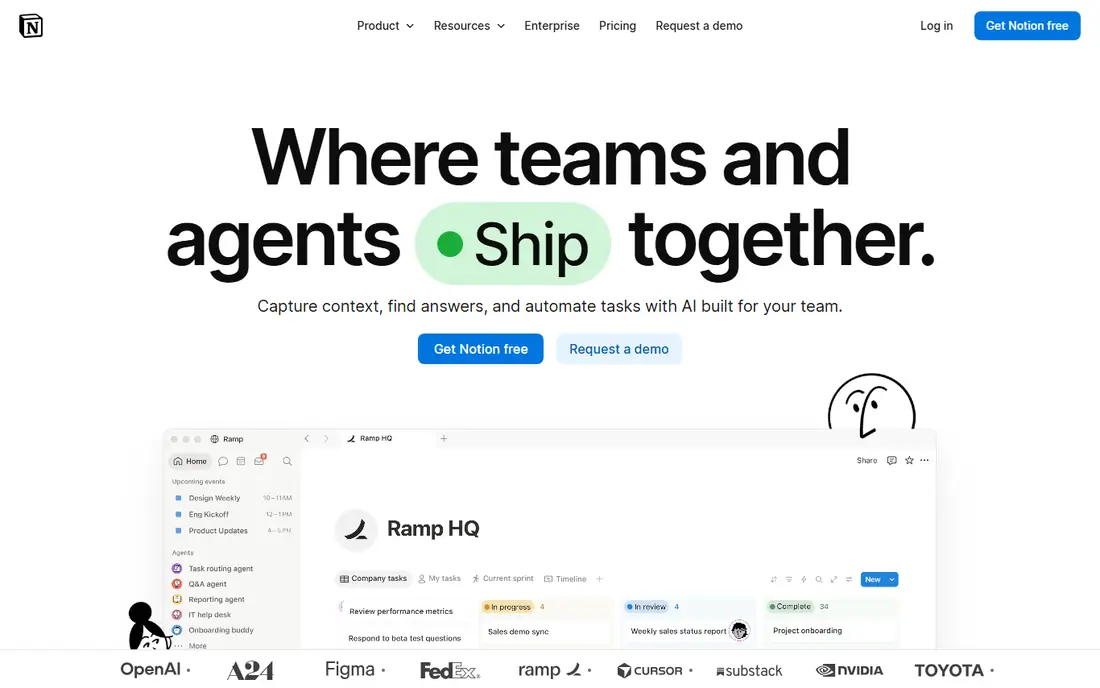
Notion combines notes, tasks, wikis and databases in one workspace, so a single page can hold meeting notes, a task table and a linked project board. Templates cover journals, lesson plans and company wikis, which shortens setup for new users. Collaboration is strong, with comments, mentions and shared team spaces. The main limits are speed on large pages and a setup curve that rewards people who enjoy building systems. Solo users should start free and add Plus only when file size or history limits bite.
What we like- Flexible pages, databases, templates and strong team collaboration
Watch out for- Can feel slow on very large workspaces, and offline access is limited
#2Evernote
Best for: Fast capture, web clipping and search across notes, PDFs and images4.3/5 on
G2 (2,034 reviews, checked Oct 2026)
Visit evernote.com
Starting price14.99 dollars per month or 99 dollars per year for Starter; Advanced is 24.99 dollars per month or 249.99 dollars per year
Free planYes, free plan with 50 notes, one notebook and one synced device
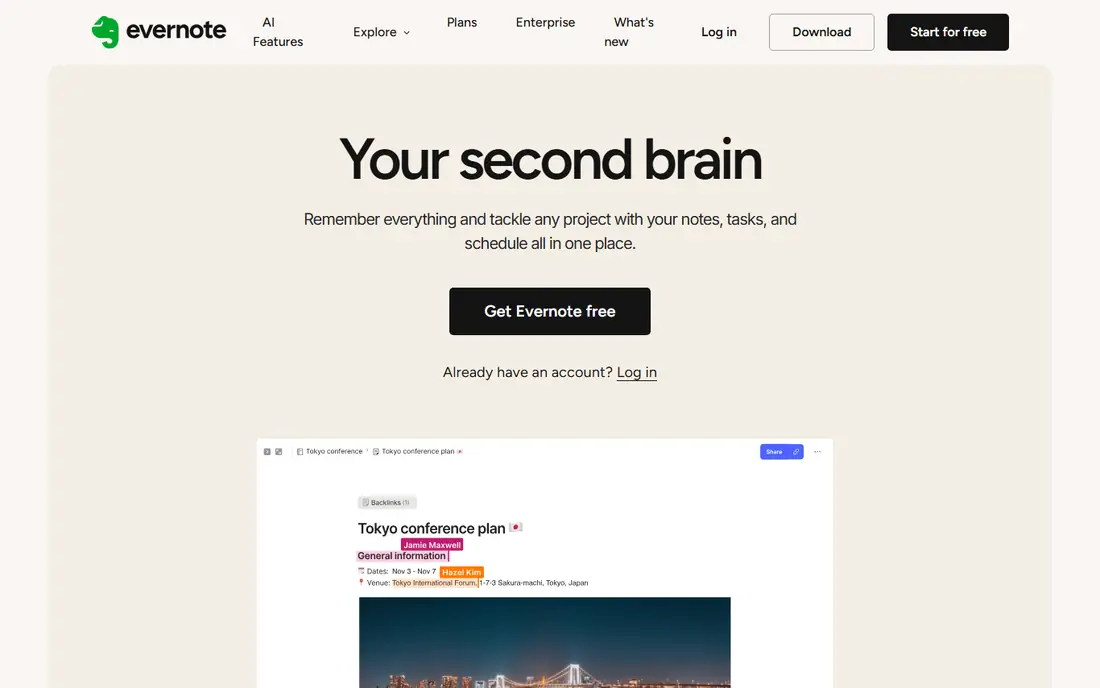
Evernote has spent years as a capture first notebook, and that focus still shows. The web clipper saves articles in a readable form, the mobile scanner turns paper into searchable notes, and search reads text inside PDFs and images. Notebooks, stacks and tags give enough structure for most personal and small team use without database work. The free plan is narrow, with 50 notes and one device, so regular users should budget for Starter. Advanced suits people with large archives who need unlimited notes and devices.
What we like- Strong web clipper, document scanning and text search inside files
Watch out for- Starter caps notes at 1,000, so heavy users must pay for Advanced
#3Obsidian
Best for: Local Markdown notes, linked knowledge and full control of your files4.5/5 on
G2 (13 reviews, checked Oct 2026)
Visit obsidian.md
Starting priceFree app; Sync Standard is 4 dollars per user per month billed annually, 5 dollars billed monthly; Publish is 8 dollars per site per month billed annually
Free planYes, full core app free for personal and commercial use

Obsidian stores every note as a plain Markdown file in a folder on your device, called a vault, so your notes stay readable without the app and work with other tools. Backlinks and the graph view show how notes connect, which helps researchers and writers who build knowledge over years. Plugins add calendars, canvases and daily notes, and the community keeps the feature set wide. The trade off is effort: sync, publishing and backups need setup or a paid add on, and new users must learn the plugin system.
What we like- Local files, backlinks, graph view and a large plugin community
Watch out for- Sync and publishing cost extra, and setup takes more effort than a hosted app
#4Microsoft OneNote
Best for: Freeform notebooks, handwriting, ink and people who use Microsoft 3654.5/5 on
G2 (1,872 reviews, checked Oct 2026)
Visit microsoft.com
Starting priceFree; Microsoft 365 Personal is 9.99 dollars per month for Copilot and 1 TB of storage
Free planYes, full app free with a Microsoft account on Windows, Mac, web, iOS and Android
OneNote works like a paper notebook with sections, pages and a freeform canvas, so typed text, ink, images, audio and pasted files can share one page. It is free on Windows, Mac, web, iOS and Android with a Microsoft account, and notebooks sync through OneDrive with 5 GB of free storage. Students and Office users get extra value, since OneNote sits beside Word, Excel and Teams in many school and work accounts. The limits are real: search is less precise than Evernote, export is awkward, and Copilot features need Microsoft 365.
What we like- Free on every platform, flexible canvas, ink, audio notes and OneDrive sync
Watch out for- Search and export are weaker than rivals, and AI features need a paid Microsoft 365 plan
#5Google Docs
Best for: Simple documents, shared editing and people who live in Google Drive4.6/5 on
G2 (114 reviews, checked Oct 2026)
Visit docs.google.com
Starting priceFree with a Google account; Google Workspace Business Starter is 7 dollars per user per month billed annually
Free planYes, free with a Google account and 15 GB of shared Drive storage
Google Docs is a word processor first and a notes tool second, which is both its strength and its limit. Writing is fast, sharing is simple, and several people can edit one document at the same time with comments and version history. Docs works inside Google Drive, so files, folders and search follow the same system many people already use for email and calendars. The drawback is structure: folders are the only way to organise notes, and there are no backlinks, daily pages or graph views.
What we like- Free, familiar, strong real time collaboration and version history
Watch out for- No real notebook structure, backlinks or knowledge graph, so large note sets get messy
#6Bear
Best for: Clean Markdown writing and fast notes on Mac, iPhone and iPad4.5/5 on
G2 (45 reviews, checked Oct 2026)
Visit bear.app
Starting price2.99 dollars per month or 29.99 dollars per year for Bear Pro
Free planYes, free app for local notes on one Apple device without sync
Bear is a focused writing app for Apple devices that keeps notes simple: Markdown text, nested tags and links, with a clean reading view and more than two dozen themes. Writing feels fast, search is instant, and export to PDF, Word, HTML and images works well in Pro. Bear Pro adds iCloud sync across devices, note encryption, app lock and OCR search inside PDFs and images, all for 2.99 dollars per month or 29.99 dollars per year. The limit is platform: Bear runs only on Mac, iPhone, iPad and Apple Watch.
What we like- Fast, clean design, nested tags, Markdown support and good export options
Watch out for- Apple only, with no Windows, Android or web version, and sync needs Pro
#7
Roam Research
Best for: Block references, daily notes and networked thought for researchers
Visit roamresearch.com
Starting price15 dollars per month or 165 dollars per year for Pro, which is 13.75 dollars per month on annual billing; Believer is 500 dollars for five years
Free planNo free plan, only a 31 day free trial for accounts that have never had a plan
Roam Research made daily notes and block references popular, and it still treats every bullet as an addressable block that can be linked, quoted and reused across pages. Daily notes open on the current date, backlinks show where a block appears, and queries pull together blocks that match a rule. That design suits researchers, writers and students who think in small linked ideas rather than long documents. The cost is the main barrier: Pro is 15 dollars per month or 165 dollars per year, with no free plan beyond a 31 day trial.
What we like- Block level references, daily notes, queries and a strong outliner
Watch out for- Costs 15 dollars per month with no free tier, and development has been slow in recent years
#8
Logseq
Best for: Daily journals, linked outlines and open source knowledge management
Visit logseq.com
Starting priceFree; Logseq Sync is 5 dollars per month for Open Collective backers, in beta
Free planYes, full app free and open source, with local graphs and no commercial licence needed
Logseq is a free, open source outliner that opens on a daily journal page, so each day starts with a fresh page for notes, tasks and links. Every bullet can link to a page or another block, and backlinks, tags and the graph view show how ideas connect over time. Tasks, flashcards, whiteboards and PDF highlights sit inside the same app, which suits students and researchers who keep a daily log. Notes stay as local files or in a local database, so privacy and portability are strong.
What we like- Free and open source, journal first design, backlinks, tasks and flashcards
Watch out for- Sync is still in beta for backers, and the database version is also in beta
We picked tools that cover the main ways people keep notes: team wikis, fast capture, local files, freeform notebooks, simple documents, Apple writing, block outliners and daily journals. Each tool has an active vendor site and a current pricing page, and prices in this guide were checked on 18 November 2026 from vendor pricing pages. We ranked Notion first for most buyers because it covers notes, tasks and wikis in one place, and Evernote second for capture and search. Readers can also see Coda alternatives and Google Sheets comparisons on Rankite.
Frequently asked questions
Is Notion better than Evernote for personal notes?
Notion is better for personal notes when you want structure, tasks and wikis in one workspace, with templates for journals, budgets and study plans. Evernote is better when you mainly capture material fast and need to find it again by search. Test both free plans with ten real notes, then keep the one you open daily without friction.
Can I use Notion for free?
Yes, Notion has a free plan for individuals with unlimited pages and blocks, a 5 MB file upload limit and a limited trial of AI features. Paid plans start at Plus, which is 10 dollars per user per month billed annually. Most solo users can stay free until file size, page history or guest limits become a problem.
Is Evernote still worth paying for in 2026?
Evernote is worth paying for if you capture a lot of material and rely on search inside PDFs, images and web clips. Starter costs 14.99 dollars per month or 99 dollars per year, with a 1,000 note cap. Heavy users need Advanced at 249.99 dollars per year, so count your notes before you choose a plan.
What is the cheapest good alternative to Notion and Evernote?
The cheapest good alternatives are Obsidian, Logseq, Microsoft OneNote and Google Docs, all free for core use. Obsidian and Logseq keep notes as local files, OneNote gives a free notebook on every platform, and Google Docs suits simple shared documents. Bear Pro is also cheap at 2.99 dollars per month for Apple users who want a calm writing app.
Can I move my notes from Evernote to Notion or Obsidian?
Yes, you can move notes from Evernote to Notion or Obsidian, but the move takes care with tags, attachments and formatting. Notion has an Evernote import tool, and Obsidian has community import plugins for Evernote export files. Export a small test batch first, check links and images, then move the rest in parts.
Sources we checked (9)
- https://www.notion.com/pricing
- https://evernote.com/pricing
- https://obsidian.md/pricing
- https://www.microsoft.com/en-us/microsoft-365/onenote/digital-note-taking-app
- https://docs.google.com
- https://workspace.google.com/pricing
- https://bear.app/faq/features-and-price-of-bear-pro/
- https://roamresearch.com
- https://logseq.com
Is your product missing or out of date?
We review this list regularly. Vendors can request a listing, send updated pricing or ask about featured placement.

Shihab Mia · Founder, Rankite
Shihab has 5+ years in B2B and SaaS SEO. He writes Rankite's software buying guides from pricing pages, documentation and public user reviews. More about Shihab.