How we make this list: we compare pricing pages, product documentation and public user reviews. Ratings come from G2, Capterra or Trustpilot, with the date we checked them.
Coda vs Notion: which one should your team pick
Coda and Notion both promise one workspace for docs and structured work, but they are built differently. Coda is a programmable document, with tables, buttons, formulas and automations that turn a doc into a small app. Notion is a docs first workspace, with pages, wikis and databases that live side by side.
If the team needs docs that do things, with buttons that assign tasks and automations that move work, Coda is the stronger tool. If the team needs a wiki, meeting notes and a shared knowledge base, Notion is the stronger tool.
Direct answer: Notion is the top pick for most teams because its pages, wikis and databases cover more everyday work in one place, starting at $10 per user per month billed annually on Plus. Coda suits teams that need docs to act like apps, starting at $12 per Doc Maker per month billed annually on Pro, because its maker billing means only the people who build docs pay. Airtable is the best alternative for teams that need a real database, starting at $20 per user per month on Team.
Key takeaways
- Coda was renamed Superhuman Docs in July 2026. Current rates are Pro $12 per Doc Maker per month billed annually ($15 monthly) and Business $33 ($40 monthly).
- Notion Plus costs $10 per user per month billed annually ($12 monthly), and Business costs $20 ($24 monthly), with a free plan for individuals.
- Coda charges only Doc Makers, so a 50 person company with 10 makers pays for 10 seats, not 50.
- Notion Business at $20 includes full Notion AI, while Coda Pro includes Docs AI in beta.
- Confluence Standard costs $7.15 per user per month for the first 100 users, after Atlassian raised prices on 13 October 2026.
Notion is better for docs and wikis. Pages are the core unit, and a page can hold text, images, checklists and databases in any order. A team wiki, a meeting notes system and a product spec library all fit naturally, and the page tree makes navigation simple. Search covers everything, and the Business plan adds Enterprise Search across connected sources such as Google Drive and Slack.
Coda docs are strong for structured pages, but weaker for long form writing. A Coda doc can hold prose, tables, buttons and automations together, which is powerful for a tracker or a dashboard. What it lacks is the simple page tree and the wiki feel that Notion has. A team that writes specs, briefs and meeting notes every day will feel the gap.
How much do Coda and Notion cost in 2026
Coda pricing changed with the rename. Coda became Superhuman Docs in July 2026, and coda.io pricing now redirects to the Superhuman plans page. The vendor states pricing did not change at the rename. Free costs $0, with a 50 object limit per doc. Pro costs $12 per Doc Maker per month billed annually, or $15 monthly, and adds unlimited doc size and Docs AI in beta. Business costs $33 billed annually, or $40 monthly, and adds more automations and admin controls. Enterprise is quoted by sales. Older guides list Pro at $10 and Team at $30, which are out of date.
Notion pricing is simpler. The free plan is unlimited for a single member, with up to 10 guests. Plus costs $10 per user per month billed annually, or $12 monthly, and adds unlimited blocks for a team, unlimited file uploads and a 30 day page history. Business costs $20 billed annually, or $24 monthly, and adds full Notion AI, AI Meeting Notes, Enterprise Search and SAML single sign on. Enterprise is quoted by sales. For a team where everyone builds docs, Notion Plus at $10 is cheaper than Coda Pro at $12. For a team where few people build and many read, Coda is cheaper.
Coda is better for databases that need to act. Its tables support formulas, buttons, lookups and automations that can change rows, send messages and call packs. A table can be a tracker, a calculator and a workflow in one place. The button is the feature Notion lacks.
Notion databases are flexible, but they are simpler. A Notion database can hold pages as rows, with properties for status, dates, people and relations, and views cover tables, boards, timelines, calendars and galleries. Relations and rollups exist, yet they are shallower than Coda, and automations are simpler. Notion is strong when a database supports a doc workflow. Coda is strong when the database is the workflow.
How hard is it to switch from Coda to Notion, or the other way
Switching from Coda to Notion is a data export and a rebuild. Coda docs export to CSV, Markdown and other formats, and Notion can import CSV files into databases and Markdown into pages, so the content moves across. The work is rebuilding Coda tables as Notion databases with relations, recreating formulas as Notion formulas, and accepting that buttons and packs have no direct match.
Switching from Notion to Coda is the same job in reverse. Notion pages export to Markdown and CSV, and Coda imports both, so the content arrives intact. The rebuild is turning Notion pages into Coda docs and databases, which usually improves the structure, and adding buttons and automations where Notion had manual steps. The harder part is the wiki. Coda has no real page tree, so the team needs another home for specs and meeting notes. Move one workflow first and keep the old workspace until the team trusts the new one.
Quick comparison
| Tool | Best for | Starting price | Free plan |
|---|
 Coda | Teams that want docs with tables and automations that act like an app | Free $0; Pro $12 per Doc Maker per month billed annually ($15 monthly); Business $33 ($40 monthly); Enterprise by quote | Yes, with a 50 object limit per doc |
 Notion | Teams that want docs, wikis and databases in one place | Free $0; Plus $10 per user per month billed annually ($12 monthly); Business $20 ($24 monthly); Enterprise by quote | Yes, unlimited blocks for a single member, up to 10 guests |
 Airtable | Teams that need a relational database with linked records and custom interfaces | Free $0; Team $20 per user per month billed annually ($24 monthly); Business $45 ($54 monthly); Enterprise Scale by quote | Yes, up to 1,000 records per base with limited automation runs |
 ClickUp | Teams that want one tool for tasks, docs and goals | Free $0; Core $9 per user per month billed annually ($12 monthly); Business $17 ($25 monthly); Max $100; Enterprise by quote | Yes, Free Forever with unlimited members and 60 MB storage |
 Confluence | Teams that need a company wiki with strong permissions and Jira links | Free $0 for up to 10 users; Standard $7.15 per user per month for the first 100 users on monthly billing; Premium $14.10; Enterprise by quote | Yes, free for up to 10 users, with 2 GB of file storage |
 Google Docs | Teams that need free, fast collaborative writing | Free $0 with a Google account; Google Workspace Business Starter $7 per user per month billed annually for custom email and admin controls | Yes, free with a Google account, with 15 GB of shared storage |
 Evernote | People who need capture first note taking with strong search | Starter $14.99 per month or $99 per year ($8.25 per month); Advanced $24.99 per month or $249.99 per year; Teams Flexible from $10 per seat per month; Enterprise by quote | Yes, limited to 50 notes and 1 notebook, with 60 MB of monthly uploads |
 monday Work Management | Teams that want visual boards and automations with little setup | Basic $9 per seat per month billed annually; Standard $12; Pro $19; Enterprise by quote | Yes, free plan for up to 2 seats |
Is your product missing or out of date?
We review this list regularly. Vendors can request a listing, send updated pricing or ask about featured placement.
These eight tools cover the full range of options for a buyer comparing Coda and Notion. Two are the head to head pair. The other six are the most common alternatives.
#1
Coda
Best for: Teams that want docs with tables and automations that act like an app
Visit coda.io
Starting priceFree $0; Pro $12 per Doc Maker per month billed annually ($15 monthly); Business $33 ($40 monthly); Enterprise by quote
Free planYes, with a 50 object limit per doc
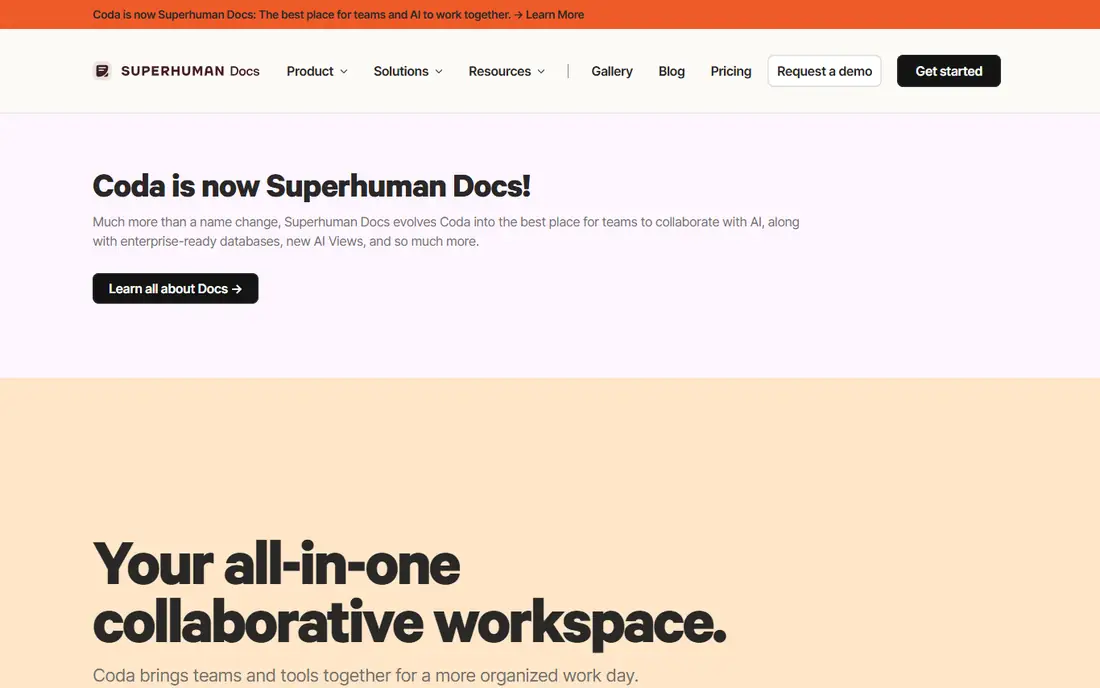
Coda is the doc first alternative to Notion. A Coda doc can hold prose, tables, buttons and automations in one place, so a meeting note can include a live task table and a button that assigns the next step. Maker billing is the pricing advantage. Only Doc Makers pay, so a 50 person company with 10 makers pays for 10 seats, not 50. The catch is the rename. Coda became Superhuman Docs in July 2026.
What we like- Maker billing means only people who create docs pay
- Tables, buttons and automations turn a doc into a working app
- Strong formulas and packs
Watch out for- Renamed Superhuman Docs in July 2026 and the pricing page now redirects
- Older guides list Pro at $10 and Team at $30, against the current $12 and $33
- The free plan 50 object limit is restrictive
#2Notion
Best for: Teams that want docs, wikis and databases in one place4.6/5 on
G2 (13,834 reviews, checked Oct 2026)
Visit notion.com
Starting priceFree $0; Plus $10 per user per month billed annually ($12 monthly); Business $20 ($24 monthly); Enterprise by quote
Free planYes, unlimited blocks for a single member, up to 10 guests
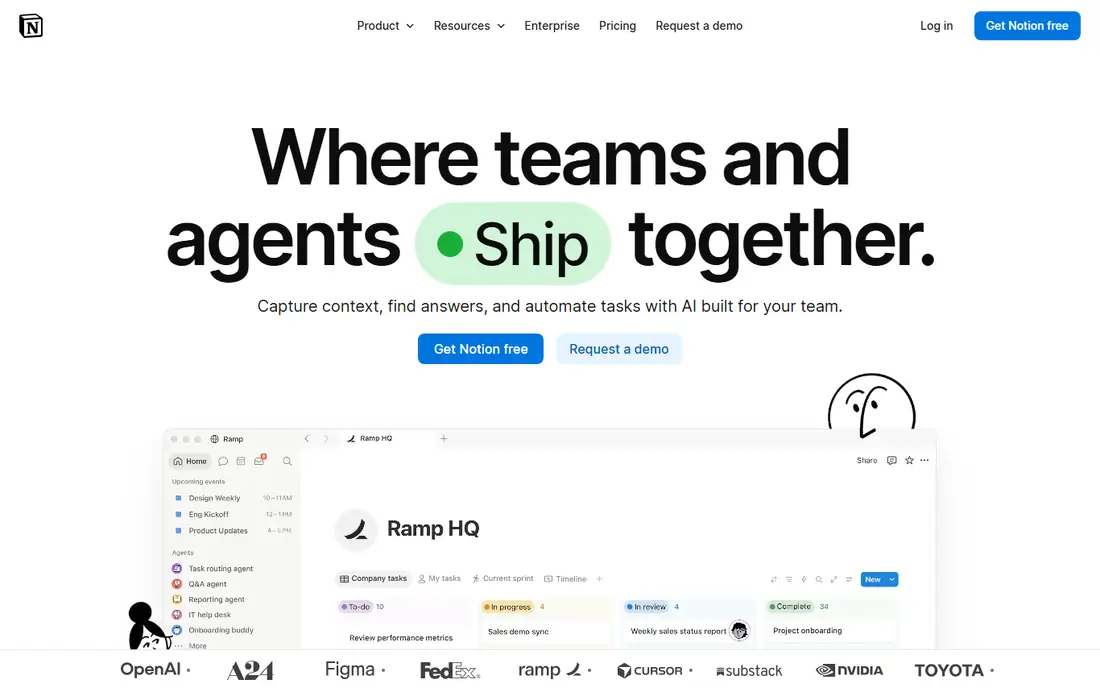
Notion is the right buy when the team writes as much as it tracks. A project page can hold the brief, the meeting notes and the task database together, which removes the hop between a docs tool and a tracker. The database views cover tables, boards, timelines and calendars. The weakness is depth. Linked databases and rollups exist, but automations are simpler than Coda.
What we like- Docs and databases share one workspace
- Flexible page and database model
- Business includes full Notion AI and Enterprise Search
Watch out for- Databases are simpler than Coda, with weaker automations and no buttons
- Full AI access needs Business at $20, double the Plus price
#3Airtable
Best for: Teams that need a relational database with linked records and custom interfaces4.6/5 on
G2 (3,300 reviews, checked Oct 2026)
Visit airtable.com
Starting priceFree $0; Team $20 per user per month billed annually ($24 monthly); Business $45 ($54 monthly); Enterprise Scale by quote
Free planYes, up to 1,000 records per base with limited automation runs
Airtable is the right buy when the work is really a database. A product catalogue, a content pipeline or a hiring tracker all fit the base model, because records link to each other and views filter the same data for different roles. The interface builder turns a base into a small internal app. The cost is the seat model. Every editor is billed, and on Team even commenters count.
What we like- True relational model with linked records, lookups and rollups
- Strong field types
- Interfaces let teams build custom apps without code
Watch out for- Expensive per seat at $20 on Team and $45 on Business, and commenters are billable on Team
- Weak for long form writing and wikis
#4ClickUp
Best for: Teams that want one tool for tasks, docs and goals4.6/5 on
G2 (14,878 reviews, checked Oct 2026)
Visit clickup.com
Starting priceFree $0; Core $9 per user per month billed annually ($12 monthly); Business $17 ($25 monthly); Max $100; Enterprise by quote
Free planYes, Free Forever with unlimited members and 60 MB storage
ClickUp is the all in one option. It covers tasks, docs, whiteboards, goals, time tracking and chat in a single workspace, which suits teams that want to cut down the number of subscriptions. The free plan is unusually generous, with unlimited members, and Core at $9 a month is cheap for what it includes. The cost is complexity. There are many settings, so teams need time to agree on a structure before they scale.
What we like- Broad feature set covering tasks, docs, goals, chat and time tracking
- Low entry price at $9 on Core
- Free plan has no seat limit
Watch out for- The breadth makes setup and learning slower than a focused tool
- ClickUp also lists a legacy Unlimited plan at $7, so the price a new signup sees can differ
- AI features are paid add ons
#5Confluence
Best for: Teams that need a company wiki with strong permissions and Jira links4.1/5 on
G2 (4,368 reviews, checked Oct 2026)
Visit atlassian.com
Starting priceFree $0 for up to 10 users; Standard $7.15 per user per month for the first 100 users on monthly billing; Premium $14.10; Enterprise by quote
Free planYes, free for up to 10 users, with 2 GB of file storage
Confluence is the enterprise wiki option. It organises knowledge as spaces and pages, with a page tree, permissions, templates and macros, and it links deeply to Jira, which makes it the default wiki for software teams on Atlassian. Premium adds analytics, automation, unlimited storage and a 99.9 percent uptime SLA. The weakness is the feel. The editor and the interface are older than Notion, and the price rose in October 2026.
What we like- Mature wiki with page trees, permissions, templates and macros
- Deep Jira integration
- Premium adds analytics, automation and a 99.9 percent uptime SLA
Watch out for- Prices rose on 13 October 2026, from $6.70 to $7.15 on Standard and $13.20 to $14.10 on Premium, so older guides understate the cost
- The interface feels dated next to Notion
#6Google Docs
Best for: Teams that need free, fast collaborative writing4.6/5 on
G2 (114 reviews, checked Oct 2026)
Visit google.com
Starting priceFree $0 with a Google account; Google Workspace Business Starter $7 per user per month billed annually for custom email and admin controls
Free planYes, free with a Google account, with 15 GB of shared storage
Google Docs is the baseline for collaborative writing. It costs nothing, everyone knows how to use it, and real time collaboration works well, with comments, suggestions and version history. For a team that writes documents together every day, it is often enough. The limits appear when the work needs structure. There are no databases, no automations and no wiki tree.
What we like- Free, familiar and fast, with real time collaboration and comments
- Strong suggesting and version history
- Works well on any device
Watch out for- No native databases, no automations at the level of Coda or Notion, and no wiki structure without Drive folders
- Formatting options are simpler than Notion
#7Evernote
Best for: People who need capture first note taking with strong search4.3/5 on
G2 (2,034 reviews, checked Oct 2026)
Visit evernote.com
Starting priceStarter $14.99 per month or $99 per year ($8.25 per month); Advanced $24.99 per month or $249.99 per year; Teams Flexible from $10 per seat per month; Enterprise by quote
Free planYes, limited to 50 notes and 1 notebook, with 60 MB of monthly uploads
Evernote is the capture first note app. Its web clipper, document scanning and OCR search inside images and PDFs remain strong, and sync across devices is reliable. The Advanced plan adds AI search, cleanup and meeting transcription. The catch is the rename. In November 2025 Evernote retired Personal and Professional, and replaced them with Starter at $14.99 a month or $99 a year and Advanced at $24.99 a month or $249.99 a year.
What we like- Strong capture tools, with web clipper, document scanning and OCR search inside images and PDFs
- Reliable sync across devices
- Advanced adds AI search and cleanup
Watch out for- In November 2025 Evernote retired Personal and Professional and replaced them with Starter and Advanced, so older guides list the wrong plans and prices
- The free plan 50 note limit is very restrictive
#8
monday Work Management
Best for: Teams that want visual boards and automations with little setup
Visit monday.com
Starting priceBasic $9 per seat per month billed annually; Standard $12; Pro $19; Enterprise by quote
Free planYes, free plan for up to 2 seats
monday Work Management fits teams that want a visual workspace with minimal configuration. Boards, timelines, calendars and dashboards are ready out of the box, and the automation builder covers common rules such as moving an item when its status changes. Pricing is per seat with a 3 seat minimum, so a small team pays for at least 3 seats. The tool is weaker than Coda and Notion for docs, but it is easier to adopt than either.
What we like- Visual boards with many view types
- Strong no code automations
- Dashboards roll up work across boards
Watch out for- Per seat pricing with a 3 seat minimum, and the free plan is limited to 2 seats
- Costs rise as automation needs grow
Comparison table
| Tool |
Starting paid price (annual) |
Free plan |
Best for |
| Coda |
Pro $12 per Doc Maker per month |
Yes, 50 objects per doc |
Docs that act like apps |
| Notion |
Plus $10 per user per month |
Yes |
Docs and databases in one place |
| Airtable |
Team $20 per user per month |
Yes |
Databases |
| ClickUp |
Core $9 per user per month |
Yes, unlimited members |
Tasks, docs and goals |
| Confluence |
Standard $7.15 per user per month |
Yes, up to 10 users |
Company wikis |
| Google Docs |
Free, Workspace Starter $7 per user per month |
Yes |
Free collaborative writing |
| Evernote |
Starter $99 per year |
Yes, 50 notes |
Capture and search |
| monday Work Management |
Basic $9 per seat per month |
Yes, up to 2 seats |
Visual boards |
Frequently asked questions
Is Coda or Notion cheaper for a 10 person team
It depends on how many people build docs. Notion Plus costs $10 per user per month billed annually, so 10 users cost $100 a month. Coda Pro costs $12 per Doc Maker per month, so 10 makers cost $120 a month, but a team with 3 makers and 7 readers pays only $36 a month on Coda.
Can Coda replace Notion as a wiki
Coda can replace Notion for structured workspaces, with docs, tables and automations in one place, but it is weaker as a wiki. Notion has a simple page tree, better search and a cleaner reading experience. A team that needs a knowledge base with many pages should keep Notion.
Which tool is better for automations
Coda has the stronger automation engine, with buttons, formulas, lookups and packs that can change rows, send messages and call other tools. Notion automations are simpler, with fewer triggers and actions, and they suit page and task workflows rather than data flows.
Does Notion include AI on the Plus plan
No, not full AI. Plus includes only a limited trial of Notion AI. Full Notion AI, including the Notion Agent, AI Meeting Notes and Enterprise Search, needs the Business plan at $20 per user per month billed annually. That doubles the per member price.
What is the main risk when buying either tool
The main risk with Coda is the rename, because Superhuman Docs is a new brand and older guides and pricing pages may not match the current product. The main risk with Notion is the AI jump, because full AI needs Business at $20, double the Plus price. Check the live pricing page before signing an annual plan.
How we picked
We compared the two named tools head to head on docs, databases, automations and seat pricing, then added the six alternatives buyers most often shortlist. Prices were checked in Nov 2026. Last verified 18 Nov 2026.
Sources we checked (8)
- https://superhuman.com/plans/docs
- https://www.notion.com/pricing
- https://airtable.com/pricing
- https://clickup.com/pricing
- https://www.atlassian.com/software/confluence/pricing
- https://workspace.google.com/pricing
- https://evernote.com/plans
- https://monday.com/pricing
Is your product missing or out of date?
We review this list regularly. Vendors can request a listing, send updated pricing or ask about featured placement.

Shihab Mia · Founder, Rankite
Shihab has 5+ years in B2B and SaaS SEO. He writes Rankite's software buying guides from pricing pages, documentation and public user reviews. More about Shihab.