How we make this list: we compare pricing pages, product documentation and public user reviews. Ratings come from G2, Capterra or Trustpilot, with the date we checked them.
Coda vs Google Docs at a Glance
Coda is the top pick for teams that want structured docs with tables, buttons and automations in one place. Google Docs suits teams that need fast, simple shared writing with no learning curve. Notion is the best alternative for teams that want a wiki with databases at a lower starting price than Coda Business.
Key takeaways:
- Coda is the top pick for structured team docs, with tables, formulas and automations built in.
- Google Docs is free for personal use and the simplest choice for fast shared writing.
- Coda charges per Doc Maker, so editors and viewers cost nothing.
- Notion Plus at $10 per member per month is the closest middle ground between the two.
- Confluence Standard at $7.15 per user per month is the cheapest paid wiki for Jira teams.
Which is better for structured team docs, Coda or Google Docs?
Coda wins for structured team docs. Its pages hold tables with formulas, buttons and automations, so a doc can act like a small app that tracks work and sends reminders. Google Docs is a word processor first. It handles long text, comments and suggested edits well, but it has no tables with formulas, no automations and no page permissions. Teams that track projects, approvals or stock inside their docs get more from Coda. Teams that write meeting notes, briefs and policies get more from Google Docs. Our Coda vs Notion guide covers a closer rival, since Notion also mixes pages and databases. If your wiki needs linked data and filtered views, pick Coda. If your wiki is mostly prose, Google Docs is enough and costs less to run.
How much do Coda and Google Docs cost?
Coda has a free plan, and its first paid plan is Pro at $12 per Doc Maker per month billed annually. Business costs $33. Only Doc Makers pay, while editors and viewers are free on every plan. Google Docs is free for personal use with a Google account. For a business it comes inside Google Workspace. Business Starter costs $7 per user per month billed annually, Standard costs $14 and Plus costs $22. Every Workspace user pays, so a 20-person team pays $140 a month on Starter, while the same team on Coda Pro might pay for only two or three Doc Makers. Prices for the other tools in this list sit in the same range. Our Airtable vs Google Sheets guide shows how per-editor billing changes the bill, and our Airtable vs Notion guide compares two more per-member prices. Check each vendor page before you buy, since prices change.
For a small team that writes together every day, Google Docs fits best. It costs nothing to start, everyone already knows it, and sharing takes one click. For a small team that also tracks work, Coda fits best once plain pages stop being enough. A five-person team can run on Coda Pro for about $12 a month if only one person builds the docs. Notion Plus at $10 per member per month is a strong middle choice for teams that want structure without the Doc Maker learning curve. Our Smartsheet vs Google Sheets guide covers another pair of tools that small teams often compare. Pick Google Docs for speed, Coda for structure, and Notion for a balance of both.
Coda vs Google Docs Compared Side by Side
| Tool |
Starting price |
Free plan |
Best for |
| Coda |
$12 per Doc Maker per month, billed annually |
Yes |
Structured docs with tables and automations |
| Google Docs |
Free; $7 per user per month in Google Workspace Starter |
Yes |
Fast shared writing |
| Notion |
$10 per member per month, billed annually |
Yes |
Wikis with databases and templates |
| Microsoft Word |
$7 per user per month in Microsoft 365 Business Basic |
Limited web version |
Formal documents and desktop editing |
| Airtable |
$20 per user per month, billed annually |
Yes |
Docs built around structured data |
| Confluence |
$7.15 per user per month, monthly billing |
Yes, up to 10 users |
Company wikis, especially with Jira |
| ClickUp |
$9 per user per month, billed annually |
Yes |
Docs inside project management |
| Evernote |
$14.99 per month or $99 per year |
Yes, 50 notes |
Notes, clips and tasks in one place |
Quick comparison
| Tool | Best for | Starting price | Free plan |
|---|
 Coda | teams that want docs with tables, buttons and automations | Pro $12 per Doc Maker per month billed annually | Yes, free plan with unlimited docs, editors and viewers |
 Google Docs | teams that write and edit together in real time | Free for personal use; Google Workspace Business Starter $7 per user per month billed annually | Yes, free with a Google account |
 Notion | teams that want a wiki with databases and templates | Plus $10 per member per month billed annually | Yes, free for individuals |
 Microsoft Word | teams that need desktop Word and formal documents | Microsoft 365 Business Basic $7 per user per month billed annually, Word web and mobile included | Limited free Word on the web with a Microsoft account |
 Airtable | teams that run docs around structured data and views | Team $20 per user per month billed annually | Yes, free plan with 1,000 records per base |
 Confluence | teams that need a structured company wiki, especially Jira users | Standard $7.15 per user per month for users 1 to 100 on monthly billing | Yes, free for up to 10 users |
 ClickUp | teams that want docs inside a project management tool | Core $9 per user per month billed annually | Yes, Free Forever plan |
 Evernote | individuals and small teams that capture notes, clips and tasks in one place | Starter $14.99 per month or $99 per year | Yes, free plan limited to 50 notes |
Is your product missing or out of date?
We review this list regularly. Vendors can request a listing, send updated pricing or ask about featured placement.
These eight tools cover the full range, from simple shared writing to docs that work like apps.
#1
Coda
Best for: teams that want docs with tables, buttons and automations
Visit coda.io
Starting pricePro $12 per Doc Maker per month billed annually
Free planYes, free plan with unlimited docs, editors and viewers
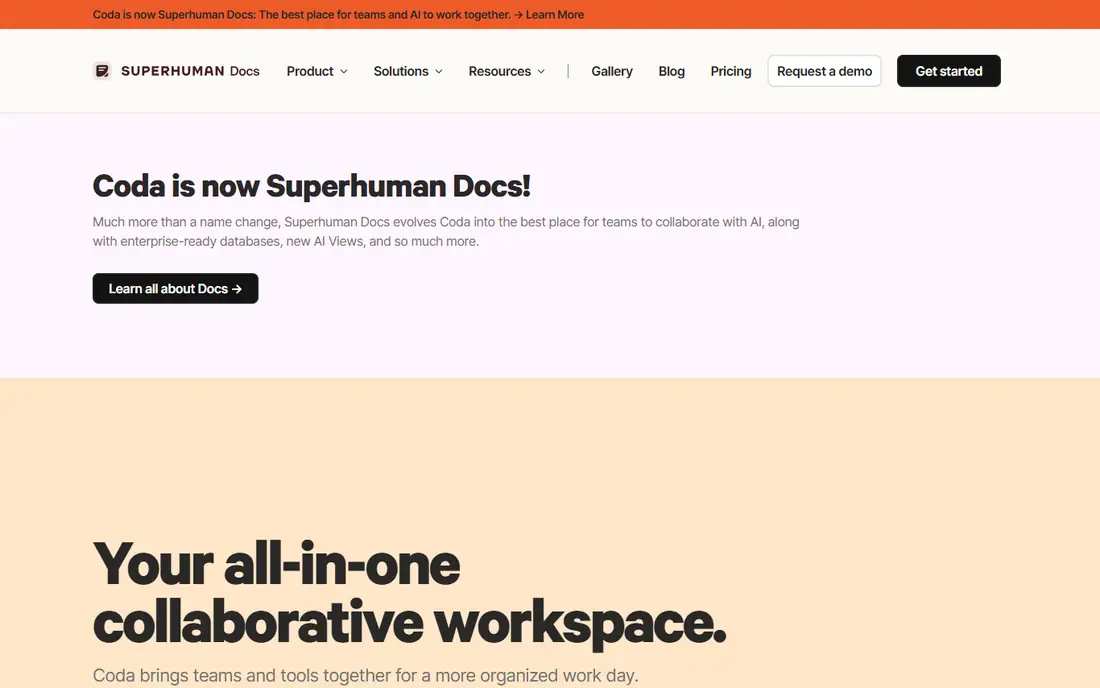
Coda builds docs around tables, formulas, buttons and automations, so a page can track a project, collect form replies and send reminders without a separate app. Packs connect it to tools such as Slack, Jira and Gmail, and cross-doc sync pulls data from other docs. In July 2026 Coda was renamed Superhuman Docs, and its pricing page moved to superhuman.com/plans/docs. The rename changed the name and the price, since Pro rose from $10 to $12 per Doc Maker per month. The Doc Maker model is the main reason small teams can afford it, because only the people who build docs pay. Editors and viewers are free. The trade-off is a learning curve, since formulas and automations take time to learn.
What we like- Doc Maker billing keeps costs low, tables and formulas turn docs into apps, strong automations and Packs
Watch out for- Steep learning curve, and the July 2026 rename to Superhuman Docs makes older guides and links confusing
#2Google Docs
Best for: teams that write and edit together in real time4.6/5 on
G2 (114 reviews, checked Oct 2026)
Visit docs.google.com
Starting priceFree for personal use; Google Workspace Business Starter $7 per user per month billed annually
Free planYes, free with a Google account
Google Docs is the simplest shared writing tool in this list. Several people can edit the same page at once, and every change is saved with a full version history. Comments, suggested edits and assigned action items keep review cycles short. Docs sits inside Google Drive, so files, folders and sharing rules are in one place. Gemini features now appear inside Docs on paid Workspace plans. The free personal plan covers most writing needs, and Business Starter adds a custom email domain and admin controls for $7 per user per month. The limits are clear. Docs has no tables with formulas, no automations and no page tree, so it suits writing rather than structured data. Offline editing works, but it needs the Chrome browser and a setup step first.
What we like- Instant real-time collaboration, familiar interface, strong comments and version history
Watch out for- No built-in tables with formulas or automations, and offline editing needs setup in Chrome
#3Notion
Best for: teams that want a wiki with databases and templates4.6/5 on
G2 (13,834 reviews, checked Oct 2026)
Visit notion.com
Starting pricePlus $10 per member per month billed annually
Free planYes, free for individuals
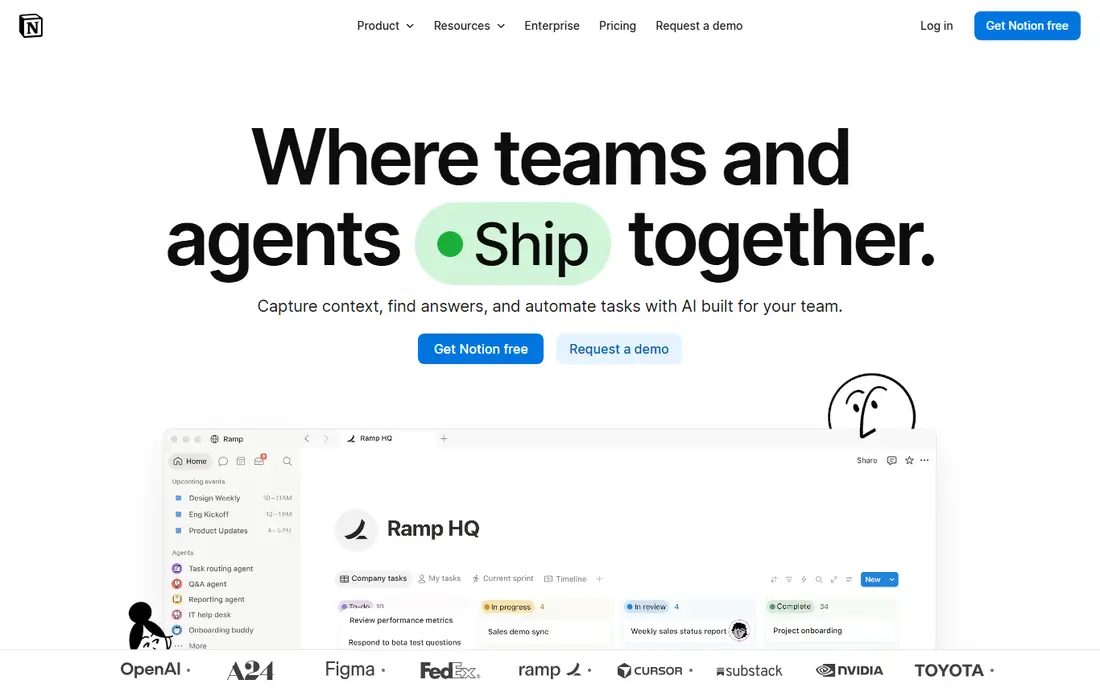
Notion mixes pages, databases and templates into one workspace, which makes it a strong wiki for teams that outgrow Google Docs. A page can hold a table, a calendar, a board or a gallery, and each view can filter the same data. Templates cover meeting notes, project plans, hiring and product docs, so a team can start fast. Guests are free, which helps when outside partners need access to a page. Plus costs $10 per member per month billed annually and adds unlimited file uploads and 30-day page history. Business costs $20 and adds the full AI suite, SAML SSO and private teamspaces. The main limits are speed on very large workspaces and an AI suite that sits behind the Business plan.
What we like- Flexible databases with many views, large template gallery, free guests
Watch out for- Full AI features sit only on the Business plan at $20, and large workspaces can feel slow
#4Microsoft Word
Best for: teams that need desktop Word and formal documents4.7/5 on
G2 (2,062 reviews, checked Oct 2026)
Visit microsoft.com
Starting priceMicrosoft 365 Business Basic $7 per user per month billed annually, Word web and mobile included
Free planLimited free Word on the web with a Microsoft account
Microsoft Word remains the standard for formal documents such as contracts, proposals and reports. The desktop app offers the deepest formatting controls in this list, with styles, tables of contents, footnotes and mail merge. Track Changes and comments handle review well, and files open cleanly for clients who use Office. Word on the web is free with a Microsoft account, while Business Basic at $7 per user per month adds business email, Teams and 1 TB of OneDrive. Desktop Word needs Business Standard at $14. The trade-off is collaboration. Real-time co-authoring works, but it feels slower than Google Docs, and the best experience still needs the desktop apps installed.
What we like- Deepest formatting controls, strong Track Changes, files open cleanly for Office users
Watch out for- Real-time co-authoring is weaker than Google Docs, and desktop Word needs the $14 Business Standard plan
#5Airtable
Best for: teams that run docs around structured data and views4.6/5 on
G2 (3,300 reviews, checked Oct 2026)
Visit airtable.com
Starting priceTeam $20 per user per month billed annually
Free planYes, free plan with 1,000 records per base
Airtable works best when the doc is really a database. Each base holds tables that link to each other, and views turn the same data into grids, calendars, kanban boards and Gantt charts. Forms collect input, and automations move records between tables or send alerts. Interfaces let a team build simple internal tools without code. Team costs $20 per user per month billed annually and includes 50,000 records per base and 25,000 automation runs a month. Only editors are billed, so viewers and form respondents cost nothing. The weak point is long-form writing, since Airtable is a database first and a doc tool second. Costs also climb fast once many editors join.
What we like- Relational tables with many views, strong automations, only editors are billed
Watch out for- Costs rise fast as editors are added, and long-form writing is weaker than a real doc tool
#6Confluence
Best for: teams that need a structured company wiki, especially Jira users4.1/5 on
G2 (4,368 reviews, checked Oct 2026)
Visit atlassian.com
Starting priceStandard $7.15 per user per month for users 1 to 100 on monthly billing
Free planYes, free for up to 10 users
Confluence is the wiki that many software teams already know, and it pairs well with Jira. Pages sit in a clear tree, spaces separate teams, and permissions control who can view or edit each page. Templates cover product requirements, meeting notes, decision records and retrospectives. The free plan covers up to 10 users, and Standard costs $7.15 per user per month for users 1 to 100 on monthly billing, with 250 GB of storage. Premium costs $14.10 and adds unlimited storage, analytics, a company hub and 24/7 support for critical issues. The editor feels dated next to Notion and Coda, and the headline price on the pricing page is a blended rate for a 300-user team, not the rate a small team pays.
What we like- Clear page trees and permissions, deep Jira integration, 250 GB storage on Standard
Watch out for- The editor feels dated next to Notion and Coda, and the pricing page headline rate is a blended rate for 300 users
#7ClickUp
Best for: teams that want docs inside a project management tool4.6/5 on
G2 (14,878 reviews, checked Oct 2026)
Visit clickup.com
Starting priceCore $9 per user per month billed annually
Free planYes, Free Forever plan
ClickUp puts docs next to tasks, dashboards and time tracking, so a team can write a brief and manage the work in the same app. Docs support rich text, tables and embedded views, and tasks can link straight to the pages they describe. Paid plans bundle AI credits, with 1,000 per user a month on Core and 1,500 on Business. Core costs $9 per user per month billed annually, and Business costs $17. The legacy Unlimited plan at $7 and Business at $12 still bills some older workspaces, but new workspaces start on Core and Business. The main drawback is density. ClickUp packs many features into one screen, and new users can find the interface crowded until they learn where each tool lives.
What we like- Docs sit next to tasks and dashboards, AI credits bundled in paid plans
Watch out for- The interface packs in many features and can feel crowded, and new Core and Business prices are higher than the legacy plans they replace
#8Evernote
Best for: individuals and small teams that capture notes, clips and tasks in one place4.3/5 on
G2 (2,034 reviews, checked Oct 2026)
Visit evernote.com
Starting priceStarter $14.99 per month or $99 per year
Free planYes, free plan limited to 50 notes
Evernote is a personal capture tool that also works for small team notes. The web clipper saves articles and pages, search reads text inside images and PDFs, and tasks and calendar entries sit beside notes. Sync runs across desktop, web and mobile, so a note started on a phone is ready on a laptop. The free plan is limited to 50 notes, one notebook and one device, which suits a trial more than daily use. Starter costs $14.99 a month or $99 a year and allows 1,000 notes, 20 notebooks and three devices. Advanced costs $24.99 a month or $249.99 a year and removes the caps. Evernote is a weak pick for shared team wikis, since its strengths are capture and personal notes rather than structured collaboration.
What we like- Strong web clipper and search, tasks and calendar in one app, sync across devices
Watch out for- Free plan caps at 50 notes, and Starter caps at 1,000 notes, so heavy users must pay for Advanced at $24.99 per month
We picked tools that teams actually use for shared docs and wikis, then checked each starting price on the vendor pricing page on 18 November 2026. We compared free plans, paid entry prices and the main limits that change the real cost, such as per-user billing, note caps and storage limits. Tools that no longer publish a price, or that only sell through a sales call, were left out. We also noted recent changes, such as the Coda rename to Superhuman Docs and the ClickUp move from Unlimited to Core, so the prices here match what a new buyer sees today.
Frequently asked questions
Is Coda better than Google Docs?
Coda is better for teams that need structured docs with tables, formulas and automations, because it turns a page into a working tool for tracking projects and approvals. Google Docs is better for teams that mainly write and edit long text together, since it is simpler and faster to use. The right pick depends on whether your docs hold data or prose.
Is Coda free?
Coda has a free plan that includes unlimited docs, viewers and editors, so a small team can try it without paying. Paid plans start at Pro, which costs $12 per Doc Maker per month billed annually. Only Doc Makers pay, while editors and viewers stay free on every plan. Business costs $33 per Doc Maker per month and adds unlimited automations, version history and cross-doc sync.
Can Google Docs replace a team wiki?
Google Docs can serve as a simple wiki for small teams that keep short pages in shared folders, since search, comments and version history work well. It falls short for larger wikis that need page trees, templates and linked data, because it has no database views or page permissions. Notion and Confluence are stronger picks when a wiki grows past a few dozen pages.
What is the cheapest tool in this list?
Google Docs is the cheapest for personal use because it is free with a Google account, and Confluence is free for up to 10 users. For a small business, Google Workspace Business Starter at $7 per user per month and Microsoft 365 Business Basic at $7 are the lowest paid entry points. Coda can also be cheap when only one or two people build docs, since editors and viewers pay nothing.
Does Coda still exist after the Superhuman rename?
Yes, Coda still exists as a product, now sold under the name Superhuman Docs after the rename on 8 July 2026. Existing docs, tables, formulas and automations carried over, and coda.io still resolves. The pricing page moved to superhuman.com/plans/docs, where Pro is listed at $12 and Business at $33 per Doc Maker per month billed annually. Older guides that say Coda may show the old $10 and $30 prices.
Sources we checked (8)
- https://superhuman.com/plans/docs
- https://workspace.google.com/pricing
- https://www.notion.com/pricing
- https://www.microsoft.com/en-us/microsoft-365/business
- https://airtable.com/pricing
- https://www.atlassian.com/software/confluence/pricing
- https://clickup.com/pricing
- https://evernote.com/compare-plans
Is your product missing or out of date?
We review this list regularly. Vendors can request a listing, send updated pricing or ask about featured placement.

Shihab Mia · Founder, Rankite
Shihab has 5+ years in B2B and SaaS SEO. He writes Rankite's software buying guides from pricing pages, documentation and public user reviews. More about Shihab.