How we make this list: we compare pricing pages, product documentation and public user reviews. Ratings come from G2, Capterra or Trustpilot, with the date we checked them.
Notion vs monday: which one should your team pick
Notion is a flexible docs and workspace tool that teams shape into a wiki, a task tracker and a project hub. monday Work Management is a structured work platform built around boards, timelines and automations that managers can read at a glance. Notion gives you a blank page and building blocks, while monday gives you a board and a workflow. This guide compares them head to head, then adds six more project tools so you can see the full field before you commit.
Direct answer: For most teams that need clear project tracking with deadlines, owners and status reporting, monday Work Management is the stronger pick, because its boards, dashboards and automations work out of the box. Notion suits teams that live in documents and want one flexible workspace for notes, wikis and light task tracking. Asana is the best alternative if you want structured work management with a gentler learning curve than monday.
Key takeaways
- monday Work Management starts at $9 per seat per month billed annually, while Notion Plus starts at $10 per user per month billed annually.
- Notion is stronger for documents, wikis and flexible pages. monday is stronger for timelines, workload views and portfolio reporting.
- Notion has a free plan for individuals and small teams. monday has a free plan for up to two seats.
- Teams that need strict permissions and advanced admin controls should compare monday Pro at $19 with Notion Business at $20.
- Asana, ClickUp, Trello, Jira, Wrike and Smartsheet each win in a specific niche, from simple boards to enterprise planning.
monday Work Management is better for daily project tracking. Its boards show status, owner, due date and priority in columns that anyone can read without training. A manager can open a board and see what is late, who is overloaded and which project is at risk. Automations move items between groups, send reminders and update statuses when a date passes. That structure is what daily tracking needs: a single place where the state of work is obvious.
Notion tracks work differently. You build a database, choose a board or table view, and add properties for status and owner. It works well once it is set up, but the setup is on you. Status fields, reminders and dependencies exist in Notion, but they are optional pieces you assemble rather than a ready workflow.
The gap matters most for teams with more than ten people. In a small team, a Notion database with a weekly review can keep everyone aligned. In a larger team, the lack of forced structure means some projects get updated and others drift. monday keeps the same board shape across projects, so reporting stays consistent even when ten project leads work in parallel.
How do Notion and monday compare on price
Price depends on team size and billing cycle, so the table below uses annual billing where the vendor publishes it. Notion Plus costs $10 per user per month billed annually, and Notion Business costs $20. monday Work Management Basic costs $9 per seat per month billed annually, Standard costs $12 and Pro costs $19. At the entry paid tier, monday is $1 cheaper per seat. At the mid tier, monday Standard at $12 undercuts Notion Business at $20 by $8 per seat per month, though the two plans are not identical in features.
Free plans differ too. Notion offers a free plan that individuals and small teams can use with unlimited pages and blocks, which makes it easy to trial properly. monday offers a free plan for up to two seats with limited features, which suits a pair of users testing the tool but not a whole team. For a ten person team on annual billing, Notion Plus costs about $100 per month and monday Standard costs about $120 per month, so the real cost gap is small at entry level and grows at the business tier.
Watch the add-ons. Both vendors charge extra for some advanced features, and monday prices vary by product line, so confirm you are looking at Work Management prices rather than monday CRM prices before you sign.
Notion wins on documents and knowledge by a wide margin. Its pages support rich text, embedded media, linked databases and nested pages, so a team can keep meeting notes, specs, wikis and project pages in one place. The search covers everything, and linked databases let the same task list appear in a project page and a team dashboard. For teams that write a lot, Notion replaces a separate wiki tool entirely.
monday Work Management handles documents through monday Docs, which covers basic notes and specs attached to boards. It is usable, but it is not the reason anyone buys monday. Teams that choose monday usually keep their long-form writing in another tool and use monday for the work itself. If your team produces heavy documentation, such as product specs, research notes and handbooks, Notion saves you a second subscription. If your team mainly needs to move tasks from to do to done, monday keeps that work visible and on schedule.
What should you check before you switch from one to the other
Switching costs are real in both directions. Moving from Notion to monday means rebuilding your databases as boards and retraining people who are used to free-form pages. Moving from monday to Notion means giving up built-in automations and dashboards. Before you switch, run a pilot with one real project for two weeks and measure how long status updates take and how often the board is out of date. Check your integrations too: both tools connect to Slack and Google Workspace, but the depth differs, so test the one integration you rely on. Finally, check permissions: Notion Business adds advanced controls that Plus lacks, and monday Pro adds private boards and time tracking that Basic and Standard lack.
Quick comparison
| Tool | Best for | Starting price | Free plan |
|---|
 Notion | Teams that want one flexible workspace for docs, wikis and light project tracking | Plus $10 per user per month billed annually; Business $20 | Yes, free plan for individuals and small teams with unlimited pages and blocks |
 monday Work Management | Teams that want visual boards, timelines and automations without building a system first | Basic $9 per seat per month billed annually; Standard $12; Pro $19 | Yes, free plan for up to 2 seats with limited features |
 Asana | Teams that want structured project work with a clean interface and strong goals tracking | Starter $10.99 per user per month billed annually ($13.49 monthly); Advanced $24.99 ($30.49 monthly) | Yes, free plan for up to 10 users with basic task management |
 ClickUp | Teams that want one tool for tasks, docs, goals and time tracking at a low entry price | Core $9 per user per month billed annually; Business $17 | Yes, free forever plan with 100 MB storage and basic task features |
 Trello | Small teams that want the simplest possible board for tracking tasks | Standard $5 per user per month billed annually; Premium $10; Enterprise $17.50 | Yes, free plan with up to 10 boards per workspace |
 Jira | Software and product teams that run sprints, backlogs and releases | Standard $9.70 per user per month for 1 to 100 users; Premium $19.60 | Yes, free plan for up to 10 users |
 Wrike | Mid sized and large teams that need structured workflows, approvals and reporting | Team $10 per user per month billed annually; Business $25 | Yes, free plan for up to 5 users with basic task management |
 Smartsheet | Teams that plan in spreadsheets and want Gantt charts, forms and portfolio reporting | Pro $9 per user per month billed annually; Business $19 | No free plan for new signups since 28 August 2024; 30 day trial available |
Is your product missing or out of date?
We review this list regularly. Vendors can request a listing, send updated pricing or ask about featured placement.
#1Notion
Best for: Teams that want one flexible workspace for docs, wikis and light project tracking4.6/5 on
G2 (13,834 reviews, checked Oct 2026)
Visit notion.com
Starting pricePlus $10 per user per month billed annually; Business $20
Free planYes, free plan for individuals and small teams with unlimited pages and blocks
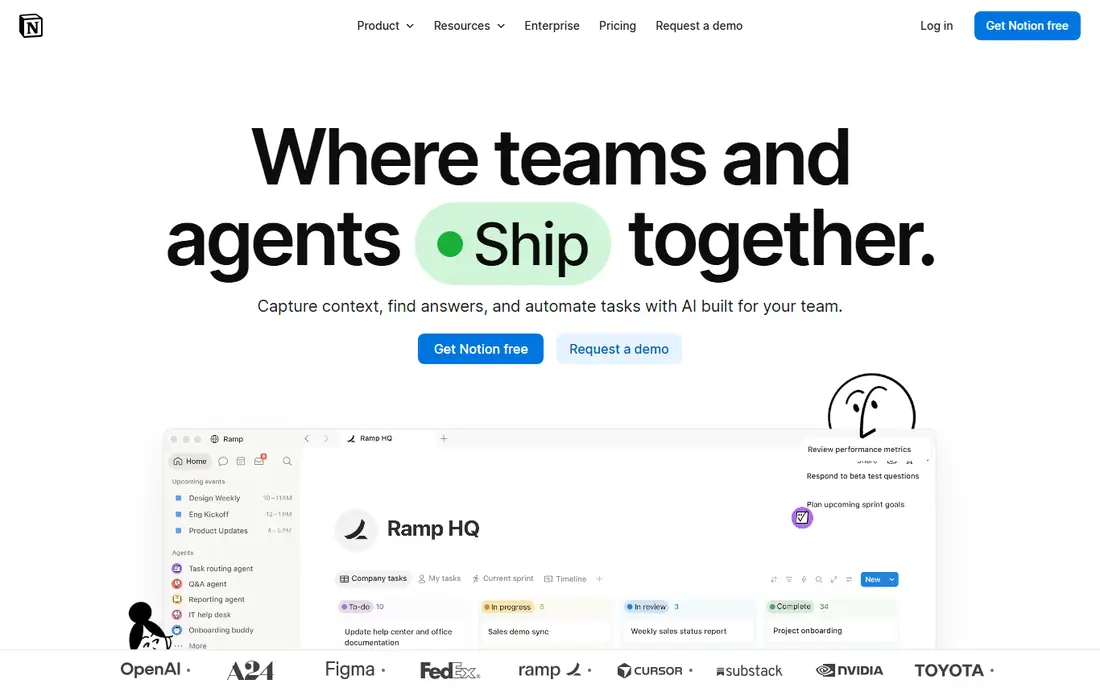
Notion is the flexible option in this comparison. A team can build a wiki, a meeting notes system, a content calendar and a task tracker inside one workspace, and link them so the same information appears in several places. The block editor is easy to learn, and templates cover most common setups, from product roadmaps to hiring pipelines. The weakness is structure. Notion does not force a workflow, so a project only stays current if someone keeps it current. For documentation heavy teams, that trade is worth it. For teams that need strict deadlines and reporting, it is not.
What we like- Very flexible pages and databases
- Strong search across all content
- Large template community
- Good value at the Plus tier
Watch out for- Project tracking needs manual setup and discipline
- Reporting and workload views are weaker than dedicated work tools
- Permissions on lower plans are limited
#2
monday Work Management
Best for: Teams that want visual boards, timelines and automations without building a system first
Visit monday.com
Starting priceBasic $9 per seat per month billed annually; Standard $12; Pro $19
Free planYes, free plan for up to 2 seats with limited features

monday Work Management is the structured option in this comparison. You pick a template, add your items, and the board, timeline and dashboard are ready. Automations handle the repetitive work, such as notifying an owner when a date approaches or moving an item to done when its subtasks finish. The dashboard views roll many boards into one portfolio picture, which managers value. The trade is price and flexibility. A ten person team on Pro pays about $190 per month, and customising beyond the board model takes effort. Teams that want a clear, shared picture of work in progress will find monday worth the cost.
What we like- Boards are readable at a glance
- Strong automations and dashboards
- Many templates for common workflows
- Good mobile apps
Watch out for- Costs rise quickly as you add seats and features
- The free plan is too limited for a real team
- Some useful features sit behind the Pro plan
#3Asana
Best for: Teams that want structured project work with a clean interface and strong goals tracking4.4/5 on
G2 (13,930 reviews, checked Oct 2026)
Visit asana.com
Starting priceStarter $10.99 per user per month billed annually ($13.49 monthly); Advanced $24.99 ($30.49 monthly)
Free planYes, free plan for up to 10 users with basic task management
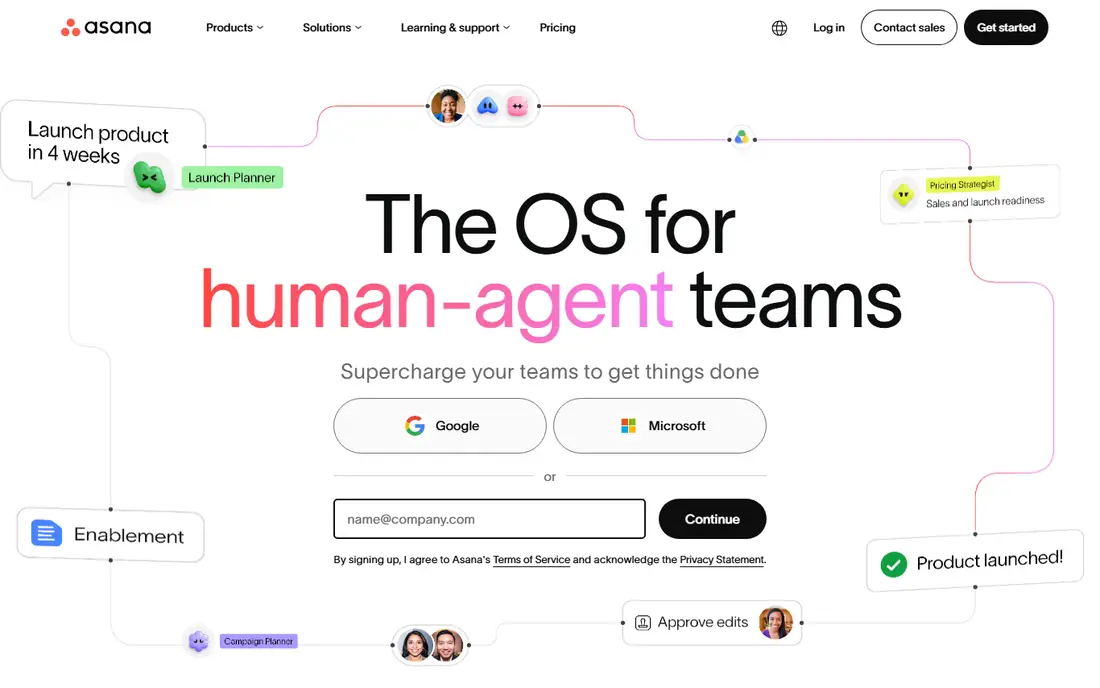
Asana sits between Notion and monday on structure. It is more opinionated than Notion, with projects, tasks, subtasks and sections that guide how work is organised, yet it is less board driven than monday. Portfolios give managers a cross project view, and goals connect daily tasks to company objectives. The Starter plan covers most small team needs, while Advanced adds approvals, proofing and deeper reporting. Asana is a strong pick for teams that outgrow a simple task list but do not want the board heavy style of monday.
What we like- Clear task lists, timelines and portfolios
- Goals and workload views help managers
- Wide integration list
Watch out for- Advanced features such as proofing and advanced reporting need the Advanced plan
- The price jump from Starter to Advanced is steep
#4ClickUp
Best for: Teams that want one tool for tasks, docs, goals and time tracking at a low entry price4.6/5 on
G2 (14,878 reviews, checked Oct 2026)
Visit clickup.com
Starting priceCore $9 per user per month billed annually; Business $17
Free planYes, free forever plan with 100 MB storage and basic task features
ClickUp tries to replace several tools at once. Tasks, docs, goals, chat, whiteboards and time tracking live in one workspace, and the view options are the widest in this list. That breadth is also its weakness: new users face many menus and settings before they can work comfortably. The Core plan at $9 is good value for teams that want docs and tasks together without paying Notion and a tracker separately. Teams that value simplicity over features may find ClickUp overwhelming.
What we like- Very wide feature set for the price
- Many views including list, board, calendar and Gantt
- Docs and whiteboards included
Watch out for- The interface can feel crowded and slow to learn
- Some older workspaces still bill on legacy Unlimited $7 and Business $12 rates, so pricing can confuse buyers
#5Trello
Best for: Small teams that want the simplest possible board for tracking tasks4.4/5 on
G2 (14,064 reviews, checked Oct 2026)
Visit trello.com
Starting priceStandard $5 per user per month billed annually; Premium $10; Enterprise $17.50
Free planYes, free plan with up to 10 boards per workspace
Trello is the simplest tool here. A board with lists and cards is all most small teams need, and anyone can learn it in minutes. Standard at $5 is the cheapest paid tier in this list. The trade is depth. Trello has no built-in reporting, no portfolio view and limited automation unless you pay for Premium. It suits small teams and simple pipelines. Teams that need timelines, dependencies and reporting should look at monday, Asana or Wrike instead.
What we like- Easiest board tool to learn
- Low price
- Power-Ups add calendar, custom fields and integrations
Watch out for- Weak reporting and no native workload view
- Large projects outgrow boards quickly
- Automation limits on lower plans
#6Jira
Best for: Software and product teams that run sprints, backlogs and releases4.3/5 on
G2 (7,984 reviews, checked Oct 2026)
Visit atlassian.com
Starting priceStandard $9.70 per user per month for 1 to 100 users; Premium $19.60
Free planYes, free plan for up to 10 users
Jira is built for software delivery. Scrum boards, Kanban boards, backlogs, sprints and release tracking are native, and the workflow engine handles complex approval and status rules. The Atlassian ecosystem adds Confluence for docs and Bitbucket for code. The cost is complexity: a Jira instance needs an administrator, and teams outside engineering often find the interface dense. For product and engineering teams, it remains the reference tool.
What we like- Strong agile features including sprints, backlogs and roadmaps
- Deep integration with developer tools
- Very configurable workflows
Watch out for- Setup and administration take real effort
- Non technical teams find it heavy
- Prices rose on 13 October 2026, so older price lists are out of date
#7Wrike
Best for: Mid sized and large teams that need structured workflows, approvals and reporting4.2/5 on
G2 (4,540 reviews, checked Oct 2026)
Visit wrike.com
Starting priceTeam $10 per user per month billed annually; Business $25
Free planYes, free plan for up to 5 users with basic task management
Wrike suits teams with formal processes. Request forms feed work into the system, approvals route automatically, and dashboards report across departments. The Business plan at $25 per user per month is expensive compared with monday Standard or Asana Starter, so Wrike makes sense when its workflow and reporting depth justifies the price. Small teams will find it heavier than they need.
What we like- Strong workflow automation and request forms
- Good reporting and time tracking
- Scales to large teams
Watch out for- The interface takes time to learn
- Business at $25 is one of the pricier options here
- Setup benefits from an administrator
#8Smartsheet
Best for: Teams that plan in spreadsheets and want Gantt charts, forms and portfolio reporting4.4/5 on
G2 (22,767 reviews, checked Oct 2026)
Visit smartsheet.com
Starting pricePro $9 per user per month billed annually; Business $19
Free planNo free plan for new signups since 28 August 2024; 30 day trial available
Smartsheet is the spreadsheet shaped option. If your team plans in grids, Smartsheet feels natural, and it adds Gantt charts, dependencies, forms and dashboards on top of the grid. The Pro plan at $9 is fairly priced, and Business at $19 adds more automation and reporting. The lack of a free plan for new signups is a real drawback for small teams that want to trial it slowly.
What we like- Familiar spreadsheet grid
- Strong Gantt and card views
- Forms and automations included
- Good for portfolio reporting
Watch out for- No free plan for new users
- The interface feels dated next to monday and Notion
- Collaboration features lag newer tools
Comparison table
| Tool |
Starting price (annual billing) |
Free plan |
Best for |
| Notion |
Plus $10 per user per month |
Yes |
Docs, wikis and flexible workspaces |
| monday Work Management |
Basic $9 per seat per month |
Yes, up to 2 seats |
Visual boards and automations |
| Asana |
Starter $10.99 per user per month |
Yes, up to 10 users |
Structured projects and goals |
| ClickUp |
Core $9 per user per month |
Yes |
All in one tasks, docs and goals |
| Trello |
Standard $5 per user per month |
Yes, up to 10 boards |
Simple Kanban boards |
| Jira |
Standard $9.70 per user per month |
Yes, up to 10 users |
Agile software delivery |
| Wrike |
Team $10 per user per month |
Yes, up to 5 users |
Workflows and approvals |
| Smartsheet |
Pro $9 per user per month |
No, trial only |
Spreadsheet style planning |
Frequently asked questions
Is Notion or monday better for a small team
monday is better if the small team needs shared deadlines, status tracking and reporting without building a system. Notion is better if the team writes a lot and wants docs, wikis and tasks in one place. A team of under ten people can run well on either, so pick based on whether your work is mostly writing or mostly tracking. Try both free plans with one real project before you pay.
Can Notion replace monday Work Management
Notion can replace monday for light tracking, but it does not match monday on automations, dashboards and workload views. Teams that move from monday to Notion usually rebuild reporting by hand and lose automatic reminders. If your main need is a shared wiki with some task lists, Notion is enough. If your main need is portfolio reporting across many projects, keep monday.
Which is cheaper, Notion or monday
At the entry paid tier, monday Basic at $9 per seat per month is $1 cheaper than Notion Plus at $10 per user per month on annual billing. At the mid tier, monday Standard at $12 is notably cheaper than Notion Business at $20. Free plans differ too: Notion free covers small teams, while monday free covers only two seats. Always compare the plan that has the features you need, not just the lowest headline price.
Does monday have a docs tool like Notion
monday has monday Docs, which handles notes and specs attached to boards. It covers basic writing, but it is not a full wiki or knowledge base. Teams that choose monday often keep long form writing in Notion, Google Docs or Confluence and use monday for the work itself. If documents are central to your team, Notion is the stronger single tool.
What is the best alternative to Notion and monday
Asana is the best general alternative, with structured projects, goals and workload views at $10.99 per user per month on the Starter plan. ClickUp is the best value alternative if you want tasks, docs and time tracking in one tool from $9. Trello is the best simple alternative for small teams at $5. Software teams should also look at Jira for agile delivery.
Sources we checked (8)
- https://www.notion.com/pricing
- https://monday.com/pricing/
- https://asana.com/pricing
- https://clickup.com/pricing
- https://trello.com/pricing
- https://www.atlassian.com/software/jira/pricing
- https://www.wrike.com/pricing/
- https://www.smartsheet.com/pricing
Is your product missing or out of date?
We review this list regularly. Vendors can request a listing, send updated pricing or ask about featured placement.

Shihab Mia · Founder, Rankite
Shihab has 5+ years in B2B and SaaS SEO. He writes Rankite's software buying guides from pricing pages, documentation and public user reviews. More about Shihab.