How we make this list: we compare pricing pages, product documentation and public user reviews. Ratings come from G2, Capterra or Trustpilot, with the date we checked them.
The winner depends on how your team works day to day. ClickUp wins for task driven work, because it was built around tasks, statuses, assignees, due dates and views such as lists, boards, calendars and Gantt charts. A project manager can open ClickUp and see who is doing what, what is late and what is blocked, without building that view from scratch. Notion wins for knowledge driven work, because its pages, databases and templates make it easy to keep meeting notes, specs, wikis and trackers in one connected system. The gap matters most at scale, because ClickUp handles hundreds of tasks with automations and workload views, while task management in Notion needs more manual setup.
How much do Notion and ClickUp cost in 2026?
Notion charges per member per month. Plus costs 10 dollars per user per month billed annually, or 12 dollars billed monthly. Business costs 20 dollars per user per month billed annually, or 24 dollars billed monthly, and it includes full Notion AI, private teamspaces and SAML single sign on. The Free plan costs nothing and suits an individual or a very small group, with up to 10 guests. A 10 person team on Plus pays about 100 dollars per month billed annually, while the same team on Business pays about 200 dollars per month. ClickUp charges per user per month on its new plan line. Core costs 9 dollars per user per month billed annually, or 12 dollars billed monthly. Business costs 17 dollars per user per month billed annually, or 25 dollars billed monthly. A Max plan at 100 dollars sits above Business, and the Free Forever plan costs nothing. Some older workspaces still use the legacy Unlimited plan at 7 dollars and Business at 12 dollars, so buyers should confirm which line applies to them.
Trello is the easiest starting point of all eight tools in this guide, with a free plan for up to 10 collaborators and a Standard plan at 5 dollars per user per month billed annually. Notion is the best small team pick when docs and notes matter as much as tasks, and ClickUp is the best small team pick when the team needs real project tracking from the start. Asana sits between them, with a free Personal plan for up to two users and a Starter plan at 10.99 dollars per user per month billed annually. Large teams need admin controls, permissions, reporting and support, and those features push the price up. Jira Standard costs 9.70 dollars per user per month for the first 100 users on monthly billing, Wrike Business costs 25 dollars per user per month billed annually, and Smartsheet Business costs 19 dollars per member per month billed annually.
Start with a short trial that uses real work, not sample data. Move one live project into the new tool, invite the people who will use it daily, and run it for two weeks. First, check whether the free plan covers your team size, because Notion, ClickUp, Asana, monday Work Management, Trello, Jira and Wrike all offer a free tier, while Smartsheet closed its free plan to new signups on 28 August 2024 and offers a 30 day trial instead. Second, check the automation and reporting limits on the plan you would actually buy, because those limits are what force most upgrades. Third, check the export options, because a tool that locks your data in is expensive to leave later. Also confirm the price on the vendor pricing page on the day you buy, because vendors in this category changed prices during 2026, including Jira on 13 October 2026 and ClickUp with its new Core line.
Quick comparison
| Tool | Best for | Starting price | Free plan |
|---|
 Notion | Teams that want docs, wikis, notes and databases in one flexible workspace | Plus $10/user/mo billed annually ($12 monthly); Business $20/user/mo billed annually ($24 monthly); checked 17 November 2026 | Yes, free plan for individuals with up to 10 guests |
 ClickUp | Teams that run structured projects with tasks, deadlines, owners and reporting | Core $9/user/mo billed annually ($12 monthly); Business $17/user/mo billed annually ($25 monthly); checked 17 November 2026 | Yes, Free Forever plan |
 Asana | Teams that want reliable project management without a steep learning curve | Starter $10.99/user/mo billed annually ($13.49 monthly); Advanced $24.99/user/mo billed annually ($30.49 monthly); checked 17 November 2026 | Yes, Personal plan free for up to 2 users |
 monday Work Management | Teams that like visual boards, colour coded status columns and simple automations | Basic $9/seat/mo billed annually ($12 monthly); Standard $12/seat/mo billed annually ($14 monthly); Pro $19/seat/mo billed annually ($24 monthly); checked 17 November 2026 | Yes, free plan for up to 2 seats |
 Trello | Small teams and simple projects that fit on a Kanban board | Standard $5/user/mo billed annually ($6 monthly); Premium $10/user/mo billed annually ($12.50 monthly); Enterprise $17.50/user/mo billed annually; checked 17 November 2026 | Yes, free plan for up to 10 collaborators per Workspace |
 Jira | Software and product teams that track issues, sprints and releases | Standard $9.70/user/mo for 1 to 100 users on monthly billing; Premium $19.60/user/mo for 1 to 100 users; checked 17 November 2026, after the 13 October 2026 price rise | Yes, free plan for up to 10 users |
 Wrike | Departments and agencies that need Gantt charts, approvals and resource planning | Team $10/user/mo billed annually; Business $25/user/mo billed annually; checked 17 November 2026 | Yes, free plan |
 Smartsheet | Teams that think in spreadsheets and need grid based tracking with strong reporting | Pro $9/member/mo billed annually ($12 monthly); Business $19/member/mo billed annually ($24 monthly); checked 17 November 2026 | No free plan for new signups since 28 August 2024; 30 day free trial instead |
Is your product missing or out of date?
We review this list regularly. Vendors can request a listing, send updated pricing or ask about featured placement.
The table below gives the starting paid price, the free plan and the strongest use case for each tool. All prices are per user per month in US dollars on annual billing unless stated otherwise, and were checked on 17 November 2026.
| Tool | Starting paid price | Free plan | Best for |
| Notion | Plus 10 dollars | Yes, up to 10 guests | Docs, wikis and flexible databases |
| ClickUp | Core 9 dollars | Yes, Free Forever plan | Structured projects and task tracking |
| Asana | Starter 10.99 dollars | Yes, up to 2 users | Balanced team project management |
| monday Work Management | Basic 9 dollars | Yes, up to 2 seats | Visual boards and workflows |
| Trello | Standard 5 dollars | Yes, up to 10 collaborators | Simple Kanban boards |
| Jira | Standard 9.70 dollars, monthly billing | Yes, free up to 10 users | Software teams and issue tracking |
| Wrike | Team 10 dollars | Yes, free plan | Gantt charts and resource planning |
| Smartsheet | Pro 9 dollars | No, 30 day trial | Spreadsheet style project tracking |
#1Notion
Best for: Teams that want docs, wikis, notes and databases in one flexible workspace4.6/5 on
G2 (13,834 reviews, checked Oct 2026)
Visit notion.com
Starting pricePlus $10/user/mo billed annually ($12 monthly); Business $20/user/mo billed annually ($24 monthly); checked 17 November 2026
Free planYes, free plan for individuals with up to 10 guests
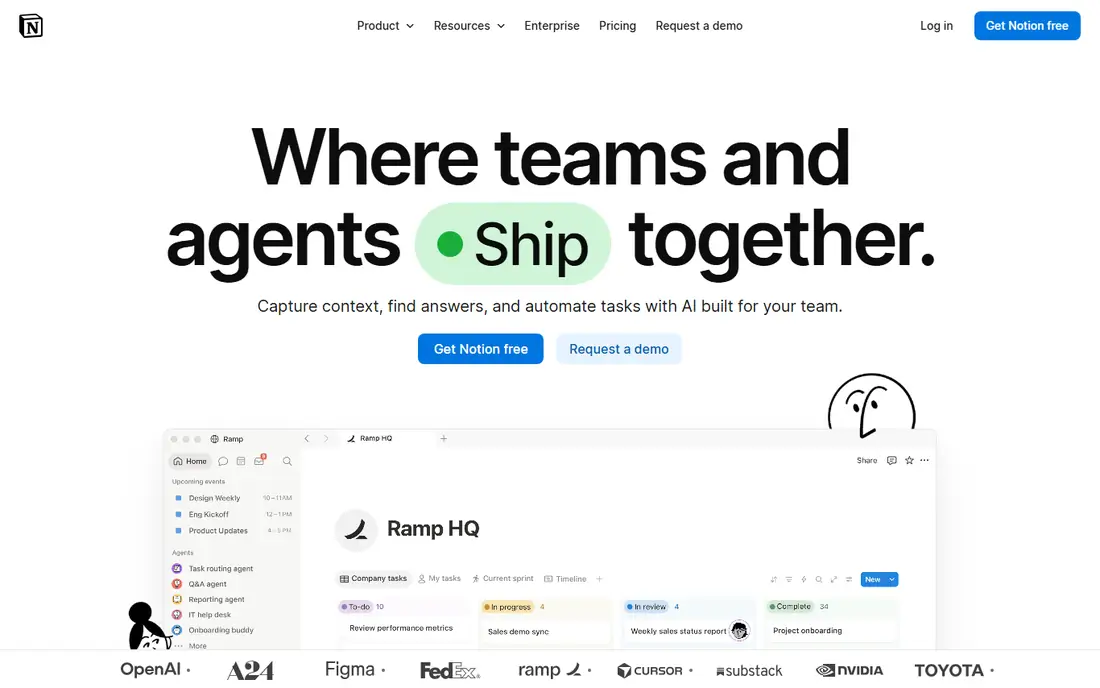
Notion is a workspace where pages can hold text, tables, calendars, kanban boards and embedded files, and databases can link together to form a lightweight system for almost any workflow. A marketing team can keep its content calendar, brand guidelines and meeting notes in one place, while a startup can run its wiki, hiring tracker and product specs without buying three separate tools. Plus adds unlimited file uploads and a longer page history, while Business adds private teamspaces, advanced analytics and full Notion AI. Notion suits knowledge heavy teams best.
What we like- Flexible pages and databases, strong templates, full AI on Business
Watch out for- Task management needs manual setup and lacks the built in project controls of ClickUp or Asana, so larger teams often outgrow it for deadline driven work
#2ClickUp
Best for: Teams that run structured projects with tasks, deadlines, owners and reporting4.6/5 on
G2 (14,878 reviews, checked Oct 2026)
Visit clickup.com
Starting priceCore $9/user/mo billed annually ($12 monthly); Business $17/user/mo billed annually ($25 monthly); checked 17 November 2026
Free planYes, Free Forever plan
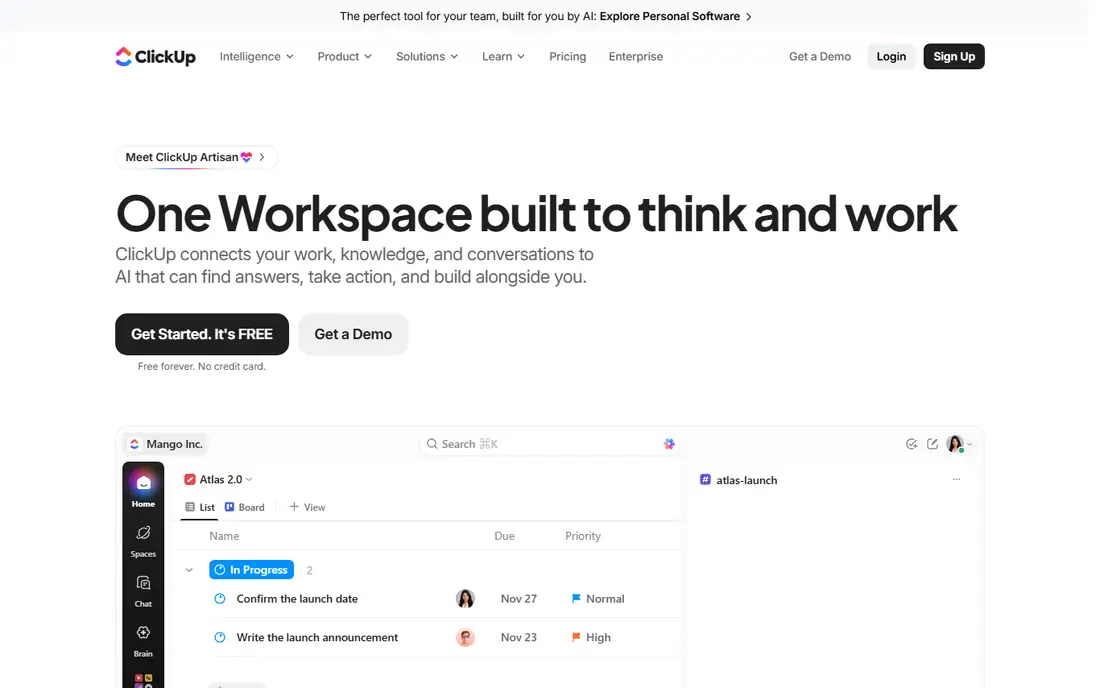
ClickUp aims to be the one place where a team plans, tracks and reports work. Tasks carry custom fields, priorities, dependencies and time estimates, and views include lists, boards, calendars, Gantt charts and timelines. Automations move work between statuses, assign owners and send reminders, while dashboards roll up progress across projects. Core covers unlimited storage, custom fields, Gantt charts and 1,000 automations a month. Business adds 10,000 automations a month, workload and resource management, timesheets and webhooks. For project heavy teams, that depth pays off.
What we like- Deep task management with many views, automations and time tracking, generous free plan
Watch out for- The interface packs in so many features that new users can feel lost, and the new Core and Business pricing line can confuse buyers who still see legacy Unlimited prices quoted elsewhere
#3Asana
Best for: Teams that want reliable project management without a steep learning curve4.4/5 on
G2 (13,930 reviews, checked Oct 2026)
Visit asana.com
Starting priceStarter $10.99/user/mo billed annually ($13.49 monthly); Advanced $24.99/user/mo billed annually ($30.49 monthly); checked 17 November 2026
Free planYes, Personal plan free for up to 2 users
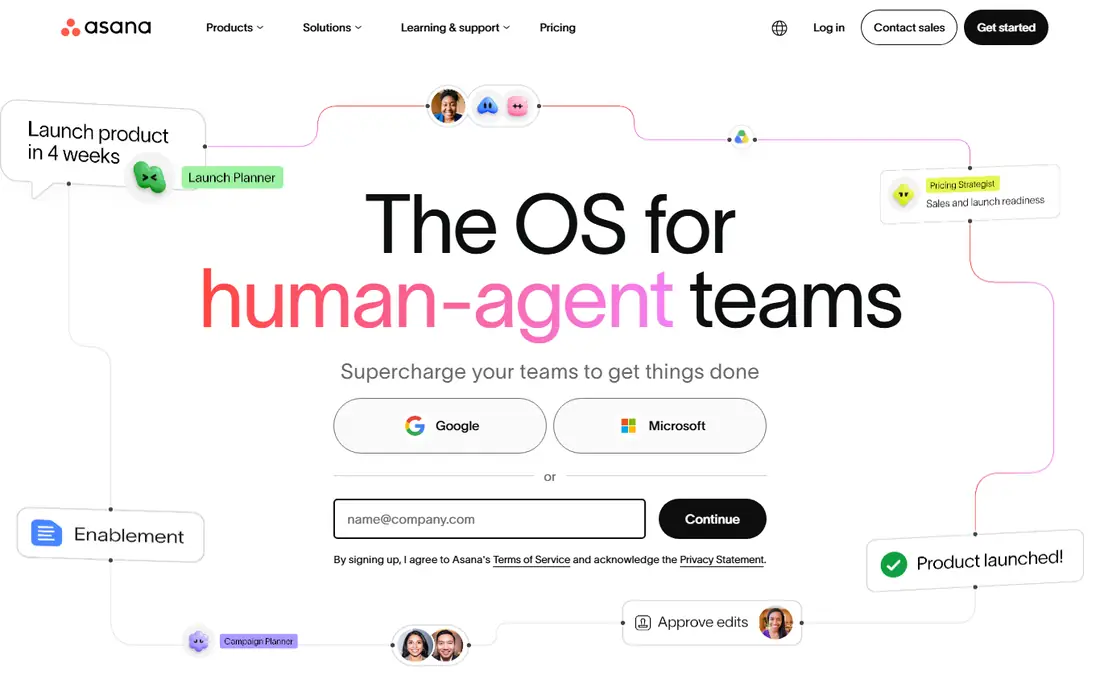
Asana is the steady middle ground in this comparison. It is easier to learn than ClickUp and more structured than Notion, which makes it a safe choice for teams that want to start quickly and grow without switching tools. Starter adds timeline and Gantt views, dashboards, forms, custom fields and unlimited automations. Advanced adds goals, portfolios, workload management, approvals and proofing, native time tracking and formulas. The free Personal plan covers up to two users with unlimited tasks and projects. Teams that need portfolios should budget for Advanced from the start.
What we like- Clean interface, strong timeline and Gantt views, unlimited automations on Starter
Watch out for- The jump from Starter to Advanced nearly doubles the per user price, and portfolio and workload features sit behind that higher tier
#4
monday Work Management
Best for: Teams that like visual boards, colour coded status columns and simple automations
Visit monday.com
Starting priceBasic $9/seat/mo billed annually ($12 monthly); Standard $12/seat/mo billed annually ($14 monthly); Pro $19/seat/mo billed annually ($24 monthly); checked 17 November 2026
Free planYes, free plan for up to 2 seats
monday Work Management turns projects into colourful boards where each row is an item and each column tracks status, owner, date or budget. That visual style makes it popular with marketing, operations and client service teams who want to see progress at a glance. Basic covers unlimited items and free viewers, but it has no automations or integrations, which limits its value. Standard adds timeline and Gantt views, 250 automation and 250 integration actions a month, and guest access. Pro adds time tracking, private boards, formula columns and 25,000 automation and integration actions a month. Do not confuse these prices with monday CRM prices, which are higher.
What we like- Very visual and easy to learn, strong timeline and Gantt views from Standard
Watch out for- Paid plans carry a three seat minimum, so a solo buyer pays for three seats, and Basic has no automations or integrations
#5Trello
Best for: Small teams and simple projects that fit on a Kanban board4.4/5 on
G2 (14,064 reviews, checked Oct 2026)
Visit trello.com
Starting priceStandard $5/user/mo billed annually ($6 monthly); Premium $10/user/mo billed annually ($12.50 monthly); Enterprise $17.50/user/mo billed annually; checked 17 November 2026
Free planYes, free plan for up to 10 collaborators per Workspace
Trello keeps project management simple. Each project is a board, each board holds lists, and each list holds cards that move from left to right as work progresses. That Kanban model is easy to explain to new users, and most teams can set up their first board in minutes. Standard adds unlimited boards and collaborators, custom fields, advanced checklists and 1,000 automation runs a month. Premium adds calendar, timeline, table, dashboard and map views, unlimited automation and admin controls. Enterprise adds organisation wide permissions, Atlassian Guard and 24/7 support, with a 50 seat minimum. Trello suits simple workflows best.
What we like- The simplest tool in this guide, very low starting price, quick to set up
Watch out for- Limited reporting and no native time tracking, so growing teams often need to move to a fuller tool
#6Jira
Best for: Software and product teams that track issues, sprints and releases4.3/5 on
G2 (7,984 reviews, checked Oct 2026)
Visit atlassian.com
Starting priceStandard $9.70/user/mo for 1 to 100 users on monthly billing; Premium $19.60/user/mo for 1 to 100 users; checked 17 November 2026, after the 13 October 2026 price rise
Free planYes, free plan for up to 10 users
Jira is the standard choice for software teams, and it shows in the design. Work is organised into issues, epics, sprints and releases, with boards, backlogs and roadmaps that match how development teams actually plan. Standard adds user roles and permissions, 250 GB of storage, 400 automation steps per user and business hours support. Premium adds cross team planning, unlimited storage, 750 automation steps per user, a 99.9 percent uptime service level agreement and 24/7 support for critical issues. Atlassian raised Jira Cloud list prices on 13 October 2026, so older guides that quote 7.53 dollars for Standard and 13.53 dollars for Premium are out of date.
What we like- Built for agile software work with sprints, backlogs and roadmaps, deep Atlassian integrations
Watch out for- The interface feels heavy for non technical teams, and the per user price falls only at higher seat bands, so small teams pay the top rate
#7Wrike
Best for: Departments and agencies that need Gantt charts, approvals and resource planning4.2/5 on
G2 (4,540 reviews, checked Oct 2026)
Visit wrike.com
Starting priceTeam $10/user/mo billed annually; Business $25/user/mo billed annually; checked 17 November 2026
Free planYes, free plan
Wrike is built for planned, formal work such as marketing campaigns, agency client projects and professional services engagements. Its Gantt charts support dependencies and critical paths, its request forms turn incoming work into tracked tasks, and its proofing tools let reviewers comment directly on creative assets. Team suits small teams of 2 to 15 users and covers Gantt charts, shareable dashboards and starter automation. Business suits teams of 5 to 200 users and adds request forms, time tracking, approvals, proofing, resource management and custom item types. Wrike restructured pricing in January 2026, retiring the old Enterprise tier for new customers. Teams should trial Business first, because the features most agencies need sit on that tier.
What we like- Strong Gantt charts with dependencies, proofing and approvals on Business
Watch out for- The jump from Team at 10 dollars to Business at 25 dollars is steep, and time tracking and request forms only start on Business
#8Smartsheet
Best for: Teams that think in spreadsheets and need grid based tracking with strong reporting4.4/5 on
G2 (22,767 reviews, checked Oct 2026)
Visit smartsheet.com
Starting pricePro $9/member/mo billed annually ($12 monthly); Business $19/member/mo billed annually ($24 monthly); checked 17 November 2026
Free planNo free plan for new signups since 28 August 2024; 30 day free trial instead
Smartsheet looks like a spreadsheet and works like a project tool, which makes it easy for teams that already live in grids and rows. Sheets can switch between grid, card, Gantt and calendar views, and reports and dashboards roll up data across many sheets. Pro covers unlimited sheets, forms and dashboards, with a cap of 10 members and 250 automation runs a month. Business removes the member cap, adds unlimited automations, 1 TB of storage, timeline view and unlimited free guests, with a three member minimum. New signups get a 30 day free trial rather than a free plan. Smartsheet suits operations, finance and project office teams best.
What we like- Familiar spreadsheet interface, unlimited sheets on Pro, strong reports and dashboards
Watch out for- No free plan for new users, and the Pro plan caps at 10 members and 250 automations a month, which pushes growing teams to Business
Frequently asked questions
Is Notion or ClickUp better for project management?
ClickUp is the better choice for project management in most cases, because it was built around tasks, statuses, deadlines, dependencies and reporting. Notion is the better choice when docs, wikis and databases matter more than task tracking. A team that runs client projects with fixed dates should pick ClickUp, while a team that mainly writes, plans and stores knowledge should pick Notion.
How much does ClickUp cost per user in 2026?
ClickUp Core costs 9 dollars per user per month billed annually, or 12 dollars billed monthly. Business costs 17 dollars per user per month billed annually, or 25 dollars billed monthly. The Free Forever plan costs nothing. A Max plan at 100 dollars per user per month billed annually sits above Business. Some older workspaces still use the legacy Unlimited plan at 7 dollars and Business at 12 dollars.
Does Notion have a free plan?
Yes, Notion has a free plan for individuals, with up to 10 guests, unlimited blocks for a single member and a limited trial of Notion AI. The first paid plan is Plus at 10 dollars per user per month billed annually, which adds unlimited file uploads and a 30 day page history. Business at 20 dollars per user per month billed annually adds full Notion AI, private teamspaces and SAML single sign on.
Which is the cheapest project management tool in this comparison?
Trello is the cheapest paid starting point, with Standard at 5 dollars per user per month billed annually and a free plan for up to 10 collaborators. ClickUp Core at 9 dollars and Notion Plus at 10 dollars are close behind. The cheapest list price is not always the cheapest total bill, because seat minimums change the maths. monday Work Management paid plans start at three seats, and Smartsheet Business needs at least three members.
Can I switch from Notion to ClickUp without losing my data?
Yes, you can move most content from Notion to ClickUp, but the move takes planning. ClickUp offers import tools, and Notion pages can be exported as Markdown or CSV files for transfer. Simple pages and task lists move cleanly, while linked databases and complex relations need manual rebuilding. Run a trial migration with one project first, and keep Notion open until the new workspace is tested by the whole team.
Sources we checked (8)
- https://www.notion.com/pricing
- https://clickup.com/pricing
- https://asana.com/pricing
- https://monday.com/pricing
- https://trello.com/pricing
- https://www.atlassian.com/software/jira/pricing
- https://www.wrike.com/pricing/
- https://www.smartsheet.com/pricing
Is your product missing or out of date?
We review this list regularly. Vendors can request a listing, send updated pricing or ask about featured placement.

Shihab Mia · Founder, Rankite
Shihab has 5+ years in B2B and SaaS SEO. He writes Rankite's software buying guides from pricing pages, documentation and public user reviews. More about Shihab.