How we make this list: we compare pricing pages, product documentation and public user reviews. Ratings come from G2, Capterra or Trustpilot, with the date we checked them.
Key takeaways
- OmniFocus 4 costs $74.99 once for a Standard licence, $149.99 once for Pro, or $9.99 a month by subscription, which is $99.99 a year and includes web access. There is no free plan, only a 14-day trial.
- Todoist Pro at $5 a month billed yearly is the best direct swap: cross-platform, shared projects, filters and labels, and a free plan that covers up to five projects.
- Things 3 at $49.99 once for Mac is the best one-time purchase alternative, with the cleanest design in this list and no subscription at all.
- TickTick Premium at $49.99 a year is the cheapest way to add habits, a Pomodoro timer and calendar time blocking to a GTD-style list.
- Asana Starter at $10.99 a user a month billed yearly is the best pick for teams that need shared projects with timelines and assignments.
Why do people look for an OmniFocus alternative?
OmniFocus 4 is the deepest Getting Things Done app on Apple devices, built by The Omni Group. People usually leave it for four reasons. First, platform: OmniFocus runs on Mac, iPhone, iPad, Apple Watch and Apple Vision Pro, and the web version needs a subscription, so anyone who also uses Windows or Android cannot reach their tasks. Second, price: the Pro features that make OmniFocus special, custom perspectives, Focus mode and automation, cost $149.99 once or $99.99 a year by subscription, which is more than most task apps. Third, complexity: OmniFocus has projects, folders, tags, defer dates, Forecast and Review views, and a learning curve that puts off people who want a simple list. Fourth, collaboration: OmniFocus has no shared projects, no comments and no assignment, so a team or a household cannot plan together.
What should an OmniFocus alternative do differently?
Match the alternative to the reason you are leaving. If the reason is platform, Todoist, TickTick, Any.do, Asana, ClickUp and Notion all run on Windows, Android and the web, while Things 3 stays Apple only. If the reason is price, Microsoft To Do is free, Todoist has a free plan that covers up to five projects, and Things 3 at $49.99 once is cheaper than OmniFocus Pro. If the reason is complexity, Things 3 and TickTick are both simpler to start with, and both keep projects, tags and due dates without a GTD manual. If the reason is collaboration, Todoist, Asana and ClickUp all offer shared projects with comments and assignments. If the reason is the weekly review, no tool in this list matches the OmniFocus Review mode exactly, but Todoist filters and TickTick smart lists come closest.
How much do OmniFocus alternatives cost?
| Tool | Starting price | Free plan | Best for |
| Todoist | $5 per month, billed yearly | Yes | A cross-platform GTD replacement |
| Things 3 | $49.99 one-time | No | A clean one-time purchase on Apple |
| TickTick | $49.99 per year | Yes | Habits, Pomodoro and calendar views |
| Asana | $10.99 per user per month, billed yearly | Yes | Shared team projects with timelines |
| ClickUp | $9 per user per month, billed yearly | Yes | A flexible workspace with docs and goals |
| Notion | $10 per member per month, billed yearly | Yes | Tasks inside docs, wikis and databases |
| Any.do | $4.99 per month, billed yearly | Yes | A simple list with a calendar and assistant |
| Microsoft To Do | Free | Yes | A free list inside Microsoft 365 |
Five years of Todoist Pro costs $300, five years of TickTick Premium costs $249.95, and Things 3 costs $79.97 once for Mac, iPhone and iPad. The one-time tools win on long-term cost, while the subscription tools win on platform reach and collaboration, so the right pick depends on whether you use one Apple device or several platforms.
Quick comparison
| Tool | Best for | Starting price | Free plan |
|---|
 Todoist | People who want a GTD-style list that works on every platform | $5 per month, billed yearly (Pro; $6 billed monthly) | Yes. Free plan with up to five projects, five collaborators per project and 5 MB file uploads. |
 Things 3 | Apple users who want a clean one-time purchase with no subscription | $49.99 one-time (Mac; iPhone $9.99, iPad $19.99) | No free plan. No trial beyond the App Store refund window. |
 TickTick | People who want habits, a Pomodoro timer and calendar time blocking with their tasks | $49.99 per year (Premium; $4.99 per month on the App Store) | Yes. Free plan with up to nine lists, 99 tasks per list and one reminder per task. |
 Asana | Teams who need shared projects with timelines, assignments and reporting | $10.99 per user per month, billed yearly (Starter; $13.49 billed monthly) | Yes. Free Personal plan for up to two users with unlimited tasks and projects. |
 ClickUp | People who want tasks, docs, goals and time tracking in one workspace | $9 per user per month, billed yearly (Core; Business $17) | Yes. Free Forever plan with unlimited tasks and members, 100 MB storage and collaborative docs. |
 Notion | People who want tasks inside docs, wikis and databases | $10 per member per month, billed yearly (Plus; $12 billed monthly) | Yes. Free plan for solo use with unlimited pages. |
 Any.do | People who want a simple list with a calendar, assistant and team boards | $4.99 per month, billed yearly (Premium; $59.88 per year) | Yes. Free plan with lists, reminders and basic calendar sync. |
 Microsoft To Do | People who want a free list that syncs with Outlook and Microsoft 365 | Free | Yes. Free, with a Microsoft account. |
Is your product missing or out of date?
We review this list regularly. Vendors can request a listing, send updated pricing or ask about featured placement.
The 8 best OmniFocus alternatives
#1Todoist
Best for: People who want a GTD-style list that works on every platform4.5/5 on
G2 (832 reviews, checked Oct 2026)
Visit todoist.com
Starting price$5 per month, billed yearly (Pro; $6 billed monthly)
Free planYes. Free plan with up to five projects, five collaborators per project and 5 MB file uploads.
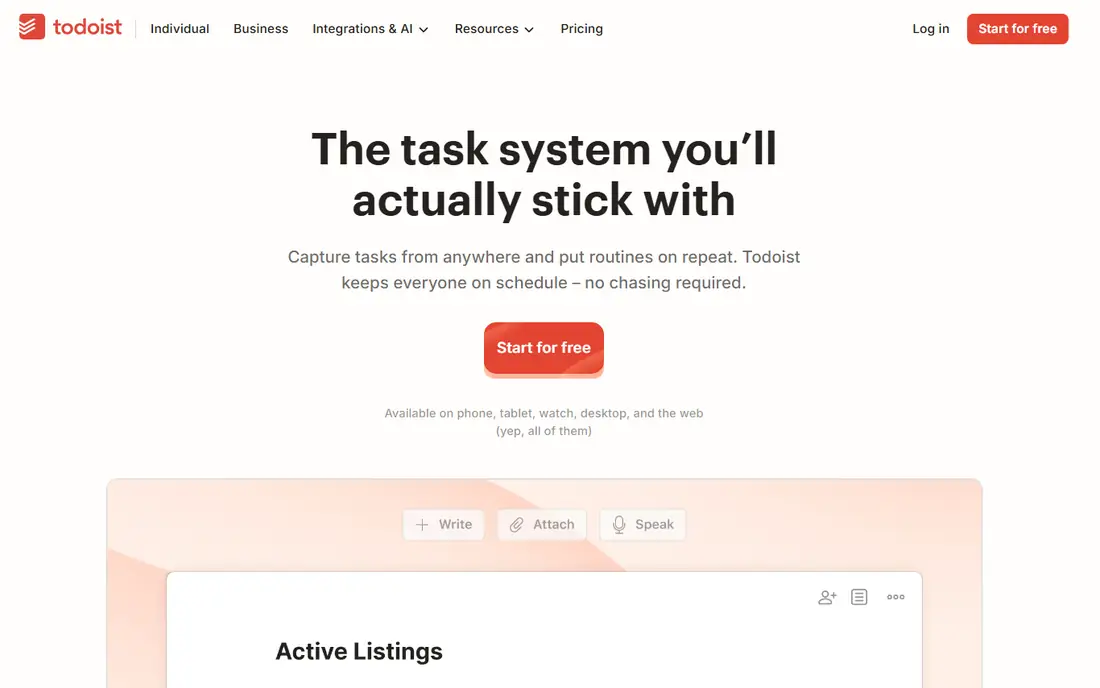
Todoist is the most direct OmniFocus replacement in this list. Pro at $5 a month billed yearly adds unlimited projects, reminders, filters, labels and a calendar layout, and it syncs instantly across Windows, Mac, iOS, Android and the web, which OmniFocus cannot do without a subscription. You type "call the bank tomorrow at 9am" and Todoist sets the date and time, and filters can build a view close to an OmniFocus perspective. The free plan covers up to five projects with five collaborators each, which is enough for a personal list. The drawback is the depth: Todoist has no custom perspectives, no defer dates and no Review mode, so a strict GTD practitioner will miss those. For a person leaving OmniFocus because of platform limits, Todoist is the best replacement.
What we like- Works on Windows, Mac, iOS, Android and the web, natural language dates, filters and labels, shared projects with comments, calendar layout on Pro
Watch out for- No custom perspectives, no defer dates, no habit tracker or Pomodoro timer, and the free plan caps projects at five
#2
Things 3
Best for: Apple users who want a clean one-time purchase with no subscription
Visit culturedcode.com
Starting price$49.99 one-time (Mac; iPhone $9.99, iPad $19.99)
Free planNo free plan. No trial beyond the App Store refund window.
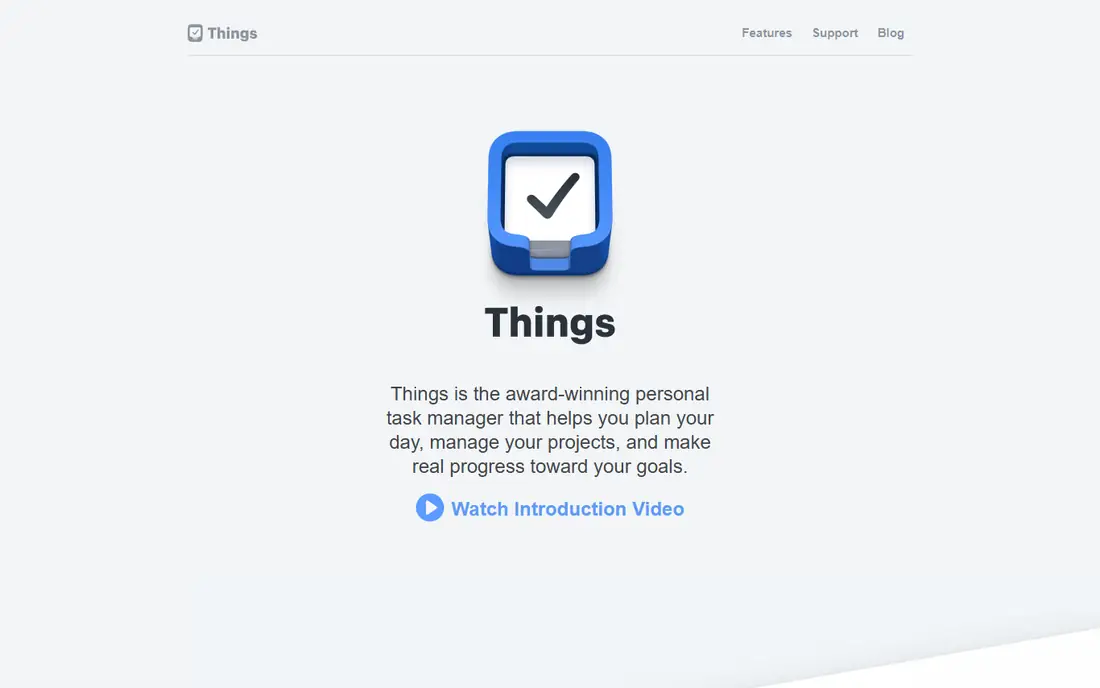
Things 3 is the cleanest OmniFocus alternative. It costs $49.99 once for Mac, $9.99 for iPhone and $19.99 for iPad, which is $79.97 for the full set, and there is no subscription at all. It has projects, areas, tags, deadlines, checklists and an Upcoming view, and it syncs through iCloud. The design is the best in this list, and it starts fast and stays out of the way. The drawback is the platform and the depth: Things 3 is Apple only, with no web app, no Android app and no collaboration, and it has no custom perspectives, defer dates or automation. For an Apple user who finds OmniFocus too complex and too expensive, Things 3 is the best pick.
What we like- Beautiful design, one-time purchase with no subscription, fast and reliable sync through iCloud, Upcoming and Someday views
Watch out for- Apple only, no web app and no Android app, no collaboration, and no custom perspectives or automation
#3TickTick
Best for: People who want habits, a Pomodoro timer and calendar time blocking with their tasks4.5/5 on
G2 (113 reviews, checked Oct 2026)
Visit ticktick.com
Starting price$49.99 per year (Premium; $4.99 per month on the App Store)
Free planYes. Free plan with up to nine lists, 99 tasks per list and one reminder per task.
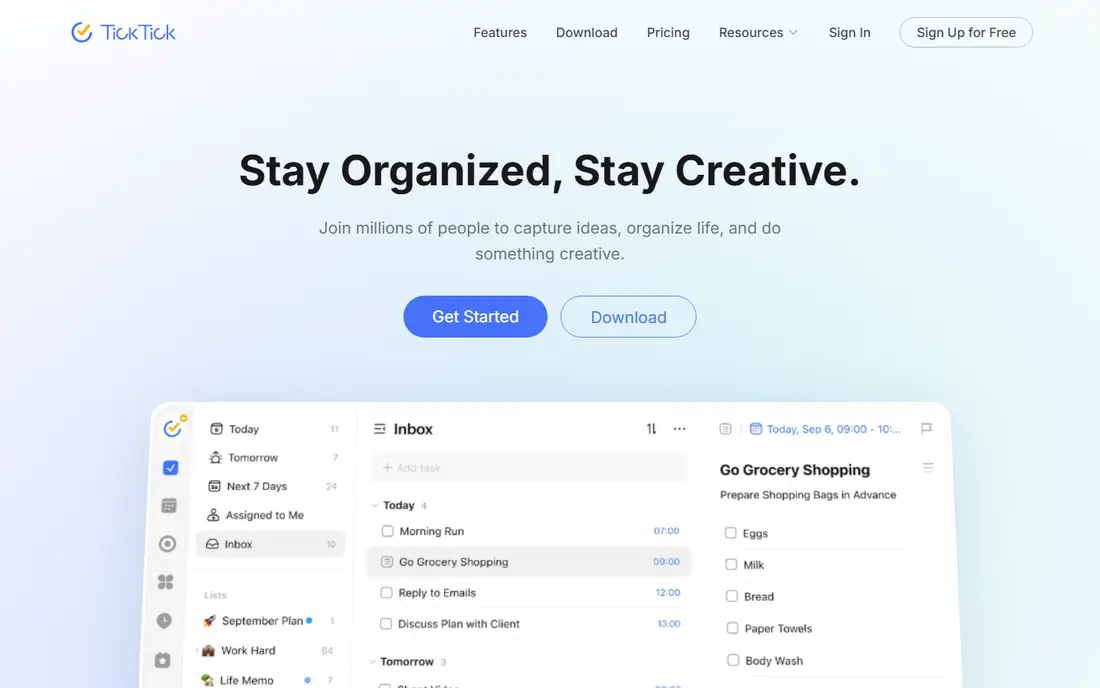
TickTick is the feature-rich OmniFocus alternative. Premium at $49.99 a year from ticktick.com adds unlimited lists, custom smart lists, calendar subscriptions, full calendar time blocking, a habit tracker with streaks and a Pomodoro timer with focus statistics. It runs on Windows, Mac, iOS, Android, Linux and the web, so it covers every platform OmniFocus misses. The free plan gives nine lists and 99 tasks per list, which is enough to test the habits and Pomodoro features. The drawback is the design: TickTick packs more into each screen than OmniFocus, so it feels busier, and the $4.99 a month App Store price is not the same as the $49.99 a year website price. For a person who wants one app for tasks, habits and focus sessions, TickTick is the best pick.
What we like- Built-in habit tracker and Pomodoro timer, calendar time blocking, Eisenhower Matrix view, works on Windows, Mac, iOS, Android and Linux
Watch out for- The interface is busier than OmniFocus, the free plan caps lists at nine, and the App Store price differs from the website price
#4Asana
Best for: Teams who need shared projects with timelines, assignments and reporting4.4/5 on
G2 (13,930 reviews, checked Oct 2026)
Visit asana.com
Starting price$10.99 per user per month, billed yearly (Starter; $13.49 billed monthly)
Free planYes. Free Personal plan for up to two users with unlimited tasks and projects.
Asana is the team answer to OmniFocus. Starter at $10.99 a user a month billed yearly adds timeline and Gantt views, dashboards, forms, custom fields, unlimited automations and unlimited free guests. Advanced at $24.99 adds portfolios, goals, workload, approvals and proofing, native time tracking and formulas. The free Personal plan covers up to two users with unlimited tasks and projects, which is enough for a pair, but a team of three pays from the start. The drawback for personal use is the price and the missing features: Asana has no habit tracker and no Pomodoro timer, and $10.99 a user a month is a lot for a list. For a solo user leaving OmniFocus, Asana is the wrong tool, but for a team that needs shared work, it is the best in this list.
What we like- Shared projects with roles and permissions, timeline and Gantt views, unlimited automations, strong reporting
Watch out for- The free plan stops at two users, it has no habit tracker or Pomodoro timer, and the price is high for personal use
#5ClickUp
Best for: People who want tasks, docs, goals and time tracking in one workspace4.6/5 on
G2 (14,878 reviews, checked Oct 2026)
Visit clickup.com
Starting price$9 per user per month, billed yearly (Core; Business $17)
Free planYes. Free Forever plan with unlimited tasks and members, 100 MB storage and collaborative docs.
ClickUp is the flexible OmniFocus alternative. Core at $9 a user a month billed yearly adds unlimited storage, unlimited integrations, Gantt charts, custom fields and dashboards, and Business at $17 adds goals, workload, time tracking, SSO and unlimited automations. It has list, board, calendar, timeline and Gantt views, plus docs, whiteboards and chat, so it can replace a task app and a small project wiki at once. The free plan covers unlimited tasks and members with 100 MB of storage. The drawback is the complexity: ClickUp takes time to set up, and the interface has more panels and options than OmniFocus. For a person who wants tasks inside a wider workspace, ClickUp is the best pick.
What we like- Flexible views including list, board, calendar and Gantt, docs and whiteboards built in, goals and time tracking, works on every platform
Watch out for- The interface is complex and takes time to set up, the free plan caps storage at 100 MB, and the price rises fast for a team
#6Notion
Best for: People who want tasks inside docs, wikis and databases4.6/5 on
G2 (13,834 reviews, checked Oct 2026)
Visit notion.com
Starting price$10 per member per month, billed yearly (Plus; $12 billed monthly)
Free planYes. Free plan for solo use with unlimited pages.
Notion is the flexible OmniFocus alternative. Plus at $10 a member a month billed yearly adds unlimited file uploads, 30-day page history, custom sites and forms, charts and unlimited guests. Business at $20 adds full Notion AI, including the Agent, AI Meeting Notes and Enterprise Search, plus SAML SSO and private teamspaces. The free plan covers solo use with unlimited pages. You can build a task database with calendar, board and timeline views, and link tasks to docs and meeting notes. The drawback is the setup: Notion is a general workspace, not a task app, so reminders, recurring tasks and habit tracking need database work or a separate tool, and there is no Pomodoro timer. For a person who wants tasks next to their notes and docs, Notion is the best replacement.
What we like- Flexible databases, docs and wikis in one place, strong templates, calendar and board views for tasks
Watch out for- Full AI needs Business at $20 a member a month, it has no native time tracking, habits or Pomodoro, and task views need setup work
#7Any.do
Best for: People who want a simple list with a calendar, assistant and team boards4.2/5 on
G2 (197 reviews, checked Oct 2026)
Visit any.do
Starting price$4.99 per month, billed yearly (Premium; $59.88 per year)
Free planYes. Free plan with lists, reminders and basic calendar sync.
Any.do is the simple OmniFocus alternative with a calendar. Premium at $4.99 a month billed yearly adds unlimited lists, location reminders, custom recurring tasks, colour tags and a team workspace. The calendar view shows tasks and meetings together, and the daily planner helps you plan each morning. It runs on iOS, Android, Mac, Windows and the web, so it covers the platforms OmniFocus misses. The drawback is the price: Any.do prices vary by purchase platform, so the App Store and website figures differ, and the free plan caps lists and reminders. There is no habit tracker and no Pomodoro timer. For a person who wants a clean list with a calendar, Any.do is a good pick.
What we like- Clean interface, calendar view with daily planning, voice entry and WhatsApp reminders, works on every platform
Watch out for- No habit tracker or Pomodoro timer, prices vary by purchase platform, and the free plan caps lists and reminders
#8Microsoft To Do
Best for: People who want a free list that syncs with Outlook and Microsoft 3654.4/5 on
G2 (99 reviews, checked Oct 2026)
Visit to-do.microsoft.com
Starting priceFree
Free planYes. Free, with a Microsoft account.
Microsoft To Do is the free OmniFocus alternative for Microsoft users. It is a simple to-do list that syncs with Outlook tasks and Microsoft 365, with lists, due dates, reminders, file attachments and shared lists. The My Day view shows a clean daily plan. It runs on Windows, Mac, iOS, Android and the web, so it covers the platforms OmniFocus misses, and it costs nothing. The drawback is the feature set: there is no habit tracker, no Pomodoro timer, no calendar time blocking and no custom filters. It is a list, not a planner. For a person who lives in Outlook and wants a free list that is always one click away, Microsoft To Do is enough.
What we like- Free, syncs with Outlook tasks and Microsoft 365, My Day view, shared lists, works on Windows, Mac, iOS, Android and the web
Watch out for- No habit tracker, no Pomodoro timer, no calendar time blocking, and the feature set is thinner than OmniFocus
How we picked these alternatives
We checked each vendor pricing page on 15 Nov 2026, and we used the annual billing rate where the vendor lists one. OmniFocus prices were read from vendor-based comparisons in Oct 2026: Standard $74.99 once, Pro $149.99 once, subscription $9.99 a month or $99.99 a year, with web access at $4.99 a month for licence owners. Older guides that list Standard at $49.99 and Pro at $99.99 are outdated. Things 3 prices were read from the US App Store in Oct 2026. TickTick Premium was read from ticktick.com on 30 Oct 2026: $49.99 a year. Todoist Pro was read in Oct 2026 at $5 a month billed yearly. Any.do prices were read on 28 Sep 2026, with a note that prices vary by purchase platform. Asana on 6 Nov 2026, Notion on 12 Oct 2026 and ClickUp on 15 Nov 2026. Prices change, so confirm the current figure on the vendor page before you pay. Last verified: 15 Nov 2026.
Frequently asked questions
Is there a free alternative to OmniFocus?
Yes. Microsoft To Do is free, and Todoist, TickTick, Asana, ClickUp, Notion and Any.do all have free plans, although each caps projects, lists, users or storage. Things 3 has no free plan. If you want a free list on every platform, Microsoft To Do is the best pick, and Todoist is the best free plan with filters and labels.
Which OmniFocus alternative is best for GTD?
Todoist comes closest for most people, with projects, labels, filters and a calendar layout that can mimic perspectives and a weekly review. Things 3 is the best Apple-only GTD tool, with projects, areas and an Upcoming view. No tool in this list matches the OmniFocus Review mode or custom perspectives exactly, so a strict GTD practitioner will lose some depth in any switch.
Which OmniFocus alternative is cheapest over five years?
Things 3 is cheapest over five years, at $79.97 once for Mac, iPhone and iPad, against $499.95 for five years of OmniFocus by subscription and $249.95 for five years of TickTick Premium. Microsoft To Do costs nothing. Among subscriptions, TickTick Premium at $49.99 a year is the cheapest paid option in this list.
Can I import my OmniFocus tasks into another tool?
Todoist, Asana, ClickUp and Notion all accept CSV import, and OmniFocus exports tasks to CSV. Map the columns for title, project, due date and priority during import, and check that subtasks and attachments carry over, because some importers flatten them. Things 3 has limited import options, so test with a small batch first.
Which OmniFocus alternative works on Windows and Android?
Todoist, TickTick, Asana, ClickUp, Notion, Any.do and Microsoft To Do all have Windows, Android and web apps. Things 3 is Apple only. If Windows or Android is a hard requirement, pick Todoist for the closest GTD-style experience, or TickTick for the most features.
Sources we checked (9)
- https://www.omnigroup.com/omnifocus/
- https://todoist.com/pricing
- https://culturedcode.com/things/
- https://ticktick.com
- https://asana.com/pricing
- https://clickup.com/pricing
- https://www.notion.com/pricing
- https://www.any.do
- https://to-do.microsoft.com
Is your product missing or out of date?
We review this list regularly. Vendors can request a listing, send updated pricing or ask about featured placement.

Shihab Mia · Founder, Rankite
Shihab has 5+ years in B2B and SaaS SEO. He writes Rankite's software buying guides from pricing pages, documentation and public user reviews. More about Shihab.