How we make this list: we compare pricing pages, product documentation and public user reviews. Ratings come from G2, Capterra or Trustpilot, with the date we checked them.
ClickUp wins for most mixed teams, while Jira wins for software teams that live in sprints, backlogs and releases. ClickUp suits a team that wants one workspace for tasks, docs, goals and chat. Jira suits a team that wants strict agile structure, deep issue tracking and tight links to code. If your team includes marketing, operations and product staff as well as developers, ClickUp is the safer first pick.
Key takeaways: ClickUp is the better all-round workspace for mixed teams, with a lower starting price. Jira is the better choice for software delivery, with stronger sprint planning, backlog management and release tracking. Asana is the cleanest option for structured cross-team work. Trello is the cheapest and simplest option for small teams. monday Work Management is the most visual option for operations work.
Last verified: 17 Nov 2026.
How much do Jira and ClickUp cost in 2026?
Jira starts higher than ClickUp on the first paid plan. Jira Standard costs $9.70 per user per month on monthly billing for 1 to 100 users, and Premium costs $19.60 per user per month on the same basis. ClickUp Core costs $9 per user per month on annual billing, or $12 on monthly billing. ClickUp Business costs $17 per user per month on annual billing, or $25 on monthly billing. A 10 person team pays about $97 a month for Jira Standard, against about $90 a month for ClickUp Core on annual billing.
Price conflicts matter here. Atlassian raised Jira prices on 13 Oct 2026, from $9.05 to $9.70 for Standard and from $18.30 to $19.60 for Premium for the first 100 users. Older guides still show $7.53 and $13.53, which were annual billing figures, and $7.91 and $14.54, which were blended rates at larger team sizes. Those figures are stale. Use $9.70 and $19.60 for a small team on monthly billing. Jira prices also fall as team size rises, and annual billing uses user tiers, so check the tier for your exact seat count.
ClickUp has a second conflict. Its pricing page is rolling out a new line, Free, Core $9, Business $17, Enterprise by quote and Max $100 per user per month on annual billing. The older line, Free, Unlimited $7 and Business $12, still appears to some visitors and in older guides. One October source also listed Core at $8, which conflicts with the current $9 figure. Treat $9 and $17 as the current vendor figures, and confirm which line your checkout shows.
Jira is better for software teams that run Scrum or Kanban at scale. It was built around issues, epics, sprints, story points and releases. Backlog grooming, sprint planning, velocity reports and release tracking are native, not added through workarounds. Its integration with Bitbucket, GitHub and Confluence fits a development workflow, and its permission model suits teams that need strict control over who can move, edit or close an issue.
ClickUp can run software work, and many small development teams use it well. It offers sprints, custom statuses, custom fields, time tracking and Git integrations. Its strength is flexibility. A team can shape ClickUp to match its own process rather than adopt the Jira way of working. The trade off is depth. ClickUp sprint reporting, backlog handling and release management are less mature than Jira, so a team with several squads will feel the limits sooner.
ClickUp is better for non-technical teams. Marketing, operations, HR and client service teams can use the same workspace for campaigns, onboarding, requests and reporting without learning agile terms. ClickUp offers list, board, calendar, Gantt, timeline, table and mind map views in one place, plus docs, whiteboards, goals and chat. A non-technical user can start with a template and build a working project in an afternoon.
Asana and monday Work Management are also strong for non-technical teams, and both are easier to learn than Jira. Trello is simpler still. The right test is a real task. Give each shortlisted tool to three non-technical users, ask them to create a project, assign work and find a deadline, and note where they get stuck.
We picked tools that compete directly with Jira and ClickUp for project and work management, with published pricing checked on 17 Nov 2026. We compared starting price, free plan limits, core views, automation, reporting, integrations and fit for software and non-technical teams. We used vendor pricing pages as the primary source for every price, and we flagged conflicts where older guides disagreed with the current vendor page. We did not use star ratings. Prices are in US dollars and exclude tax.
Quick comparison
| Tool | Best for | Starting price | Free plan |
|---|
 Jira | Software teams that run Scrum, Kanban and formal releases | $9.70 per user per month for Standard on monthly billing for 1 to 100 users, checked 17 Nov 2026; Premium $19.60 per user per month on the same basis; Enterprise by quote | Free for up to 10 users, with 2 GB storage and community support |
 ClickUp | Mixed teams that want tasks, docs, goals and chat in one workspace | $9 per user per month for Core on annual billing, checked 17 Nov 2026; $12 on monthly billing; Business $17 annual or $25 monthly; Max $100 annual | Free Forever plan with 100 MB storage, unlimited tasks and members, and limited views |
 Asana | Teams that want clear ownership, timelines and cross-team reporting | $10.99 per user per month for Starter on annual billing, checked 17 Nov 2026; $13.49 on monthly billing; Advanced $24.99 annual or $30.49 monthly | Personal plan free for up to 2 users, with unlimited tasks and projects |
 monday Work Management | Operations, client work and teams that like visual boards | $9 per seat per month for Basic on annual billing, checked 17 Nov 2026; $12 on monthly billing; Standard $12 annual or $14 monthly; Pro $19 annual or $24 monthly | Free for up to 2 seats, with up to 3 boards |
 Trello | Small teams that want a simple Kanban board with low cost | $5 per user per month for Standard on annual billing, checked 17 Nov 2026; $6 on monthly billing; Premium $10 annual or $12.50 monthly; Enterprise $17.50 annual | Free plan with up to 10 collaborators and 10 open boards per Workspace |
 Wrike | Agencies and departments with formal intake, approvals and proofing | $10 per user per month for Team on annual billing, checked 17 Nov 2026; Business $25 per user per month on annual billing; Pinnacle and Apex by quote | Free for up to 5 users, with basic task and board tools |
 Smartsheet | Teams that like spreadsheet grids for project tracking and reporting | $9 per member per month for Pro on annual billing, checked 17 Nov 2026; $12 on monthly billing; Business $19 annual or $24 monthly; Enterprise by quote | No free plan for new signups since 28 Aug 2024; new users get a 30 day free trial |
 Notion | Teams that want docs, wikis, notes and tasks in one workspace | $10 per member per month for Plus on annual billing, checked 17 Nov 2026; $12 on monthly billing; Business $20 annual or $24 monthly; Enterprise by quote | Free plan for individuals, with limited blocks once a second member joins |
Is your product missing or out of date?
We review this list regularly. Vendors can request a listing, send updated pricing or ask about featured placement.
This list covers Jira and ClickUp, plus six proven alternatives. Prices below are starting prices from each vendor pricing page, checked 17 Nov 2026. Use the comparison table to shortlist two or three tools, then trial those with a real project.
| Tool |
Starting price |
Free plan |
Best for |
| Jira |
$9.70 per user per month, Standard, monthly billing, 1 to 100 users |
Free for up to 10 users |
Software teams running Scrum and Kanban |
| ClickUp |
$9 per user per month, Core, annual billing |
Free Forever plan |
Mixed teams that want one workspace |
| Asana |
$10.99 per user per month, Starter, annual billing |
Personal plan for up to 2 users |
Structured cross-team projects |
| monday Work Management |
$9 per seat per month, Basic, annual billing |
Free for up to 2 seats |
Visual operations and client work |
| Trello |
$5 per user per month, Standard, annual billing |
Free, up to 10 collaborators per Workspace |
Simple boards for small teams |
| Wrike |
$10 per user per month, Team, annual billing |
Free for up to 5 users |
Process-heavy teams and agencies |
| Smartsheet |
$9 per member per month, Pro, annual billing |
No free plan for new signups, 30 day trial |
Spreadsheet style project tracking |
| Notion |
$10 per member per month, Plus, annual billing |
Free plan for individuals |
Docs, notes and tasks in one place |
#1Jira
Best for: Software teams that run Scrum, Kanban and formal releases4.3/5 on
G2 (7,984 reviews, checked Oct 2026)
Visit atlassian.com
Starting price$9.70 per user per month for Standard on monthly billing for 1 to 100 users, checked 17 Nov 2026; Premium $19.60 per user per month on the same basis; Enterprise by quote
Free planFree for up to 10 users, with 2 GB storage and community support
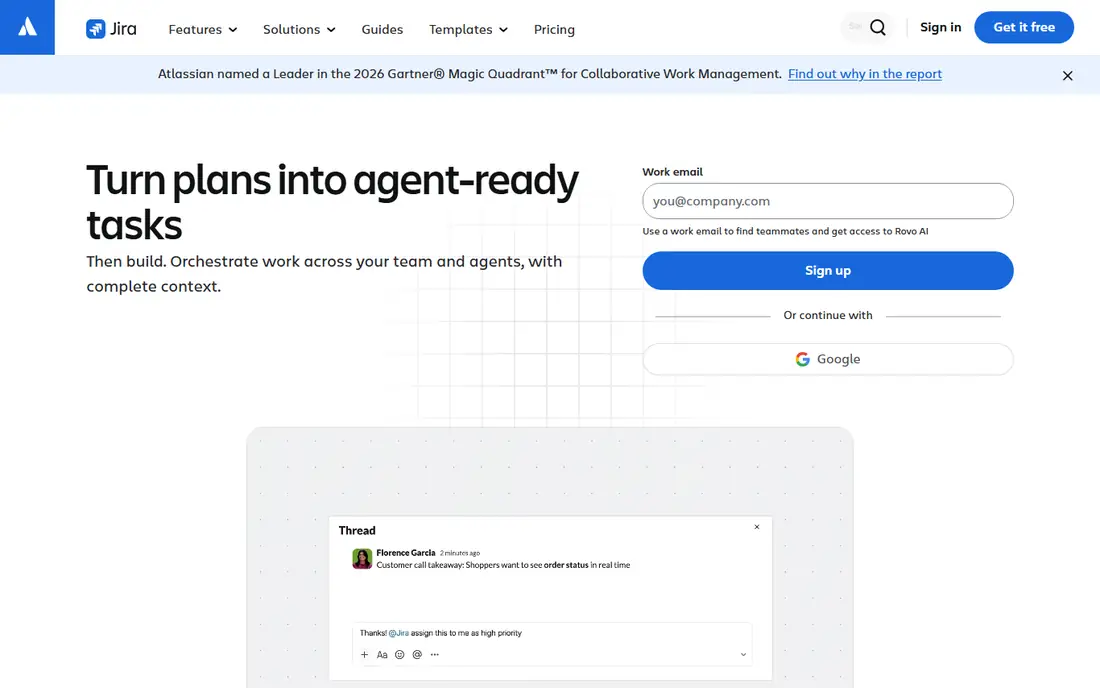
Jira is the standard choice for software delivery, and it earns that place through depth rather than ease of use. Teams can plan sprints, rank a backlog, track story points, manage dependencies and report on velocity without extra tools. Premium adds cross-team planning, approvals and a 99.9 percent uptime SLA. The trade off is complexity. Admin screens are dense, and a new user can feel lost in issue types and statuses. The 13 Oct 2026 rise lifted Standard from $9.05 to $9.70 and Premium from $18.30 to $19.60 for the first 100 users.
What we like- Strong sprint and backlog tools, deep issue tracking, good reporting, wide integration library, strong permission controls
Watch out for- Steep learning curve for non-technical users, and setup takes time before a team works smoothly
#2ClickUp
Best for: Mixed teams that want tasks, docs, goals and chat in one workspace4.6/5 on
G2 (14,878 reviews, checked Oct 2026)
Visit clickup.com
Starting price$9 per user per month for Core on annual billing, checked 17 Nov 2026; $12 on monthly billing; Business $17 annual or $25 monthly; Max $100 annual
Free planFree Forever plan with 100 MB storage, unlimited tasks and members, and limited views
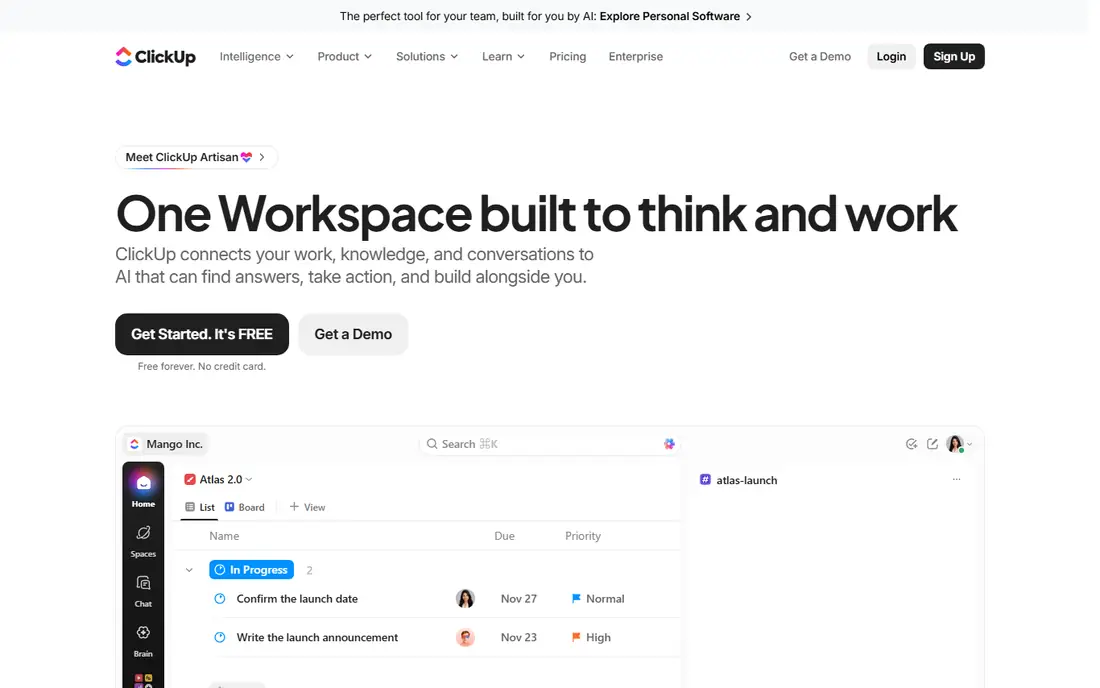
ClickUp is the most flexible tool in this list. A team can run marketing campaigns, product roadmaps, client onboarding and internal requests in one workspace, with list, board, Gantt, calendar and table views. Core adds custom fields, unlimited storage and Gantt charts. Business adds workload views, timesheets, advanced dashboards and more automation. The new Core and Business line at $9 and $17 replaces the old Unlimited and Business line at $7 and $12, and some visitors still see the old line.
What we like- Many views and templates, strong customisation, built-in docs and whiteboards, good value at Core level
Watch out for- Feature depth varies by area, and the new pricing line can confuse buyers at checkout
#3Asana
Best for: Teams that want clear ownership, timelines and cross-team reporting4.4/5 on
G2 (13,930 reviews, checked Oct 2026)
Visit asana.com
Starting price$10.99 per user per month for Starter on annual billing, checked 17 Nov 2026; $13.49 on monthly billing; Advanced $24.99 annual or $30.49 monthly
Free planPersonal plan free for up to 2 users, with unlimited tasks and projects

Asana is the easiest of the structured tools to learn. A project manager can set up a project, assign tasks, set dependencies and share a timeline in a short session. Starter adds Timeline and Gantt views, dashboards, forms and unlimited automations. Advanced adds portfolios, goals, approvals, proofing and native time tracking. The free plan is narrow, with a two user cap, so a real team must pay from the start. The price jump from Starter to Advanced is steep, at $10.99 to $24.99 per user per month on annual billing.
What we like- Clean interface, strong timeline and workload views, good templates, reliable automations
Watch out for- Portfolios, goals and workload tools sit on Advanced, so the useful reporting tier costs more than twice Starter
#4
monday Work Management
Best for: Operations, client work and teams that like visual boards
Visit monday.com
Starting price$9 per seat per month for Basic on annual billing, checked 17 Nov 2026; $12 on monthly billing; Standard $12 annual or $14 monthly; Pro $19 annual or $24 monthly
Free planFree for up to 2 seats, with up to 3 boards
monday Work Management is built around colourful boards that show status, owner and deadline at a glance. Basic suits simple task tracking, with unlimited items and free viewers. Standard adds automations, integrations, Gantt and timeline views, and guest access. Pro adds time tracking, private boards, higher automation limits and advanced dashboards. The seat bundle rule is the main cost trap. Paid plans start at 3 seats, then rise in fixed bundles, so a 4 person team buys 5 seats and a 6 person team buys 10. Check the bundle for your headcount before you compare the headline rate.
What we like- Visual boards and dashboards, strong automations on Standard and above, many integrations, easy to learn
Watch out for- Paid plans use seat bundles with a 3 seat minimum, so small teams pay for seats they do not use
#5Trello
Best for: Small teams that want a simple Kanban board with low cost4.4/5 on
G2 (14,064 reviews, checked Oct 2026)
Visit trello.com
Starting price$5 per user per month for Standard on annual billing, checked 17 Nov 2026; $6 on monthly billing; Premium $10 annual or $12.50 monthly; Enterprise $17.50 annual
Free planFree plan with up to 10 collaborators and 10 open boards per Workspace
Trello is the simplest tool here, and that is its main strength. A team can create a board, add cards, assign owners and set due dates in minutes. Standard removes the board and collaborator limits, adds custom fields, advanced checklists and 1,000 automation runs a month. Premium adds calendar, timeline, table, dashboard and map views, plus unlimited automation. The free plan cap is strict, at 10 collaborators per Workspace, so a growing team moves to paid quickly. Reporting is thin compared with Asana, monday or Jira.
What we like- Very easy to learn, fast to set up, low starting price, useful automation on paid plans
Watch out for- Limited reporting and workload tools, and Premium doubles the price for calendar, timeline and dashboard views
#6Wrike
Best for: Agencies and departments with formal intake, approvals and proofing4.2/5 on
G2 (4,540 reviews, checked Oct 2026)
Visit wrike.com
Starting price$10 per user per month for Team on annual billing, checked 17 Nov 2026; Business $25 per user per month on annual billing; Pinnacle and Apex by quote
Free planFree for up to 5 users, with basic task and board tools
Wrike suits teams that need process control. Request forms feed work into a queue, approvals leave an audit trail, and proofing lets reviewers mark up files inside a task. Team, at $10 per user per month on annual billing, covers 2 to 15 users and adds Gantt charts, dashboards and 50 automation actions per seat per month. Business, at $25, covers 5 to 200 users and adds time tracking, workload views, resource management and unlimited automations. The jump from $10 to $25 is steep, and Business has no monthly billing option.
What we like- Strong request forms, approvals and proofing, good resource management on Business, solid Gantt charts
Watch out for- Business is annual only with a 5 seat minimum, and key agency features are locked behind the $25 tier
#7Smartsheet
Best for: Teams that like spreadsheet grids for project tracking and reporting4.4/5 on
G2 (22,767 reviews, checked Oct 2026)
Visit smartsheet.com
Starting price$9 per member per month for Pro on annual billing, checked 17 Nov 2026; $12 on monthly billing; Business $19 annual or $24 monthly; Enterprise by quote
Free planNo free plan for new signups since 28 Aug 2024; new users get a 30 day free trial
Smartsheet looks like a spreadsheet and works like a project tool. Teams can track tasks in a grid, switch to Gantt, card or calendar views, and build dashboards and reports from live sheets. Pro, at $9 per member per month on annual billing, suits individuals and small teams, with unlimited sheets and 20 GB storage. Business, at $19, suits growing teams, with 1 TB storage, unlimited automations and free external Guests. Smartsheet closed its free plan to new signups on 28 Aug 2024, so a new team starts with a 30 day trial.
What we like- Familiar grid view, strong forms and reports, good for large project portfolios, free Contributors can view and comment
Watch out for- No free plan for new users, and Pro caps at 10 members with only 250 automation runs a month
#8Notion
Best for: Teams that want docs, wikis, notes and tasks in one workspace4.6/5 on
G2 (13,834 reviews, checked Oct 2026)
Visit notion.com
Starting price$10 per member per month for Plus on annual billing, checked 17 Nov 2026; $12 on monthly billing; Business $20 annual or $24 monthly; Enterprise by quote
Free planFree plan for individuals, with limited blocks once a second member joins
Notion is a docs tool first and a project tool second. Teams can build a wiki, a meeting notes hub and a task database in one workspace, with linked pages, custom properties and filtered views. Plus, at $10 per member per month on annual billing, adds unlimited blocks for a team, unlimited file uploads and 30 day page history. Business, at $20, adds full Notion AI, AI meeting notes, SAML SSO, private teamspaces and 90 day history. Older guides still show Plus at $8 and Business at $15, which are stale.
What we like- Flexible pages and databases, strong docs and wiki tools, good templates, low entry price
Watch out for- Native project reporting and workload tools are weaker than Asana or Jira, and full AI starts on Business
Frequently asked questions
Is Jira or ClickUp better for a small team?
ClickUp is better for most small mixed teams, because it combines tasks, docs, goals and chat in one workspace at a lower starting price. Jira is better if the small team is mainly developers who need sprints, backlogs and release tracking. A team of under 10 people should trial both with a real project.
How much does Jira cost per user in 2026?
Jira Standard costs $9.70 per user per month on monthly billing for 1 to 100 users, after the 13 Oct 2026 price rise. Premium costs $19.60 per user per month on the same basis. The free plan covers up to 10 users. Prices fall as team size rises, and annual billing uses user tiers.
Is ClickUp really $9 per user per month?
Core costs $9 per user per month on annual billing on the current pricing page, or $12 on monthly billing. Business costs $17 on annual billing, or $25 monthly. The older Unlimited $7 and Business $12 line still appears to some visitors, and one October source listed Core at $8. Confirm which line your checkout shows.
Can Trello or Asana replace Jira for software teams?
Trello can replace Jira for a very small team that only needs a board, but it lacks sprint reporting, backlog management and release tracking. Asana can replace Jira for product and cross-team work, with timelines, portfolios and workload views. A larger engineering team will still find Jira stronger for agile delivery.
Which tool in this list has the best free plan?
Jira has the most useful free plan for a small team, with up to 10 users. ClickUp Free Forever is also generous for tasks, with unlimited tasks and members. Trello free caps at 10 collaborators and 10 boards. Asana Personal caps at 2 users, and monday free caps at 2 seats.
Sources we checked (16)
- https://www.atlassian.com/software/jira/pricing
- https://clickup.com/pricing
- https://asana.com/pricing
- https://monday.com/pricing
- https://trello.com/pricing
- https://www.wrike.com/pricing/
- https://www.smartsheet.com/pricing
- https://www.notion.com/pricing
- https://www.gotechpresso.com/blog/jira-pricing
- https://www.velareviews.com/updates/clickup-pricing-plans-2026/
- https://www.rock.so/blog/asana-pricing
- https://www.sfdify.com/blog/monday-com-pricing-plans-explained
- https://www.rock.so/blog/trello-pricing
- https://www.seoraf.com/wrike-pricing/
- https://www.ganttile.com/guides/smartsheet-pricing
- https://www.rock.so/blog/notion-pricing
Is your product missing or out of date?
We review this list regularly. Vendors can request a listing, send updated pricing or ask about featured placement.

Shihab Mia · Founder, Rankite
Shihab has 5+ years in B2B and SaaS SEO. He writes Rankite's software buying guides from pricing pages, documentation and public user reviews. More about Shihab.